
Configure Extension Nodes
Extensions (or modules) are the core building blocks of a voice agent. They define the capabilities and functionalities of the agent. With TMAN Designer, you can easily add, remove, or replace extensions of same kind to tailor the agent to your specific needs.
You can follow this guide to learn to launch TMAN Designer if you haven't done so already.
Replace Extension Node
Replacing can be very useful when you want to replace a node with another node of same protocol, as it will keep the original connections while changing the underlying implementation (e.g. to a different vendor model).
To replace a module or extension in TMAN Designer, follow these steps:
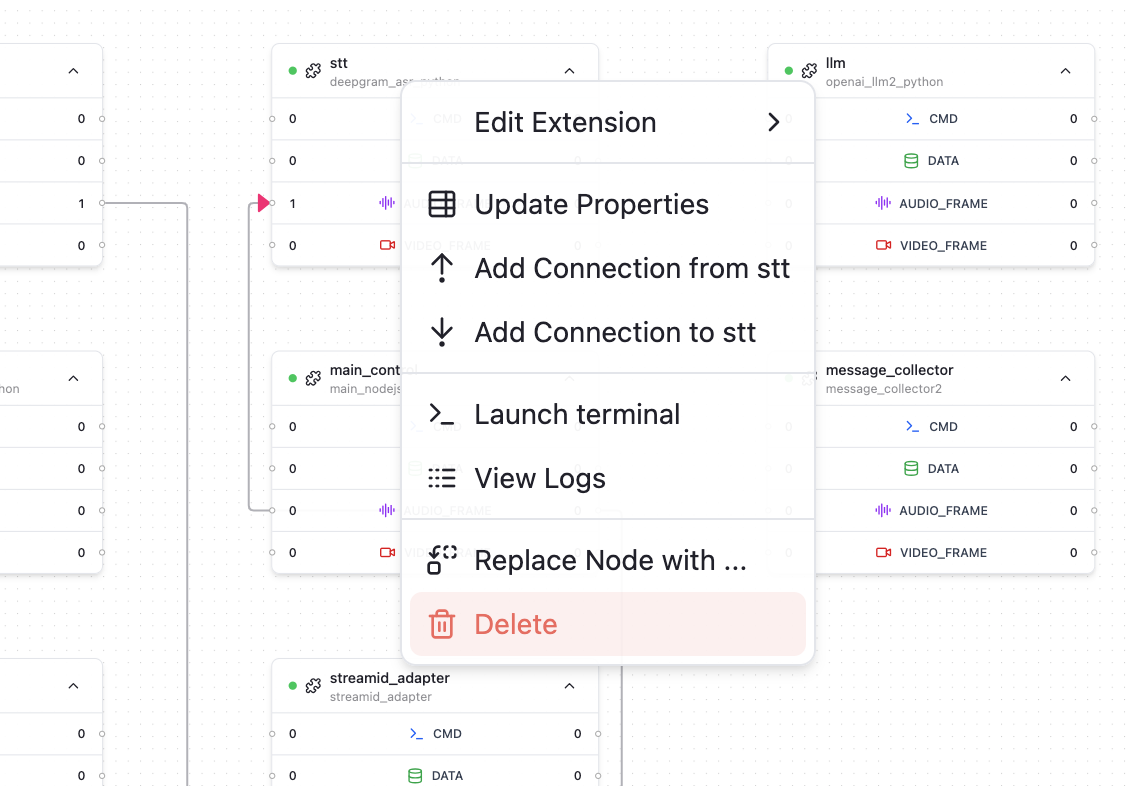
- Right click on the node you would like to replace, in the context menu, select "Replace Node With..."
- In the popup window, select the extension implementation you would like to use with "Addon Name" text input field.
- Click "Replace Node" to confirm the replacement.
Note
The replacing extension will be using the properties defined in property.json by default.

Add Extension Node
You can add an extension node to a graph with following steps:
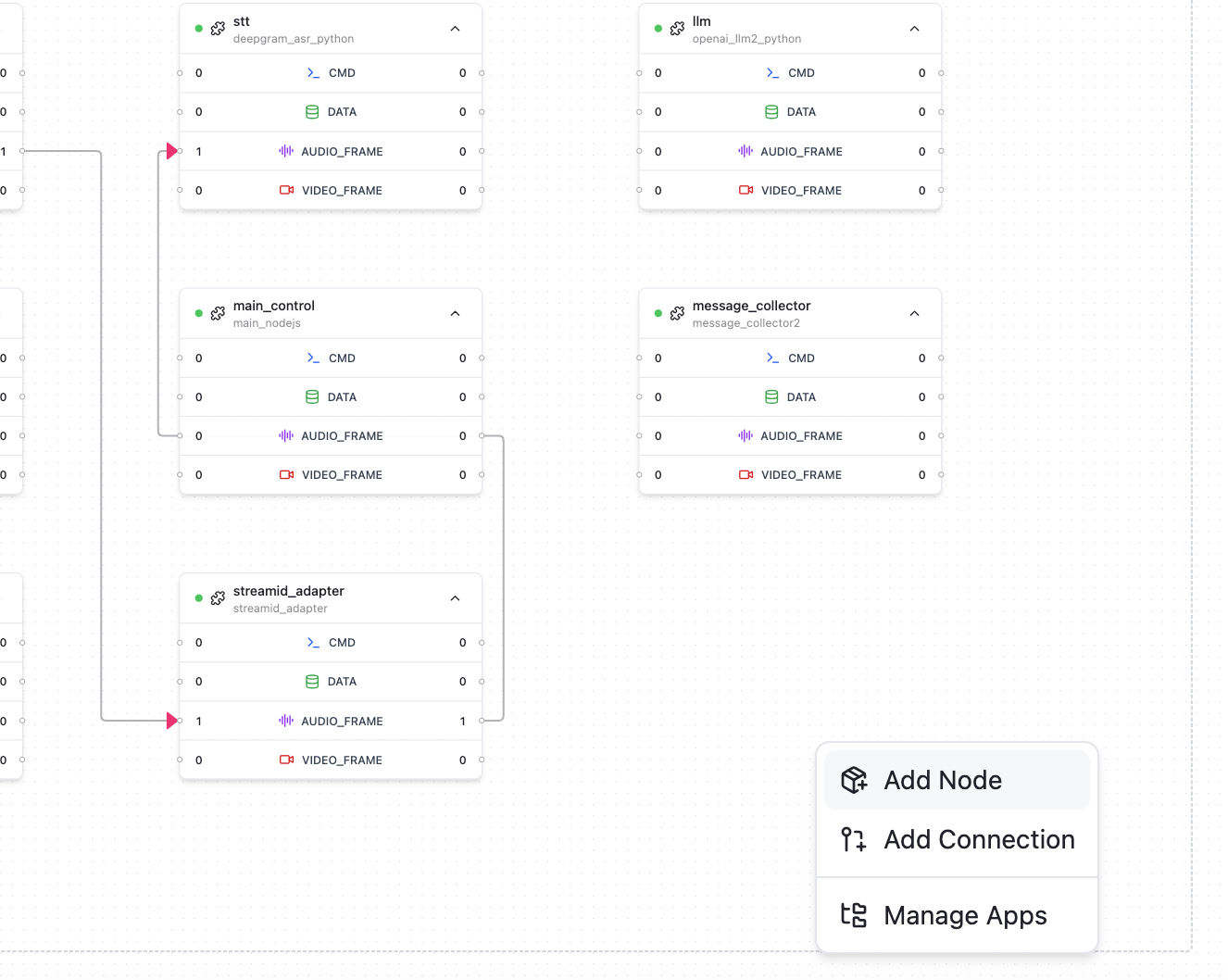
- Right click on an empty area in the canvas, in the context menu, select "Add Node"
- In the popup window, select the extension implementation you would like to use with "Addon Name" text input field, and give the node a name with "Node Name" text input field. The node name needs to be unique in a graph.
- Click "Add Node" to confirm the addition.
Note
The added extension will be using the properties defined in property.json by default.
Remove Extension Node
You can remove an extension you no longer need from graph by following these steps:
- Right click on the node you want to remove, in the context menu, select "Delete"
- Confirm the removal in the popup window.
Supported Extension Categories
Some key categories of extensions are widely adopted in voice ai agent. In TEN-Agent these extensions are built using certain shared protocols so that it's easy to switch.
Following is a list of supported extension categories:
Audio Speech Recognition (ASR)
- aliyun_asr
- aliyun_asr_bigmodel_python
- aws_asr_python
- azure_asr_python
- bytedance_asr
- deepgram_asr_python
- gladia_asr_python
- google_asr_python
- openai_asr_python
- soniox_asr_python
- speechmatics_asr_python
- tencent_asr_python
- xfyun_asr_bigmodel_python
- xfyun_asr_dialect_python
- xfyun_asr_python
Note
The list above is subject to change as new extensions are added or existing ones are updated.
Large Language Model (LLM)
- openai_llm2_python
- dify_llm2_python
- coze_llm2_python
Note
Most LLM models are compatible with openai api schema. You can switch vendors by changing base_uri / model to vendor you want.
Note
The list above is subject to change as new extensions are added or existing ones are updated.
Text to Speech (TTS)
- azure_tts_python
- bytedance_tts_duplex
- cartesia_tts2
- elevenlabs_tts2_python
- fish_audio_tts_python
- google_tts_python
- humeai_tts_python
- minimax_tts_websocket_python
- openai_tts2_python
- polly_tts
- tencent_tts_python
Note
The list above is subject to change as new extensions are added or existing ones are updated.
Multimodal Realtime V2V Model (MLLM)
- azure_mllm_python
- glm_mllm_python
- gemini_mllm_python
- openai_mllm_python
- stepfun_mllm_python
Note
The list above is subject to change as new extensions are added or existing ones are updated.
Tools (TOOLS)
- weatherapi_tool_python
- vision_analyze_tool_python
- mcp_client_python
Note
The list above is subject to change as new extensions are added or existing ones are updated.
最后更新