# Application Scenarios (/docs/application_scenarios)
The TEN framework is designed to make AI feature integration and application development more efficient and flexible. Developers can create and deploy AI function extensions quickly, combining them to form customized applications or services. Typical AI scenarios include:
* **Intelligent Speech Processing**: Extensions for speech recognition (STT), speech synthesis (TTS), and sentiment analysis can be combined to create conversational systems.
* **Visual Recognition Systems**: Extensions for image recognition and video analysis can be used to build security or retail solutions with face recognition, object detection, and motion tracking.
* **Recommendation Systems and Data Analysis**: Extensions for machine learning and data processing can be combined to create personalized recommendation systems and analytical tools.
* **Interactive Education and Training Platforms**: Extensions for interactive teaching, intelligent tutoring, and assessments can be assembled into comprehensive educational technology solutions.
* **Health Monitoring and Diagnostic Systems**: Medical image analysis and AI-driven diagnostic extensions can be used to develop systems for disease monitoring and early diagnosis.
Through the TEN framework, developers can create, share, and extend AI extensions, enabling rapid development and innovation. The flexible architecture ensures scalability and maintainability, providing a solid foundation for modern AI solutions.
# Goal (/docs/goal)
The vision of the TEN framework is to establish a modular, flexible, and scalable platform that enhances development speed, maintainability, and scalability. The framework is designed to support best engineering practices for modular development, enabling developers to create robust, efficient, and adaptable applications by leveraging comprehensive mechanisms provided by the platform.
# Welcome to TEN (/docs)
import { Card, Cards } from 'fumadocs-ui/components/card'
import { Callout } from 'fumadocs-ui/components/callout'
Welcome to TEN! TEN stands for **Transformative Extensions Network**, an open-source framework for real-time multimodal conversational AI.
## Vision
The TEN framework is designed to establish a modular, flexible, and scalable platform that enhances development speed, maintainability, and scalability. The framework supports best engineering practices for modular development, enabling you to create robust, efficient, and adaptable applications by leveraging comprehensive mechanisms provided by the platform.
## Get Started
## Why TEN?
Native support for multimodal interactions with low latency. Optimized for complex audio-visual AI applications.
Build extensions in C++, Go, Python, or JavaScript/TypeScript. Run seamlessly on Windows, Mac, Linux, and mobile.
Combine edge and cloud deployments flexibly. Balance cost, latency, and performance for your use case.
Create complex AI apps with drag-and-drop simplicity. Integrate LLMs with databases, RAG, audio-visual tools, and more.
Dynamic agent state management enables responsive behavior adjustment in real time.
Build reusable extensions that work together. No glue code needed.
## Choose Your Path
Start with the [Getting Started guide](/docs/ten_agent_examples/getting_started) to run your first voice agent in minutes.
### For Application Developers
Build voice agents and conversational AI applications:
* [TEN Agent Examples Overview](/docs/ten_agent_examples/overview) - Understand the agent architecture
* [Getting Started](/docs/ten_agent_examples/getting_started) - Set up and run your first agent
* [Customize Agent](/docs/ten_agent_examples/customize_agent/modify-main) - Configure and personalize your agent
### For Extension Developers
Create custom extensions and integrations:
* [Extension Development](/docs/ten_agent_examples/extension_dev) - Build your own extensions
* [API Reference](/docs/ten_agent_examples/api-reference) - Events and configuration schemas
* [TEN Framework API](/docs/ten_framework/api) - Complete framework API documentation
* [TEN Cloud Store](/docs/ten_framework/cloud_store) - Share and discover extensions
### For Framework Contributors
Contribute to the TEN ecosystem:
* [TEN Framework Overview](/docs/ten_framework/concept_overview) - Architecture deep dive
* [Development Guide](/docs/ten_framework/development/development_process) - Development best practices
* [Testing & Debugging](/docs/ten_framework/testing_and_debugging/for_users_of_ten_framework) - Quality assurance
## Community & Support
* [GitHub: TEN-Framework](https://github.com/TEN-framework/ten-framework) - Core framework repository
* [FAQs](/docs/ten_agent_examples/faqs) - Common questions and troubleshooting
# Key Concepts (/docs/key_concepts)
## Modularity
1. **Defined Module Boundaries**: The framework allows for clear definition of control and data plane boundaries, which can be statically declared. This facilitates easy inspection and post-processing using offline tools.
2. **Dynamic Service Composition**: Modules within a process can be dynamically composed at runtime, without the need for static compilation, enabling flexible service configuration.
3. **Streamlined Module Integration**: In scenarios with multiple module compositions, only declarations are required, without modifying any module code or writing glue code.
4. **Decentralized Module Coupling**: The architecture allows for modules to be developed independently by different teams, with no inter-module coupling, facilitating dynamic replacement.
5. **Flexible Module Interface Communication**: Supports two types of interface communication—one requiring consistent parameters on both sides, and another allowing differences in parameters with platform-provided bridging mechanisms. This flexibility is crucial for independent module development and deployment.
## Orchestration
1. **Directed Cyclic Graph (DCG) Topologies**: Supports complex graph structures for module composition, enabling 1-to-n, n-to-1, and n-to-m interaction relationships in both control and data planes.
2. **Cross-Process and Thread Orchestration**: Allows coordination of module instances across different processes and threads to form complete service scenarios.
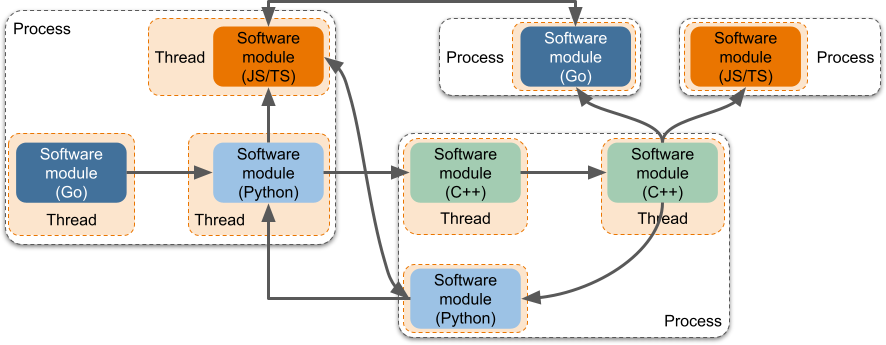
3. **Dynamic Orchestration Configuration**: Orchestration can be configured dynamically at runtime or pre-configured before service execution.
## Flexible Configuration Settings
1. **Hierarchical Configuration Support**: Different module instances can have varying configuration possibilities, adaptable across different hierarchical contexts.
2. **Versatile Configuration Capabilities**: Configurations can be preset, dynamically changed during runtime, or distributed as updates.
## Diverse Releasing Capabilities
1. **Support for Binary & Source Release**: Modules can be distributed as source or binary, with both modes coexisting for the same module.
2. **Integration With Cloud Marketplace**: Modules, whether source or binary, can be published to the cloud marketplace for easy download and integration into projects.
## Multiple Instances Capability
1. **Multiple Instances of the Platform**: The platform avoids the use of global variables, supporting multiple instances within a single business process.
2. **Multiple Instances of Each Module**: Modules are developed without reliance on global variables, allowing multiple instances of the same module to run without conflict.
3. **Multiple Instances of Orchestrated Pipelines**: Supports concurrent or sequential execution of multiple orchestrated pipelines within a single process.
## Diverse Distribution Capability
1. **Dynamic Switching of Distribution Configurations**: Modules can be distributed across different processes and threads for high availability, high concurrency, and easier hot-updating.
2. **Decoupling of Distribution Configuration**: Distribution configurations are decoupled from both module code and compilation/build processes, simplifying deployment.
## Flexibility in Input/Output Support
1. **Support for Control and Data Planes**: The framework supports both command invocation and raw data transmission (audio/video/data) between modules.
2. **Support for Inter-process and Inter-thread Communication**: Modules can handle external input/output operations across processes and threads simultaneously.
3. **RPC Essence**: External input/output operations have RPC characteristics, enabling seamless module integration across different processes.
4. **Trigger Multiple Downstream Components**: A single action can trigger multiple downstream modules, with aggregated responses returned to the original module.
5. **Declarative External Input/Output**: Interfaces can be statically declared, allowing for static checks by offline tools.
6. **Simplified External Input/Output Code**: Function call interfaces, ideally auto-generated, simplify coding for module developers.
7. **Support for Non-serializable Data**: The architecture supports transmitting non-serializable data, with tools automatically recognizing and tagging such usage.
8. **Transparent Inter-process Communication**: Underlying transmission logic is abstracted away by the platform, simplifying cross-process interactions.
9. **Support for Synchronous and Asynchronous Control Plane Operations**: The control plane supports both synchronous and asynchronous interactions, allowing for bidirectional command and response flows.
10. **Support for Restricted Execution Context**: Enables synchronous interaction between modules within the same thread.
## Freedom in Developing Modules
1. **Freedom to Use Third-party Libraries**: Modules can freely utilize third-party libraries to achieve desired functionalities.
2. **Freedom to Utilize Operating System Features**: Developers can freely create and terminate native threads within modules, offering maximum development flexibility.
## Programming Language Support
1. **Support for Multiple Programming Languages**: The framework supports modules written in various languages (e.g., C/C++, Go, Java, Python), enabling diverse development environments.
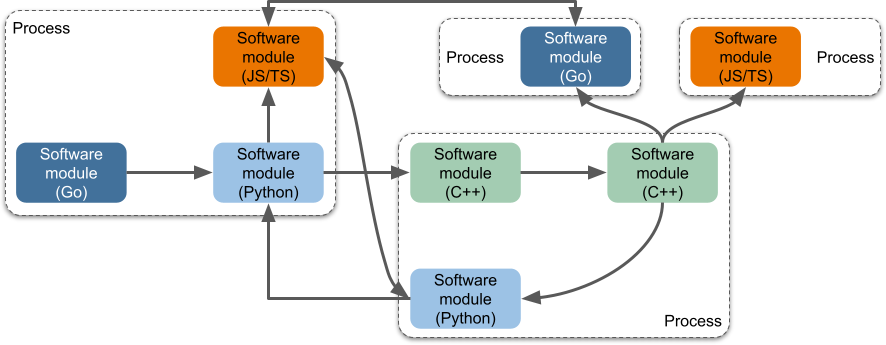
2. **Cross-language Module Integration**: Modules written in different languages can run together within the same process.
3. **Unified Interaction Across Languages**: Modules have consistent interfaces and behaviors across different languages.
4. **Unified Data Types Across Languages**: The platform provides unified data types, ensuring consistent data exchange across different programming languages.
## Rich External Interaction Capabilities
1. **UI Provider**: The architecture supports backend services providing UI components for the frontend.
2. **RESTful Interface**: Backend services can expose RESTful interfaces for client interactions.
3. **Non-intrusive Integration with Existing Services**: The framework can be integrated into existing services without requiring a complete rewrite.
4. **Single-threaded Operation**: The framework can function as a standalone process or as a thread within an existing service, avoiding conflicts with existing business logic.
## Testing Friendly
1. **Diverse Testing Mechanisms**: The framework supports various testing strategies, including unit tests, integration tests, module testing, and black-box testing.
2. **Independent Module Testing**: Modules can be tested independently, facilitating thorough and effective testing.
## Offline Processing Capability
1. **Package Manager**: The framework includes CLI and package managers for managing modules and their combinations.
2. **Orchestration Tools**: GUI tools are available for offline development and orchestration, enhancing the developer experience.
3. **Visual Debugging Tools**: The architecture supports visual debugging tools to help visualize module interactions.
## Robustness
1. **High Concurrency of Orchestrated Pipelines**: The platform supports at least 100 concurrent instances of orchestrated pipelines within a single process.
2. **High Concurrency of RESTful Interfaces**: The platform can support over 20,000 RESTful clients in a single process.
3. **High Concurrency of Non-RESTful Interfaces**: The platform can support over 1,000 non-RESTful clients in a single process.
# TEN Turn Detection (/docs/ten_turn_detection)
# TEN Turn Detection
Intelligent model for detecting conversation turns in human-AI dialogue systems, identifying three key utterance states for natural conversation flow.
## Core Functionality
Classifies user text into three states:
* **Finished**: Complete thought expressed; user expects a response
* **Unfinished**: Clearly unfinished utterance where user pauses but intends to continue
* **Wait**: User requests AI to pause or stop speaking
## Technology
* **Model**: Transformer-based (Qwen2.5-7B)
* **Languages**: English and Chinese
* **Inference**: Production-ready deployment scripts included
## Performance Metrics
Strong accuracy across all detection categories:
| Metric | Accuracy |
| -------------------- | -------- |
| Finished (English) | 90.64% |
| Unfinished (English) | 98.44% |
| Wait State | 91% |
Performance exceeds comparable open-source alternatives.
## Use Cases
* **Full-Duplex Conversation** — Enable interruption detection and natural turn-taking
* **Conversation Flow Management** — Determine when to wait for user continuation vs. respond
* **Pause/Stop Handling** — Recognize when users request the AI to pause or stop
* **Multi-Language Support** — Deploy in English and Chinese speaking applications
## Getting Started
```python
# Basic usage
from ten_turn_detection import TurnDetection
detector = TurnDetection()
state = detector.detect("user input text")
# Returns: "finished", "unfinished", or "wait"
```
## Integration with TEN Agent
TEN Turn Detection works seamlessly with TEN VAD for complete conversation management:
1. **TEN VAD** detects speech activity (when user is speaking)
2. **TEN Turn Detection** analyzes utterance to determine conversation state
3. **Agent** responds appropriately based on detected turn state
This enables natural, responsive voice conversations with proper turn-taking.
## Datasets
Bilingual test datasets (TEN-Turn-TestSet) are available for:
* Validation and testing
* Fine-tuning on domain-specific language
* Benchmarking model performance
## Resources
* **GitHub Repository**: [TEN-framework/ten-turn-detection](https://github.com/TEN-framework/ten-turn-detection)
* **Model Weights**: Available via Hugging Face
* **Datasets**: Bilingual test datasets included
## License
Apache 2.0 (see repository for details)
# TEN VAD (/docs/ten_vad)
# TEN VAD - Voice Activity Detector
TEN VAD is a lightweight, high-performance Voice Activity Detector (VAD) designed for real-time speech detection with superior accuracy and minimal computational overhead.
## Overview
TEN VAD delivers exceptional precision compared to industry alternatives like WebRTC VAD and Silero VAD, while consuming significantly fewer computational resources and memory.
**Key Performance Metrics:**
* Real-Time Factor: 0.015 on AMD Ryzen (exceptionally fast)
* Library Size: Only 306KB (minimal footprint)
* Superior precision compared to WebRTC and Silero VAD
* Frame-level speech activity detection for fine-grained control
## Features
### Multi-Platform Support
* **Desktop**: Linux, Windows, macOS
* **Mobile**: Android, iOS
* **Web**: Browser integration via WebAssembly
### Multi-Language Bindings
Build VAD detection in your preferred language:
* Python (with numpy)
* C/C++
* Java (with JNI support for Android)
* Go
* JavaScript/WebAssembly
### Technology Stack
* **ONNX Model Format** for cross-platform deployment and optimization
* **WebAssembly Support** for seamless browser integration
* **JNI Bindings** for native Android support
## Use Cases
* **Real-time Voice Assistants** — Detect speech onset and offset for responsive interaction
* **Voice Conferencing** — Identify active speakers in multi-party conversations
* **Speech Recognition Preprocessing** — Optimize ASR pipeline by filtering silence
* **Mobile Applications** — Lightweight detection on resource-constrained devices
* **Browser-Based Applications** — Client-side speech detection without server round-trips
## Performance Highlights
TEN VAD outperforms comparable alternatives across diverse hardware platforms:
* Minimal computational complexity
* Reduced memory usage
* Fast inference time (Real-Time Factor \< 1)
* Accurate frame-level detection
This makes it ideal for:
* Edge deployment scenarios
* Real-time conversational AI
* Mobile and web applications
* Multi-stream processing
## Getting Started
### Installation
```bash
# Python
pip install ten-vad
# JavaScript/Node.js
npm install ten-vad
```
### Basic Usage
```python
from ten_vad import VAD
# Initialize VAD
vad = VAD()
# Process audio frames
for frame in audio_stream:
is_speech = vad.detect(frame)
if is_speech:
print("Speech detected!")
```
## Integration with TEN Agent
TEN VAD is a core component of TEN Agent's speech processing pipeline:
* Enables natural interruption handling in voice interactions
* Improves responsiveness by detecting speech boundaries
* Reduces unnecessary processing of silence
Use TEN VAD with the TEN framework for:
* **Voice Activity Detection** — Identify when users are speaking
* **Turn Detection** — Combined with TEN Turn Detection for intelligent conversation flow
* **Barge-in Support** — Enable users to interrupt AI responses naturally
## Resources
* **GitHub Repository**: [TEN-framework/ten-vad](https://github.com/TEN-framework/ten-vad)
* **Documentation**: Full API reference and examples
* **Community**: 1.6k stars, 131 forks, active Discord and WeChat communities
## Latest Updates (2025)
Recent releases include:
* Python inference with ONNX models on Linux and macOS
* Full Golang support across major operating systems
* Java support on multiple platforms including Android
* Enhanced model accuracy and performance optimizations
## License
TEN VAD is open-source and community-driven. Check the repository for licensing details.
# Architecture Flow (/docs/ten_agent_examples/architecture_flow)
The whole system contains multiple components that work together to provide a seamless experience. The main components are:
* **TEN Agent App**: The main application that orchestrates the extensions and manages the data flow between them. It runs as a background process. Depending on the graph configuration, the agent starts the required extensions and handles the data flow between them.
* **Front-end UI**: A web-based interface to interact with the agent. It allows users to configure the agent, start/stop the agent, and talk to the agent.
* **Web Server**: A simple Golang web server that serves the HTTP requests. It is responsible for handling the incoming requests and starting/stopping agent processes. It also passes parameter like `graph_name` to determine which graph to use.
The flow of the system is as follows:
# FAQs (/docs/ten_agent_examples/faqs)
import { Accordion, Accordions } from 'fumadocs-ui/components/accordion'
import { Callout } from 'fumadocs-ui/components/callout'
Find answers to common questions and solutions to typical issues when working with TEN Agent.
## Installation & Setup
This error typically occurs on Windows due to line-ending issues. Git may convert LF (Unix) line endings to CRLF (Windows), which breaks shell scripts.
**Solution:**
1. Configure Git to keep LF line endings:
```bash title="Terminal"
git config --global core.autocrlf false
```
2. Delete your local copy and re-clone the repository:
```bash title="Terminal"
git clone https://github.com/TEN-framework/TEN-Agent.git
```
**Alternative:** Download the ZIP file directly from GitHub instead of cloning.
Make sure both HTTPS and general connectivity are working properly.
**Test HTTPS connection:**
```bash title="Terminal"
ping www.google.com
# Expected output:
PING google.com (198.18.1.94): 56 data bytes
64 bytes from 198.18.1.94: icmp_seq=0 ttl=64 time=0.099 ms
64 bytes from 198.18.1.94: icmp_seq=1 ttl=64 time=0.121 ms
```
**Test HTTP connection:**
```bash title="Terminal"
curl www.google.com
# Expected output (redirect response is normal):
301 Moved Permanently
301 Moved Permanently
```
If you're behind a corporate firewall or proxy, you may need to configure Docker and Git to use your proxy settings.
## Configuration
When you update your `.env` file, the running server won't automatically pick up the changes.
**To apply new environment variables:**
1. Stop the running server (Ctrl+C)
2. Save your changes to the `.env` file
3. Restart the server with `task run`
Inside the Docker container, you don't need to run `source .env` - the server will read the file on startup.
You'll need API keys from these services:
| Service | Purpose | Get Key |
| ---------- | ----------------------- | ----------------------------------------------------------------------------------------------------------------------------- |
| Agora | Real-time communication | [Agora Console](https://docs.agora.io/en/video-calling/get-started/manage-agora-account?platform=web#create-an-agora-project) |
| OpenAI | LLM processing | [OpenAI Platform](https://platform.openai.com/api-keys) |
| Deepgram | Speech-to-text | [Deepgram Console](https://console.deepgram.com/) |
| ElevenLabs | Text-to-speech | [ElevenLabs](https://elevenlabs.io/) |
Most services offer free tiers or trial credits for getting started.
## Docker Issues
If you're using an M1/M2/M3 Mac and experiencing slow builds, check your Docker settings.
**Solution:**
1. Open Docker Desktop settings
2. Go to **General** or **Features in development**
3. **Uncheck** "Use Rosetta for x86\_64/amd64 emulation"
This may result in slightly slower build times on ARM, but runtime performance will be better. When you deploy to x64 servers, performance will be normal.
If the Docker container exits right after starting, check these common causes:
1. **Port conflicts**: Make sure ports 3000, 8080, and 49483 are not in use
2. **Resource limits**: Ensure Docker has at least 4GB RAM allocated
3. **Missing .env file**: Verify `.env` exists and has valid API keys
**Debug steps:**
```bash title="Terminal"
# Check container logs
docker logs ten_agent_dev
# Check if ports are in use
lsof -i :3000
lsof -i :8080
```
## Runtime Issues
If the agent starts but doesn't respond to your voice:
1. **Check microphone permissions** in your browser
2. **Verify API keys** are correctly set in `.env`
3. **Check browser console** for WebRTC errors
4. **Ensure Agora credentials** are valid and the project has RTC enabled
Open your browser's developer tools (F12) and check the Console tab for error messages.
After running `task run`, verify these endpoints:
* **Frontend**: [http://localhost:3000](http://localhost:3000)
* **TMAN Designer**: [http://localhost:49483](http://localhost:49483)
* **API Server**: [http://localhost:8080](http://localhost:8080)
If any of these don't load, check the container logs for errors.
## Still Need Help?
If you can't find an answer to your question:
* Check the [GitHub Issues](https://github.com/TEN-framework/TEN-Agent/issues) for similar problems
* Join the community discussions on GitHub
* Review the [Getting Started guide](/docs/ten_agent_examples/getting_started) for proper setup steps
# Getting Started (/docs/ten_agent_examples/getting_started)
import { Tab, Tabs } from 'fumadocs-ui/components/tabs'
import { Callout } from 'fumadocs-ui/components/callout'
import { Step, Steps } from 'fumadocs-ui/components/steps'
Get TEN Agent up and running in just three steps.
## Prerequisites
Before you begin, make sure you have the following ready:
You'll need accounts and API keys from these services:
* **Agora** - [App ID](https://docs.agora.io/en/video-calling/get-started/manage-agora-account?platform=web#create-an-agora-project) and [App Certificate](https://docs.agora.io/en/video-calling/get-started/manage-agora-account?platform=web#create-an-agora-project) (free minutes every month)
* **OpenAI** - [API key](https://openai.com/index/openai-api/) (or any compatible LLM)
* **Deepgram** - [ASR key](https://deepgram.com/) (free credits available with signup)
* **ElevenLabs** - [TTS key](https://elevenlabs.io/) (free credits available with signup)
Install these tools on your machine:
* [Docker](https://www.docker.com/) / [Docker Compose](https://docs.docker.com/compose/)
* [Node.js (LTS) v18+](https://nodejs.org/en)
Minimum hardware requirements:
* **CPU**: 2 cores or more
* **RAM**: 4 GB or more
Uncheck "Use Rosetta for x86/amd64 emulation" in Docker settings. This may result in slower build times on ARM, but performance will be normal when deployed to x64 servers.
## Build the Agent
### Clone and configure
Clone the repository and set up your environment variables:
```bash title="Terminal"
git clone https://github.com/TEN-framework/ten-framework.git
cd ai_agents
cp ./.env.example ./.env
```
### Add your API keys
Open `.env` and fill in your API keys:
```bash title=".env"
# Agora credentials
AGORA_APP_ID=your_app_id_here
AGORA_APP_CERTIFICATE=your_certificate_here
# ElevenLabs TTS
ELEVENLABS_TTS_KEY=your_key_here
# OpenAI
OPENAI_API_KEY=your_key_here
# Deepgram ASR
DEEPGRAM_API_KEY=your_key_here
```
### Start development containers
```bash title="Terminal"
docker compose up -d
```
### Build and run the agent
Enter the container and build the default voice assistant:
```bash title="Terminal"
docker exec -it ten_agent_dev bash
```
Inside the container:
```bash title="Inside Container"
# Navigate to the voice assistant example
cd agents/examples/voice-assistant
# Install dependencies and build (~5-8 minutes)
task install
# Start the agent
task run
```
The frontend will be available at [http://localhost:3000](http://localhost:3000)
Check the `/examples` folder for more agent configurations:
```bash
cd agents/examples/
task install
```
## Customize with TMAN Designer
Use the visual designer to customize your agent:
1. Open [localhost:49483](http://localhost:49483) in your browser
2. Right-click to load a graph (e.g., Voice Assistant)
3. Configure API keys and preferences for each extension
4. Right-click and select **Manage Apps** to open the Apps Manager
5. Click **Run App** to start your customized TEN Agent
If you already configured API keys in the `.env` file, you can skip step 3.
# TEN Agent Examples Overview (/docs/ten_agent_examples/overview)
TEN Agent Examples is your comprehensive guide to building conversational AI agents with the TEN Framework. These examples demonstrate best practices for creating real-time, multimodal voice agents integrated with modern LLMs like Gemini 2.0 Live and OpenAI Realtime API.
## What You'll Learn
The TEN Agent Examples section provides practical, hands-on documentation to help you:
* **Get started quickly** — Set up and run your first voice agent in under 10 minutes
* **Understand architecture** — Learn how TEN Agent orchestrates ASR, LLM, TTS, and RTC components
* **Customize agents** — Extend and modify agent behavior through the modular "main" extension
* **Build extensions** — Create custom extensions for LLMs, speech services, and external APIs
* **Deploy agents** — Package and deploy your agents in production environments
## Documentation Structure
### Getting Started
Start here if you're new to TEN Agent. You'll set up your development environment and run your first voice agent.
### Architecture & Design
Understand how TEN Agent works under the hood, including real-time communication flow, event handling, and component interaction.
### Customization Guide
Learn how to modify and extend agents to fit your specific needs through the flexible main extension pattern.
### Extension Development
Build your own extensions for LLMs, STT/TTS providers, and custom integrations.
### API Reference
Complete reference documentation for events, schemas, and configuration options.
### Tutorials & Examples
Real-world examples demonstrating specific use cases and patterns.
## Key Concepts
**Real-Time Voice Agents**: TEN Agent supports full-duplex conversation with natural interruption handling, delivering seamless voice interactions.
**Modular Architecture**: Extend functionality through self-contained extensions. The core agent logic resides in the "main" extension, which you can customize for your use case.
**Multi-Language Support**: Build extensions in Python, Node.js, Go, or C++. Mix and match languages in a single agent.
**Production-Ready**: TEN Agent provides the infrastructure and patterns needed for deploying conversational AI at scale.
# RTC First - Design Rationale (/docs/ten_agent_examples/rtc_first_design)
This document explains why our system adopts an **RTC First** strategy, instead of building primarily on WebSockets.
For developers, this means you get a **low-latency, media-first pipeline** that is already built in, with no need to implement device capture, codecs, or transport logic from scratch.
***
## Why RTC First?
* **Low latency:** RTC avoids TCP head-of-line blocking by using UDP + SRTP.
* **Media-native:** Direct microphone, camera, and screen capture.
* **Codec integration:** Opus, VP8/VP9/AV1, H.264 with hardware acceleration.
* **Synchronization:** Audio, video, and data channels aligned in one session.
* **Cross-platform:** Works on browsers, mobile, and native apps.
By contrast, **WebSockets** are best for structured data exchange but lack:
* Native media capture
* Encoding/decoding support
* Bandwidth adaptation
* Built-in synchronization
***
## RTC vs WebSocket
| Feature | RTC | WebSocket |
| ----------------- | ------------------------------------------- | ------------------------------ |
| Transport | UDP (SRTP, DTLS, ICE, congestion control) | TCP (single ordered stream) |
| Latency | \~50–150ms (optimized for real-time) | Higher (head-of-line blocking) |
| Media Support | Native mic/camera/screen capture | None (raw binary/text only) |
| Encoding/Decoding | Built-in codecs (Opus, VP8, H.264, AV1) | External / manual |
| Synchronization | Multi-stream A/V sync + data channels | Manual implementation |
| Adaptation | Bandwidth estimation, adaptive bitrate, FEC | Not supported |
| Best For | Calls, streaming, AI agents, real-time apps | Chat, signaling, async events |
***
Our system includes an RTC module powered by [Agora RTC](https://www.agora.io/en/) as the default provider, so developers don’t need to worry about device capture, encoding/decoding, or transport internals.
From a practical perspective:
* **Setup is minimal:** RTC is ready out of the box.
* **WebSockets remain useful:** Ideal for signaling, configuration, or occasional async updates.
* **RTC is the recommended channel:** For real-time, multimodal interaction where latency, synchronization, and quality matter most.
By adopting **RTC First**, we ensure:
* Real-time performance across devices and platforms.
* A consistent developer experience with built-in media pipelines.
* Flexibility to extend with async features without losing RTC guarantees.
In short, developers can focus on **building features**, not rebuilding a transport stack.
# Build System (/docs/ten_framework/build_system)
## Build System
### C++
The TEN framework uses the `ten_gn` build system to compile C++ apps and C++ extensions. `ten_gn` is a build system based on Google's GN.
### Golang
The TEN framework uses the standard go command to build TEN framework Golang projects.
## Building
### C++ App
To build a TEN framework C++ app, run the following commands in the root directory of the TEN framework C++ app.
`` can be one of the following:
* linux
* mac
* win
`` can be one of the following:
* x86
* x64
* arm
* arm64
`` can be one of the following:
* debug
* release
```shell
ten_gn gen
ten_gn build
```
### C++ Addon
The term `addon` here includes the following:
* extension
* extension group
* protocol
The method to build TEN framework C++ addons is the same as for building TEN framework C++ apps.
### Golang App
To build a TEN Golang project, run the following command in the root directory of the TEN Golang project:
```shell
go run ten_packages/system/ten_runtime_go/tools/build/main.go
```
# Cloud Store (/docs/ten_framework/cloud_store)
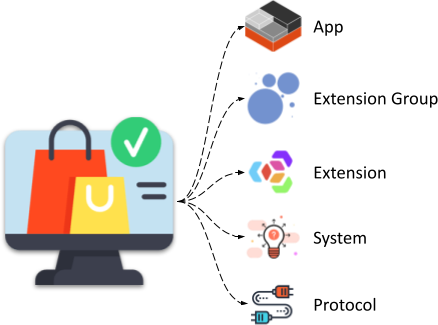
The TEN Cloud Store, similar to Google Play on Android and the App Store on iOS, offers a variety of TEN packages. These packages can be downloaded into a TEN app to aid and enhance development.
## Information Stored in the Database for TEN Packages
1. **Package Type**
A string representing the type of package, such as `extension`.
2. **Package Name**
A string representing the name of the package, such as `builtin_extension`.
3. **Package Version**
A string following semantic versioning (semver) that specifies the package version, such as `3.0.0`.
4. **Dependencies**
An array of objects, each containing the following fields:
* **Package Type**
A string, matching the top-level `package type`.
* **Package Name**
A string, matching the top-level `package name`.
* **Version**
A string following semver that specifies the version requirements for the package, such as `~3.0.0`.
# Overview (/docs/ten_framework/concept_overview)
## TEN Runtime
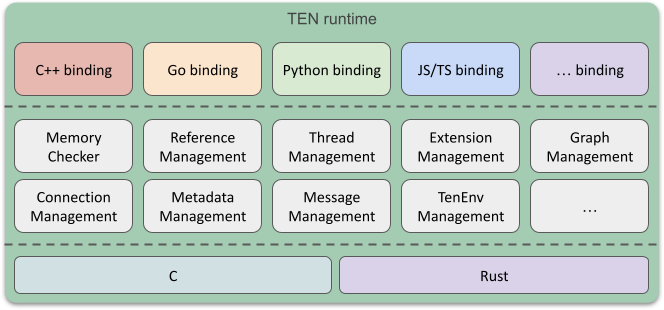
The TEN runtime is an execution environment designed for running applications within the TEN framework. It provides a flexible architecture that supports extensions developed in multiple programming languages and handles various types of data streams. By managing the lifecycle of extensions, data flows, and threads, the TEN runtime offers developers a powerful tool for building a wide range of applications and services.
## App
An App in the TEN framework can operate as a standalone process or as a thread within an existing process. This flexibility allows for versatile deployment options depending on the needs of the application.
## Extension Group
An Extension Group is a mechanism that designates a specific thread for execution. All extensions within a given group are executed on the same thread, ensuring consistent and synchronized processing.
## Extension
An extension is the fundamental building block of the TEN framework. Developers can create extensions in various programming languages and combine them to build different applications and scenarios. The framework's design supports cross-language collaboration, enabling extensions written in different languages to work together seamlessly within the same application or service.
For example, a developer might use C++ to create an extension for real-time communication (RTC) due to its performance benefits in handling audio and video data, while developing an AI extension in Python to take advantage of its robust libraries for data analysis and machine learning. These extensions can then be integrated into a single application, leveraging the strengths of each language.
## Graph
A Graph in the TEN framework describes the data flow between extensions. It orchestrates how data moves from one extension to another, defining the participants and the flow of data between them. For example, you can route the output of a Speech-to-Text (STT) extension to a Large Language Model (LLM) extension for further processing.
The TEN framework supports four main types of data flows between extensions:
* Command
* Data
* Video Frame
* Audio Frame
By defining these data flows within a graph, developers can create inter-extension communication and unidirectional data streams, particularly useful for handling audio and video data.
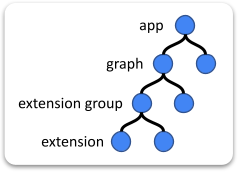
## Relationship Among App, Group, and Extension
* **App**:
An app can execute multiple graphs, which can be either statically predefined or dynamically assembled.
* **Graph**:
A graph is formed by multiple extensions working together to create a meaningful scenario. Each graph instance operates as a session within the app.
* **Extension Group**:
The concept of an extension group is analogous to a thread. Extensions written in the same language and within the same extension group run on the same thread during runtime. Developers do not need to manage threads directly; they simply "declare" the group to which each extension belongs.
* **Extension**:
Each extension within the framework is assigned a unique ID, structured as: `app-uri/graph-name/group-name/extension-name`
## TEN Cloud Store

The TEN Cloud Store functions similarly to Google Play Store or Apple’s App Store, providing a marketplace for extensions. Developers can share their extensions or download those created by others. These extensions can be integrated into TEN apps, facilitating development and expanding functionality.
## TEN Manager
The TEN Manager is a tool that simplifies the management of extensions. It handles tasks such as uploading, sharing, and installing extensions, automatically managing dependencies between them and their environment. This makes the installation and publication of extensions convenient and efficient, streamlining the development process within the TEN framework.
# Dependencies (/docs/ten_framework/dependencies)
The TEN framework utilizes several third-party libraries. Some are used specifically for testing, while others are integrated into the TEN runtime. Below is a description of these libraries, along with any necessary modifications required for their use within the TEN framework.
## Google gn
Instance ID
| OS | Arch | Instance ID |
| ----- | ----- | --------------------------------------------- |
| Linux | x64 | BzX0zkfwFeUn9MaDVqm6FugmTIy-hFpgNUx43O1fN00C |
| Linux | arm64 | rT\_12w1Iv6ug8CJ4j0VQekA0qTDq6CwoAqGWasIKFcEC |
| Win | x64 | 1QlqF0FPVt82ba5f48HxHpv5xPqOmyaThoR3TicuJ8QC |
Download directly from [Google GN webpage](https://chrome-infra-packages.appspot.com/p/gn/gn/).
Commit ID
| OS | Arch | Commit ID |
| --- | --------- | ---------------------------------------- |
| Mac | universal | 18602f6cf1168cf78302024043edc02e8bad2ffb |
Clone and build from the [Gn repository](https://gn.googlesource.com/gn).
## Google ninja
Version: 1.12.1
Download directly from [Ninja release page](https://github.com/ninja-build/ninja/releases).
## yyjson
Version: 0.10.0
[MIT license](https://github.com/ibireme/yyjson/blob/master/LICENSE)
This is used in the TEN framework core to parse and generate JSON data. Please refer to `third_party/yyjson` for details.
## libuv
Version: 1.50.0
[MIT license](https://github.com/libuv/libuv#licensing)
This is one of the event loop libraries used in the TEN runtime. Please refer to `third_party/libuv` for details.
## msgpack-c
Version: 6.1.0
[Boost Software License, Version 1.0](https://github.com/msgpack/msgpack-c#license)
A MessagePack library for C. Please refer to `third_party/msgpack` for details.
## libwebsockets
Version: 4.3.2
[MIT license](https://github.com/warmcat/libwebsockets/blob/main/LICENSE)
Canonical libwebsockets.org networking library. Please refer to `third_party/libwebsockets` for details.
```diff
--- /home/wei/MyData/Temp/libwebsockets-4.3.2/CMakeLists.txt
+++ libwebsockets/CMakeLists.txt
@@ -851,6 +851,7 @@
add_definitions(-D_CRT_SECURE_NO_DEPRECATE -D_CRT_NONSTDC_NO_DEPRECATE)
# Fail the build if any warnings
add_compile_options(/W3 /WX)
+ add_compile_options(/Zc:preprocessor /wd4819)
# Unbreak MSVC broken preprocessor __VA_ARGS__ behaviour
if (MSVC_VERSION GREATER 1925)
add_compile_options(/Zc:preprocessor /wd5105)
```
Apply the following patch.
```diff
diff --git a/third_party/libwebsockets/cmake/lws_config.h.in b/third_party/libwebsockets/cmake/lws_config.h.in
index f3f4a9d79..e8d36c3ae 100644
--- a/third_party/libwebsockets/cmake/lws_config.h.in
+++ b/third_party/libwebsockets/cmake/lws_config.h.in
@@ -238,3 +238,9 @@
#cmakedefine LWS_WITH_PLUGINS_API
#cmakedefine LWS_HAVE_RTA_PREF
+// NOTE (Liu): The libwebsockets library will use external variables from mbedtls
+// if 'LWS_WITH_MBEDTLS' is enabled. On Windows, variable declarations in the header
+// file must start with '__declspec(dllimport)', otherwise, the
+// symbols cannot be accessed.
+// Refer to third_party/mbedtls/include/mbedtls/export.h.
+#define USING_SHARED_MBEDTLS
diff --git a/third_party/libwebsockets/lib/tls/mbedtls/wrapper/platform/ssl_pm.c b/third_party/libwebsockets/lib/tls/mbedtls/wrapper/platform/ssl_pm.c
index e8a0cb2d4..84a164e90 100755
--- a/third_party/libwebsockets/lib/tls/mbedtls/wrapper/platform/ssl_pm.c
+++ b/third_party/libwebsockets/lib/tls/mbedtls/wrapper/platform/ssl_pm.c
@@ -183,7 +183,12 @@ int ssl_pm_new(SSL *ssl)
mbedtls_ssl_conf_min_version(&ssl_pm->conf, MBEDTLS_SSL_MAJOR_VERSION_3, version);
} else {
mbedtls_ssl_conf_max_version(&ssl_pm->conf, MBEDTLS_SSL_MAJOR_VERSION_3, MBEDTLS_SSL_MINOR_VERSION_3);
- mbedtls_ssl_conf_min_version(&ssl_pm->conf, MBEDTLS_SSL_MAJOR_VERSION_3, 1);
+
+ // NOTE: mbedtls added 'ssl_conf_version_check()' since v3.1.0, and
+ // mbedtls only enables TLS 1.2 by default. So the 'min_tls_version' and
+ // 'max_tls_version' must be '0x303', or 'mbedtls_ssl_setup' will
+ // fail.
+ mbedtls_ssl_conf_min_version(&ssl_pm->conf, MBEDTLS_SSL_MAJOR_VERSION_3, MBEDTLS_SSL_MINOR_VERSION_3);
}
mbedtls_ssl_conf_rng(&ssl_pm->conf, mbedtls_ctr_drbg_random, &ssl_pm->ctr_drbg);
```
```diff
diff --git a/third_party/libwebsockets/CMakeLists.txt b/third_party/libwebsockets/CMakeLists.txt
index 92638143a..746f9b6a6 100644
--- a/third_party/libwebsockets/CMakeLists.txt
+++ b/third_party/libwebsockets/CMakeLists.txt
@@ -547,9 +547,12 @@ SET(CMAKE_ARCHIVE_OUTPUT_DIRECTORY "${PROJECT_BINARY_DIR}/lib")
SET(LWS_INSTALL_PATH "${CMAKE_INSTALL_PREFIX}")
-# Put absolute path of dynamic libraries into the object code. Some
-# architectures, notably Mac OS X, need this.
-SET(CMAKE_INSTALL_NAME_DIR "${CMAKE_INSTALL_PREFIX}/${LWS_INSTALL_LIB_DIR}${LIB_SUFFIX}")
+# Commented out to avoid using absolute paths in the install_name on macOS.
+# When CMAKE_INSTALL_NAME_DIR is set to an absolute path, binaries that link
+# against libwebsockets will hardcode this absolute path, making the library
+# difficult to relocate and potentially causing "library not found" errors at
+# runtime if the library is installed in a different location.
+# SET(CMAKE_INSTALL_NAME_DIR "${CMAKE_INSTALL_PREFIX}/${LWS_INSTALL_LIB_DIR}${LIB_SUFFIX}")
```
### Fix for linking mbedtls on Windows
Apply the following patch if the CMake version is higher than 3.24, as `find_package` supports the `GLOBAL` keyword since 3.24.
```diff
diff --git a/third_party/libwebsockets/lib/tls/mbedtls/CMakeLists.txt b/third_party/libwebsockets/lib/tls/mbedtls/CMakeLists.txt
index e34151724..79b15089d 100644
--- a/third_party/libwebsockets/lib/tls/mbedtls/CMakeLists.txt
+++ b/third_party/libwebsockets/lib/tls/mbedtls/CMakeLists.txt
- find_library(MBEDTLS_LIBRARY mbedtls)
- find_library(MBEDX509_LIBRARY mbedx509)
- find_library(MBEDCRYPTO_LIBRARY mbedcrypto)
+ # find_library(MBEDTLS_LIBRARY mbedtls)
+ # find_library(MBEDX509_LIBRARY mbedx509)
+ # find_library(MBEDCRYPTO_LIBRARY mbedcrypto)
+
+ # set(LWS_MBEDTLS_LIBRARIES "${MBEDTLS_LIBRARY}" "${MBEDX509_LIBRARY}" "${MBEDCRYPTO_LIBRARY}")
+
+ # Set the custom search path.
+ set(MBEDTLS_DIR "${MBEDTLS_BUILD_PATH}/cmake")
+
+ // NOTE (Liu): We should use 'find_package' rather than 'find_library'
+ // to search for the mbedtls libraries. 'find_library' only finds a
+ // library, shared or static, without any settings from the external
+ // library.
- set(LWS_MBEDTLS_LIBRARIES "${MBEDTLS_LIBRARY}" "${MBEDX509_LIBRARY}" "${MBEDCRYPTO_LIBRARY}")
+ // The 'lib/tls/CMakeLists.txt' depends on the mbedtls libraries, so we set the scope to 'GLOBAL' here.
+ find_package(MbedTLS GLOBAL)
+ set(LWS_MBEDTLS_LIBRARIES MbedTLS::mbedcrypto MbedTLS::mbedx509 MbedTLS::mbedtls)
```
```diff
diff --git a/third_party/libwebsockets/BUILD.gn b/third_party/libwebsockets/BUILD.gn
index 4c89c2e2e..e6d641b9c 100644
--- a/third_party/libwebsockets/BUILD.gn
+++ b/third_party/libwebsockets/BUILD.gn
@@ -84,6 +84,10 @@ cmake_project("websockets") {
}
options += [
+ // The libwebsockets will use the 'MBEDTLS_BUILD_PATH' variable to set the
+ // search path of 'find_package'.
+ "MBEDTLS_BUILD_PATH=" + rebase_path("$root_gen_dir/cmake/mbedtls"),
+
```
And remove `#define USING_SHARED_MBEDTLS` in `third_party/libwebsockets/cmake/lws_config.h.in`.
## curl
Version: 8.1.2
[MIT-like license](https://github.com/curl/curl/blob/master/COPYING)
A command-line tool and library for transferring data with URL syntax, supporting DICT, FILE, FTP, FTPS, GOPHER, GOPHERS, HTTP, HTTPS, IMAP, IMAPS, LDAP, LDAPS, MQTT, POP3, POP3S, RTMP, RTMPS, RTSP, SCP, SFTP, SMB, SMBS, SMTP, SMTPS, TELNET, and TFTP. libcurl offers a myriad of powerful features.
Please refer to `third_party/curl` for details.
### Patches for curl
Patch `lib/CMakeLists.txt`, to change the shared library name from `_imp.lib` to `.lib`.
```cmake
if(WIN32)
if(BUILD_SHARED_LIBS)
if(MSVC)
// Add "_imp" as a suffix before the extension to avoid conflicting with
// the statically linked "libcurl.lib"
//set_target_properties(${LIB_NAME} PROPERTIES IMPORT_SUFFIX "_imp.lib")
set_target_properties(${LIB_NAME} PROPERTIES IMPORT_SUFFIX ".lib")
endif()
endif()
endif()
```
Export `Curl_ws_done` in `lib/ws.h`, because this function needs to be called to prevent memory leaks.
```c
CURL_EXTERN void Curl_ws_done(struct Curl_easy *data);
// ^^^^^^^^
```
## clingo
Version: 5.8.0
[MIT license](https://github.com/potassco/clingo/blob/master/LICENSE.md)
A grounder and solver for logic programs.
Please refer to `third_party/clingo` for details.
ten\_manager actually uses the clingo-sys crate to call clingo, and clingo-sys includes its own clingo source code. However, this included clingo source code is version 5.6.2, which has compilation errors in a cmake 4 environment. Therefore, we need to use cargo's patch feature to use the latest local version of clingo source code (which has fixed the cmake 4 compilation errors). Additionally, since clingo-sys already includes clingo source code, we don't actually need the third\_party/clingo folder. However, because clingo-sys still compiles clingo as a shared library on Windows, we currently still need to use the third\_party/clingo folder to compile clingo's shared library on Windows, and then use gn scripts to copy the Windows shared library to the final output folder of ten\_manager. In the future, we should directly use the Windows shared library compiled from the clingo source code included in clingo-sys for copying, which would allow us to remove the third\_party/clingo folder.
## FFmpeg
Version: 6.0
[GPL or LGPL license](https://github.com/FFmpeg/FFmpeg/blob/master/LICENSE.md)
The FFmpeg codebase is mainly LGPL-licensed with optional components licensed under GPL. Please refer to the LICENSE file for detailed information.
Used in ffmpeg extensions, primarily for testing purposes. Please refer to `third_party/ffmpeg` for details.
## libbacktrace
Version: 1.0
[BSD license](https://github.com/ianlancetaylor/libbacktrace/blob/master/LICENSE)
A C library that may be linked into a C/C++ program to produce symbolic backtraces.
> ⚠️ **Note:**
> We have significantly modified `libbacktrace` to conform to the naming conventions and folder structure of the TEN framework. Please refer to `core/src/ten_utils/backtrace` for details.
## uthash
Version: 2.3.0
[BSD license](https://github.com/troydhanson/uthash/blob/master/LICENSE)
C macros for hash tables and more.
> ⚠️ **Note:**
> We have significantly modified `uthash` to conform to the naming conventions and folder structure of the TEN framework. Please refer to the files under `core/include/ten_utils/container` that have `uthash` mentioned in the file headers.
## uuid4
[MIT license](https://github.com/gpakosz/uuid4/blob/master/LICENSE.MIT)
[WTFPLv2 license](https://github.com/gpakosz/uuid4/blob/master/LICENSE.WTFPLv2)
UUID v4 generation in C.
> ⚠️ **Note:**
> We have significantly modified `uuid4` to conform to the naming conventions and folder structure of the TEN framework. Please refer to `core/src/ten_utils/lib/sys/general/uuid.c` for details.
## zf\_log
[MIT license](https://github.com/wonder-mice/zf_log/blob/master/LICENSE)
Core logging library for C/ObjC/C++.
> ⚠️ **Note:**
> We have significantly modified `zf_log` to conform to the naming conventions and folder structure of the TEN framework. Please refer to `core/src/ten_utils/log` for details.
# Message System (/docs/ten_framework/message_system)
## Message Types
In the TEN framework, messages are categorized into four types:
1. Command
2. Data
3. Video Frame
4. Audio Frame
The primary difference between a command and non-command message types is that commands have a result, while non-commands do not.
Corresponding to these types, extensions have four message callbacks:
1. `OnCmd`
2. `OnData`
3. `OnVideoFrame`
4. `OnAudioFrame`
Here is a classification diagram of TEN framework messages:
```text
┌── has result
│ └── Command
│ ├── TEN framework built-in command
│ │ => message name starts with `ten:`
│ └── Non-TEN framework built-in command
│ => message name does not start with `ten:`
└── no result
├── Data
│ ├── TEN framework built-in data
│ │ => message name starts with `ten:`
│ └── Non-TEN framework built-in data
│ => message name does not start with `ten:`
├── Video Frame
│ ├── TEN framework built-in video frame
│ │ => message name starts with `ten:`
│ └── Non-TEN framework built-in video frame
│ => message name does not start with `ten:`
└── Audio Frame
├── TEN framework built-in audio frame
│ => message name starts with `ten:`
└── Non-TEN framework built-in audio frame
=> message name does not start with `ten:`
```
## Message Name
A message name in the TEN framework is used to differentiate messages of the same type but with different purposes. Extensions use different message names to determine the actions they need to take.
Naming rules for message names are as follows:
1. The first character must be a letter (`a-z`, `A-Z`) or an underscore (`_`).
2. Subsequent characters can be letters (`a-z`, `A-Z`), digits (`0-9`), or underscores (`_`).
## Message Flow
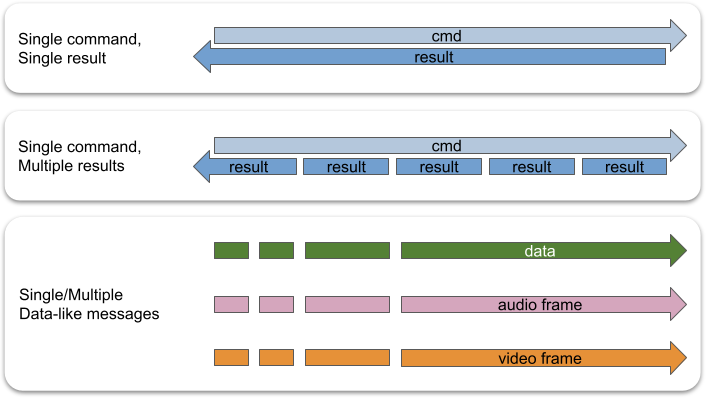
The TEN framework supports three message flow patterns:
1. **One message, one result.**
Suitable when an action produces a single result.
2. **One message, multiple results.**
Suitable when an action produces multiple results.
3. **Multiple messages.**
Suitable for actions that do not require results.
## Extension Message Interface
The `api` field in an extension's manifest presents the extension's external message interface. The `api` field in the manifest can contain the following types of API information:
* `cmd_in`
* `cmd_out`
* `data_in`
* `data_out`
* `audio_frame_in`
* `audio_frame_out`
* `video_frame_in`
* `video_frame_out`
An example of these API definitions is as follows:
```json
{
"api": {
"cmd_in": [
{
"name": "cmd_foo",
"property": {
"foo": {
"type": "int8"
},
"bar": {
"type": "string"
}
},
"result": {
"property": {
"aaa": {
"type": "int8"
},
"bbb": {
"type": "string"
}
}
}
}
],
"cmd_out": [],
"data_in": [
{
"name": "data_foo",
"property": {
"foo": {
"type": "int8"
},
"bar": {
"type": "string"
}
}
}
],
"data_out": [],
"video_frame_in": [],
"video_frame_out": [],
"audio_frame_in": [],
"audio_frame_out": []
}
}
```
The message pairing mechanism between different extensions in the TEN framework is similar to function calls in traditional programming languages. Here's a simple analogy:
1. The message name is akin to a function name, and the pairing mechanism between extensions' messages is like the function call mechanism.
2. Message properties are similar to function parameters.
3. When the TEN framework determines that an output message `foo` from extension A pairs with an input message `foo` from extension B, it's analogous to a function pointer in extension A pointing to the function `foo` in extension B.
4. The pairing is based solely on the message name, not the message properties. This means the TEN framework does not support a mechanism analogous to function overloading.
Therefore, the message name is crucial for the input/output messages of each extension, serving as the control plane interface for that extension.
Although the TEN framework provides a language-agnostic calling mechanism at the single-message level, it also allows static and dynamic checks on the calling relationships between extensions through the TEN schema. This helps detect potential issues, such as differing interpretations of a property type between a source and a destination extension. Users can define their message names and determine the calling relationships between extensions through graphs. The TEN framework also offers static check tools to ensure these relationships do not cause any problems.
## Message Ownership Concept in the TEN Framework
In the TEN framework, once a message is successfully sent, the extension that sent the message can no longer use it. This concept is crucial for maintaining message safety and thread safety within the framework.
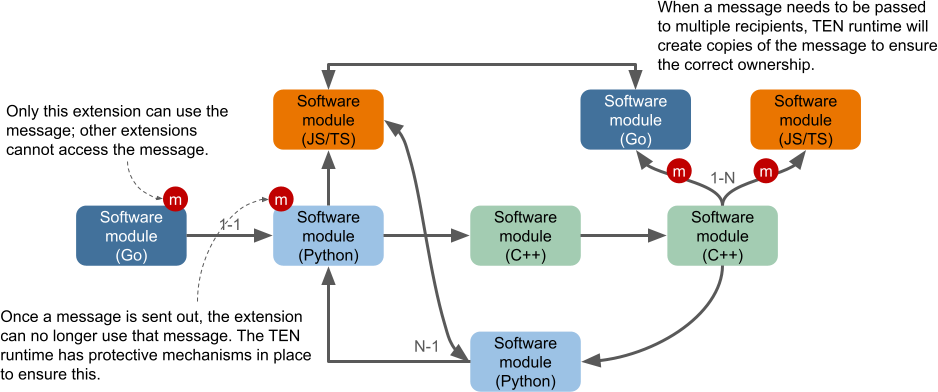
There are two directions in which messages can be sent: **send** and **return**. Only command messages have a return direction; data, audio\_frame, and video\_frame messages do not. After a message is sent, it may go through various processing steps, and allowing an extension to continue using the message could lead to thread safety issues. For instance, another extension handling the message might be running in a different thread. Even if the initial extension continues to use the message without any visible issues, this behavior is undefined and should not be relied upon by developers.
The TEN runtime enforces various safeguards to ensure that an extension cannot use a message after it has been successfully sent.
### Message Ownership Transfer to the Extension
When the TEN framework delivers a message to an extension via the `OnCmd`, `OnData`, `OnVideoFrame`, or `OnAudioFrame` callbacks, the framework transfers ownership of the message to the extension. This transfer of ownership means that the TEN framework guarantees that only the receiving extension has access to the message, ensuring message safety and thread safety. The extension can freely use the message and must return ownership to the TEN framework when it no longer needs the message. After returning ownership, the extension must not interact with the message any further.
### Message Ownership Transfer to the TEN Framework
When an extension sends a message back to the TEN runtime using APIs like `SendCmd`, `ReturnResult`, `SendData`, `SendVideoFrame`, or `SendAudioFrame`, the extension transfers ownership of the message back to the TEN framework.
### Ownership of Data Related to Messages
The concept of ownership extends beyond the message itself to all resources associated with that message. Just like the message, each resource's ownership can only belong to one extension at a time, and it mirrors the message's ownership. This design ensures both message and thread safety within the TEN framework.
For example, if extension A owns a message and uses a buffer within that message, it must return ownership of both the message and the buffer to the TEN runtime when it no longer needs them.
### Copy Semantics by Default
To prevent issues such as data races caused by multiple extensions handling the same resource simultaneously, the TEN framework defaults to **copy semantics** when transmitting data across TEN runtime and extension boundaries. Copying ensures that ownership is separated, maintaining safety.
### Borrowing Semantics
The TEN framework also supports **borrowing semantics**, allowing an extension to use a resource without taking ownership. This approach enhances resource utilization while maintaining message and thread safety. Borrowing APIs must be used in conjunction with GiveBack APIs to ensure the safety and integrity of resources.
When an extension returns ownership of a message to the TEN runtime, the runtime will only accept the message if all associated resources have also been returned. For instance, if extension A borrows a data message's buffer but does not return the buffer's ownership before returning the message itself, the TEN runtime will reject the message (e.g., `SendData` will fail).
### Borrowing API
Extensions can directly access resources within a message using borrowing APIs, allowing temporary use without transferring ownership.
### GiveBack API
The GiveBack APIs are used to return the ownership of resources back to the TEN framework, ensuring that resources are safely managed and freed when no longer needed.
## Command
TEN clients and TEN extensions can send commands to other TEN extensions.
If a command is used in a situation where the result isn't needed, it's fine. TEN runtime will automatically discard any unnecessary results.
### Result
A result is the response to a command. For example, when TEN extension A sends command X to TEN extension B, after processing the command, TEN extension B will send a result back to TEN extension A. The result may include any meaningful details, allowing TEN extension A to gain more information about the execution outcome.
A typical result's JSON representation might look like this:
```json
{
"ten": {
"status_code": 400
}
}
```
# Preparation (/docs/ten_framework/preparation)
The TEN framework supports Windows, Linux, and Mac as development environments, but it is recommended to use Linux or Mac.
## Development Environment
### Linux
Using Ubuntu as an example, you must first install the following packages:
* gcc: One of the C/C++ compilers supported by the TEN framework.
* clang: Another C/C++ compiler supported by the TEN framework.
* clang-format: A code formatting tool used by the TEN framework during runtime.
* clang-tidy: A static code analyzer.
* cmake: The build system. The version must be greater than 3.13.
* Python3: Required for the TEN framework Python binding.
* pytest: Used for the TEN framework's integration testing.
### Mac
To set up your Mac development environment, you need the following:
* XCode
* CocoaPods
* Personal Account
Follow these instructions to prepare the environment:
```shell
brew install llvm googletest doxygen ninja clang-format
brew install include-what-you-use
```
Since the version of `cmake` installed via `brew` might be outdated, if so, you need to install `cmake` from the official website and set up a symbolic link.
```shell
ln -s /Applications/CMake.app/Contents/bin/cmake /usr/local/bin/cmake
```
If `cmake` cannot find `clang-tidy`, you can resolve the issue with the following command:
```shell
ln -sf /usr/local/opt/llvm/bin/clang-tidy /usr/local/bin/clang-tidy
```
To build various language bindings for the TEN framework, you can install the required languages using the following command:
```shell
brew install python golang
```
### Windows
If you need to develop the TEN framework on Microsoft Windows, you can manually install the following packages:
* Visual Studio Community Version (up to 2022)
Be sure to select the clang-related tools and add the clang binary path to the `PATH` environment variable.
* cmake
* python
> ⚠️ **Note:**
> When installing `cmake`/`python` on Windows, the installation path should not contain spaces.
## ten\_gn
The TEN framework uses `ten_gn` as its build system. `ten_gn` is a build system based on Google GN. The source code for `ten_gn` is located in the `core/ten_gn` directory of the TEN framework repository. Add the `ten_gn` directory path to the system `PATH` in your development environment.
## Using Docker Containers
We provide pre-written Docker files that allow you to create a container with all the necessary packages required to build the TEN framework from source.
### Ubuntu 22.04
Navigate to `tools/docker_for_building/ubuntu/22.04` and run the following commands to create and enter the build environment.
```shell
docker-compose up -d
docker-compose run ten-building-ubuntu-2204
```
# Profiling (/docs/ten_framework/profiling)
## TEN Framework GO Project
Use `gperftools` to profile your program's CPU usage and heap memory usage. The following steps describe how to prepare the environment, use `gperftools` to profile your program, and analyze the performance data.
### Installing `gperftools`
To install `gperftools` on Ubuntu, run the following commands:
```shell
apt update && apt install -y google-perftools
ln -s /usr/lib/x86_64-linux-gnu/libtcmalloc.so.4 /usr/lib/libtcmalloc.so
ln -s /usr/lib/x86_64-linux-gnu/libprofiler.so.0 /usr/lib/libprofiler.so
```
### Profiling CPU Usage with `gperftools`
To profile the CPU usage of your program, run the following commands:
```shell
export LD_PRELOAD=/usr/lib/libtcmalloc.so
export CPUPROFILE=/.../cpu
exec /.../program
```
When the program exits, a CPU performance data file will be generated. The data will be stored in the `/.../cpu.0001.prof` file.
If you want to generate CPU performance data periodically, you can set the `CPUPROFILE_FREQUENCY` environment variable. For example, to generate CPU performance data every 30 seconds, run the following command:
```shell
LD_PRELOAD=/usr/lib/libtcmalloc.so CPUPROFILE=/.../cpu CPUPROFILE_FREQUENCY=30 exec /.../program
```
#### Analyzing CPU Performance Data
To analyze the CPU performance data, run the following commands:
```shell
google-pprof --text /.../program /.../cpu.0001.prof > /.../cpu.0001.prof.txt
google-pprof --text --base=/.../cpu.0001.prof /.../program /.../cpu.0002.prof > /.../diff.txt
```
### Profiling Heap Memory Usage with `gperftools`
To profile your program's heap memory usage, run the following commands:
```shell
export LD_PRELOAD=/usr/lib/libtcmalloc.so
export HEAPPROFILE=/.../heap
export HEAP_PROFILE_TIME_INTERVAL=30
exec /.../program
```
It is recommended to use the `HEAP_PROFILE_TIME_INTERVAL` environment variable to periodically generate heap memory performance data. All heap memory performance data will be stored in the `HEAPPROFILE` directory.
#### Analyzing Heap Memory Performance Data
Each generated heap memory performance data file will have a `.heap` extension. To analyze the heap memory performance data, you can convert the `.heap` files to a human-readable text format. For example, to convert a `.heap` file in `/.../heap` to a text format, run the following command:
```shell
google-pprof --text /.../program /.../heap.0001.heap > /.../heap.0001.heap.txt
```
The performance data will look like this:
```text
Total: 19.7 MB
16.0 81.3% 81.3% 16.0 81.3% lws_zalloc
2.9 14.6% 95.9% 3.3 16.7% setAgoraStreamChannelParameters
...
```
You can also convert the `.heap` file to other formats like PDF or SVG. For example, to convert a `.heap` file in `/.../heap` to PDF format, run the following command:
```shell
google-pprof --pdf /.../program /.../heap.0001.heap > /.../heap.0001.heap.pdf
```
The performance data in PDF format will be similar to the text output but visualized graphically.
Additionally, you can compare two sets of heap memory performance data. For example, to compare the heap memory performance data in `/.../heap.0001.heap` and `/.../heap.0002.heap`, run the following command:
```shell
google-pprof --pdf --base=/.../heap.0001.heap /.../program /.../heap.0002.heap > /.../diff.pdf
```
The PDF will show the differences in heap memory usage between the two data sets.
If you are generating heap memory performance data periodically, we provide a script to analyze all the heap memory performance data in a directory and generate an Excel file showing the heap memory usage trends. For example, to analyze all heap memory performance data in `/.../heap`, run the following command:
```shell
python3 tools/profiler/gperftools/dump_heap_info_to_excel.py -heap_dir=/.../heap -bin=/.../program -output=/.../heap.xlsx -sample_interval=30
```
The script will generate raw performance data with symbols in the `/.../raw` directory, human-readable text performance data in the `/.../text` directory, and an Excel file in `/.../heap.xlsx`.
You can plot a line chart to display the heap memory usage trends.
```shell
python3 tools/profiler/gperftools/draw_line_chart.py -excel_file=/.../heap.xlsx -output_file=/.../heap_line_chart.png -title=HEAP_MEM -x=time/s -y=total_heap_size/MB
```
### Profiling with `pprof`
We recommend using `pprof` to profile programs written in Go. The easiest way to profile a Go program is by using `pprof_app_go` as your TEN application. When activated, the application reads environment variables to decide whether to activate the `pprof` server and heap profiler.
```shell
export TEN_HEAP_DUMP_DIR=/data/prof
export HEAP_PROFILE_TIME_INTERVAL=30
export TEN_PROFILER_SERVER_PORT=6060
```
### Analyzing `pprof` Performance Data
To convert heap performance data to a text format, use the following command:
```shell
python3 tools/profiler/pprof/dump_heap_files_to_text.py -heap_dir=/data/prof -text_dir=/data/text
```
To analyze all heap performance data and generate an Excel file, run:
```shell
python3 tools/profiler/pprof/dump_heap_info_to_excel.py -heap_dir=/data/prof -output=/data/heap.xlsx
```
You can plot a line chart to display the heap memory usage trends:
```shell
python3 tools/profiler/gperftools/draw_line_chart.py -excel_file=/data/heap.xlsx -output_file=/data/heap_line_chart.png -title=HEAP_MEM -x=time/s -y=total_heap_size/MB
```
This will give you a visual representation of Go heap performance data trends.
# Version System (/docs/ten_framework/version_system)
The TEN framework follows the semver specification.
## Version Information of TEN Package
The version information of a TEN package is recorded in the `version` field of its own `manifest.json` file. For every TEN package, this `version` field is mandatory.
```json
{
"version": "1.0.0"
}
```
## Version Requirement of Dependency
> ⚠️ **Note:**
> If no version requirement is specified for a dependency, the latest version is implied.
```text
└── ten_packages/
├── extension/
├── extension_group/
├── protocol/
└── system/
```
These packages are distinguished by the value of the `type` field in their `manifest.json`.
```json
{
"type": "system" // "extension", "extension_group", "protocol"
}
```
In a TEN package, the version requirements for the dependent TEN packages are specified as follows.
```json
{
"dependencies": [
{
"type": "system",
"name": "ten_runtime",
"version": "1.0.1"
},
{
"type": "system",
"name": "ten_runtime_go",
"version": "1.0.3"
},
{
"type": "extension",
"name": "default_http_extension_cpp",
"version": "1.0.0"
},
{
"type": "extension_group",
"name": "default_extension_group",
"version": "1.0.0"
}
]
}
```
## Version Requirements Specification
A version requirements string can contain multiple version requirement strings, separated by commas. Each version requirement string supports the following operators:
* `>`, `>=`, `=`
Manually specify a version range or an exact dependency version.
* `~`
Used to specify a minimum version with some flexibility for updates. If the major, minor, and patch versions are specified, or only the major and minor versions are specified, only patch-level changes are allowed. If only the major version is specified, both minor and patch-level changes are allowed.
* `^`
The `^` operator can be omitted, meaning that if a version requirement string does not include any operator, it defaults to `^`. For example, the string `0.1.12` represents `^0.1.12`. Although `0.1.12` looks like a specific version, it actually specifies a version requirement that allows SemVer-compatible updates.
Updates are allowed as long as they do not modify the leftmost non-zero number in the major, minor, or patch combination. In this case, if you upgrade the TEN package, it will update to version `0.1.13` (if it's the latest `0.1.z` version), but not to `0.2.0`. If the version string specified is `1.0`, it will update to `1.1` (if it's the latest `1.y` version), but not to `2.0`.
> ⚠️ **Note:**
> Versions `0.0.x` are considered incompatible with any other versions.
# Build System (/docs/ten_framework/0.11.59/build_system)
## Build System
### C++
The TEN framework uses the `ten_gn` build system to compile C++ apps and C++ extensions. `ten_gn` is a build system based on Google's GN.
### Golang
The TEN framework uses the standard go command to build TEN framework Golang projects.
## Building
### C++ App
To build a TEN framework C++ app, run the following commands in the root directory of the TEN framework C++ app.
`` can be one of the following:
* linux
* mac
* win
`` can be one of the following:
* x86
* x64
* arm
* arm64
`` can be one of the following:
* debug
* release
```shell
ten_gn gen
ten_gn build
```
### C++ Addon
The term `addon` here includes the following:
* extension
* extension group
* protocol
The method to build TEN framework C++ addons is the same as for building TEN framework C++ apps.
### Golang App
To build a TEN Golang project, run the following command in the root directory of the TEN Golang project:
```shell
go run ten_packages/system/ten_runtime_go/tools/build/main.go
```
# Cloud Store (/docs/ten_framework/0.11.59/cloud_store)
The TEN Cloud Store, similar to Google Play on Android and the App Store on iOS, offers a variety of TEN packages. These packages can be downloaded into a TEN app to aid and enhance development.

## Information Stored in the Database for TEN Packages
1. **Package Type**
A string representing the type of package, such as `extension`.
2. **Package Name**
A string representing the name of the package, such as `builtin_extension`.
3. **Package Version**
A string following semantic versioning (semver) that specifies the package version, such as `3.0.0`.
4. **Dependencies**
An array of objects, each containing the following fields:
* **Package Type**
A string, matching the top-level `package type`.
* **Package Name**
A string, matching the top-level `package name`.
* **Version**
A string following semver that specifies the version requirements for the package, such as `~3.0.0`.
# Overview (/docs/ten_framework/0.11.59/concept_overview)

## TEN Runtime
The TEN runtime is an execution environment designed for running applications within the TEN framework. It provides a flexible architecture that supports extensions developed in multiple programming languages and handles various types of data streams. By managing the lifecycle of extensions, data flows, and threads, the TEN runtime offers developers a powerful tool for building a wide range of applications and services.
## App
An App in the TEN framework can operate as a standalone process or as a thread within an existing process. This flexibility allows for versatile deployment options depending on the needs of the application.
## Extension Group
An Extension Group is a mechanism that designates a specific thread for execution. All extensions within a given group are executed on the same thread, ensuring consistent and synchronized processing.
## Extension
An extension is the fundamental building block of the TEN framework. Developers can create extensions in various programming languages and combine them to build different applications and scenarios. The framework's design supports cross-language collaboration, enabling extensions written in different languages to work together seamlessly within the same application or service.
For example, a developer might use C++ to create an extension for real-time communication (RTC) due to its performance benefits in handling audio and video data, while developing an AI extension in Python to take advantage of its robust libraries for data analysis and machine learning. These extensions can then be integrated into a single application, leveraging the strengths of each language.
## Graph
A Graph in the TEN framework describes the data flow between extensions. It orchestrates how data moves from one extension to another, defining the participants and the flow of data between them. For example, you can route the output of a Speech-to-Text (STT) extension to a Large Language Model (LLM) extension for further processing.
The TEN framework supports four main types of data flows between extensions:
* Command
* Data
* Video Frame
* Audio Frame
By defining these data flows within a graph, developers can create inter-extension communication and unidirectional data streams, particularly useful for handling audio and video data.
## Relationship Among App, Group, and Extension
* **App**:
An app can execute multiple graphs, which can be either statically predefined or dynamically assembled.
* **Graph**:
A graph is formed by multiple extensions working together to create a meaningful scenario. Each graph instance operates as a session within the app.
* **Extension Group**:
The concept of an extension group is analogous to a thread. Extensions written in the same language and within the same extension group run on the same thread during runtime. Developers do not need to manage threads directly; they simply "declare" the group to which each extension belongs.
* **Extension**:
Each extension within the framework is assigned a unique ID, structured as: `app-uri/graph-name/group-name/extension-name`

## TEN Cloud Store

The TEN Cloud Store functions similarly to Google Play Store or Apple’s App Store, providing a marketplace for extensions. Developers can share their extensions or download those created by others. These extensions can be integrated into TEN apps, facilitating development and expanding functionality.
## TEN Manager
The TEN Manager is a tool that simplifies the management of extensions. It handles tasks such as uploading, sharing, and installing extensions, automatically managing dependencies between them and their environment. This makes the installation and publication of extensions convenient and efficient, streamlining the development process within the TEN framework.
# Dependencies (/docs/ten_framework/0.11.59/dependencies)
The TEN framework utilizes several third-party libraries. Some are used specifically for testing, while others are integrated into the TEN runtime. Below is a description of these libraries, along with any necessary modifications required for their use within the TEN framework.
## Google gn
Instance ID
| OS | Arch | Instance ID |
| ----- | ----- | --------------------------------------------- |
| Linux | x64 | BzX0zkfwFeUn9MaDVqm6FugmTIy-hFpgNUx43O1fN00C |
| Linux | arm64 | rT\_12w1Iv6ug8CJ4j0VQekA0qTDq6CwoAqGWasIKFcEC |
| Win | x64 | 1QlqF0FPVt82ba5f48HxHpv5xPqOmyaThoR3TicuJ8QC |
Download directly from [Google GN webpage](https://chrome-infra-packages.appspot.com/p/gn/gn/).
Commit ID
| OS | Arch | Commit ID |
| --- | --------- | ---------------------------------------- |
| Mac | universal | 18602f6cf1168cf78302024043edc02e8bad2ffb |
Clone and build from the [Gn repository](https://gn.googlesource.com/gn).
## Google ninja
Version: 1.12.1
Download directly from [Ninja release page](https://github.com/ninja-build/ninja/releases).
## yyjson
Version: 0.10.0
[MIT license](https://github.com/ibireme/yyjson/blob/master/LICENSE)
This is used in the TEN framework core to parse and generate JSON data. Please refer to `third_party/yyjson` for details.
## libuv
Version: 1.50.0
[MIT license](https://github.com/libuv/libuv#licensing)
This is one of the event loop libraries used in the TEN runtime. Please refer to `third_party/libuv` for details.
## msgpack-c
Version: 6.1.0
[Boost Software License, Version 1.0](https://github.com/msgpack/msgpack-c#license)
A MessagePack library for C. Please refer to `third_party/msgpack` for details.
## libwebsockets
Version: 4.3.2
[MIT license](https://github.com/warmcat/libwebsockets/blob/main/LICENSE)
Canonical libwebsockets.org networking library. Please refer to `third_party/libwebsockets` for details.
```diff
--- /home/wei/MyData/Temp/libwebsockets-4.3.2/CMakeLists.txt
+++ libwebsockets/CMakeLists.txt
@@ -851,6 +851,7 @@
add_definitions(-D_CRT_SECURE_NO_DEPRECATE -D_CRT_NONSTDC_NO_DEPRECATE)
# Fail the build if any warnings
add_compile_options(/W3 /WX)
+ add_compile_options(/Zc:preprocessor /wd4819)
# Unbreak MSVC broken preprocessor __VA_ARGS__ behaviour
if (MSVC_VERSION GREATER 1925)
add_compile_options(/Zc:preprocessor /wd5105)
```
Apply the following patch.
```diff
diff --git a/third_party/libwebsockets/cmake/lws_config.h.in b/third_party/libwebsockets/cmake/lws_config.h.in
index f3f4a9d79..e8d36c3ae 100644
--- a/third_party/libwebsockets/cmake/lws_config.h.in
+++ b/third_party/libwebsockets/cmake/lws_config.h.in
@@ -238,3 +238,9 @@
#cmakedefine LWS_WITH_PLUGINS_API
#cmakedefine LWS_HAVE_RTA_PREF
+// NOTE (Liu): The libwebsockets library will use external variables from mbedtls
+// if 'LWS_WITH_MBEDTLS' is enabled. On Windows, variable declarations in the header
+// file must start with '__declspec(dllimport)', otherwise, the
+// symbols cannot be accessed.
+// Refer to third_party/mbedtls/include/mbedtls/export.h.
+#define USING_SHARED_MBEDTLS
diff --git a/third_party/libwebsockets/lib/tls/mbedtls/wrapper/platform/ssl_pm.c b/third_party/libwebsockets/lib/tls/mbedtls/wrapper/platform/ssl_pm.c
index e8a0cb2d4..84a164e90 100755
--- a/third_party/libwebsockets/lib/tls/mbedtls/wrapper/platform/ssl_pm.c
+++ b/third_party/libwebsockets/lib/tls/mbedtls/wrapper/platform/ssl_pm.c
@@ -183,7 +183,12 @@ int ssl_pm_new(SSL *ssl)
mbedtls_ssl_conf_min_version(&ssl_pm->conf, MBEDTLS_SSL_MAJOR_VERSION_3, version);
} else {
mbedtls_ssl_conf_max_version(&ssl_pm->conf, MBEDTLS_SSL_MAJOR_VERSION_3, MBEDTLS_SSL_MINOR_VERSION_3);
- mbedtls_ssl_conf_min_version(&ssl_pm->conf, MBEDTLS_SSL_MAJOR_VERSION_3, 1);
+
+ // NOTE: mbedtls added 'ssl_conf_version_check()' since v3.1.0, and
+ // mbedtls only enables TLS 1.2 by default. So the 'min_tls_version' and
+ // 'max_tls_version' must be '0x303', or 'mbedtls_ssl_setup' will
+ // fail.
+ mbedtls_ssl_conf_min_version(&ssl_pm->conf, MBEDTLS_SSL_MAJOR_VERSION_3, MBEDTLS_SSL_MINOR_VERSION_3);
}
mbedtls_ssl_conf_rng(&ssl_pm->conf, mbedtls_ctr_drbg_random, &ssl_pm->ctr_drbg);
```
```diff
diff --git a/third_party/libwebsockets/CMakeLists.txt b/third_party/libwebsockets/CMakeLists.txt
index 92638143a..746f9b6a6 100644
--- a/third_party/libwebsockets/CMakeLists.txt
+++ b/third_party/libwebsockets/CMakeLists.txt
@@ -547,9 +547,12 @@ SET(CMAKE_ARCHIVE_OUTPUT_DIRECTORY "${PROJECT_BINARY_DIR}/lib")
SET(LWS_INSTALL_PATH "${CMAKE_INSTALL_PREFIX}")
-# Put absolute path of dynamic libraries into the object code. Some
-# architectures, notably Mac OS X, need this.
-SET(CMAKE_INSTALL_NAME_DIR "${CMAKE_INSTALL_PREFIX}/${LWS_INSTALL_LIB_DIR}${LIB_SUFFIX}")
+# Commented out to avoid using absolute paths in the install_name on macOS.
+# When CMAKE_INSTALL_NAME_DIR is set to an absolute path, binaries that link
+# against libwebsockets will hardcode this absolute path, making the library
+# difficult to relocate and potentially causing "library not found" errors at
+# runtime if the library is installed in a different location.
+# SET(CMAKE_INSTALL_NAME_DIR "${CMAKE_INSTALL_PREFIX}/${LWS_INSTALL_LIB_DIR}${LIB_SUFFIX}")
```
### Fix for linking mbedtls on Windows
Apply the following patch if the CMake version is higher than 3.24, as `find_package` supports the `GLOBAL` keyword since 3.24.
```diff
diff --git a/third_party/libwebsockets/lib/tls/mbedtls/CMakeLists.txt b/third_party/libwebsockets/lib/tls/mbedtls/CMakeLists.txt
index e34151724..79b15089d 100644
--- a/third_party/libwebsockets/lib/tls/mbedtls/CMakeLists.txt
+++ b/third_party/libwebsockets/lib/tls/mbedtls/CMakeLists.txt
- find_library(MBEDTLS_LIBRARY mbedtls)
- find_library(MBEDX509_LIBRARY mbedx509)
- find_library(MBEDCRYPTO_LIBRARY mbedcrypto)
+ # find_library(MBEDTLS_LIBRARY mbedtls)
+ # find_library(MBEDX509_LIBRARY mbedx509)
+ # find_library(MBEDCRYPTO_LIBRARY mbedcrypto)
+
+ # set(LWS_MBEDTLS_LIBRARIES "${MBEDTLS_LIBRARY}" "${MBEDX509_LIBRARY}" "${MBEDCRYPTO_LIBRARY}")
+
+ # Set the custom search path.
+ set(MBEDTLS_DIR "${MBEDTLS_BUILD_PATH}/cmake")
+
+ // NOTE (Liu): We should use 'find_package' rather than 'find_library'
+ // to search for the mbedtls libraries. 'find_library' only finds a
+ // library, shared or static, without any settings from the external
+ // library.
- set(LWS_MBEDTLS_LIBRARIES "${MBEDTLS_LIBRARY}" "${MBEDX509_LIBRARY}" "${MBEDCRYPTO_LIBRARY}")
+ // The 'lib/tls/CMakeLists.txt' depends on the mbedtls libraries, so we set the scope to 'GLOBAL' here.
+ find_package(MbedTLS GLOBAL)
+ set(LWS_MBEDTLS_LIBRARIES MbedTLS::mbedcrypto MbedTLS::mbedx509 MbedTLS::mbedtls)
```
```diff
diff --git a/third_party/libwebsockets/BUILD.gn b/third_party/libwebsockets/BUILD.gn
index 4c89c2e2e..e6d641b9c 100644
--- a/third_party/libwebsockets/BUILD.gn
+++ b/third_party/libwebsockets/BUILD.gn
@@ -84,6 +84,10 @@ cmake_project("websockets") {
}
options += [
+ // The libwebsockets will use the 'MBEDTLS_BUILD_PATH' variable to set the
+ // search path of 'find_package'.
+ "MBEDTLS_BUILD_PATH=" + rebase_path("$root_gen_dir/cmake/mbedtls"),
+
```
And remove `#define USING_SHARED_MBEDTLS` in `third_party/libwebsockets/cmake/lws_config.h.in`.
## curl
Version: 8.1.2
[MIT-like license](https://github.com/curl/curl/blob/master/COPYING)
A command-line tool and library for transferring data with URL syntax, supporting DICT, FILE, FTP, FTPS, GOPHER, GOPHERS, HTTP, HTTPS, IMAP, IMAPS, LDAP, LDAPS, MQTT, POP3, POP3S, RTMP, RTMPS, RTSP, SCP, SFTP, SMB, SMBS, SMTP, SMTPS, TELNET, and TFTP. libcurl offers a myriad of powerful features.
Please refer to `third_party/curl` for details.
### Patches for curl
Patch `lib/CMakeLists.txt`, to change the shared library name from `_imp.lib` to `.lib`.
```cmake
if(WIN32)
if(BUILD_SHARED_LIBS)
if(MSVC)
// Add "_imp" as a suffix before the extension to avoid conflicting with
// the statically linked "libcurl.lib"
//set_target_properties(${LIB_NAME} PROPERTIES IMPORT_SUFFIX "_imp.lib")
set_target_properties(${LIB_NAME} PROPERTIES IMPORT_SUFFIX ".lib")
endif()
endif()
endif()
```
Export `Curl_ws_done` in `lib/ws.h`, because this function needs to be called to prevent memory leaks.
```c
CURL_EXTERN void Curl_ws_done(struct Curl_easy *data);
// ^^^^^^^^
```
## clingo
Version: 5.8.0
[MIT license](https://github.com/potassco/clingo/blob/master/LICENSE.md)
A grounder and solver for logic programs.
Please refer to `third_party/clingo` for details.
ten\_manager actually uses the clingo-sys crate to call clingo, and clingo-sys includes its own clingo source code. However, this included clingo source code is version 5.6.2, which has compilation errors in a cmake 4 environment. Therefore, we need to use cargo's patch feature to use the latest local version of clingo source code (which has fixed the cmake 4 compilation errors). Additionally, since clingo-sys already includes clingo source code, we don't actually need the third\_party/clingo folder. However, because clingo-sys still compiles clingo as a shared library on Windows, we currently still need to use the third\_party/clingo folder to compile clingo's shared library on Windows, and then use gn scripts to copy the Windows shared library to the final output folder of ten\_manager. In the future, we should directly use the Windows shared library compiled from the clingo source code included in clingo-sys for copying, which would allow us to remove the third\_party/clingo folder.
## FFmpeg
Version: 6.0
[GPL or LGPL license](https://github.com/FFmpeg/FFmpeg/blob/master/LICENSE.md)
The FFmpeg codebase is mainly LGPL-licensed with optional components licensed under GPL. Please refer to the LICENSE file for detailed information.
Used in ffmpeg extensions, primarily for testing purposes. Please refer to `third_party/ffmpeg` for details.
## libbacktrace
Version: 1.0
[BSD license](https://github.com/ianlancetaylor/libbacktrace/blob/master/LICENSE)
A C library that may be linked into a C/C++ program to produce symbolic backtraces.
> ⚠️ **Note:**
> We have significantly modified `libbacktrace` to conform to the naming conventions and folder structure of the TEN framework. Please refer to `core/src/ten_utils/backtrace` for details.
## uthash
Version: 2.3.0
[BSD license](https://github.com/troydhanson/uthash/blob/master/LICENSE)
C macros for hash tables and more.
> ⚠️ **Note:**
> We have significantly modified `uthash` to conform to the naming conventions and folder structure of the TEN framework. Please refer to the files under `core/include/ten_utils/container` that have `uthash` mentioned in the file headers.
## uuid4
[MIT license](https://github.com/gpakosz/uuid4/blob/master/LICENSE.MIT)
[WTFPLv2 license](https://github.com/gpakosz/uuid4/blob/master/LICENSE.WTFPLv2)
UUID v4 generation in C.
> ⚠️ **Note:**
> We have significantly modified `uuid4` to conform to the naming conventions and folder structure of the TEN framework. Please refer to `core/src/ten_utils/lib/sys/general/uuid.c` for details.
## zf\_log
[MIT license](https://github.com/wonder-mice/zf_log/blob/master/LICENSE)
Core logging library for C/ObjC/C++.
> ⚠️ **Note:**
> We have significantly modified `zf_log` to conform to the naming conventions and folder structure of the TEN framework. Please refer to `core/src/ten_utils/log` for details.
# Message System (/docs/ten_framework/0.11.59/message_system)
## Message Types
In the TEN framework, messages are categorized into four types:
1. Command
2. Data
3. Video Frame
4. Audio Frame
The primary difference between a command and non-command message types is that commands have a result, while non-commands do not.
Corresponding to these types, extensions have four message callbacks:
1. `OnCmd`
2. `OnData`
3. `OnVideoFrame`
4. `OnAudioFrame`
Here is a classification diagram of TEN framework messages:
```text
┌── has result
│ └── Command
│ ├── TEN framework built-in command
│ │ => message name starts with `ten:`
│ └── Non-TEN framework built-in command
│ => message name does not start with `ten:`
└── no result
├── Data
│ ├── TEN framework built-in data
│ │ => message name starts with `ten:`
│ └── Non-TEN framework built-in data
│ => message name does not start with `ten:`
├── Video Frame
│ ├── TEN framework built-in video frame
│ │ => message name starts with `ten:`
│ └── Non-TEN framework built-in video frame
│ => message name does not start with `ten:`
└── Audio Frame
├── TEN framework built-in audio frame
│ => message name starts with `ten:`
└── Non-TEN framework built-in audio frame
=> message name does not start with `ten:`
```
## Message Name
A message name in the TEN framework is used to differentiate messages of the same type but with different purposes. Extensions use different message names to determine the actions they need to take.
Naming rules for message names are as follows:
1. The first character must be a letter (`a-z`, `A-Z`) or an underscore (`_`).
2. Subsequent characters can be letters (`a-z`, `A-Z`), digits (`0-9`), or underscores (`_`).
## Message Flow

The TEN framework supports three message flow patterns:
1. **One message, one result.**
Suitable when an action produces a single result.
2. **One message, multiple results.**
Suitable when an action produces multiple results.
3. **Multiple messages.**
Suitable for actions that do not require results.
## Extension Message Interface
The `api` field in an extension's manifest presents the extension's external message interface. The `api` field in the manifest can contain the following types of API information:
* `cmd_in`
* `cmd_out`
* `data_in`
* `data_out`
* `audio_frame_in`
* `audio_frame_out`
* `video_frame_in`
* `video_frame_out`
An example of these API definitions is as follows:
```json
{
"api": {
"cmd_in": [
{
"name": "cmd_foo",
"property": {
"foo": {
"type": "int8"
},
"bar": {
"type": "string"
}
},
"result": {
"property": {
"aaa": {
"type": "int8"
},
"bbb": {
"type": "string"
}
}
}
}
],
"cmd_out": [],
"data_in": [
{
"name": "data_foo",
"property": {
"foo": {
"type": "int8"
},
"bar": {
"type": "string"
}
}
}
],
"data_out": [],
"video_frame_in": [],
"video_frame_out": [],
"audio_frame_in": [],
"audio_frame_out": []
}
}
```
The message pairing mechanism between different extensions in the TEN framework is similar to function calls in traditional programming languages. Here's a simple analogy:
1. The message name is akin to a function name, and the pairing mechanism between extensions' messages is like the function call mechanism.
2. Message properties are similar to function parameters.
3. When the TEN framework determines that an output message `foo` from extension A pairs with an input message `foo` from extension B, it's analogous to a function pointer in extension A pointing to the function `foo` in extension B.
4. The pairing is based solely on the message name, not the message properties. This means the TEN framework does not support a mechanism analogous to function overloading.
Therefore, the message name is crucial for the input/output messages of each extension, serving as the control plane interface for that extension.
Although the TEN framework provides a language-agnostic calling mechanism at the single-message level, it also allows static and dynamic checks on the calling relationships between extensions through the TEN schema. This helps detect potential issues, such as differing interpretations of a property type between a source and a destination extension. Users can define their message names and determine the calling relationships between extensions through graphs. The TEN framework also offers static check tools to ensure these relationships do not cause any problems.
## Message Ownership Concept in the TEN Framework
In the TEN framework, once a message is successfully sent, the extension that sent the message can no longer use it. This concept is crucial for maintaining message safety and thread safety within the framework.

There are two directions in which messages can be sent: **send** and **return**. Only command messages have a return direction; data, audio\_frame, and video\_frame messages do not. After a message is sent, it may go through various processing steps, and allowing an extension to continue using the message could lead to thread safety issues. For instance, another extension handling the message might be running in a different thread. Even if the initial extension continues to use the message without any visible issues, this behavior is undefined and should not be relied upon by developers.
The TEN runtime enforces various safeguards to ensure that an extension cannot use a message after it has been successfully sent.
### Message Ownership Transfer to the Extension
When the TEN framework delivers a message to an extension via the `OnCmd`, `OnData`, `OnVideoFrame`, or `OnAudioFrame` callbacks, the framework transfers ownership of the message to the extension. This transfer of ownership means that the TEN framework guarantees that only the receiving extension has access to the message, ensuring message safety and thread safety. The extension can freely use the message and must return ownership to the TEN framework when it no longer needs the message. After returning ownership, the extension must not interact with the message any further.
### Message Ownership Transfer to the TEN Framework
When an extension sends a message back to the TEN runtime using APIs like `SendCmd`, `ReturnResult`, `SendData`, `SendVideoFrame`, or `SendAudioFrame`, the extension transfers ownership of the message back to the TEN framework.
### Ownership of Data Related to Messages
The concept of ownership extends beyond the message itself to all resources associated with that message. Just like the message, each resource's ownership can only belong to one extension at a time, and it mirrors the message's ownership. This design ensures both message and thread safety within the TEN framework.
For example, if extension A owns a message and uses a buffer within that message, it must return ownership of both the message and the buffer to the TEN runtime when it no longer needs them.
### Copy Semantics by Default
To prevent issues such as data races caused by multiple extensions handling the same resource simultaneously, the TEN framework defaults to **copy semantics** when transmitting data across TEN runtime and extension boundaries. Copying ensures that ownership is separated, maintaining safety.
### Borrowing Semantics
The TEN framework also supports **borrowing semantics**, allowing an extension to use a resource without taking ownership. This approach enhances resource utilization while maintaining message and thread safety. Borrowing APIs must be used in conjunction with GiveBack APIs to ensure the safety and integrity of resources.
When an extension returns ownership of a message to the TEN runtime, the runtime will only accept the message if all associated resources have also been returned. For instance, if extension A borrows a data message's buffer but does not return the buffer's ownership before returning the message itself, the TEN runtime will reject the message (e.g., `SendData` will fail).
### Borrowing API
Extensions can directly access resources within a message using borrowing APIs, allowing temporary use without transferring ownership.
### GiveBack API
The GiveBack APIs are used to return the ownership of resources back to the TEN framework, ensuring that resources are safely managed and freed when no longer needed.
## Command
TEN clients and TEN extensions can send commands to other TEN extensions.
If a command is used in a situation where the result isn't needed, it's fine. TEN runtime will automatically discard any unnecessary results.
### Result
A result is the response to a command. For example, when TEN extension A sends command X to TEN extension B, after processing the command, TEN extension B will send a result back to TEN extension A. The result may include any meaningful details, allowing TEN extension A to gain more information about the execution outcome.
A typical result's JSON representation might look like this:
```json
{
"ten": {
"status_code": 400
}
}
```
# Preparation (/docs/ten_framework/0.11.59/preparation)
The TEN framework supports Windows, Linux, and Mac as development environments, but it is recommended to use Linux or Mac.
## Development Environment
### Linux
Using Ubuntu as an example, you must first install the following packages:
* gcc: One of the C/C++ compilers supported by the TEN framework.
* clang: Another C/C++ compiler supported by the TEN framework.
* clang-format: A code formatting tool used by the TEN framework during runtime.
* clang-tidy: A static code analyzer.
* cmake: The build system. The version must be greater than 3.13.
* Python3: Required for the TEN framework Python binding.
* pytest: Used for the TEN framework's integration testing.
### Mac
To set up your Mac development environment, you need the following:
* XCode
* CocoaPods
* Personal Account
Follow these instructions to prepare the environment:
```shell
brew install llvm googletest doxygen ninja clang-format
brew install include-what-you-use
```
Since the version of `cmake` installed via `brew` might be outdated, if so, you need to install `cmake` from the official website and set up a symbolic link.
```shell
ln -s /Applications/CMake.app/Contents/bin/cmake /usr/local/bin/cmake
```
If `cmake` cannot find `clang-tidy`, you can resolve the issue with the following command:
```shell
ln -sf /usr/local/opt/llvm/bin/clang-tidy /usr/local/bin/clang-tidy
```
To build various language bindings for the TEN framework, you can install the required languages using the following command:
```shell
brew install python golang
```
### Windows
If you need to develop the TEN framework on Microsoft Windows, you can manually install the following packages:
* Visual Studio Community Version (up to 2022)
Be sure to select the clang-related tools and add the clang binary path to the `PATH` environment variable.
* cmake
* python
> ⚠️ **Note:**
> When installing `cmake`/`python` on Windows, the installation path should not contain spaces.
## ten\_gn
The TEN framework uses `ten_gn` as its build system. `ten_gn` is a build system based on Google GN. The source code for `ten_gn` is located in the `core/ten_gn` directory of the TEN framework repository. Add the `ten_gn` directory path to the system `PATH` in your development environment.
## Using Docker Containers
We provide pre-written Docker files that allow you to create a container with all the necessary packages required to build the TEN framework from source.
### Ubuntu 22.04
Navigate to `tools/docker_for_building/ubuntu/22.04` and run the following commands to create and enter the build environment.
```shell
docker-compose up -d
docker-compose run ten-building-ubuntu-2204
```
# Profiling (/docs/ten_framework/0.11.59/profiling)
## TEN Framework GO Project
Use `gperftools` to profile your program's CPU usage and heap memory usage. The following steps describe how to prepare the environment, use `gperftools` to profile your program, and analyze the performance data.
### Installing `gperftools`
To install `gperftools` on Ubuntu, run the following commands:
```shell
apt update && apt install -y google-perftools
ln -s /usr/lib/x86_64-linux-gnu/libtcmalloc.so.4 /usr/lib/libtcmalloc.so
ln -s /usr/lib/x86_64-linux-gnu/libprofiler.so.0 /usr/lib/libprofiler.so
```
### Profiling CPU Usage with `gperftools`
To profile the CPU usage of your program, run the following commands:
```shell
export LD_PRELOAD=/usr/lib/libtcmalloc.so
export CPUPROFILE=/.../cpu
exec /.../program
```
When the program exits, a CPU performance data file will be generated. The data will be stored in the `/.../cpu.0001.prof` file.
If you want to generate CPU performance data periodically, you can set the `CPUPROFILE_FREQUENCY` environment variable. For example, to generate CPU performance data every 30 seconds, run the following command:
```shell
LD_PRELOAD=/usr/lib/libtcmalloc.so CPUPROFILE=/.../cpu CPUPROFILE_FREQUENCY=30 exec /.../program
```
#### Analyzing CPU Performance Data
To analyze the CPU performance data, run the following commands:
```shell
google-pprof --text /.../program /.../cpu.0001.prof > /.../cpu.0001.prof.txt
google-pprof --text --base=/.../cpu.0001.prof /.../program /.../cpu.0002.prof > /.../diff.txt
```
### Profiling Heap Memory Usage with `gperftools`
To profile your program's heap memory usage, run the following commands:
```shell
export LD_PRELOAD=/usr/lib/libtcmalloc.so
export HEAPPROFILE=/.../heap
export HEAP_PROFILE_TIME_INTERVAL=30
exec /.../program
```
It is recommended to use the `HEAP_PROFILE_TIME_INTERVAL` environment variable to periodically generate heap memory performance data. All heap memory performance data will be stored in the `HEAPPROFILE` directory.
#### Analyzing Heap Memory Performance Data
Each generated heap memory performance data file will have a `.heap` extension. To analyze the heap memory performance data, you can convert the `.heap` files to a human-readable text format. For example, to convert a `.heap` file in `/.../heap` to a text format, run the following command:
```shell
google-pprof --text /.../program /.../heap.0001.heap > /.../heap.0001.heap.txt
```
The performance data will look like this:
```text
Total: 19.7 MB
16.0 81.3% 81.3% 16.0 81.3% lws_zalloc
2.9 14.6% 95.9% 3.3 16.7% setAgoraStreamChannelParameters
...
```
You can also convert the `.heap` file to other formats like PDF or SVG. For example, to convert a `.heap` file in `/.../heap` to PDF format, run the following command:
```shell
google-pprof --pdf /.../program /.../heap.0001.heap > /.../heap.0001.heap.pdf
```
The performance data in PDF format will be similar to the text output but visualized graphically.
Additionally, you can compare two sets of heap memory performance data. For example, to compare the heap memory performance data in `/.../heap.0001.heap` and `/.../heap.0002.heap`, run the following command:
```shell
google-pprof --pdf --base=/.../heap.0001.heap /.../program /.../heap.0002.heap > /.../diff.pdf
```
The PDF will show the differences in heap memory usage between the two data sets.
If you are generating heap memory performance data periodically, we provide a script to analyze all the heap memory performance data in a directory and generate an Excel file showing the heap memory usage trends. For example, to analyze all heap memory performance data in `/.../heap`, run the following command:
```shell
python3 tools/profiler/gperftools/dump_heap_info_to_excel.py -heap_dir=/.../heap -bin=/.../program -output=/.../heap.xlsx -sample_interval=30
```
The script will generate raw performance data with symbols in the `/.../raw` directory, human-readable text performance data in the `/.../text` directory, and an Excel file in `/.../heap.xlsx`.
You can plot a line chart to display the heap memory usage trends.
```shell
python3 tools/profiler/gperftools/draw_line_chart.py -excel_file=/.../heap.xlsx -output_file=/.../heap_line_chart.png -title=HEAP_MEM -x=time/s -y=total_heap_size/MB
```
### Profiling with `pprof`
We recommend using `pprof` to profile programs written in Go. The easiest way to profile a Go program is by using `pprof_app_go` as your TEN application. When activated, the application reads environment variables to decide whether to activate the `pprof` server and heap profiler.
```shell
export TEN_HEAP_DUMP_DIR=/data/prof
export HEAP_PROFILE_TIME_INTERVAL=30
export TEN_PROFILER_SERVER_PORT=6060
```
### Analyzing `pprof` Performance Data
To convert heap performance data to a text format, use the following command:
```shell
python3 tools/profiler/pprof/dump_heap_files_to_text.py -heap_dir=/data/prof -text_dir=/data/text
```
To analyze all heap performance data and generate an Excel file, run:
```shell
python3 tools/profiler/pprof/dump_heap_info_to_excel.py -heap_dir=/data/prof -output=/data/heap.xlsx
```
You can plot a line chart to display the heap memory usage trends:
```shell
python3 tools/profiler/gperftools/draw_line_chart.py -excel_file=/data/heap.xlsx -output_file=/data/heap_line_chart.png -title=HEAP_MEM -x=time/s -y=total_heap_size/MB
```
This will give you a visual representation of Go heap performance data trends.
# Version System (/docs/ten_framework/0.11.59/version_system)
The TEN framework follows the semver specification.
## Version Information of TEN Package
The version information of a TEN package is recorded in the `version` field of its own `manifest.json` file. For every TEN package, this `version` field is mandatory.
```json
{
"version": "1.0.0"
}
```
## Version Requirement of Dependency
> ⚠️ **Note:**
> If no version requirement is specified for a dependency, the latest version is implied.
```text
└── ten_packages/
├── extension/
├── extension_group/
├── protocol/
└── system/
```
These packages are distinguished by the value of the `type` field in their `manifest.json`.
```json
{
"type": "system" // "extension", "extension_group", "protocol"
}
```
In a TEN package, the version requirements for the dependent TEN packages are specified as follows.
```json
{
"dependencies": [
{
"type": "system",
"name": "ten_runtime",
"version": "1.0.1"
},
{
"type": "system",
"name": "ten_runtime_go",
"version": "1.0.3"
},
{
"type": "extension",
"name": "default_http_extension_cpp",
"version": "1.0.0"
},
{
"type": "extension_group",
"name": "default_extension_group",
"version": "1.0.0"
}
]
}
```
## Version Requirements Specification
A version requirements string can contain multiple version requirement strings, separated by commas. Each version requirement string supports the following operators:
* `>`, `>=`, `=`
Manually specify a version range or an exact dependency version.
* `~`
Used to specify a minimum version with some flexibility for updates. If the major, minor, and patch versions are specified, or only the major and minor versions are specified, only patch-level changes are allowed. If only the major version is specified, both minor and patch-level changes are allowed.
* `^`
The `^` operator can be omitted, meaning that if a version requirement string does not include any operator, it defaults to `^`. For example, the string `0.1.12` represents `^0.1.12`. Although `0.1.12` looks like a specific version, it actually specifies a version requirement that allows SemVer-compatible updates.
Updates are allowed as long as they do not modify the leftmost non-zero number in the major, minor, or patch combination. In this case, if you upgrade the TEN package, it will update to version `0.1.13` (if it's the latest `0.1.z` version), but not to `0.2.0`. If the version string specified is `1.0`, it will update to `1.1` (if it's the latest `1.y` version), but not to `2.0`.
> ⚠️ **Note:**
> Versions `0.0.x` are considered incompatible with any other versions.
# Build System (/docs/ten_framework/0.11.60/build_system)
## Build System
### C++
The TEN framework uses the `ten_gn` build system to compile C++ apps and C++ extensions. `ten_gn` is a build system based on Google's GN.
### Golang
The TEN framework uses the standard go command to build TEN framework Golang projects.
## Building
### C++ App
To build a TEN framework C++ app, run the following commands in the root directory of the TEN framework C++ app.
`` can be one of the following:
* linux
* mac
* win
`` can be one of the following:
* x86
* x64
* arm
* arm64
`` can be one of the following:
* debug
* release
```shell
ten_gn gen
ten_gn build
```
### C++ Addon
The term `addon` here includes the following:
* extension
* extension group
* protocol
The method to build TEN framework C++ addons is the same as for building TEN framework C++ apps.
### Golang App
To build a TEN Golang project, run the following command in the root directory of the TEN Golang project:
```shell
go run ten_packages/system/ten_runtime_go/tools/build/main.go
```
# Cloud Store (/docs/ten_framework/0.11.60/cloud_store)
The TEN Cloud Store, similar to Google Play on Android and the App Store on iOS, offers a variety of TEN packages. These packages can be downloaded into a TEN app to aid and enhance development.

## Information Stored in the Database for TEN Packages
1. **Package Type**
A string representing the type of package, such as `extension`.
2. **Package Name**
A string representing the name of the package, such as `builtin_extension`.
3. **Package Version**
A string following semantic versioning (semver) that specifies the package version, such as `3.0.0`.
4. **Dependencies**
An array of objects, each containing the following fields:
* **Package Type**
A string, matching the top-level `package type`.
* **Package Name**
A string, matching the top-level `package name`.
* **Version**
A string following semver that specifies the version requirements for the package, such as `~3.0.0`.
# Overview (/docs/ten_framework/0.11.60/concept_overview)

## TEN Runtime
The TEN runtime is an execution environment designed for running applications within the TEN framework. It provides a flexible architecture that supports extensions developed in multiple programming languages and handles various types of data streams. By managing the lifecycle of extensions, data flows, and threads, the TEN runtime offers developers a powerful tool for building a wide range of applications and services.
## App
An App in the TEN framework can operate as a standalone process or as a thread within an existing process. This flexibility allows for versatile deployment options depending on the needs of the application.
## Extension Group
An Extension Group is a mechanism that designates a specific thread for execution. All extensions within a given group are executed on the same thread, ensuring consistent and synchronized processing.
## Extension
An extension is the fundamental building block of the TEN framework. Developers can create extensions in various programming languages and combine them to build different applications and scenarios. The framework's design supports cross-language collaboration, enabling extensions written in different languages to work together seamlessly within the same application or service.
For example, a developer might use C++ to create an extension for real-time communication (RTC) due to its performance benefits in handling audio and video data, while developing an AI extension in Python to take advantage of its robust libraries for data analysis and machine learning. These extensions can then be integrated into a single application, leveraging the strengths of each language.
## Graph
A Graph in the TEN framework describes the data flow between extensions. It orchestrates how data moves from one extension to another, defining the participants and the flow of data between them. For example, you can route the output of a Speech-to-Text (STT) extension to a Large Language Model (LLM) extension for further processing.
The TEN framework supports four main types of data flows between extensions:
* Command
* Data
* Video Frame
* Audio Frame
By defining these data flows within a graph, developers can create inter-extension communication and unidirectional data streams, particularly useful for handling audio and video data.
## Relationship Among App, Group, and Extension
* **App**:
An app can execute multiple graphs, which can be either statically predefined or dynamically assembled.
* **Graph**:
A graph is formed by multiple extensions working together to create a meaningful scenario. Each graph instance operates as a session within the app.
* **Extension Group**:
The concept of an extension group is analogous to a thread. Extensions written in the same language and within the same extension group run on the same thread during runtime. Developers do not need to manage threads directly; they simply "declare" the group to which each extension belongs.
* **Extension**:
Each extension within the framework is assigned a unique ID, structured as: `app-uri/graph-name/group-name/extension-name`

## TEN Cloud Store

The TEN Cloud Store functions similarly to Google Play Store or Apple’s App Store, providing a marketplace for extensions. Developers can share their extensions or download those created by others. These extensions can be integrated into TEN apps, facilitating development and expanding functionality.
## TEN Manager
The TEN Manager is a tool that simplifies the management of extensions. It handles tasks such as uploading, sharing, and installing extensions, automatically managing dependencies between them and their environment. This makes the installation and publication of extensions convenient and efficient, streamlining the development process within the TEN framework.
# Dependencies (/docs/ten_framework/0.11.60/dependencies)
The TEN framework utilizes several third-party libraries. Some are used specifically for testing, while others are integrated into the TEN runtime. Below is a description of these libraries, along with any necessary modifications required for their use within the TEN framework.
## Google gn
Instance ID
| OS | Arch | Instance ID |
| ----- | ----- | --------------------------------------------- |
| Linux | x64 | BzX0zkfwFeUn9MaDVqm6FugmTIy-hFpgNUx43O1fN00C |
| Linux | arm64 | rT\_12w1Iv6ug8CJ4j0VQekA0qTDq6CwoAqGWasIKFcEC |
| Win | x64 | 1QlqF0FPVt82ba5f48HxHpv5xPqOmyaThoR3TicuJ8QC |
Download directly from [Google GN webpage](https://chrome-infra-packages.appspot.com/p/gn/gn/).
Commit ID
| OS | Arch | Commit ID |
| --- | --------- | ---------------------------------------- |
| Mac | universal | 18602f6cf1168cf78302024043edc02e8bad2ffb |
Clone and build from the [Gn repository](https://gn.googlesource.com/gn).
## Google ninja
Version: 1.12.1
Download directly from [Ninja release page](https://github.com/ninja-build/ninja/releases).
## yyjson
Version: 0.10.0
[MIT license](https://github.com/ibireme/yyjson/blob/master/LICENSE)
This is used in the TEN framework core to parse and generate JSON data. Please refer to `third_party/yyjson` for details.
## libuv
Version: 1.50.0
[MIT license](https://github.com/libuv/libuv#licensing)
This is one of the event loop libraries used in the TEN runtime. Please refer to `third_party/libuv` for details.
## msgpack-c
Version: 6.1.0
[Boost Software License, Version 1.0](https://github.com/msgpack/msgpack-c#license)
A MessagePack library for C. Please refer to `third_party/msgpack` for details.
## libwebsockets
Version: 4.3.2
[MIT license](https://github.com/warmcat/libwebsockets/blob/main/LICENSE)
Canonical libwebsockets.org networking library. Please refer to `third_party/libwebsockets` for details.
```diff
--- /home/wei/MyData/Temp/libwebsockets-4.3.2/CMakeLists.txt
+++ libwebsockets/CMakeLists.txt
@@ -851,6 +851,7 @@
add_definitions(-D_CRT_SECURE_NO_DEPRECATE -D_CRT_NONSTDC_NO_DEPRECATE)
# Fail the build if any warnings
add_compile_options(/W3 /WX)
+ add_compile_options(/Zc:preprocessor /wd4819)
# Unbreak MSVC broken preprocessor __VA_ARGS__ behaviour
if (MSVC_VERSION GREATER 1925)
add_compile_options(/Zc:preprocessor /wd5105)
```
Apply the following patch.
```diff
diff --git a/third_party/libwebsockets/cmake/lws_config.h.in b/third_party/libwebsockets/cmake/lws_config.h.in
index f3f4a9d79..e8d36c3ae 100644
--- a/third_party/libwebsockets/cmake/lws_config.h.in
+++ b/third_party/libwebsockets/cmake/lws_config.h.in
@@ -238,3 +238,9 @@
#cmakedefine LWS_WITH_PLUGINS_API
#cmakedefine LWS_HAVE_RTA_PREF
+// NOTE (Liu): The libwebsockets library will use external variables from mbedtls
+// if 'LWS_WITH_MBEDTLS' is enabled. On Windows, variable declarations in the header
+// file must start with '__declspec(dllimport)', otherwise, the
+// symbols cannot be accessed.
+// Refer to third_party/mbedtls/include/mbedtls/export.h.
+#define USING_SHARED_MBEDTLS
diff --git a/third_party/libwebsockets/lib/tls/mbedtls/wrapper/platform/ssl_pm.c b/third_party/libwebsockets/lib/tls/mbedtls/wrapper/platform/ssl_pm.c
index e8a0cb2d4..84a164e90 100755
--- a/third_party/libwebsockets/lib/tls/mbedtls/wrapper/platform/ssl_pm.c
+++ b/third_party/libwebsockets/lib/tls/mbedtls/wrapper/platform/ssl_pm.c
@@ -183,7 +183,12 @@ int ssl_pm_new(SSL *ssl)
mbedtls_ssl_conf_min_version(&ssl_pm->conf, MBEDTLS_SSL_MAJOR_VERSION_3, version);
} else {
mbedtls_ssl_conf_max_version(&ssl_pm->conf, MBEDTLS_SSL_MAJOR_VERSION_3, MBEDTLS_SSL_MINOR_VERSION_3);
- mbedtls_ssl_conf_min_version(&ssl_pm->conf, MBEDTLS_SSL_MAJOR_VERSION_3, 1);
+
+ // NOTE: mbedtls added 'ssl_conf_version_check()' since v3.1.0, and
+ // mbedtls only enables TLS 1.2 by default. So the 'min_tls_version' and
+ // 'max_tls_version' must be '0x303', or 'mbedtls_ssl_setup' will
+ // fail.
+ mbedtls_ssl_conf_min_version(&ssl_pm->conf, MBEDTLS_SSL_MAJOR_VERSION_3, MBEDTLS_SSL_MINOR_VERSION_3);
}
mbedtls_ssl_conf_rng(&ssl_pm->conf, mbedtls_ctr_drbg_random, &ssl_pm->ctr_drbg);
```
```diff
diff --git a/third_party/libwebsockets/CMakeLists.txt b/third_party/libwebsockets/CMakeLists.txt
index 92638143a..746f9b6a6 100644
--- a/third_party/libwebsockets/CMakeLists.txt
+++ b/third_party/libwebsockets/CMakeLists.txt
@@ -547,9 +547,12 @@ SET(CMAKE_ARCHIVE_OUTPUT_DIRECTORY "${PROJECT_BINARY_DIR}/lib")
SET(LWS_INSTALL_PATH "${CMAKE_INSTALL_PREFIX}")
-# Put absolute path of dynamic libraries into the object code. Some
-# architectures, notably Mac OS X, need this.
-SET(CMAKE_INSTALL_NAME_DIR "${CMAKE_INSTALL_PREFIX}/${LWS_INSTALL_LIB_DIR}${LIB_SUFFIX}")
+# Commented out to avoid using absolute paths in the install_name on macOS.
+# When CMAKE_INSTALL_NAME_DIR is set to an absolute path, binaries that link
+# against libwebsockets will hardcode this absolute path, making the library
+# difficult to relocate and potentially causing "library not found" errors at
+# runtime if the library is installed in a different location.
+# SET(CMAKE_INSTALL_NAME_DIR "${CMAKE_INSTALL_PREFIX}/${LWS_INSTALL_LIB_DIR}${LIB_SUFFIX}")
```
### Fix for linking mbedtls on Windows
Apply the following patch if the CMake version is higher than 3.24, as `find_package` supports the `GLOBAL` keyword since 3.24.
```diff
diff --git a/third_party/libwebsockets/lib/tls/mbedtls/CMakeLists.txt b/third_party/libwebsockets/lib/tls/mbedtls/CMakeLists.txt
index e34151724..79b15089d 100644
--- a/third_party/libwebsockets/lib/tls/mbedtls/CMakeLists.txt
+++ b/third_party/libwebsockets/lib/tls/mbedtls/CMakeLists.txt
- find_library(MBEDTLS_LIBRARY mbedtls)
- find_library(MBEDX509_LIBRARY mbedx509)
- find_library(MBEDCRYPTO_LIBRARY mbedcrypto)
+ # find_library(MBEDTLS_LIBRARY mbedtls)
+ # find_library(MBEDX509_LIBRARY mbedx509)
+ # find_library(MBEDCRYPTO_LIBRARY mbedcrypto)
+
+ # set(LWS_MBEDTLS_LIBRARIES "${MBEDTLS_LIBRARY}" "${MBEDX509_LIBRARY}" "${MBEDCRYPTO_LIBRARY}")
+
+ # Set the custom search path.
+ set(MBEDTLS_DIR "${MBEDTLS_BUILD_PATH}/cmake")
+
+ // NOTE (Liu): We should use 'find_package' rather than 'find_library'
+ // to search for the mbedtls libraries. 'find_library' only finds a
+ // library, shared or static, without any settings from the external
+ // library.
- set(LWS_MBEDTLS_LIBRARIES "${MBEDTLS_LIBRARY}" "${MBEDX509_LIBRARY}" "${MBEDCRYPTO_LIBRARY}")
+ // The 'lib/tls/CMakeLists.txt' depends on the mbedtls libraries, so we set the scope to 'GLOBAL' here.
+ find_package(MbedTLS GLOBAL)
+ set(LWS_MBEDTLS_LIBRARIES MbedTLS::mbedcrypto MbedTLS::mbedx509 MbedTLS::mbedtls)
```
```diff
diff --git a/third_party/libwebsockets/BUILD.gn b/third_party/libwebsockets/BUILD.gn
index 4c89c2e2e..e6d641b9c 100644
--- a/third_party/libwebsockets/BUILD.gn
+++ b/third_party/libwebsockets/BUILD.gn
@@ -84,6 +84,10 @@ cmake_project("websockets") {
}
options += [
+ // The libwebsockets will use the 'MBEDTLS_BUILD_PATH' variable to set the
+ // search path of 'find_package'.
+ "MBEDTLS_BUILD_PATH=" + rebase_path("$root_gen_dir/cmake/mbedtls"),
+
```
And remove `#define USING_SHARED_MBEDTLS` in `third_party/libwebsockets/cmake/lws_config.h.in`.
## curl
Version: 8.1.2
[MIT-like license](https://github.com/curl/curl/blob/master/COPYING)
A command-line tool and library for transferring data with URL syntax, supporting DICT, FILE, FTP, FTPS, GOPHER, GOPHERS, HTTP, HTTPS, IMAP, IMAPS, LDAP, LDAPS, MQTT, POP3, POP3S, RTMP, RTMPS, RTSP, SCP, SFTP, SMB, SMBS, SMTP, SMTPS, TELNET, and TFTP. libcurl offers a myriad of powerful features.
Please refer to `third_party/curl` for details.
### Patches for curl
Patch `lib/CMakeLists.txt`, to change the shared library name from `_imp.lib` to `.lib`.
```cmake
if(WIN32)
if(BUILD_SHARED_LIBS)
if(MSVC)
// Add "_imp" as a suffix before the extension to avoid conflicting with
// the statically linked "libcurl.lib"
//set_target_properties(${LIB_NAME} PROPERTIES IMPORT_SUFFIX "_imp.lib")
set_target_properties(${LIB_NAME} PROPERTIES IMPORT_SUFFIX ".lib")
endif()
endif()
endif()
```
Export `Curl_ws_done` in `lib/ws.h`, because this function needs to be called to prevent memory leaks.
```c
CURL_EXTERN void Curl_ws_done(struct Curl_easy *data);
// ^^^^^^^^
```
## clingo
Version: 5.8.0
[MIT license](https://github.com/potassco/clingo/blob/master/LICENSE.md)
A grounder and solver for logic programs.
Please refer to `third_party/clingo` for details.
ten\_manager actually uses the clingo-sys crate to call clingo, and clingo-sys includes its own clingo source code. However, this included clingo source code is version 5.6.2, which has compilation errors in a cmake 4 environment. Therefore, we need to use cargo's patch feature to use the latest local version of clingo source code (which has fixed the cmake 4 compilation errors). Additionally, since clingo-sys already includes clingo source code, we don't actually need the third\_party/clingo folder. However, because clingo-sys still compiles clingo as a shared library on Windows, we currently still need to use the third\_party/clingo folder to compile clingo's shared library on Windows, and then use gn scripts to copy the Windows shared library to the final output folder of ten\_manager. In the future, we should directly use the Windows shared library compiled from the clingo source code included in clingo-sys for copying, which would allow us to remove the third\_party/clingo folder.
## FFmpeg
Version: 6.0
[GPL or LGPL license](https://github.com/FFmpeg/FFmpeg/blob/master/LICENSE.md)
The FFmpeg codebase is mainly LGPL-licensed with optional components licensed under GPL. Please refer to the LICENSE file for detailed information.
Used in ffmpeg extensions, primarily for testing purposes. Please refer to `third_party/ffmpeg` for details.
## libbacktrace
Version: 1.0
[BSD license](https://github.com/ianlancetaylor/libbacktrace/blob/master/LICENSE)
A C library that may be linked into a C/C++ program to produce symbolic backtraces.
> ⚠️ **Note:**
> We have significantly modified `libbacktrace` to conform to the naming conventions and folder structure of the TEN framework. Please refer to `core/src/ten_utils/backtrace` for details.
## uthash
Version: 2.3.0
[BSD license](https://github.com/troydhanson/uthash/blob/master/LICENSE)
C macros for hash tables and more.
> ⚠️ **Note:**
> We have significantly modified `uthash` to conform to the naming conventions and folder structure of the TEN framework. Please refer to the files under `core/include/ten_utils/container` that have `uthash` mentioned in the file headers.
## uuid4
[MIT license](https://github.com/gpakosz/uuid4/blob/master/LICENSE.MIT)
[WTFPLv2 license](https://github.com/gpakosz/uuid4/blob/master/LICENSE.WTFPLv2)
UUID v4 generation in C.
> ⚠️ **Note:**
> We have significantly modified `uuid4` to conform to the naming conventions and folder structure of the TEN framework. Please refer to `core/src/ten_utils/lib/sys/general/uuid.c` for details.
## zf\_log
[MIT license](https://github.com/wonder-mice/zf_log/blob/master/LICENSE)
Core logging library for C/ObjC/C++.
> ⚠️ **Note:**
> We have significantly modified `zf_log` to conform to the naming conventions and folder structure of the TEN framework. Please refer to `core/src/ten_utils/log` for details.
# Message System (/docs/ten_framework/0.11.60/message_system)
## Message Types
In the TEN framework, messages are categorized into four types:
1. Command
2. Data
3. Video Frame
4. Audio Frame
The primary difference between a command and non-command message types is that commands have a result, while non-commands do not.
Corresponding to these types, extensions have four message callbacks:
1. `OnCmd`
2. `OnData`
3. `OnVideoFrame`
4. `OnAudioFrame`
Here is a classification diagram of TEN framework messages:
```text
┌── has result
│ └── Command
│ ├── TEN framework built-in command
│ │ => message name starts with `ten:`
│ └── Non-TEN framework built-in command
│ => message name does not start with `ten:`
└── no result
├── Data
│ ├── TEN framework built-in data
│ │ => message name starts with `ten:`
│ └── Non-TEN framework built-in data
│ => message name does not start with `ten:`
├── Video Frame
│ ├── TEN framework built-in video frame
│ │ => message name starts with `ten:`
│ └── Non-TEN framework built-in video frame
│ => message name does not start with `ten:`
└── Audio Frame
├── TEN framework built-in audio frame
│ => message name starts with `ten:`
└── Non-TEN framework built-in audio frame
=> message name does not start with `ten:`
```
## Message Name
A message name in the TEN framework is used to differentiate messages of the same type but with different purposes. Extensions use different message names to determine the actions they need to take.
Naming rules for message names are as follows:
1. The first character must be a letter (`a-z`, `A-Z`) or an underscore (`_`).
2. Subsequent characters can be letters (`a-z`, `A-Z`), digits (`0-9`), or underscores (`_`).
## Message Flow

The TEN framework supports three message flow patterns:
1. **One message, one result.**
Suitable when an action produces a single result.
2. **One message, multiple results.**
Suitable when an action produces multiple results.
3. **Multiple messages.**
Suitable for actions that do not require results.
## Extension Message Interface
The `api` field in an extension's manifest presents the extension's external message interface. The `api` field in the manifest can contain the following types of API information:
* `cmd_in`
* `cmd_out`
* `data_in`
* `data_out`
* `audio_frame_in`
* `audio_frame_out`
* `video_frame_in`
* `video_frame_out`
An example of these API definitions is as follows:
```json
{
"api": {
"cmd_in": [
{
"name": "cmd_foo",
"property": {
"foo": {
"type": "int8"
},
"bar": {
"type": "string"
}
},
"result": {
"property": {
"aaa": {
"type": "int8"
},
"bbb": {
"type": "string"
}
}
}
}
],
"cmd_out": [],
"data_in": [
{
"name": "data_foo",
"property": {
"foo": {
"type": "int8"
},
"bar": {
"type": "string"
}
}
}
],
"data_out": [],
"video_frame_in": [],
"video_frame_out": [],
"audio_frame_in": [],
"audio_frame_out": []
}
}
```
The message pairing mechanism between different extensions in the TEN framework is similar to function calls in traditional programming languages. Here's a simple analogy:
1. The message name is akin to a function name, and the pairing mechanism between extensions' messages is like the function call mechanism.
2. Message properties are similar to function parameters.
3. When the TEN framework determines that an output message `foo` from extension A pairs with an input message `foo` from extension B, it's analogous to a function pointer in extension A pointing to the function `foo` in extension B.
4. The pairing is based solely on the message name, not the message properties. This means the TEN framework does not support a mechanism analogous to function overloading.
Therefore, the message name is crucial for the input/output messages of each extension, serving as the control plane interface for that extension.
Although the TEN framework provides a language-agnostic calling mechanism at the single-message level, it also allows static and dynamic checks on the calling relationships between extensions through the TEN schema. This helps detect potential issues, such as differing interpretations of a property type between a source and a destination extension. Users can define their message names and determine the calling relationships between extensions through graphs. The TEN framework also offers static check tools to ensure these relationships do not cause any problems.
## Message Ownership Concept in the TEN Framework
In the TEN framework, once a message is successfully sent, the extension that sent the message can no longer use it. This concept is crucial for maintaining message safety and thread safety within the framework.

There are two directions in which messages can be sent: **send** and **return**. Only command messages have a return direction; data, audio\_frame, and video\_frame messages do not. After a message is sent, it may go through various processing steps, and allowing an extension to continue using the message could lead to thread safety issues. For instance, another extension handling the message might be running in a different thread. Even if the initial extension continues to use the message without any visible issues, this behavior is undefined and should not be relied upon by developers.
The TEN runtime enforces various safeguards to ensure that an extension cannot use a message after it has been successfully sent.
### Message Ownership Transfer to the Extension
When the TEN framework delivers a message to an extension via the `OnCmd`, `OnData`, `OnVideoFrame`, or `OnAudioFrame` callbacks, the framework transfers ownership of the message to the extension. This transfer of ownership means that the TEN framework guarantees that only the receiving extension has access to the message, ensuring message safety and thread safety. The extension can freely use the message and must return ownership to the TEN framework when it no longer needs the message. After returning ownership, the extension must not interact with the message any further.
### Message Ownership Transfer to the TEN Framework
When an extension sends a message back to the TEN runtime using APIs like `SendCmd`, `ReturnResult`, `SendData`, `SendVideoFrame`, or `SendAudioFrame`, the extension transfers ownership of the message back to the TEN framework.
### Ownership of Data Related to Messages
The concept of ownership extends beyond the message itself to all resources associated with that message. Just like the message, each resource's ownership can only belong to one extension at a time, and it mirrors the message's ownership. This design ensures both message and thread safety within the TEN framework.
For example, if extension A owns a message and uses a buffer within that message, it must return ownership of both the message and the buffer to the TEN runtime when it no longer needs them.
### Copy Semantics by Default
To prevent issues such as data races caused by multiple extensions handling the same resource simultaneously, the TEN framework defaults to **copy semantics** when transmitting data across TEN runtime and extension boundaries. Copying ensures that ownership is separated, maintaining safety.
### Borrowing Semantics
The TEN framework also supports **borrowing semantics**, allowing an extension to use a resource without taking ownership. This approach enhances resource utilization while maintaining message and thread safety. Borrowing APIs must be used in conjunction with GiveBack APIs to ensure the safety and integrity of resources.
When an extension returns ownership of a message to the TEN runtime, the runtime will only accept the message if all associated resources have also been returned. For instance, if extension A borrows a data message's buffer but does not return the buffer's ownership before returning the message itself, the TEN runtime will reject the message (e.g., `SendData` will fail).
### Borrowing API
Extensions can directly access resources within a message using borrowing APIs, allowing temporary use without transferring ownership.
### GiveBack API
The GiveBack APIs are used to return the ownership of resources back to the TEN framework, ensuring that resources are safely managed and freed when no longer needed.
## Command
TEN clients and TEN extensions can send commands to other TEN extensions.
If a command is used in a situation where the result isn't needed, it's fine. TEN runtime will automatically discard any unnecessary results.
### Result
A result is the response to a command. For example, when TEN extension A sends command X to TEN extension B, after processing the command, TEN extension B will send a result back to TEN extension A. The result may include any meaningful details, allowing TEN extension A to gain more information about the execution outcome.
A typical result's JSON representation might look like this:
```json
{
"ten": {
"status_code": 400
}
}
```
# Preparation (/docs/ten_framework/0.11.60/preparation)
The TEN framework supports Windows, Linux, and Mac as development environments, but it is recommended to use Linux or Mac.
## Development Environment
### Linux
Using Ubuntu as an example, you must first install the following packages:
* gcc: One of the C/C++ compilers supported by the TEN framework.
* clang: Another C/C++ compiler supported by the TEN framework.
* clang-format: A code formatting tool used by the TEN framework during runtime.
* clang-tidy: A static code analyzer.
* cmake: The build system. The version must be greater than 3.13.
* Python3: Required for the TEN framework Python binding.
* pytest: Used for the TEN framework's integration testing.
### Mac
To set up your Mac development environment, you need the following:
* XCode
* CocoaPods
* Personal Account
Follow these instructions to prepare the environment:
```shell
brew install llvm googletest doxygen ninja clang-format
brew install include-what-you-use
```
Since the version of `cmake` installed via `brew` might be outdated, if so, you need to install `cmake` from the official website and set up a symbolic link.
```shell
ln -s /Applications/CMake.app/Contents/bin/cmake /usr/local/bin/cmake
```
If `cmake` cannot find `clang-tidy`, you can resolve the issue with the following command:
```shell
ln -sf /usr/local/opt/llvm/bin/clang-tidy /usr/local/bin/clang-tidy
```
To build various language bindings for the TEN framework, you can install the required languages using the following command:
```shell
brew install python golang
```
### Windows
If you need to develop the TEN framework on Microsoft Windows, you can manually install the following packages:
* Visual Studio Community Version (up to 2022)
Be sure to select the clang-related tools and add the clang binary path to the `PATH` environment variable.
* cmake
* python
> ⚠️ **Note:**
> When installing `cmake`/`python` on Windows, the installation path should not contain spaces.
## ten\_gn
The TEN framework uses `ten_gn` as its build system. `ten_gn` is a build system based on Google GN. The source code for `ten_gn` is located in the `core/ten_gn` directory of the TEN framework repository. Add the `ten_gn` directory path to the system `PATH` in your development environment.
## Using Docker Containers
We provide pre-written Docker files that allow you to create a container with all the necessary packages required to build the TEN framework from source.
### Ubuntu 22.04
Navigate to `tools/docker_for_building/ubuntu/22.04` and run the following commands to create and enter the build environment.
```shell
docker-compose up -d
docker-compose run ten-building-ubuntu-2204
```
# Profiling (/docs/ten_framework/0.11.60/profiling)
## TEN Framework GO Project
Use `gperftools` to profile your program's CPU usage and heap memory usage. The following steps describe how to prepare the environment, use `gperftools` to profile your program, and analyze the performance data.
### Installing `gperftools`
To install `gperftools` on Ubuntu, run the following commands:
```shell
apt update && apt install -y google-perftools
ln -s /usr/lib/x86_64-linux-gnu/libtcmalloc.so.4 /usr/lib/libtcmalloc.so
ln -s /usr/lib/x86_64-linux-gnu/libprofiler.so.0 /usr/lib/libprofiler.so
```
### Profiling CPU Usage with `gperftools`
To profile the CPU usage of your program, run the following commands:
```shell
export LD_PRELOAD=/usr/lib/libtcmalloc.so
export CPUPROFILE=/.../cpu
exec /.../program
```
When the program exits, a CPU performance data file will be generated. The data will be stored in the `/.../cpu.0001.prof` file.
If you want to generate CPU performance data periodically, you can set the `CPUPROFILE_FREQUENCY` environment variable. For example, to generate CPU performance data every 30 seconds, run the following command:
```shell
LD_PRELOAD=/usr/lib/libtcmalloc.so CPUPROFILE=/.../cpu CPUPROFILE_FREQUENCY=30 exec /.../program
```
#### Analyzing CPU Performance Data
To analyze the CPU performance data, run the following commands:
```shell
google-pprof --text /.../program /.../cpu.0001.prof > /.../cpu.0001.prof.txt
google-pprof --text --base=/.../cpu.0001.prof /.../program /.../cpu.0002.prof > /.../diff.txt
```
### Profiling Heap Memory Usage with `gperftools`
To profile your program's heap memory usage, run the following commands:
```shell
export LD_PRELOAD=/usr/lib/libtcmalloc.so
export HEAPPROFILE=/.../heap
export HEAP_PROFILE_TIME_INTERVAL=30
exec /.../program
```
It is recommended to use the `HEAP_PROFILE_TIME_INTERVAL` environment variable to periodically generate heap memory performance data. All heap memory performance data will be stored in the `HEAPPROFILE` directory.
#### Analyzing Heap Memory Performance Data
Each generated heap memory performance data file will have a `.heap` extension. To analyze the heap memory performance data, you can convert the `.heap` files to a human-readable text format. For example, to convert a `.heap` file in `/.../heap` to a text format, run the following command:
```shell
google-pprof --text /.../program /.../heap.0001.heap > /.../heap.0001.heap.txt
```
The performance data will look like this:
```text
Total: 19.7 MB
16.0 81.3% 81.3% 16.0 81.3% lws_zalloc
2.9 14.6% 95.9% 3.3 16.7% setAgoraStreamChannelParameters
...
```
You can also convert the `.heap` file to other formats like PDF or SVG. For example, to convert a `.heap` file in `/.../heap` to PDF format, run the following command:
```shell
google-pprof --pdf /.../program /.../heap.0001.heap > /.../heap.0001.heap.pdf
```
The performance data in PDF format will be similar to the text output but visualized graphically.
Additionally, you can compare two sets of heap memory performance data. For example, to compare the heap memory performance data in `/.../heap.0001.heap` and `/.../heap.0002.heap`, run the following command:
```shell
google-pprof --pdf --base=/.../heap.0001.heap /.../program /.../heap.0002.heap > /.../diff.pdf
```
The PDF will show the differences in heap memory usage between the two data sets.
If you are generating heap memory performance data periodically, we provide a script to analyze all the heap memory performance data in a directory and generate an Excel file showing the heap memory usage trends. For example, to analyze all heap memory performance data in `/.../heap`, run the following command:
```shell
python3 tools/profiler/gperftools/dump_heap_info_to_excel.py -heap_dir=/.../heap -bin=/.../program -output=/.../heap.xlsx -sample_interval=30
```
The script will generate raw performance data with symbols in the `/.../raw` directory, human-readable text performance data in the `/.../text` directory, and an Excel file in `/.../heap.xlsx`.
You can plot a line chart to display the heap memory usage trends.
```shell
python3 tools/profiler/gperftools/draw_line_chart.py -excel_file=/.../heap.xlsx -output_file=/.../heap_line_chart.png -title=HEAP_MEM -x=time/s -y=total_heap_size/MB
```
### Profiling with `pprof`
We recommend using `pprof` to profile programs written in Go. The easiest way to profile a Go program is by using `pprof_app_go` as your TEN application. When activated, the application reads environment variables to decide whether to activate the `pprof` server and heap profiler.
```shell
export TEN_HEAP_DUMP_DIR=/data/prof
export HEAP_PROFILE_TIME_INTERVAL=30
export TEN_PROFILER_SERVER_PORT=6060
```
### Analyzing `pprof` Performance Data
To convert heap performance data to a text format, use the following command:
```shell
python3 tools/profiler/pprof/dump_heap_files_to_text.py -heap_dir=/data/prof -text_dir=/data/text
```
To analyze all heap performance data and generate an Excel file, run:
```shell
python3 tools/profiler/pprof/dump_heap_info_to_excel.py -heap_dir=/data/prof -output=/data/heap.xlsx
```
You can plot a line chart to display the heap memory usage trends:
```shell
python3 tools/profiler/gperftools/draw_line_chart.py -excel_file=/data/heap.xlsx -output_file=/data/heap_line_chart.png -title=HEAP_MEM -x=time/s -y=total_heap_size/MB
```
This will give you a visual representation of Go heap performance data trends.
# Version System (/docs/ten_framework/0.11.60/version_system)
The TEN framework follows the semver specification.
## Version Information of TEN Package
The version information of a TEN package is recorded in the `version` field of its own `manifest.json` file. For every TEN package, this `version` field is mandatory.
```json
{
"version": "1.0.0"
}
```
## Version Requirement of Dependency
> ⚠️ **Note:**
> If no version requirement is specified for a dependency, the latest version is implied.
```text
└── ten_packages/
├── extension/
├── extension_group/
├── protocol/
└── system/
```
These packages are distinguished by the value of the `type` field in their `manifest.json`.
```json
{
"type": "system" // "extension", "extension_group", "protocol"
}
```
In a TEN package, the version requirements for the dependent TEN packages are specified as follows.
```json
{
"dependencies": [
{
"type": "system",
"name": "ten_runtime",
"version": "1.0.1"
},
{
"type": "system",
"name": "ten_runtime_go",
"version": "1.0.3"
},
{
"type": "extension",
"name": "default_http_extension_cpp",
"version": "1.0.0"
},
{
"type": "extension_group",
"name": "default_extension_group",
"version": "1.0.0"
}
]
}
```
## Version Requirements Specification
A version requirements string can contain multiple version requirement strings, separated by commas. Each version requirement string supports the following operators:
* `>`, `>=`, `=`
Manually specify a version range or an exact dependency version.
* `~`
Used to specify a minimum version with some flexibility for updates. If the major, minor, and patch versions are specified, or only the major and minor versions are specified, only patch-level changes are allowed. If only the major version is specified, both minor and patch-level changes are allowed.
* `^`
The `^` operator can be omitted, meaning that if a version requirement string does not include any operator, it defaults to `^`. For example, the string `0.1.12` represents `^0.1.12`. Although `0.1.12` looks like a specific version, it actually specifies a version requirement that allows SemVer-compatible updates.
Updates are allowed as long as they do not modify the leftmost non-zero number in the major, minor, or patch combination. In this case, if you upgrade the TEN package, it will update to version `0.1.13` (if it's the latest `0.1.z` version), but not to `0.2.0`. If the version string specified is `1.0`, it will update to `1.1` (if it's the latest `1.y` version), but not to `2.0`.
> ⚠️ **Note:**
> Versions `0.0.x` are considered incompatible with any other versions.
# Events (/docs/ten_agent_examples/api-reference/events)
import { Callout } from 'fumadocs-ui/components/callout';
import { Tab, Tabs } from 'fumadocs-ui/components/tabs';
# TEN Agent Events
Events are the primary communication mechanism between the RTC server, MLLM extension, and your custom agent extension. TEN Agent uses a **Server→Client (S2C)** model for incoming events and **Client→Server (C2S)** primitives for outgoing commands.
## S2C Events (Server to Client)
These are events **sent from the server** that your agent extension receives and handles.
### User & Session Events
#### `UserJoinedEvent`
Triggered when a user joins the RTC session.
| Property | Type | Description |
| ------------- | -------- | -------------------------------------- |
| **user\_id** | `string` | Unique identifier for the user joining |
| **timestamp** | `float` | Event timestamp (Unix epoch) |
**Example:**
```python
case UserJoinedEvent():
self._rtc_user_count += 1
await self._greeting_if_ready()
```
#### `UserLeftEvent`
Triggered when a user leaves the RTC session.
| Property | Type | Description |
| ------------- | -------- | -------------------------------------- |
| **user\_id** | `string` | Unique identifier for the user leaving |
| **timestamp** | `float` | Event timestamp |
**Example:**
```python
case UserLeftEvent():
self._rtc_user_count -= 1
```
### Transcript Events
#### `InputTranscriptEvent`
Speech recognized by the ASR extension (user speech converted to text).
| Property | Type | Description |
| -------------- | -------- | -------------------------------------------------- |
| **text** | `string` | The recognized speech text |
| **final** | `bool` | Whether this is a final (complete) transcript |
| **metadata** | `dict` | Additional context (session\_id, confidence, etc.) |
| **stream\_id** | `string` | Unique identifier for this speech segment |
**Example:**
```python
case InputTranscriptEvent():
self.current_metadata = {"session_id": event.metadata.get("session_id", "100")}
self.session_ready = True
await self._greeting_if_ready()
```
**Final vs Streaming**: The `final` flag indicates whether the transcript is complete or still being recognized. Non-final transcripts should not trigger processing.
#### `OutputTranscriptEvent`
Assistant speech generated by the MLLM (text-to-speech will convert this to audio).
| Property | Type | Description |
| -------------- | -------- | ----------------------------------------- |
| **text** | `string` | The assistant's speech text |
| **is\_final** | `bool` | Whether this completes the response |
| **stream\_id** | `string` | Unique identifier for this speech segment |
**Example:**
```python
case OutputTranscriptEvent():
await self._send_transcript("assistant", event.text, event.is_final, event.stream_id)
```
### Tool & Function Events
#### `ToolRegisterEvent`
A tool/function becomes available for the agent to call.
| Property | Type | Description |
| ------------ | ------ | ----------------------------------- |
| **tool** | `str` | Tool/function identifier |
| **source** | `str` | Extension that registered this tool |
| **metadata** | `dict` | Tool schema and parameters |
**Example:**
```python
case ToolRegisterEvent():
await self.agent.register_tool(event.tool, event.source)
```
#### `FunctionCallEvent`
The MLLM is requesting a tool/function be called (function calling in action).
| Property | Type | Description |
| ------------------ | -------- | ------------------------------------------------ |
| **call\_id** | `string` | Unique identifier for this function call request |
| **function\_name** | `string` | Name of the function to call |
| **arguments** | `dict` | Function parameters as key-value pairs |
**Example:**
```python
case FunctionCallEvent():
await self.agent.call_tool(event.call_id, event.function_name, event.arguments)
```
After processing a `FunctionCallEvent`, you must send the result back via the C2S `SendFunctionCallOutput` primitive to continue the conversation.
### Interrupt Event
#### `ServerInterruptEvent`
The MLLM detected the start of user speech and sent an interrupt signal.
| Property | Type | Description |
| ---------- | -------- | ----------------------------------------------------------- |
| **reason** | `string` | Why the interrupt occurred (e.g., "user\_speech\_detected") |
**Example:**
```python
case ServerInterruptEvent():
await self._interrupt()
```
## C2S Primitives (Client to Server)
These are commands your agent extension **sends to the MLLM server**.
### Set Message Context
Initialize or update the conversation context with message history.
```python
async def _set_context_messages(self, messages: list[MLLMClientMessageItem]):
await _send_data(
self.ten_env,
DATA_MLLM_IN_SET_MESSAGE_CONTEXT,
"v2v",
MLLMClientSetMessageContext(messages=messages).model_dump(),
)
```
**Parameters:**
* **messages**: List of message items (system, user, assistant)
### Send Message Item
Add a single message to the conversation.
```python
async def _send_message_item(self, message: MLLMClientMessageItem):
await _send_data(
self.ten_env,
DATA_MLLM_IN_SEND_MESSAGE_ITEM,
"v2v",
MLLMClientSendMessageItem(item=message).model_dump(),
)
```
**Parameters:**
* **message**: A single message (text, image, or audio)
### Trigger Response
Ask the MLLM to generate a response (thinking + speaking).
```python
async def _send_create_response(self):
await _send_data(
self.ten_env,
DATA_MLLM_IN_CREATE_RESPONSE,
"v2v",
MLLMClientCreateResponse().model_dump(),
)
```
Call this after setting context or sending a message to trigger the MLLM to think and speak.
### Send Function Call Output
Return the result of a tool/function call back to the MLLM.
```python
async def _send_function_call_output(self, result: str, call_id: str):
await _send_data(
self.ten_env,
DATA_MLLM_IN_FUNCTION_CALL_OUTPUT,
"v2v",
MLLMClientFunctionCallOutput(
output=result,
call_id=call_id,
).model_dump(),
)
```
**Parameters:**
* **output**: The tool result as a string
* **call\_id**: The call\_id from the original `FunctionCallEvent`
## Event Flow Diagram
```
User Speech
↓
RTC → ASR Extension
↓
InputTranscriptEvent (S2C)
↓
MainExtension.on_data()
↓
_set_context_messages() (C2S)
↓
_send_create_response() (C2S)
↓
MLLM processes & generates response
↓
OutputTranscriptEvent (S2C)
↓
TTS Extension converts to audio
↓
Audio streamed to user
```
```
User Message (text/voice)
↓
MainExtension processes input
↓
Sends to MLLM (C2S)
↓
MLLM responds with text
↓
OutputTranscriptEvent (S2C)
↓
TTS converts & streams audio
↓
User hears response
```
## Common Patterns
### Greeting When Ready
```python
async def _greeting_if_ready(self):
if self._rtc_user_count == 1 and self.config.greeting and self.session_ready:
await self._send_message_item(
MLLMClientMessageItem(
role="user",
content=self.config.greeting,
)
)
await self._send_create_response()
```
### Handling Tool Results
```python
case FunctionCallEvent():
try:
result = await call_tool(event.function_name, event.arguments)
await self._send_function_call_output(json.dumps(result), event.call_id)
except Exception as e:
await self._send_function_call_output(json.dumps({"error": str(e)}), event.call_id)
```
### Graceful Shutdown
```python
case UserLeftEvent():
self._rtc_user_count -= 1
if self._rtc_user_count == 0:
await self._cleanup()
```
## Reference
For complete event definitions and types, refer to the source code in the TEN Framework:
* [TEN Agent Events](https://github.com/TEN-framework/TEN-Agent/tree/main/ai_agents/agents/examples)
* [MLLM Extension API](https://github.com/TEN-framework/ten-framework)
# Configuration Schemas (/docs/ten_agent_examples/api-reference/schemas)
import { Callout } from 'fumadocs-ui/components/callout';
import { Tab, Tabs } from 'fumadocs-ui/components/tabs';
# Configuration Schemas
TEN Agent configurations are defined in two key files: `property.json` (extension runtime properties) and `manifest.json` (metadata and dependencies).
## property.json
The `property.json` file defines runtime configurable properties for an extension.
### Schema Structure
```json
{
"extension_group": "ten_agent_extensions",
"api_version": "0.1",
"dependencies": [],
"nodes": [
{
"type": "extension",
"name": "main_control",
"addon": "main_control.extension:MainControlExtension",
"property": {
"greeting": "Hello! I'm your TEN agent.",
"max_history": 50
}
}
]
}
```
### Common Properties by Extension Type
#### Main Control Extension
| Property | Type | Default | Description |
| --------------------- | -------- | ------- | ----------------------------------------------- |
| **greeting** | `string` | Empty | Initial greeting message when first user joins |
| **max\_history** | `int` | 100 | Maximum conversation history messages to retain |
| **enable\_interrupt** | `bool` | `true` | Allow interrupting assistant with user speech |
| **lang** | `string` | "en" | Language code (en, cn, etc.) |
**Example:**
```json
{
"greeting": "Hi there! How can I help you today?",
"max_history": 50,
"enable_interrupt": true,
"lang": "en"
}
```
#### LLM Extension (Gemini 2.0 Live)
| Property | Type | Default | Description |
| ------------------ | -------- | ---------------------- | --------------------------------------- |
| **api\_key** | `string` | - | Google Cloud API key |
| **model** | `string` | "gemini-2.0-flash-exp" | Model identifier |
| **system\_prompt** | `string` | - | System-level instructions for the model |
| **temperature** | `float` | 0.7 | Response randomness (0.0-1.0) |
| **max\_tokens** | `int` | 1024 | Maximum response length |
**Example:**
```json
{
"api_key": "${GOOGLE_API_KEY}",
"model": "gemini-2.0-flash-exp",
"system_prompt": "You are a helpful assistant.",
"temperature": 0.7,
"max_tokens": 1024
}
```
**Security**: Never commit API keys directly. Use environment variables (`${VAR_NAME}`) and store values in `.env` files or deployment secrets.
#### STT Extension (Speech-to-Text)
| Property | Type | Default | Description |
| --------------- | -------- | -------- | -------------------------------------- |
| **provider** | `string` | "google" | STT provider (google, deepgram, azure) |
| **api\_key** | `string` | - | Provider API key |
| **language** | `string` | "en-US" | Language code |
| **model** | `string` | - | Provider-specific model |
| **chunk\_size** | `int` | 1024 | Audio chunk size in bytes |
**Example:**
```json
{
"provider": "google",
"api_key": "${GOOGLE_API_KEY}",
"language": "en-US",
"chunk_size": 1024
}
```
#### TTS Extension (Text-to-Speech)
| Property | Type | Default | Description |
| ------------ | -------- | -------- | ---------------------------------------- |
| **provider** | `string` | "google" | TTS provider (google, elevenlabs, azure) |
| **api\_key** | `string` | - | Provider API key |
| **voice** | `string` | - | Voice identifier (provider-specific) |
| **language** | `string` | "en-US" | Language code |
| **speed** | `float` | 1.0 | Speech speed (0.5-2.0) |
**Example:**
```json
{
"provider": "elevenlabs",
"api_key": "${ELEVENLABS_API_KEY}",
"voice": "bella",
"language": "en-US",
"speed": 1.0
}
```
#### RTC Extension
| Property | Type | Default | Description |
| -------------------- | ------ | ------- | ------------------------------- |
| **port** | `int` | 8000 | Server port for RTC connections |
| **enable\_video** | `bool` | `false` | Enable video streaming |
| **enable\_audio** | `bool` | `true` | Enable audio streaming |
| **max\_connections** | `int` | 100 | Maximum concurrent connections |
**Example:**
```json
{
"port": 8000,
"enable_video": false,
"enable_audio": true,
"max_connections": 100
}
```
## manifest.json
The `manifest.json` file defines metadata, version information, and dependencies.
### Schema Structure
```json
{
"type": "extension",
"name": "main_control",
"version": "0.1.0",
"api_version": "0.1",
"dependencies": [
{
"type": "extension",
"name": "mllm_in",
"version": ">=0.1.0"
}
],
"api": {
"input": [
{
"name": "on_start_request",
"type": "json"
}
],
"output": [
{
"name": "mllm_in",
"type": "json"
}
]
}
}
```
### Core Fields
| Field | Type | Description |
| ---------------- | -------- | --------------------------------------- |
| **type** | `string` | Extension type ("extension" or "addon") |
| **name** | `string` | Unique extension name |
| **version** | `string` | Semantic version (major.minor.patch) |
| **api\_version** | `string` | API compatibility version |
| **description** | `string` | Human-readable description |
| **author** | `string` | Extension author/maintainer |
| **dependencies** | `array` | Required dependencies |
| **api** | `object` | Input/output specification |
### Dependencies Section
```json
"dependencies": [
{
"type": "extension",
"name": "extension_name",
"version": ">=0.1.0",
"required": true
}
]
```
| Field | Type | Default | Description |
| ------------ | -------- | ------- | ----------------------------------------- |
| **type** | `string` | - | "extension" or "addon" |
| **name** | `string` | - | Dependency name |
| **version** | `string` | - | Version constraint (>=0.1.0, \~1.0, etc.) |
| **required** | `bool` | `true` | Whether dependency is mandatory |
### API Specification
#### Input
```json
"input": [
{
"name": "on_data",
"type": "json",
"required": true
}
]
```
#### Output
```json
"output": [
{
"name": "output_topic",
"type": "json"
}
]
```
## Configuration Examples
### Realtime V2V Configuration
```json
{
"extension_group": "ten_agent_extensions",
"api_version": "0.1",
"nodes": [
{
"type": "extension",
"name": "main",
"addon": "main_extension:MainExtension",
"property": {
"greeting": "Hello! I'm a voice assistant.",
"max_history": 50,
"lang": "en"
}
},
{
"type": "extension",
"name": "mllm_in",
"addon": "mllm_in_v2v:MLLMV2VExtension",
"property": {
"api_key": "${GOOGLE_API_KEY}",
"model": "gemini-2.0-flash-exp",
"system_prompt": "You are a helpful voice assistant."
}
},
{
"type": "extension",
"name": "rtc",
"addon": "rtc_extension:RTCExtension",
"property": {
"port": 8000,
"enable_audio": true
}
}
]
}
```
### Cascade Configuration
```json
{
"extension_group": "ten_agent_extensions",
"api_version": "0.1",
"nodes": [
{
"type": "extension",
"name": "main",
"addon": "main_extension:MainExtension",
"property": {
"greeting": "Hi! What can I do for you?",
"max_history": 100
}
},
{
"type": "extension",
"name": "asr",
"addon": "asr_extension:ASRExtension",
"property": {
"provider": "google",
"api_key": "${GOOGLE_API_KEY}",
"language": "en-US"
}
},
{
"type": "extension",
"name": "llm",
"addon": "llm_extension:LLMExtension",
"property": {
"api_key": "${OPENAI_API_KEY}",
"model": "gpt-4",
"temperature": 0.7
}
},
{
"type": "extension",
"name": "tts",
"addon": "tts_extension:TTSExtension",
"property": {
"provider": "elevenlabs",
"api_key": "${ELEVENLABS_API_KEY}",
"voice": "bella"
}
}
]
}
```
### Minimal Configuration
```json
{
"extension_group": "ten_agent_extensions",
"api_version": "0.1",
"nodes": [
{
"type": "extension",
"name": "main",
"addon": "main_extension:MainExtension",
"property": {}
}
]
}
```
## Environment Variables
Use environment variables for sensitive data and environment-specific settings.
### Common Variables
```bash
# API Keys
export GOOGLE_API_KEY="your-google-api-key"
export OPENAI_API_KEY="your-openai-api-key"
export ELEVENLABS_API_KEY="your-elevenlabs-key"
# Configuration
export TEN_AGENT_LANG="en"
export TEN_AGENT_GREETING="Hello!"
export TEN_AGENT_PORT="8000"
```
### Loading Environment Variables
```python
import os
from dotenv import load_dotenv
load_dotenv() # Load from .env file
api_key = os.getenv("GOOGLE_API_KEY")
```
## Validation Tips
Always validate configuration before starting the agent.
1. **Check required fields** are present
2. **Validate API keys** are non-empty
3. **Verify version constraints** are compatible
4. **Test dependency connections** exist
5. **Log configuration on startup** for debugging
## References
* [TEN Framework Configuration Guide](https://github.com/TEN-framework/ten-framework)
* [Property File Format](https://github.com/TEN-framework/ten-framework)
* [Manifest Specification](https://github.com/TEN-framework/ten-framework)
# Run Demo (/docs/ten_agent_examples/demo)
This guide will help you to run the TEN-Agent demo. The demo is a web-based interface that allows you to interact with the TEN-Agent. The orchestration of demo site is fixed and cannot be changed.
## Run demo from pre-built Docker image
The easiest way to run the demo is to use the pre-built Docker image. The image contains the latest version of the TEN-Agent and the demo. The project docker compose file already contains the pre-built image, so you can start by following the steps in [getting started guide](./getting_started).
After you successfully setup, you will need to run an additional command to switch graph folder to demo folder,
```bash
task use AGENT=agents/examples/demo
```
Once finished, you can access the demo by opening the browser and navigating to `http://localhost:3002`.
## Run demo from source code
If you want to run the demo from the source code, start a new terminal, change to the folder where you cloned TEN-Agent project, follow below steps:
```bash
# Change to the demo directory
cd demo
# Install dependencies
pnpm install
# Start the demo
pnpm dev
```
Once the demo is started, you can access it by opening the browser and navigating to `http://localhost:3001`.
> **Note:** The demo depends on the golang web server (located in `server` directory). The web server will start when you run `task run` command in the container after you follow the steps in the [getting started guide](./getting_started).
# Deploy TEN Agent Example (/docs/ten_agent_examples/deploy_ten_agent/deploy_agent_service)
Once you have customized your agent (either by using the playground or editing property.json directly), you can deploy it by creating a release docker image for your service.
## Make your agent service into a docker image
The Dockerfile has been prepared in every example folder. You can build the docker image by running the following command:
```shell
cd ai_agents
docker build -f agents/examples//Dockerfile -t example-app .
```
For Apple Silicon, use the following command:
```shell
docker build -f agents/examples//Dockerfile -t example-app . --platform linux/amd64
```
> Note: The above docker build commands need to be executed outside of Docker container.
## Run the docker image
After building the docker image, you can run it by running the following command:
```shell
docker run --rm -it --env-file .env -p 8080:8080 -p 3000:3000 example-app
```
The agent service will be running on [http://localhost:8080](http://localhost:8080), and a frontend will be ready for access on [http://localhost:3000](http://localhost:3000).
## Test the agent service
The service exposes a list of apis that you can use to interact with the agent. The api reference can be found [https://github.com/TEN-framework/TEN-Agent/tree/main/server](https://github.com/TEN-framework/TEN-Agent/tree/main/server).
You can also test the agent service by accessing [http://localhost:3000](http://localhost:3000).
# 创建 TTS 扩展 (/docs/ten_agent_examples/extension_dev/TTS_Extension_Development_Guide)
# 创建 TTS Extension 完整指南
本教程将指导你从零开始创建一个生产级别的 TTS(Text-to-Speech) Extension,涵盖从项目创建、核心开发、测试验证到发布上线的完整流程。
## 什么是 TTS Extension
TTS Extension 是 TEN Framework 生态系统中的一个**标准扩展积木**(Standard Extension),专门用于实现文本转语音(Text-to-Speech)功能。
### 核心功能
TTS Extension 的主要职责包括:
1. **接收文字**: 从上游扩展持续接收需要转换成语音的文字(通常来自于大模型)
2. **实时合成**: 将文字实时转换成对应的音频数据流
3. **发送音频**: 将合成的音频数据传递给下游扩展进行后续处理
### 在对话流中的位置
作为标准积木,TTS Extension 在 TEN Agent 对话流中扮演着**文本到音频转换**的关键角色:
```
[上游积木] ──文字流──> [TTS Extension] ──音频流──> [下游积木]
```
**典型的上游积木**:
* **LLM Extension**: 生成对话回复文字
* **Translation Extension**: 翻译后的文字结果
* **Text Processing Extension**: 经过预处理的文字内容
**典型的下游积木**:
* **RTC Extension**: 将音频推送到 RTC 频道
* **Audio Playback Extension**: 本地播放音频
* **Audio Processing Extension**: 对音频进行后处理(如混音、音效等)
## 📚 实现模式
TTS的实现基本分为[http版](#http-模式)和[websocket版](#websocket-模式)两种(目前TTS厂商主流支持这两种)。有些厂商提供了SDK,但实际底层基本也是http或websocket,根据SDK的实际行为选择http模式或http模式。
http是比较基础的实现方法,建议初次开发TTS Extension的开发者优先实现[http版](#http-模式)。然后再尝试实现进阶的[websocket版](#websocket-模式)。
### 架构介绍
目前有`AsyncTTS2BaseExtension` 和`AsyncTTS2HttpExtension`两个基类供开发者继承,基于这两个基类可以更方便的实现TTS Extension。
### 实现方式基本区分
**路径1:直接继承AsyncTTS2BaseExtension(WebSocket模式)**
```
┌─────────────────────────────────────────────────────────────┐
│ AsyncTTS2BaseExtension │
│ 【通用基类】提供TTS Extension的基础设施 │
│ - 消息队列管理 │
│ - 生命周期管理 │
│ - 音频数据发送 │
│ - 指标上报 │
│ - 错误处理 │
└─────────────────────────────────────────────────────────────┘
↑ 继承(路径1)
┌─────────────────────────────────────────────────────────────┐
│ VendorTTSExtension (WebSocket/SDK模式子类) │
│ 【子类实现】实现厂商特定逻辑 │
│ - 完整的request_tts()实现 │
│ - WebSocket/SDK客户端实现 │
│ - 配置类实现 │
│ - 供应商信息 │
│ - 采样率配置 │
└─────────────────────────────────────────────────────────────┘
```
**路径2:继承AsyncTTS2HttpExtension(HTTP模式)**
```
┌─────────────────────────────────────────────────────────────┐
│ AsyncTTS2BaseExtension │
│ 【通用基类】提供TTS Extension的基础设施 │
│ - 消息队列管理 │
│ - 生命周期管理 │
│ - 音频数据发送 │
│ - 指标上报 │
│ - 错误处理 │
└─────────────────────────────────────────────────────────────┘
↑ 继承
┌─────────────────────────────────────────────────────────────┐
│ AsyncTTS2HttpExtension (HTTP模式) │
│ 【模式基类】提供HTTP模式的完整实现 │
│ - 配置加载和验证 │
│ - 客户端管理 │
│ - 请求处理逻辑(完整的request_tts()实现) │
│ - TTFB计算和上报 │
│ - PCMWriter管理 │
└─────────────────────────────────────────────────────────────┘
↑ 继承(路径2)
┌─────────────────────────────────────────────────────────────┐
│ VendorTTSExtension (HTTP模式子类) │
│ 【子类实现】实现厂商特定逻辑 │
│ - 配置类实现(create_config()) │
│ - 客户端实现(create_client()) │
│ - 供应商信息(vendor()) │
│ - 采样率配置(synthesize_audio_sample_rate()) │
└─────────────────────────────────────────────────────────────┘
```
详细的基类、子类职责可参考 [TTS 基类、子类各自功能](#tts-基类子类各自功能)
## 🚀 项目初始化
### 创建扩展项目
使用 TMan 的 TTS 专用模板快速创建项目骨架:
```bash title="Terminal"
# 进入扩展目录
cd ten-framework/ai_agents/agents/ten_packages/extension
# 创建TTS扩展项目
tman create extension my_tts_extension --template default_tts_python --template-data class_name_prefix=MyTts
```
创建成功后会显示:
```bash title="输出信息"
Package 'extension:my_tts_extension' created successfully in 'my_tts_extension' in 2 seconds.
```
### 安装项目依赖
#### 添加第三方库依赖
首先在 `requirements.txt` 中添加所需的第三方库依赖:
```text title="requirements.txt"
websockets~=14.0
pydantic
requests
httpx
aiofiles
```
#### 安装 TEN 依赖
进入创建的扩展目录并安装依赖:
```bash title="Terminal"
cd my_tts_extension
tman install --standalone
```
这会根据 `manifest.json` 中声明的依赖构建依赖树,并安装到 `.ten` 目录下。
## 项目结构概览
```
my_tts_extension/
├── .vscode/ # VS Code 调试配置
│ └── launch.json # 调试启动配置
├── manifest.json # 扩展元数据和依赖声明
├── property.json # 默认配置参数,可参考[property.json内容](#property.json内容)
├── requirements.txt # Python 依赖
├── config.py # 配置管理类,可参考 [配置管理设计](#配置管理设计)
├── {vendor}_tts.py # TTS客户端核心实现
├── extension.py # 主要实现文件
└── tests/ # 测试文件
├── bin/start # 测试启动脚本
├── test_basic.py # 单元测试
└── configs/ # 测试配置
```
## HTTP 模式
### 模式特点
HTTP模式使用标准的HTTP流式请求,适合传统的REST API TTS服务。实现简单,维护成本低,但延迟相对较高。典型实现如Rime TTS。
### 核心架构
```
┌─────────────────┐ HTTP Request ┌─────────────────┐
│ Extension │─────────────────►│ TTS Provider │
│ │ POST请求 │ │
│ - HTTP客户端 │ │ - REST API │
│ - 流式响应处理 │◄─────────────────│ - 流式音频响应 │
│ - 错误重试 │ HTTP Response │ - 错误处理 │
└─────────────────┘ └─────────────────┘
```
### 实现规范
HTTP模式基于`AsyncTTS2HttpExtension`基类实现,该基类已经提供了完整的请求处理逻辑、TTFB计算、音频数据处理等功能。开发者只需要实现客户端接口和配置类即可。
#### HTTP客户端接口实现
**客户端必须实现`AsyncTTS2HttpClient`接口:**
```python
from ten_ai_base.tts2_http import AsyncTTS2HttpClient
from ten_ai_base.struct import TTS2HttpResponseEventType
from httpx import AsyncClient, Timeout, Limits
class VendorTTSClient(AsyncTTS2HttpClient):
"""HTTP TTS Client, implements AsyncTTS2HttpClient interface"""
def __init__(self, config: VendorTTSConfig, ten_env: AsyncTenEnv):
# API endpoint configuration (using abstract method)
self.endpoint = self._get_api_endpoint()
# Request headers configuration (using abstract method)
self.headers = self._create_headers()
# HTTP client configuration
self.client = AsyncClient(
http2=True, # Enable HTTP/2
follow_redirects=True,
)
def _get_api_endpoint(self) -> str:
"""Get API endpoint - to be implemented by subclass"""
raise NotImplementedError("Subclasses must implement _get_api_endpoint")
def _create_headers(self) -> dict:
"""Create request headers - to be implemented by subclass"""
raise NotImplementedError("Subclasses must implement _create_headers")
```
**资源管理方法:**
```python
async def clean(self) -> None:
"""Clean up resources - required by AsyncTTS2HttpClient interface"""
if self.client:
self.ten_env.log_debug("Cleaning HTTP client")
# Note: Depending on actual implementation, may only need to set client to None
# Or call await self.client.aclose()
self.client = None
async def cancel(self) -> None:
"""Cancel current request - required by AsyncTTS2HttpClient interface"""
self.ten_env.log_debug("VendorTTS: cancel() called.")
self._is_cancelled = True
```
#### 请求处理
**TTS请求处理(实现AsyncTTS2HttpClient接口):**
```python
from typing import AsyncIterator, Tuple
from ten_ai_base.struct import TTS2HttpResponseEventType
async def get(
self, text: str, request_id: str
) -> AsyncIterator[Tuple[bytes | None, TTS2HttpResponseEventType]]:
"""Process single TTS request - required by AsyncTTS2HttpClient interface
Note: Return type uses TTS2HttpResponseEventType enum, not integer
"""
self._is_cancelled = False
if not self.client:
return
try:
# Build request data (using abstract method)
request_data = self._create_request_data(text)
# Send streaming request
async with self.client.stream(
"POST",
self.endpoint,
headers=self.headers,
json=request_data,
) as response:
# Handle response
async for chunk in response.aiter_bytes(chunk_size=4096):
# Process response, prepare audio
pass
# Request completed
if not self._is_cancelled:
yield None, TTS2HttpResponseEventType.END
except Exception as e:
# Error handling
pass
def _create_request_data(self, text: str) -> dict:
"""Create request data - to be implemented by subclass"""
raise NotImplementedError("Subclasses must implement _create_request_data")
```
#### 资源管理和清理
**连接取消和清理:**
```python
def cancel(self) -> None:
"""Cancel current connection, used for flush scenarios"""
def _clear_queues(self) -> None:
"""Clear all queues to prevent processing old data, used after receiving flush"""
```
#### 日志最佳实践
1. **敏感信息保护**:配置参数等包含敏感信息的日志必须使用 `sensitive_handling=True` 进行脱敏
2. **日志级别选择**:
* `error`:用于错误信息,如供应商返回的错误
* `info`:用于关键信息,如配置加载
* `debug`:用于调试信息,如状态变化、请求响应等
3. **日志分类使用**:
* `LOG_CATEGORY_KEY_POINT`:Extension 本身的关键事件
* `LOG_CATEGORY_VENDOR`:与供应商相关的所有日志
4. **日志格式统一**:使用统一的日志格式,便于日志分析和问题排查
5. **包含关键信息**:日志中应包含 `request_id` 等关键信息,便于追踪请求流程
# Create a Hello World Extension (/docs/ten_agent_examples/extension_dev/create_a_hello_world_extension)
In this chapter, we are going to create a `Hello World` extension step by step, available in Python, Go, and C++. Feel free to choose whichever language you prefer. So buckle up.
## Prerequisites
Before diving into this chapter, you’ll need to be familiar with the [basics covered earlier](/docs/ten_agent/getting_started). Specifically, ensure you understand how to use `docker compose up` and are aware of the services running in the background.
## Compose up the servers
First things first, let’s start by composing the servers. Run the following command:
If the caption says `Terminal`, it means you are running the command locally.
If the caption says `Bash`, it means you are running the command in the Docker
container.
```bash title="Terminal"
docker compose up -d
```
Once the command is entered, you should see output similar to this:
```bash title="Terminal"
Attaching to ten_agent_dev, ten_agent_playground
ten_agent_dev | cd agents && tman designer
ten_agent_dev | :-) Starting server at http://0.0.0.0:49483
ten_agent_playground | ▲ Next.js 14.2.4
ten_agent_playground | - Local: http://localhost:3000
ten_agent_playground | - Network: http://0.0.0.0:3000
ten_agent_playground |
ten_agent_playground | ✓ Starting...
ten_agent_playground | ✓ Ready in 429ms
...
```
Now, we’ve got the following services running:
• `ten_agent_dev` at `http://0.0.0.0:49483` (TMAN Designer)
• `ten_agent_playground` at `http://localhost:3000` (TEN Agent playground)
## Enter the docker container
To work within the isolated environment, run the following command:
```bash title="Terminal"
docker exec -it ten_agent_dev bash
```
## Create the hello world extension
By running the following commands, an extension called `hello_world` will be created in Python, Go, or C++.
import { Tab, Tabs } from 'fumadocs-ui/components/tabs'
```bash title="Bash"
cd /app/agents/ten_packages/extension
tman create extension hello_world --template=default_async_extension_python@0.10 --template-data class_name_prefix=HelloWorld
```
```bash title="Bash"
cd /app/agents/ten_packages/extension
tman create extension hello_world --template=default_extension_go@0.10 --template-data class_name_prefix=HelloWorld
```
```bash title="Bash"
cd /app/agents/ten_packages/extension
tman create extension hello_world --template=default_extension_cpp@0.10 --template-data class_name_prefix=HelloWorld
```
After running the command, the log will display something like this:
```bash title="Bash"
Package 'extension:hello_world' created successfully in '/app' in 3 seconds.
```
## Adding Extension Node to a graph
Now launch TMAN Designer and open the graph you want to modify.
1. Right-click anywhere on the canvas to open the context menu, then select "Add Node".
2. In the dialog that appears, with the "Addon" field, select the `hello_world` extension you created earlier.
3. For the name field give it a unique name `hello_world` in the graph.
4. Click "Add Node" to place the extension node on the canvas.
5. You should see the `hello_world` node appear on the canvas.
## Try your first message connection in graph
An extension can send/receive messages to/from other nodes in the graph. Now let's create a simple message connection to give it a shot.
Imagine we are going to let `hello_world` send a "Hello, World!" with message name `output_text` as output, and receive any message named `input_text` as input.
### 1). Update `manifest.json` to declare message protocols
In the `manifest.json` file of your extension, you need to declare the message protocols that your extension will use. Add the following to the `api` section:
```json
...
"api": {
"data_in": [
{
"name": "input_text",
"property": {
"properties": {
"text": {
"type": "string"
}
}
}
}
],
"data_out": [
{
"name": "output_text",
"property": {
"properties": {
"text": {
"type": "string"
}
}
}
}
]
},
...
```
In the `extension.py` file of your extension, we will create a simple async loop to send "Hello, World!" every 5 seconds.
```python
async def on_start(self, ten_env: AsyncTenEnv) -> None:
ten_env.log(LogLevel.DEBUG, "on_start")
# IMPLEMENT: read properties, initialize resources
asyncio.create_task(self._send_hello(ten_env))
async def _send_hello(self, ten_env: AsyncTenEnv) -> None:
while True:
await asyncio.sleep(5) # Send every 5 seconds
data = Data.create("output_text")
# set empty path means root of the data
data.set_property_string("text", "Hello, World!")
await ten_env.send_data(data)
```
Save the file, then Choose "App->Reload All Apps" to reload extension settings.
This reload step is mandatory when you want changes in `manifest.json` to take effect after you change the file without TMAN Designer.
### 2). Add connection from `hello_world` to `main`
In TMAN Designer, right click on `hello_world` node, and choose "Add Connection from hello\_world". In the popup dialog, choose "data" as message type, and "output\_text" as message name. Then choose "main" as destination node, and click "Add Connection".
The connection should be successfully created! You should see an edge connecting from `hello_world` to `main`.
### 3). Add code in `main` to process the input
Now it's time to write some code to process incoming messages. Open the `main.py` file and add the following code:
```python
# hello_wolrd/extension.py
async def on_data(self, ten_env: AsyncTenEnv, data: Data):
name = data.get_name()
if name == "output_text":
# process input_text directly here
text, _ = data.get_property_string("text")
if text:
ten_env.log_info(f"[MainControlExtension] Received input_text: {text}")
return
await self.agent.on_data(data)
```
### 4). Reply a message from `main` to `hello_world`
As the `main` file will talk to lots of other extensions, we will suggest you to send an outbound message by using `setDests` API.
Using of this API is typically recommended in `main` only, as it is expected to know the context of the conversation and the intended recipients. Using `setDests` in other extensions may make the extension hard to reuse.
```python
# main/extension.py
async def on_data(self, ten_env: AsyncTenEnv, data: Data):
name = data.get_name()
if name == "output_text":
# process input_text directly here
text, _ = data.get_property_string("text")
if text:
source_name = data.get_source().extension_name
ten_env.log_info(f"[MainControlExtension] Received input_text: {text} from: {source_name}")
# create a reply
reply = Data.create("input_text")
reply.set_property_string("text", f"Echo: {text}")
# reply to where it came from
reply.set_dests([Loc(
app_uri="",
graph_id="",
extension_name=source_name
)])
await ten_env.send_data(reply)
return
await self.agent.on_data(data)
```
And modify `hello_world` implementation to receive echo reply and print it in ten\_env logs.
```python
async def on_data(self, ten_env: AsyncTenEnv, data: Data) -> None:
data_name = data.get_name()
ten_env.log(LogLevel.INFO, "on_data name {}".format(data_name))
# IMPLEMENT: process data
name = data.get_name()
if name == "input_text":
text, _ = data.get_property_string("text")
if text:
ten_env.log_info(f"[HelloWorldExtension] Received input_text: {text}")
return
```
## Verify the extension
Start the app using TMAN Designer. Check if following message is properly printed in the log console:
```
[MainControlExtension] Received input_text: Hello, World!
[HelloWorldExtension] Received input_text: Echo: Hello, World!
```
Congratulations! You’ve successfully created your first `hello_world` extension.
# Create an ASR Extension - Complete Guide (/docs/ten_agent_examples/extension_dev/create_asr_extension)
# Create an ASR Extension - Complete Guide
This guide covers the complete process of creating, developing, testing, and publishing an ASR Extension.
## Usage Guide
* **Basic Part**: Implement basic functionality to make the ASR Extension work and pass end-to-end verification.
* **Advanced Part**: Implement production-grade features (auto-reconnection, finalize mechanism, standardized logging, audio dump, etc.), perfect testing, and publish to the store.
Choose the appropriate section to read based on your needs.
## Prerequisites
* Understand the development and testing process of TEN Extensions. Refer to [How to Develop with Extensions](/docs/ten_framework/development/how_to_develop_with_ext).
* Master Python asynchronous programming (`asyncio`, `async/await`).
* Have the `tman` command-line tool installed and be familiar with its basic usage.
* Have an API key from an ASR vendor ready (for testing).
## Table of Contents
### Part 1: Basic - Implement Basic Functionality
1. [Introduction to ASR Extension](#1-introduction-to-asr-extension)
2. [Create Project](#2-create-project)
3. [Understand Interface Specifications](#3-understand-interface-specifications)
4. [Implement Core Functionality](#4-implement-core-functionality)
5. [Testing](#5-testing)
6. [Basic Development Checklist](#6-basic-development-checklist)
### Part 2: Advanced - Production-Grade Quality
7. [Auto Reconnection Mechanism](#7-auto-reconnection-mechanism)
8. [Optimize Finalize Mechanism](#8-optimize-finalize-mechanism)
9. [Standardized Logging](#9-standardized-logging)
10. [Error Reporting Specifications](#10-error-reporting-specifications)
11. [Audio Dump Functionality](#11-audio-dump-functionality)
12. [Audio Buffer Strategy](#12-audio-buffer-strategy)
13. [Perfect Testing](#13-perfect-testing)
14. [Advanced Development Checklist](#14-advanced-development-checklist)
### Part 3: Publish and Contribute
15. [Publish to TEN Store](#15-publish-to-ten-store)
16. [Adapt Other ASR Services](#16-adapt-other-asr-services)
### Appendix
* [A. ASR Interface Specifications](#a-asr-interface-specifications)
* [B. Base Class Methods Reference](#b-base-class-methods-reference)
* [C. Full Code Example](#c-full-code-example)
* [D. Debugging Tools](#d-debugging-tools)
***
# Part 1: Basic - Implement Basic Functionality
## Introduction to ASR Extension
The ASR Extension is one of the standard building blocks of the TEN Framework, responsible for **transcribing audio streams into text** in corresponding languages in **real-time**.
### Position in the Conversation Flow
```
[RTC Extension] ──audio stream──> [ASR Extension] ──text stream──> [LLM Extension]
```
## Create Project
### 2.0 Preparation
If you haven't cloned the TEN Framework repository yet, please clone it first:
```bash
git clone https://github.com/TEN-framework/ten-framework.git
cd ten-framework
```
This tutorial assumes you are developing in the root directory of the TEN Framework repository.
### 2.1 Create with Template
Use the `tman` command-line tool to create a project from the ASR extension template:
```bash
cd ai_agents/agents/ten_packages/extension
tman create extension my_asr_extension --template default_asr_python --template-data class_name_prefix=MyAsr
```
**Command Parameter Explanation**:
* `extension my_asr_extension`: Create an extension with the directory name and plugin name `my_asr_extension`.
* `--template default_asr_python`: Use the ASR Python extension template.
* `--template-data class_name_prefix=MyAsr`: Set the class name prefix for the Python Extension class to `MyAsr` (the generated class name will be `MyAsrExtension`).
### 2.2 Install TEN Package Dependencies
```bash
cd my_asr_extension
tman install --standalone
```
This command uses the dependency calculation and download capabilities of the `tman` tool to calculate the dependency tree based on the dependencies declared in `manifest.json`. Since these are development dependencies, the `--standalone` parameter is required. Dependencies will be installed in the `.ten` directory, including Python modules for development and system packages for standalone testing.
### 2.3 Project Structure
```
my_asr_extension/
├── manifest.json # Extension metadata
├── property.json # Default configuration
├── requirements.txt # Python dependencies
├── extension.py # Main implementation file
├── addon.py # Extension entry point
├── __init__.py # Python package initialization
├── docs/ # Documentation directory
├── .vscode/ # VS Code debug configuration
└── tests/ # Test files
```
#### File Descriptions
**manifest.json and property.json** are standard metadata files for TEN Extensions:
* `manifest.json`: Contains the extension's **name, version, description, dependencies, and schema definitions**.
* `property.json`: Defines the extension's **default property values**.
For a detailed understanding of the TEN Framework metadata system, please refer to the [Metadata System Documentation](/docs/ten_framework/metadata_system/metadata_system).
**requirements.txt** is unique to Python extensions and is used to declare the extension's **dependencies on third-party pip packages**.
**extension.py** is the **core source code** of the extension, containing all business logic implementation.
**tests/** folder is used for **standalone extension testing**, including unit tests and test configurations.
## Understand Interface Specifications
The ASR Extension inherits from `AsyncASRBaseExtension` and needs to implement the following methods:
### Required Methods
```python
vendor() -> str
# Return vendor name (e.g., "deepgram", "azure")
start_connection() -> None
# Establish connection with the vendor
stop_connection() -> None
# Stop connection
send_audio(frame: AudioFrame, session_id: str | None) -> bool
# Send audio frame to the vendor
# session_id: Audio source identifier (can be ignored for single-person scenarios)
# Returns True if sent successfully
finalize(session_id: str | None) -> None
# Called when VAD detects end of speech to trigger final results
is_connected() -> bool
# Return current connection status
input_audio_sample_rate() -> int
# Return expected audio sample rate (e.g., 16000)
```
### Base Class Automatic Handling
The base class `AsyncASRBaseExtension` already handles:
* Audio frame reception and queue management
* Performance metric calculation (TTFW, TTLW)
* Session management and metadata passing
You only need to focus on integrating with the specific ASR vendor.
## Implement Core Functionality
### 4.1 Configuration Management
#### Config Model Design
```python
from pydantic import BaseModel
from typing import Dict, Optional
class MyAsrConfig(BaseModel):
# Vendor parameters (pass-through design)
params: Dict[str, Optional[str]] = {}
# Audio dump functionality
dump: bool = False
dump_path: Optional[str] = None
```
#### Advantages of Params Pass-Through Design
`params` is a dictionary used to store **all vendor-related parameters**. These parameters will be **passed directly to the vendor SDK** without needing to be enumerated in the Extension code.
**Why design it this way?**
✅ **Flexibility**: Users can configure any parameter supported by the vendor via `property.json`, without being limited by the Extension implementation.
✅ **Extensibility**: When vendors add new parameters, the Extension code does not need modification.
✅ **Simplicity**: Avoids defining a configuration field for every single parameter.
**Example**:
```json title="property.json"
{
"params": {
"api_key": "your_api_key_here",
"language": "zh-CN",
"model": "nova-2",
"punctuate": "true",
"custom_param": "any_value" // Any parameter supported by the vendor
},
"dump": false
}
```
Usage - directly pass through to the vendor:
```python
# Read from params and pass to vendor
api_key = self.config.params.get("api_key")
language = self.config.params.get("language", "en-US") # With default value
```
**Note**: The `property.json` file generated by the template is empty `{}`. You need to manually add configurations.
### 4.2 Read Configuration
```python
@override
async def on_init(self, ten_env: AsyncTenEnv) -> None:
await super().on_init(ten_env)
# Read configuration
config_json, _ = await ten_env.get_property_to_json("")
self.config = MyAsrConfig.model_validate_json(config_json)
ten_env.log_info(f"Config loaded: {self.config.model_dump_json()}")
```
### 4.3 Implement Basic Methods
```python
class MyAsrExtension(AsyncASRBaseExtension):
def __init__(self, name: str):
super().__init__(name)
self.config: MyAsrConfig = MyAsrConfig()
self.client = None # Vendor SDK client
self.is_connected_flag = False
@override
def vendor(self) -> str:
return "my_vendor" # Change to your vendor name
@override
def input_audio_sample_rate(self) -> int:
# Read from params with default value
return int(self.config.params.get("sample_rate", "16000"))
@override
def is_connected(self) -> bool:
return self.is_connected_flag
```
### 4.4 Implement Connection Management
**Important**: The following code is an example only. The actual implementation depends on your vendor.
Different vendors have very different connection methods:
* Some provide ready-made **SDKs** (e.g., Azure, Deepgram).
* Some require direct **WebSocket** connections.
* Some use **HTTP streaming APIs**.
Please refer to your vendor's documentation and use the corresponding connection method.
#### Establish Connection
```python
@override
async def start_connection(self) -> None:
"""Establish connection with the vendor"""
try:
await self.stop_connection() # Stop existing connection first
# 1. Initialize vendor client
# Pass parameters from params to vendor SDK
# Example (adjust according to actual vendor):
self.client = VendorClient(
api_key=self.config.params.get("api_key"),
language=self.config.params.get("language", "en-US"),
# ... Read other parameters directly from params and pass through
)
# 2. Register event handlers
# Different vendors have different event mechanisms; this is just an example
self.client.on("connected", self._on_open)
self.client.on("result", self._on_transcript)
self.client.on("error", self._on_error)
# 3. Start connection
await self.client.connect()
except Exception as e:
self.ten_env.log_error(f"Failed to connect: {e}")
@override
async def stop_connection(self) -> None:
"""Stop connection"""
if self.client:
await self.client.disconnect()
self.client = None
self.is_connected_flag = False
```
**Value of Params Pass-Through**: All parameters are read from the `params` dictionary and passed through to the vendor SDK. This allows users to flexibly configure any parameter supported by the vendor without modifying the code.
**Reference Existing Implementations**:
* `azure_asr_python` - Uses Azure SDK
* `deepgram_asr_python` - Uses Deepgram SDK
### 4.5 Send Audio
```python
@override
async def send_audio(self, audio_frame: AudioFrame, session_id: str | None) -> bool:
"""Send audio data
Args:
audio_frame: Audio frame
session_id: Session ID, used to identify different conversation turns
Returns:
bool: Returns True if sent successfully, otherwise False
"""
if not self.is_connected() or not self.client:
return False
try:
audio_buf = audio_frame.get_buf()
if audio_buf:
await self.client.send(bytes(audio_buf))
return True
except Exception as e:
self.ten_env.log_error(f"Failed to send audio: {e}")
return False
```
### 4.6 Handle Recognition Results
The vendor will return recognition results via callback functions. You need to convert them to the standard format and send them:
```python
async def _on_transcript(self, result):
"""Handle recognition results"""
# 1. Extract text
text = result.text.strip()
if not text:
return
# 2. Convert to standard ASR result
asr_result = ASRResult(
text=text,
final=result.is_final, # Whether it is the final result
start_ms=result.start_time_ms, # Start time
duration_ms=result.duration_ms # Duration
)
# 3. Send to downstream
await self.send_asr_result(asr_result)
```
Other required event handlers:
```python
async def _on_open(self):
"""Connection established"""
self.is_connected_flag = True
self.ten_env.log_info("Connection opened")
async def _on_error(self, error):
"""Handle error"""
self.ten_env.log_error(f"Vendor error: {error}")
```
### 4.7 Implement Finalize
When VAD detects that the user has finished speaking, it calls the `finalize()` method to notify the vendor to return the final result as soon as possible:
```python
@override
async def finalize(self, session_id: str | None) -> None:
"""Trigger final result"""
if self.client:
# Different vendors have different finalize methods:
# 1. Call finalize API (Recommended)
await self.client.finalize()
# 2. Or send silence packets
# await self.client.send_silence()
# 3. Or disconnect and reconnect
# await self.stop_connection()
# await self.start_connection()
# Notify completion
await self.send_asr_finalize_end()
```
Different vendors have different finalize mechanisms. Choose the one that best suits your vendor. For detailed explanation, see the [Advanced Part](#8-optimize-finalize-mechanism).
Basic functionality is now implemented! Next, let's test it.
## Testing
### 5.1 Unit Testing
Unit tests are used to verify that the basic functionality of the ASR Extension works correctly.
#### Test Objectives
Basic functionality needs to verify at least:
1. **Config Loading**: Can correctly read configurations from `property.json`.
2. **Connection Establishment**: Can successfully connect to the vendor.
3. **Audio Processing**: Can receive and send audio frames.
4. **Result Output**: Can output results in the standard `ASRResult` format.
#### Test Flow Example
A typical unit test will:
1. **Prepare Test Audio**: Load PCM audio data from a file.
2. **Send Frame by Frame**: Send audio to the ASR Extension frame by frame.
3. **Verify Results**: Check if `ASRResult` in the standard format is received.
**ASRResult Standard Format**:
```python
ASRResult(
text="Recognized text", # Required: Recognized text
final=True, # Required: Whether it is the final result
start_ms=0, # Optional: Start time (ms)
duration_ms=1000, # Optional: Duration (ms)
language="zh-CN", # Optional: Language
words=[] # Optional: Word-level information
)
```
#### Run Tests
```bash
cd my_asr_extension
./tests/bin/start
```
The template already contains basic test cases. You can add more tests in `tests/test_basic.py`.
Reference tests from existing implementations:
* `azure_asr_python/tests/test_asr_result.py` - Test result output
* `deepgram_asr_python/tests/test_basic.py` - Basic functionality tests
### 5.2 End-to-End Testing
Use TMan Designer in the TEN Agent project to replace the ASR extension:
```bash
cd /path/to/your/ten-agent-project
tman designer
```
Via the visual interface:
1. Select the existing ASR node.
2. Replace it with your `my_asr_extension`.
3. Configure the API Key and other parameters.
4. Start and conduct real conversation testing.
## Basic Development Checklist
Complete the following checks to ensure basic functionality works:
* [ ] **Project Creation**: Successfully created project using template, installed dependencies.
* [ ] **Config Management**: Can correctly read config from property and properly pass through to vendor SDK.
* [ ] **Connection Establishment**: `start_connection` can successfully connect to the vendor.
* [ ] **Audio Sending**: Can send audio frames to the vendor via `send_audio`.
* [ ] **Result Reception**: Can correctly receive recognition results from the vendor and convert to standard format.
* [ ] **Result Sending**: Can send standardized results via `send_asr_result`.
* [ ] **Finalize**: Implemented `finalize` method (even if simple implementation).
* [ ] **Connection Cleanup**: `stop_connection` can correctly close the connection.
* [ ] **Unit Testing**: Basic test cases pass.
* [ ] **End-to-End Testing**: Can complete basic conversations in TEN Agent.
After completing the above checks, your ASR Extension has basic functionality and can be used in real scenarios.
***
# Part 2: Advanced - Production-Grade Quality
The advanced part will help you implement a production-grade ASR Extension, covering stability, maintainability, and debuggability.
## Auto Reconnection Mechanism
### 7.1 Why Reconnection is Needed
Network environments are complex, and ASR services may experience:
* Temporary network jitter
* Server-side active disconnection
* Timeout errors
Implementing auto-reconnection ensures service stability.
### 7.2 Use ReconnectManager
Refer to `reconnect_manager.py` in existing ASR extensions (e.g., `azure_asr_python`).
```python
from .reconnect_manager import ReconnectManager
class MyAsrExtension(AsyncASRBaseExtension):
def __init__(self, name: str):
super().__init__(name)
# Retry up to 5 times, base delay 0.5 seconds (exponential backoff)
self.reconnect_manager = ReconnectManager(max_attempts=5, base_delay=0.5)
```
### 7.3 Reset on Connection Success
```python
async def _on_open(self, *args, **kwargs) -> None:
self.is_connected_flag = True
self.ten_env.log_info("Connection opened", category=LOG_CATEGORY_VENDOR)
if self.reconnect_manager:
self.reconnect_manager.mark_connection_successful()
```
### 7.4 Handle Disconnection and Errors
```python
async def _on_close(self, *args, **kwargs) -> None:
self.is_connected_flag = False
self.ten_env.log_warn("Connection closed", category=LOG_CATEGORY_VENDOR)
if self.client: # Unexpected disconnection
await self._handle_reconnect()
async def _on_error(self, *args, **kwargs) -> None:
error = args[1] if len(args) > 1 else None
self.ten_env.log_error(f"Vendor error: {error}", category=LOG_CATEGORY_VENDOR)
await self.send_asr_error(
ModuleError(module=MODULE_NAME_ASR, code=ModuleErrorCode.NON_FATAL_ERROR.value, message=str(error))
)
await self._handle_reconnect()
```
### 7.5 Implement Reconnection Logic
```python
async def _handle_reconnect(self) -> None:
if not self.reconnect_manager or not self.reconnect_manager.can_retry():
self.ten_env.log_error("Max reconnection attempts reached", category=LOG_CATEGORY_VENDOR)
await self.send_asr_error(
ModuleError(module=MODULE_NAME_ASR, code=ModuleErrorCode.FATAL_ERROR.value, message="Reconnection failed")
)
return
self.ten_env.log_info(
f"Attempting reconnection {self.reconnect_manager.current_attempts + 1}/{self.reconnect_manager.max_attempts}",
category=LOG_CATEGORY_VENDOR
)
success = await self.reconnect_manager.handle_reconnect(connect_func=self.start_connection)
if success:
self.ten_env.log_info("Reconnection successful", category=LOG_CATEGORY_VENDOR)
else:
self.ten_env.log_error("Reconnection failed", category=LOG_CATEGORY_VENDOR)
```
## Optimize Finalize Mechanism
### 8.1 Role of Finalize
Trigger ASR to return the final result immediately when VAD detects the end of human speech to reduce conversation latency.
### 8.2 Three Implementation Methods
Different vendors support different methods:
1. **Call API** (Recommended, e.g., Deepgram)
2. **Disconnect and Reconnect** (Need to handle reconnection logic well)
3. **Send Silence Packets** (Need to pay attention to timestamp calculation)
### 8.3 Notify Completion
```python
@override
async def finalize(self, session_id: str | None) -> None:
"""Trigger final result
Args:
session_id: Session ID, used to identify different conversation turns
"""
if self.client:
# Record timestamp for latency calculation
self.last_finalize_timestamp = asyncio.get_event_loop().time() * 1000
# Method 1: Call API
await self.client.finalize()
# Notify completion
await self.send_asr_finalize_end()
```
## Standardized Logging
### 9.1 Log Categories
Use the `category` parameter to clarify logs:
* `LOG_CATEGORY_KEY_POINT`: Key points (configuration, initialization)
* `LOG_CATEGORY_VENDOR`: Vendor-related (connection, results, errors)
```python
from ten_ai_base.const import LOG_CATEGORY_KEY_POINT, LOG_CATEGORY_VENDOR
self.ten_env.log_info("Config loaded", category=LOG_CATEGORY_KEY_POINT)
self.ten_env.log_error("Connection failed", category=LOG_CATEGORY_VENDOR)
```
### 9.2 Key Log Points
Logs that must be printed:
```python
# Configuration Loading
self.ten_env.log_info(f"Config: {self.config.to_json(sensitive_handling=True)}", category=LOG_CATEGORY_KEY_POINT)
# Connection Status Changes
self.ten_env.log_info("Connection opened", category=LOG_CATEGORY_VENDOR)
self.ten_env.log_warn("Connection closed", category=LOG_CATEGORY_VENDOR)
# Error Information
self.ten_env.log_error(f"Vendor error: {error}", category=LOG_CATEGORY_VENDOR)
# Reconnection Attempts
self.ten_env.log_info(f"Reconnecting {attempt}/{max_attempts}", category=LOG_CATEGORY_VENDOR)
```
### 9.3 Sensitive Information Masking
```python
from ten_ai_base.utils import encrypt
class MyAsrConfig(BaseModel):
params: Dict[str, Optional[str]] = {}
def to_json(self, sensitive_handling: bool = False) -> str:
if not sensitive_handling:
return self.model_dump_json()
config = self.model_copy(deep=True)
if config.params:
for key in ['api_key', 'key', 'token', 'secret']:
if key in config.params and config.params[key]:
config.params[key] = encrypt(config.params[key])
return config.model_dump_json()
```
## Audio Dump Functionality
### 11.1 Why Dump is Needed
Save original audio when recognition issues occur for:
* Reproducing issues
* Analyzing audio quality
* Comparing different vendors
### 11.2 Implement Dump
```python
import os
from ten_ai_base.dumper import Dumper
DUMP_FILE_NAME = "my_asr_in.pcm"
class MyAsrExtension(AsyncASRBaseExtension):
def __init__(self, name: str):
super().__init__(name)
self.audio_dumper: Optional[Dumper] = None
@override
async def on_init(self, ten_env: AsyncTenEnv) -> None:
await super().on_init(ten_env)
if self.config.dump:
dump_file_path = os.path.join(self.config.dump_path, DUMP_FILE_NAME)
self.audio_dumper = Dumper(dump_file_path)
await self.audio_dumper.start()
@override
async def on_deinit(self, ten_env: AsyncTenEnv) -> None:
await super().on_deinit(ten_env)
if self.audio_dumper:
await self.audio_dumper.stop()
self.audio_dumper = None
@override
async def send_audio(self, audio_frame: AudioFrame) -> bool:
buf = audio_frame.get_buf()
# Dump audio
if self.audio_dumper and buf:
await self.audio_dumper.push_bytes(bytes(buf))
# Send audio
if self.is_connected() and self.client:
await self.client.send(bytes(buf))
return True
return False
```
## Audio Buffer Strategy
### 12.1 Why Recommend Keep Mode
Default uses **Drop Mode**: Drop audio frames when disconnected.
Recommend using **Keep Mode**: Cache audio frames and send them after the connection is restored.
**Reason**: Ensures timestamp accuracy.
If audio is dropped:
* Time: 0-10s (Sent) → 10-15s (Disconnected & Dropped) → 15-20s (Sent)
* ASR only receives 15s of audio, but the actual time span is 20s.
* Timestamp deviation of 5s affects conversation synchronization and interruption detection.
### 12.2 Configure Keep Mode
```python
from ten_ai_base.asr import ASRBufferConfig, ASRBufferConfigModeKeep
@override
def buffer_strategy(self) -> ASRBufferConfig:
return ASRBufferConfig(
mode=ASRBufferConfigModeKeep(byte_limit=10 * 1024 * 1024) # 10MB cache limit
)
```
## Perfect Testing
### 13.1 Unit Test Coverage
Advanced unit tests need to cover production-grade features. Use Mock to avoid real API calls, ensuring tests are fast, stable, and repeatable.
#### Test Case Design
Referring to the implementation in `azure_asr_python/tests`, advanced tests should cover:
**1. Reconnection Capability Test** (`test_reconnect.py`)
**Test Objective**: Verify that the Extension can automatically reconnect and restore service.
**Case Design**:
```python
# Simulate vendor disconnection scenario
def test_reconnect():
# 1. Mock vendor: The first 3 connections will disconnect, the 4th succeeds
# 2. Verify Extension automatically retries
# 3. Verify normal operation after successful reconnection
# 4. Check error report count (should have 3 NON_FATAL_ERROR)
```
**Verification Points**:
* ✅ Automatically trigger reconnection after disconnection
* ✅ Use exponential backoff strategy
* ✅ Report FATAL\_ERROR when max reconnection attempts reached
* ✅ Reset counter after successful reconnection
***
**2. Invalid Parameters Test** (`test_invalid_params.py`)
**Test Objective**: Verify error handling when configuration is incorrect.
**Case Design**:
```python
# Start Extension with invalid parameters
def test_invalid_params():
# 1. Provide empty or invalid params (e.g., missing api_key)
# 2. Start Extension
# 3. Verify FATAL_ERROR received
# 4. Check if error message contains useful information
```
**Verification Points**:
* ✅ Report FATAL\_ERROR when configuration validation fails
* ✅ Error message is clear and easy to troubleshoot
* ✅ Extension doesn't crash
***
**3. Audio Dump Test** (`test_dump.py`)
**Test Objective**: Verify the completeness of audio dump functionality.
**Case Design**:
```python
# Send audio after enabling dump
def test_dump():
# 1. Configure dump=True and dump_path
# 2. Send N frames of audio (each frame has specific byte pattern)
# 3. Check dump file after test ends
# 4. Verify file size = N * frame size
# 5. Verify each frame content is identical
```
**Verification Points**:
* ✅ Dump file is created
* ✅ All sent audio is completely dumped
* ✅ Dump content is identical to sent content (byte-by-byte verification)
* ✅ Frame order is correct
***
**4. Finalize Latency Test** (`test_finalize.py`)
**Test Objective**: Verify Extension can quickly output final results.
**Case Design**:
```python
# Test finalize response speed
def test_finalize():
# 1. Continuously send audio
# 2. Send asr_finalize event after 1.5 seconds
# 3. Mock vendor quickly returns final result after receiving finalize
# 4. Verify asr_finalize_end event received
# 5. Check if finalize_id and metadata are correctly passed
```
**Verification Points**:
* ✅ Trigger vendor's finalize after receiving `asr_finalize`
* ✅ Quickly receive final result (\< 300ms typical)
* ✅ Send `asr_finalize_end` to notify downstream
* ✅ `finalize_id` and `session_id` correctly passed
***
**5. Result Format Test** (`test_asr_result.py`)
**Test Objective**: Verify standard format of ASR results.
**Case Design**:
```python
# Verify output result data structure
def test_asr_result():
# 1. Mock vendor returns recognition results
# 2. Verify ASRResult contains all required fields
# 3. Verify both interim and final results are correct
# 4. Verify metadata is correctly passed (e.g., session_id)
```
**Verification Points**:
* ✅ Contains required fields: `text`, `final`, `start_ms`, `duration_ms`, `language`
* ✅ Optional fields correctly filled: `words`, `metadata`
* ✅ `session_id` correctly passed from input to output
***
**6. Error Reporting Test** (`test_vendor_error.py`)
**Test Objective**: Verify error classification and vendor information reporting.
**Case Design**:
```python
# Simulate vendor returning errors
def test_vendor_error():
# 1. Mock vendor returns different types of errors
# 2. Verify Extension reports correct error types
# 3. Check if ModuleErrorVendorInfo is included
```
**Verification Points**:
* ✅ Temporary errors report NON\_FATAL\_ERROR
* ✅ Serious errors report FATAL\_ERROR
* ✅ Contains vendor error code and message
* ✅ Error information is helpful for debugging
***
**7. Performance Metrics Test** (`test_metrics.py`)
**Test Objective**: Verify performance metrics are correctly calculated and reported.
**Case Design**:
```python
# Test TTFW, TTLW metrics
def test_metrics():
# 1. Send audio
# 2. Mock vendor returns first and last word at specific times
# 3. Verify calculated TTFW and TTLW metrics
```
**Verification Points**:
* ✅ TTFW (first word latency) correctly calculated
* ✅ TTLW (last word latency) correctly calculated
* ✅ Metrics reported through `metrics` message
***
#### Run Tests
```bash
cd my_asr_extension
./tests/bin/start
```
**Importance of Mock**: Reasons for using Mock instead of real API:
* 🚀 **Fast**: Tests complete in seconds
* 💰 **Zero Cost**: Doesn't consume API quota
* 🎯 **Controllable**: Can precisely simulate various scenarios (disconnection, errors, latency)
* 🔁 **Repeatable**: Stable results, suitable for CI/CD
Refer to `azure_asr_python/tests/mock.py` to learn how to implement Mock.
### 13.2 Integration Testing (Guarder)
Run with real API Key:
```bash
cd ai_agents
task asr-guarder-test EXTENSION=my_asr_extension
```
Test content:
* ASR recognition accuracy
* Finalize latency
* Multi-language support
* Error handling
* Performance metrics
### 13.3 VS Code Debugging
Use the preset `.vscode/launch.json`:
1. Set breakpoints in the code.
2. Press `F5` to start debugging.
3. Select "Python: Test Extension".
## Advanced Development Checklist
Complete the following checks to ensure production-grade quality:
**Stability**:
* [ ] Implement `ReconnectManager` auto-reconnection
* [ ] Exponential backoff strategy (avoid frequent reconnection)
* [ ] Maximum reconnection attempts limit
* [ ] Reset reconnection counter after connection success
**Finalize Mechanism**:
* [ ] Implement rapid finalize triggered by VAD
* [ ] Call `send_asr_finalize_end()` to notify completion
* [ ] Handle reconnection logic if using disconnect method
* [ ] Correctly calculate timestamps if using silence packets
**Logging Specifications**:
* [ ] Use `LOG_CATEGORY_KEY_POINT` and `LOG_CATEGORY_VENDOR` categories
* [ ] Log connection status changes
* [ ] Log all error information
* [ ] Mask sensitive information (API Key, etc.)
**Error Reporting**:
* [ ] Correctly distinguish FATAL\_ERROR and NON\_FATAL\_ERROR
* [ ] Include `ModuleErrorVendorInfo` vendor information
* [ ] Report FATAL\_ERROR for configuration errors
* [ ] Report NON\_FATAL\_ERROR for temporary network errors
**Audio Dump**:
* [ ] Implement `Dumper` integration
* [ ] Support `dump` and `dump_path` configuration
* [ ] Initialize in `on_init`, clean up in `on_deinit`
**Audio Buffer**:
* [ ] Implement `buffer_strategy()` to return Keep Mode
* [ ] Set reasonable cache limit (e.g., 10MB)
**Test Coverage**:
* [ ] Unit tests cover all core functionality
* [ ] Use Mock to avoid real API calls
* [ ] Guarder tests pass (real API)
* [ ] End-to-end tests verify stability
**Code Quality**:
* [ ] Follow project code style
* [ ] Add necessary comments
* [ ] Provide clear README
After completing the above checks, your ASR Extension has reached production-grade quality and can be contributed to the community and published to the store.
***
# Part 3: Publish and Contribute
## Publish to TEN Store
### 15.1 Submit to Main Repository
```bash
# Fork TEN Framework repository
git clone https://github.com/your-username/ten-framework.git
cd ten-framework
# Copy extension to correct location
cp -r /path/to/your/my_asr_extension ai_agents/agents/ten_packages/extension/
# Create branch
git checkout -b feat/add-my-asr-extension
# Commit
git add ai_agents/agents/ten_packages/extension/my_asr_extension/
git commit -m "feat: add my_asr_extension for [Vendor Name] ASR service"
git push origin feat/add-my-asr-extension
```
### 15.2 Create Pull Request
1. Visit your fork repository.
2. Click "Compare & pull request".
3. Fill in the title and description (functionality, features, test status).
4. Submit and wait for review.
### 15.3 Auto Publish
After PR merge:
* ✅ Automatically uploaded to TEN Store
* ✅ Automatically handle version numbers
* ✅ Available for global developers to download and use
## Adapt Other ASR Services
Refer to other finished ASR extensions in the TEN Framework:
```bash
ten-framework/ai_agents/agents/ten_packages/extension/
├── azure_asr_python/ # Azure Speech Services
├── deepgram_asr_python/ # Deepgram ASR
├── google_asr_python/ # Google Cloud Speech
├── xfyun_asr_python/ # iFlytek (XFYun)
└── ... # More extensions
```
All extensions follow the same architecture and can serve as references for adapting new services.
***
# Appendix
## A. ASR Interface Specifications
### A.1 Interface Inheritance
Declare in `manifest.json`:
```json
{
"api": {
"interface": [
{
"import_uri": "../../system/ten_ai_base/api/asr-interface.json"
}
]
}
}
```
### A.2 Standard Properties
Standard properties defined in `asr-interface.json`:
* `dump`: Boolean, whether to enable audio dump.
* `dump_path`: String, audio dump storage path.
### A.3 Extended Properties
Declare unique properties in `api.property`:
```json
{
"api": {
"property": {
"properties": {
"params": {
"type": "object",
"properties": {
"key": { "type": "string" },
"language": { "type": "string" }
}
}
}
}
}
}
```
### A.4 Input/Output Data Formats
**Input**:
* `pcm_frame`: PCM audio frame
* `asr_finalize`: VAD detected end of speech event
**Output**:
* `asr_result`: Recognition result
* `asr_finalize_end`: Finalize completion notification
* `error`: Error information
* `metrics`: Performance metrics
See `asr-interface.json` file for details.
## B. Base Class Methods Reference
### B.1 AsyncASRBaseExtension
**Required Implementation**:
* `vendor() -> str`
* `start_connection() -> None`
* `stop_connection() -> None`
* `send_audio(frame: AudioFrame, session_id: str | None) -> bool`
* `finalize(session_id: str | None) -> None`
* `is_connected() -> bool`
* `input_audio_sample_rate() -> int`
**Optional Implementation**:
* `input_audio_channels() -> int`
* `input_audio_sample_width() -> int`
* `buffer_strategy() -> ASRBufferConfig`
* `audio_actual_send_metrics_interval() -> int`
**Utility Methods**:
* `send_asr_result(asr_result: ASRResult)`
* `send_asr_error(error: ModuleError, vendor_info: ModuleErrorVendorInfo | None)`
* `send_asr_finalize_end()`
* `send_connect_delay_metrics(connect_delay: int)`
* `send_vendor_metrics(vendor_metrics: dict)`
## C. Full Code Example
Refer to the full implementation of `deepgram_asr_python` or `azure_asr_python` extension:
```
ten-framework/ai_agents/agents/ten_packages/extension/
├── deepgram_asr_python/
│ ├── extension.py # Full implementation
│ ├── reconnect_manager.py # Reconnection manager
│ ├── manifest.json
│ ├── property.json
│ └── tests/ # Full test cases
```
## D. Debugging Tools
### D.1 VS Code Debug Configuration
`.vscode/launch.json`:
```json
{
"version": "0.2.0",
"configurations": [
{
"name": "Python: Test Extension",
"type": "python",
"request": "launch",
"program": "${workspaceFolder}/tests/bin/start",
"console": "integratedTerminal",
"cwd": "${workspaceFolder}",
"env": {
"PYTHONPATH": "${workspaceFolder}:..."
}
}
]
}
```
### D.2 Debug Specific Test
Modify `args` parameter:
```json
{
"args": [
"tests/test_basic.py::test_asr_basic_functionality",
"-v"
]
}
```
***
## Summary
This tutorial is divided into Basic and Advanced parts:
**Basic Part**:
* Quickly create a project
* Implement core functionality
* Pass basic tests
* Complete end-to-end verification
**Advanced Part**:
* Auto-reconnection mechanism
* Optimize finalize
* Standardized logging
* Error reporting
* Audio dump
* Perfect testing
By completing the checklist items one by one, you can develop a production-grade ASR Extension.
**Happy hacking!** If you encounter any issues, feel free to open an Issue on [TEN Framework GitHub](https://github.com/TEN-framework/ten-framework).
# Change Language (/docs/ten_agent_examples/playground/change_language)
When we talk about the language of the agent, we are referring to following aspects,
* The language in which agent understands the user's audio input. i.e. STT language
* The language in which agent responds to the user. i.e. TTS language
You will need to configure different properties of above extensions depending on your requirements.
## Change STT language for STT + LLM + TTS agents
To change the language in which agent understands the user's audio input, you will need to change the properties of the STT extension. You can do this by following the steps below,
1. Open the playground at [localhost:3000](http://localhost:3000) to configure your agent.
2. Select "voice\_assistant" graph type.
3. Click on the Button to the right of the graph selection to open the properties configuration.
4. Choose the "STT" extension from the dropdown list.
5. Change the language property to the desired language.
6. Click on `Save Change` to apply the language to the STT extension.
> Note: The language property of the STT extension differs based on the STT service provider. Please refer to the documentation of the STT service provider for the list of supported options.
## Change STT language for STT + LLM + TTS agents (Use RTC Integrated Azure STT)
To change the language in which agent understands the user's audio input, you will need to change the properties of the RTC extension, as STT extension is integrated within it. You can do this by following the steps below,
1. Open the playground at [localhost:3000](http://localhost:3000) to configure your agent.
2. Select "voice\_assistant\_stt\_integrated" graph type.
3. Click on the Button to the right of the graph selection to open the properties configuration.
4. Choose the "RTC" extension from the dropdown list.
5. Change the language property to the desired language. For Azure, 'en-US' stands for English. You can find more language options in the Azure documentation.
6. Click on `Save Change` to apply the language to the RTC extension.
## Change language that agent speaks
> Note: The language TTS support usually are determined by the voice of the TTS. Some TTS support multilingual voices, while some support only a single language.
To change the language in which agent responds to the user, you will need to change the properties of the TTS extension. You can do this by following the steps below,
1. Open the playground at [localhost:3000](http://localhost:3000) to configure your agent.
2. Select "voice\_assistant" graph type.
3. Click on the Button to the right of the graph selection to open the properties configuration.
4. Choose the "TTS" extension from the dropdown list.
5. Change the voice property to the desired voice of the language.
6. Click on `Save Change` to apply the language to the TTS extension.
> Note: The voice property of the TTS extension differs based on the TTS service provider. Please refer to the documentation of the TTS service provider for the list of supported options.
# Configure Modules (/docs/ten_agent_examples/playground/configure_modules)
This guide will help you to configure modules in the TEN-Agent Playground.
## Configure Modules
1. Open the playground at [localhost:3000](http://localhost:3000) to configure your agent.
2. Select a graph type (e.g. Voice Agent, Realtime Agent).
3. Click on the Button to the right of the graph selection to open the module selection.
4. Depending on the graph type, you can select available modules from the dropdown list.
5. Click on `Save Change` to apply the module to the graph.
6. If you see the success toast, the module is successfully applied to the graph.
## Available Modules
The following module types are available for the TEN-Agent Playground:
### Speech Recognition (STT)
The Speech Recognition module converts spoken language into text.
### Text-to-Speech (TTS)
The Text-to-Speech module converts text into spoken language.
### Large Language Model (LLM)
The Large Language Model module generates text based on the input text with influence.
### Voide to Voice Model (V2V)
The Voice to Voice Model module generates voice based on the input voice with influence.
### Tool (TOOL)
The Tool module provides a set of tools for the agent to use. The tools can be binded to `LLM` module or `V2V` module.
## Bind Tool Modules
You can bind tool modules to `LLM` or `V2V` modules in the TEN-Agent Playground.
Tool can provide additional capabilities to the agent, such as weather check, news update, etc. You can also write your own tool extension if needed.
1. Open the playground at [localhost:3000](http://localhost:3000) to configure your agent.
2. Select a graph type (e.g. Voice Agent, Realtime Agent).
3. Click on the Button to the right of the graph selection to open the module selection.
4. Depending on the graph type, you will see `LLM` or `V2V` module in the Module Picker.
5. Click on the button to the right of the module to open the tool selection.
6. Select a tool available to bind to the module.
7. Click on `Save Change` to apply the tool to the module.
8. If you see the success toast, the tool is successfully applied to the module.
# Configure Properties (/docs/ten_agent_examples/playground/configure_properties)
This guide will help you to configure properties in the TEN-Agent Playground.
## Configure Properties
1. Open the playground at [localhost:3000](http://localhost:3000) to configure your agent.
2. Select a graph type (e.g. Voice Agent, Realtime Agent).
3. Click on the Button to the right of the graph selection to open the property configuration.
4. From the dropdown list, you can find all extension nodes used in the graph.
5. Choose an extension node to configure its properties. e.g. stt / llm / tts / v2v / tool.
6. You will see a list of properties that can be configured for the selected extension node.
7. You can change the value of the property by clicking on the input field or switch (if it's a boolean)
8. Click on `Save Change` to apply the property to the extension node.
9. If you see the success toast, the property is successfully applied to the extension node.
## Add more properties
Some properties are defined in the extension node, while does not currently has a value. These properties will not be shown in the property configuration. You can add more properties by following the steps below:
1. In the propety list drawer, click on the `Add Property` button.
2. A new drawer will be opened with a dropdown list of available properties.
3. Select a property from the dropdown list.
4. Click on `Add` to add the property to the extension node.
5. Configure the value of the property.
6. Click on `Save Change` to apply the property to the extension node.
7. If you see the success toast, the property is successfully applied to the extension node.
# Run Playground (/docs/ten_agent_examples/playground)
This guide will help you to run the TEN-Agent Playground. The playground is a web-based interface that allows you to interact with the TEN-Agent. You can replace modules, change configurations, and test the agent's behavior in a controlled environment.
## Run playground from pre-built Docker image
The easiest way to run the playground is to use the pre-built Docker image. The image contains the latest version of the TEN-Agent and the playground. The project docker compose file already contains the pre-built image, so you can start by following the steps in [getting started guide](./getting_started).
Once finished, you can access the playground by opening the browser and navigating to `http://localhost:3000`.
## Run playground from source code
If you want to run the playground from the source code, start a new terminal, change to the folder where you cloned TEN-Agent project, follow below steps:
```bash
# Change to the playground directory
cd playground
# Install dependencies
pnpm install
# Start the playground
pnpm dev
```
Once the playground is started, you can access it by opening the browser and navigating to `http://localhost:3001`.
> **Note:** The playground depends on the golang web server (located in `server` directory) and ten-dev-server (provided by ten framework cli). The ten-dev-server is by default provided when you start with `docker compose up -d` command. The web server will start when you run `task run` command in the container after you follow the steps in the [getting started guide](./getting_started).
# Understand extension folder (/docs/ten_agent_examples/project_structure/extension)
The `ten_packages/extension` folder contains the extension modules. Each extension module is a separate Python/Golang/C++ package.
The extension folder name is often the same as the extension module name, while you can also find the extension module name in the `manifest.json` file under the extension folder. The module name shall be used in the `addon` property of the `property.json` file.
Below is a sample structure of the extension folder:
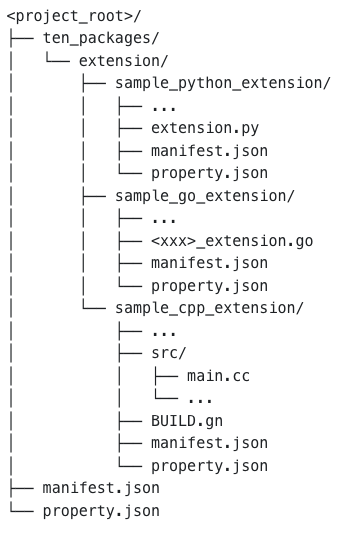
## Extension Common Files
* manifest.json: This file contains the metadata of the extension. It includes the extension name, version, properties, and apis (data, audio\_frame, video\_frame).
* property.json: This file contains the default properties of the extension. It is used to define the default configuration of the extension.
## Python Extension
* extension.py: This file contains the main logic of the extension. It usually contains the core implementation of the extension.
* requirements.txt: This file contains the Python dependencies required by the extension. Dependencies specified in this file will be installed automatically when you run `task use`.
## Golang Extension
* \\_extension.go: This file contains the main logic of the extension. It usually contains the core implementation of the extension.
* go.mod: This file contains the Go module definition. It specifies the module name and the dependencies of the extension.
## C++ Extension
* src/main.cc: This file contains the main logic of the extension. It usually contains the core implementation of the extension.
* BUILD.gn: This file contains the build configuration of the extension. It specifies the target name and dependencies of the extension.
# Project Structure (/docs/ten_agent_examples/project_structure)
import { File, Folder, Files } from 'fumadocs-ui/components/files'
import { Callout } from 'fumadocs-ui/components/callout'
The TEN Agent project is built on top of the TEN Framework. For basic concepts, see the [TEN Framework Overview](/docs/ten_framework/concept_overview).
## Directory Structure
## Key Components
### Configuration Files
The main runtime configuration file that defines how extensions are orchestrated. This is where you configure the graph of extensions and their connections.
Located in each agent example (e.g., `agents/examples/voice-assistant/property.json`), this file:
* Defines which extensions to load
* Specifies connections between extensions
* Sets extension-specific properties and API keys
See [property.json Reference](/docs/ten_agent_examples/project_structure/property_json) for detailed documentation.
### Extensions Directory
```
agents/ten_packages/extension/
```
Contains all available extension modules. Each extension is a separate package that can be written in:
* **Python** - For AI/ML integrations (LLMs, TTS, ASR)
* **Go** - For high-performance networking
* **C++** - For low-latency audio/video processing
Extensions are modular and reusable across different agent configurations.
See [Extension Structure](/docs/ten_agent_examples/project_structure/extension) for details on creating extensions.
### Server
```
server/
```
The backend web server responsible for:
* Handling HTTP/WebSocket requests
* Managing agent process lifecycle (start/stop)
* Routing requests to the appropriate agent instance
See [Server Architecture](/docs/ten_agent_examples/project_structure/server) for implementation details.
### Playground
```
playground/
```
A web-based UI for interacting with your agent:
* Real-time voice/video communication
* Extension configuration
* Debug and monitoring tools
Access at [http://localhost:3000](http://localhost:3000) after starting the agent.
### Demo
```
demo/
```
Production-ready deployment configurations showcasing:
* Example agent setups
* Deployment best practices
* Integration patterns
## Agent Examples
The `agents/examples/` directory contains ready-to-use agent configurations:
| Example | Description |
| ----------------- | ----------------------------------------------- |
| `voice-assistant` | Basic voice agent with STT → LLM → TTS pipeline |
| `realtime-agent` | OpenAI Realtime API integration |
| `story-teller` | Interactive storytelling agent |
To use an example:
```bash title="Terminal"
cd agents/examples/voice-assistant
task install
task run
```
## Next Steps
* [property.json Reference](/docs/ten_agent_examples/project_structure/property_json) - Understand the configuration format
* [Extension Structure](/docs/ten_agent_examples/project_structure/extension) - Learn how extensions are organized
* [Server Architecture](/docs/ten_agent_examples/project_structure/server) - Dive into the backend implementation
# Understand property.json (/docs/ten_agent_examples/project_structure/property_json)
This file contains the orchestration of extensions. It is the main runtime configuration file.
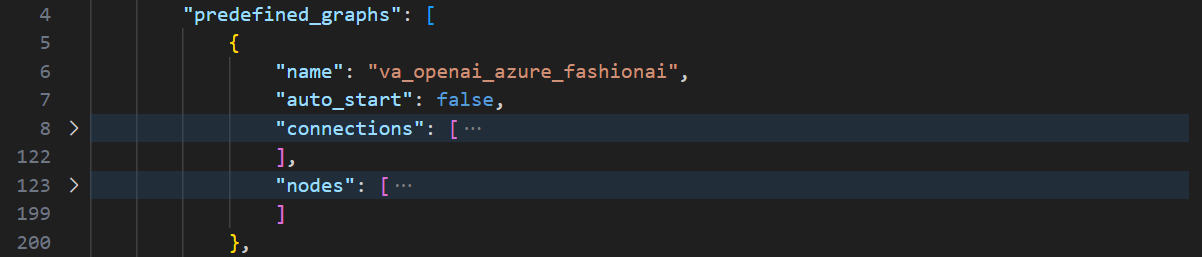
The `property.json` file contains the following orchestration info,
* Graphs
* Nodes
* Connections
## Graphs
The `predefined_graphs` property contains a list of available graphs. Each graph defines how agent should behave in a specific scenario. Each graph has a `name` property which is used to identify a graph.
Each graph contains `nodes` and `connections` properties.
## Nodes
The `nodes` section contains the list of extensions that are part of the graph. Each node has a `name` property which is used to identify a node, and a `addon` property which is used to specify the extension module it will use. You can have multiple nodes of the same extension type in a graph. e.g. you can have multiple `chatgpt_openai_python` extensions with same `addon` property, while each node will have a different `name` property. It's working like multiple instances of the same extension.
#### Node Property
The `property` section of a node contains the configuration of the extension. It is extension specific and available properties are defined in the `manifest.json` file under extension folder. You can use define runtime properties of an extension to customize its behavior. Below is an example of how to configure `chatgpt_openai_python` extension,
```json
{
"name": "chatgpt_openai_python",
"addon": "chatgpt_openai_python",
"property": {
"api_key": "${env:OPENAI_API_KEY|}",
"model": "gpt-3.5-turbo",
"temperature": 0.5,
"max_tokens": 100,
"prompt": "You are a helpful assistant"
}
}
```
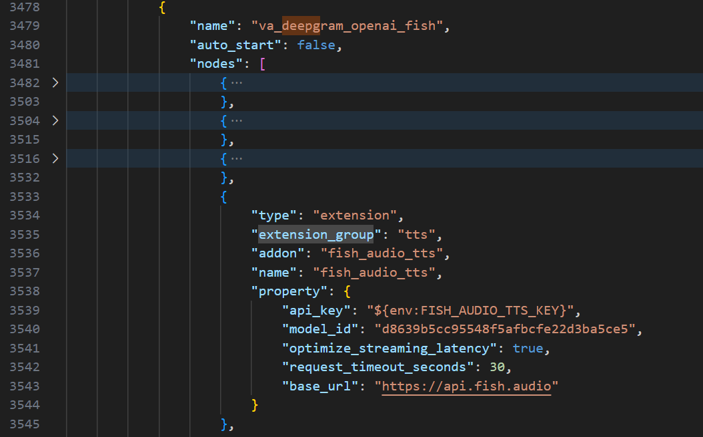
#### Read environment variables
It's quite common that an extension will require `api_key` to work. If you don't want to hardcode the `api_key` in the `property.json` file, you can use environment variables. You can use `${env:|}` syntax to read environment variables. Below is an example of how to read `OPENAI_API_KEY` environment variable,
```json
{
"name": "chatgpt_openai_python",
"addon": "chatgpt_openai_python",
"property": {
"api_key": "${env:OPENAI_API_KEY|}"
}
}
```
## Connections
The `connections` section contains the list of connections between nodes. Each connection specifies the source and destination nodes respectively. Every connection has an `extension_group` and `extension` property which is used to specify the source node, and it defines a set of multimodal data protocols(audio\_frame, video\_frame, data, cmd) supported by TEN Framwork. For each data protocols, it has a list of destination definitions, and each destination definition has a `name` property which is the key of the property data, and `dest` property which defines a list of destination nodes. Below is an example of how to connect two nodes,
```json
{
"extension_group": "default",
"extension": "agora_rtc",
"audio_frame": [
{
"name": "pcm_frame",
"dest": [
{
"extension_group": "default",
"extension": "deepgram_asr"
}
]
}
]
}
```
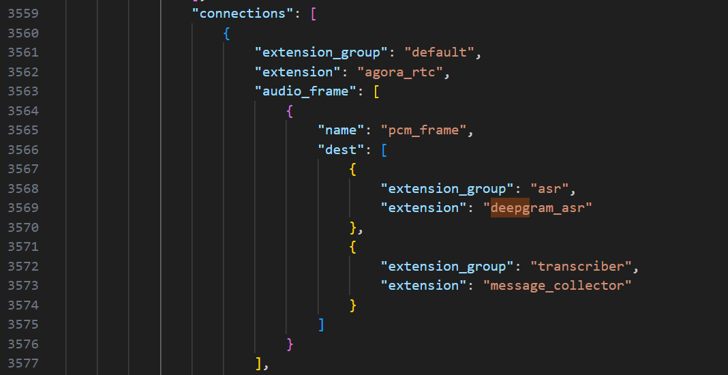
In the above example, we are connecting `agora_rtc` extension to `deepgram_asr` extension. The `agora_rtc` extension is sending `pcm_frame` data to `deepgram_asr` extension.
# Understand web server (/docs/ten_agent_examples/project_structure/server)
The web server is a simple Golang web server that serves the http requests. It is responsible for handling the incoming requests and starting/stopping agent processes.
The playground/demo UI has been built to interact with the web server. You can also interact with the web server using curl or any other http client.
## Request & Response Examples
The server provides a simple layer for managing agent processes. The API resources are described below.
### API Resources
* [POST /start](#post-start)
* [POST /stop](#post-stop)
* [POST /ping](#post-ping)
### POST /start
This api starts an agent with given graph and override properties. The started agent will join into the specified channel, and subscribe to the uid which your browser/device's rtc use to join.
| Param | Description |
| ------------- | --------------------------------------------------------------------------------------------------------------------------------------------------------------------------------------------------------------------------------------------------------------------------------------------------------- |
| request\_id | any uuid for tracing purpose |
| channel\_name | channel name, it needs to be the same with the one your browser/device joins, agent needs to stay with your browser/device in the same channel to communicate |
| user\_uid | the uid which your browser/device's rtc use to join, agent needs to know your rtc uid to subscribe your audio |
| bot\_uid | optional, the uid bot used to join rtc |
| graph\_name | the graph to be used when starting agent, will find in property.json |
| properties | additional properties to override in property.json, the override will not change original property.json, only the one agent used to start |
| timeout | determines how long the agent will remain active without receiving any pings. If the timeout is set to `-1`, the agent will not terminate due to inactivity. By default, the timeout is set to 60 seconds, but this can be adjusted using the `WORKER_QUIT_TIMEOUT_SECONDS` variable in your `.env` file. |
Example:
```bash
curl 'http://localhost:8080/start' \
-H 'Content-Type: application/json' \
--data-raw '{
"request_id": "c1912182-924c-4d15-a8bb-85063343077c",
"channel_name": "test",
"user_uid": 176573,
"graph_name": "camera_va_openai_azure",
"properties": {
"openai_chatgpt": {
"model": "gpt-4o"
}
}
}'
```
### POST /stop
This api stops the agent you started
| Param | Description |
| ------------- | ------------------------------------------------- |
| request\_id | any uuid for tracing purpose |
| channel\_name | channel name, the one you used to start the agent |
Example:
```bash
curl 'http://localhost:8080/stop' \
-H 'Content-Type: application/json' \
--data-raw '{
"request_id": "c1912182-924c-4d15-a8bb-85063343077c",
"channel_name": "test"
}'
```
### POST /ping
This api sends a ping to the server to indicate connection is still alive. This is not needed if you specify `timeout:-1` when starting the agent, otherwise the agent will quit if not receiving ping after timeout in seconds.
| Param | Description |
| ------------- | ------------------------------------------------- |
| request\_id | any uuid for tracing purpose |
| channel\_name | channel name, the one you used to start the agent |
Example:
```bash
curl 'http://localhost:8080/ping' \
-H 'Content-Type: application/json' \
--data-raw '{
"request_id": "c1912182-924c-4d15-a8bb-85063343077c",
"channel_name": "test"
}'
```
# Setup Development Environment (/docs/ten_agent_examples/setup_development_env)
The easiest way to get started with TEN Agent is to use the provided Docker container. This container includes all the necessary dependencies and configurations to run the agent. You can also customize the agent by creating your own extensions or modifying the existing ones.
While if you want to develop the agent, using suitable development tools can save you lots of time. This guide will contain following tutorials,
* Setup local development environment with VSCode to connect with your Docker container.
* Setup cloud development environment with Github Codespace.
# Cloud Development in Codespace (/docs/ten_agent_examples/setup_development_env/setting_up_development_inside_codespace)
Github Codespace is a cloud-based development environment that allows you to develop your code directly in the cloud. It's a great way to develop your agent without having to set up a local development environment. You don't need to have a great network or powerful machine. This guide will show you how to set up a development environment for TEN Agent using Github CodeSpace.
## Step 1: Create a Codespace with TEN-Agent repository
Navigate to TEN-Agent github repository, and click on the `Code` button. Then, select `Open with Codespaces`. Github will then create a Codespace for you in a new browser tab. The first time you create a Codespace, it may take a few minutes to set up.
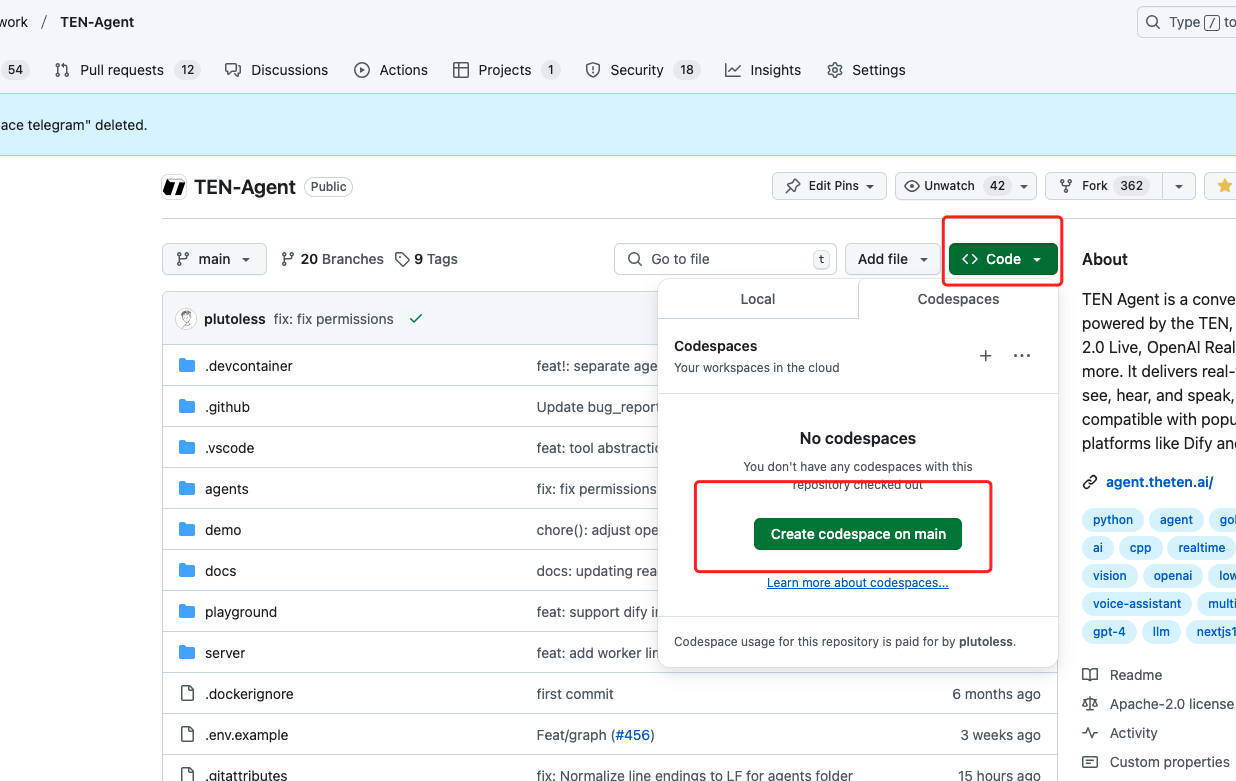
## Step 2: Start working with Codespace
Once the Codespace is ready, you will see the VSCode editor in the browser. You can start working with the TEN-Agent repository in the Codespace. You can open the terminal, create new files, and run commands just like you would in a local development environment.
The steps are similar to the process outlined in the [Quick Start](./getting_started) guide. However, there's no need to run `docker compose up` command with Codespace. You can directly start building agent using,
```bash
# Prepare .env file from .env.example and set your api keys inside it
cp ./.env.example .env
# Build the agent after finish key configurations
task use
```
And once successfully built, you can run following command to start server,
```bash
task run
```
## Step 3: Start Front-end UI
As we are not using docker compose with Codespace, you will need to start the front-end UI separately. You can do this by running the following command in the terminal,
```bash
cd playground
pnpm install
pnpm dev
```
This will start the front-end UI at `localhost:3000`.
## Step 4: Access your remote setup
This is a very special step which applies to Codespace only. Codespace will automatically generate a URL for every port you exposed in your Codespace. You can find the URL by clicking on the `Ports` tab in the bottom left corner of the Codespace window.
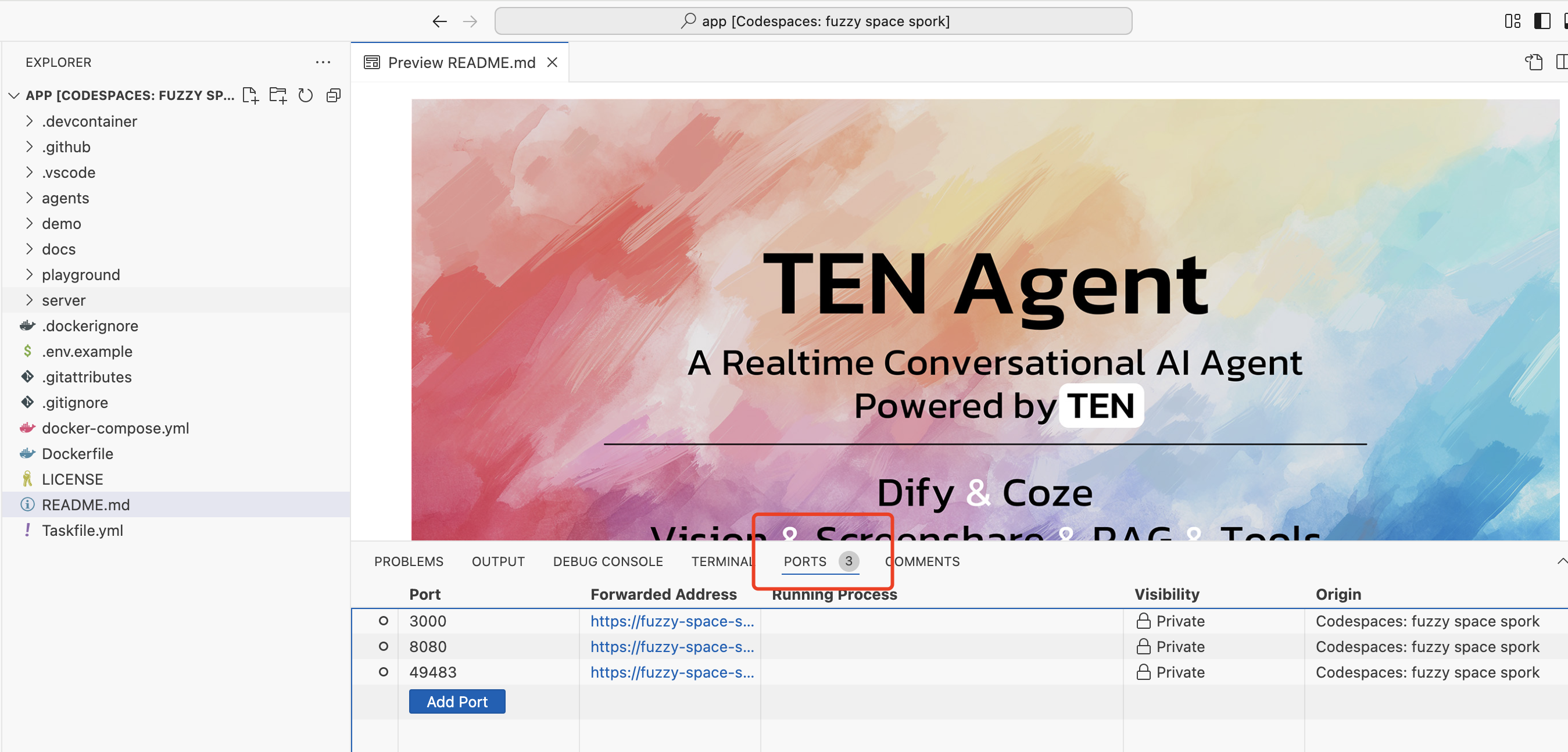
All ports visibility are by default set to `private`, you can change it to `public` by right click and choose `port visibility`. Once you make it public, you can access the URL in your browser to see the front-end UI. Here we will right click on the visibility column of 3000 port, and change its visibility to `public`.
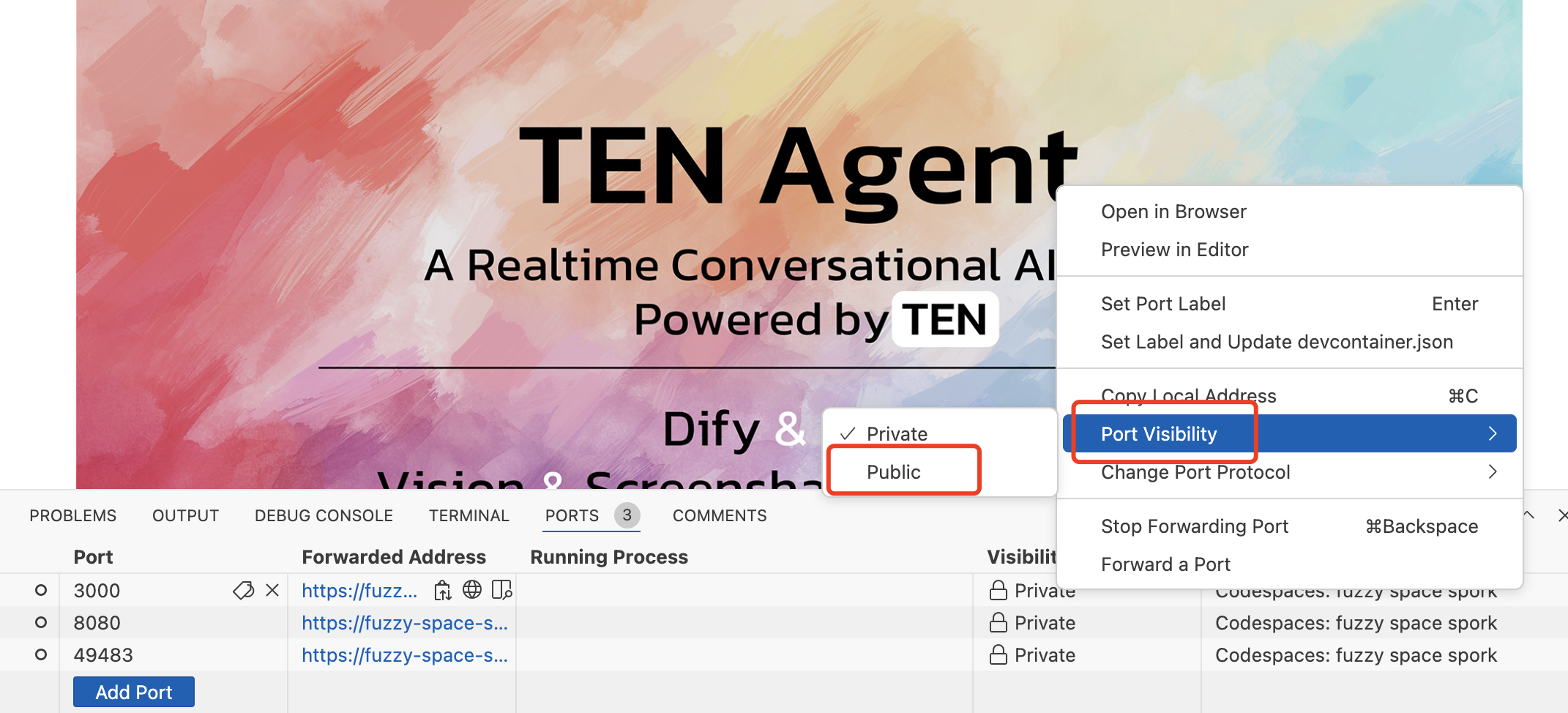
Now you can access the front-end UI at the URL generated by Codespace. Find the `Forwarded Address` column for port 3000, click on that and browser should start a new tab for you with your front-end UI.
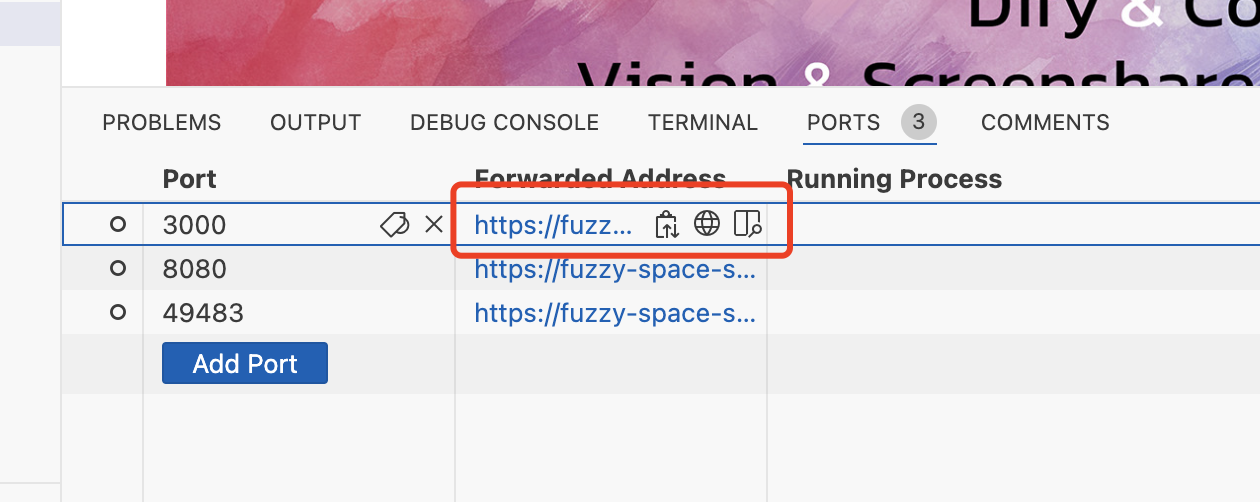
And that's it! You have successfully set up a development environment for TEN Agent using Github Codespace. You can now start developing your agent directly in the cloud. For debugging and development experience it's basically the same as your local VSCode experience.
# VSCode Dev Container (/docs/ten_agent_examples/setup_development_env/setting_up_vscode_for_development_inside_container)
When developing with TEN, it's generally recommended to perform compilation and development within a container. However, if you're using VSCode outside the container, you may encounter issues where symbols cannot be resolved. This is because some environment dependencies are installed within the container, and VSCode can't recognize the container's environment, leading to unresolved header files.
To solve this, you can mount VSCode within the container so that it recognizes the container’s environment and resolves the header files accordingly. This guide will walk you through using VSCode's Dev Containers and Docker extensions to achieve this.
## Step 1: Install the Docker Extension
First, install the [Docker extension](https://marketplace.visualstudio.com/items?itemName=ms-azuretools.vscode-docker) in VSCode. This extension allows you to manage Docker containers directly within VSCode.
## Step 2: Install the Dev Containers Extension
Next, install the [Dev Containers extension](https://marketplace.visualstudio.com/items?itemName=ms-vscode-remote.remote-containers). This extension enables VSCode to connect to Docker containers for development.
## Step 3: Start the Development Environment Using Docker Compose
This step is similar to the process outlined in the [Quick Start](./getting_started) guide. However, instead of running:
\{% code title=">\_ Terminal" %}
```shell
docker compose up
```
\{% endcode %}
Using the `docker compose up -d` command, start the container in detached mode:
\{% code title=">\_ Terminal" %}
```shell
docker compose up -d
```
\{% endcode %}
After executing this command, the container should start. Open VSCode, switch to the Docker extension, and you should see the running container.
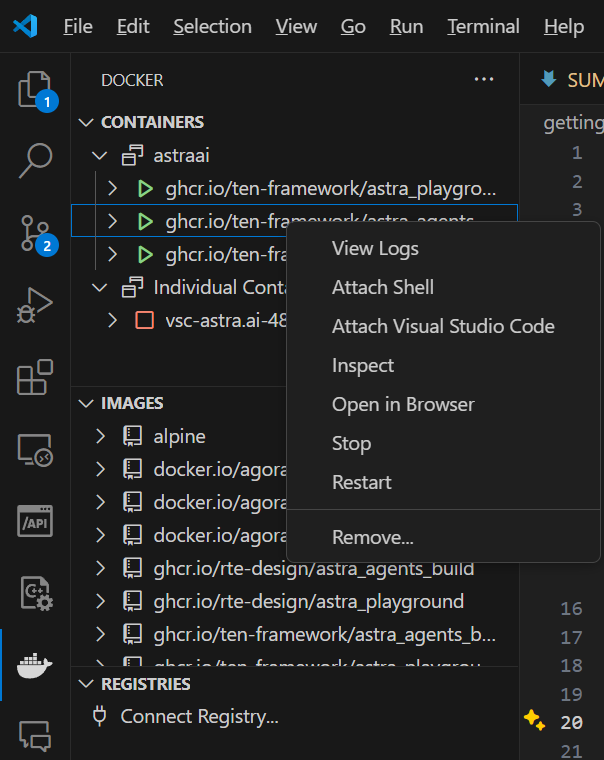
## Step 4: Connect to the Container
In the Docker extension within VSCode, find the `ten_agent_dev` container in the list and click `Attach Visual Studio Code` to connect to the container. VSCode will then open a new window that is connected to the container, where you can proceed with development.
In the Dev Container environment connected to the container, your local extensions and settings will not be applied, as this environment is within the container. Therefore, you will need to install extensions and configure settings inside the container. To install extensions within the container, open the newly launched VSCode window, click on `Extensions` in the left sidebar, search for the required extension, and follow the prompts to install it inside the container.
## Step 5: Setup breakpoint for debugging
Setting breakpoints in the code is a common practice when debugging. To set a breakpoint in the code, click on the left margin of the line number where you want to set the breakpoint. A red dot will appear, indicating that a breakpoint has been set.
if you cannot set the breakpoint, it usually means you have not installed the language extension in the container. You can install the language extension by clicking on the `Extensions` icon in the left sidebar, searching for the required extension, and following the prompts to install it.
Once you have set the breakpoint, you can start debugging by clicking on the `Run and Debug` icon in the left sidebar, selecting the `debug python` configuration, and clicking on the green play button to start debugging.

In this way, VSCode is directly starting the agent application, which means Golang web server is not paticipating in the run. Therefore, you will need to pay attention to below points:
### Which graph is being used in this mode?
Web server will help you manipulate `property.json` when starting agent to help you select the graph you want to use. However, in this mode, you will need to manually modify `property.json` to select the graph you want to use. Ten will by default select **the first graph with `auto_start` property set to true** to start.
### RTC properties
RTC feature is mandatory for your client to talk to agent server. Web server will help you generate RTC tokens and channels and update these into `property.json` for you. However, in this mode, you will need to manually modify `property.json` to update RTC tokens and channels yourself. The easiest way is to run with playground/demo first, and a temp property file will be generated, you can copy the RTC tokens and channels from there.
You shall find the temp property file path in the ping request logs like below,
```shell
2024/11/23 08:39:19 INFO handlerPing start channelName=agora_74np6e requestId=218f8e36-f4d0-4c83-a6e8-d3b4dec2a187 service=HTTP_SERVER
2024/11/23 08:39:19 INFO handlerPing end worker="&{ChannelName:agora_74np6e HttpServerPort:10002 LogFile:/tmp/astra/app-agora_74np6e-20241123_083855_000.log Log2Stdout:true PropertyJsonFile:/tmp/astra/property-agora_74np6e-20241123_083855_000.json Pid:5330 QuitTimeoutSeconds:60 CreateTs:1732351135 UpdateTs:1732351159}" requestId=218f8e36-f4d0-4c83-a6e8-d3b4dec2a187 service=HTTP_SERVER
```
The temp property file path is shown as `PropertyJsonFile:/tmp/astra/property-agora_74np6e-20241123_083855_000.json`.
# How does Interruption Work (/docs/ten_agent_examples/tutorials/how_does_interrupt_work)
## Overview
The interrupt mechanism in
[TEN-Agent](https://github.com/TEN-framework/TEN-Agent) consists of two main
parts: **Interrupt Detection** and **Interrupt Response**. This document details
both parts and explains how the interrupt command propagates through the AI
agent graph.
## Part 1: Interrupt Detection
### Current Interrupt Detection Implementation
The current
([interrupt\_detector\_python](https://github.com/TEN-framework/TEN-Agent/tree/main/agents/ten_packages/extension/interrupt_detector_python))
extension implements a text-based interrupt detection mechanism:
```python
def on_data(self, ten: TenEnv, data: Data) -> None:
text = data.get_property_string(TEXT_DATA_TEXT_FIELD)
final = data.get_property_bool(TEXT_DATA_FINAL_FIELD)
# Trigger interrupt when text is final or reaches threshold length
if final or len(text) >= 2:
self.send_flush_cmd(ten)
```
The interrupt detector triggers in the following cases:
1. When receiving final text (`is_final = true`)
2. When text length reaches a threshold (≥ 2 characters)
### Customize Interrupt Detection
To implement your own interrupt detection logic, you can refer to the
implementation of
[interrupt\_detector\_python](https://github.com/TEN-framework/TEN-Agent/tree/main/agents/ten_packages/extension/interrupt_detector_python)
as an example and customize the interrupt conditions based on your specific
needs.
## Part 2: Interrupt Response
### Chain Processing in AI Agent Graph
In a typical AI agent graph, the interrupt command (`flush`) follows a chain
processing pattern:
```text
Interrupt Detector
↓
LLM/ChatGPT
↓
TTS
↓
agora_rtc
```
Each extension in the chain follows two key steps when receiving a `flush`
command:
1. Clean up its own resources and internal state
2. Forward the `flush` command to downstream extensions
This ensures that:
* Extensions are cleaned up in the correct order
* No residual data flows through the system
* Each extension returns to a clean state before the next operation
## Conclusion
[TEN-Agent](https://github.com/TEN-framework/TEN-Agent)'s interrupt mechanism
uses a chain processing pattern to ensure orderly cleanup of all extensions in
the AI agent graph. When an interrupt occurs, each extension first cleans up its
own state and then forwards the `flush` command to downstream extensions,
ensuring a clean system state for subsequent operations.
# How to Use a Local LLM with Ollama (/docs/ten_agent_examples/tutorials/how_to_run_local_model_in_ollama)
Ten Agent enables integration with various LLMs that support the OpenAI request-response format. This guide outlines how to use Ollama models locally with Ten Agent by leveraging OpenAI-compatible endpoints.
## Step 1: Verify Hardware Requirements
Ensure your hardware meets the necessary requirements before running an AI model locally. Key components to check include:
* **CPU/GPU**: Verify the processing power required by the model.
* **Memory**: Confirm sufficient memory is available to load and run the model.
This ensures smooth operation of the model on your system.
## Step 2: Install Required Software and Dependencies
Prepare your environment by installing the necessary software and dependencies:
1. **Install Ollama**: Download and install Ollama on your local machine. Refer to [Ollama](https://ollama.com/).
2. **Download the Model**: Use the command `ollama pull {model name}` to download the desired LLM model. For example, `ollama pull deepseek-r1`
3. **Set Up Ten Agent**: Ensure Ten Agent Dev and Ten Agent Playground are properly configured. Refer to [Ten Agent: Getting Started](../getting_started)
## Step 3: Start the Ollama Server
After setting up Ollama and downloading the required models, start the Ollama server by running the following command in your terminal:
```bash
OLLAMA_HOST=0.0.0.0 ollama serve
```
This launches the Ollama server on your local machine. Since the Ten Agent runs in a Docker container, you’ll need your private IP address to access the Ollama server. Retrieve your private IP for the LLM endpoint.
## Step 4: Configure Ten Agent
Integrate Ollama with Ten Agent using its OpenAI API compatibility:
1. Open Ten Agent Playground and navigate to the **Voice Assistance Graph (voice\_assistant)**.
2. Select **OpenAI** as the LLM.
3. Set the Ollama API endpoint as the LLM `base_url`: `http://:11434/v1/`.
Replace `` with the private IP address of your local machine.
4. Provide a `prompt`, e.g., "You're a helpful assistant."
5. Specify the `model` name used in Ollama (e.g., `deepseek-r1`).
## Step 5: Test the Integration
Once configured, Ten Agent will interact with Ollama using the same flow as OpenAI’s API. Test queries to ensure proper functionality.
## Additional Resources
For more information on Ollama’s OpenAI compatibility, refer to their official blog post: [Ollama OpenAI Compatibility](https://ollama.com/blog/openai-compatibility).
## Summary
Integrating a local model with Ten Agent is straightforward, thanks to its support for the OpenAI API format. The same process can be applied to connect with cloud-hosted LLMs or any LLMs supporting OpenAI API compatibility.
# How to run local AI model in Python extension (/docs/ten_framework/ai_model/how_to_run_local_model_in_python_extensions)
In the TEN framework, extensions can utilize third-party AI services or run AI models locally to improve performance and reduce costs. This tutorial explains how to run a local AI model in a Python extension and how to interact with it within the extension.
## Step 1: Check Hardware Requirements
Before running an AI model locally, ensure that your hardware meets the necessary requirements. Key components to verify include:
* **CPU/GPU**: Check if the model requires specific processing power.
* **Memory**: Ensure sufficient memory to load and run the model.
Verify that your system can support the model’s demands to ensure smooth operation.
## Step 2: Install Necessary Software and Dependencies
Once your hardware is ready, install the required software and dependencies. Follow these steps:
1. **Operating System**: Ensure compatibility with your model. Most AI frameworks support Windows, macOS, and Linux, though specific versions may be required.
2. **Python Version**: Ensure compatibility with the TEN Python runtime and the model.
3. **Required Libraries**: Install necessary libraries such as:
* TensorFlow
* PyTorch
* Numpy
* vllm
You can list the required dependencies in a `requirements.txt` file for easy installation.
4. **Download the Model**: Obtain the local version of the AI model you plan to run.
## Step 3: Implement Your Python Extension
Below is an example of how to implement a basic text generation feature using the `vllm` inference engine in a Python extension.
First, initialize the local model within the extension:
```python
from ten_runtime import (
Extension,
TenEnv,
Cmd,
CmdResult,
)
from vllm import LLM
class TextGenerationExtension(Extension):
def on_init(self, ten_env: TenEnv) -> None:
self.llm = LLM(model="")
ten_env.on_init_done()
```
Next, implement the `on_cmd` method to handle text generation based on the provided input:
```python
def on_cmd(self, ten_env: TenEnv, cmd: Cmd) -> None:
prompt = cmd.get_property_string("prompt")
outputs = self.llm.generate(prompt)
generated_text = outputs[0].outputs[0].text
cmd_result = CmdResult.create(StatusCode.OK)
cmd_result.set_property_string("result", generated_text)
ten_env.return_result(cmd_result, cmd)
```
In this code, the `on_cmd` method retrieves the `prompt`, generates text using the model, and returns the generated text as the command result.
You can adapt this approach to implement other functionalities such as image recognition or speech-to-text by processing the relevant input types.
## Step 4: Unload the Model
It’s important to unload the model during extension cleanup to free resources:
```python
import gc
import torch
class TextGenerationExtension(Extension):
...
def on_deinit(self, ten_env: TenEnv) -> None:
del self.llm
gc.collect()
torch.cuda.empty_cache()
torch.distributed.destroy_process_group()
print("Successfully deleted the LLM pipeline and freed GPU memory!")
ten_env.on_deinit_done()
```
This ensures efficient memory management, especially when working with GPU resources.
## Summary
Running a local model in a TEN Python extension is similar to native Python development. By loading and unloading the model in the appropriate extension lifecycle methods, you can easily integrate local AI models and interact with them effectively.
# API (/docs/ten_framework/api/api)
In the TEN Framework, the API definition of an extension is contained in the `manifest.json` file. When defining APIs, the TEN Framework does not use JSON Schema, but instead uses a JSON-like syntax to define API Schema.
## Why Not Use JSON Schema
The TEN Framework chooses not to use standard JSON Schema for the following reasons:
* **Type System Differences**: The TEN Framework's type system includes many types that JSON Schema does not have, such as `int8`, `int16`, `int32`, `int64`, `uint8`, `uint16`, `uint32`, `uint64`, `float32`, `float64`, `buf`, `ptr`, etc.
* **Reduce Redundancy**: In the TEN Framework's API definitions, many places do not need flexible settings. For example, a message's schema must be an object type and cannot be other types. Requiring developers to explicitly write `"type": "object"` would be redundant and confusing.
Based on these reasons, the TEN Framework adopts a more natural definition approach, using JSON-like syntax to define API Schema.
## Top-level API Definition
The API Schema definition is placed in the `api` field of the `manifest.json` file:
```json
{
"api": {
"property": {
"properties": {...},
"required": [...]
},
"cmd_in": [{
"name": "foo",
"property": {
"properties": {...},
"required": [...]
},
"result": {
"property": {
"properties": {...},
"required": [...]
}
}
}]
}
}
```
## API Schema Definition Patterns
### Expressing Object Type Fields
Use the `properties` field to describe the type of each property within an object type field:
```json
{
"my_object": {
"type": "object",
"properties": {
"name": {
"type": "string"
},
"age": {
"type": "int32"
}
}
}
}
```
### Expressing Required and Optional Fields
Use a `required` field at the same level as the object type field to describe required and optional fields:
```json
{
"some_concept": {
"properties": {
"foo": {},
"bar": {}
},
"required": ["foo"]
}
}
```
### Expressing Array Type Fields
Use the `items` field to describe the type of each element within an array type field:
```json
{
"my_array": {
"type": "array",
"items": {
"type": "string"
}
}
}
```
### Usage Principles for type Field
If a field can only be a specific type (constrained by the TEN Framework itself), there is no need to explicitly write the `type` field. If a field can be multiple types, then the `type` field needs to be explicitly written.
For example, if the `some_concept` field below can only be an object type, there is no need to explicitly write the `type` field. However, the `foo` field within it can be multiple types, so the `type` field needs to be explicitly written:
```json
{
"some_concept": {
"properties": {
"foo": {
"type": "string"
},
"bar": {
"type": "object",
"properties": {
"baz": {
"type": "string"
}
},
"required": ["baz"]
}
},
"required": ["foo"]
}
}
```
Use the `required` field appropriately to ensure the existence of critical data:
```json
{
"name": "critical_cmd",
"property": {
"properties": {
"essential_param": {
"type": "string"
},
"optional_param": {
"type": "int32"
}
},
"required": ["essential_param"]
}
}
```
## Expressing Enum Type Fields
Use the `enum` field to describe all possible values of an enumeration type:
```json
{
"api": {
"property": {
"properties": {
"status": {
"type": "string",
"enum": ["CREATING", "ACTIVE", "DELETING", "FAILED"]
}
}
}
}
}
```
## Extension Property Schema
Complete example of defining extension properties:
```json
{
"api": {
"property": {
"properties": {
"api_key": {
"type": "string"
},
"max_tokens": {
"type": "int64"
},
"temperature": {
"type": "float64"
},
"config": {
"type": "object",
"properties": {
"enabled": {
"type": "bool"
},
"settings": {
"type": "array",
"items": {
"type": "string"
}
}
},
"required": ["enabled"]
}
},
"required": ["api_key", "max_tokens", "temperature", "config"]
}
}
}
```
## Command-like Message Schema
Commands support input (`cmd_in`) and output (`cmd_out`):
```json
{
"api": {
"cmd_in": [
{
"name": "process_text",
"property": {
"properties": {
"text": {
"type": "string"
},
"options": {
"type": "object",
"properties": {
"language": {
"type": "string"
},
"max_length": {
"type": "int32"
}
}
}
},
"required": ["text"]
},
"result": {
"property": {
"properties": {
"processed_text": {
"type": "string"
},
"confidence": {
"type": "float32"
}
},
"required": ["processed_text"]
}
}
}
],
"cmd_out": [
{
"name": "notify_completion",
"property": {
"properties": {
"task_id": {
"type": "string"
},
"status": {
"type": "string"
}
},
"required": ["task_id", "status"]
}
}
]
}
}
```
## Data-like Message Schema
Schema definitions for data-type messages:
```json
{
"api": {
"data_in": [
{
"name": "input_data",
"property": {
"properties": {
"content": {
"type": "string"
},
"metadata": {
"type": "object",
"properties": {
"timestamp": {
"type": "int64"
}
}
}
},
"required": ["content"]
}
}
],
"data_out": [
{
"name": "output_data",
"property": {
"properties": {
"result": {
"type": "string"
}
}
}
}
],
"audio_frame_in": [
{
"name": "audio_input"
}
],
"audio_frame_out": [
{
"name": "audio_output"
}
],
"video_frame_in": [
{
"name": "video_input"
}
],
"video_frame_out": [
{
"name": "video_output"
}
]
}
}
```
## Common Errors and Solutions
### Property Names Not Following Conventions
**Error Example**: Property names containing hyphens or starting with numbers
```json
{
"api-key": { // Error: contains hyphens
"type": "string"
},
"2nd_param": { // Error: starts with a number
"type": "int32"
}
}
```
**Correct Example**:
```json
{
"api_key": {
"type": "string"
},
"second_param": {
"type": "int32"
}
}
```
## Summary
The TEN Framework's Schema system provides a powerful and structured way to define and validate data structures, ensuring consistency and type safety between components. By following design principles and best practices, developers can create robust and maintainable TEN applications and extensions.
The system supports rich type definitions, complex API descriptions, and flexible message transformation capabilities, providing a solid foundation for building large-scale real-time multimodal applications.
# Log (/docs/ten_framework/api/log)
The TEN framework allows extensions developed in different languages to run within the same process. This creates a need to view logs from all these extensions in a unified log with a consistent format and information, making debugging easier.
To address this, the `ten_env` provides a logging API. Within each callback of an extension, an instance of `ten_env` can be accessed. Using this instance, you can call the logging API to output logs from extensions developed in various languages to a unified log output.
## Log Levels
The TEN framework supports the following log levels in increasing order of severity:
* **DEBUG** (1): Debug information
* **INFO** (2): General information
* **WARN** (3): Warning information
* **ERROR** (4): Error information
## API Interface
### C++ Language
```cpp
#include "ten_runtime/binding/cpp/ten.h"
class Extension {
public:
void on_cmd(ten::ten_env_t& ten_env, std::unique_ptr cmd) {
// Using convenience macros
TEN_ENV_LOG_DEBUG(ten_env, "Processing command");
TEN_ENV_LOG_INFO(ten_env, "Command name: " + cmd->get_name());
TEN_ENV_LOG_WARN(ten_env, "Warning message");
TEN_ENV_LOG_ERROR(ten_env, "Error occurred");
// Direct method call with category and fields support
ten_env.log(TEN_LOG_LEVEL_INFO, __func__, __FILE__, __LINE__,
"Direct log call", nullptr, nullptr);
}
};
```
C++ provides the following convenience macros:
* `TEN_ENV_LOG_DEBUG(ten_env, msg)`
* `TEN_ENV_LOG_INFO(ten_env, msg)`
* `TEN_ENV_LOG_WARN(ten_env, msg)`
* `TEN_ENV_LOG_ERROR(ten_env, msg)`
### Python Language
```python
from ten_runtime import Extension, TenEnv
class MyExtension(Extension):
def on_cmd(self, ten_env: TenEnv, cmd):
# Using different log level methods
ten_env.log_debug("Debug information")
ten_env.log_info("General information")
ten_env.log_warn("Warning information")
ten_env.log_error("Error information")
# Supports formatted strings and additional parameters
test_value = "example"
ten_env.log_info(f"Processing command, test value: {test_value}")
# Supports category and fields parameters
ten_env.log_info("Log with category", category="my_extension")
```
Python provides the following methods:
* `log_debug(msg: str, category: str = None, fields: Value = None) -> Optional[TenError]`
* `log_info(msg: str, category: str = None, fields: Value = None) -> Optional[TenError]`
* `log_warn(msg: str, category: str = None, fields: Value = None) -> Optional[TenError]`
* `log_error(msg: str, category: str = None, fields: Value = None) -> Optional[TenError]`
### Go Language
```go
package main
import "ten_runtime/ten"
type MyExtension struct {
ten.DefaultExtension
}
func (ext *MyExtension) OnCmd(tenEnv ten.TenEnv, cmd ten.Cmd) {
// Using different log level methods
tenEnv.LogDebug("Debug information")
tenEnv.LogInfo("General information")
tenEnv.LogWarn("Warning information")
tenEnv.LogError("Error information")
// Supports formatting
cmdName := cmd.GetName()
tenEnv.LogInfo("Processing command: " + cmdName)
// Using the full Log method for additional parameters
category := "my_extension"
tenEnv.Log(ten.LogLevelInfo, "Log with category", &category, nil, nil)
}
```
Go provides the following methods:
* `LogDebug(msg string) error`
* `LogInfo(msg string) error`
* `LogWarn(msg string) error`
* `LogError(msg string) error`
* `Log(level LogLevel, msg string, category *string, fields *Value, option *TenLogOption) error`
### Node.js/TypeScript Language
```typescript
import { Extension, TenEnv, Cmd } from "ten-runtime-nodejs";
class MyExtension extends Extension {
async onCmd(tenEnv: TenEnv, cmd: Cmd): Promise {
// Using different log level methods
tenEnv.logDebug("Debug information");
tenEnv.logInfo("General information");
tenEnv.logWarn("Warning information");
tenEnv.logError("Error information");
// Supports string concatenation
const cmdName = cmd.getName();
tenEnv.logInfo("Processing command: " + cmdName);
// Supports category and fields parameters
tenEnv.logInfo("Log with category", "my_extension");
}
}
```
Node.js provides the following methods:
* `logDebug(message: string, category?: string, fields?: Value): TenError | undefined`
* `logInfo(message: string, category?: string, fields?: Value): TenError | undefined`
* `logWarn(message: string, category?: string, fields?: Value): TenError | undefined`
* `logError(message: string, category?: string, fields?: Value): TenError | undefined`
## Usage Examples
### Basic Usage
```python
# Python example
def on_start(self, ten_env: TenEnv):
ten_env.log_info("Extension starting")
ten_env.on_start_done()
def on_cmd(self, ten_env: TenEnv, cmd):
cmd_name = cmd.get_name()
ten_env.log_debug(f"Received command: {cmd_name}")
# Command processing logic
if cmd_name == "hello":
ten_env.log_info("Processing hello command", category="command_handler")
# ... processing logic
else:
ten_env.log_warn(f"Unknown command: {cmd_name}")
```
### Using in Threads
```python
import threading
import time
def log_routine(self, ten_env: TenEnv):
"""Log messages in a separate thread"""
while not self.stop_flag:
self.log_count += 1
ten_env.log_info(f"Log message {self.log_count}")
time.sleep(0.05)
def on_start(self, ten_env: TenEnv):
# Start logging thread
self.log_thread = threading.Thread(
target=self.log_routine, args=(ten_env,)
)
self.log_thread.start()
ten_env.on_start_done()
```
### Error Handling
```python
def on_cmd(self, ten_env: TenEnv, cmd):
try:
# Business logic
result = self.process_command(cmd)
ten_env.log_info("Command processed successfully")
except ValueError as e:
ten_env.log_error(f"Parameter error: {str(e)}", category="error_handling")
except Exception as e:
ten_env.log_error(f"Fatal error: {str(e)}", category="error_handling")
raise
```
## Log Format and Output
The TEN framework's logging system automatically includes the following information:
* **Timestamp**: Time when the log was recorded
* **Log Level**: DEBUG, INFO, WARN, ERROR
* **Function Name**: Name of the function that called the log (if available)
* **File Name**: Source file name where the log was called (if available)
* **Line Number**: Code line number where the log was called (if available)
* **Category**: Optional log category information
* **Message Content**: User-provided log message
The output format is similar to:
```bash
2025-01-01 12:00:00.123 [INFO] [function_name@file.py:123] [category] User log message
```
## Advanced Log Configuration
The TEN framework supports advanced logging functionality through the `property.json` file configuration. This allows you to customize the log output format, destination, and filtering rules.
### Configuration Structure
In the `property.json` file, you can define advanced log configuration in the `ten.log` section:
```json
{
"ten": {
"log": {
"handlers": [
{
"matchers": [
{
"level": "debug",
"category": "my_extension"
}
],
"formatter": {
"type": "plain",
"colored": true
},
"emitter": {
"type": "console",
"config": {
"stream": "stdout"
}
}
}
]
}
}
}
```
### Configuration Components
#### Log Handlers
Each handler contains three main components:
* **matchers**: Define which log messages will be processed by this handler
* **formatter**: Define the log output format
* **emitter**: Define the log output destination
#### Formatter
Controls the log output format:
```json
{
"type": "plain", // Format type: "plain" or "json"
"colored": true // Optional: enable colored output (only for plain format)
}
```
* **plain**: Human-readable plain text format
* **json**: JSON structured format, convenient for log analysis tools
#### Emitter
Defines the log output destination:
##### Console Output
```json
{
"type": "console",
"config": {
"stream": "stdout", // "stdout" or "stderr"
"encryption": { // Optional: encryption configuration
"enabled": true,
"algorithm": "AES-CTR",
"params": {
"key": "your-encryption-key",
"nonce": "your-nonce"
}
}
}
}
```
##### File Output
```json
{
"type": "file",
"config": {
"path": "/path/to/logfile.log", // Log file path
"encryption": { // Optional: encryption configuration
"enabled": true,
"algorithm": "AES-CTR",
"params": {
"key": "your-encryption-key",
"nonce": "your-nonce"
}
}
}
}
```
##### OTLP Output
OTLP (OpenTelemetry Protocol) output allows you to send logs to OpenTelemetry-compatible backend systems, such as Jaeger, Prometheus, Grafana, and more.
```json
{
"type": "otlp",
"config": {
"endpoint": "http://localhost:4317", // OTLP receiver endpoint URL
"protocol": "grpc", // Optional: transport protocol, "grpc" (default) or "http"
"headers": { // Optional: custom HTTP headers
"Authorization": "Bearer token",
"X-Custom-Header": "value"
},
"service_name": "my-service" // Optional: service name for identifying log source
}
}
```
Configuration parameters:
* **endpoint**: OTLP receiver endpoint URL (required)
* **protocol**: Transport protocol, supports `"grpc"` or `"http"`, defaults to `"grpc"`
* **headers**: Custom HTTP request headers for authentication or metadata (optional)
* **service\_name**: Service name for identifying different services in log aggregation systems (optional)
### Configuration Examples
#### Example 1: Multi-level Log Separation
```json
{
"ten": {
"log": {
"handlers": [
{
"matchers": [
{
"level": "error"
}
],
"formatter": {
"type": "json"
},
"emitter": {
"type": "file",
"config": {
"path": "/var/log/app/errors.log"
}
}
},
{
"matchers": [
{
"level": "info"
}
],
"formatter": {
"type": "plain",
"colored": true
},
"emitter": {
"type": "console",
"config": {
"stream": "stdout"
}
}
}
]
}
}
}
```
#### Example 2: Category-based Log Separation
```json
{
"ten": {
"log": {
"handlers": [
{
"matchers": [
{
"level": "debug",
"category": "database"
}
],
"formatter": {
"type": "json"
},
"emitter": {
"type": "file",
"config": {
"path": "/var/log/app/database.log"
}
}
},
{
"matchers": [
{
"level": "info",
"category": "api"
}
],
"formatter": {
"type": "plain"
},
"emitter": {
"type": "console",
"config": {
"stream": "stdout"
}
}
}
]
}
}
}
```
#### Example 3: Encrypted Log Output
```json
{
"ten": {
"log": {
"handlers": [
{
"matchers": [
{
"level": "info"
}
],
"formatter": {
"type": "json"
},
"emitter": {
"type": "file",
"config": {
"path": "/secure/logs/app.log",
"encryption": {
"enabled": true,
"algorithm": "AES-CTR",
"params": {
"key": "your-32-character-encryption-key",
"nonce": "your-16-character-nonce"
}
}
}
}
}
]
}
}
}
```
#### Example 4: OTLP Log Output to OpenTelemetry Collector
```json
{
"ten": {
"log": {
"handlers": [
{
"matchers": [
{
"level": "info"
}
],
"formatter": {
"type": "json"
},
"emitter": {
"type": "otlp",
"config": {
"endpoint": "http://localhost:4317",
"protocol": "grpc",
"service_name": "ten-framework-app"
}
}
},
{
"matchers": [
{
"level": "error"
}
],
"formatter": {
"type": "json"
},
"emitter": {
"type": "otlp",
"config": {
"endpoint": "https://api.monitoring.example.com/v1/logs",
"protocol": "http",
"headers": {
"Authorization": "Bearer your-api-token",
"X-Environment": "production"
},
"service_name": "ten-framework-app"
}
}
}
]
}
}
}
```
### Configuration Notes
1. **Multiple Handlers**: You can define multiple handlers to implement complex log routing strategies
2. **Matching Priority**: Handlers are matched in the order they appear in the configuration file
3. **Encryption Security**: Encryption keys and nonces should be stored securely, not hardcoded in configuration files
4. **File Permissions**: Ensure log file paths have appropriate write permissions
5. **Performance Considerations**: JSON format may produce larger log files than plain format
6. **OTLP Endpoints**:
* When using gRPC protocol, the default port is typically 4317
* When using HTTP protocol, the default port is typically 4318
* Ensure the OTLP collector endpoint is accessible and properly configured
7. **Authentication**: When using OTLP, if the backend requires authentication, add appropriate credentials in the headers
## Best Practices
1. **Choose appropriate log levels**:
* Use `DEBUG` for detailed debugging information
* Use `INFO` for normal business processes
* Use `WARN` for potential issues
* Use `ERROR` for error information
2. **Provide meaningful log messages**:
* Include contextual information (such as command names, parameter values, etc.)
* Use descriptive messages rather than simple identifiers
* Use the category parameter appropriately to classify logs
3. **Avoid excessive logging**:
* Don't use too many logs in high-frequency loops
* Appropriately adjust log levels in production environments
* Use advanced log configuration matchers to filter unnecessary logs
4. **Thread safety**:
* The TEN framework's logging API is thread-safe
* Log methods can be safely called from any thread
5. **Advanced configuration recommendations**:
* Use different categories for different modules to facilitate log analysis
* Consider using file output in production environments for log persistence
* Use encryption functionality for sensitive logs
* Regularly rotate log files to control disk usage
* Use JSON format for easier integration with log analysis tools
* Consider using OTLP output to integrate logs into modern observability platforms (e.g., Grafana, Jaeger, Datadog)
* OTLP output seamlessly integrates with the OpenTelemetry ecosystem, enabling distributed tracing and log correlation
The overall effect is shown in the image below:
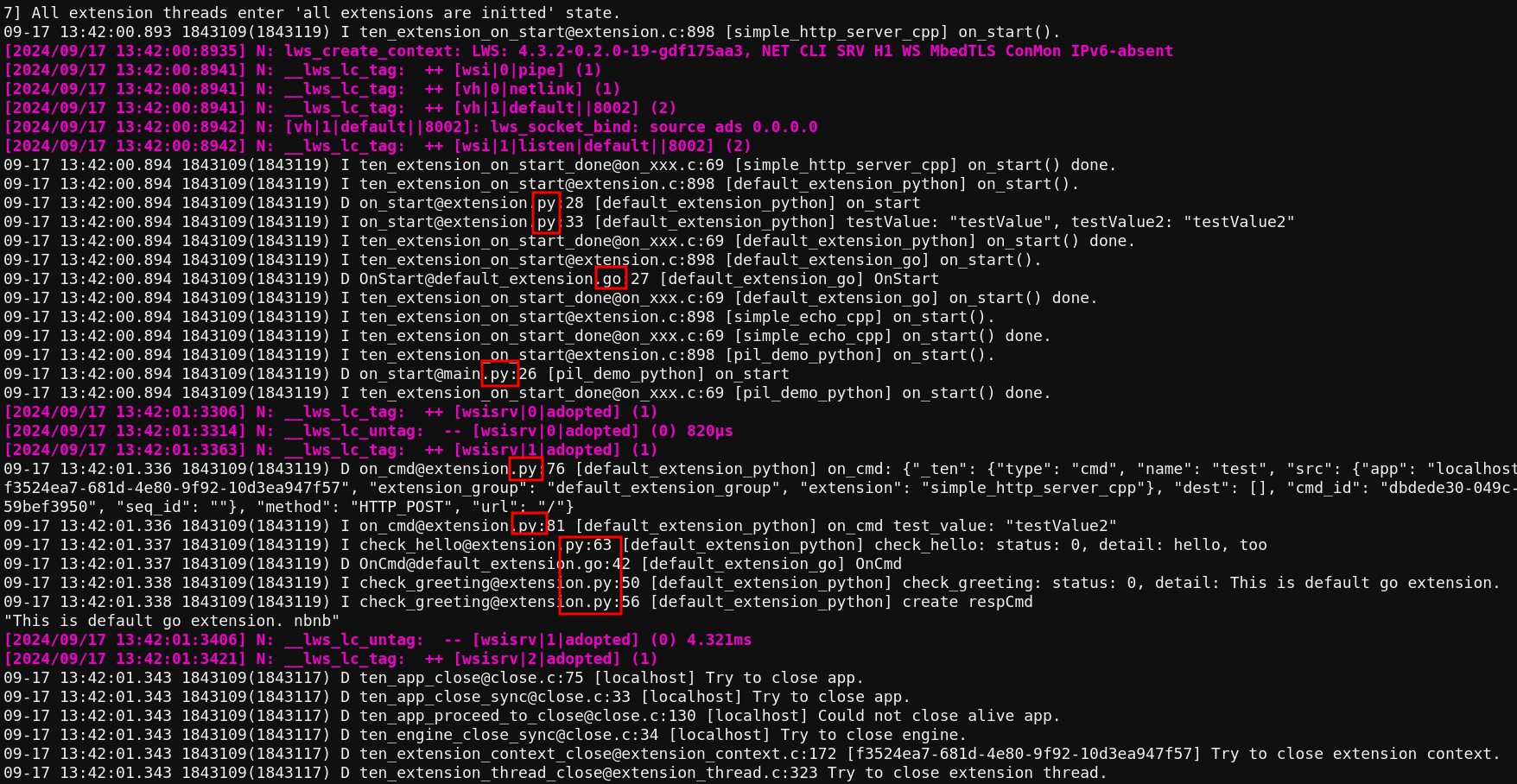
# required (/docs/ten_framework/api/required)
## Principles of the `required` Field
1. **In a communication link, the source's `required` field must be a superset of the target's `required` field**
This means that if a target extension requires a field to be mandatory, then the source extension must also mark that field as required. This ensures that messages will not lack necessary fields during transmission.
2. **Fields with the same name in both source and target `required` fields must have compatible types**
The framework validates field type compatibility to ensure data can be correctly transmitted and parsed. Type compatibility checks include basic type matching, array item type matching, and object property type matching.
3. **Graph Check validates the integrity of the entire message transmission path**
* Checks whether the output message schema of the source extension is compatible with the input message schema of the target extension
* Verifies the consistency of `required` fields throughout the transmission path
* Ensures that message transformation rules (if any) correctly handle all required fields
Graph Check is performed before deployment, helping developers identify potential message transmission issues early and avoid runtime errors.
## Usage of the `required` Field
### When Extensions Send Messages
When an extension calls `send_(msg_X)` or `return_result(result_Y)`, the framework checks `msg_X` or `result_Y` against the corresponding schema in the extension. If `msg_X` or `result_Y` lacks any field marked as `required` in the schema, the schema check will fail.
The following three scenarios are handled in the same way:
1. **When sending a command and schema check fails**
`send_` will immediately return `false`, and the error message will contain the schema check failure details.
2. **When `return_result` fails schema check**
`return_result` will return `false`, and the error message will contain the schema check failure details, typically showing the missing required fields, such as: "the required properties are absent: 'foo'".
3. **When sending data-like messages (such as data, audio frames, or video frames)**
`send_` will return `false`, and the error message will contain the schema check failure details.
**Note:** The framework's schema system only takes effect when fields are present. If a field is defined in the schema but does not exist in the message, and that field is not listed in `required`, no type checking will be performed. Type validation only occurs when fields exist both in the message and in the schema definition.
### When Extensions Receive Messages
Before the TEN runtime passes `msg_X` or `result_Y` to the extension's `on_()` or result handler, it checks whether all `required` fields defined in the schema of `msg_X` or `result_Y` are present. If any `required` fields are missing, the schema check will fail.
1. **When the incoming message is a command**
The TEN runtime will return an error to the previous extension, with an error message indicating the missing required fields.
2. **When the incoming message is a TEN command result**
The TEN runtime will change the result's `status_code` to error, add the missing `required` fields, and set the values of these fields to default values based on their types.
3. **When the incoming message is a data-type TEN message**
The TEN runtime will directly discard the data-type message.
### Error Message Format
When `required` field validation fails, the framework provides detailed error information:
* Single missing field: `"the required properties are absent: 'field_name'"`
* Multiple missing fields: `"the required properties are absent: 'field1', 'field2'"`
* Missing fields in nested objects: `".nested_object: the required properties are absent: 'field_name'"`
# Type System (/docs/ten_framework/api/type_system)
## Types
The TEN framework type system is the system used within the TEN framework to define the data types of values. Developers can declare the types of messages or extension properties through TEN schema.
The TEN framework type system includes basic types and composite types. The basic types include the following:
| Type | Description |
| ------- | --------------------------------------------------------- |
| null | Null value type. |
| bool | Boolean value, true or false. |
| int8 | 8-bit signed integer. |
| int16 | 16-bit signed integer. |
| int32 | 32-bit signed integer. |
| int64 | 64-bit signed integer. |
| uint8 | 8-bit unsigned integer. |
| uint16 | 16-bit unsigned integer. |
| uint32 | 32-bit unsigned integer. |
| uint64 | 64-bit unsigned integer. |
| float32 | Single precision (32-bit) IEEE 754 floating-point number. |
| float64 | Double precision (64-bit) IEEE 754 floating-point number. |
| string | Unicode (UTF-8) character sequence. |
| buf | Sequence of 8-bit unsigned bytes. |
| ptr | Pointer to a memory address. |
Composite types include the following:
| Type | Description |
| ------ | -------------------------------------------------------------- |
| array | Collection of elements of the same type. |
| object | Represents complex key/value pairs. Key type is always string. |
For basic types, properties can be accessed or set using methods such as `get_property()` / `set_property()`. For example:
```cpp
// Get property value
int32_t value = cmd.get_property_int32("property_name");
// Set property value
cmd.set_property("property_name", 100);
```
For composite types, it is typically necessary to use related serialization methods. For example:
```go
type MyProp struct {
Name string `json:"name"`
}
var prop MyProp
bytes, _ := json.Marshal(&prop)
cmd.SetPropertyFromJSONBytes("property_name", bytes)
```
## JSON Type Mapping
When creating TEN values from JSON, the TEN framework uses the following mapping rules:
| JSON Type | TEN Type Mapping Rules |
| --------- | ------------------------------------------------------------------------------- |
| Integer | Maps to int32 if the value is within int32 range; otherwise maps to int64 |
| Float | Maps to float32 if the value is within float32 range; otherwise maps to float64 |
| String | Maps to string |
| Boolean | Maps to bool |
| null | Maps to null |
| Array | Maps to array |
| Object | Maps to object |
It's important to note that JSON numeric types, when no explicit schema is defined, will automatically select the appropriate TEN type based on the numeric value size. This ensures data precision and efficiency.
## Types and Schema
If a TEN schema is specified, the property type will be determined according to the corresponding TEN schema. If no TEN schema is specified, the property type will be determined based on the type of the initial value assignment. For example, if the initial assignment is C++'s `int32_t`, the property type will be `int32`; if the initial assignment is done using JSON, the type will be determined according to JSON processing rules.
When a TEN schema is defined, JSON data will be forcibly converted to the type specified by the schema. If the conversion fails, an error will be reported.
## Conversion Rules
The TEN framework supports flexible automatic conversion between different types of values. Conversions are divided into two types: safe conversions and unsafe conversions.
### Type Compatibility
The TEN framework uses type compatibility rules to determine whether conversion between two types is possible:
* **Integer type compatibility**: All integer types (int8, int16, int32, int64, uint8, uint16, uint32, uint64) are mutually compatible
* **Float compatible with integer**: Floating-point types can accept values of integer types (when the integer value is within the floating-point representation range)
* **Other types**: bool, ptr, string, array, object, buf, null types are only compatible with themselves
### Safe Conversion (Must Succeed)
Converting a lower precision type to a higher precision type is always safe and guaranteed to succeed, as the higher precision type can fully accommodate the value of the lower precision type without data loss.
In the TEN type system, safe conversion rules are as follows:
1. Within signed integer types, from lower to higher precision
2. Within unsigned integer types, from lower to higher precision
3. From smaller range unsigned integers to larger range signed integers (when the value is within the target type range)
4. Within floating-point types, from float32 to float64
| From | To (Allowed Safe Conversions) |
| ------- | ------------------------------------------------ |
| int8 | int16 / int32 / int64 |
| int16 | int32 / int64 |
| int32 | int64 |
| uint8 | uint16 / uint32 / uint64 / int16 / int32 / int64 |
| uint16 | uint32 / uint64 / int32 / int64 |
| uint32 | uint64 / int64 |
| float32 | float64 |
For example:
```cpp
// Set property value. The type of `property_name` in TEN runtime is `int32`.
cmd.set_property("property_name", 100);
// Get property value. Correct.
int32_t value = cmd.get_property_int32("property_name");
// Get property value. Correct. TEN type system will automatically convert the type to `int64`.
int64_t value2 = cmd.get_property_int64("property_name");
// Get property value. Incorrect, an error will be thrown because this is an unsafe conversion.
int16_t error_type = cmd.get_property_int16("property_name");
```
### Unsafe Conversion (May Fail)
Converting a higher precision type to a lower precision type is unsafe because the value of the higher precision type may exceed the range of the lower precision type, leading to data loss. This conversion is called unsafe conversion. When performing unsafe conversion, the TEN runtime performs strict range checking. If an overflow or precision loss occurs, the TEN type system will throw an error.
In the TEN framework type system, unsafe conversions include:
1. Converting higher precision integers to lower precision integers
2. Converting signed integers to unsigned integers (when the value is negative)
3. Converting unsigned integers to signed integers (when the value exceeds the signed integer range)
4. Converting `float64` to `float32`
5. Converting floating-point numbers to integers (when there are decimal parts or the value exceeds integer range)
6. Converting integers to floating-point numbers (when precision loss may occur)
| Conversion Type | Success Condition |
| ------------------------------ | ------------------------------------------------------------------------------------ |
| High precision → Low precision | Value must be within target type range |
| Signed → Unsigned | Value must be non-negative and within target type range |
| Unsigned → Signed | Value must be within target type range |
| float64 → float32 | Value must be within float32 range without precision loss |
| Floating-point → Integer | Value must be within target integer type range and have no decimal part |
| Integer → Floating-point | Integer value must be exactly representable in floating-point without precision loss |
#### Range Check Details
TEN framework implements precise range checking algorithms:
* **Integer range checking**: Uses standard MIN/MAX constants for comparison
* **Floating-point range checking**: Uses `ldexp` function to calculate precise boundary values
* **Precision checking**: For integer to floating-point conversion, performs round-trip conversion verification to ensure no precision loss
### When Conversion Is Triggered
The TEN runtime performs type conversion in the following situations:
1. **When loading `property.json`**
* JSON integers are parsed to appropriate integer types based on numeric value size
* JSON floating-point numbers are parsed to appropriate floating-point types based on numeric value size
* If the property has a defined TEN schema, forced type conversion will be performed according to the schema (may be unsafe conversion)
2. **When calling methods like `set_property_from_json()`**
* When passing serialized JSON strings, type conversion will be performed according to the schema
3. **During property access**
* When using `get_property_xxx()` methods to get properties, the system will attempt to convert the stored type to the requested type
* This may trigger safe or unsafe conversions
4. **During message passing**
* When message properties need to be converted between different types
### Error Handling
When type conversion fails, the TEN framework will:
* Return error status codes and detailed error information
* Provide source type, target type, and failure reason in the error object
* For out-of-range conversions, the error message format is: "out of range of \[target\_type]"
* For incompatible type conversions, the error message format is: "unsupported conversion from `[source_type]` to `[target_type]`"
#### Common Error Examples
```cpp
// Range overflow error
int8_t small_value = cmd.get_property_int8("large_number"); // If large_number = 200
// Error: out of range of int8
// Type incompatibility error
std::string str_value = cmd.get_property_string("integer_prop");
// Error: unsupported conversion from `int32` to `string`
// Precision loss error
float float_value = cmd.get_property_float32("precise_double"); // If precise_double exceeds float32 precision
// Error: out of range of float32
```
## Best Practices
1. **Use appropriate types**: Choose suitable integer and floating-point types based on the actual data range
2. **Explicitly define schema**: Clearly define property types in manifest.json to avoid type conversion ambiguity
3. **Handle conversion errors**: Properly handle potential errors from type conversions in your code
4. **Understand JSON mapping**: Be aware of JSON data to TEN type mapping rules to avoid unexpected type conversions
# Development Process (/docs/ten_framework/development/development_process)
Basically, by using the TEN framework to complete the desired scenarios, there are two development approaches or perspectives:
1. From small extensions to large scenarios
2. From large scenarios to small extensions
**Note:** Regardless of which of these two development approaches you take, you can either write your own extensions from scratch or download pre-built extensions from the TEN cloud store.
In the first approach, **from small extensions to large scenarios**, the development process typically follows these steps:
1. Develop extensions.
2. Assemble the extensions into a graph, and further create an agent, for example, [TEN-Agent](https://github.com/TEN-framework/TEN-Agent).
In the second approach, **from large scenarios to small extensions**, the development process typically follows these steps:
1. Select the desired agent template, for example, [TEN-Agent](https://github.com/TEN-framework/TEN-Agent).
2. Replace some of the extensions within the chosen agent template with your own.
In this second development approach, you can ensure that the behavior of the replaced extension matches the original one by using the framework for **standalone testing** of extensions. In this process, the developer only needs to understand concepts related to TEN extensions, including how to independently develop and test a TEN extension. All other TEN-related concepts outside of extension development and testing do not need to be understood, as these concepts are encapsulated within the selected TEN agent.
# Complete Guide to TEN Extension Development (/docs/ten_framework/development/how_to_develop_with_ext)
TEN Framework provides rich extension templates to help developers quickly create extensions and complete the entire process from development to testing. This guide will demonstrate in detail how to use C++, Go, Python, and Node.js for the complete extension development workflow through practical operations.
## Pre-development Preparation
### Environment Requirements
Before starting extension development, please ensure your development environment is properly configured. Verify the installation with the following command:
```bash
tman --version
```
Under normal circumstances, you should see version information output similar to the following:
```bash
TEN Framework version:
```
> **Important Note**: Please ensure you are using `tman` version >= 0.10.12. If your version is too low, please refer to the [Quick Start Guide](https://theten.ai/docs/ten_framework/getting-started/quick-start) to install the latest version.
### Development Workflow Overview
Regardless of which programming language you use, TEN extension development follows the following standardized workflow:
1. **Project Creation** - Generate extension project skeleton using official templates
2. **Dependency Installation** - Configure runtime environment and install necessary dependency packages
3. **Core Development** - Implement extension business logic and functional code
4. **Build and Test** - Compile project (if needed) and execute unit tests
5. **Debug and Optimize** - Use professional debugging tools to locate and solve problems
***
## C++ Extension Development
C++ extensions are suitable for application scenarios with extremely high performance requirements, such as real-time audio and video processing, high-frequency data computation, low-level system operations, etc.
### Create Project
Use the official C++ extension template provided by TEN to quickly create a new project:
```bash
tman create extension my_example_ext_cpp --template default_extension_cpp
```
After successful project creation, you will get the following complete project structure:
```bash
my_example_ext_cpp/
├── BUILD.gn # GN build system configuration file
├── manifest.json # Extension metadata and configuration information
├── property.json # Extension properties and parameter configuration
├── src/
│ └── main.cc # Extension core implementation code
├── tests/
│ ├── basic.cc # Basic functionality test cases
│ └── gtest_main.cc # Test framework program entry
├── include/ # Header file storage directory
├── tools/ # Auxiliary tools and scripts
└── .vscode/
└── launch.json # VSCode debugging configuration file
```
### Environment Configuration Verification
Enter the project directory and verify that the build tools are working properly:
```bash
cd my_example_ext_cpp
tgn --version
```
> **Expected Output**:
```bash
0.1.0
```
If the command cannot be executed, please refer to the [Quick Start Guide](https://theten.ai/docs/ten_framework/getting-started/quick-start) to check whether the TEN Framework development environment is correctly installed.
### Dependency Package Installation
Install all dependency packages required for extension runtime:
```bash
tman install --standalone
```
After successful installation, you will see detailed installation logs similar to the following:
```bash
📦 Get all installed packages...
🔍 Filter compatible packages...
🔒 Creating manifest-lock.json...
📥 Installing packages...
[00:00:00] [########################################] 3/3 Done
🏆 Install successfully in 1 second
```
### Project Build
TEN framework provides two convenient build methods for you to choose from:
#### Method 1: Manual Step-by-step Build
```bash
# Step 1: Generate build configuration files (enable standalone test mode)
tgn gen linux x64 debug -- ten_enable_standalone_test=true
# Step 2: Execute project build
tgn build linux x64 debug
```
#### Method 2: Use tman Shortcut Command
```bash
tman run build
```
After the build is complete, check the generated executable test file:
```bash
ls -la bin/
# You should see: my_example_ext_cpp_test
```
### Run Tests
Verify that the extension functionality is working properly:
#### Method 1: Execute Test File Directly
```bash
./bin/my_example_ext_cpp_test
```
#### Method 2: Use tman Unified Command
```bash
tman run test
```
Example output when tests execute successfully:
```bash
Running main() from ../../../tests/gtest_main.cc
[==========] Running 1 test from 1 test case.
[----------] 1 test from Test
[ RUN ] Test.Basic
[ OK ] Test.Basic (20 ms)
[==========] 1 test from 1 test case ran. (79 ms total)
[ PASSED ] 1 test.
```
> **Success Indicator**: When you see `[ PASSED ] 1 test.` it means all tests have passed.
### Core Code Structure Explanation
#### Extension Main Implementation (src/main.cc)
The core class of C++ extensions needs to inherit from the `ten::extension_t` base class and implement complete lifecycle management methods:
```cpp
class my_example_ext_cpp_t : public ten::extension_t {
public:
// Extension initialization phase - basic configuration and resource pre-allocation
void on_init(ten::ten_env_t &ten_env) override;
// Extension startup phase - officially start processing business logic
void on_start(ten::ten_env_t &ten_env) override;
// Command handler - handle command requests from other extensions or applications
void on_cmd(ten::ten_env_t &ten_env, std::unique_ptr cmd) override;
// Data handler - handle general data flow
void on_data(ten::ten_env_t &ten_env, std::unique_ptr data) override;
// Audio frame handler - handle real-time audio stream data
void on_audio_frame(ten::ten_env_t &ten_env, std::unique_ptr frame) override;
// Video frame handler - handle real-time video stream data
void on_video_frame(ten::ten_env_t &ten_env, std::unique_ptr frame) override;
// Extension stop phase - clean up resources and graceful shutdown
void on_stop(ten::ten_env_t &ten_env) override;
};
```
#### Test Framework Implementation (tests/basic.cc)
Use TEN-specific test framework to write complete unit tests:
```cpp
class my_example_ext_cpp_tester : public ten::extension_tester_t {
public:
void on_start(ten::ten_env_tester_t &ten_env) override {
// Create command object for testing
auto new_cmd = ten::cmd_t::create("foo");
// Send command to extension and verify response results
ten_env.send_cmd(std::move(new_cmd), [](/* callback parameters */) {
// Verify the correctness of test results here
});
}
};
```
### Debug Environment Configuration
#### VSCode Integrated Debugging
1. Install the **CodeLLDB** extension plugin for VSCode
2. Set breakpoints in source code
3. Select the "standalone test (lldb, launch)" debug configuration
4. Press F5 to start debugging session
Debug configuration file `.vscode/launch.json` content:
```json
{
"version": "0.2.0",
"configurations": [
{
"name": "standalone test (lldb, launch)",
"type": "lldb",
"request": "launch",
"program": "${workspaceFolder}/bin/my_example_ext_cpp_test",
"cwd": "${workspaceFolder}"
}
]
}
```
#### Command Line Debugging
Use the classic GDB debugger for command-line debugging:
```bash
gdb ./bin/my_example_ext_cpp_test
(gdb) run
(gdb) bt # View complete function call stack
```
***
## Go Extension Development
Go extensions provide a good balance between high performance and development efficiency, particularly suitable for building network services, concurrent processing, microservice architecture and other application scenarios.
### Create Project
Create a new project using the Go extension template:
```bash
tman create extension my_example_ext_go --template default_extension_go --template-data class_name_prefix=Example
```
After successful project creation, it will display:
```bash
🏆 Package 'extension:my_example_ext_go' created successfully in '/path/to/your/project' in 1 second.
```
The complete project structure is as follows:
```bash
my_example_ext_go/
├── extension.go # Extension core implementation code
├── go.mod # Go module dependency management configuration
├── manifest.json # Extension metadata information
├── property.json # Extension property configuration
├── README.md # Project documentation
├── tests/ # Test-related files
│ ├── basic_tester.go # Test logic implementation
│ ├── basic_tester_test.go # Test case definition
│ ├── main_test.go # Test program entry
│ └── bin/start # Test startup script
└── .vscode/launch.json # VSCode debug configuration
```
### Dependency Package Installation
Install dependency packages required for project runtime:
```bash
tman install --standalone
```
### Run Tests
Verify the correctness of extension functionality:
#### Method 1: Use Startup Script
```bash
./tests/bin/start
```
#### Method 2: Use tman Command
```bash
tman run test
```
Example output when tests execute successfully:
```bash
=== RUN TestBasicExtensionTester
--- PASS: TestBasicExtensionTester (0.01s)
PASS
```
### Core Code Structure Explanation
#### Extension Implementation (extension.go)
Core implementation structure of Go extensions:
```go
import (
ten "ten_framework/ten_runtime"
)
type ExampleExtension struct {
ten.DefaultExtension
}
// Extension startup lifecycle
func (e *ExampleExtension) OnStart(tenEnv ten.TenEnv) {
tenEnv.LogDebug("OnStart")
tenEnv.OnStartDone()
}
// Command handling logic
func (e *ExampleExtension) OnCmd(tenEnv ten.TenEnv, cmd ten.Cmd) {
tenEnv.LogDebug("OnCmd")
cmdResult, _ := ten.NewCmdResult(ten.StatusCodeOk, cmd)
tenEnv.ReturnResult(cmdResult, nil)
}
// Extension stop lifecycle
func (e *ExampleExtension) OnStop(tenEnv ten.TenEnv) {
tenEnv.LogDebug("OnStop")
tenEnv.OnStopDone()
}
```
#### Test Framework (tests/basic\_tester.go)
Go extension test framework implementation:
```go
type BasicExtensionTester struct {
ten.DefaultExtensionTester
}
func (tester *BasicExtensionTester) OnStart(tenEnvTester ten.TenEnvTester) {
// Create command object for testing
cmdTest, _ := ten.NewCmd("test")
// Send command and handle response results
tenEnvTester.SendCmd(cmdTest, func(tet ten.TenEnvTester, cr ten.CmdResult, err error) {
if err != nil {
panic(err)
}
statusCode, _ := cr.GetStatusCode()
if statusCode != ten.StatusCodeOk {
panic(statusCode)
}
tenEnvTester.StopTest(nil)
})
tenEnvTester.OnStartDone()
}
```
### Development Environment Optimization
To improve development experience and debugging convenience, it is recommended to create a `go.work` workspace file in the extension root directory:
```go
go 1.18
use (
.
.ten/app/ten_packages/system/ten_runtime_go/interface
)
```
### Debug Environment Configuration
#### VSCode Integrated Debugging
Make sure the official Go extension is installed, then use the following debug configuration:
```json
{
"version": "0.2.0",
"configurations": [
{
"name": "standalone test (go, launch)",
"type": "go",
"request": "launch",
"mode": "test",
"program": "${workspaceFolder}/tests/",
"env": {
"CGO_LDFLAGS": "-L${workspaceFolder}/.ten/app/ten_packages/system/ten_runtime/lib -L${workspaceFolder}/.ten/app/ten_packages/system/ten_runtime_go/lib -lten_runtime -lten_runtime_go",
"LD_LIBRARY_PATH": "${workspaceFolder}/.ten/app/ten_packages/system/ten_runtime/lib:${workspaceFolder}/.ten/app/ten_packages/system/ten_runtime_go/lib"
},
"args": ["-test.v"]
}
]
}
```
***
## Python Extension Development
Python extensions have the highest development efficiency, particularly suitable for rapid prototyping, AI/ML application integration, complex business logic implementation and other scenarios.
### Create Project
Create a project using the Python async extension template:
```bash
tman create extension my_example_ext_python --template default_async_extension_python --template-data class_name_prefix=Example
```
Complete project structure:
```bash
my_example_ext_python/
├── extension.py # Extension core implementation code
├── addon.py # Extension plugin registration entry
├── __init__.py # Python package initialization file
├── requirements.txt # Python dependency package list
├── manifest.json # Extension metadata configuration
├── property.json # Extension property configuration
├── tests/ # Test-related files
│ ├── test_basic.py # Basic test cases
│ ├── conftest.py # pytest configuration file
│ └── bin/start # Test startup script
└── .vscode/launch.json # VSCode debug configuration
```
### Dependency Package Installation
Install Python dependency packages required for the project:
```bash
tman install --standalone
```
### Run Tests
Verify Python extension functionality:
#### Method 1: Use Startup Script
```bash
./tests/bin/start
```
#### Method 2: Use tman Command
```bash
tman run test
```
Example output when tests execute successfully:
```bash
============================================ test session starts ============================================
platform linux -- Python 3.10.17, pytest-8.3.4, pluggy-1.5.0
tests/test_basic.py . [100%]
============================================ 1 passed in 0.04s =======================================
```
### Core Code Structure Explanation
#### Extension Implementation (extension.py)
Python extensions recommend using modern async programming patterns for better performance and concurrent processing capabilities:
```python
from ten_runtime import (
AudioFrame, VideoFrame, AsyncExtension, AsyncTenEnv,
Cmd, StatusCode, CmdResult, Data
)
class ExampleExtension(AsyncExtension):
async def on_init(self, ten_env: AsyncTenEnv) -> None:
ten_env.log_debug("on_init")
async def on_start(self, ten_env: AsyncTenEnv) -> None:
ten_env.log_debug("on_start")
# TODO: Read configuration files here, initialize necessary resources
async def on_cmd(self, ten_env: AsyncTenEnv, cmd: Cmd) -> None:
cmd_name = cmd.get_name()
ten_env.log_debug(f"on_cmd name {cmd_name}")
# TODO: Implement specific business logic processing here
cmd_result = CmdResult.create(StatusCode.OK, cmd)
await ten_env.return_result(cmd_result)
async def on_stop(self, ten_env: AsyncTenEnv) -> None:
ten_env.log_debug("on_stop")
# TODO: Clean up resources here, perform graceful shutdown
```
#### Plugin Registration Entry (addon.py)
Extension plugin registration and creation logic:
```python
from ten_runtime import Addon, register_addon_as_extension, TenEnv
from .extension import ExampleExtension
@register_addon_as_extension("my_example_ext_python")
class ExampleExtensionAddon(Addon):
def on_create_instance(self, ten_env: TenEnv, name: str, context) -> None:
ten_env.log_info("on_create_instance")
ten_env.on_create_instance_done(ExampleExtension(name), context)
```
#### Test Implementation (tests/test\_basic.py)
Complete async test framework implementation:
```python
from ten_runtime import (
AsyncExtensionTester, AsyncTenEnvTester, Cmd, StatusCode,
TenError, TenErrorCode
)
class ExtensionTesterBasic(AsyncExtensionTester):
async def on_start(self, ten_env: AsyncTenEnvTester) -> None:
# Create command object for testing
new_cmd = Cmd.create("hello_world")
ten_env.log_debug("send hello_world")
result, err = await ten_env.send_cmd(new_cmd)
# Verify the correctness of test results
if (err is not None or result is None
or result.get_status_code() != StatusCode.OK):
ten_env.stop_test(TenError.create(
TenErrorCode.ErrorCodeGeneric,
"Failed to send hello_world"
))
else:
ten_env.stop_test()
def test_basic():
tester = ExtensionTesterBasic()
tester.set_test_mode_single("my_example_ext_python")
err = tester.run()
if err is not None:
assert False, err.error_message()
```
### Debug Environment Configuration
#### VSCode Integrated Debugging
Make sure you have installed the Python extension and debugpy debugger, use the following configuration for debugging:
```json
{
"version": "0.2.0",
"configurations": [
{
"name": "standalone test (debugpy, launch)",
"type": "debugpy",
"request": "launch",
"python": "/usr/bin/python3",
"module": "pytest",
"args": ["-s", "${workspaceFolder}/tests/test_basic.py"],
"env": {
"TEN_ENABLE_PYTHON_DEBUG": "true",
"PYTHONPATH": "${workspaceFolder}/.ten/app/ten_packages/system/ten_runtime_python/lib:${workspaceFolder}/.ten/app/ten_packages/system/ten_runtime_python/interface:${workspaceFolder}"
},
"console": "integratedTerminal"
}
]
}
```
***
## Node.js Extension Development
Node.js extensions provide a modern JavaScript/TypeScript development experience, particularly suitable for Web application integration, rapid prototyping, frontend technology stack extensions and other scenarios. Thanks to Node.js's async characteristics and rich ecosystem, developers can easily build efficient real-time applications.
### Create Project
Use the official Node.js extension template provided by TEN to quickly create a new project:
```bash
tman create extension my_example_ext_nodejs --template default_extension_nodejs --template-data class_name_prefix=Example
```
After successful project creation, you will get the following complete project structure:
```bash
my_example_ext_nodejs/
├── manifest.json # Extension metadata and configuration information
├── property.json # Extension properties and parameter configuration
├── package.json # Node.js dependency package management configuration
├── tsconfig.json # TypeScript compiler configuration
├── src/
│ └── index.ts # Extension core implementation code
├── tests/ # Test-related files
│ ├── src/
│ │ ├── index.ts # Tester implementation
│ │ ├── index.spec.ts # Test case definition
│ │ └── main.spec.ts # Test framework configuration
│ ├── bin/start # Test startup script
│ ├── package.json # Test dependency configuration
│ └── tsconfig.json # Test TypeScript configuration
├── tools/ # Auxiliary tools and scripts
└── .vscode/
└── launch.json # VSCode debug configuration file
```
### Environment Configuration Verification
Enter the project directory and verify the development environment:
```bash
cd my_example_ext_nodejs
node --version
npm --version
```
> **Expected Output**:
```bash
v18.0.0 or higher
8.0.0 or higher
```
### Dependency Package Installation
Install all dependency packages required for extension runtime:
```bash
tman install --standalone
```
After successful installation, you will see detailed installation logs similar to the following:
```bash
📦 Get all installed packages...
🔍 Filter compatible packages...
🔒 Creating manifest-lock.json...
📥 Installing packages...
[00:00:00] [########################################] 2/2 Done
🏆 Install successfully in 1 second
```
> **Important Note**: `tman install --standalone` will create a `.ten/app/ten_packages/extension/my_example_ext_nodejs/` directory in the project directory. Subsequent build and test operations need to be performed in this directory.
### Project Build
Node.js extensions are developed using TypeScript and need to install standalone mode dependencies first, then compile to JavaScript:
#### Method 1: Manual Build
```bash
# Enter the extension installation directory
cd .ten/app/ten_packages/extension/my_example_ext_nodejs
# Install standalone mode Node.js dependencies
npm run standalone-install
# Compile TypeScript code
npm run build
```
#### Method 2: Use tman Shortcut Command
```bash
tman run build
```
After the build is complete, check the generated compilation results:
```bash
ls -la .ten/app/ten_packages/extension/my_example_ext_nodejs/build/
# You should see: index.js and related mapping files
```
### Run Tests
Verify that the extension functionality is working properly:
#### Method 1: Use Startup Script
```bash
# Enter the extension installation directory
cd .ten/app/ten_packages/extension/my_example_ext_nodejs
# Run tests
./tests/bin/start
```
#### Method 2: Use tman Unified Command
```bash
tman run test
```
Example output when tests execute successfully:
```bash
MyExtensionTester onStart
MyExtensionTester onStop
MyExtensionTester onDeinit
deinit done
✓ case1 (1010ms)
MyExtensionTester onStart
MyExtensionTester onStop
MyExtensionTester onDeinit
deinit done
✓ case2 (1010ms)
2 passing (2s)
```
> **Success Indicator**: When you see all test cases showing `✓` and finally displaying `passing`, it means all tests have passed.
### Core Code Structure Explanation
#### Extension Main Implementation (src/index.ts)
The core class of Node.js extensions needs to inherit from the `Extension` base class and implement complete lifecycle management methods:
```typescript
import {
Addon,
RegisterAddonAsExtension,
Extension,
TenEnv,
Cmd,
CmdResult,
StatusCode,
} from "ten-runtime-nodejs";
class DefaultExtension extends Extension {
constructor(name: string) {
super(name);
}
// Extension configuration phase - read and validate configuration parameters
async onConfigure(_tenEnv: TenEnv): Promise {
console.log("DefaultExtension onConfigure");
}
// Extension initialization phase - basic configuration and resource pre-allocation
async onInit(_tenEnv: TenEnv): Promise {
console.log("DefaultExtension onInit");
}
// Extension startup phase - officially start processing business logic
async onStart(_tenEnv: TenEnv): Promise {
console.log("DefaultExtension onStart");
}
// Command handler - handle command requests from other extensions or applications
async onCmd(tenEnv: TenEnv, cmd: Cmd): Promise {
console.log("DefaultExtension onCmd", cmd.getName());
const cmdResult = CmdResult.Create(StatusCode.OK, cmd);
cmdResult.setPropertyString("detail", "This is a demo");
tenEnv.returnResult(cmdResult);
}
// Extension stop phase - clean up resources and graceful shutdown
async onStop(_tenEnv: TenEnv): Promise {
console.log("DefaultExtension onStop");
}
// Extension destruction phase - final cleanup and resource release
async onDeinit(_tenEnv: TenEnv): Promise {
console.log("DefaultExtension onDeinit");
}
}
```
#### Plugin Registration Entry
Extension plugin registration and creation logic:
```typescript
@RegisterAddonAsExtension("default_extension_nodejs")
class DefaultExtensionAddon extends Addon {
async onCreateInstance(
_tenEnv: TenEnv,
instanceName: string,
): Promise {
return new DefaultExtension(instanceName);
}
}
```
#### Test Framework Implementation (tests/src/index.ts)
Use TEN-specific test framework to write complete unit tests:
```typescript
import { ExtensionTester, TenEnvTester } from "ten-runtime-nodejs";
export class MyExtensionTester extends ExtensionTester {
async onStart(tenEnvTester: TenEnvTester) {
console.log("MyExtensionTester onStart");
// Simulate async operations and test logic
new Promise((resolve) => {
setTimeout(() => {
resolve(true);
}, 1000);
}).then(() => {
// Stop test and return results
tenEnvTester.stopTest();
});
}
async onStop(tenEnvTester: TenEnvTester) {
console.log("MyExtensionTester onStop");
}
async onDeinit(tenEnvTester: TenEnvTester) {
console.log("MyExtensionTester onDeinit");
}
}
```
#### Test Case Definition (tests/src/index.spec.ts)
Use Mocha test framework to write specific test cases:
```typescript
import assert from "assert";
import { MyExtensionTester } from "./index.js";
const test_addon_name = "default_extension_nodejs";
describe("MyExtensionTester", () => {
it("case1", async () => {
const extensionTester = new MyExtensionTester();
extensionTester.setTestModeSingle(test_addon_name, "{}");
const result = await extensionTester.run();
assert(result === null, "result should be null");
console.log("deinit done");
});
it("case2", async () => {
const extensionTester = new MyExtensionTester();
extensionTester.setTestModeSingle(test_addon_name, "{}");
const result = await extensionTester.run();
assert(result === null, "result should be null");
console.log("deinit done");
});
});
```
### TypeScript Configuration
Node.js extensions use modern TypeScript configuration, supporting the latest language features:
```json
{
"compilerOptions": {
"allowJs": false,
"composite": true,
"module": "NodeNext",
"target": "es6",
"moduleResolution": "NodeNext",
"outDir": "build",
"removeComments": false,
"sourceMap": true,
"noImplicitAny": true,
"noImplicitThis": true,
"noImplicitReturns": true,
"strictNullChecks": true,
"experimentalDecorators": true,
"emitDecoratorMetadata": true,
"rootDir": "src",
"strict": true,
"forceConsistentCasingInFileNames": true,
},
"exclude": [
"node_modules"
],
"include": [
"src/**/*"
]
}
```
### Debug Environment Configuration
#### VSCode Integrated Debugging
Make sure you have installed the official Node.js extension, then use the following debug configuration:
```json
{
"version": "0.2.0",
"configurations": [
{
"name": "standalone test (nodejs) (mocha, launch)",
"type": "node",
"request": "launch",
"program": "node_modules/mocha/bin/_mocha",
"stopOnEntry": true,
"args": [
"--no-timeouts",
"--package",
"package.json",
],
"cwd": "${workspaceFolder}/tests",
"env": {
"NODE_PATH": "../.ten/app/ten_packages/system/ten_runtime_nodejs/lib:$NODE_PATH",
},
"runtimeArgs": [
"--expose-gc",
"--loader",
"ts-node/esm",
"--no-warnings",
]
}
]
}
```
#### Command Line Debugging
Use Node.js built-in debugger for command-line debugging:
```bash
# Enter the extension installation directory
cd .ten/app/ten_packages/extension/my_example_ext_nodejs
# Start debug mode
node --inspect-brk ./tests/bin/start
# Or use Chrome DevTools
node --inspect ./tests/bin/start
```
### Complete Development Process Summary
To help developers get started quickly, here is a complete Node.js extension development process summary:
```bash
# 1. Create extension project
tman create extension my_example_ext_nodejs --template default_extension_nodejs --template-data class_name_prefix=Example
# 2. Enter project directory
cd my_example_ext_nodejs
# 3. Install dependencies
tman install --standalone
# 4. Enter extension installation directory
cd .ten/app/ten_packages/extension/my_example_ext_nodejs
# 5. Install standalone mode dependencies
npm run standalone-install
# 6. Build project
npm run build
# 7. Run tests
./tests/bin/start
```
> **Working Directory Note**:
>
> * Extension source code is located in the `src/` folder at the project root directory
> * Actual build, test, and run operations are performed in the `.ten/app/ten_packages/extension/my_example_ext_nodejs/` directory
> * This design ensures extension independence and proper dependency management
### Development Best Practices
#### Async Programming
Node.js extensions fully utilize async programming patterns for better performance:
```typescript
// Recommended: Use async/await
async onCmd(tenEnv: TenEnv, cmd: Cmd): Promise {
try {
const result = await processCommand(cmd);
const cmdResult = CmdResult.Create(StatusCode.OK, cmd);
cmdResult.setPropertyString("result", result);
tenEnv.returnResult(cmdResult);
} catch (error) {
const cmdResult = CmdResult.Create(StatusCode.ERROR, cmd);
cmdResult.setPropertyString("error", error.message);
tenEnv.returnResult(cmdResult);
}
}
```
#### Error Handling
Implement comprehensive error handling mechanisms:
```typescript
async onCmd(tenEnv: TenEnv, cmd: Cmd): Promise {
try {
// Business logic processing
const result = await this.handleBusinessLogic(cmd);
const cmdResult = CmdResult.Create(StatusCode.OK, cmd);
cmdResult.setPropertyString("data", JSON.stringify(result));
tenEnv.returnResult(cmdResult);
} catch (error) {
console.error("Command processing error:", error);
const cmdResult = CmdResult.Create(StatusCode.ERROR, cmd);
cmdResult.setPropertyString("error", error.message);
tenEnv.returnResult(cmdResult);
}
}
```
***
## Development Summary
By following the complete development process provided in this guide, you can efficiently develop, test, and debug TEN extensions. Whether you choose C++, Go, Python, or Node.js, TEN Framework provides you with a complete toolchain and best practices to help you fully leverage the powerful features of TEN Framework and build high-performance, high-reliability extension applications.
Each language has its unique advantages and applicable scenarios:
* **C++**: Suitable for scenarios with extremely high performance requirements, such as real-time audio and video processing, high-frequency computation
* **Go**: Provides a balance between high performance and development efficiency, suitable for network services, concurrent processing
* **Python**: Has the highest development efficiency, particularly suitable for AI/ML applications, rapid prototyping
* **Node.js**: Provides modern Web development experience, suitable for frontend technology stack extensions, real-time applications
Please choose the most suitable development solution based on your specific needs and team technology stack. During the development process, it is recommended to fully utilize the debugging tools and testing frameworks provided by TEN Framework to ensure the quality and stability of your extensions.
# TEN Framework Quick Start Guide (/docs/ten_framework/getting-started/quick-start)
## TEN Framework Quick Start Guide
> 🎯 **Goal**: Set up your development environment and run your first TEN app in 5 minutes
## System Requirements
**Supported Operating Systems**:
* Linux (x64)
* Linux (arm64)
* macOS Intel (x64)
* macOS Apple Silicon (arm64)
* Windows (x64)
**Required Software**:
* Python 3.10
* Go 1.20+
* Node.js / npm (for managing JavaScript dependencies)
> 💡 **Windows users**: It's recommended to use PowerShell to run the commands in this guide. Some commands may not be compatible with CMD.
## Step 1: Check Your Environment
Before you begin, make sure the following software is installed on your system:
### Python 3.10
```bash
python3 --version
# Should display: Python 3.10.x
```
> 💡 **Important**: TEN Framework currently only supports Python 3.10. It's recommended to use `pyenv` or `venv` to manage your Python environment:
>
> **Linux / macOS:**
>
> ```bash
> # Install and manage Python 3.10 using pyenv (recommended)
> pyenv install 3.10.14
> pyenv local 3.10.14
>
> # Or create virtual environment using venv
> python3.10 -m venv ~/ten-venv
> source ~/ten-venv/bin/activate
> ```
>
> **Windows:**
>
> Download the Windows installer from the bottom table at [https://www.python.org/downloads/release/python-31011/](https://www.python.org/downloads/release/python-31011/) and run it to install Python 3.10.
>
> Make sure to check "Add Python to PATH" before clicking Install Now.
>
> ```bash
> # On Windows, configure the python3 command:
>
> # First, find where python is installed:
> where.exe python
> # Example output: C:\Users\YourName\AppData\Local\Programs\Python\Python310\python.exe
>
> # Then, open PowerShell as Administrator and create a symlink in the same directory:
> New-Item -ItemType SymbolicLink -Path "C:\Users\YourName\AppData\Local\Programs\Python\Python310\python3.exe" -Target "C:\Users\YourName\AppData\Local\Programs\Python\Python310\python.exe"
> # Replace the paths above with the actual output from where.exe python
>
> # Verify:
> python3 --version
> ```
>
> ```powershell
> # It's recommended to create a venv after installation
> py -3.10 -m venv $env:USERPROFILE\ten-venv
> # Activate the environment
> & "$env:USERPROFILE\ten-venv\Scripts\Activate.ps1"
>
> # If you encounter a permission error, close the terminal/IDE, right-click and select "Run as Administrator" to reopen
> # Or change the execution policy to allow ps1 scripts
> Set-ExecutionPolicy -Scope CurrentUser -ExecutionPolicy RemoteSigned
> ```
### Go 1.20+
```bash
go version
# Should display: go version go1.20 or higher
$env:CGO_ENABLED = "1"
# CGO must be explicitly enabled on Windows
```
### Node.js / npm
```bash
node --version
npm --version
# Ensure node and npm commands are available
```
### GCC (MinGW)
💡 Only required on Windows
```bash
# First, make sure winget is available.
winget --version
# If not, install it from
# (Requires Windows 10 version 1709 (Build 16299) or later, or Windows 11)
# Install MinGW
winget install BrechtSanders.WinLibs.POSIX.MSVCRT
# Or search and choose a suitable version to install
winget search "mingw"
# Verify installation
gcc --version
```
> 💡 **Tip**: If any of the above is missing, please install the required version before continuing.
## Step 2: Install TEN Manager (tman)
TEN Manager (tman) is the command-line tool for TEN Framework, used to create projects, manage dependencies, and run applications.
Option 1: Install via Package Manager (Recommended)
**Linux (Ubuntu/Debian):**
```bash
sudo add-apt-repository ppa:ten-framework/ten-framework
sudo apt update
sudo apt install tman
```
**macOS:**
```bash
brew install TEN-framework/ten-framework/tman
```
**Windows:**
```powershell
winget install TEN-framework.tman
```
Option 2: Install via Script
**Linux / macOS:**
```bash
bash <(curl -fsSL https://raw.githubusercontent.com/TEN-framework/ten-framework/main/tools/tman/install_tman.sh)
```
**Windows:**
```powershell
irm https://raw.githubusercontent.com/TEN-framework/ten-framework/main/tools/tman/install_tman.ps1 | iex
```
Option 3: Install from cloned repository
```bash
cd ten-framework
# Linux/macOS
bash tools/tman/install_tman.sh
# Windows
& "C:\sw\ten-framework\tools\tman\install_tman.ps1"
```
> 💡 **Note**: If tman is already installed on your system, the installation script will ask whether you want to reinstall/upgrade it. Press `y` to continue or `n` to cancel.
>
> **Non-interactive Installation** (for automation scripts or CI environments, not available on Windows):
>
> ```bash
> # Remote installation
> yes y | bash <(curl -fsSL https://raw.githubusercontent.com/TEN-framework/ten-framework/main/tools/tman/install_tman.sh)
>
> # Local installation
> yes y | bash tools/tman/install_tman.sh
> ```
**Verify Installation**:
```bash
tman --version
```
> 💡 **Tip**: If you see `tman: command not found` (Linux/macOS) or a similar unrecognized command error (Windows), make sure the tman directory is in your PATH:
>
> **Linux / macOS:**
>
> ```bash
> echo 'export PATH="/usr/local/bin:$PATH"' >> ~/.bashrc # Linux
> echo 'export PATH="/usr/local/bin:$PATH"' >> ~/.zshrc # macOS
> source ~/.bashrc # or source ~/.zshrc
> ```
>
> **Windows:**
>
> ```powershell
> # Check if tman is in PATH
> $env:Path -split ";" | Select-String "tman"
> # If not, either:
> # 1. Add it manually via "System Properties → Environment Variables", then restart your terminal
> # 2. Or temporarily add the path with:
> $env:PATH += ";$env:LOCALAPPDATA\tman"
> ```
## Step 3: Create and Run the Demo App
### Create App
```bash
# Create a new transcriber_demo app
tman install app transcriber_demo
cd transcriber_demo
```
### Install Dependencies
```bash
# Install TEN package dependencies
tman install
# Install Python and npm package dependencies
tman run install_deps
```
> ⏱️ **Estimated Time**: 1-2 minutes
### Build the App
```bash
tman run build
```
> ⏱️ **Estimated Time**: 30 seconds
### Configure Environment Variables
Before running the app, you need to configure the ASR (Automatic Speech Recognition) service credentials. The current example uses Azure ASR extension. You need to fill in the configuration in the `transcriber_demo/.env` file:
**Linux / macOS:**
```bash
# Create .env file
cat > .env << EOF
# Azure Speech Service Configuration
AZURE_STT_KEY=your_azure_speech_api_key
AZURE_STT_REGION=your_azure_region # e.g., eastus
AZURE_STT_LANGUAGE=en-US # Set according to your audio language or real-time recording language, e.g., zh-CN, ja-JP, ko-KR, etc.
EOF
```
**Windows (PowerShell):**
```powershell
# Create .env file
@"
# Azure Speech Service Configuration
AZURE_STT_KEY=your_azure_speech_api_key
AZURE_STT_REGION=your_azure_region
AZURE_STT_LANGUAGE=en-US
"@ | Out-File -Encoding utf8 .env
```
> 💡 **Tip**: Windows users can also create the `.env` file directly with a text editor and fill in the configuration above.
>
> 💡 **Tip**: If you want to use other ASR extensions (such as OpenAI Whisper, Google Speech, etc.), you can download and replace them from the cloud store. Similarly, configure the corresponding API keys and environment variables in the `.env` file.
### Run the App
```bash
tman run start
```
If everything is working correctly, you should see output similar to:
```text
[web_audio_control_go] Web server started on port 8001
[audio_file_player_python] AudioFilePlayerExtension on_start
```
### Experience the Demo
Open your browser and visit:
```text
http://localhost:8001
```
You should see the Transcriber Demo web interface. Try:
* Click the microphone button for real-time voice transcription
* Upload an audio file for transcription
* View real-time transcription and subtitle results
## Congratulations! 🎉
You've successfully run your first TEN application!
### Understanding the App Architecture
This `transcriber_demo` app showcases TEN Framework's multi-language extension capabilities, consisting of:
* **Go** - WebSocket server extension (`web_audio_control_go`)
* **Python** - ASR speech recognition extension (`azure_asr_python`)
* **TypeScript** - VTT subtitle generation and audio recording extension (`vtt_nodejs`)
🎯 **You can now run extensions in multiple languages!**
### Next Steps
Now you can:
1. **Explore and download more extensions from the cloud store, design and orchestrate your app**
```bash
tman designer # Launch TMAN Designer to explore extensions, download them, and design your app
```
2. **Choose a language and develop your own extension**
* Supports Go, Python, TypeScript/JavaScript, C++, and more
* Check out the [TEN Extension Development Guide](https://theten.ai/docs/ten_framework/development/how_to_develop_with_ext) for details
## Advanced: Developing and Building C++ Extensions
If you want to develop and use C++ extensions, you'll need to install the TEN build toolchain (tgn). Here's the complete process:
### Install tgn Build Tool
tgn is TEN Framework's C/C++ build system, based on Google's GN.
Option 1: One-line Installation (Recommended)
**Linux / macOS:**
```bash
curl -fsSL https://raw.githubusercontent.com/TEN-framework/ten-framework/main/tools/tgn/install_tgn.sh | bash
```
**Windows:**
```powershell
irm https://raw.githubusercontent.com/TEN-framework/ten-framework/main/tools/tgn/install_tgn.ps1 | iex
```
Option 2: Install from Cloned Repository
**Linux / macOS:**
```bash
# If you've already cloned the TEN Framework repository
cd ten-framework
bash tools/tgn/install_tgn.sh
```
**Windows:**
```powershell
# If you've already cloned the TEN Framework repository
& ".\tools\tgn\install_tgn.ps1"
```
After installation, ensure tgn is added to PATH:
**Linux / macOS:**
```bash
# Temporarily add to current session
export PATH="/usr/local/ten_gn:$PATH"
# Or permanently add to shell configuration (recommended)
echo 'export PATH="/usr/local/ten_gn:$PATH"' >> ~/.bashrc # Linux
echo 'export PATH="/usr/local/ten_gn:$PATH"' >> ~/.zshrc # macOS
source ~/.bashrc # or source ~/.zshrc
```
**Windows:**
```powershell
# The install script adds to user PATH automatically. To add manually:
$env:Path += ";$env:LOCALAPPDATA\ten_gn"
```
Verify installation:
```bash
tgn --help
```
### Install C++ Extension
Using WebRTC VAD (Voice Activity Detection) extension as an example, install a C++ extension from the cloud store:
```bash
cd transcriber_demo
tman install extension webrtc_vad_cpp
```
> 💡 **Note**: `webrtc_vad_cpp` is a voice activity detection extension implemented in C++. It can filter out non-speech segments in real-time speech recognition scenarios.
### Compile C++ Extension
After installing the C++ extension, rebuild the app to compile the C++ code into a dynamic library:
```bash
tman run build
```
> ⏱️ **Expected Time**: First-time compilation of C++ extensions may take 1-3 minutes, depending on your machine's performance.
### Run App with VAD Functionality
```bash
tman run start_with_vad
```
If everything works correctly, you should see:
```text
[web_audio_control_go] Web server started on port 8001
[vad] WebRTC VAD initialized with mode 2
[audio_file_player_python] AudioFilePlayerExtension on_start
```
Now open your browser at `http://localhost:8001` and navigate to the microphone real-time transcription page. You'll see the silence state changes after VAD processing. When the silence state is true, it indicates there is no speech in the current audio.
### C++ Development Environment Requirements
Developing and compiling C++ extensions requires installing a C++ compiler (gcc or clang):
**Linux:**
```bash
# Ubuntu/Debian
sudo apt-get install gcc g++
# Or use clang
sudo apt-get install clang
```
**macOS:**
```bash
# Install Xcode Command Line Tools (includes clang)
xcode-select --install
```
**Windows:**
```powershell
# Option 1: Install Visual Studio Build Tools (recommended)
# Download from https://visualstudio.microsoft.com/visual-cpp-build-tools/
# Option 2: Install via winget
winget install Microsoft.VisualStudio.2022.BuildTools --override "--add Microsoft.VisualStudio.Workload.VCTools --includeRecommended --passive"
# 💡 Note:
# - Select the "Desktop development with C++" workload during installation
# - Make sure to check "C++ Clang tools for Windows"
```
Verify compiler installation:
```bash
# Check gcc (Linux/macOS/MSYS2)
gcc --version
g++ --version
# Or check clang (Linux/macOS)
clang --version
```
**Windows (MSVC):**
```powershell
# Run in "Developer PowerShell for VS"
clang-cl --version
```
### Troubleshooting (C++ Extensions)
1. tgn command not found
Ensure you've run the installation script and added tgn to PATH:
```bash
export PATH="/usr/local/ten_gn:$PATH"
```
2. Compilation failed: Compiler not found
Please refer to the "C++ Development Environment Requirements" section above to install the compiler.
### Learn More
* [ten\_gn Build System](https://github.com/TEN-framework/ten_gn) - TEN's C/C++ build tool
* [C++ Extension Development Guide](https://theten.ai/docs/ten_framework/development/how_to_develop_with_ext) - Complete C++ extension development documentation
## Troubleshooting
### Python Library Loading Failure on macOS
**Problem**: Error indicating `libpython3.10.dylib` cannot be found when running the app
**Solution**:
```bash
export DYLD_LIBRARY_PATH=/usr/local/opt/python@3.10/Frameworks/Python.framework/Versions/3.10/lib:$DYLD_LIBRARY_PATH
```
Consider adding this line to your `~/.zshrc` or `~/.bash_profile`.
### tman Download Failed or Slow
**Problem**: Network connection to GitHub is restricted
**Solution**:
* Manual download: Visit the [Releases page](https://github.com/TEN-framework/ten-framework/releases) to download the `tman` binary for your platform
### Port 8001 Already in Use
**Problem**: Port conflict error when starting the app
**Solution**:
* Find the process using the port:
* Linux/macOS: `lsof -i :8001`
* Windows: `netstat -ano | findstr :8001`
* Kill the process:
* Linux/macOS: `kill -9 `
* Windows: `taskkill /PID /F`
* Or modify the port number in the app configuration file (`transcriber_demo/ten_packages/extension/web_audio_control_go/property.json`)
### Go Build Failed
**Problem**: Go module related errors during build
**Solution**:
```
# Set proxy
# Linux/macOS
export GOPROXY=https://goproxy.cn,direct
# Windows PowerShell
$env:GOPROXY = "https://goproxy.cn,direct"
# Clean Go module cache
go clean -modcache
# Reinstall dependencies
cd transcriber_demo
tman run build
```
### Python Dependencies Installation Failed
**Problem**: pip installation timeout or failure
**Solution**: Use a mirror source (for users in China)
```bash
pip3 install --index-url https://pypi.tuna.tsinghua.edu.cn/simple -r requirements.txt
```
### Azure Speech Service Error
**Problem**: Azure Speech Service related errors, such as authentication failure
**Solution**: Check that the configuration in your `.env` file is correct, and ensure `AZURE_STT_KEY` and `AZURE_STT_REGION` are filled in accurately
### Permission Error on Windows
**Problem**: PermissionError when accessing files on Windows
**Solution**: Right-click PowerShell and select "Run as Administrator"
## Get Help
* **GitHub Issues**: [https://github.com/TEN-framework/ten-framework/issues](https://github.com/TEN-framework/ten-framework/issues)
* **Documentation**: [https://theten.ai/docs](https://theten.ai/docs)
* **Contributing Guide**: [contributing.md](../code-of-conduct/contributing.md)
# WebSocket Voice Assistant Quickstart (/docs/ten_framework/getting-started/websocket-voice-assistant-quick-start)
## WebSocket Voice Assistant Quickstart
Build and run a real-time WebSocket voice assistant in under 10 minutes.
## Overview
This guide helps you run a complete voice assistant demo locally. It supports real-time voice conversations and tool calling. The demo includes:
| Component | Vendor | Purpose |
| --------- | ---------- | ------------------------- |
| ASR | Deepgram | Speech-to-text |
| LLM | OpenAI | Response generation |
| TTS | ElevenLabs | Text-to-speech |
| Tool | WeatherAPI | Weather lookup (optional) |
## Requirements
### Prerequisites
Follow the [TEN Framework Quick Start](./quick-start.md) to install the base environment, then make sure the check below passes:
```bash
tman check env
```
Expected output (at least Python and Go are Ready):
```text
✅ Operating System: Supported
✅ Python: Ready
✅ Go: Ready
```
### Extra tools
Install the following tools for build & run:
#### Task (task runner)
**Linux / macOS:**
```bash
go install github.com/go-task/task/v3/cmd/task@latest
task --version # verify
```
**Windows:**
```powershell
# Option 1: Install via winget (recommended)
# Install winget from: https://apps.microsoft.com/detail/9nblggh4nns1?hl=en-US&gl=US
# Requires Windows 10 version 1709 (Build 16299) or higher, or Windows 11
winget --version # verify winget
winget install Task.Task
task --version # verify
# Option 2: Install via scoop
irm get.scoop.sh | iex
scoop --version # verify scoop
scoop install task
task --version # verify
```
#### Bun (JavaScript package manager)
**Linux / macOS:**
```bash
curl -fsSL https://bun.sh/install | bash
bun --version # verify
```
**Windows:**
```powershell
powershell -c "irm bun.sh/install.ps1 | iex"
bun --version # verify
```
#### uv (Python package manager)
**Linux / macOS:**
```bash
curl -LsSf https://astral.sh/uv/install.sh | sh
uv --version # verify
```
**Windows:**
```powershell
powershell -c "irm https://astral.sh/uv/install.ps1 | iex"
uv --version # verify
```
> 💡 After installation, reload your shell config:
>
> * Linux/macOS: `source ~/.zshrc`
> * Windows: reopen your PowerShell terminal
## Quickstart
### Clone the repo
```bash
git clone https://github.com/TEN-framework/ten-framework.git
cd ten-framework/ai_agents/agents/examples/websocket-example
```
### Install dependencies
```bash
task install
```
> ⏱️ Estimated time: 2–3 minutes
This command will:
* Install TEN extension packages (45+)
* Build the Go app and API server
* Install Python and frontend dependencies
### Configure API keys
Configure vendor keys in `ai_agents/.env`:
**Linux / macOS:**
```bash
cd ../../../ # back to ai_agents
vim .env
```
**Windows:**
```powershell
cd ..\..\.. # back to ai_agents
notepad .env
```
Copy all content from .env.example, then fill in:
```bash
# Deepgram - ASR
DEEPGRAM_API_KEY=your_deepgram_api_key
# OpenAI - LLM
OPENAI_API_KEY=your_openai_api_key
OPENAI_MODEL=your_openai_model
# ElevenLabs - TTS
ELEVENLABS_TTS_KEY=your_elevenlabs_api_key
# WeatherAPI - Tool (optional)
WEATHERAPI_API_KEY=your_weatherapi_key
```
### Start services
```bash
cd agents/examples/websocket-example
task run
```
After startup, the following services are available:
* **Frontend UI**: [http://localhost:3000](http://localhost:3000)
* **API server**: [http://localhost:8080](http://localhost:8080)
* **TMAN Designer**: [http://localhost:49483](http://localhost:49483)
### Talk to your assistant
Open [http://localhost:3000](http://localhost:3000), click the microphone button, and start speaking.
Try:
* "Hello, who are you?"
* "What's the weather in Beijing today?" (requires WeatherAPI)
* "Tell me a joke."
**Congratulations!** Your TEN Agent voice assistant is running.
## Advanced
### Swap extensions
TEN Framework lets you swap ASR/LLM/TTS extensions flexibly.
#### Option 1: Use TMAN Designer (recommended)
Open [http://localhost:49483](http://localhost:49483), then in the visual editor:
1. Click an extension node to inspect it
2. Choose a replacement extension
3. Configure parameters
4. Save and restart
#### Option 2: Edit configuration file
Edit `tenapp/property.json` and modify the extension configs under `predefined_graphs`.
##### Example: switch ASR to Azure
```json
{
"type": "extension",
"name": "stt",
"addon": "azure_asr_python",
"extension_group": "stt",
"property": {
"params": {
"key": "${env:AZURE_STT_KEY}",
"region": "${env:AZURE_STT_REGION}",
"language": "en-US"
}
}
}
```
##### Example: switch TTS to Minimax
```json
{
"type": "extension",
"name": "tts",
"addon": "minimax_tts_websocket_python",
"extension_group": "tts",
"property": {
"params": {
"api_key": "${env:MINIMAX_TTS_API_KEY|}",
"group_id": "${env:MINIMAX_TTS_GROUP_ID|}",
"model": "speech-02-turbo",
"audio_setting": {
"sample_rate": 16000
},
"voice_setting": {
"voice_id": "female-shaonv"
}
}
}
}
```
Restart after changes (`Ctrl+C` then `task run`).
### Monitoring (Grafana)
Use Grafana to observe application metrics and logs.
#### Start monitoring stack
**Linux / macOS:**
```bash
cd tools/grafana-monitoring
docker-compose -f docker-compose.push.yml up -d
```
**Windows:**
```powershell
cd tools\grafana-monitoring
docker compose -f docker-compose.push.yml up -d
# If Docker is not installed, install it from https://apps.microsoft.com/detail/xp8cbj40xlbwkx, restart your PC, then launch Docker Desktop
```
Services:
* **Grafana** (port 3001) - UI
* **Prometheus** (port 9091) - metrics store
* **Loki** (port 3100) - log store
* **OpenTelemetry Collector** (ports 4317/4318) - OTLP receiver
#### Restart and open Grafana
```bash
cd ../../../agents/examples/websocket-example
task run
```
Open [http://localhost:3001](http://localhost:3001) (username/password: `admin/admin`).
#### Metrics (Dashboards)
Go to `Dashboards` → **"TEN Framework"** to view:
* Extension startup latency
* Cmd processing latency
* Message queue wait time
#### Logs (Explore/Loki)
Go to `Explore` → select `Loki`, then query:
* `{service_name="websocket-example"}` - all logs
* `{service_name="websocket-example", ten_extension_name="stt"}` - ASR logs
* `{service_name="websocket-example", ten_extension_name="llm"}` - LLM logs
* `{service_name="websocket-example", ten_extension_name="tts"}` - TTS logs
> 💡 Use the `ten_extension_name` label to filter logs per extension.
Stop the monitoring stack:
**Linux / macOS:**
```bash
cd tools/grafana-monitoring
docker-compose -f docker-compose.push.yml down
```
**Windows:**
```powershell
cd tools\grafana-monitoring
docker compose -f docker-compose.push.yml down
```
## Troubleshooting
Frontend dependency install fails
If `bun install` fails due to missing versions, switch to the official npm registry:
```bash
cd frontend
echo "registry=https://registry.npmjs.org/" > .npmrc
rm bun.lock
bun install
```
macOS Python library loading fails
Set the Python dynamic library path:
```bash
export DYLD_LIBRARY_PATH=/usr/local/opt/python@3.10/Frameworks/Python.framework/Versions/3.10/lib:$DYLD_LIBRARY_PATH
# Add to ~/.zshrc for persistence
```
Windows Python library loading fails
Make sure the Python 3.10 installation path is in your system PATH:
```powershell
# Check Python path
python -c "import sys; print(sys.prefix)"
# Add Python DLL directory to PATH (adjust to your actual path)
$env:Path += ";C:\Python310;C:\Python310\DLLs"
```
If you didn't check "Add Python to PATH" during installation, re-run the installer and choose "Modify" to add it.
Port already in use
Find and kill the process:
**Linux / macOS:**
```bash
lsof -i :3000 # or :8080
kill -9
```
**Windows:**
```powershell
netstat -ano | findstr :3000 # or :8080
taskkill /PID /F
```
Go module related errors
```bash
# Set proxy
# Linux/macOS
export GOPROXY=https://goproxy.cn,direct
# Windows PowerShell
$env:GOPROXY = "https://goproxy.cn,direct"
# Clean Go module cache
go clean -modcache
# Reinstall dependencies
cd ai_agents/agents/examples/websocket-example
task install
```
## Next steps
* **[Extension development guide](https://theten.ai/docs/ten_framework/development/how_to_develop_with_ext)** - build custom extensions
* **[More examples](https://github.com/TEN-framework/ten-framework/tree/main/ai_agents/agents/examples)** - explore other agent demos
* **[GitHub Issues](https://github.com/TEN-framework/ten-framework/issues)** - report bugs or request features
* **[Documentation hub](https://theten.ai/docs)** - full TEN Framework documentation
# Graph (/docs/ten_framework/graph/graph)
In the TEN framework, there are two types of graphs:
1. Dynamic Graph
2. Predefined Graph (`predefined_graph`)
| | Dynamic Graph | Predefined Graph |
| ------------- | --------------------------------------------------- | ---------------------------------------------------------------------- |
| Startup Time | When the TEN app receives the `start_graph` command | When the TEN app starts, or when it receives the `start_graph` command |
| Graph Content | Specified in the `start_graph` command | Predefined in the TEN app's properties |
| Graph ID | Randomly generated UUID | Randomly generated UUID |
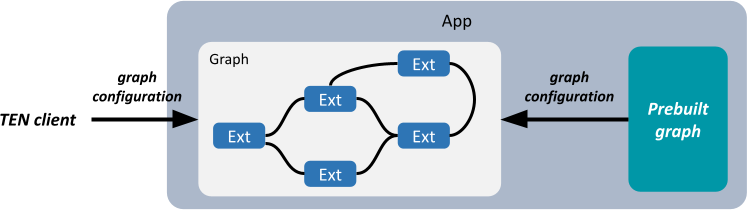
Predefined graphs have an `auto_start` property to determine whether the graph automatically starts when the TEN app launches.
Additionally, predefined graphs have a `singleton` property that indicates whether only *one* instance of the graph can be generated within the TEN app.
## Graph ID and Graph Name
For each graph instance, the TEN app internally uses a unique UUID4 string as an identifier, called the **Graph ID**.
For predefined graphs, you can assign a meaningful and easy-to-remember name, called the **Graph Name**. When you need to specify a particular predefined graph, you can directly use its graph name. If a predefined graph has the `singleton` property, it means that only one instance of this predefined graph can exist within the TEN app. In this case, the TEN runtime uses the graph name to uniquely identify the single instance generated from that predefined graph.
## Dynamic Graph
When a TEN app receives a `start_graph` command and creates a dynamic graph, the system assigns a random UUID as the graph's ID. If other clients obtain this graph ID, they can also connect to this graph.
Dynamic Graph ID example:
`123e4567-e89b-12d3-a456-426614174000`
## Predefined Graph
Predefined graphs work similarly to dynamic graphs, with the main difference being how the content is defined. The content of a dynamic graph is included in the `start_graph` command, while the content of a predefined graph is defined in advance by the TEN app. Clients only need to specify the name of the predefined graph in the `start_graph` command to start it.
The main advantage of predefined graphs is simplifying usage and protecting sensitive information. With predefined graphs, clients don't need to know the detailed structure of the graph, which both improves usability and avoids exposing potentially sensitive information contained in the graph.
Predefined Graph name example:
`http_server`
When a TEN app starts, all predefined graphs with the `auto_start` property set will automatically start.
## Graph Definition
Whether it's a dynamic graph or a predefined graph, the definition structure is the same:
```json
{
"nodes": [
// Definition of nodes
],
"connections": [
// Definition of communication links
]
}
```
Key points:
1. If there is only one TEN app, you can omit the `app` field. If there are multiple apps, you must explicitly specify the `app` field.
2. The `nodes` field defines the nodes in the graph, such as various extensions.
3. Each node can appear only once in the `nodes` field. If the same node appears multiple times, the TEN framework will report an error during validation.
4. The way to define an extension in the `nodes` field is as follows, where the `property` field is optional:
```json
{
"type": "extension",
"name": "simple_http_server_cpp",
"addon": "simple_http_server_cpp",
"extension_group": "default_extension_group",
"app": "msgpack://127.0.0.1:8001/",
"property": {
"root_key": "player",
"extra_keys": ["playerName"]
}
}
```
The `addon` field indicates that the extension is an instance generated by the corresponding plugin.
5. The `connections` field defines the communication links between nodes in the graph, where the `extension` value represents the name of the corresponding node.
Complete example:
```json
{
"nodes": [
{
"type": "extension",
"app": "msgpack://127.0.0.1:8001/",
"name": "simple_http_server_cpp",
"addon": "simple_http_server_cpp",
"extension_group": "default_extension_group",
"property": {
"root_key": "player",
"extra_keys": ["playerName"]
}
}
],
"connections": [
{
"app": "msgpack://127.0.0.1:8001/",
"extension": "simple_http_server_cpp",
"cmd": [
{
"name": "start",
"dest": [
{
"app": "msgpack://127.0.0.1:8001/",
"extension": "gateway"
}
]
},
{
"name": "stop",
"dest": [
{
"app": "msgpack://127.0.0.1:8001/",
"extension": "gateway"
}
]
}
]
},
{
"app": "msgpack://127.0.0.1:8001/",
"extension": "gateway",
"cmd": [
{
"name": "push_status_online",
"dest": [
{
"app": "msgpack://127.0.0.1:8001/",
"extension": "uap"
}
]
}
]
}
]
}
```
## Predefined Graph Definition
Predefined graphs are defined under the `predefined_graphs` field in the TEN app's configuration file (`property.json`), including properties such as `name`, `auto_start`, and `singleton`:
```json
{
"ten": {
"predefined_graphs": [
{
"name": "default",
"auto_start": true,
"singleton": true,
// Complete graph definition
}
]
}
}
```
Complete example:
```json
{
"ten": {
"predefined_graphs": [
{
"name": "default",
"auto_start": true,
"singleton": true,
"nodes": [
{
"type": "extension",
"name": "simple_http_server_cpp",
"addon": "simple_http_server_cpp",
"extension_group": "default_extension_group",
"property": {
"root_key": "player",
"extra_keys": [
"playerName"
]
}
}
],
"connections": [
{
"app": "msgpack://127.0.0.1:8001/",
"extension": "simple_http_server_cpp",
"cmd": [
{
"name": "start",
"dest": [
{
"app": "msgpack://127.0.0.1:8001/",
"extension": "gateway"
}
]
},
{
"name": "stop",
"dest": [
{
"app": "msgpack://127.0.0.1:8001/",
"extension": "gateway"
}
]
}
]
},
{
"app": "msgpack://127.0.0.1:8001/",
"extension": "gateway",
"cmd": [
{
"name": "push_status_online",
"dest": [
{
"app": "msgpack://127.0.0.1:8001/",
"extension": "uap"
}
]
}
]
}
]
}
]
}
}
```
## `start_graph` Command Definition
Dynamic graphs are created by sending a `start_graph` command to the TEN app, placing the graph definition in the command's `ten` field:
```json
{
"ten": {
"type": "start_graph",
// Complete graph definition
}
}
```
Complete example:
```json
{
"ten": {
"type": "start_graph",
"nodes": [
{
"type": "extension",
"name": "simple_http_server_cpp",
"addon": "simple_http_server_cpp",
"extension_group": "default_extension_group",
"property": {
"root_key": "player",
"extra_keys": ["playerName"]
}
}
],
"connections": [
{
"app": "msgpack://127.0.0.1:8001/",
"extension": "simple_http_server_cpp",
"cmd": [
{
"name": "start",
"dest": [
{
"app": "msgpack://127.0.0.1:8001/",
"extension": "gateway"
}
]
},
{
"name": "stop",
"dest": [
{
"app": "msgpack://127.0.0.1:8001/",
"extension": "gateway"
}
]
}
]
},
{
"extension": "gateway",
"cmd": [
{
"name": "push_status_online",
"dest": [
{
"extension": "uap"
}
]
}
]
}
]
}
}
```
### Using `import_uri` to Reference Graph Definitions
When defining predefined graphs, you can use the `import_uri` field to reference external graph definition files:
```json
{
"ten": {
"uri": "http://localhost:8001",
"predefined_graphs": [
{
"name": "default",
"auto_start": false,
"import_uri": "../graph.json"
}
]
}
}
```
`import_uri` can be a relative path, absolute path, or URL:
* Relative path: relative to the directory containing the `property.json` file
* Absolute path: relative to the root directory of the environment where the TEN app is located
* URL: treated directly as a URL path
## Graph Definition Specifications
* **`nodes` Field**: The `nodes` array must be provided in the graph definition. In contrast, while the `connections` array is optional, it is recommended to provide it to define communication between nodes.
* **Node `app` Field**: The `app` field cannot be set to `localhost`. In single-app graphs, the `app` URI should be omitted; in multi-app graphs, the `app` field value must match the `ten.uri` value in each app's `property.json`.
* **Node Uniqueness**: Each node in the `nodes` array represents a specific extension instance and must be uniquely identified by the combination of `app` and `name`. Duplicate definitions are not allowed, as in the following invalid example:
```json
{
"nodes": [
{
"type": "extension",
"name": "some_ext",
"addon": "addon_1",
"extension_group": "test"
},
{
"type": "extension",
"name": "some_ext",
"addon": "addon_2",
"extension_group": "test"
}
]
}
```
* **Connection Definition Consistency**: All extension instances referenced in `connections` must be explicitly defined in `nodes`. The following example is invalid because `ext_2` is not defined in `nodes`:
```json
{
"nodes": [
{
"type": "extension",
"name": "ext_1",
"addon": "addon_1",
"extension_group": "some_group"
}
],
"connections": [
{
"extension": "ext_1",
"cmd": [
{
"name": "hello",
"dest": [
{
"extension": "ext_2"
}
]
}
]
}
]
}
```
* **Communication Link Consolidation**: All messages from the same source extension should be grouped in a single section, not scattered across multiple definitions. The following example is incorrect:
```json
{
"connections": [
{
"extension": "ext_1",
"cmd": [
{
"name": "hello",
"dest": [
{
"extension": "ext_2"
}
]
}
]
},
{
"extension": "ext_1",
"data": [
{
"name": "hello",
"dest": [
{
"extension": "ext_2"
}
]
}
]
}
]
}
```
The correct approach is to consolidate all messages from the same source extension together:
```json
{
"connections": [
{
"extension": "ext_1",
"cmd": [
{
"name": "hello",
"dest": [
{
"extension": "ext_2"
}
]
}
],
"data": [
{
"name": "hello",
"dest": [
{
"extension": "ext_2"
}
]
}
]
}
]
}
```
* **Message Destination Consolidation**: For each specific type of message, all destination extensions should be grouped under a single entry. The following example is incorrect:
```json
{
"connections": [
{
"extension": "ext_1",
"cmd": [
{
"name": "hello",
"dest": [
{
"extension": "ext_2"
}
]
},
{
"name": "hello",
"dest": [
{
"extension": "ext_3"
}
]
}
]
}
]
}
```
The correct approach is to consolidate all destinations for the same message together:
```json
{
"connections": [
{
"extension": "ext_1",
"cmd": [
{
"name": "hello",
"dest": [
{
"extension": "ext_2"
},
{
"extension": "ext_3"
}
]
}
]
}
]
}
```
Note that messages with the same name can coexist in different types (such as `cmd` and `data`) without causing conflicts.
## Subgraph
The core mechanism of the TEN framework is based on graph structures, which consist of nodes and connections. Subgraphs are a powerful reuse mechanism that allows complex graph structures to be split into reusable modules, thereby improving code organization and maintainability.
### Subgraph Design Philosophy
The essence of a graph is to define how data flows between extensions. Subgraphs do not change this fundamental principle in their implementation, but serve as syntactic sugar that is ultimately flattened into the parent graph and started using the same mechanisms as regular graphs. This design simplifies the development of complex systems while not adding runtime complexity.
#### Design Principles
Subgraph design follows these core principles:
1. **Independence**: Any graph is a complete graph that can run independently or be embedded as a component into other graphs.
2. **Tool-Friendly**: Subgraphs provide additional information to help development tools better understand graph structures, improving the development experience while not adding runtime complexity.
3. **Flattening Mechanism**: Subgraphs are ultimately flattened into standard graph structures to ensure performance and compatibility.
4. **Simplicity**: Subgraph design aims to simplify the development process rather than add complexity, avoiding increased JSON structure complexity.
The purpose of subgraph design is to allow developers to use a graph as a black box without needing to understand its internal complexity. Therefore, at the point of referencing subgraphs, no special patching mechanisms are provided to adjust the internal state of subgraphs, to reduce complexity. If subgraph definitions need to be modified, the original definitions should be modified directly rather than patching at the reference point. This is done to avoid complexity spread and increased maintenance costs. For example, when introducing subgraph A into large graph B, if you need to adjust the extension property schema definitions inside subgraph A, you should directly modify the schema definitions of that extension rather than providing modification mechanisms at the reference point, because this might lead to adverse chain reactions, only modifying the extension's schema definitions without patching other places, thus causing errors elsewhere.
In other words, subgraphs primarily provide a mapping mechanism to expose internal elements of subgraphs to the outside, rather than providing mechanisms to patch internal elements of subgraphs.
### Subgraph Implementation Mechanism
Next, we will detail the implementation mechanism of subgraphs, including subgraph definition, reference methods, and the flattening process.
#### Subgraph Definition Example
The following is a `subgraph.json` example that can be used as an independent graph or as a subgraph referenced by other graphs:
```json
{
"nodes": [
{
// Define extension node named ext_c
"type": "extension",
"name": "ext_c",
"addon": "extension_c"
},
{
// Define extension node named ext_d
"type": "extension",
"name": "ext_d",
"addon": "extension_d"
}
],
"connections": [
{
// ext_c sends B command to ext_d
"extension": "ext_c",
"cmd": [
{
"name": "B",
"dest": [
{
"extension": "ext_d"
}
]
}
]
}
],
"exposed_messages": [
// Represents message interfaces exposed by the graph to the outside, mainly for development tools to provide intelligent hints
{
// ext_d's B command exposed to the outside
"extension": "ext_d",
"type": "cmd_in",
"name": "B"
}
],
"exposed_properties": [
// Represents properties exposed by the graph to the outside
{
"extension": "ext_c",
"name": "a",
"alias": "a1"
}
]
}
```
#### Subgraph Reference Example
Example of `graph.json` referencing subgraphs:
```json
{
"nodes": [
{
// Define extension node named ext_a
"type": "extension",
"name": "ext_a",
"addon": "extension_a"
},
{
// Define extension node named ext_b
"type": "extension",
"name": "ext_b",
"addon": "extension_b"
},
{
// Reference subgraph, named subgraph_1
"type": "subgraph",
"name": "subgraph_1",
"import_uri": "./ten_packages/extension/aaa/subgraph.json",
"property": {
// Properties written in this property field must exist in the subgraph's exposed_properties field,
// otherwise it will be an error condition
"app_id": "${env:AGORA_APP_ID}",
"token": "",
"channel": "ten_agent_test"
}
},
{
// Reference subgraph, named subgraph_2
"type": "subgraph",
"name": "subgraph_2",
"import_uri": "./ten_packages/extension/bbb/subgraph.json"
}
],
"connections": [
{
"extension": "ext_a",
"cmd": [
{
"name": "B",
"dest": [
{
// First target is ext_b
"extension": "ext_b"
},
{
// Second target is ext_d in the subgraph, this is advanced usage
"extension": "subgraph_1:ext_d"
},
{
// Third target is the subgraph, but this requires the subgraph to explicitly expose the B cmd_in interface,
// otherwise it will be treated as an error condition
"subgraph": "subgraph_2"
}
]
}
]
},
{
// ext_c in the subgraph sends cmd H to ext_a, this is advanced usage
"extension": "subgraph_1:ext_c",
"cmd": [
{
"name": "H",
"dest": [
{
"extension": "ext_a"
}
]
}
]
},
{
// Subgraph subgraph_2 sends cmd H to ext_a, but this requires the subgraph to expose the H
// cmd_out interface, otherwise it will be treated as an error condition
"subgraph": "subgraph_2",
"cmd": [
{
"name": "H",
"dest": [
{
"extension": "ext_a"
}
]
}
]
}
]
}
```
#### Key Concepts
The subgraph mechanism introduces three key concepts:
1. **Message Exposure** (exposed\_messages):
* Subgraphs declare externally exposed interfaces through the `exposed_messages` field
* Mainly used by development tools to implement intelligent hints and checks
* Hides internal details of subgraphs, improving development experience
2. **Property Exposure** (exposed\_properties):
* Subgraphs declare externally exposed properties through the `exposed_properties` field
* Mainly used by development tools to implement intelligent hints and checks
* Hides internal details of subgraphs, improving development experience
3. **Subgraph Reference and Naming**:
* Reference other graph files through `"type": "subgraph"`
* Each subgraph has a unique identifier name serving as a namespace
* Prevents conflicts between elements with the same name in different subgraphs
4. **Cross-Graph Connections**:
* Reference elements within subgraphs through namespace syntax (such as `subgraph_1:ext_d`), or reference subgraphs through the `subgraph` field
* Makes elements within subgraphs interact with the main graph
* Builds complex cross-graph message flows
In summary, the `exposed_messages` and `exposed_properties` fields describe how messages flow into the graph from the graph boundary, and development tools use these fields to provide intelligent hints, making it convenient for developers to specify how messages flow to the graph boundary.
#### Flattening Mechanism
Ultimately, graphs referencing subgraphs are flattened into regular graph structures, ensuring runtime uniformity and efficiency. However, this flattening result is not seen by users, but is flattened into memory for use in the TEN runtime or TEN manager. Note that in the flattened graph definition, there are the original extensions and the connections between these extensions.
```json
{
"nodes": [
{
"type": "extension",
"name": "ext_a",
"addon": "extension_a"
},
{
"type": "extension",
"name": "ext_b",
"addon": "extension_b"
},
{
// ext_c from subgraph is flattened with subgraph name as prefix
"type": "extension",
"name": "subgraph_1_ext_c",
"addon": "extension_c"
},
{
// ext_d from subgraph is flattened with subgraph name as prefix
"type": "extension",
"name": "subgraph_1_ext_d",
"addon": "extension_d",
"property": {
// The property field defined when referencing the subgraph will be flattened into the corresponding extension's property field
"app_id": "${env:AGORA_APP_ID}"
}
},
{
// ext_e from subgraph is flattened with subgraph name as prefix
"type": "extension",
"name": "subgraph_2_ext_e",
"addon": "extension_e"
}
],
"connections": [
{
"extension": "ext_a",
"cmd": [
{
"name": "B",
"dest": [
{
"extension": "ext_b"
},
{
"extension": "subgraph_1_ext_d"
},
{
"extension": "subgraph_2_ext_e"
}
]
}
]
},
{
"extension": "subgraph_1_ext_c",
"cmd": [
{
"name": "H",
"dest": [
{
"extension": "ext_a"
}
]
}
]
},
{
// Internal connections within subgraphs are also flattened and included
"extension": "subgraph_1_ext_c",
"cmd": [
{
"name": "B",
"dest": [
{
"extension": "subgraph_1_ext_d"
}
]
}
]
}
]
// exposed_messages and exposed_properties fields are discarded during flattening
}
```
The subgraph flattening mechanism follows these rules:
1. Before flattening, the colon (`:`) symbol indicates that an element is located within a subgraph (such as `subgraph_1:ext_d`).
2. After flattening, elements within subgraphs have the subgraph name added as a prefix to their names (such as `subgraph_1_ext_c`), ensuring global uniqueness.
3. The flattened graph definition no longer contains colon symbols, distinguishing between pre-flattening and post-flattening states.
4. Internal connections within subgraphs are preserved and included in the flattened graph, ensuring functional completeness.
### Advanced Features and Applications
As project complexity increases, advanced features of subgraphs can help better organize and manage systems.
#### Message Conversion and Subgraphs
Subgraphs fully support the message conversion (msg\_conversion) mechanism for handling message format conversion between different interfaces:
```json
{
"nodes": [
{
"type": "extension",
"name": "ext_a",
"addon": "addon_a"
},
{
"type": "extension",
"name": "ext_b",
"addon": "addon_b"
},
{
"type": "subgraph",
"name": "subgraph_1",
"import_uri": "http://a.b.c.d/subgraph.json"
}
],
"connections": [
{
"extension": "ext_a",
"cmd": [
{
"name": "B",
"dest": [
{
"extension": "ext_b",
"msg_conversion": {
"type": "per_property",
"rules": [
{
"path": "extra_data",
"conversion_mode": "fixed_value",
"value": "tool_call"
}
],
"keep_original": true
}
},
{
"extension": "subgraph_1:ext_d",
"msg_conversion": {
"type": "per_property",
"rules": [
{
"path": "extra_data",
"conversion_mode": "fixed_value",
"value": "tool_call"
}
],
"keep_original": true
}
},
{
"subgraph": "subgraph_2",
"msg_conversion": {
"type": "per_property",
"rules": [
{
"path": "extra_data",
"conversion_mode": "fixed_value",
"value": "tool_call"
}
],
"keep_original": true
}
}
]
}
]
}
]
}
```
Development tools can use `exposed_messages` information to suggest compatibility and provide message conversion configuration interfaces. After configuration, conversion rules are automatically written into the graph definition, simplifying the development process.
After flattening, message conversion rules are correctly preserved, ensuring runtime behavior matches design intent:
```json
{
"nodes": [
{
"type": "extension",
"name": "ext_a",
"addon": "addon_a"
},
{
"type": "extension",
"name": "ext_b",
"addon": "addon_b"
},
{
"type": "extension",
"name": "subgraph_1_ext_c",
"addon": "addon_c"
},
{
"type": "extension",
"name": "subgraph_1_ext_d",
"addon": "addon_d"
},
{
"type": "extension",
"name": "subgraph_2_ext_e",
"addon": "addon_e"
}
],
"connections": [
{
"extension": "ext_a",
"cmd": [
{
"name": "B",
"dest": [
{
"extension": "ext_b",
"msg_conversion": {
"type": "per_property",
"rules": [
{
"path": "extra_data",
"conversion_mode": "fixed_value",
"value": "tool_call"
}
],
"keep_original": true
}
},
{
"extension": "subgraph_1_ext_d",
"msg_conversion": {
"type": "per_property",
"rules": [
{
"path": "extra_data",
"conversion_mode": "fixed_value",
"value": "tool_call"
}
],
"keep_original": true
}
},
{
"extension": "subgraph_2_ext_e",
"msg_conversion": {
"type": "per_property",
"rules": [
{
"path": "extra_data",
"conversion_mode": "fixed_value",
"value": "tool_call"
}
],
"keep_original": true
}
}
]
}
]
}
]
}
```
Through this approach, developers can flexibly handle message format differences between different components without needing to understand underlying implementation details.
## Meaning of "subgraph\_1:ext\_c"
In the previous examples, `subgraph_1` in `subgraph_1:ext_c` does not represent the subgraph itself, but references an element in the `nodes` field. In subgraph applications, `subgraph_1` can be viewed as a namespace.
Through this mechanism, you can specify extensions at different locations as sources or targets in graph connections, enabling connections across multiple graphs.
The core concept is: graph connections are essentially connections between extensions. Through this mechanism, you can specify elements of different types in the `nodes` field as sources or targets of connections, enabling connections across multiple subgraphs or even multiple graphs.
## Connections Across Multiple Graphs
In addition to subgraphs, you can also specify connections to other graphs within a single graph through similar mechanisms.
### Connecting to Predefined Graphs in the Same TEN App
Example: How to connect to predefined graphs within the same TEN app in a graph:
```json
{
"nodes": [
{
// Define extension named ext_a
"type": "extension",
"name": "ext_a",
"addon": "extension_a"
},
{
// Define extension named ext_b
"type": "extension",
"name": "ext_b",
"addon": "extension_b"
},
{
// Reference other graph, graph ID is default
"type": "graph",
"graph_id": "default"
}
],
"connections": [
{
"extension": "ext_a",
"cmd": [
{
"name": "B",
"dest": [
{
// First target is ext_b
"extension": "ext_b"
},
{
// Second target is ext_d in another graph
"extension": "default:ext_d"
}
]
}
]
},
{
// ext_c in another graph sends cmd H to ext_a
"extension": "default:ext_c",
"cmd": [
{
"name": "H",
"dest": [
{
"extension": "ext_a"
}
]
}
]
},
{
// Another graph sends cmd X to ext_a, but this requires the other graph to expose the X cmd_out interface,
// otherwise it will be treated as an error condition. This error condition can be reported during static
// checking if it can be statically detected, or at runtime.
"graph": "default",
"cmd": [
{
"name": "X",
"dest": [
{
"extension": "ext_a"
}
]
}
]
}
]
}
```
### Types of Graph Nodes
1. Subgraph
```json
{
"type": "subgraph",
"name": "subgraph_1", // Meaning of namespace
"import_uri": "http://a.b.c.d/subgraph.json"
}
```
2. Local graph
```json
{
"type": "graph",
"graph_name": "default",
"singleton": true
}
```
```json
{
"type": "graph",
"graph_name": "default",
"singleton": false
}
```
3. Remote graph
```json
{
"type": "graph",
"graph_name": "default",
"singleton": true,
"app": "msgpack://127.0.0.1:8002/"
}
```
```json
{
"type": "graph",
"graph_name": "default",
"singleton": false,
"app": "msgpack://127.0.0.1:8002/"
}
```
# Message Conversion (/docs/ten_framework/graph/msg_conversion)
## Message Conversion
TEN Framework provides powerful message conversion capabilities that allow you to transform and modify message content during message passing. By configuring conversion rules, you can achieve message field renaming, value replacement, and complex data structure transformations.
### Basic Configuration
Message conversion is configured through the `msg_conversion` configuration item:
```json
{
"msg_conversion": {
"type": "per_property",
"keep_original": false,
"rules": [
{
"path": "user.name",
"conversion_mode": "fixed_value",
"value": "default_user"
},
{
"path": "data.items[0].id",
"conversion_mode": "from_original",
"original_path": "original_id"
}
]
}
}
```
### Configuration Parameters
* **type**: Conversion type, currently supports `per_property` (per-property conversion)
* **keep\_original**: Whether to retain original message content; when set to `false`, only converted fields are preserved
* **rules**: Array of conversion rules that define specific conversion logic
### Conversion Rules
Each conversion rule contains the following fields:
* **path**: Target field path, specifying the message field location to be set
* **conversion\_mode**: Conversion mode
* `fixed_value`: Set a fixed value
* `from_original`: Copy value from a specified path in the original message
* **value**: Fixed value used when conversion mode is `fixed_value`
* **original\_path**: When conversion mode is `from_original`, specifies the source field path in the original message
### Path Expressions
Path expressions in message conversion support multiple access methods:
* **Object Property Access**: `user.profile.name` - Access properties of nested objects
* **Array Index Access**: `items[0].name` - Access elements at specific array indices
* **Mixed Path Access**: `user.tags[1].value` - Combine object and array access
### Use Cases
Message conversion functionality is suitable for the following scenarios:
* **Field Renaming**: Convert field names in messages to formats required by target systems
* **Data Format Conversion**: Adjust message data structures to adapt to different processing modules
* **Default Value Setting**: Provide default values for missing fields
* **Data Cleansing**: Filter or transform data content that doesn't meet requirements
# Go (/docs/ten_framework/language_binding/go)
Let's build a Go application using the TEN framework.
## Creating the TEN App
First, we'll create a basic TEN Go app by integrating several pre-built TEN packages. Follow these steps:
```shell title="Terminal"
tman install app default_app_go
cd default_app_go
tman install protocol msgpack
tman install extension_group default_extension_group
```
### Installing a Default TEN Extension
Next, install a default TEN extension written in Go:
```shell title="Terminal"
tman install extension default_extension_go
```
### Declaring the Prebuilt Graph for Auto-Start
Now, we'll modify the `property.json` file of the TEN app to include a graph declaration. This will ensure the default extension starts automatically when the TEN app is launched.
```json title=".json"
"predefined_graphs": [
{
"name": "default",
"auto_start": true,
"nodes": [
{
"type": "extension_group",
"name": "default_extension_group",
"addon": "default_extension_group"
},
{
"type": "extension",
"name": "default_extension_go",
"addon": "default_extension_go",
"extension_group": "default_extension_group"
}
]
}
]
```
## Building the App
Unlike standard Go projects, the TEN Go app uses CGo, so you need to set up certain environment variables before building. A build script is already provided in the TEN runtime Go binding system package, so you can build the app with a single command:
```shell title="Terminal"
go run ten_packages/system/ten_runtime_go/tools/build/main.go
```
The compiled binary, `main`, will be generated in the `/bin` folder.
## Starting the App
Since some environment variables need to be set, it is recommended to start the app using the provided script:
```shell title="Terminal"
./bin/start
```
## Debugging
If you are using Visual Studio Code (VSCode) as your development environment, you can use the following configurations to debug Go/C code.
### Debugging Go Code
```json title=".json"
{
"version": "0.2.0",
"configurations": [
{
"name": "Go app (launch)",
"type": "go",
"request": "launch",
"mode": "auto",
"program": "${workspaceFolder}",
"cwd": "${workspaceFolder}",
"output": "${workspaceFolder}/bin/tmp",
"env": {
"LD_LIBRARY_PATH": "${workspaceFolder}/lib",
"DYLD_LIBRARY_PATH": "${workspaceFolder}/lib",
"CGO_LDFLAGS": "-L${workspaceFolder}/lib -lten_runtime_go -Wl,-rpath,@loader_path/lib"
}
}
]
}
```
### Debugging C Code
```json title=".json"
{
"version": "0.2.0",
"configurations": [
{
"name": "C (launch)",
"type": "lldb",
"request": "launch",
"program": "${workspaceFolder}/bin/main",
"cwd": "${workspaceFolder}",
"env": {
"LD_LIBRARY_PATH": "${workspaceFolder}/lib",
"DYLD_LIBRARY_PATH": "${workspaceFolder}/lib",
"CGO_LDFLAGS": "-L${workspaceFolder}/lib -lten_runtime_go -Wl,-rpath,@loader_path/lib"
}
}
]
}
```
## CGO
### Generated Code
When interfacing Go with C, the cgo tool is crucial. When a C function is called from Go, cgo converts the Go source files into multiple output files, including both Go and C source files. These generated C source files are then compiled using compilers like gcc or clang.
Use the following command to generate these C/Go source files:
```bash title="Terminal"
mkdir out
go tool cgo -objdir out
```
Example:
```bash title="Terminal"
go tool cgo -objdir out cmd.go error.go
```
The generated files include:
```bash title="Terminal"
├── _cgo_export.c
├── _cgo_export.h
├── _cgo_flags
├── _cgo_gotypes.go
├── _cgo_main.c
├── _cgo_.o
├── cmd.cgo1.go
├── cmd.cgo2.c
├── error.cgo1.go
└── error.cgo2.c
```
* **\_cgo\_export.h** is key to the interoperability between Go and C within the cgo context. It contains necessary declarations for Go functions accessible from C.
This file is automatically generated based on Go functions explicitly exported using the `//export` directive. It also includes definitions for C types corresponding to the Go types used in these functions, ensuring compatibility between the two languages.
Example of type definitions:
```c title=".h"
typedef signed char GoInt8;
typedef unsigned char GoUint8;
typedef short GoInt16;
typedef unsigned short GoUint16;
typedef int GoInt32;
typedef unsigned int GoUint32;
typedef long long GoInt64;
typedef unsigned long long GoUint64;
typedef GoInt64 GoInt;
typedef GoUint64 GoUint;
typedef size_t GoUintptr;
typedef float GoFloat32;
typedef double GoFloat64;
```
* **\_cgo\_gotypes.go** contains the corresponding Go types defined in C and used in Go.
For example, if you define a struct `ten_go_error_t` in a header file `common.h` and use `C.ten_go_error_t` in Go, there will be a corresponding Go type in `_cgo_gotypes.go`:
```go title=".go"
package ten
type _Ctype_ten_go_status_t = _Ctype_struct_ten_go_status_t
type _Ctype_struct_ten_go_status_t struct {
err_no _Ctype_int
msg_size _Ctype_uint8_t
err_msg [256]_Ctype_char
_ [3]byte
}
```
* **cmd.cgo1.go** is a cgo-generated counterpart to the original Go source file `cmd.go`. It replaces direct calls to C functions and types with calls to the generated Go functions and types provided by cgo.
Example:
```go title=".go"
package ten
func NewCmd(cmdName string) (Cmd, error) {
// ...
cStatus := func() _Ctype_struct_ten_go_status_t {
var _cgo0 _cgo_unsafe.Pointer = unsafe.Pointer(unsafe.StringData(cmdName))
var _cgo1 _Ctype_int = _Ctype_int(len(cmdName))
_cgoBase2 := &bridge
_cgo2 := _cgoBase2
_cgoCheckPointer(_cgoBase2, 0 == 0)
return _Cfunc_ten_go_cmd_create_custom_cmd(_cgo0, _cgo1, _cgo2)
}()
// ...
}
```
* **cmd.cgo2.c** is a wrapper of the original C function called from Go.
Example:
```c title=".c"
CGO_NO_SANITIZE_THREAD void _cgo_cb1b98e39356_Cfunc_ten_go_cmd_create_custom_cmd(void *v) {
struct {
const void* p0;
int p1;
char __pad12[4];
ten_go_msg_t** p2;
ten_go_error_t r;
} __attribute__((__packed__, __gcc_struct__)) *_cgo_a = v;
char *_cgo_stktop = _cgo_topofstack();
__typeof__(_cgo_a->r) _cgo_r;
_cgo_tsan_acquire();
_cgo_r = ten_go_cmd_create_cmd(_cgo_a->p0, _cgo_a->p1, _cgo_a->p2);
_cgo_tsan_release();
_cgo_a = (void*)((char*)_cgo_a + (_cgo_topofstack() - _cgo_stktop));
_cgo_a->r = _cgo_r;
_cgo_msan_write(&_cgo_a->r, sizeof(_cgo_a->r));
}
```
So, the calling sequence of `C.ten_go_cmd_create_cmd()` from Go is:
```text
_Cfunc_ten_go_cmd_create_custom_cmd (auto-generated Go)
|
V
_cgo_runtime_cgocall (Go)
|
V
entrysyscall // switch Go stack to C stack
|
V
_cgo_cb1b98e39356_Cfunc_ten_go_cmd_create_custom_cmd (auto-generated C)
|
V
ten_go_cmd_create_cmd (C)
|
V
exitsyscall
```
### Incomplete Type
As mentioned earlier, the cgo tool generates corresponding Go types in `_cgo_gotypes.go` based on C header files imported via `import "C"`. If a struct is opaque in the C header, the cgo tool generates an incomplete type instead.
Example of an opaque C struct:
```c title=".h"
typedef struct ten_go_msg_t ten_go_msg_t;
```
The cgo tool will generate an incomplete type in Go:
```go title=".go"
type _Ctype_ten_go_msg_t = _Ctype_struct_ten_go_msg_t
type _Ctype_struct_ten_go_msg_t _cgopackage.Incomplete
```
#### What happens if you use the incomplete type in Go?
* **Incomplete types cannot be allocated.**
Since `sys.NotInHeap` cannot be allocated on the Go heap, operations like `new` or `make` won't work. Attempting to create a new instance of an opaque struct in Go will result in a compiler error:
```go title=".go"
msg := new(C.ten_go_msg_t) // Error: can't be allocated in Go; it is incomplete (or unallocatable)
```
* **Pointers to incomplete types cannot be passed to C directly.**
If you have a C function with a pointer to an opaque struct as a parameter, passing a Go pointer to this incomplete type directly to a C function will not work according to cgo rules. The Go compiler will require the pointer to be "pinned" to ensure it adheres to Go's garbage collector (GC) constraints.
### Rules for Using C.uintptr\_t Instead of a Pointer to an Opaque Struct
* **Benefits:**
* `C.uintptr_t` and `uintptr` in Go are integers large enough to hold a C pointer, avoiding memory allocation or conversion when passing from Go to C.
* **Limitations:**
* `uintptr` is an integer, not a pointer. It represents the bit pattern of an address with no pointer arithmetic.
* `uintptr` cannot be dereferenced in Go. Converting it to `unsafe.Pointer` can cause issues with Go's GC.
* Since `uintptr` is an integer, `nil` or `NULL` cannot be passed to C. Use `0` instead of `nil` to represent a null address.
# Manifest (/docs/ten_framework/metadata_system/manifest)
## What is a Manifest File
A Manifest file is a crucial configuration file in the TEN Framework used to store metadata for software packages. It defines essential information about Extensions or Apps, including basic information, dependencies, API interfaces, script configurations, and other key details.
## Purpose of Manifest Files
* **Package Identification**: Define the package type, name, and version information
* **Dependency Management**: Declare required dependencies and their version requirements
* **API Definition**: Describe data interfaces and command interfaces provided by the package
* **Package Configuration**: Specify files to be included in the release version
* **Script Management**: Define automation scripts for building, testing, and other tasks
## Extension Manifest Example
Here's a complete Manifest example for an AI chat extension:
```json
{
"type": "extension",
"name": "openai_chatgpt_python",
"version": "0.1.0",
"tags": ["ai", "llm", "python"],
"dependencies": [
{
"type": "system",
"name": "ten_runtime_python",
"version": "^0.8.0"
}
],
"package": {
"include": [
"manifest.json",
"property.json",
"*.py",
"README.md"
]
},
"api": {
"property": {
"properties": {
"api_key": {
"type": "string"
},
"model": {
"type": "string"
},
"max_tokens": {
"type": "int64"
},
"temperature": {
"type": "float64"
}
}
},
"data_in": [
{
"name": "text_data",
"property": {
"properties": {
"text": {
"type": "string"
}
}
}
}
],
"data_out": [
{
"name": "text_data",
"property": {
"properties": {
"text": {
"type": "string"
}
}
}
}
],
"cmd_in": [
{
"name": "flush"
},
{
"name": "tool_register",
"property": {
"properties": {
"tool": {
"type": "object",
"properties": {
"name": {
"type": "string"
},
"description": {
"type": "string"
},
"parameters": {
"type": "array",
"items": {
"type": "object"
}
}
},
"required": ["name", "description", "parameters"]
}
}
},
"result": {
"property": {
"properties": {
"response": {
"type": "string"
}
}
}
}
}
],
"cmd_out": [
{
"name": "tool_call",
"property": {
"properties": {
"name": {
"type": "string"
},
"args": {
"type": "string"
}
},
"required": ["name"]
}
}
]
},
"scripts": {
"test": "python -m pytest tests/",
"build": "python setup.py build"
}
}
```
## App Manifest Example
Here's a Manifest example for a voice assistant application:
```json
{
"type": "app",
"name": "voice_assistant_app",
"version": "1.0.0",
"dependencies": [
{
"type": "system",
"name": "ten_runtime_go",
"version": "^0.8.0"
}
],
"api": {
"property": {
"properties": {
"app_id": {
"type": "string"
},
"log_level": {
"type": "uint8"
},
"server_config": {
"type": "object",
"properties": {
"host": {
"type": "string"
},
"port": {
"type": "int32"
},
"ssl_enabled": {
"type": "bool"
}
},
"required": ["host", "port"]
}
}
}
}
}
```
## Key Field Descriptions
### Basic Information
* **type**: Package type, can be `extension` or `app`
* **name**: Unique identifier name for the package
* **version**: Version number following semantic versioning standards
* **tags**: Array of tags for categorization and search
### Dependency Configuration
* **dependencies**: List of dependencies, each containing type, name, and version requirements
### Package Configuration
* **package.include**: Specifies files and directories to include during packaging
### API Configuration
* **api.property**: Defines configuration properties for the extension
* **api.data\_in/data\_out**: Defines data input and output interfaces
* **api.cmd\_in/cmd\_out**: Defines command input and output interfaces
### Script Configuration
* **scripts**: Defines various automation scripts such as testing, building, etc.
## Best Practices
1. **Version Management**: Use semantic versioning to ensure version consistency
2. **Dependency Declaration**: Clearly declare all required dependencies and their version ranges
3. **API Design**: Clearly define input and output interfaces for easy integration with other components
4. **Complete Documentation**: Ensure that configurations in the Manifest are consistent with actual implementation
# Metadata System (/docs/ten_framework/metadata_system/metadata_system)
The TEN framework utilizes a consistent metadata system across various types of packages, including:
* App
* Extension Group
* Extension
* Protocol
* System
## Types of Metadata
In the TEN metadata system, there are two primary types of metadata:
### 1. **Manifest**
* **Location**: Stored in the root directory of the associated TEN package with the file name `manifest.json`.
* **Contents**:
* **Package Name**: The name of the TEN package.
* **Package Version**: The version of the TEN package, following semantic versioning.
* **API Schema**: Defines schemas related to the package's properties and input/output messages.
* **Property Schema**: These schemas are often defined in a `property.json` file in the root directory. The manifest can specify the schema for these properties.
* **Message Schema**: Defines the schema for input/output messages handled by the package.
> ⚠️ **Note**: The API schema in `manifest.json` is *not* a JSON schema. Instead, it describes the metadata of TEN values, which are central to the TEN runtime, while JSON is merely a representation format.
### 2. **Property**
* **Location**: Typically stored in a `property.json` file in the root directory of the TEN package.
* **Purpose**: The `property.json` file stores initial property values, which are read-write during runtime. This means that properties can be modified while the TEN runtime is executing.
#### Example of `property.json`
```json
{
"Darth Vader": "I am your father"
}
```
## Manifest File
The `manifest.json` file serves as the blueprint for the TEN package, defining its metadata, properties, and the input/output messages it handles.
### Example of `manifest.json`
```json
{
"type": "app",
"name": "default_app_cpp",
"version": "1.0.0",
"dependencies": [
{
"type": "system",
"name": "ten_runtime",
"version": "1.0.0"
}
],
"api": {
"property": {
"exampleInt8": {
"type": "int8"
},
"exampleString": {
"type": "string"
}
},
"cmd_in": [
{
"name": "cmd_foo",
"property": {
"foo": {
"type": "int8"
},
"bar": {
"type": "string"
}
},
"result": {
"property": {
"detail": {
"type": "string"
},
"aaa": {
"type": "int8"
},
"bbb": {
"type": "string"
}
}
}
}
],
"cmd_out": [],
"data_in": [
{
"name": "data_foo",
"property": {
"foo": {
"type": "int8"
},
"bar": {
"type": "string"
}
}
}
],
"data_out": [],
"video_frame_in": [],
"video_frame_out": [],
"audio_frame_in": [],
"audio_frame_out": []
}
}
```
### Purpose of TEN Schema in Manifest
The TEN schema in `manifest.json` provides the TEN runtime with metadata about the extension's external API, including the type information for properties and messages. This helps the runtime platform correctly handle the extension's properties and messages during operation.
### When TEN Schema is Used
1. **Property Validation**: When the TEN runtime gets/sets properties of a TEN package or message.
2. **Data Conversion**: When converting a JSON document to a TEN package or message property using the `from_json` API.
3. **Compatibility Check**: When the TEN manager checks if a message can be output from a source extension to a destination extension according to the TEN schema.
## Property Management
In the TEN framework, there are two types of properties:
1. **Message Properties**: These properties are associated with the messages exchanged between extensions within the framework. Message properties define the specific data or parameters that are carried within a message, such as command parameters, data payloads, or metadata related to audio/video frames.
2. **TEN Package Properties**: These properties are associated with the TEN packages themselves, such as extensions. TEN package properties define the configuration or settings specific to a package. For example, an extension might have properties that configure its behavior, such as runtime settings, initialization parameters, or other configuration data.
Both types of properties are managed within the TEN framework but serve different purposes, one focuses on the communication between components (message properties), while the other pertains to the configuration and operation of the components themselves (TEN package properties).
Property system
### Defining TEN Package Properties
The `property.json` file defines the properties of a TEN package. Here's an example:
```json
{
"prop_1_name": 0,
"prop_2_name": "prop_2_value",
"prop_3_name": ["hello", "prop_3_sub_value"],
"prop_4_name": {
"prop_4_1_name": 1,
"prop_4_2_name": "prop_4_sub_value"
}
}
```
> ⚠️ **Note**: Each property name in the `property.json` file must be unique.
### TEN Schema for Properties
You can define a TEN schema for properties in the `manifest.json` file, enabling the TEN runtime to handle these properties more effectively. If a property does not have a corresponding TEN schema, the runtime platform will use the default JSON handling method (e.g., treating all JSON numbers as `float64`). If a TEN schema is provided, the runtime platform will use it to validate and process the property accordingly.
| Property | TEN Schema | Effect |
| -------- | ---------- | ----------------------------------------------------------------------------------------------- |
| Yes | Yes | The TEN runtime validates the property value based on the TEN schema (e.g., checking the type). |
| Yes | No | The TEN runtime uses default handling, treating all JSON numbers as `float64`. |
### Accessing Properties from an Extension
The TEN runtime provides APIs for extensions to access various properties.
### Accessing App Properties from an Extension
> ⚠️ **Note**: The behavior described in this section has not yet been implemented and is part of the future roadmap.
The TEN framework provides a powerful property access mechanism that allows extensions to read and modify app properties. Through the get/set property API, you can access all properties, including app properties. When the API parameter begins with the `app:` prefix, the system identifies this as a request to operate on app properties.
API design considerations for different language implementations:
* **Go**: Providing a synchronous version without callbacks is sufficient, making it concise and efficient.
* **Node.js**: Implemented as an async function without callbacks, aligning with Node.js's asynchronous programming model.
* **Python**: Ideally, versions both with and without callbacks should be provided. Currently, a synchronous version without callbacks can be implemented first, but accessing `app:` properties will use event wait, which may impact performance.
* **Async Python**: Implemented as an async function without callbacks, consistent with Python's asynchronous model.
* **C++**: Both versions with and without callbacks should be provided. Currently, a synchronous version without callbacks can be implemented first, but accessing `app:` properties will use event wait, which may impact performance.
This design enables CRUD operations on app properties through the unified get/set\_property API, maintaining interface consistency without affecting message property-related APIs.
Regarding the handling of `ten:` namespace fields, the following rules are adopted:
1. `get/set_property_to/from_json(nullptr)` operations do not process `ten:` fields
2. To access `ten:` fields, you must explicitly specify the complete path such as `get/set_property("ten:xxx")`
3. When using `get/set_property_to/from_json()`, `ten:` fields are only processed when a key in the form of `"ten:xxx"` is explicitly specified
This design maintains API simplicity while avoiding the complexity of creating additional commands for specific requirements.
### Specifying Property Values in the `start_graph` Command
Property values related to the TEN package can be specified in the `start_graph` command. The TEN runtime processes these properties according to the TEN schema (if defined) and stores them within the corresponding TEN package instance.
#### Example of Property Specification in `start_graph` Command
```json
{
"nodes": [
{
"type": "extension_group",
"name": "foo_extension_group",
"addon": "foo_extension_group_addon"
},
{
"type": "extension",
"name": "bar_extension",
"extension_group": "foo_extension_group",
"property": {
"prop_1_name": 0,
"prop_2_name": "prop_2_value",
"prop_3_name": ["hello", "prop_3_sub_value"],
"prop_4_name": {
"prop_4_1_name": 1,
"prop_4_2_name": "prop_4_sub_value"
}
}
}
]
}
```
# Property (/docs/ten_framework/metadata_system/property)
## Property File Overview
The Property file is a configuration file in the TEN Framework used to store attribute values for extensions. It defines runtime parameters and configuration options for extensions, serving as an essential component for their proper operation.
## Property File Format
Property files use JSON format and contain various configuration parameters required for extension operation, such as API keys, model configurations, runtime parameters, etc.
### Basic Property Example
Here's a simple Property file example:
```json
{
"api_key": "your-api-key-here",
"max_tokens": 1000,
"temperature": 0.7,
"model_config": {
"name": "gpt-4",
"version": "2024-01-01"
},
"allowed_languages": ["en", "zh", "es"]
}
```
### AI Model Configuration Example
Property file configuration example for AI model extensions:
```json
{
"api_key": "sk-xxxxxxxxxxxxxxxxxxxxxxxx",
"model": "gpt-4",
"max_tokens": 4096,
"temperature": 0.7,
"top_p": 1.0,
"frequency_penalty": 0.0,
"presence_penalty": 0.0,
"prompt": "You are a helpful AI assistant.",
"greeting": "Hello! How can I help you today?",
"max_memory_length": 10,
"vendor": "openai"
}
```
## Graph Configuration
Property files can also contain Graph Configuration, which defines connection relationships and data flow between extensions.
### Predefined Graph Configuration Example
```json
{
"ten": {
"predefined_graphs": [
{
"name": "default",
"nodes": [
{
"type": "extension",
"name": "my_extension",
"addon": "my_extension_addon",
"property": {
"setting1": "value1",
"setting2": 42
}
}
],
"connections": [
{
"extension": "source_extension",
"cmd": [
{
"name": "process_cmd",
"dest": [
{
"extension": "target_extension"
}
]
}
]
}
]
}
]
}
}
```
## Usage Guidelines
* Property files must be in valid JSON format
* Property values are loaded when the extension starts
* Extension behavior can be adjusted by modifying the Property file
* The graph configuration section defines connections and data flow between extensions
# Addon System (/docs/ten_framework/software_packages/addon_system)
The TEN framework is a software module system, where each software module is defined by the concept of an **addon**. Essentially, every software module in the TEN framework is an addon. For example, users can define the following types of TEN framework addons:
1. TEN **extension** addon
2. TEN **extension group** addon
3. TEN **protocol** addon
## Information Required to Load Addon
To load an addon into the TEN runtime, three pieces of information are needed:
1. **Addon name**
It must be globally unique within the entire TEN app. Loading multiple addons with the same name into the TEN runtime is undefined behavior, and it may result in the second instance of the addon not being properly loaded into the TEN runtime.
2. **Addon folder location**
In the TEN framework, when loading an addon, users must inform the TEN runtime where the addon's directory is located. This directory serves as the addon's `base_dir`. The TEN runtime will use this base directory to load other files related to the addon, such as the addon's `manifest.json` and `property.json` files.
Basically, when designing the TEN framework's addon register API, it aims to automatically detect the directory where the addon is located, so the user does not need to explicitly specify the `base_dir`. However, in some special cases where the TEN framework cannot automatically detect the `base_dir`, the user will need to explicitly specify the folder where the addon is located for the TEN runtime.
3. **Addon instance itself**
## Timing for Registering Addon to TEN Runtime
There are two ways to register an addon into the TEN runtime:
1. Explicitly call the API to register the addon's `base_dir` to the TEN runtime.
**Note** Currently, only the standalone testing framework provides such an API.
2. Place the addon in a designated location within the TEN app folder tree.
By placing the addon in the specified location, the TEN app will automatically load these addons when it starts. Currently, this designated location is under the `ten_packages/` directory in the TEN app. If the addons are placed in this format, they will be automatically loaded when the TEN app starts.
```text
.
└── ten_packages/
├── extension/
│ ├── /
│ └── /
├── extension_group/
│ └── /
└── protocol/
└── /
```
# App (/docs/ten_framework/software_packages/app)
App is the container in the TEN world, containing groups and extensions.
App can function as a process placed inside a Docker container (primarily used in the cloud).
App can also function as a thread embedded within an existing app (on client or server).
⇒ TEN can perform localized modifications (minor enhancements) on an existing project without requiring the entire project to be rewritten according to TEN.
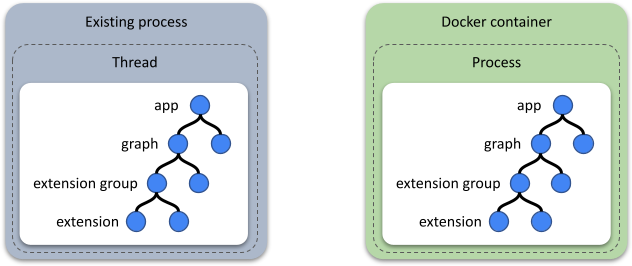
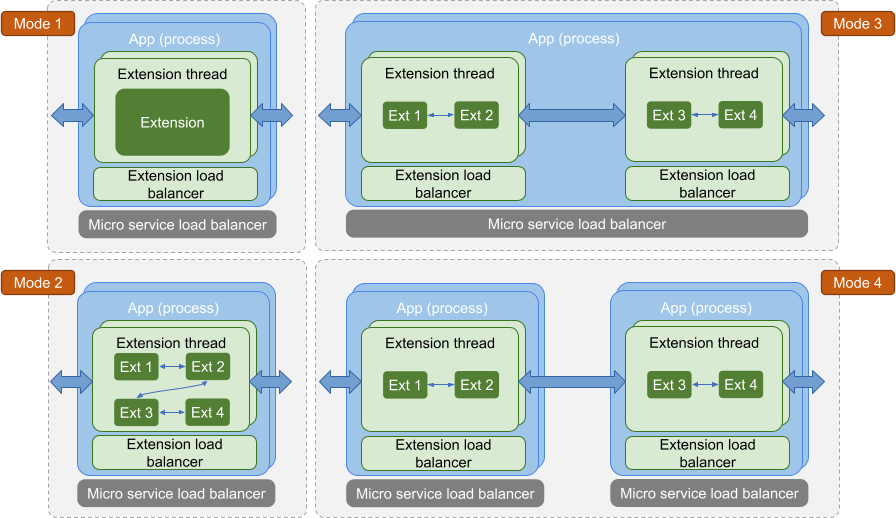
## TEN App Folder Structure
In the TEN framework, developers can create TEN packages using various programming languages. Regardless of the language used, the overall folder structure of a TEN app remains consistent, ensuring uniformity across different implementations.
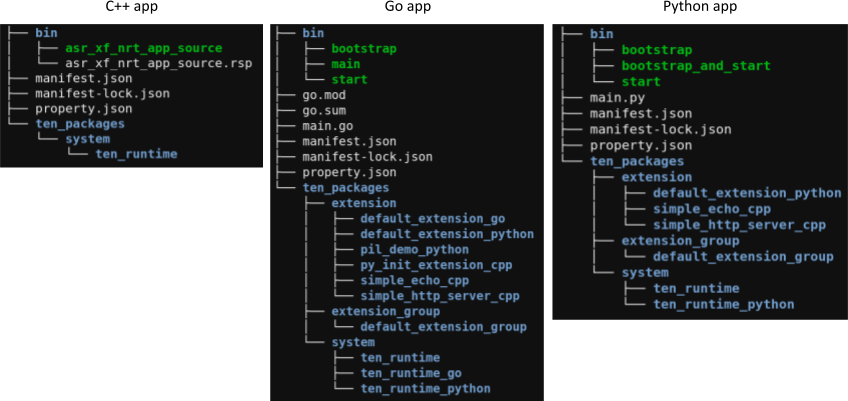
# Extension (/docs/ten_framework/software_packages/extension)
## Life Cycle
The life cycle of an extension is divided into the following stages:
1. `on_configure`
2. `on_init`
3. `on_start`
4. `on_stop`
5. `on_deinit`
At all these stages, the extension can send messages, and if the sent message is a command type, the extension can also receive the result of the command it sent. In other words, there is no stage where the extension *cannot* send messages or receive the results of its own sent commands. So, in all these stages, the extension can send messages to other extensions, which helps implement dependencies between extensions in all stages.
Each life cycle stage corresponds to a callback function, and there is a corresponding `on_xxx_done()` function to mark the end of that life cycle stage.
| Life Cycle Callback | End of Life Cycle Function |
| ------------------- | -------------------------- |
| `on_configure` | `on_configure_done` |
| `on_init` | `on_init_done` |
| `on_start` | `on_start_done` |
| `on_stop` | `on_stop_done` |
| `on_deinit` | `on_deinit_done` |
### Stage Transition Graph
```mermaid
graph TD;
on_configure((on_configure));
on_init((on_init));
on_start((on_start));
on_stop((on_stop));
on_deinit((on_deinit));
on_configure-->on_configure_done
on_configure_done-->on_init;
on_configure-->on_stop;
on_init-->on_init_done;
on_init_done-->on_start;
on_init-->on_stop;
on_start-->on_stop;
on_start-->on_start_done;
on_stop-->on_stop_done;
on_stop_done-->on_deinit;
on_deinit-->on_deinit_done;
```
### on\_configure
Used to set the initial values of the extension's properties. This allows the `get_property` API from `ten_env` to be used in other lifecycle stages to retrieve properties set during the `on_configure()` stage. The `on_configure_done()` function is called to mark the end of the `on_configure` stage.
```c++
void on_configure(ten::ten_env_t &ten_env) override {
// Set the initial values of the extension's properties.
ten_env.init_property_from_json(
R"({
"ten": {
"uri": "msgpack://127.0.0.1:8001/",
"log_level": 2
}
})", nullptr);
ten_env.on_configure_done();
}
```
### on\_init
Used to initialize the extension. Since the extension is not yet ready before `on_init_done()`, the TEN runtime will queue all messages sent to the extension until it's ready. Once ready, the queued messages are delivered to the extension. It's important to note that if the result is from a command sent by the extension itself, it is *not* subject to this restriction; the TEN runtime will directly pass the command's result back to the extension. This is because sending a command is a self-initiated action by the extension, so it must be prepared to receive and handle the result of its own commands.
### on\_start
This stage marks the runtime starting to send messages into the extension. The `on_start_done` function doesn't have a special purpose, but for consistency with other life cycle stages and to reduce learning complexity, the TEN framework includes it. Typically, `on_start_done` is invoked at the end of the `on_start` callback function. The TEN runtime will start delivering messages from other extensions to this extension after receiving its `on_start_done()`.
```c++
void on_start(ten::ten_env_t &ten_env) override {
// Some operations.
ten_env.on_start_done();
}
```
### on\_stop
There are many situations where the extension needs to stop, such as when the app or engine containing the extension is terminating. When the extension is about to stop, the TEN runtime uses this `on_stop` callback to notify the extension that it has entered the `on_stop` life cycle stage. The extension can then perform any necessary actions for termination.
### on\_deinit
After the extension calls `on_stop_done()`, it enters the `on_deinit` stage. During this stage, because the resources within the extension may no longer be fully available, the TEN runtime will not pass any messages from other extensions to this one.
## Relationship Between Extensions at Different Life Cycle Stages
Basically, there is no inherent relationship. Each extension operates independently, switching between its own life cycle stages. Extensions are independent of one another, and any dependencies between them must be explicitly implemented by the extensions themselves. The TEN runtime does not make any assumptions or guarantees. For example, if extension A needs to wait for extension B to complete its initialization before finishing its own, extension A can send a command to extension B during its `on_init`. Once extension B completes initialization and receives the command, it can reply with a result, and when extension A receives the result, it can call `on_init_done`.
```mermaid
sequenceDiagram
participant A as Extension A
participant B as Extension B
Note over A,B: on_init
activate A
activate B
deactivate B
Note over B: on_init_done
Note over B: on_start
activate B
deactivate B
Note over B: on_start_done
A->>B: cmd
B-->>A: result
deactivate A
Note over A: on_init_done
```
Basically, in all other life cycle stages, if you want to implement the order of different extensions, you can achieve it using the same method.
## Interface with TEN Runtime
Extensions interact with the TEN runtime primarily through three interfaces:
1. **Lifecycle Callbacks**
* These include callbacks like `on_init`, `on_deinit`, `on_start`, and `on_stop`.
2. **Callbacks for Receiving Messages**
* These include callbacks such as `on_cmd`, `on_data`, `on_audio_frame`, and `on_video_frame`, which handle incoming messages to the extension.
3. **Functions for Sending Messages**
* These include functions like `send_cmd`, `send_data`, `send_audio_frame`, and `send_video_frame`, which send messages out of the extension.
## Lifecycle Callbacks
The different stages of the extension's lifecycle and their connection to message handling are as follows:
* **on\_init \~ on\_init\_done**: Handles the extension's own initialization. At this stage, the extension can send messages and receive the results of commands it sends, but cannot receive messages actively sent by other extensions.
* **on\_start \~ on\_start\_done**: At this stage, the extension can send messages and receive the results of commands it sends, but cannot receive messages actively sent by other extensions. Since properties are initialized during `on_configure`, you can perform actions that depend on these properties being set up. However, as this is still part of the initialization phase, the extension will not receive messages initiated by others, avoiding the need for various checks. Active message sending is allowed.
* **After on\_start\_done \~ on\_stop\_done**: During this phase, the extension can normally send and receive all types of messages and their results.
* **on\_deinit \~ on\_deinit\_done**: Handles the extension's de-initialization. Similar to the `on_init` stage, at this stage, the extension can send messages and receive the results of commands it sends, but cannot receive messages actively sent by other extensions.
## Implementing Extensions in Different Languages
Within the TEN framework, extensions can be implemented in various languages such as C++, Go, and Python. Developers can use the same conceptual approach to implement extensions in different languages. Learning how to develop an extension in one language makes it relatively easy to do so in other languages as well.
## Asynchronous Message Processing in Extensions
Asynchronous Message Processing
Extensions process messages asynchronously. When the TEN runtime delivers a message to an extension through callbacks like `on_cmd`, `on_data`, `on_audio_frame`, or `on_video_frame`, the extension is not required to process the message immediately within the callback. Instead, the extension can delegate the message to other threads, processes, or even machines for processing. This allows for full utilization of multi-core and distributed computing resources.
After processing is complete, the results can be sent back to the TEN runtime through callbacks such as `send_cmd`, `send_data`, `send_audio_frame`, or `send_video_frame`. The entire process is asynchronous, meaning the extension doesn't need to send the processed results back before the `on_cmd`, `on_data`, `on_audio_frame`, or `on_video_frame` callbacks return. The results can be transmitted only when they are actually ready, using the appropriate send functions.
# Overview (/docs/ten_framework/software_packages/overview)
The directory structure of a basic TEN framework software package is shown below.
```text
.
├── bin/
├── src/
├── manifest.json
├── manifest-lock.json
├── property.json
└── ten_packages/
├── extension/
│ ├── /
│ └── /
├── extension_group/
│ └── /
├── protocol/
│ └── /
└── system/
├── /
└── /
```
Depending on the programming language, there may be additional required files. For example, in a C++ project, since the build system is `ten_gn`, a `BUILD.gn` file would be present. In a Go project, there would be files such as `go.mod` and `go.sum`. In a Python project, you might find a `requirements.txt` file.
## TEN Framework Software Package Types
| Type | Description |
| --------------- | ------------------------------- |
| App | Contains a TEN app. |
| Extension group | Contains a TEN extension group. |
| Extension | Contains a TEN extension. |
| Protocol | Contains a TEN protocol. |
| System | Contains a TEN system package. |
## TEN Framework Software Package Kinds
There are two types of software packages:
* Release package
* Development package
The relationship between these two package types is as follows:
* A release package can be generated from a development package through a build process.
* If we add source-related content to a release package, it becomes a development package.
* If we remove source-related content from a development package, it becomes a release package.
In short, the directory structures of development and release packages are very similar, with the difference being that a development package includes source-related content, whereas a release package does not.
### Development package
The primary purpose of a development package is to develop TEN software packages. For instance, if you want to create a new TEN extension, you can modify an existing development package to achieve this. This is because the development package contains all the source-related content, enabling the creation of new TEN software packages from it.
### Release package
The primary purpose of a release package is to create and run graphs. Since no build tasks are required, a release package can be used to perform these actions. However, a development package can also be used for these tasks. Essentially, the application scope of a development package is broader than that of a release package.
# Python Async Extension (/docs/ten_framework/software_packages/python_async_extension)
A **Python async extension** is a modular component that using Python's `asyncio` framework. If you want to wrap existing Python codes that use `asyncio` into a TEN extension, using the Python async extension is the simplest and most convenient option.
## Example: The Default Python Async Extension
Here’s how a Python async extension is structured:
```python
import asyncio
from ten_runtime import AsyncExtension, AsyncTenEnv
class DefaultAsyncExtension(AsyncExtension):
async def on_configure(self, ten_env: AsyncTenEnv) -> None:
# Mock async operation, e.g. network, file I/O.
await asyncio.sleep(0.5)
async def on_init(self, ten_env: AsyncTenEnv) -> None:
# Mock async operation, e.g. network, file I/O.
await asyncio.sleep(0.5)
async def on_start(self, ten_env: AsyncTenEnv) -> None:
# Mock async operation, e.g. network, file I/O.
await asyncio.sleep(0.5)
async def on_deinit(self, ten_env: AsyncTenEnv) -> None:
# Mock async operation, e.g. network, file I/O.
await asyncio.sleep(0.5)
async def on_cmd(self, ten_env: AsyncTenEnv, cmd: Cmd) -> None:
cmd_json = cmd.to_json()
ten_env.log_debug(f"DefaultAsyncExtension on_cmd: {cmd_json}")
# Mock async operation, e.g. network, file I/O.
await asyncio.sleep(0.5)
# Send a new command to other extensions and wait for the result. The
# result will be returned to the original sender.
new_cmd = Cmd.create("hello")
cmd_result = await ten_env.send_cmd(new_cmd)
ten_env.return_result(cmd_result, cmd)
```
Each method simulates a delay using `await asyncio.sleep()`.
## FAQ
### Aysnc loop for event handling
* Create a queue: use `asyncio.Queue`.
* Create an async task for event handling.
Here is the sample code:
```python
import asyncio
from ten_runtime import AsyncExtension, AsyncTenEnv
class DefaultAsyncExtension(AsyncExtension):
queue = asyncio.Queue()
loop:asyncio.AbstractEventLoop = None
async def on_start(self, ten_env: AsyncTenEnv) -> None:
self.loop = asyncio.get_event_loop()
self.loop.create_task(self._consume())
async def on_stop(self, ten_env: AsyncTenEnv) -> None:
self.queue.put(None)
async def _consume(self) -> None:
while True
try:
value = await self.queue.get()
if value is None:
self.ten_env.log_info("async loop exit")
break
# Code for processing values retrieved from the queue.
except Exception as e:
self.ten_env.log_error(f"Failed to handle {e}")
```
## Conclusion
TEN's Python async extension provide a powerful way to handle long-running tasks asynchronously. By integrating Python’s `asyncio` framework, the extensions ensure that operations such as network calls or file handling are efficient and non-blocking. This makes TEN a great choice for building scalable, modular applications with asynchronous capabilities.
# Standard Interface (/docs/ten_framework/standard_extension/standard_interface)
In the TEN framework, we encourage developers to create their own extensions and publish them to the TEN extension marketplace for other developers to use. To enable developers to easily select and replace extensions, we need to define standardized interface specifications so that developers can quickly find extensions that meet their requirements based on these standard interfaces.
In short, standard interfaces are syntactic sugar that allows TEN tools (such as TEN Manager) to more conveniently assist developers in selecting and replacing extensions.
TEN's interface definitions are similar to TypeScript's `.d.ts` files, allowing the TypeScript compiler to perform type checking, but these interface definitions are not used at runtime. Therefore, the functionality and code enhancements brought by standard interface design are mainly reflected in development tools like TEN Manager, rather than the runtime TEN Runtime. For example, TEN Manager needs to provide relevant RESTful APIs to tman designer Frontend, allowing users to select and replace extensions through the UI interface based on standard interface definitions.
## What are Standard Interfaces
In the TEN framework, each extension's interface consists of the following core components:
1. **Properties** - Configuration parameters of the extension
2. **Command**
* **Input command** - Input commands
* **Output command** - Output commands
3. **Data**
* **Input data** - Input data
* **Output data** - Output data
4. **Audio frame**
* **Input audio frame** - Input audio frames
* **Output audio frame** - Output audio frames
5. **Video frame**
* **Input video frame** - Input video frames
* **Output video frame** - Output video frames
### Significance and Purpose of Standard Interfaces
Standard interfaces normalize these components into unified interface standards. Developers can refer to these interface standards to implement their own extensions, while extensions can also declare support for specific standard interfaces. This allows development tools to provide better development support based on the standard interfaces declared by extensions, enabling users to select or replace required extensions based on standard interfaces.
In standard interfaces, Command/Data/Audio frame/Video frame are used to standardize interactions between extensions, achieving interchangeability and compatibility of extensions. Properties are used to standardize extension configuration parameters, achieving configuration compatibility with tman designer.
It should be noted that standardizing interactions between extensions is not the function of the interface itself, but the function of Command/Data/Audio frame/Video frame. Interfaces are just syntactic sugar for aggregation purposes, helping developers quickly specify extension interface definitions.
### Interface Checking and Error Reporting
In an extension's Command/Data/Audio frame/Video frame definitions, if there are two messages with the same name and identical schema definitions, this is not considered an error, but will be treated as duplicate definitions and ignored. This rule also applies to standard interfaces, allowing different standard interfaces to define common functionalities themselves, forming self-contained standard interface definitions. When an extension implements these standard interfaces with identical definitions, it won't cause errors. This feature is very useful in standard interfaces because standard interface definitions can be referenced. So when an extension implements multiple standard interfaces, if these standard interfaces (or other standard interfaces they reference) have the same messages and identical schemas, it won't cause errors.
Since the TEN framework adopts a runtime-development separation architecture (similar to the relationship between JavaScript and TypeScript's .d.ts files), standard interface checking and error reporting mainly occur during the development tool phase, not at runtime in TEN Runtime. Therefore, TEN Runtime will not report errors due to interface errors when starting the graph.
In the tman designer development tool, if an extension's interface definition is incomplete, prompts will be displayed indicating that certain functions are temporarily unavailable for that extension. For example, when using one extension to replace another extension's functionality, if the interface definition is incomplete, a prompt will indicate that this function is temporarily unavailable for this extension and needs to wait for the interface definition to be complete before use.
Additionally, since interface definitions can be independent files that are referenced, incomplete interface definitions are not considered errors during TEN Manager's publish/install operations.
### Interface Compatibility Rules
When replacing an extension that implements interface A with an extension that implements interface B, interface A must be compatible with interface B for the replacement to be possible. There are two modes of compatibility rules between interfaces:
**Strict Mode:**
* All messages in interface A must appear in interface B, and the schema of messages in interface A must be compatible with the schema of corresponding messages in interface B.
**Relaxed Mode:**
* Only messages in interface A that have connections must appear in interface B, and the schemas of these messages in interface A must be compatible with the schemas of messages with the same names in interface B.
Strict mode and relaxed mode are user-selectable, suitable for different scenarios. For example, if it's certain that a specific message X in interface A implemented by an extension will never be used, then being unable to replace with another desired extension due to message X's incompatibility or non-existence might be too strict.
## Implementation of Standard Interfaces
The APIs supported by TEN extensions are defined in their `manifest.json` files. The implementation of standard interfaces involves writing the defined API specifications into independent JSON files and then referencing these files in `manifest.json`.
```json
{
"type": "extension",
"name": "foo_extension",
"version": "0.1.0",
"dependencies": [
{
"type": "system",
"name": "ten_runtime",
"version": "0.1"
}
],
"api": {
"interface": [
{
"import_uri": "https://xxx/asr_interface.json" // <= Reference to standard interface definition file
},
{
"import_uri": "https://xxx/tts_interface.json" // <= Reference to standard interface definition file
}
],
"property": {
"bar": {
"type": "string"
}
},
"cmd_in": [
{
"name": "query_vector",
"property": {
"collection_name": {
"type": "string"
},
"top_k": {
"type": "int64"
},
"embedding": {
"type": "array",
"items": {
"type": "float64"
}
}
},
"required": [
"collection_name",
"top_k",
"embedding"
],
"result": {
"property": {
"response": {
"type": "array",
"items": {
"type": "object",
"properties": {
"content": {
"type": "string"
},
"score": {
"type": "float64"
}
}
}
}
}
}
}
],
"cmd_out": [
{
"name": "publish",
"property": {
"message": {
"type": "buf"
}
}
},
{
"name": "set_presence_state"
}
],
"data_in": [
{
"name": "data"
}
]
}
}
```
### Example of Standard Interface Definition File
When TEN systems (including TEN Runtime, TEN Manager, etc.) parse `manifest.json`, they download the corresponding JSON files based on `import_uri` and merge their contents into `manifest.json`. The example content of the referenced standard interface file is shown below. As you can see, the content is the same as the `api` field in manifest.json, just separated into an independent file for easy reference. This independent standard interface file can also reference other standard interface files.
```json
{
"interface": [
{
"import_uri": "https://xxx/stt_interface.json"// <= Reference to other standard interface definition files
}
],
"property": {
"bar": {
"type": "string"
}
},
"cmd_in": [
{
"name": "query_vector",
"property": {
"collection_name": {
"type": "string"
},
"top_k": {
"type": "int64"
},
"embedding": {
"type": "array",
"items": {
"type": "float64"
}
}
},
"required": [
"collection_name",
"top_k",
"embedding"
],
"result": {
"property": {
"response": {
"type": "array",
"items": {
"type": "object",
"properties": {
"content": {
"type": "string"
},
"score": {
"type": "float64"
}
}
}
}
}
}
}
],
"cmd_out": [
{
"name": "publish",
"property": {
"message": {
"type": "buf"
}
}
},
{
"name": "set_presence_state"
}
],
"data_in": [
{
"name": "data"
}
]
}
```
### Interface Merging Rules
The system merges the content of JSON files pointed to by `import_uri` into the `api` field of `manifest.json`, specifically including:
* `property`
* `cmd_in`, `cmd_out`
* `data_in`, `data_out`
* `audio_frame_in`, `audio_frame_out`
* `video_frame_in`, `video_frame_out`
**Important Rules:**
1. **Conflict Detection**: If fields of the same name and type are found during merging (such as `cmd_in` or `property` with the same name), it's not considered an error if the schemas are identical, otherwise the system will report an error.
2. **Recursive Merging**: The merging process is recursive, and the system will report an error if circular references are detected.
3. **Multiple Interface Support**: An extension can support multiple standard interfaces by defining multiple `interface` fields in `manifest.json`.
4. **Duplicate Reference Detection**: If different `interface` fields reference the same `import_uri`, the system will report an error.
## Storage Methods for Standard Interfaces
Standard interface files support the following storage methods:
### TEN System Package
**Overview**: This method packages standard interface definition files into TEN system packages and then references them in `manifest.json`. You can also depend on this system package in the dependencies field of manifest.json, so that when installing the extension, the dependent standard interface system package will be installed together, providing the best development experience. Through this method, you can use TEN package's version mechanism to implement version management of standard interfaces, and use TEN package's dependency mechanism to implement automatic installation of standard interfaces.
Using TEN system packages, in addition to standard interface JSON definition files, can also include related resources such as model files, common utility function libraries, supporting tools, etc. Therefore, when any of these resources have incompatible changes, they can be better reflected through TEN system package version number changes. For example, changes in the storage location or file names of JSON files within the system package are also considered breaking changes to the system package, so the major version number of the system package should be upgraded.
```json
{
"dependencies": [
{
"type": "system",
"name": "foo_interface",
"version": "0.1.0"
}
],
"api": {
"interface": [
{
"import_uri": "../../../ten_packages/system/foo_interface/interface.json"
}
]
}
}
```
**Advantages of Using TEN System Packages:**
1. **Easy Distribution**: System packages can be uploaded to the TEN extension marketplace for users to download directly
2. **Rich Resources**: The package not only contains interface definition files but can also include related resources such as:
* Model files
* Common utility function libraries
* Supporting tools, etc.
3. **Dependency Management**: System packages can serve as dependencies of extensions. When extensions are downloaded, related system packages will also be automatically downloaded
4. **Version Management**: Not limited to standard interface protocols themselves, any resources within the system package are part of the system package's version management
It should be noted that the version number of TEN system packages does not only represent the version number of standard interfaces, but represents the version number of the entire system package. Therefore, if resources within the system package have breaking changes, the major version number of the system package should be upgraded. For example, changes in the storage location or file names of JSON files within the system package, even if the content of JSON files hasn't changed, are considered breaking changes to the system package because the usage method needs to change for users, so the major version number of the system package should be upgraded.
Therefore, you cannot judge the compatibility of standard interfaces solely based on the version number of system packages. The compatibility of standard interfaces still needs to be judged through interface compatibility rules.
#### Support for Multi-Version Coexistence
> **Note**: The functionality described in this section will basically not be implemented. It only describes possible implementation methods and considerations if it were to be done in the future.
**Overview**: In some scenarios, a TEN application might need to use different versions of the same standard interface simultaneously. To support this requirement, TEN allows installing multiple versions of the same system package within the same application.
**System Package Configuration:**
First, declare support for multi-version coexistence in the system package's `manifest.json`:
```json
{
"type": "system",
"name": "foo_interface",
"version": "0.1.0",
"install_policy": {
"coinstallable": "true"
}
}
```
**Extension Dependency Configuration:**
In the `manifest.json` of extensions that depend on this system package, you also need to declare the use of multi-version coexistence:
```json
{
"dependencies": [
{
"type": "system",
"name": "foo_interface",
"version": "=0.1.0", // Note: Only equal syntax can be used here, not >= syntax
"install_policy": {
"coinstallable": "true"
}
}
],
}
```
And during the entire dependency tree construction process, if a system package's coinstallable is true, then all places that depend on this system package need to declare coinstallable, otherwise the system will report an error.
**File System Path:**
After enabling multi-version coexistence, the path of system packages in the file system becomes:
```text
ten_packages/system/_foo_extension_0_1_0/
```
> **Note**: A mapping mechanism might be introduced in the future to allow users not to explicitly specify hash\_value during usage, but to automatically find corresponding system packages through some mapping mechanism. However, for this mechanism to work well, it would also require modifying the module loading mechanisms in languages supported by TEN, so that developers don't need to specify hash\_value in the module loading mechanisms of those languages, but can automatically find corresponding system packages through some mapping mechanism. This kind of deep language-internal modification is also one of the reasons why this single-package multi-version coexistence mechanism will basically not be implemented.
>
> **Note**: If there's really a need to use multiple versions of a standard interface within a TEN application, you can use the several methods described below. If a standard interface has accompanying common resources such as model files, common utility function libraries, supporting tools, etc., then many of these resources cannot achieve multi-version coexistence within a TEN application, which is also one of the reasons why this single-package multi-version coexistence mechanism will basically not be implemented.
### Network Address
**Overview**: Deploy standard interface definition files to network servers and reference them through HTTP/HTTPS addresses:
```json
{
"interface": [
{
"import_uri": "http://xxx/asr_1.0_interface/interface.json"
}
]
}
```
> **Note**: When TEN Manager handles this type of reference, it can download files to its own cache and then use some mapping mechanism to allow TEN Manager to find the definitions.
**Applicable Scenarios:**
* **Lightweight Interfaces**: Interface definitions without accompanying common resources
* **Version Flexibility**: Need to reference different versions of the same standard interface in one `manifest.json`
### Local Path
**Overview**: Reference standard interface definition files in the local file system:
**Absolute Path:**
```json
{
"interface": [
{
"import_uri": "file://c:/asr_1.0_interface/interface.json"
}
]
}
```
**Relative Path:**
```json
{
"interface": [
{
"import_uri": "../asr_1.0_interface/interface.json"
}
]
}
```
**Applicable Scenarios:**
Similar to the network address method:
* **Lightweight Interfaces**: Suitable for interface definitions without accompanying common resources
* **Version Flexibility**: Need to reference different versions of the same standard interface in one `manifest.json`
## How to Filter Desired Extensions from the Cloud Store
The relationship between standard interfaces and the cloud store is reflected in packaging standard interfaces into TEN system packages. There are two ways to search for extensions that meet specific conditions:
1. **Dependency Search**: Search for extensions that depend on a certain system package. Since the metadata of extensions in the cloud store contains dependency information, the cloud store can filter out all extensions that depend on a certain system package accordingly.
2. **Tag Search**: Quickly search for extensions that meet certain conditions through TEN package tags, select and install them, then perform replacement operations. If they are TEN officially certified extensions, they can even be tagged with `ten:` prefix to indicate that this is an officially certified extension that indeed conforms to the declared standard interface definition.
# Check-Graph (/docs/ten_framework/ten_manager/check_graph)
`tman` provides the `check graph` command to validate predefined graphs or a `start_graph` command for correctness. To see the usage details, use the following command:
```shell
$ tman check graph -h
Check whether the graph content of the predefined graph or start_graph command is correct. For more detailed usage, run 'graph -h'
Usage: tman check graph [OPTIONS] --app
Options:
--app
The absolute path of the app defined in the graph. By default, the predefined graph will be read from the first one in the list.
--predefined-graph-name
Specify a predefined graph name to check, otherwise, all predefined graphs will be checked.
--graph
Specify the JSON string of a 'start_graph' command to be checked. If not specified, the predefined graph in the first app will be checked.
-h, --help
Print help
```
The `check graph` command is designed to handle graphs that may span multiple apps, so it does not require being run from the root directory of a specific app. Instead, it can be executed from any directory, with the `--app` parameter used to specify the folders of the apps involved in the graph.
## Example Usages
* **Check all predefined graphs in `property.json`**:
```shell
tman check graph --app /home/TEN-Agent/agents
```
* **Check a specific predefined graph**:
```shell
tman check graph --predefined-graph-name va.openai.azure --app /home/TEN-Agent/agents
```
* **Check a `start_graph` command**:
```shell
tman check graph --graph '{
"type": "start_graph",
"seq_id": "55",
"nodes": [
{
"type": "extension",
"name": "test_extension",
"addon": "basic_hello_world_2__test_extension",
"extension_group": "test_extension_group",
"app": "msgpack://127.0.0.1:8001/"
},
{
"type": "extension",
"name": "test_extension",
"addon": "basic_hello_world_1__test_extension",
"extension_group": "test_extension_group",
"app": "msgpack://127.0.0.1:8001/"
}
]
}' --app /home/TEN-Agent/agents
```
## Prerequisites
* **Predefined Graph Definition Requirement**: If a predefined graph name is specified, the definition will be extracted from the `property.json` file of the app specified by the first `--app` parameter.
* **Package Installation Requirement**: Before running the `check graph` command, all extensions that the app depends on must be installed using the `tman install` command. This is necessary because the validation process requires information about each extension in the graph, such as APIs defined in their `manifest.json` files.
* **Unique App URI Requirement**: In a multi-app graph, each app's `property.json` must define a unique `ten::uri`. Additionally, the `uri` value cannot be set to `"localhost"`.
## Validation Rules
### Presence of Nodes
The `nodes` array is required in any graph definition. If absent, an error will be thrown.
* **Example (No nodes defined)**:
```shell
tman check graph --graph '{
"type": "start_graph",
"seq_id": "55",
"nodes": []
}' --app /home/TEN-Agent/agents
```
**Output**:
```text
Checking graph[0]... ❌. Details:
No extension node is defined in graph.
All is done.
❌ Error: 1/1 graphs failed.
```
### Uniqueness of Nodes
Each node in the `nodes` array represents a specific extension instance within a group of an app, created by a specified addon. Therefore, each extension instance should be uniquely represented by a single node. A node must be uniquely identified by the combination of `app`, `extension_group`, and `name`. Multiple entries for the same extension instance are not allowed.
* **Example (Duplicate nodes)**:
```shell
tman check graph --graph '{
"type": "start_graph",
"seq_id": "55",
"nodes": [
{
"type": "extension",
"name": "test_extension",
"addon": "basic_hello_world_2__test_extension",
"extension_group": "test_extension_group",
"app": "msgpack://127.0.0.1:8001/"
},
{
"type": "extension",
"name": "test_extension",
"addon": "basic_hello_world_1__test_extension",
"extension_group": "test_extension_group",
"app": "msgpack://127.0.0.1:8001/"
}
]
}' --app /home/TEN-Agent/agents
```
**Output**:
```text
Checking graph[0]... ❌. Details:
Duplicated extension was found in nodes[1], addon: basic_hello_world_1__test_extension, name: test_extension.
All is done.
❌ Error: 1/1 graphs failed.
```
### Extensions used in connections should be defined in nodes
All extension instances referenced in the `connections` field, whether as a source or destination, must be explicitly defined in the `nodes` field. Any instance not defined in the `nodes` array will cause validation errors.
* **Example (Source extension not defined)**:
Imagine that the content of `property.json` of a TEN app is as follows.
```json
{
"ten": {
"predefined_graphs": [
{
"name": "default",
"auto_start": false,
"nodes": [
{
"type": "extension",
"name": "some_extension",
"addon": "default_extension_go",
"extension_group": "some_group"
}
],
"connections": [
{
"extension": "some_extension",
"cmd": [
{
"name": "hello",
"dest": [
{
"extension": "some_extension"
}
]
}
]
}
]
}
]
}
}
```
```shell
tman check graph --app /home/TEN-Agent/agents
```
**Output**:
```text
Checking graph[0]... ❌. Details:
The extension declared in connections[0] is not defined in nodes, extension_group: producer, extension: some_extension.
All is done.
❌ Error: 1/1 graphs failed.
```
* **Example (Destination extension not defined)**:
Imagine that the content of `property.json` of a TEN app is as follows.
```json
{
"ten": {
"predefined_graphs": [
{
"name": "default",
"auto_start": false,
"nodes": [
{
"type": "extension",
"name": "some_extension",
"addon": "default_extension_go",
"extension_group": "some_group"
},
{
"type": "extension",
"name": "some_extension_1",
"addon": "default_extension_go",
"extension_group": "some_group"
}
],
"connections": [
{
"extension": "some_extension",
"cmd": [
{
"name": "hello",
"dest": [
{
"extension": "some_extension_1"
}
]
},
{
"name": "world",
"dest": [
{
"extension": "some_extension_1"
},
{
"extension": "consumer"
}
]
}
]
}
]
}
]
}
}
```
```shell
tman check graph --app /home/TEN-Agent/agents
```
**Output**:
```text
Checking graph[0]... ❌. Details:
The extension declared in connections[0].cmd[1] is not defined in nodes extension_group: some_group, extension: consumer.
All is done.
❌ Error: 1/1 graphs failed.
```
### The addons declared in the `nodes` must be installed in the app
* **Example (The `ten::uri` in property.json is not equal to the `app` field in nodes)**:
Imagine that the content of property.json of a TEN app is as follows.
```json
{
"ten": {
"predefined_graphs": [
{
"name": "default",
"auto_start": false,
"nodes": [
{
"type": "extension",
"name": "some_extension",
"addon": "default_extension_go",
"extension_group": "some_group"
}
]
}
],
"uri": "http://localhost:8001"
}
}
```
```shell
tman check graph --app /home/TEN-Agent/agents
```
**Output**:
```text
Checking graph[0]... ❌. Details:
The following packages are declared in nodes but not installed: [("localhost", Extension, "default_extension_go")].
All is done.
❌ Error: 1/1 graphs failed.
```
The problem is all packages in the app will be stored in a map which key is the `uri` of the app, and each node in the graph is retrieved by the `app` field (which is `localhost` by default). The `app` in node (i.e., localhost) is mismatch with the `uri` of app (i.e., [http://localhost:8001](http://localhost:8001)).
* **Example (the ten\_packages does not exist as the `tman install` has not executed)**:
Imagine that the content of property.json of a TEN app is as follows.
```json
{
"ten": {
"predefined_graphs": [
{
"name": "default",
"auto_start": false,
"nodes": [
{
"type": "extension",
"name": "some_extension",
"addon": "default_extension_go",
"extension_group": "some_group"
}
]
}
]
}
}
```
And the `ten_packages` directory does **\_NOT** exist.
```shell
tman check graph --app /home/TEN-Agent/agents
```
**Output**:
```text
Checking graph[0]... ❌. Details:
The following packages are declared in nodes but not installed: [("localhost", Extension, "default_extension_go")].
All is done.
❌ Error: 1/1 graphs failed.
```
### In connections, messages sent from one extension should be defined in the same section
* **Example**:
Imagine that all the packages have been installed.
```shell
tman check graph --graph '{
"nodes": [
{
"type": "extension",
"name": "some_extension",
"addon": "default_extension_go",
"extension_group": "some_group"
},
{
"type": "extension",
"name": "another_ext",
"addon": "default_extension_go",
"extension_group": "some_group"
}
],
"connections": [
{
"extension": "some_extension",
"cmd": [
{
"name": "hello",
"dest": [
{
"extension": "another_ext"
}
]
}
]
},
{
"extension": "some_extension",
"cmd": [
{
"name": "hello_2",
"dest": [
{
"extension": "another_ext"
}
]
}
]
}
]
}' --app /home/TEN-Agent/agents
```
**Output**:
```text
Checking graph[0]... ❌. Details:
extension 'some_extension' is defined in connection[0] and connection[1], merge them into one section.
All is done.
❌ Error: 1/1 graphs failed.
```
### In connections, the messages sent out from one extension should have a unique name in each type
* **Example**:
Imagine that all the packages have been installed.
```shell
tman check graph --graph '{
"nodes": [
{
"type": "extension",
"name": "some_extension",
"addon": "addon_a",
"extension_group": "some_group"
},
{
"type": "extension",
"name": "another_ext",
"addon": "addon_b",
"extension_group": "some_group"
}
],
"connections": [
{
"extension": "some_extension",
"cmd": [
{
"name": "hello",
"dest": [
{
"extension": "another_ext"
}
]
},
{
"name": "hello",
"dest": [
{
"extension": "some_extension"
}
]
}
]
}
]
}' --app /home/TEN-Agent/agents
```
**Output**:
```text
Checking graph[0]... ❌. Details:
- connection[0]:
- Merge the following cmd into one section:
'hello' is defined in flow[0] and flow[1].
All is done.
❌ Error: 1/1 graphs failed.
```
### The messages declared in the connections should be compatible
The message declared in each message flow in the connections will be checked if the schema is compatible, according to the schema definition in the manifest.json of extensions. The rules of message compatible are as follows.
* If the message schema is not found neither in the source extension nor the target extension, the message is compatible.
* If the message schema is only found in one of the extensions, the message is incompatible.
* The message is compatible only if the following conditions are met.
* The property type is compatible.
* If the property is an object, the fields both in the source and target schema must have a compatible type.
* If the `required` keyword is defined in the target schema, there must be a `required` keyword in the source schema, which is the superset of the `required` in the target.
* **Example**:
Imagine that all the packages have been installed.
The content of manifest.json in `addon_a` is as follows.
```json
{
"type": "extension",
"name": "addon_a",
"version": "0.1.0",
"dependencies": [
{
"type": "system",
"name": "ten_runtime_go",
"version": "0.1.0"
}
],
"package": {
"include": ["**"]
},
"api": {
"cmd_out": [
{
"name": "cmd_1",
"property": {
"foo": {
"type": "string"
}
}
}
]
}
}
```
And, the content of manifest.json in `addon_b` is as follows.
```json
{
"type": "extension",
"name": "addon_b",
"version": "0.1.0",
"dependencies": [
{
"type": "system",
"name": "ten_runtime_go",
"version": "0.1.0"
}
],
"package": {
"include": ["**"]
},
"api": {
"cmd_in": [
{
"name": "cmd_1",
"property": {
"foo": {
"type": "int8"
}
}
}
]
}
}
```
Checking graph with the following command.
```shell
tman check graph --graph '{
"nodes": [
{
"type": "extension",
"name": "some_extension",
"addon": "addon_a",
"extension_group": "some_group"
},
{
"type": "extension",
"name": "another_ext",
"addon": "addon_b",
"extension_group": "some_group"
}
],
"connections": [
{
"extension": "some_extension",
"cmd": [
{
"name": "cmd_1",
"dest": [
{
"extension": "another_ext"
}
]
}
]
}
]
}' --app /home/TEN-Agent/agents
```
**Output**:
```text
Checking graph[0]... ❌. Details:
- connections[0]:
- cmd[0]: Schema incompatible to [extension_group: some_group, extension: another_ext], { .foo: type is incompatible, source is [string], but target is [int8] }
All is done.
❌ Error: 1/1 graphs failed.
```
### The `app` in node must be unambiguous
The `app` field in each node must met the following rules.
* The `app` field must be equal to the `ten::uri` of the corresponding TEN app.
* Either all nodes should have `app` declared, or none should.
* The `app` field can not be `localhost`.
* The `app` field can not be an empty string.
* **Example (some of the nodes specified the `app` field)**:
Checking graph with the following command.
```shell
tman check graph --graph '{
"nodes": [
{
"type": "extension",
"name": "some_extension",
"addon": "addon_a",
"extension_group": "some_group"
},
{
"type": "extension",
"name": "another_ext",
"addon": "addon_b",
"extension_group": "some_group",
"app": "http://localhost:8000"
}
]
}' --app /home/TEN-Agent/agents
```
**Output**:
```text
❌ Error: The graph json string is invalid
Caused by:
Either all nodes should have 'app' declared, or none should, but not a mix of both.
```
* **Example (No `app` specified in all nodes, but some source extension specified `app` in the connections)**:
Checking graph with the following command.
```shell
tman check graph --graph '{
"nodes": [
{
"type": "extension",
"name": "some_extension",
"addon": "addon_a",
"extension_group": "some_group"
},
{
"type": "extension",
"name": "another_ext",
"addon": "addon_b",
"extension_group": "some_group"
}
],
"connections": [
{
"extension": "some_extension",
"app": "http://localhost:8000",
"cmd": [
{
"name": "cmd_1",
"dest": [
{
"extension": "another_ext"
}
]
}
]
}
]
}' --app /home/TEN-Agent/agents
```
**Output**:
```text
❌ Error: The graph json string is invalid
Caused by:
connections[0].the 'app' should not be declared, as not any node has declared it
```
* **Example (No `app` specified in all nodes, but some target extension specified `app` in the connections)**:
Checking graph with the following command.
```shell
tman check graph --graph '{
"nodes": [
{
"type": "extension",
"name": "some_extension",
"addon": "addon_a",
"extension_group": "some_group"
},
{
"type": "extension",
"name": "another_ext",
"addon": "addon_b",
"extension_group": "some_group"
}
],
"connections": [
{
"extension": "some_extension",
"cmd": [
{
"name": "cmd_1",
"dest": [
{
"extension": "another_ext",
"app": "http://localhost:8000"
}
]
}
]
}
]
}' --app /home/TEN-Agent/agents
```
**Output**:
```text
❌ Error: The graph json string is invalid
Caused by:
connections[0].cmd[0].dest[0]: the 'app' should not be declared, as not any node has declared it
```
* **Example (The `app` field in nodes is not equal to the `ten::uri` of app)**:
Same as [Rule 4](#id-4.-the-addons-declared-in-the-nodes-must-be-installed-in-the-app).
* **Example (The `app` field is `localhost` in a single-app graph)**:
Checking graph with the following command.
```shell
tman check graph --graph '{
"nodes": [
{
"type": "extension",
"name": "some_extension",
"addon": "addon_a",
"extension_group": "some_group"
},
{
"type": "extension",
"name": "another_ext",
"addon": "addon_b",
"extension_group": "some_group",
"app": "localhost"
}
],
"connections": [
{
"extension": "some_extension",
"cmd": [
{
"name": "cmd_1",
"dest": [
{
"extension": "another_ext"
}
]
}
]
}
]
}' --app /home/TEN-Agent/agents
```
**Output**:
```text
❌ Error: Failed to parse graph string, nodes[1]: 'localhost' is not allowed in graph definition, and the graph seems to be a single-app graph, just remove the 'app' field
```
* **Example (The `app` field is `localhost` in a multi-app graph)**:
Checking graph with the following command.
```shell
tman check graph --graph '{
"nodes": [
{
"type": "extension",
"name": "some_extension",
"addon": "addon_a",
"extension_group": "some_group",
"app": "http://localhost:8000"
},
{
"type": "extension",
"name": "another_ext",
"addon": "addon_b",
"extension_group": "some_group",
"app": "localhost"
}
],
"connections": [
{
"extension": "some_extension",
"app": "http://localhost:8000",
"cmd": [
{
"name": "cmd_1",
"dest": [
{
"extension": "another_ext"
}
]
}
]
}
]
}' --app /home/TEN-Agent/agents
```
**Output**:
```text
❌ Error: Failed to parse graph string, nodes[1]: 'localhost' is not allowed in graph definition, change the content of 'app' field to be consistent with 'ten::uri'
```
# Overview (/docs/ten_framework/ten_manager/overview)
In the TEN ecosystem, almost everything is a component. For example, a TEN app is a type of component, a TEN extension is another type, and a TEN protocol is yet another. To assist TEN developers in managing all operations related to these components, there is a crucial tool called the TEN Manager.
`tman`
is the abbreviation for TEN Manager.
The TEN Manager includes a TEN package manager, designed to simplify the management of TEN packages. This package manager handles tasks such as determining which dependency packages are necessary, fetching those dependencies, and installing them. In short, the TEN Manager streamlines the process of creating new TEN packages from scratch and makes it easier to install TEN packages from the TEN Cloud Store.
# Debugging (/docs/ten_framework/testing_and_debugging/debugging)
## For Developers of the TEN Framework
If you're using VS Code to develop the TEN framework, there is a `launch.json` file in the TEN framework source tree that provides default debug targets.
## For Users of the TEN Framework
If you're using VS Code to develop your own application based on the TEN framework, you can add configurations to your `.vscode/launch.json` file so that you can debug your application with breakpoints and variable inspection whichever programming language (C++/Golang/Python) you are using.
### Debugging in C++ Applications
If the application is written in C++, it means the extensions can be written
in C++ or Python.
#### Debugging C++ code with lldb or gdb
You can use the following configurations to debug C++ code:
* **Debugging C++ code with lldb**
```json
{
"name": "app (C++) (lldb, launch)",
"type": "lldb",
"request": "launch", // "launch" or "attach"
"program": "${workspaceFolder}/bin/worker", // The executable path
"cwd": "${workspaceFolder}/",
"env": {
"LD_LIBRARY_PATH": "${workspaceFolder}/ten_packages/system/xxx/lib", // linux
"DYLD_LIBRARY_PATH": "${workspaceFolder}/ten_packages/system/xxx/lib" // macOS
}
}
```
* **Debugging C++ code with gdb**
```json
{
"name": "app (C++) (gdb, launch)",
"type": "cppdbg",
"request": "launch", // "launch" or "attach"
"program": "${workspaceFolder}/bin/worker", // The executable path
"cwd": "${workspaceFolder}/",
"MIMode": "gdb",
"environment": [
{
// linux
"name": "LD_LIBRARY_PATH",
"value": "${workspaceFolder}/ten_packages/system/xxx/lib"
},
{
// macOS
"name": "DYLD_LIBRARY_PATH",
"value": "${workspaceFolder}/ten_packages/system/xxx/lib"
}
]
}
```
#### Debugging Python code with debugpy
You can use `debugpy` to debug Python code. However, since the program is not started directly through the Python interpreter, the Python code is executed by the embedded Python interpreter. Therefore, you can only attach a debugger to a running process.
First, you need to install `debugpy` in the Python environment:
```shell
pip install debugpy
```
Then, you need to start the application with environment variable `TEN_ENABLE_PYTHON_DEBUG` and `TEN_PYTHON_DEBUG_PORT` set. For example:
```shell
TEN_ENABLE_PYTHON_DEBUG=true TEN_PYTHON_DEBUG_PORT=5678 ./bin/worker
```
If the environment variable `TEN_ENABLE_PYTHON_DEBUG` is set to `true`, then the application will block until the debugger is attached. If the environment variable `TEN_PYTHON_DEBUG_PORT` is set, then the debugger server will listen on the specified port for incoming connections.
Then, you can attach the debugger to the running process. Here is an example of the configuration:
**Debugging Python code with debugpy**
```json
{
"name": "app (C++) (debugpy, attach)",
"type": "debugpy",
"request": "attach",
"connect": {
"host": "localhost",
"port": 5678
},
"justMyCode": false
}
```
#### Debugging C++ and Python code at the same time
If you want to start debugging C++ and Python code at the same time with one click in VSCode, you can do the following:
1. Define a task for delaying several seconds before attaching the debugger:
```json
{
"label": "delay 3 seconds",
"type": "shell",
"command": "sleep 3",
"windows": {
"command": "ping 127.0.0.1 -n 3 > nul"
},
"group": "none"
}
```
2. Add the following configurations to the `launch.json` file:
```json
"configurations": [
{
"name": "app (C++) (lldb, launch with debugpy)",
"type": "lldb",
"request": "launch", // "launch" or "attach"
"program": "${workspaceFolder}/bin/worker", // The executable path
"cwd": "${workspaceFolder}/",
"env": {
"LD_LIBRARY_PATH": "${workspaceFolder}/ten_packages/system/xxx/lib", // linux
"DYLD_LIBRARY_PATH": "${workspaceFolder}/ten_packages/system/xxx/lib", // macOS
"TEN_ENABLE_PYTHON_DEBUG": "true",
"TEN_PYTHON_DEBUG_PORT": "5678"
}
},
{
"name": "app (C++) (debugpy, attach with delay)",
"type": "debugpy",
"request": "attach",
"connect": {
"host": "localhost",
"port": 5678
},
"justMyCode": false,
"preLaunchTask": "delay 3 seconds"
}
],
"compounds": [
{
"name": "app (C++) (lldb, launch) and app (C++) (debugpy, attach)",
"configurations": [
"app (C++) (lldb, launch with debugpy)",
"app (C++) (debugpy, attach with delay)"
]
}
]
```
Then, you can start debugging C++ and Python code with the compound configuration `app (C++) (lldb, launch) and app (C++) (debugpy, attach)`.
### Debugging in Go applications
If the application is written in Go, it means the extensions can be written in Go or C++ or Python.
#### Debugging Go code with delve
You can use the following configuration to debug in your Go extensions:
```json
{
"name": "app (golang) (go, launch)",
"type": "go",
"request": "launch",
"mode": "exec",
"cwd": "${workspaceFolder}/",
"program": "${workspaceFolder}/bin/worker", // The executable path
"env": {
"LD_LIBRARY_PATH": "${workspaceFolder}/ten_packages/system/xxx/lib", // linux
"DYLD_LIBRARY_PATH": "${workspaceFolder}/ten_packages/system/xxx/lib", // macOS
"TEN_APP_BASE_DIR": "${workspaceFolder}"
}
}
```
#### Debugging C++ code with lldb or gdb
You can use the following configurations to debug C++ code:
* **debugging C++ code with lldb**
```json
{
"name": "app (Go) (lldb, launch)",
"type": "lldb",
"request": "launch", // "launch" or "attach"
"program": "${workspaceFolder}/bin/worker", // The executable path
"cwd": "${workspaceFolder}/",
"env": {
"LD_LIBRARY_PATH": "${workspaceFolder}/ten_packages/system/xxx/lib", // linux
"DYLD_LIBRARY_PATH": "${workspaceFolder}/ten_packages/system/xxx/lib" // macOS
},
"initCommands": ["process handle SIGURG --stop false --pass true"]
}
```
* **debugging C++ code with gdb**
```json
{
"name": "app (Go) (gdb, launch)",
"type": "cppdbg",
"request": "launch", // "launch" or "attach"
"program": "${workspaceFolder}/bin/worker", // The executable path
"cwd": "${workspaceFolder}/",
"MIMode": "gdb",
"environment": [
{
// linux
"name": "LD_LIBRARY_PATH",
"value": "${workspaceFolder}/ten_packages/system/xxx/lib"
},
{
// macOS
"name": "DYLD_LIBRARY_PATH",
"value": "${workspaceFolder}/ten_packages/system/xxx/lib"
}
]
}
```
#### Debugging Python code with debugpy
Refer to the section above for debugging Python code with debugpy. Start the application with environment variable `TEN_ENABLE_PYTHON_DEBUG` and `TEN_PYTHON_DEBUG_PORT` set.
```shell
TEN_ENABLE_PYTHON_DEBUG=true TEN_PYTHON_DEBUG_PORT=5678 ./bin/worker
```
Then, you can attach the debugger to the running process. Here is an example of the configuration:
```json
{
"name": "app (C++) (debugpy, attach)",
"type": "debugpy",
"request": "attach",
"connect": {
"host": "localhost",
"port": 5678
},
"justMyCode": false
}
```
#### Debugging C++, Go and Python code at the same time
If you want to start debugging C++, Go and Python code at the same time with one click in VSCode, you can do the following:
1. Define a task for delaying several seconds before attaching the debugger:
```json
{
"label": "delay 3 seconds",
"type": "shell",
"command": "sleep 3",
"windows": {
"command": "ping 127.0.0.1 -n 3 > nul"
},
"group": "none"
}
```
2. Add the following configurations to the `launch.json` file:
```json
"configurations": [
{
"name": "app (golang) (debugpy, remote attach with delay)",
"type": "debugpy",
"request": "attach",
"connect": {
"host": "localhost",
"port": 5678
},
"preLaunchTask": "delay 3 seconds",
"justMyCode": false
},
{
"name": "app (golang) (go, launch with debugpy)",
"type": "go",
"request": "launch",
"mode": "exec",
"cwd": "${workspaceFolder}/",
"program": "${workspaceFolder}/bin/worker",
"env": {
"TEN_APP_BASE_DIR": "${workspaceFolder}",
"TEN_ENABLE_PYTHON_DEBUG": "true",
"TEN_PYTHON_DEBUG_PORT": "5678"
}
},
{
"name": "app (golang) (lldb, launch with debugpy)",
"type": "lldb",
"request": "launch",
"program": "${workspaceFolder}/bin/worker",
"cwd": "${workspaceFolder}/",
"env": {
"TEN_ENABLE_PYTHON_DEBUG": "true",
"TEN_PYTHON_DEBUG_PORT": "5678"
},
"initCommands": [
"process handle SIGURG --stop false --pass true"
]
},
],
"compounds": [
{
"name": "Mixed Go/Python",
"configurations": [
"app (golang) (go, launch with debugpy)",
"app (golang) (debugpy, remote attach with delay)"
],
},
{
"name": "Mixed Go/Python/C++ (lldb)",
"configurations": [
"app (golang) (lldb, launch with debugpy)",
"app (golang) (debugpy, remote attach with delay)"
]
}
]
```
If you want to debug C++ and Python code at the same time, you can use the compound configuration `Mixed Go/Python/C++ (lldb)`. With this configuration, you can perform breakpoint debugging for C++, Go and Python code simultaneously. However, the variable inspection is only supported for C++ and Python but not for Go code.
If you want to debug Go and Python code at the same time, you can use the compound configuration `Mixed Go/Python`. With this configuration, you can perform breakpoint debugging for Go and Python code simultaneously and inspect variables for both Go and Python code.
### Debugging in Python applications
If the application is written in Python, it means the extensions can be written in Python or C++.
#### Debugging C++ code with lldb or gdb
You can use the following configurations to debug C++ code:
```json
{
"name": "app (Python) (cpp, launch)",
"type": "cppdbg", //
"request": "launch", // "launch" or "attach"
"program": "/usr/bin/python3", // The Python interpreter path
"args": ["main.py"],
"cwd": "${workspaceFolder}/",
"environment": [
{
"name": "PYTHONPATH",
"value": "${workspaceFolder}/ten_packages/system/ten_runtime_python/lib:${workspaceFolder}/ten_packages/system/ten_runtime_python/interface"
},
{
"name": "TEN_APP_BASE_DIR",
"value": "${workspaceFolder}/"
}
],
"MIMode": "gdb" // "gdb" or "lldb"
}
```
#### Debugging Python code with debugpy
Refer to the section above for debugging Python code with debugpy. You can use
the following configurations to debug Python code:
```json
{
"name": "app (Python) (debugpy, launch)",
"type": "debugpy",
"python": "/usr/bin/python3",
"request": "launch",
"program": "${workspaceFolder}/main.py",
"console": "integratedTerminal",
"cwd": "${workspaceFolder}/",
"env": {
"PYTHONPATH": "${workspaceFolder}/ten_packages/system/ten_runtime_python/lib:${workspaceFolder}/ten_packages/system/ten_runtime_python/interface",
"TEN_APP_BASE_DIR": "${workspaceFolder}/",
"TEN_ENABLE_PYTHON_DEBUG": "true"
}
}
```
#### Debugging C++ and Python code at the same time
If you want to start debugging C++ and Python code at the same time, you can launch the application with the configuration `app (Python) (debugpy, launch)` and attach the debugger to the running process with the following configuration:
```json
{
"name": "app (Python) (cpp, attach)",
"type": "cppdbg",
"request": "attach", // "launch" or "attach"
"program": "${workspaceFolder}/bin/worker", // The executable path
"cwd": "${workspaceFolder}/",
"MIMode": "gdb",
"environment": [
{
"name": "LD_LIBRARY_PATH",
"value": "${workspaceFolder}/ten_packages/system/xxx/lib"
},
{
"name": "DYLD_LIBRARY_PATH",
"value": "${workspaceFolder}/ten_packages/system/xxx/lib"
}
]
}
```
# For Developers of TEN framework (/docs/ten_framework/testing_and_debugging/for_developers_of_ten_framework)
The TEN framework includes three types of test suites:
* Unit Tests
* Smoke Tests
* Integration Tests
The TEN framework uses `gtest` as the testing framework for unit tests and smoke tests, and `pytest` as the testing framework for integration tests.
## Unit Tests
The source directory for unit tests is `tests/ten_runtime/unit`. If you need to add new unit test cases, please place them in the `tests/ten_runtime/unit directory`.
For C++ projects, after successful compilation, you can navigate to the output directory (e.g., `out/linux/x64/tests/standalone/`, depending on the target OS and CPU) and execute the following command:
```shell
./ten_runtime_unit_test
```
## Smoke Tests
The source directory for smoke tests is `tests/ten_runtime/smoke`. If you need to add new smoke test cases, please place them in the `tests/ten_runtime/smoke` directory.
Navigate to the output directory (e.g., `out/linux/x64/tests/standalone`, depending on the target OS and CPU) and execute the following command:
```shell
./ten_runtime_smoke_test
```
## Loop Testing
You can perform multiple rounds of testing using the following commands.
To run only unit tests:
```shell
failed=0; for i in {1..100}; do if [ ${failed} != 0 ]; then echo "error occurred:" ${failed}; break; fi; ./ten_runtime_unit_test; failed=$?; done;
```
To run only smoke tests:
```shell
failed=0; for i in {1..100}; do if [ ${failed} != 0 ]; then echo "error occurred:" ${failed}; break; fi; ./ten_runtime_smoke_test; failed=$?; done;
```
To run both unit tests and smoke tests:
```shell
failed=0; for i in {1..100}; do if [ ${failed} != 0 ]; then echo "error occurred:" ${failed}; break; fi; ./ten_runtime_unit_test; failed=$?; if [ ${failed} != 0 ]; then echo "error occurred:" ${failed}; break; fi; ./ten_runtime_smoke_test; failed=$?; done;
```
## Integration Tests
Integration tests are black-box tests for the TEN framework. The source directory for integration tests is `tests/ten_runtime/integration`. These tests are used to validate real-world execution scenarios.
The file structure for integration tests is as follows:
```text
tests/ten_runtime/integration/
├── test_1/
│ ├── test_case.py
│ └── ...
├── test_2/
│ ├── test_case.py
│ └── ...
└── ...
```
To execute the integration tests, use the following command:
```shell
cd path/to/out/
pytest tests/ten_runtime/integration/
```
## Testing Tricks
### Linux
On Linux, you can use the following technique to slow down the execution of TEN, which can help in triggering timing-related bugs.
```shell
sudo apt install util-linux
cpulimit -f -l 50 -- taskset 0x3 ...
```
* `taskset 0x1`: Use only 1 CPU core to run the program.
* `taskset 0x3`: Use only 2 CPU cores to run the program.
# For Users of the TEN Framework (/docs/ten_framework/testing_and_debugging/for_users_of_ten_framework)
## Standalone Testing of Extension
The TEN framework provides an independent extension testing mechanism. This mechanism allows developers to test extensions without relying on other TEN concepts, such as other TEN extensions, TEN graphs, or TEN apps. When developers need to test the behavior of an extension without running the entire TEN app, this independent extension testing mechanism is especially useful.
The standalone testing framework for TEN extensions follows two key principles:
1. Compatibility with any native testing framework of the used language.
For example, if a TEN extension is developed using C++, the Google gtest/gmock testing framework can be used alongside the TEN extension standalone testing framework to achieve independent testing of the C++ TEN extension.
2. Users don't need to modify any code in the extension under test.
The exact same extension code used in runtime can be fully tested using this standalone testing framework.
3. The standalone testing flow for extensions developed in different languages follows the same design principles and usage methods.
This ensures that once you learn the standalone testing concepts and methods for one language, you can quickly grasp the standalone testing concepts and methods for TEN extensions in other languages.
For users, the TEN extension standalone testing framework introduces two main concepts:
1. **extension\_tester**
2. **ten\_env\_tester**
The role of **extension\_tester** is similar to a testing driver, responsible for setting up and executing the entire testing process. **ten\_env\_tester**, on the other hand, behaves like a typical TEN extension's `ten_env` instance, enabling users to invoke functionalities within the standalone testing framework from the callback of `extension_tester`, such as sending messages to the extension under test and receiving messages from the extension.
From the API design of **extension\_tester** and **ten\_env\_tester**, you can see that they are very similar to **TEN extension** and **ten\_env**, and this is by design. The main purpose is to allow users familiar with extension development to quickly get accustomed to the standalone testing framework and then develop standalone test cases for the extension itself.
However, for testing purposes, there are inevitably APIs and features dedicated specifically to testing. To prevent these test-specific functionalities and APIs, which are not needed during actual runtime, from polluting the runtime API set, the standalone testing framework is designed not to directly use or extend the API sets of **extension** and **ten\_env**. Instead, it introduces types and API sets that are exclusive to standalone testing. This separation ensures that the types and API sets used in actual runtime and those used during testing do not interfere with each other, avoiding any negative side effects.
## Standalone Testing Framework Internal
Internally, the TEN extension standalone testing framework implicitly starts a test app, loads the extension addon to be tested (let’s call it extension A), and initializes a graph containing both the extension A to be tested and another extension (let’s call it extension B) dedicated to testing other extensions. All input and output messages of extension A are redirected to extension B, allowing users to customize inputs and outputs during the testing process and complete the actual testing work.
```mermaid
sequenceDiagram
participant tester as Extension Tester
participant testing as Extension Testing
participant tested as Extension Tested
tester->>testing: send messages
testing->>tested: send messages
tested-->>testing: send results
testing-->>tester: send results
```
Basically, you can think of this testing extension hidden within the testing framework as a proxy between the extension being tested and the tester. It acts as a proxy extension within the TEN graph, facilitating the exchange of messages between the tested extension and the tester using the language of the TEN environment.
## Basic Testing Process
The basic testing process and logic are as follows:
1. Create an extension tester to manage the entire standalone testing process.
2. Inform the standalone testing framework of the folder containing the extension to be tested.
3. Set a testing mode, such as a mode for testing a single extension.
4. Start the testing.
## C++
Here is an example of TEN extension standalone testing using Google gtest:
```c++
class extension_tester_basic : public ten::extension_tester_t {
public:
void on_start(ten::ten_env_tester_t &ten_env) override {
auto new_cmd = ten::cmd_t::create("hello_world");
ten_env.send_cmd(std::move(new_cmd),
[](ten::ten_env_tester_t &ten_env,
std::unique_ptr result) {
if (result->get_status_code() == TEN_STATUS_CODE_OK) {
ten_env.stop_test();
}
});
}
};
TEST(Test, Basic) {
// 1. Create an extension tester to manage the entire standalone testing process.
auto *tester = new extension_tester_basic();
// 2. Set a testing mode, such as a mode for testing a single extension.
tester->set_test_mode_single("default_extension_cpp");
// 3. Start the testing.
tester->run();
delete tester;
}
```
## Golang
TODO: To be added.
## Python
```python
class ExtensionTesterBasic(ExtensionTester):
def check_hello(self, ten_env: TenEnvTester, result: CmdResult):
statusCode = result.get_status_code()
print("receive hello_world, status:" + str(statusCode))
if statusCode == StatusCode.OK:
ten_env.stop_test()
def on_start(self, ten_env: TenEnvTester) -> None:
new_cmd = Cmd.create("hello_world")
print("send hello_world")
ten_env.send_cmd(
new_cmd,
lambda ten_env, result: self.check_hello(ten_env, result),
)
print("tester on_start_done")
ten_env.on_start_done()
def test_basic():
# 1. Create an extension tester to manage the entire standalone testing process.
tester = ExtensionTesterBasic()
# 2. Set a testing mode, such as a mode for testing a single extension.
tester.set_test_mode_single("default_extension_python")
# 3. Start the testing.
tester.run()
```
# How to Debug with Logs (/docs/ten_framework/testing_and_debugging/how_to_debug_with_logs)
We will introduce how to view logs, as they are now ported to stdout, making them very easy to view.
For example, if a TEN Agent is running on localhost:3000, you might see output similar to the following in the logs:
```bash
...
[GIN] 2024/09/29 - 09:29:42 | 200 | 634.458µs | 192.168.65.1 | POST "/ping"
[agora_5bnxv1] 09-29 09:29:42.895 7463 7505 I AZURE_TTS_EXTENSION SpeechText@tts.cc:182 task finished for text: [ How about you?], text_recv_ts: 1727602181374572, read_bytes: 37200, sent_frames: 117, first_frame_latency: 306ms, finish_latency: 428ms, synthesis_first_byte_latency: 300ms, synthesis_finish_latency: 332ms
[agora_5bnxv1] 09-29 09:29:43.350 7463 7505 I AZURE_TTS_EXTENSION SpeechText@tts.cc:182 task finished for text: [ Anything exciting happening?], text_recv_ts: 1727602181383864, read_bytes: 63600, sent_frames: 199, first_frame_latency: 300ms, finish_latency: 452ms, synthesis_first_byte_latency: 295ms, synthesis_finish_latency: 332ms
2024/09/29 09:29:45 INFO handlerPing start channelName=agora_5bnxv1 requestId=691f0b48-12f3-4cdf-b1ff-f1923149b31c service=HTTP_SERVER
2024/09/29 09:29:45 INFO handlerPing end worker="&{ChannelName:agora_5bnxv1 HttpServerPort:10024 LogFile:/tmp/astra/app-9dc076369ea0cc310a3026a2c4c4cacd-1727602125678030593.log Log2Stdout:true PropertyJsonFile:/tmp/astra/property-9dc076369ea0cc310a3026a2c4c4cacd-1727602125678030593.json Pid:7455 QuitTimeoutSeconds:60 CreateTs:1727602125 UpdateTs:1727602185}" requestId=691f0b48-12f3-4cdf-b1ff-f1923149b31c service=HTTP_SERVER
[GIN] 2024/09/29 - 09:29:45 | 200 | 1.038208ms | 192.168.65.1 | POST "/ping"
2024/09/29 09:29:45 INFO handlerPing start channelName=agora_7j2nlb requestId=f8491f0c-324d-4b4d-bbf1-73f4008620e5 service=HTTP_SERVER
2024/09/29 09:29:45 ERROR handlerPing channel not existed channelName=agora_7j2nlb requestId=f8491f0c-324d-4b4d-bbf1-73f4008620e5 service=HTTP_SERVER
[GIN] 2024/09/29 - 09:29:45 | 200 | 442.375µs | 192.168.65.1 | POST "/ping"
2024/09/29 09:29:48 INFO handlerPing start channelName=agora_5bnxv1 requestId=6fb07d85-
...
```
Once you interact with the TEN Agent, you should see entries like the following:
```bash title="Bash"
[agora_5bnxv1] 09-29 09:35:25.049 7463 7505 I AZURE_TTS_EXTENSION SpeechText@tts.cc:182 task finished for text: [ and the World Cup in Russia.], text_recv_ts: 1727602522313774, read_bytes: 64000, sent_frames: 200, first_frame_latency: 418ms, finish_latency: 568ms, synthesis_first_byte_latency: 413ms, synthesis_finish_latency: 458ms
[agora_5bnxv1] 09-29 09:35:25.570 7463 7505 I AZURE_TTS_EXTENSION SpeechText@tts.cc:182 task finished for text: [ In tech,], text_recv_ts: 1727602522347918, read_bytes: 29200, sent_frames: 92, first_frame_latency: 427ms, finish_latency: 515ms, synthesis_first_byte_latency: 419ms, synthesis_finish_latency: 460ms
[agora_5bnxv1] 09-29 09:35:26.502 7463 7505 I AZURE_TTS_EXTENSION SpeechText@tts.cc:182 task finished for text: [ we saw some big advancements like the rise of AI and electric cars becoming more mainstream.], text_recv_ts: 1727602522461866, read_bytes: 178800, sent_frames: 559, first_frame_latency: 510ms, finish_latency: 928ms, synthesis_first_byte_latency: 503ms, synthesis_finish_latency: 800ms
[agora_5bnxv1] 09-29 09:35:27.029 7463 7505 I AZURE_TTS_EXTENSION SpeechText@tts.cc:182 task finished for text: [ Personally,], text_recv_ts: 1727602522468652, read_bytes: 34400, sent_frames: 108, first_frame_latency: 442ms, finish_latency: 524ms, synthesis_first_byte_latency: 436ms, synthesis_finish_latency: 463ms
```
When you see logs like these, it means the system is working properly and is logging every sentence you speak.
# Doc Window (/docs/ten_framework/tman_designer/doc_window)
TMAN Designer has a built-in documentation window that allows you to view TEN Framework concepts and terminology. For example, you can select `About App` from the App dropdown menu to open the documentation window and display the App's description.
# Overview (/docs/ten_framework/tman_designer/overview)
TEN Framework offers high flexibility and provides rich functionalities, including TEN Cloud Store, package management, multi-language support, and multi-platform support. However, these features may require a longer learning period and higher technical threshold to master TEN Framework for AI Agent development and customization. To facilitate developers' use, TEN Framework provides a command-line tool called TEN Manager, which enables developers to easily modify and customize AI Agents built with TEN Framework.
Since command-line tools are not as user-friendly as graphical user interfaces, TEN Manager includes a web UI-based visual development interface called TMAN Designer, in addition to the command-line interface. It provides rich functionality to help developers develop and debug TEN Apps and TEN Extensions. This means that developers only need to obtain the TEN Manager tool to access a complete TEN Framework development environment with both command-line and graphical user interfaces.
You can get TMAN Designer from the following link:
```text
https://github.com/TEN-framework/ten-framework/releases
```
TMAN Designer supports the following operating systems and architectures. Please obtain the appropriate version for your platform:
* Windows
* x86\_64
* Linux
* x86\_64
* MacOS
* x86\_64
* arm64
After downloading and extracting, use the following command to start TMAN Designer:
```shell
tman designer
```
You can execute this command in the root directory of any TEN App, or in any location. If executed in the root directory of a TEN App, TMAN Designer will load that TEN App by default. You can also manually load any TEN App in TMAN Designer. Therefore, starting TMAN Designer in the root directory of a specific TEN App is not mandatory, but it simplifies the initial step of manually loading a TEN App.
After startup, you will see information like the following, indicating that TMAN Designer starts on port 49483 by default:
```text
🏆 Starting server at http://0.0.0.0:49483
```
You can interact with TMAN Designer using the following URL:
```text
http://127.0.0.1:49483/
```
> Note: If your TMAN Designer is running on a remote machine, please use the IP address of the remote machine to access TMAN Designer.
## Overview
After opening the TMAN Designer page in your browser, you will see the following interface:
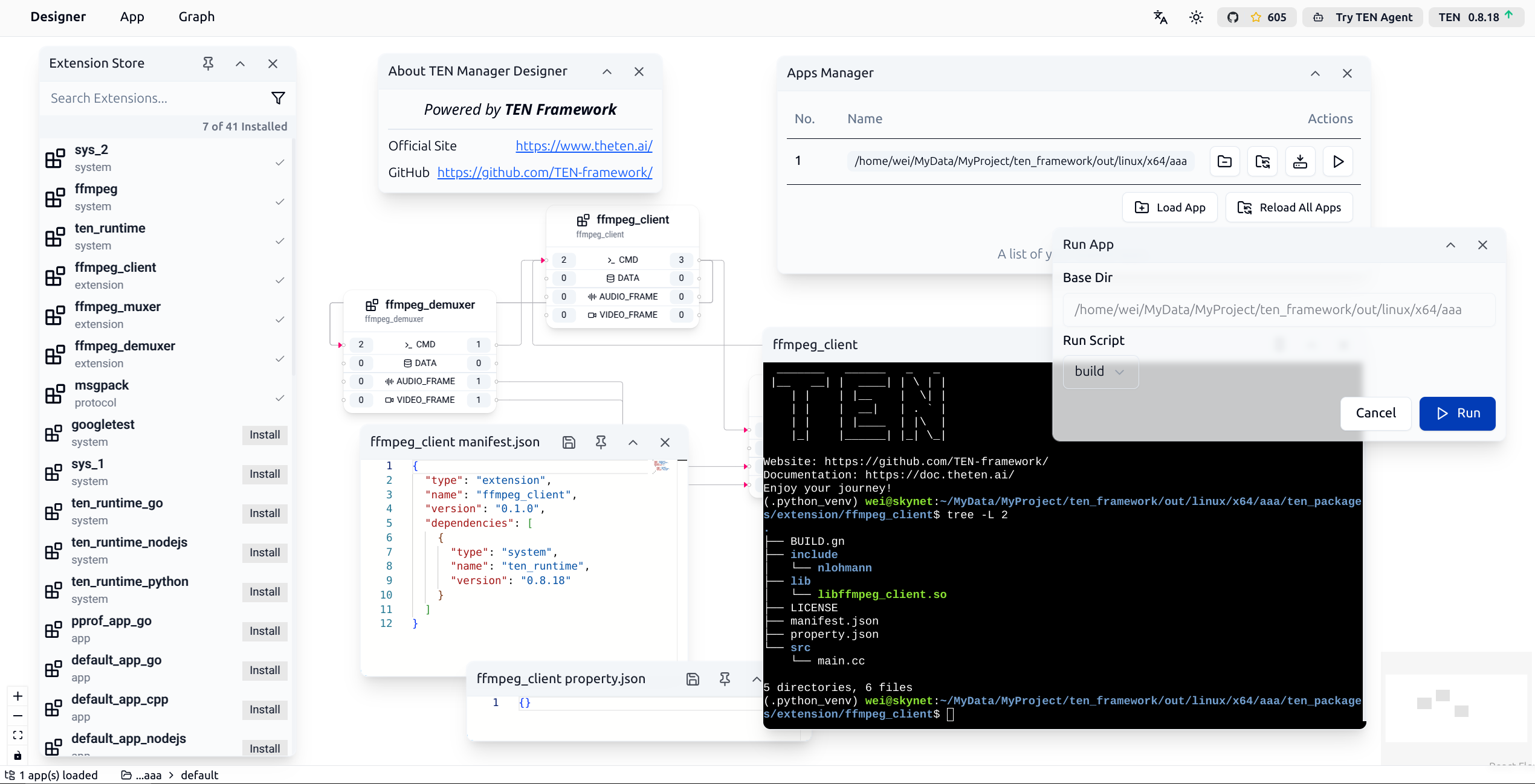
In the upper right corner of TMAN Designer, you can see several function buttons:
* The rightmost button displays the current version of TMAN Designer and automatically checks for new version releases. If an update is available, an upward arrow will be displayed. Clicking it will open the download page for the new version.
* The first button on the left is the [TEN Agent](https://agent.theten.ai/) button. Clicking it will open the TEN Agent page. TEN Agent is a complete AI Agent implementation built using TEN Framework. One of the main goals of TMAN Designer is to enable developers to easily develop, debug, and customize TEN Agent through TMAN Designer.
* The second button on the left is the [TEN Framework](https://github.com/TEN-framework/ten-framework) GitHub page. Clicking it will open the GitHub repository for TEN Framework. You can visit this page to learn more about TEN Framework, view source code, or submit issues.
* On the far left, there are two buttons for switching between light and dark modes and selecting languages.
In the upper left corner of TMAN Designer, there are several dropdown menus that developers can use to access various functions of TMAN Designer.
## Working with TEN Apps
### Loading an Existing TEN App
You can load an existing TEN App using the Load App button in the App menu. After clicking the button, you will see the following interface:
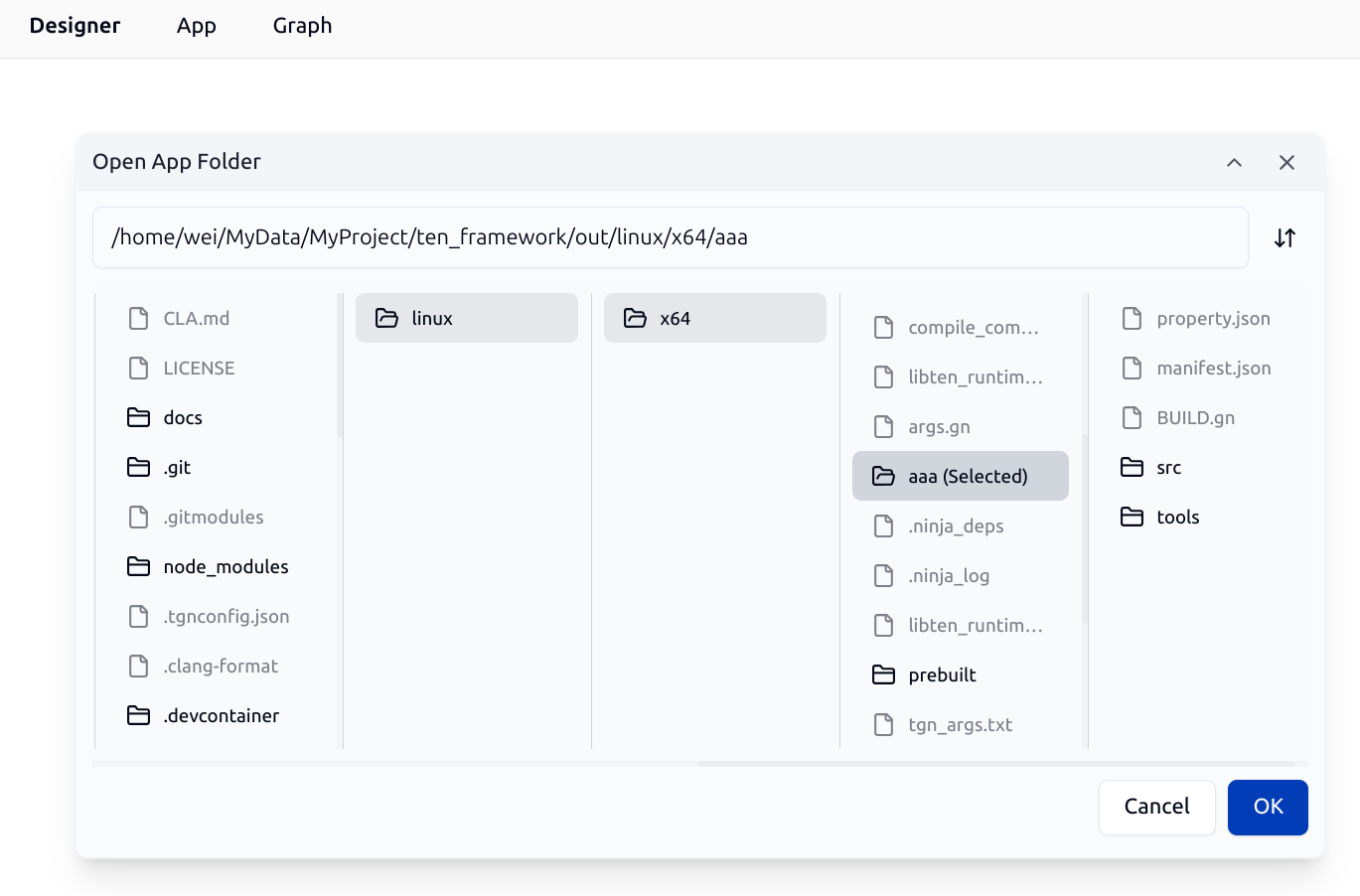
Through this file browser dialog, developers can specify the root directory of an existing TEN App to load it.
### Managing Loaded TEN Apps
You can manage loaded TEN Apps using the Manage Loaded App(s) button in the App menu. After clicking the button, you will see the following Apps Manager interface:
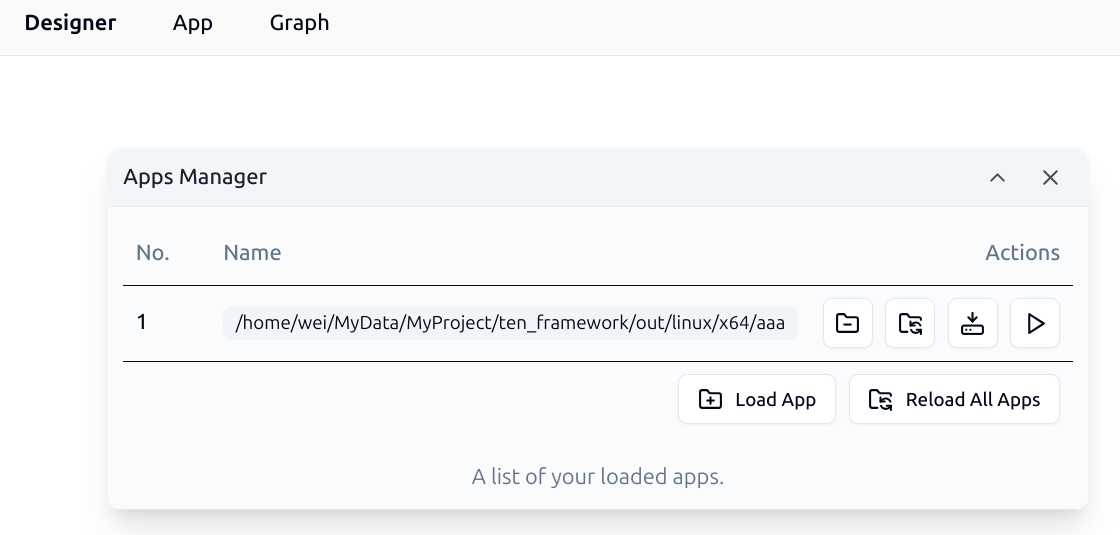
Developers can use this dialog to:
* Unload loaded TEN Apps
* Reload specified TEN Apps
* Reload all loaded TEN Apps
* Install all dependencies for specified Apps
* Run functions for specified Apps
### Installing All Dependencies for an App
Developers can install various TEN packages in a TEN App. All TEN packages that a TEN App depends on are recorded in the `manifest.json` file. Here is an example of a `manifest.json` file:
```json
{
"type": "app",
"name": "aaa",
"version": "0.8.18",
"dependencies": [
{
"type": "system",
"name": "ten_runtime",
"version": "0.8.18"
},
{
"type": "extension",
"name": "ffmpeg_muxer",
"version": "^0.1.0"
},
{
"type": "extension",
"name": "ffmpeg_demuxer",
"version": "^0.1.0"
},
{
"type": "extension",
"name": "ffmpeg_client",
"version": "^0.1.0"
},
{
"type": "protocol",
"name": "msgpack",
"version": "^0.8.18"
}
],
"scripts": {
"start": "python3 tools/run_script.py start",
"build": "python3 tools/run_script.py build"
}
}
```
From the above configuration, we can see that this TEN App depends on the following TEN packages:
* `ten_runtime`: The system package of TEN Framework
* `ffmpeg_demuxer`: A TEN Extension package for decoding audio and video
* `ffmpeg_muxer`: A TEN Extension package for encoding audio and video
* `ffmpeg_client`: A TEN Extension package for processing audio and video using the other two ffmpeg extension packages
* `msgpack`: A TEN Protocol package for message serialization and deserialization using the MessagePack protocol
After completing the installation of all dependencies for the TEN App, the TEN package file structure in the system looks like this:
```text
├── ten_packages
│ ├── extension
│ │ ├── ffmpeg_client
│ │ ├── ffmpeg_demuxer
│ │ └── ffmpeg_muxer
│ ├── protocol
│ │ └── msgpack
│ └── system
│ ├── ffmpeg
│ └── ten_runtime
```
It's worth noting that even though it's not explicitly declared in the `manifest.json`, there is an additional `ffmpeg` system package in the system. This is because `ffmpeg_demuxer` and `ffmpeg_muxer` depend on the `ffmpeg` system package, and TEN Manager automatically identifies and installs these transitive dependencies.
Through the Apps Manager interface in TMAN Designer, developers can perform the Install All operation on a specified App to easily complete the installation of all dependencies. After clicking the button, you will see the following interface showing the installation progress:
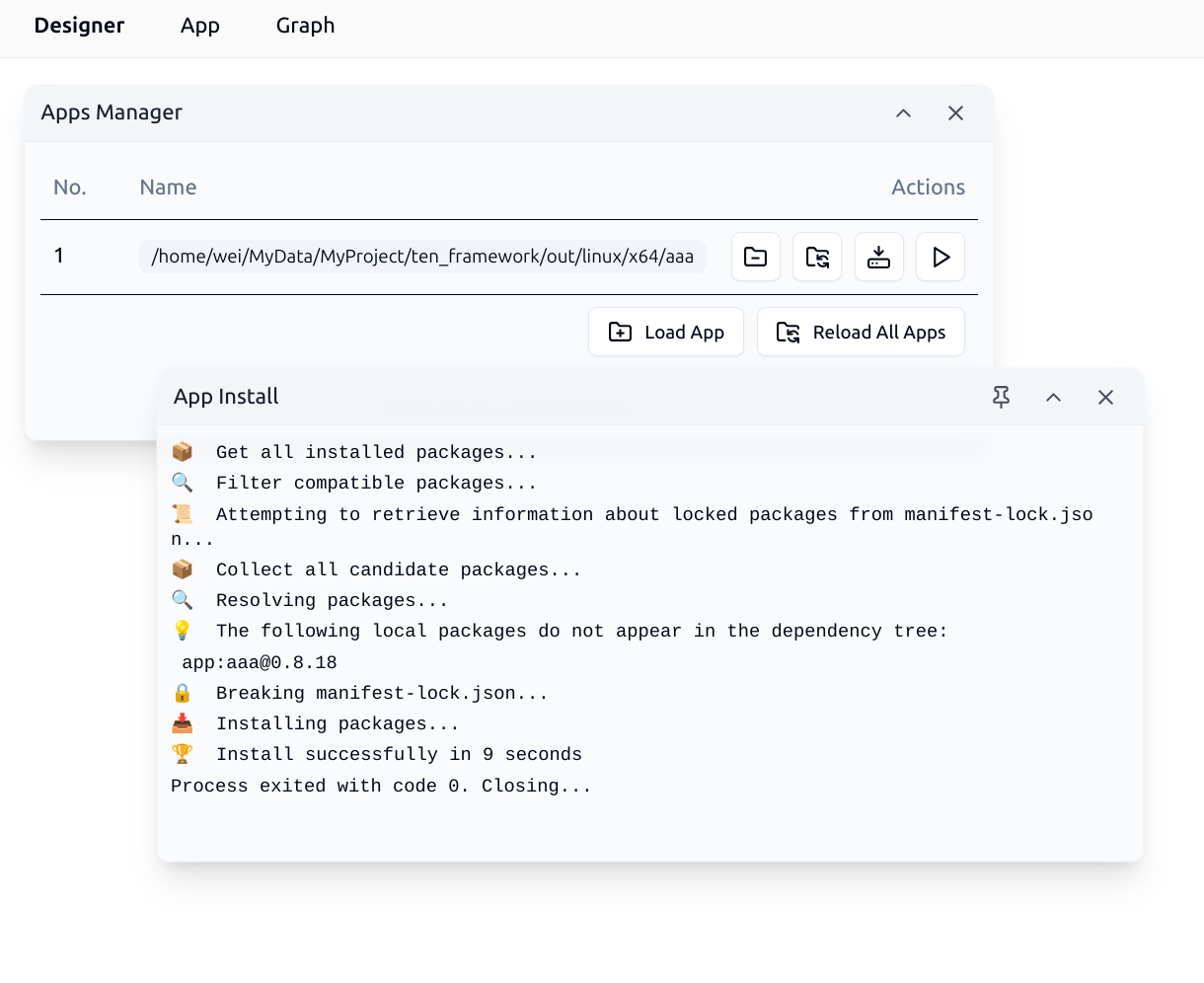
### Installing TEN Extensions from the Cloud Store
You can open the TEN Cloud Store and install TEN Extensions to the current TEN App using the Open Extension Store button in the Graph menu. After clicking the button, you will see the following interface:
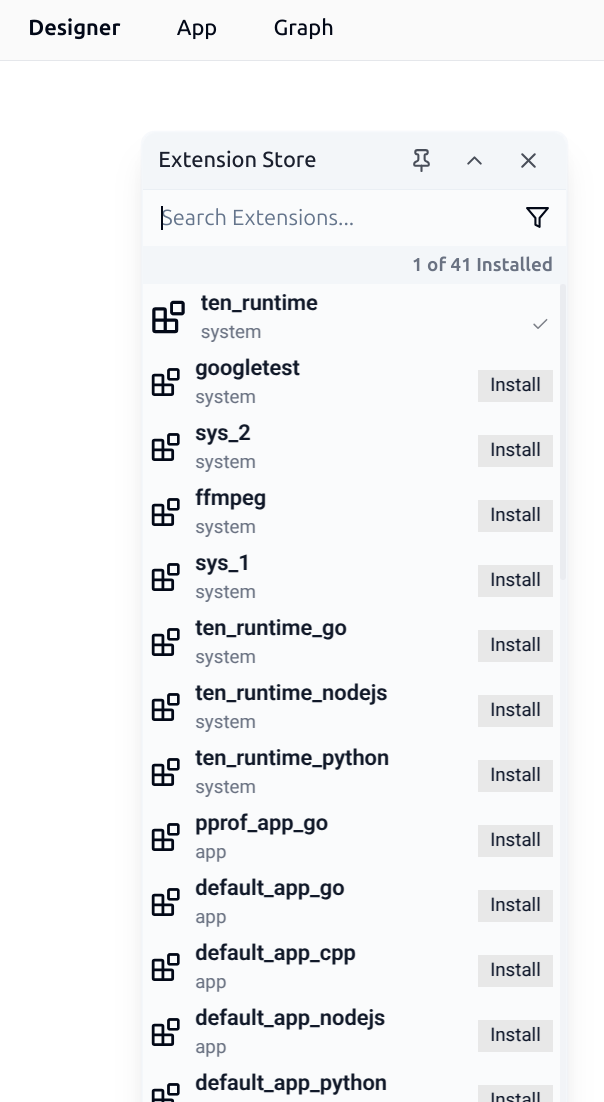
In the TEN Cloud Store, developers can search for the required TEN Extensions and click the Install button to install them to the current TEN App. After installation, you can view the installed TEN Extensions in the current TEN App.
### Running a TEN App
In the Apps Manager, you can perform preset runtime operations on the specified App. After clicking the Run button in the Apps Manager, you will see the following interface:
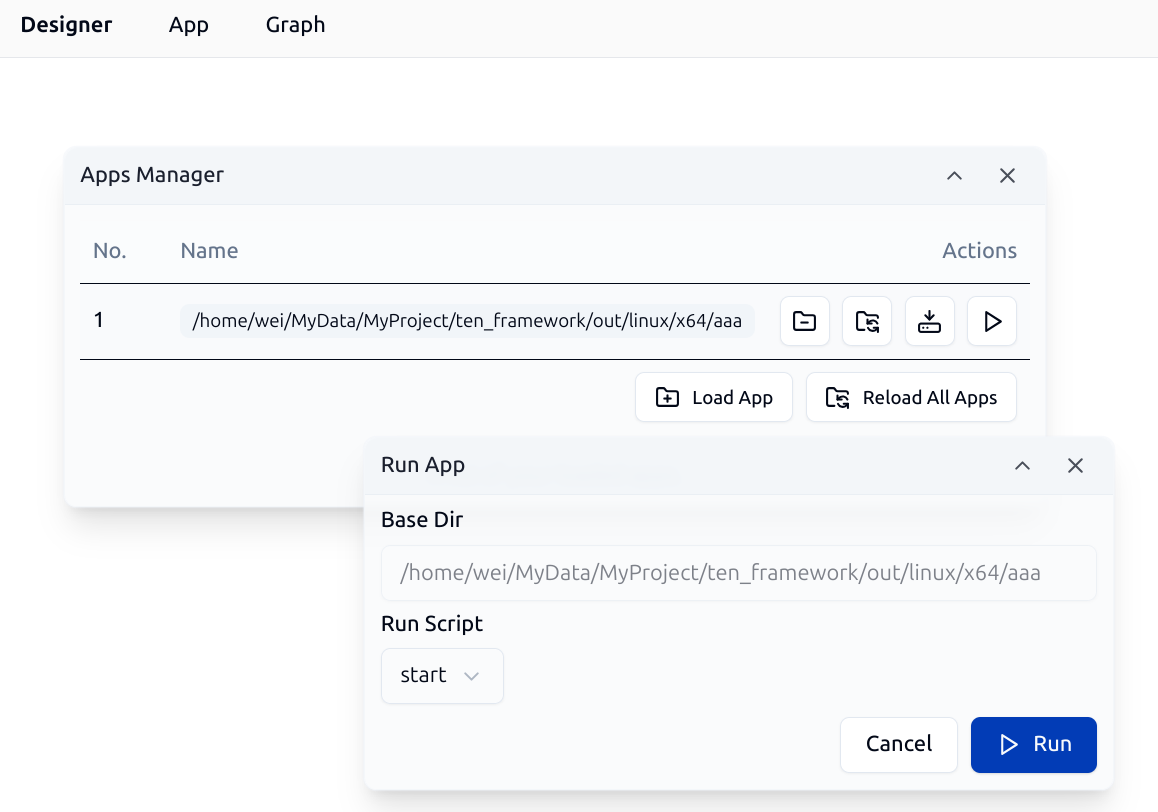
In the dialog, developers can select the preset operation to execute from the dropdown menu. These typically include the following operations:
* Run App: Start the App and display the App's output information in the TMAN Designer message window.
* Build App: Compile the App. Since TEN Framework supports multiple programming languages, some languages need to be compiled while others do not. For example, TEN Apps developed in C++ need to be compiled, while TEN Apps developed in Python do not.
Below is the build interface for a TEN App developed in C++:
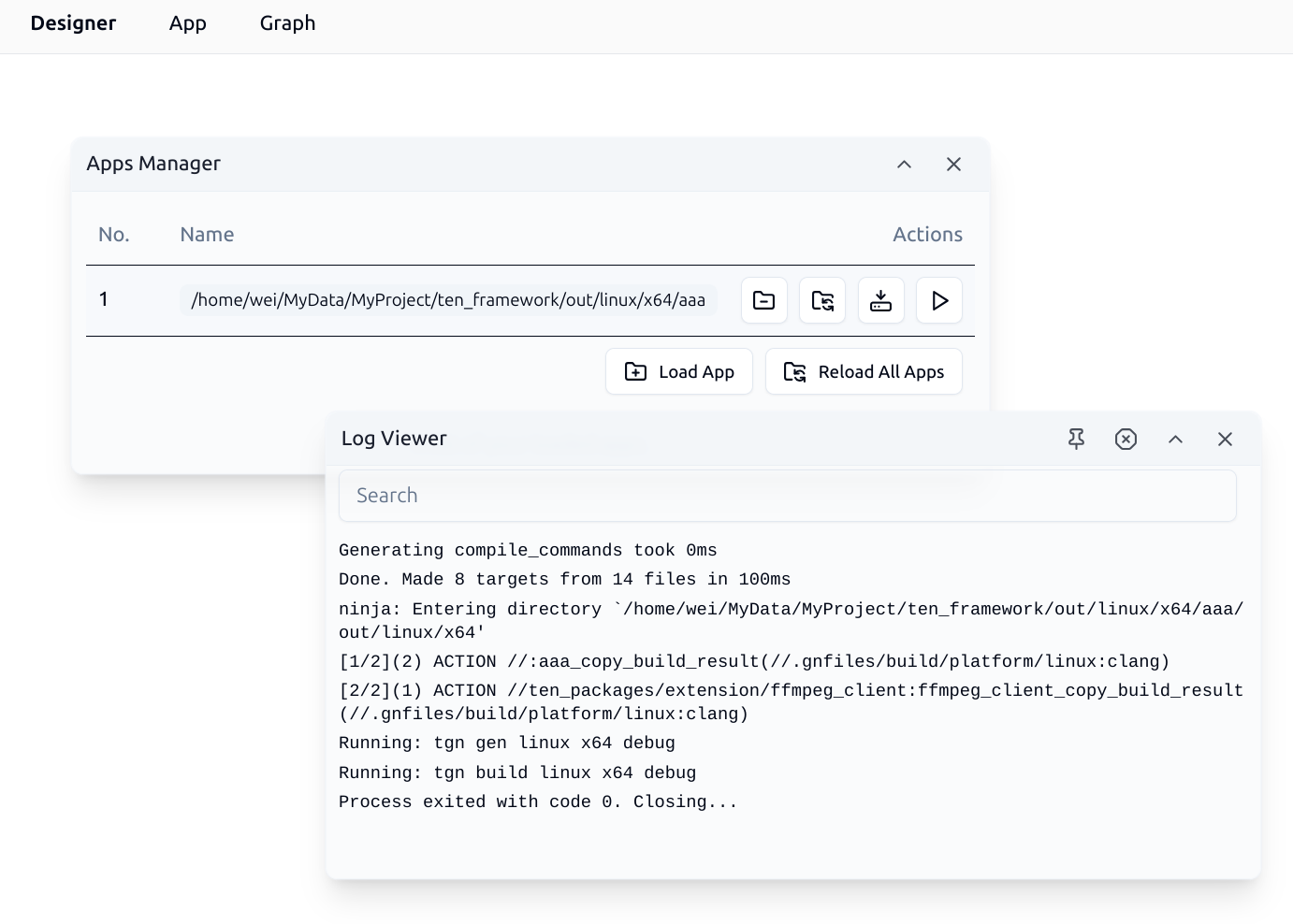
After the build is complete, you can continue with the startup operation for the TEN App. The system will display a window showing the TEN App's runtime logs in real-time:
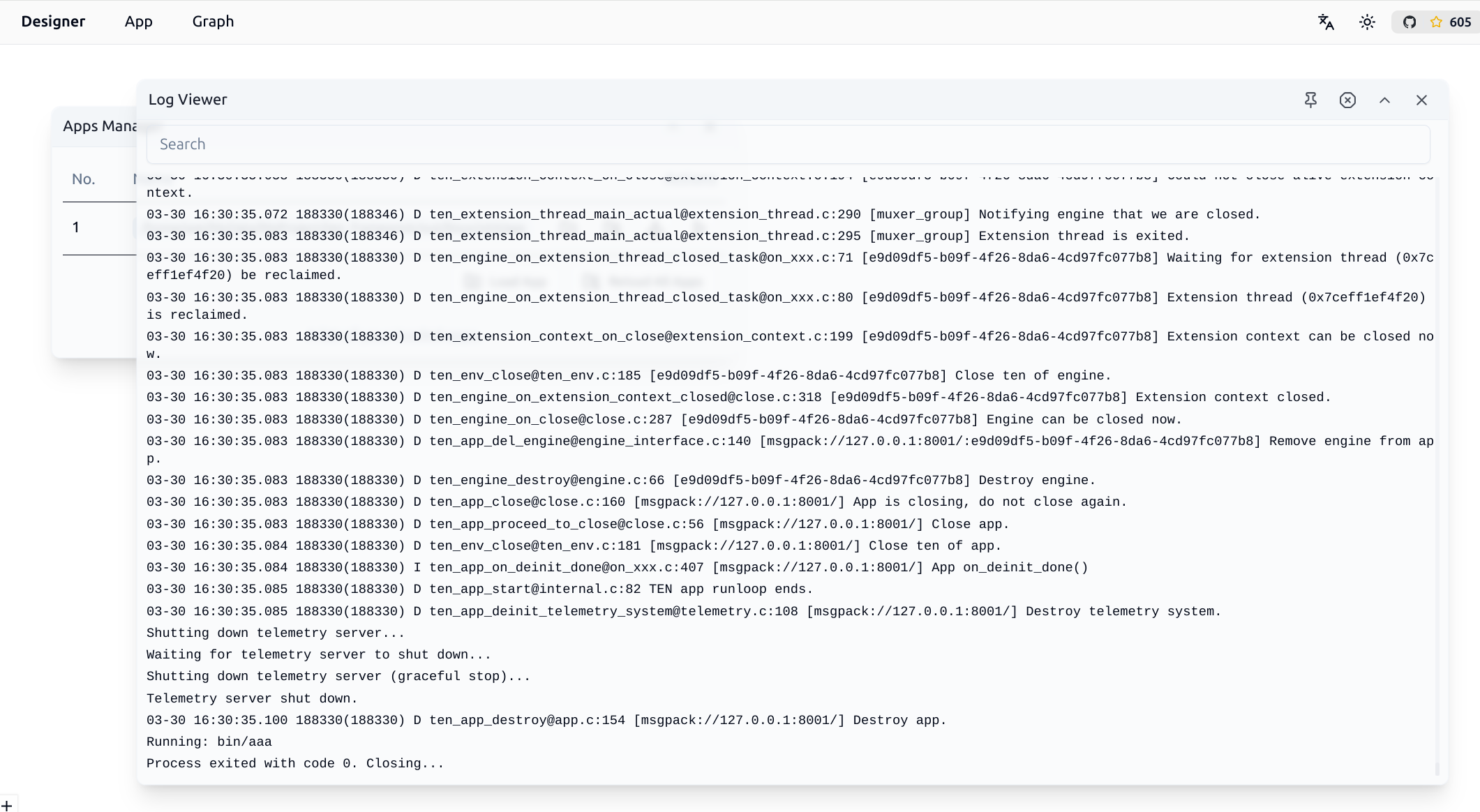
## Working with TEN Graphs
### Loading an Existing TEN Graph
You can load an existing TEN Graph using the Open Existing Graph button in the Graph menu. After successful loading, you will see an interface similar to the following:
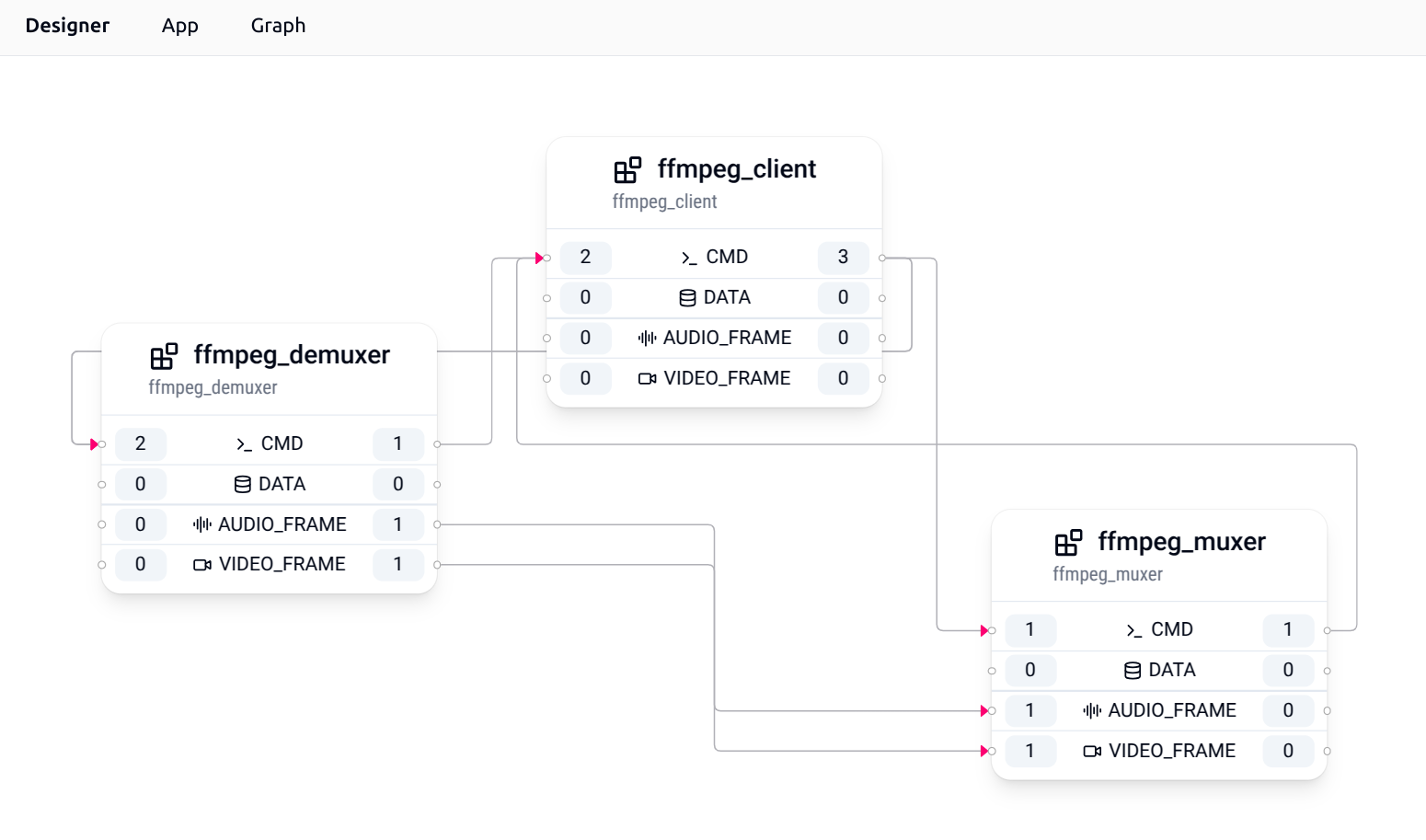
Using this Graph as an example, it contains 3 TEN Extensions, namely:
* `ffmpeg_demuxer`
* `ffmpeg_muxer`
* `ffmpeg_client`
Each TEN Extension has its corresponding inputs and outputs. For example, `ffmpeg_demuxer` has the following inputs and outputs:
* 2 cmd inputs
* 1 cmd output
* 1 audio\_frame output
* 1 video\_frame output
Clicking on the number buttons for inputs and outputs opens a dialog like the following, which is used to manage input and output connections:
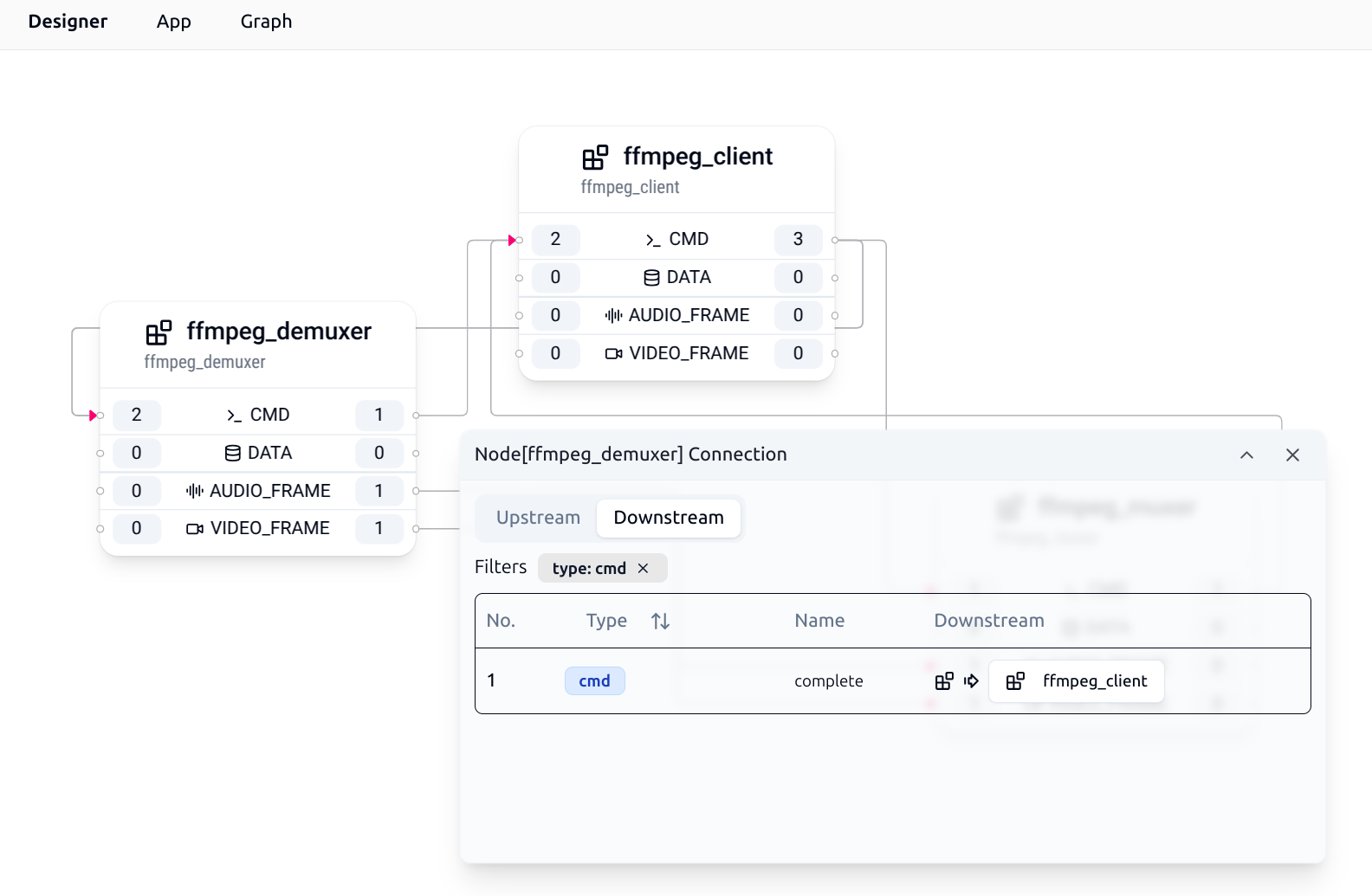
### Auto-Layout Graph
After manually adjusting the positions of TEN Extensions in the TEN Graph, developers can click the Auto Layout button in the Graph menu to automatically arrange the TEN Extensions in the TEN Graph.
### Opening the Context Menu for TEN Extensions
In the Graph, right-clicking on each TEN Extension opens the TEN Extension's context menu:
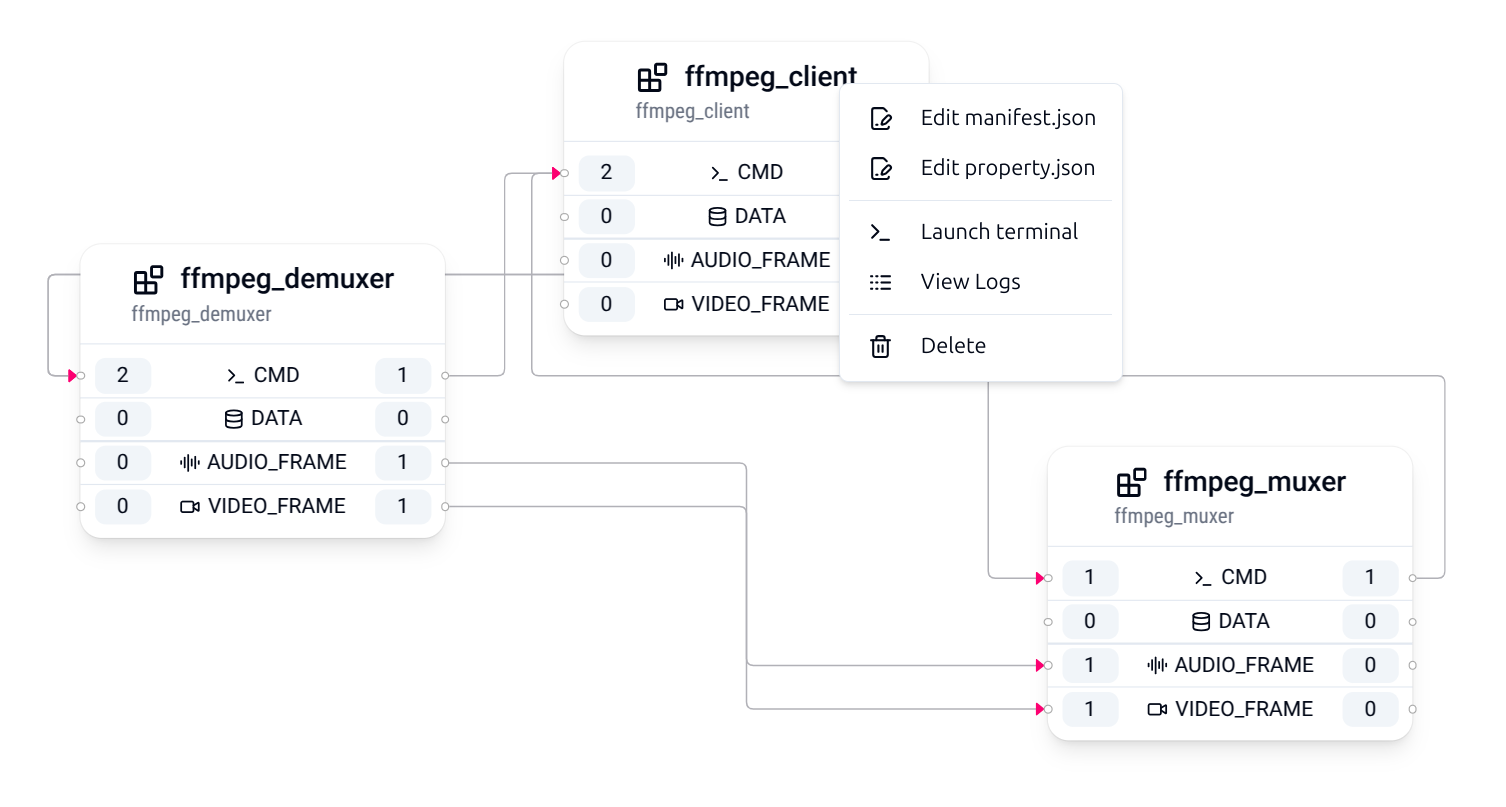
In the context menu, you can open the TEN Extension's `manifest.json` file, `property.json` file, or directly start a terminal in the root directory of the TEN Extension, making it convenient for developers to modify and customize the TEN Extension:
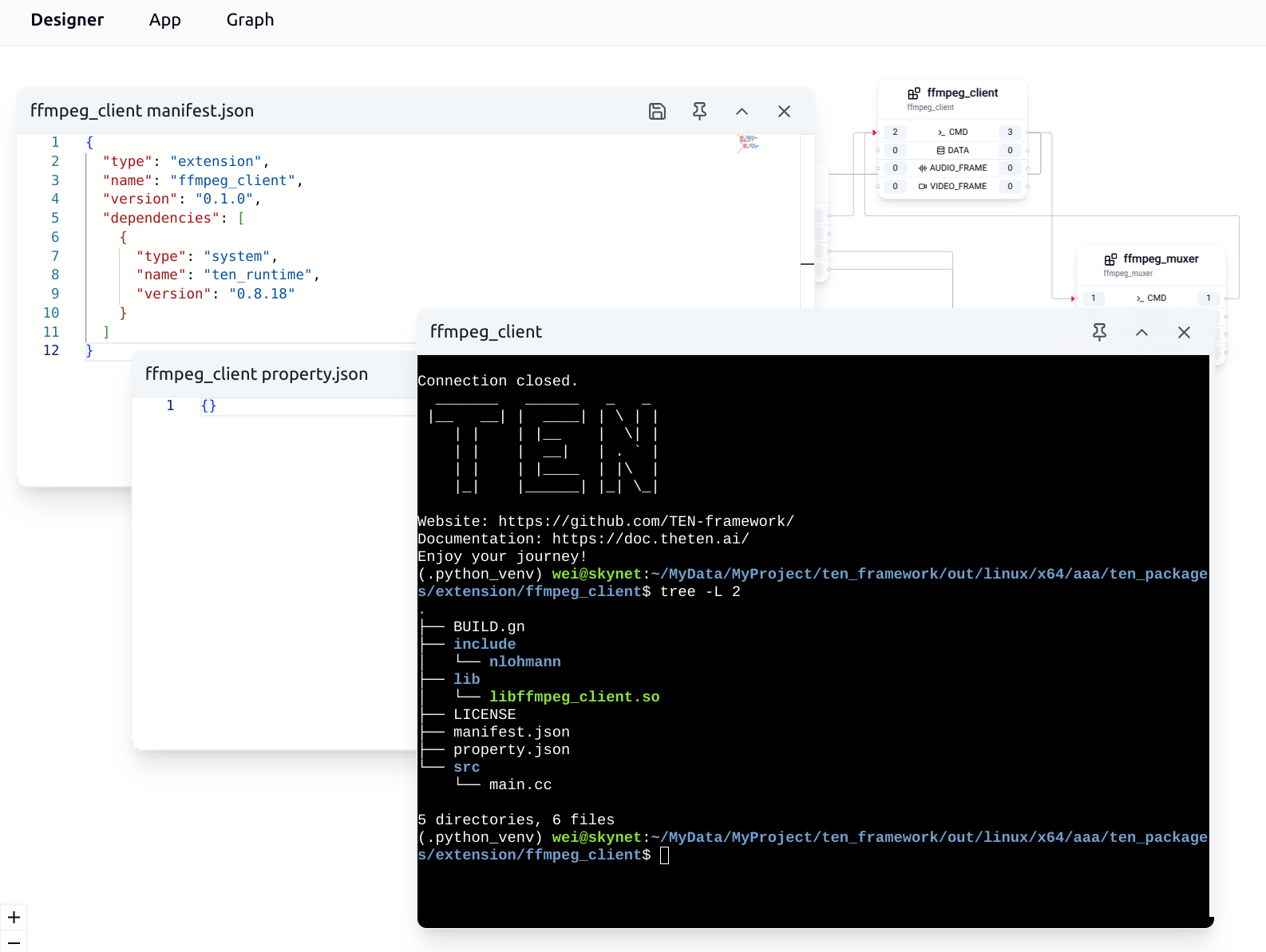
# How to run local AI model in Python extension (/docs/ten_framework/0.11.59/ai_model/how_to_run_local_model_in_python_extensions)
In the TEN framework, extensions can utilize third-party AI services or run AI models locally to improve performance and reduce costs. This tutorial explains how to run a local AI model in a Python extension and how to interact with it within the extension.
## Step 1: Check Hardware Requirements
Before running an AI model locally, ensure that your hardware meets the necessary requirements. Key components to verify include:
* **CPU/GPU**: Check if the model requires specific processing power.
* **Memory**: Ensure sufficient memory to load and run the model.
Verify that your system can support the model’s demands to ensure smooth operation.
## Step 2: Install Necessary Software and Dependencies
Once your hardware is ready, install the required software and dependencies. Follow these steps:
1. **Operating System**: Ensure compatibility with your model. Most AI frameworks support Windows, macOS, and Linux, though specific versions may be required.
2. **Python Version**: Ensure compatibility with the TEN Python runtime and the model.
3. **Required Libraries**: Install necessary libraries such as:
* TensorFlow
* PyTorch
* Numpy
* vllm
You can list the required dependencies in a `requirements.txt` file for easy installation.
4. **Download the Model**: Obtain the local version of the AI model you plan to run.
## Step 3: Implement Your Python Extension
Below is an example of how to implement a basic text generation feature using the `vllm` inference engine in a Python extension.
First, initialize the local model within the extension:
```python
from ten_runtime import (
Extension,
TenEnv,
Cmd,
CmdResult,
)
from vllm import LLM
class TextGenerationExtension(Extension):
def on_init(self, ten_env: TenEnv) -> None:
self.llm = LLM(model="")
ten_env.on_init_done()
```
Next, implement the `on_cmd` method to handle text generation based on the provided input:
```python
def on_cmd(self, ten_env: TenEnv, cmd: Cmd) -> None:
prompt = cmd.get_property_string("prompt")
outputs = self.llm.generate(prompt)
generated_text = outputs[0].outputs[0].text
cmd_result = CmdResult.create(StatusCode.OK)
cmd_result.set_property_string("result", generated_text)
ten_env.return_result(cmd_result, cmd)
```
In this code, the `on_cmd` method retrieves the `prompt`, generates text using the model, and returns the generated text as the command result.
You can adapt this approach to implement other functionalities such as image recognition or speech-to-text by processing the relevant input types.
## Step 4: Unload the Model
It’s important to unload the model during extension cleanup to free resources:
```python
import gc
import torch
class TextGenerationExtension(Extension):
...
def on_deinit(self, ten_env: TenEnv) -> None:
del self.llm
gc.collect()
torch.cuda.empty_cache()
torch.distributed.destroy_process_group()
print("Successfully deleted the LLM pipeline and freed GPU memory!")
ten_env.on_deinit_done()
```
This ensures efficient memory management, especially when working with GPU resources.
## Summary
Running a local model in a TEN Python extension is similar to native Python development. By loading and unloading the model in the appropriate extension lifecycle methods, you can easily integrate local AI models and interact with them effectively.
# API (/docs/ten_framework/0.11.59/api/api)
In the TEN Framework, the API definition of an extension is contained in the `manifest.json` file. When defining APIs, the TEN Framework does not use JSON Schema, but instead uses a JSON-like syntax to define API Schema.
## Why Not Use JSON Schema
The TEN Framework chooses not to use standard JSON Schema for the following reasons:
* **Type System Differences**: The TEN Framework's type system includes many types that JSON Schema does not have, such as `int8`, `int16`, `int32`, `int64`, `uint8`, `uint16`, `uint32`, `uint64`, `float32`, `float64`, `buf`, `ptr`, etc.
* **Reduce Redundancy**: In the TEN Framework's API definitions, many places do not need flexible settings. For example, a message's schema must be an object type and cannot be other types. Requiring developers to explicitly write `"type": "object"` would be redundant and confusing.
Based on these reasons, the TEN Framework adopts a more natural definition approach, using JSON-like syntax to define API Schema.
## Top-level API Definition
The API Schema definition is placed in the `api` field of the `manifest.json` file:
```json
{
"api": {
"property": {
"properties": {...},
"required": [...]
},
"cmd_in": [{
"name": "foo",
"property": {
"properties": {...},
"required": [...]
},
"result": {
"property": {
"properties": {...},
"required": [...]
}
}
}]
}
}
```
## API Schema Definition Patterns
### Expressing Object Type Fields
Use the `properties` field to describe the type of each property within an object type field:
```json
{
"my_object": {
"type": "object",
"properties": {
"name": {
"type": "string"
},
"age": {
"type": "int32"
}
}
}
}
```
### Expressing Required and Optional Fields
Use a `required` field at the same level as the object type field to describe required and optional fields:
```json
{
"some_concept": {
"properties": {
"foo": {},
"bar": {}
},
"required": ["foo"]
}
}
```
### Expressing Array Type Fields
Use the `items` field to describe the type of each element within an array type field:
```json
{
"my_array": {
"type": "array",
"items": {
"type": "string"
}
}
}
```
### Usage Principles for type Field
If a field can only be a specific type (constrained by the TEN Framework itself), there is no need to explicitly write the `type` field. If a field can be multiple types, then the `type` field needs to be explicitly written.
For example, if the `some_concept` field below can only be an object type, there is no need to explicitly write the `type` field. However, the `foo` field within it can be multiple types, so the `type` field needs to be explicitly written:
```json
{
"some_concept": {
"properties": {
"foo": {
"type": "string"
},
"bar": {
"type": "object",
"properties": {
"baz": {
"type": "string"
}
},
"required": ["baz"]
}
},
"required": ["foo"]
}
}
```
Use the `required` field appropriately to ensure the existence of critical data:
```json
{
"name": "critical_cmd",
"property": {
"properties": {
"essential_param": {
"type": "string"
},
"optional_param": {
"type": "int32"
}
},
"required": ["essential_param"]
}
}
```
## Expressing Enum Type Fields
Use the `enum` field to describe all possible values of an enumeration type:
```json
{
"api": {
"property": {
"properties": {
"status": {
"type": "string",
"enum": ["CREATING", "ACTIVE", "DELETING", "FAILED"]
}
}
}
}
}
```
## Extension Property Schema
Complete example of defining extension properties:
```json
{
"api": {
"property": {
"properties": {
"api_key": {
"type": "string"
},
"max_tokens": {
"type": "int64"
},
"temperature": {
"type": "float64"
},
"config": {
"type": "object",
"properties": {
"enabled": {
"type": "bool"
},
"settings": {
"type": "array",
"items": {
"type": "string"
}
}
},
"required": ["enabled"]
}
},
"required": ["api_key", "max_tokens", "temperature", "config"]
}
}
}
```
## Command-like Message Schema
Commands support input (`cmd_in`) and output (`cmd_out`):
```json
{
"api": {
"cmd_in": [
{
"name": "process_text",
"property": {
"properties": {
"text": {
"type": "string"
},
"options": {
"type": "object",
"properties": {
"language": {
"type": "string"
},
"max_length": {
"type": "int32"
}
}
}
},
"required": ["text"]
},
"result": {
"property": {
"properties": {
"processed_text": {
"type": "string"
},
"confidence": {
"type": "float32"
}
},
"required": ["processed_text"]
}
}
}
],
"cmd_out": [
{
"name": "notify_completion",
"property": {
"properties": {
"task_id": {
"type": "string"
},
"status": {
"type": "string"
}
},
"required": ["task_id", "status"]
}
}
]
}
}
```
## Data-like Message Schema
Schema definitions for data-type messages:
```json
{
"api": {
"data_in": [
{
"name": "input_data",
"property": {
"properties": {
"content": {
"type": "string"
},
"metadata": {
"type": "object",
"properties": {
"timestamp": {
"type": "int64"
}
}
}
},
"required": ["content"]
}
}
],
"data_out": [
{
"name": "output_data",
"property": {
"properties": {
"result": {
"type": "string"
}
}
}
}
],
"audio_frame_in": [
{
"name": "audio_input"
}
],
"audio_frame_out": [
{
"name": "audio_output"
}
],
"video_frame_in": [
{
"name": "video_input"
}
],
"video_frame_out": [
{
"name": "video_output"
}
]
}
}
```
## Common Errors and Solutions
### Property Names Not Following Conventions
**Error Example**: Property names containing hyphens or starting with numbers
```json
{
"api-key": { // Error: contains hyphens
"type": "string"
},
"2nd_param": { // Error: starts with a number
"type": "int32"
}
}
```
**Correct Example**:
```json
{
"api_key": {
"type": "string"
},
"second_param": {
"type": "int32"
}
}
```
## Summary
The TEN Framework's Schema system provides a powerful and structured way to define and validate data structures, ensuring consistency and type safety between components. By following design principles and best practices, developers can create robust and maintainable TEN applications and extensions.
The system supports rich type definitions, complex API descriptions, and flexible message transformation capabilities, providing a solid foundation for building large-scale real-time multimodal applications.
# Log (/docs/ten_framework/0.11.59/api/log)
The TEN framework allows extensions developed in different languages to run within the same process. This creates a need to view logs from all these extensions in a unified log with a consistent format and information, making debugging easier.
To address this, the `ten_env` provides a logging API. Within each callback of an extension, an instance of `ten_env` can be accessed. Using this instance, you can call the logging API to output logs from extensions developed in various languages to a unified log output.
## Log Levels
The TEN framework supports the following log levels in increasing order of severity:
* **DEBUG** (1): Debug information
* **INFO** (2): General information
* **WARN** (3): Warning information
* **ERROR** (4): Error information
## API Interface
### C++ Language
```cpp
#include "ten_runtime/binding/cpp/ten.h"
class Extension {
public:
void on_cmd(ten::ten_env_t& ten_env, std::unique_ptr cmd) {
// Using convenience macros
TEN_ENV_LOG_DEBUG(ten_env, "Processing command");
TEN_ENV_LOG_INFO(ten_env, "Command name: " + cmd->get_name());
TEN_ENV_LOG_WARN(ten_env, "Warning message");
TEN_ENV_LOG_ERROR(ten_env, "Error occurred");
// Direct method call with category and fields support
ten_env.log(TEN_LOG_LEVEL_INFO, __func__, __FILE__, __LINE__,
"Direct log call", nullptr, nullptr);
}
};
```
C++ provides the following convenience macros:
* `TEN_ENV_LOG_DEBUG(ten_env, msg)`
* `TEN_ENV_LOG_INFO(ten_env, msg)`
* `TEN_ENV_LOG_WARN(ten_env, msg)`
* `TEN_ENV_LOG_ERROR(ten_env, msg)`
### Python Language
```python
from ten_runtime import Extension, TenEnv
class MyExtension(Extension):
def on_cmd(self, ten_env: TenEnv, cmd):
# Using different log level methods
ten_env.log_debug("Debug information")
ten_env.log_info("General information")
ten_env.log_warn("Warning information")
ten_env.log_error("Error information")
# Supports formatted strings and additional parameters
test_value = "example"
ten_env.log_info(f"Processing command, test value: {test_value}")
# Supports category and fields parameters
ten_env.log_info("Log with category", category="my_extension")
```
Python provides the following methods:
* `log_debug(msg: str, category: str = None, fields: Value = None) -> Optional[TenError]`
* `log_info(msg: str, category: str = None, fields: Value = None) -> Optional[TenError]`
* `log_warn(msg: str, category: str = None, fields: Value = None) -> Optional[TenError]`
* `log_error(msg: str, category: str = None, fields: Value = None) -> Optional[TenError]`
### Go Language
```go
package main
import "ten_runtime/ten"
type MyExtension struct {
ten.DefaultExtension
}
func (ext *MyExtension) OnCmd(tenEnv ten.TenEnv, cmd ten.Cmd) {
// Using different log level methods
tenEnv.LogDebug("Debug information")
tenEnv.LogInfo("General information")
tenEnv.LogWarn("Warning information")
tenEnv.LogError("Error information")
// Supports formatting
cmdName := cmd.GetName()
tenEnv.LogInfo("Processing command: " + cmdName)
// Using the full Log method for additional parameters
category := "my_extension"
tenEnv.Log(ten.LogLevelInfo, "Log with category", &category, nil, nil)
}
```
Go provides the following methods:
* `LogDebug(msg string) error`
* `LogInfo(msg string) error`
* `LogWarn(msg string) error`
* `LogError(msg string) error`
* `Log(level LogLevel, msg string, category *string, fields *Value, option *TenLogOption) error`
### Node.js/TypeScript Language
```typescript
import { Extension, TenEnv, Cmd } from "ten-runtime-nodejs";
class MyExtension extends Extension {
async onCmd(tenEnv: TenEnv, cmd: Cmd): Promise {
// Using different log level methods
tenEnv.logDebug("Debug information");
tenEnv.logInfo("General information");
tenEnv.logWarn("Warning information");
tenEnv.logError("Error information");
// Supports string concatenation
const cmdName = cmd.getName();
tenEnv.logInfo("Processing command: " + cmdName);
// Supports category and fields parameters
tenEnv.logInfo("Log with category", "my_extension");
}
}
```
Node.js provides the following methods:
* `logDebug(message: string, category?: string, fields?: Value): TenError | undefined`
* `logInfo(message: string, category?: string, fields?: Value): TenError | undefined`
* `logWarn(message: string, category?: string, fields?: Value): TenError | undefined`
* `logError(message: string, category?: string, fields?: Value): TenError | undefined`
## Usage Examples
### Basic Usage
```python
# Python example
def on_start(self, ten_env: TenEnv):
ten_env.log_info("Extension starting")
ten_env.on_start_done()
def on_cmd(self, ten_env: TenEnv, cmd):
cmd_name = cmd.get_name()
ten_env.log_debug(f"Received command: {cmd_name}")
# Command processing logic
if cmd_name == "hello":
ten_env.log_info("Processing hello command", category="command_handler")
# ... processing logic
else:
ten_env.log_warn(f"Unknown command: {cmd_name}")
```
### Using in Threads
```python
import threading
import time
def log_routine(self, ten_env: TenEnv):
"""Log messages in a separate thread"""
while not self.stop_flag:
self.log_count += 1
ten_env.log_info(f"Log message {self.log_count}")
time.sleep(0.05)
def on_start(self, ten_env: TenEnv):
# Start logging thread
self.log_thread = threading.Thread(
target=self.log_routine, args=(ten_env,)
)
self.log_thread.start()
ten_env.on_start_done()
```
### Error Handling
```python
def on_cmd(self, ten_env: TenEnv, cmd):
try:
# Business logic
result = self.process_command(cmd)
ten_env.log_info("Command processed successfully")
except ValueError as e:
ten_env.log_error(f"Parameter error: {str(e)}", category="error_handling")
except Exception as e:
ten_env.log_error(f"Fatal error: {str(e)}", category="error_handling")
raise
```
## Log Format and Output
The TEN framework's logging system automatically includes the following information:
* **Timestamp**: Time when the log was recorded
* **Log Level**: DEBUG, INFO, WARN, ERROR
* **Function Name**: Name of the function that called the log (if available)
* **File Name**: Source file name where the log was called (if available)
* **Line Number**: Code line number where the log was called (if available)
* **Category**: Optional log category information
* **Message Content**: User-provided log message
The output format is similar to:
```bash
2025-01-01 12:00:00.123 [INFO] [function_name@file.py:123] [category] User log message
```
## Advanced Log Configuration
The TEN framework supports advanced logging functionality through the `property.json` file configuration. This allows you to customize the log output format, destination, and filtering rules.
### Configuration Structure
In the `property.json` file, you can define advanced log configuration in the `ten.log` section:
```json
{
"ten": {
"log": {
"handlers": [
{
"matchers": [
{
"level": "debug",
"category": "my_extension"
}
],
"formatter": {
"type": "plain",
"colored": true
},
"emitter": {
"type": "console",
"config": {
"stream": "stdout"
}
}
}
]
}
}
}
```
### Configuration Components
#### Log Handlers
Each handler contains three main components:
* **matchers**: Define which log messages will be processed by this handler
* **formatter**: Define the log output format
* **emitter**: Define the log output destination
#### Formatter
Controls the log output format:
```json
{
"type": "plain", // Format type: "plain" or "json"
"colored": true // Optional: enable colored output (only for plain format)
}
```
* **plain**: Human-readable plain text format
* **json**: JSON structured format, convenient for log analysis tools
#### Emitter
Defines the log output destination:
##### Console Output
```json
{
"type": "console",
"config": {
"stream": "stdout", // "stdout" or "stderr"
"encryption": { // Optional: encryption configuration
"enabled": true,
"algorithm": "AES-CTR",
"params": {
"key": "your-encryption-key",
"nonce": "your-nonce"
}
}
}
}
```
##### File Output
```json
{
"type": "file",
"config": {
"path": "/path/to/logfile.log", // Log file path
"encryption": { // Optional: encryption configuration
"enabled": true,
"algorithm": "AES-CTR",
"params": {
"key": "your-encryption-key",
"nonce": "your-nonce"
}
}
}
}
```
##### OTLP Output
OTLP (OpenTelemetry Protocol) output allows you to send logs to OpenTelemetry-compatible backend systems, such as Jaeger, Prometheus, Grafana, and more.
```json
{
"type": "otlp",
"config": {
"endpoint": "http://localhost:4317", // OTLP receiver endpoint URL
"protocol": "grpc", // Optional: transport protocol, "grpc" (default) or "http"
"headers": { // Optional: custom HTTP headers
"Authorization": "Bearer token",
"X-Custom-Header": "value"
},
"service_name": "my-service" // Optional: service name for identifying log source
}
}
```
Configuration parameters:
* **endpoint**: OTLP receiver endpoint URL (required)
* **protocol**: Transport protocol, supports `"grpc"` or `"http"`, defaults to `"grpc"`
* **headers**: Custom HTTP request headers for authentication or metadata (optional)
* **service\_name**: Service name for identifying different services in log aggregation systems (optional)
### Configuration Examples
#### Example 1: Multi-level Log Separation
```json
{
"ten": {
"log": {
"handlers": [
{
"matchers": [
{
"level": "error"
}
],
"formatter": {
"type": "json"
},
"emitter": {
"type": "file",
"config": {
"path": "/var/log/app/errors.log"
}
}
},
{
"matchers": [
{
"level": "info"
}
],
"formatter": {
"type": "plain",
"colored": true
},
"emitter": {
"type": "console",
"config": {
"stream": "stdout"
}
}
}
]
}
}
}
```
#### Example 2: Category-based Log Separation
```json
{
"ten": {
"log": {
"handlers": [
{
"matchers": [
{
"level": "debug",
"category": "database"
}
],
"formatter": {
"type": "json"
},
"emitter": {
"type": "file",
"config": {
"path": "/var/log/app/database.log"
}
}
},
{
"matchers": [
{
"level": "info",
"category": "api"
}
],
"formatter": {
"type": "plain"
},
"emitter": {
"type": "console",
"config": {
"stream": "stdout"
}
}
}
]
}
}
}
```
#### Example 3: Encrypted Log Output
```json
{
"ten": {
"log": {
"handlers": [
{
"matchers": [
{
"level": "info"
}
],
"formatter": {
"type": "json"
},
"emitter": {
"type": "file",
"config": {
"path": "/secure/logs/app.log",
"encryption": {
"enabled": true,
"algorithm": "AES-CTR",
"params": {
"key": "your-32-character-encryption-key",
"nonce": "your-16-character-nonce"
}
}
}
}
}
]
}
}
}
```
#### Example 4: OTLP Log Output to OpenTelemetry Collector
```json
{
"ten": {
"log": {
"handlers": [
{
"matchers": [
{
"level": "info"
}
],
"formatter": {
"type": "json"
},
"emitter": {
"type": "otlp",
"config": {
"endpoint": "http://localhost:4317",
"protocol": "grpc",
"service_name": "ten-framework-app"
}
}
},
{
"matchers": [
{
"level": "error"
}
],
"formatter": {
"type": "json"
},
"emitter": {
"type": "otlp",
"config": {
"endpoint": "https://api.monitoring.example.com/v1/logs",
"protocol": "http",
"headers": {
"Authorization": "Bearer your-api-token",
"X-Environment": "production"
},
"service_name": "ten-framework-app"
}
}
}
]
}
}
}
```
### Configuration Notes
1. **Multiple Handlers**: You can define multiple handlers to implement complex log routing strategies
2. **Matching Priority**: Handlers are matched in the order they appear in the configuration file
3. **Encryption Security**: Encryption keys and nonces should be stored securely, not hardcoded in configuration files
4. **File Permissions**: Ensure log file paths have appropriate write permissions
5. **Performance Considerations**: JSON format may produce larger log files than plain format
6. **OTLP Endpoints**:
* When using gRPC protocol, the default port is typically 4317
* When using HTTP protocol, the default port is typically 4318
* Ensure the OTLP collector endpoint is accessible and properly configured
7. **Authentication**: When using OTLP, if the backend requires authentication, add appropriate credentials in the headers
## Best Practices
1. **Choose appropriate log levels**:
* Use `DEBUG` for detailed debugging information
* Use `INFO` for normal business processes
* Use `WARN` for potential issues
* Use `ERROR` for error information
2. **Provide meaningful log messages**:
* Include contextual information (such as command names, parameter values, etc.)
* Use descriptive messages rather than simple identifiers
* Use the category parameter appropriately to classify logs
3. **Avoid excessive logging**:
* Don't use too many logs in high-frequency loops
* Appropriately adjust log levels in production environments
* Use advanced log configuration matchers to filter unnecessary logs
4. **Thread safety**:
* The TEN framework's logging API is thread-safe
* Log methods can be safely called from any thread
5. **Advanced configuration recommendations**:
* Use different categories for different modules to facilitate log analysis
* Consider using file output in production environments for log persistence
* Use encryption functionality for sensitive logs
* Regularly rotate log files to control disk usage
* Use JSON format for easier integration with log analysis tools
* Consider using OTLP output to integrate logs into modern observability platforms (e.g., Grafana, Jaeger, Datadog)
* OTLP output seamlessly integrates with the OpenTelemetry ecosystem, enabling distributed tracing and log correlation
The overall effect is shown in the image below:

# required (/docs/ten_framework/0.11.59/api/required)
## Principles of the `required` Field
1. **In a communication link, the source's `required` field must be a superset of the target's `required` field**
This means that if a target extension requires a field to be mandatory, then the source extension must also mark that field as required. This ensures that messages will not lack necessary fields during transmission.
2. **Fields with the same name in both source and target `required` fields must have compatible types**
The framework validates field type compatibility to ensure data can be correctly transmitted and parsed. Type compatibility checks include basic type matching, array item type matching, and object property type matching.
3. **Graph Check validates the integrity of the entire message transmission path**
* Checks whether the output message schema of the source extension is compatible with the input message schema of the target extension
* Verifies the consistency of `required` fields throughout the transmission path
* Ensures that message transformation rules (if any) correctly handle all required fields
Graph Check is performed before deployment, helping developers identify potential message transmission issues early and avoid runtime errors.
## Usage of the `required` Field
### When Extensions Send Messages
When an extension calls `send_(msg_X)` or `return_result(result_Y)`, the framework checks `msg_X` or `result_Y` against the corresponding schema in the extension. If `msg_X` or `result_Y` lacks any field marked as `required` in the schema, the schema check will fail.
The following three scenarios are handled in the same way:
1. **When sending a command and schema check fails**
`send_` will immediately return `false`, and the error message will contain the schema check failure details.
2. **When `return_result` fails schema check**
`return_result` will return `false`, and the error message will contain the schema check failure details, typically showing the missing required fields, such as: "the required properties are absent: 'foo'".
3. **When sending data-like messages (such as data, audio frames, or video frames)**
`send_` will return `false`, and the error message will contain the schema check failure details.
**Note:** The framework's schema system only takes effect when fields are present. If a field is defined in the schema but does not exist in the message, and that field is not listed in `required`, no type checking will be performed. Type validation only occurs when fields exist both in the message and in the schema definition.
### When Extensions Receive Messages
Before the TEN runtime passes `msg_X` or `result_Y` to the extension's `on_()` or result handler, it checks whether all `required` fields defined in the schema of `msg_X` or `result_Y` are present. If any `required` fields are missing, the schema check will fail.
1. **When the incoming message is a command**
The TEN runtime will return an error to the previous extension, with an error message indicating the missing required fields.
2. **When the incoming message is a TEN command result**
The TEN runtime will change the result's `status_code` to error, add the missing `required` fields, and set the values of these fields to default values based on their types.
3. **When the incoming message is a data-type TEN message**
The TEN runtime will directly discard the data-type message.
### Error Message Format
When `required` field validation fails, the framework provides detailed error information:
* Single missing field: `"the required properties are absent: 'field_name'"`
* Multiple missing fields: `"the required properties are absent: 'field1', 'field2'"`
* Missing fields in nested objects: `".nested_object: the required properties are absent: 'field_name'"`
# Type System (/docs/ten_framework/0.11.59/api/type_system)
## Types
The TEN framework type system is the system used within the TEN framework to define the data types of values. Developers can declare the types of messages or extension properties through TEN schema.
The TEN framework type system includes basic types and composite types. The basic types include the following:
| Type | Description |
| ------- | --------------------------------------------------------- |
| null | Null value type. |
| bool | Boolean value, true or false. |
| int8 | 8-bit signed integer. |
| int16 | 16-bit signed integer. |
| int32 | 32-bit signed integer. |
| int64 | 64-bit signed integer. |
| uint8 | 8-bit unsigned integer. |
| uint16 | 16-bit unsigned integer. |
| uint32 | 32-bit unsigned integer. |
| uint64 | 64-bit unsigned integer. |
| float32 | Single precision (32-bit) IEEE 754 floating-point number. |
| float64 | Double precision (64-bit) IEEE 754 floating-point number. |
| string | Unicode (UTF-8) character sequence. |
| buf | Sequence of 8-bit unsigned bytes. |
| ptr | Pointer to a memory address. |
Composite types include the following:
| Type | Description |
| ------ | -------------------------------------------------------------- |
| array | Collection of elements of the same type. |
| object | Represents complex key/value pairs. Key type is always string. |
For basic types, properties can be accessed or set using methods such as `get_property()` / `set_property()`. For example:
```cpp
// Get property value
int32_t value = cmd.get_property_int32("property_name");
// Set property value
cmd.set_property("property_name", 100);
```
For composite types, it is typically necessary to use related serialization methods. For example:
```go
type MyProp struct {
Name string `json:"name"`
}
var prop MyProp
bytes, _ := json.Marshal(&prop)
cmd.SetPropertyFromJSONBytes("property_name", bytes)
```
## JSON Type Mapping
When creating TEN values from JSON, the TEN framework uses the following mapping rules:
| JSON Type | TEN Type Mapping Rules |
| --------- | ------------------------------------------------------------------------------- |
| Integer | Maps to int32 if the value is within int32 range; otherwise maps to int64 |
| Float | Maps to float32 if the value is within float32 range; otherwise maps to float64 |
| String | Maps to string |
| Boolean | Maps to bool |
| null | Maps to null |
| Array | Maps to array |
| Object | Maps to object |
It's important to note that JSON numeric types, when no explicit schema is defined, will automatically select the appropriate TEN type based on the numeric value size. This ensures data precision and efficiency.
## Types and Schema
If a TEN schema is specified, the property type will be determined according to the corresponding TEN schema. If no TEN schema is specified, the property type will be determined based on the type of the initial value assignment. For example, if the initial assignment is C++'s `int32_t`, the property type will be `int32`; if the initial assignment is done using JSON, the type will be determined according to JSON processing rules.
When a TEN schema is defined, JSON data will be forcibly converted to the type specified by the schema. If the conversion fails, an error will be reported.
## Conversion Rules
The TEN framework supports flexible automatic conversion between different types of values. Conversions are divided into two types: safe conversions and unsafe conversions.
### Type Compatibility
The TEN framework uses type compatibility rules to determine whether conversion between two types is possible:
* **Integer type compatibility**: All integer types (int8, int16, int32, int64, uint8, uint16, uint32, uint64) are mutually compatible
* **Float compatible with integer**: Floating-point types can accept values of integer types (when the integer value is within the floating-point representation range)
* **Other types**: bool, ptr, string, array, object, buf, null types are only compatible with themselves
### Safe Conversion (Must Succeed)
Converting a lower precision type to a higher precision type is always safe and guaranteed to succeed, as the higher precision type can fully accommodate the value of the lower precision type without data loss.
In the TEN type system, safe conversion rules are as follows:
1. Within signed integer types, from lower to higher precision
2. Within unsigned integer types, from lower to higher precision
3. From smaller range unsigned integers to larger range signed integers (when the value is within the target type range)
4. Within floating-point types, from float32 to float64
| From | To (Allowed Safe Conversions) |
| ------- | ------------------------------------------------ |
| int8 | int16 / int32 / int64 |
| int16 | int32 / int64 |
| int32 | int64 |
| uint8 | uint16 / uint32 / uint64 / int16 / int32 / int64 |
| uint16 | uint32 / uint64 / int32 / int64 |
| uint32 | uint64 / int64 |
| float32 | float64 |
For example:
```cpp
// Set property value. The type of `property_name` in TEN runtime is `int32`.
cmd.set_property("property_name", 100);
// Get property value. Correct.
int32_t value = cmd.get_property_int32("property_name");
// Get property value. Correct. TEN type system will automatically convert the type to `int64`.
int64_t value2 = cmd.get_property_int64("property_name");
// Get property value. Incorrect, an error will be thrown because this is an unsafe conversion.
int16_t error_type = cmd.get_property_int16("property_name");
```
### Unsafe Conversion (May Fail)
Converting a higher precision type to a lower precision type is unsafe because the value of the higher precision type may exceed the range of the lower precision type, leading to data loss. This conversion is called unsafe conversion. When performing unsafe conversion, the TEN runtime performs strict range checking. If an overflow or precision loss occurs, the TEN type system will throw an error.
In the TEN framework type system, unsafe conversions include:
1. Converting higher precision integers to lower precision integers
2. Converting signed integers to unsigned integers (when the value is negative)
3. Converting unsigned integers to signed integers (when the value exceeds the signed integer range)
4. Converting `float64` to `float32`
5. Converting floating-point numbers to integers (when there are decimal parts or the value exceeds integer range)
6. Converting integers to floating-point numbers (when precision loss may occur)
| Conversion Type | Success Condition |
| ------------------------------ | ------------------------------------------------------------------------------------ |
| High precision → Low precision | Value must be within target type range |
| Signed → Unsigned | Value must be non-negative and within target type range |
| Unsigned → Signed | Value must be within target type range |
| float64 → float32 | Value must be within float32 range without precision loss |
| Floating-point → Integer | Value must be within target integer type range and have no decimal part |
| Integer → Floating-point | Integer value must be exactly representable in floating-point without precision loss |
#### Range Check Details
TEN framework implements precise range checking algorithms:
* **Integer range checking**: Uses standard MIN/MAX constants for comparison
* **Floating-point range checking**: Uses `ldexp` function to calculate precise boundary values
* **Precision checking**: For integer to floating-point conversion, performs round-trip conversion verification to ensure no precision loss
### When Conversion Is Triggered
The TEN runtime performs type conversion in the following situations:
1. **When loading `property.json`**
* JSON integers are parsed to appropriate integer types based on numeric value size
* JSON floating-point numbers are parsed to appropriate floating-point types based on numeric value size
* If the property has a defined TEN schema, forced type conversion will be performed according to the schema (may be unsafe conversion)
2. **When calling methods like `set_property_from_json()`**
* When passing serialized JSON strings, type conversion will be performed according to the schema
3. **During property access**
* When using `get_property_xxx()` methods to get properties, the system will attempt to convert the stored type to the requested type
* This may trigger safe or unsafe conversions
4. **During message passing**
* When message properties need to be converted between different types
### Error Handling
When type conversion fails, the TEN framework will:
* Return error status codes and detailed error information
* Provide source type, target type, and failure reason in the error object
* For out-of-range conversions, the error message format is: "out of range of \[target\_type]"
* For incompatible type conversions, the error message format is: "unsupported conversion from `[source_type]` to `[target_type]`"
#### Common Error Examples
```cpp
// Range overflow error
int8_t small_value = cmd.get_property_int8("large_number"); // If large_number = 200
// Error: out of range of int8
// Type incompatibility error
std::string str_value = cmd.get_property_string("integer_prop");
// Error: unsupported conversion from `int32` to `string`
// Precision loss error
float float_value = cmd.get_property_float32("precise_double"); // If precise_double exceeds float32 precision
// Error: out of range of float32
```
## Best Practices
1. **Use appropriate types**: Choose suitable integer and floating-point types based on the actual data range
2. **Explicitly define schema**: Clearly define property types in manifest.json to avoid type conversion ambiguity
3. **Handle conversion errors**: Properly handle potential errors from type conversions in your code
4. **Understand JSON mapping**: Be aware of JSON data to TEN type mapping rules to avoid unexpected type conversions
# Development Process (/docs/ten_framework/0.11.59/development/development_process)
Basically, by using the TEN framework to complete the desired scenarios, there are two development approaches or perspectives:
1. From small extensions to large scenarios
2. From large scenarios to small extensions
**Note:** Regardless of which of these two development approaches you take, you can either write your own extensions from scratch or download pre-built extensions from the TEN cloud store.
In the first approach, **from small extensions to large scenarios**, the development process typically follows these steps:
1. Develop extensions.
2. Assemble the extensions into a graph, and further create an agent, for example, [TEN-Agent](https://github.com/TEN-framework/TEN-Agent).
In the second approach, **from large scenarios to small extensions**, the development process typically follows these steps:
1. Select the desired agent template, for example, [TEN-Agent](https://github.com/TEN-framework/TEN-Agent).
2. Replace some of the extensions within the chosen agent template with your own.
In this second development approach, you can ensure that the behavior of the replaced extension matches the original one by using the framework for **standalone testing** of extensions. In this process, the developer only needs to understand concepts related to TEN extensions, including how to independently develop and test a TEN extension. All other TEN-related concepts outside of extension development and testing do not need to be understood, as these concepts are encapsulated within the selected TEN agent.
# Complete Guide to TEN Extension Development (/docs/ten_framework/0.11.59/development/how_to_develop_with_ext)
TEN Framework provides rich extension templates to help developers quickly create extensions and complete the entire process from development to testing. This guide will demonstrate in detail how to use C++, Go, Python, and Node.js for the complete extension development workflow through practical operations.
## Pre-development Preparation
### Environment Requirements
Before starting extension development, please ensure your development environment is properly configured. Verify the installation with the following command:
```bash
tman --version
```
Under normal circumstances, you should see version information output similar to the following:
```bash
TEN Framework version:
```
> **Important Note**: Please ensure you are using `tman` version >= 0.10.12. If your version is too low, please refer to the [Quick Start Guide](https://theten.ai/docs/ten_framework/getting-started/quick-start) to install the latest version.
### Development Workflow Overview
Regardless of which programming language you use, TEN extension development follows the following standardized workflow:
1. **Project Creation** - Generate extension project skeleton using official templates
2. **Dependency Installation** - Configure runtime environment and install necessary dependency packages
3. **Core Development** - Implement extension business logic and functional code
4. **Build and Test** - Compile project (if needed) and execute unit tests
5. **Debug and Optimize** - Use professional debugging tools to locate and solve problems
***
## C++ Extension Development
C++ extensions are suitable for application scenarios with extremely high performance requirements, such as real-time audio and video processing, high-frequency data computation, low-level system operations, etc.
### Create Project
Use the official C++ extension template provided by TEN to quickly create a new project:
```bash
tman create extension my_example_ext_cpp --template default_extension_cpp
```
After successful project creation, you will get the following complete project structure:
```bash
my_example_ext_cpp/
├── BUILD.gn # GN build system configuration file
├── manifest.json # Extension metadata and configuration information
├── property.json # Extension properties and parameter configuration
├── src/
│ └── main.cc # Extension core implementation code
├── tests/
│ ├── basic.cc # Basic functionality test cases
│ └── gtest_main.cc # Test framework program entry
├── include/ # Header file storage directory
├── tools/ # Auxiliary tools and scripts
└── .vscode/
└── launch.json # VSCode debugging configuration file
```
### Environment Configuration Verification
Enter the project directory and verify that the build tools are working properly:
```bash
cd my_example_ext_cpp
tgn --version
```
> **Expected Output**:
```bash
0.1.0
```
If the command cannot be executed, please refer to the [Quick Start Guide](https://theten.ai/docs/ten_framework/getting-started/quick-start) to check whether the TEN Framework development environment is correctly installed.
### Dependency Package Installation
Install all dependency packages required for extension runtime:
```bash
tman install --standalone
```
After successful installation, you will see detailed installation logs similar to the following:
```bash
📦 Get all installed packages...
🔍 Filter compatible packages...
🔒 Creating manifest-lock.json...
📥 Installing packages...
[00:00:00] [########################################] 3/3 Done
🏆 Install successfully in 1 second
```
### Project Build
TEN framework provides two convenient build methods for you to choose from:
#### Method 1: Manual Step-by-step Build
```bash
# Step 1: Generate build configuration files (enable standalone test mode)
tgn gen linux x64 debug -- ten_enable_standalone_test=true
# Step 2: Execute project build
tgn build linux x64 debug
```
#### Method 2: Use tman Shortcut Command
```bash
tman run build
```
After the build is complete, check the generated executable test file:
```bash
ls -la bin/
# You should see: my_example_ext_cpp_test
```
### Run Tests
Verify that the extension functionality is working properly:
#### Method 1: Execute Test File Directly
```bash
./bin/my_example_ext_cpp_test
```
#### Method 2: Use tman Unified Command
```bash
tman run test
```
Example output when tests execute successfully:
```bash
Running main() from ../../../tests/gtest_main.cc
[==========] Running 1 test from 1 test case.
[----------] 1 test from Test
[ RUN ] Test.Basic
[ OK ] Test.Basic (20 ms)
[==========] 1 test from 1 test case ran. (79 ms total)
[ PASSED ] 1 test.
```
> **Success Indicator**: When you see `[ PASSED ] 1 test.` it means all tests have passed.
### Core Code Structure Explanation
#### Extension Main Implementation (src/main.cc)
The core class of C++ extensions needs to inherit from the `ten::extension_t` base class and implement complete lifecycle management methods:
```cpp
class my_example_ext_cpp_t : public ten::extension_t {
public:
// Extension initialization phase - basic configuration and resource pre-allocation
void on_init(ten::ten_env_t &ten_env) override;
// Extension startup phase - officially start processing business logic
void on_start(ten::ten_env_t &ten_env) override;
// Command handler - handle command requests from other extensions or applications
void on_cmd(ten::ten_env_t &ten_env, std::unique_ptr cmd) override;
// Data handler - handle general data flow
void on_data(ten::ten_env_t &ten_env, std::unique_ptr data) override;
// Audio frame handler - handle real-time audio stream data
void on_audio_frame(ten::ten_env_t &ten_env, std::unique_ptr frame) override;
// Video frame handler - handle real-time video stream data
void on_video_frame(ten::ten_env_t &ten_env, std::unique_ptr frame) override;
// Extension stop phase - clean up resources and graceful shutdown
void on_stop(ten::ten_env_t &ten_env) override;
};
```
#### Test Framework Implementation (tests/basic.cc)
Use TEN-specific test framework to write complete unit tests:
```cpp
class my_example_ext_cpp_tester : public ten::extension_tester_t {
public:
void on_start(ten::ten_env_tester_t &ten_env) override {
// Create command object for testing
auto new_cmd = ten::cmd_t::create("foo");
// Send command to extension and verify response results
ten_env.send_cmd(std::move(new_cmd), [](/* callback parameters */) {
// Verify the correctness of test results here
});
}
};
```
### Debug Environment Configuration
#### VSCode Integrated Debugging
1. Install the **CodeLLDB** extension plugin for VSCode
2. Set breakpoints in source code
3. Select the "standalone test (lldb, launch)" debug configuration
4. Press F5 to start debugging session
Debug configuration file `.vscode/launch.json` content:
```json
{
"version": "0.2.0",
"configurations": [
{
"name": "standalone test (lldb, launch)",
"type": "lldb",
"request": "launch",
"program": "${workspaceFolder}/bin/my_example_ext_cpp_test",
"cwd": "${workspaceFolder}"
}
]
}
```
#### Command Line Debugging
Use the classic GDB debugger for command-line debugging:
```bash
gdb ./bin/my_example_ext_cpp_test
(gdb) run
(gdb) bt # View complete function call stack
```
***
## Go Extension Development
Go extensions provide a good balance between high performance and development efficiency, particularly suitable for building network services, concurrent processing, microservice architecture and other application scenarios.
### Create Project
Create a new project using the Go extension template:
```bash
tman create extension my_example_ext_go --template default_extension_go --template-data class_name_prefix=Example
```
After successful project creation, it will display:
```bash
🏆 Package 'extension:my_example_ext_go' created successfully in '/path/to/your/project' in 1 second.
```
The complete project structure is as follows:
```bash
my_example_ext_go/
├── extension.go # Extension core implementation code
├── go.mod # Go module dependency management configuration
├── manifest.json # Extension metadata information
├── property.json # Extension property configuration
├── README.md # Project documentation
├── tests/ # Test-related files
│ ├── basic_tester.go # Test logic implementation
│ ├── basic_tester_test.go # Test case definition
│ ├── main_test.go # Test program entry
│ └── bin/start # Test startup script
└── .vscode/launch.json # VSCode debug configuration
```
### Dependency Package Installation
Install dependency packages required for project runtime:
```bash
tman install --standalone
```
### Run Tests
Verify the correctness of extension functionality:
#### Method 1: Use Startup Script
```bash
./tests/bin/start
```
#### Method 2: Use tman Command
```bash
tman run test
```
Example output when tests execute successfully:
```bash
=== RUN TestBasicExtensionTester
--- PASS: TestBasicExtensionTester (0.01s)
PASS
```
### Core Code Structure Explanation
#### Extension Implementation (extension.go)
Core implementation structure of Go extensions:
```go
import (
ten "ten_framework/ten_runtime"
)
type ExampleExtension struct {
ten.DefaultExtension
}
// Extension startup lifecycle
func (e *ExampleExtension) OnStart(tenEnv ten.TenEnv) {
tenEnv.LogDebug("OnStart")
tenEnv.OnStartDone()
}
// Command handling logic
func (e *ExampleExtension) OnCmd(tenEnv ten.TenEnv, cmd ten.Cmd) {
tenEnv.LogDebug("OnCmd")
cmdResult, _ := ten.NewCmdResult(ten.StatusCodeOk, cmd)
tenEnv.ReturnResult(cmdResult, nil)
}
// Extension stop lifecycle
func (e *ExampleExtension) OnStop(tenEnv ten.TenEnv) {
tenEnv.LogDebug("OnStop")
tenEnv.OnStopDone()
}
```
#### Test Framework (tests/basic\_tester.go)
Go extension test framework implementation:
```go
type BasicExtensionTester struct {
ten.DefaultExtensionTester
}
func (tester *BasicExtensionTester) OnStart(tenEnvTester ten.TenEnvTester) {
// Create command object for testing
cmdTest, _ := ten.NewCmd("test")
// Send command and handle response results
tenEnvTester.SendCmd(cmdTest, func(tet ten.TenEnvTester, cr ten.CmdResult, err error) {
if err != nil {
panic(err)
}
statusCode, _ := cr.GetStatusCode()
if statusCode != ten.StatusCodeOk {
panic(statusCode)
}
tenEnvTester.StopTest(nil)
})
tenEnvTester.OnStartDone()
}
```
### Development Environment Optimization
To improve development experience and debugging convenience, it is recommended to create a `go.work` workspace file in the extension root directory:
```go
go 1.18
use (
.
.ten/app/ten_packages/system/ten_runtime_go/interface
)
```
### Debug Environment Configuration
#### VSCode Integrated Debugging
Make sure the official Go extension is installed, then use the following debug configuration:
```json
{
"version": "0.2.0",
"configurations": [
{
"name": "standalone test (go, launch)",
"type": "go",
"request": "launch",
"mode": "test",
"program": "${workspaceFolder}/tests/",
"env": {
"CGO_LDFLAGS": "-L${workspaceFolder}/.ten/app/ten_packages/system/ten_runtime/lib -L${workspaceFolder}/.ten/app/ten_packages/system/ten_runtime_go/lib -lten_runtime -lten_runtime_go",
"LD_LIBRARY_PATH": "${workspaceFolder}/.ten/app/ten_packages/system/ten_runtime/lib:${workspaceFolder}/.ten/app/ten_packages/system/ten_runtime_go/lib"
},
"args": ["-test.v"]
}
]
}
```
***
## Python Extension Development
Python extensions have the highest development efficiency, particularly suitable for rapid prototyping, AI/ML application integration, complex business logic implementation and other scenarios.
### Create Project
Create a project using the Python async extension template:
```bash
tman create extension my_example_ext_python --template default_async_extension_python --template-data class_name_prefix=Example
```
Complete project structure:
```bash
my_example_ext_python/
├── extension.py # Extension core implementation code
├── addon.py # Extension plugin registration entry
├── __init__.py # Python package initialization file
├── requirements.txt # Python dependency package list
├── manifest.json # Extension metadata configuration
├── property.json # Extension property configuration
├── tests/ # Test-related files
│ ├── test_basic.py # Basic test cases
│ ├── conftest.py # pytest configuration file
│ └── bin/start # Test startup script
└── .vscode/launch.json # VSCode debug configuration
```
### Dependency Package Installation
Install Python dependency packages required for the project:
```bash
tman install --standalone
```
### Run Tests
Verify Python extension functionality:
#### Method 1: Use Startup Script
```bash
./tests/bin/start
```
#### Method 2: Use tman Command
```bash
tman run test
```
Example output when tests execute successfully:
```bash
============================================ test session starts ============================================
platform linux -- Python 3.10.17, pytest-8.3.4, pluggy-1.5.0
tests/test_basic.py . [100%]
============================================ 1 passed in 0.04s =======================================
```
### Core Code Structure Explanation
#### Extension Implementation (extension.py)
Python extensions recommend using modern async programming patterns for better performance and concurrent processing capabilities:
```python
from ten_runtime import (
AudioFrame, VideoFrame, AsyncExtension, AsyncTenEnv,
Cmd, StatusCode, CmdResult, Data
)
class ExampleExtension(AsyncExtension):
async def on_init(self, ten_env: AsyncTenEnv) -> None:
ten_env.log_debug("on_init")
async def on_start(self, ten_env: AsyncTenEnv) -> None:
ten_env.log_debug("on_start")
# TODO: Read configuration files here, initialize necessary resources
async def on_cmd(self, ten_env: AsyncTenEnv, cmd: Cmd) -> None:
cmd_name = cmd.get_name()
ten_env.log_debug(f"on_cmd name {cmd_name}")
# TODO: Implement specific business logic processing here
cmd_result = CmdResult.create(StatusCode.OK, cmd)
await ten_env.return_result(cmd_result)
async def on_stop(self, ten_env: AsyncTenEnv) -> None:
ten_env.log_debug("on_stop")
# TODO: Clean up resources here, perform graceful shutdown
```
#### Plugin Registration Entry (addon.py)
Extension plugin registration and creation logic:
```python
from ten_runtime import Addon, register_addon_as_extension, TenEnv
from .extension import ExampleExtension
@register_addon_as_extension("my_example_ext_python")
class ExampleExtensionAddon(Addon):
def on_create_instance(self, ten_env: TenEnv, name: str, context) -> None:
ten_env.log_info("on_create_instance")
ten_env.on_create_instance_done(ExampleExtension(name), context)
```
#### Test Implementation (tests/test\_basic.py)
Complete async test framework implementation:
```python
from ten_runtime import (
AsyncExtensionTester, AsyncTenEnvTester, Cmd, StatusCode,
TenError, TenErrorCode
)
class ExtensionTesterBasic(AsyncExtensionTester):
async def on_start(self, ten_env: AsyncTenEnvTester) -> None:
# Create command object for testing
new_cmd = Cmd.create("hello_world")
ten_env.log_debug("send hello_world")
result, err = await ten_env.send_cmd(new_cmd)
# Verify the correctness of test results
if (err is not None or result is None
or result.get_status_code() != StatusCode.OK):
ten_env.stop_test(TenError.create(
TenErrorCode.ErrorCodeGeneric,
"Failed to send hello_world"
))
else:
ten_env.stop_test()
def test_basic():
tester = ExtensionTesterBasic()
tester.set_test_mode_single("my_example_ext_python")
err = tester.run()
if err is not None:
assert False, err.error_message()
```
### Debug Environment Configuration
#### VSCode Integrated Debugging
Make sure you have installed the Python extension and debugpy debugger, use the following configuration for debugging:
```json
{
"version": "0.2.0",
"configurations": [
{
"name": "standalone test (debugpy, launch)",
"type": "debugpy",
"request": "launch",
"python": "/usr/bin/python3",
"module": "pytest",
"args": ["-s", "${workspaceFolder}/tests/test_basic.py"],
"env": {
"TEN_ENABLE_PYTHON_DEBUG": "true",
"PYTHONPATH": "${workspaceFolder}/.ten/app/ten_packages/system/ten_runtime_python/lib:${workspaceFolder}/.ten/app/ten_packages/system/ten_runtime_python/interface:${workspaceFolder}"
},
"console": "integratedTerminal"
}
]
}
```
***
## Node.js Extension Development
Node.js extensions provide a modern JavaScript/TypeScript development experience, particularly suitable for Web application integration, rapid prototyping, frontend technology stack extensions and other scenarios. Thanks to Node.js's async characteristics and rich ecosystem, developers can easily build efficient real-time applications.
### Create Project
Use the official Node.js extension template provided by TEN to quickly create a new project:
```bash
tman create extension my_example_ext_nodejs --template default_extension_nodejs --template-data class_name_prefix=Example
```
After successful project creation, you will get the following complete project structure:
```bash
my_example_ext_nodejs/
├── manifest.json # Extension metadata and configuration information
├── property.json # Extension properties and parameter configuration
├── package.json # Node.js dependency package management configuration
├── tsconfig.json # TypeScript compiler configuration
├── src/
│ └── index.ts # Extension core implementation code
├── tests/ # Test-related files
│ ├── src/
│ │ ├── index.ts # Tester implementation
│ │ ├── index.spec.ts # Test case definition
│ │ └── main.spec.ts # Test framework configuration
│ ├── bin/start # Test startup script
│ ├── package.json # Test dependency configuration
│ └── tsconfig.json # Test TypeScript configuration
├── tools/ # Auxiliary tools and scripts
└── .vscode/
└── launch.json # VSCode debug configuration file
```
### Environment Configuration Verification
Enter the project directory and verify the development environment:
```bash
cd my_example_ext_nodejs
node --version
npm --version
```
> **Expected Output**:
```bash
v18.0.0 or higher
8.0.0 or higher
```
### Dependency Package Installation
Install all dependency packages required for extension runtime:
```bash
tman install --standalone
```
After successful installation, you will see detailed installation logs similar to the following:
```bash
📦 Get all installed packages...
🔍 Filter compatible packages...
🔒 Creating manifest-lock.json...
📥 Installing packages...
[00:00:00] [########################################] 2/2 Done
🏆 Install successfully in 1 second
```
> **Important Note**: `tman install --standalone` will create a `.ten/app/ten_packages/extension/my_example_ext_nodejs/` directory in the project directory. Subsequent build and test operations need to be performed in this directory.
### Project Build
Node.js extensions are developed using TypeScript and need to install standalone mode dependencies first, then compile to JavaScript:
#### Method 1: Manual Build
```bash
# Enter the extension installation directory
cd .ten/app/ten_packages/extension/my_example_ext_nodejs
# Install standalone mode Node.js dependencies
npm run standalone-install
# Compile TypeScript code
npm run build
```
#### Method 2: Use tman Shortcut Command
```bash
tman run build
```
After the build is complete, check the generated compilation results:
```bash
ls -la .ten/app/ten_packages/extension/my_example_ext_nodejs/build/
# You should see: index.js and related mapping files
```
### Run Tests
Verify that the extension functionality is working properly:
#### Method 1: Use Startup Script
```bash
# Enter the extension installation directory
cd .ten/app/ten_packages/extension/my_example_ext_nodejs
# Run tests
./tests/bin/start
```
#### Method 2: Use tman Unified Command
```bash
tman run test
```
Example output when tests execute successfully:
```bash
MyExtensionTester onStart
MyExtensionTester onStop
MyExtensionTester onDeinit
deinit done
✓ case1 (1010ms)
MyExtensionTester onStart
MyExtensionTester onStop
MyExtensionTester onDeinit
deinit done
✓ case2 (1010ms)
2 passing (2s)
```
> **Success Indicator**: When you see all test cases showing `✓` and finally displaying `passing`, it means all tests have passed.
### Core Code Structure Explanation
#### Extension Main Implementation (src/index.ts)
The core class of Node.js extensions needs to inherit from the `Extension` base class and implement complete lifecycle management methods:
```typescript
import {
Addon,
RegisterAddonAsExtension,
Extension,
TenEnv,
Cmd,
CmdResult,
StatusCode,
} from "ten-runtime-nodejs";
class DefaultExtension extends Extension {
constructor(name: string) {
super(name);
}
// Extension configuration phase - read and validate configuration parameters
async onConfigure(_tenEnv: TenEnv): Promise {
console.log("DefaultExtension onConfigure");
}
// Extension initialization phase - basic configuration and resource pre-allocation
async onInit(_tenEnv: TenEnv): Promise {
console.log("DefaultExtension onInit");
}
// Extension startup phase - officially start processing business logic
async onStart(_tenEnv: TenEnv): Promise {
console.log("DefaultExtension onStart");
}
// Command handler - handle command requests from other extensions or applications
async onCmd(tenEnv: TenEnv, cmd: Cmd): Promise {
console.log("DefaultExtension onCmd", cmd.getName());
const cmdResult = CmdResult.Create(StatusCode.OK, cmd);
cmdResult.setPropertyString("detail", "This is a demo");
tenEnv.returnResult(cmdResult);
}
// Extension stop phase - clean up resources and graceful shutdown
async onStop(_tenEnv: TenEnv): Promise {
console.log("DefaultExtension onStop");
}
// Extension destruction phase - final cleanup and resource release
async onDeinit(_tenEnv: TenEnv): Promise {
console.log("DefaultExtension onDeinit");
}
}
```
#### Plugin Registration Entry
Extension plugin registration and creation logic:
```typescript
@RegisterAddonAsExtension("default_extension_nodejs")
class DefaultExtensionAddon extends Addon {
async onCreateInstance(
_tenEnv: TenEnv,
instanceName: string,
): Promise {
return new DefaultExtension(instanceName);
}
}
```
#### Test Framework Implementation (tests/src/index.ts)
Use TEN-specific test framework to write complete unit tests:
```typescript
import { ExtensionTester, TenEnvTester } from "ten-runtime-nodejs";
export class MyExtensionTester extends ExtensionTester {
async onStart(tenEnvTester: TenEnvTester) {
console.log("MyExtensionTester onStart");
// Simulate async operations and test logic
new Promise((resolve) => {
setTimeout(() => {
resolve(true);
}, 1000);
}).then(() => {
// Stop test and return results
tenEnvTester.stopTest();
});
}
async onStop(tenEnvTester: TenEnvTester) {
console.log("MyExtensionTester onStop");
}
async onDeinit(tenEnvTester: TenEnvTester) {
console.log("MyExtensionTester onDeinit");
}
}
```
#### Test Case Definition (tests/src/index.spec.ts)
Use Mocha test framework to write specific test cases:
```typescript
import assert from "assert";
import { MyExtensionTester } from "./index.js";
const test_addon_name = "default_extension_nodejs";
describe("MyExtensionTester", () => {
it("case1", async () => {
const extensionTester = new MyExtensionTester();
extensionTester.setTestModeSingle(test_addon_name, "{}");
const result = await extensionTester.run();
assert(result === null, "result should be null");
console.log("deinit done");
});
it("case2", async () => {
const extensionTester = new MyExtensionTester();
extensionTester.setTestModeSingle(test_addon_name, "{}");
const result = await extensionTester.run();
assert(result === null, "result should be null");
console.log("deinit done");
});
});
```
### TypeScript Configuration
Node.js extensions use modern TypeScript configuration, supporting the latest language features:
```json
{
"compilerOptions": {
"allowJs": false,
"composite": true,
"module": "NodeNext",
"target": "es6",
"moduleResolution": "NodeNext",
"outDir": "build",
"removeComments": false,
"sourceMap": true,
"noImplicitAny": true,
"noImplicitThis": true,
"noImplicitReturns": true,
"strictNullChecks": true,
"experimentalDecorators": true,
"emitDecoratorMetadata": true,
"rootDir": "src",
"strict": true,
"forceConsistentCasingInFileNames": true,
},
"exclude": [
"node_modules"
],
"include": [
"src/**/*"
]
}
```
### Debug Environment Configuration
#### VSCode Integrated Debugging
Make sure you have installed the official Node.js extension, then use the following debug configuration:
```json
{
"version": "0.2.0",
"configurations": [
{
"name": "standalone test (nodejs) (mocha, launch)",
"type": "node",
"request": "launch",
"program": "node_modules/mocha/bin/_mocha",
"stopOnEntry": true,
"args": [
"--no-timeouts",
"--package",
"package.json",
],
"cwd": "${workspaceFolder}/tests",
"env": {
"NODE_PATH": "../.ten/app/ten_packages/system/ten_runtime_nodejs/lib:$NODE_PATH",
},
"runtimeArgs": [
"--expose-gc",
"--loader",
"ts-node/esm",
"--no-warnings",
]
}
]
}
```
#### Command Line Debugging
Use Node.js built-in debugger for command-line debugging:
```bash
# Enter the extension installation directory
cd .ten/app/ten_packages/extension/my_example_ext_nodejs
# Start debug mode
node --inspect-brk ./tests/bin/start
# Or use Chrome DevTools
node --inspect ./tests/bin/start
```
### Complete Development Process Summary
To help developers get started quickly, here is a complete Node.js extension development process summary:
```bash
# 1. Create extension project
tman create extension my_example_ext_nodejs --template default_extension_nodejs --template-data class_name_prefix=Example
# 2. Enter project directory
cd my_example_ext_nodejs
# 3. Install dependencies
tman install --standalone
# 4. Enter extension installation directory
cd .ten/app/ten_packages/extension/my_example_ext_nodejs
# 5. Install standalone mode dependencies
npm run standalone-install
# 6. Build project
npm run build
# 7. Run tests
./tests/bin/start
```
> **Working Directory Note**:
>
> * Extension source code is located in the `src/` folder at the project root directory
> * Actual build, test, and run operations are performed in the `.ten/app/ten_packages/extension/my_example_ext_nodejs/` directory
> * This design ensures extension independence and proper dependency management
### Development Best Practices
#### Async Programming
Node.js extensions fully utilize async programming patterns for better performance:
```typescript
// Recommended: Use async/await
async onCmd(tenEnv: TenEnv, cmd: Cmd): Promise {
try {
const result = await processCommand(cmd);
const cmdResult = CmdResult.Create(StatusCode.OK, cmd);
cmdResult.setPropertyString("result", result);
tenEnv.returnResult(cmdResult);
} catch (error) {
const cmdResult = CmdResult.Create(StatusCode.ERROR, cmd);
cmdResult.setPropertyString("error", error.message);
tenEnv.returnResult(cmdResult);
}
}
```
#### Error Handling
Implement comprehensive error handling mechanisms:
```typescript
async onCmd(tenEnv: TenEnv, cmd: Cmd): Promise {
try {
// Business logic processing
const result = await this.handleBusinessLogic(cmd);
const cmdResult = CmdResult.Create(StatusCode.OK, cmd);
cmdResult.setPropertyString("data", JSON.stringify(result));
tenEnv.returnResult(cmdResult);
} catch (error) {
console.error("Command processing error:", error);
const cmdResult = CmdResult.Create(StatusCode.ERROR, cmd);
cmdResult.setPropertyString("error", error.message);
tenEnv.returnResult(cmdResult);
}
}
```
***
## Development Summary
By following the complete development process provided in this guide, you can efficiently develop, test, and debug TEN extensions. Whether you choose C++, Go, Python, or Node.js, TEN Framework provides you with a complete toolchain and best practices to help you fully leverage the powerful features of TEN Framework and build high-performance, high-reliability extension applications.
Each language has its unique advantages and applicable scenarios:
* **C++**: Suitable for scenarios with extremely high performance requirements, such as real-time audio and video processing, high-frequency computation
* **Go**: Provides a balance between high performance and development efficiency, suitable for network services, concurrent processing
* **Python**: Has the highest development efficiency, particularly suitable for AI/ML applications, rapid prototyping
* **Node.js**: Provides modern Web development experience, suitable for frontend technology stack extensions, real-time applications
Please choose the most suitable development solution based on your specific needs and team technology stack. During the development process, it is recommended to fully utilize the debugging tools and testing frameworks provided by TEN Framework to ensure the quality and stability of your extensions.
# TEN Framework Quick Start Guide (/docs/ten_framework/0.11.59/getting-started/quick-start)
## TEN Framework Quick Start Guide
> 🎯 **Goal**: Set up your development environment and run your first TEN app in 5 minutes
## System Requirements
**Supported Operating Systems**:
* Linux (x64)
* Linux (arm64)
* macOS Intel (x64)
* macOS Apple Silicon (arm64)
* Windows (x64)
**Required Software**:
* Python 3.10
* Go 1.20+
* Node.js / npm (for managing JavaScript dependencies)
> 💡 **Windows users**: It's recommended to use PowerShell to run the commands in this guide. Some commands may not be compatible with CMD.
## Step 1: Check Your Environment
Before you begin, make sure the following software is installed on your system:
### Python 3.10
```bash
python3 --version
# Should display: Python 3.10.x
```
> 💡 **Important**: TEN Framework currently only supports Python 3.10. It's recommended to use `pyenv` or `venv` to manage your Python environment:
>
> **Linux / macOS:**
>
> ```bash
> # Install and manage Python 3.10 using pyenv (recommended)
> pyenv install 3.10.14
> pyenv local 3.10.14
>
> # Or create virtual environment using venv
> python3.10 -m venv ~/ten-venv
> source ~/ten-venv/bin/activate
> ```
>
> **Windows:**
>
> Download the Windows installer from the bottom table at [https://www.python.org/downloads/release/python-31011/](https://www.python.org/downloads/release/python-31011/) and run it to install Python 3.10.
>
> Make sure to check "Add Python to PATH" before clicking Install Now.
>
> ```bash
> # On Windows, configure the python3 command:
>
> # First, find where python is installed:
> where.exe python
> # Example output: C:\Users\YourName\AppData\Local\Programs\Python\Python310\python.exe
>
> # Then, open PowerShell as Administrator and create a symlink in the same directory:
> New-Item -ItemType SymbolicLink -Path "C:\Users\YourName\AppData\Local\Programs\Python\Python310\python3.exe" -Target "C:\Users\YourName\AppData\Local\Programs\Python\Python310\python.exe"
> # Replace the paths above with the actual output from where.exe python
>
> # Verify:
> python3 --version
> ```
>
> ```powershell
> # It's recommended to create a venv after installation
> py -3.10 -m venv $env:USERPROFILE\ten-venv
> # Activate the environment
> & "$env:USERPROFILE\ten-venv\Scripts\Activate.ps1"
>
> # If you encounter a permission error, close the terminal/IDE, right-click and select "Run as Administrator" to reopen
> # Or change the execution policy to allow ps1 scripts
> Set-ExecutionPolicy -Scope CurrentUser -ExecutionPolicy RemoteSigned
> ```
### Go 1.20+
```bash
go version
# Should display: go version go1.20 or higher
$env:CGO_ENABLED = "1"
# CGO must be explicitly enabled on Windows
```
### Node.js / npm
```bash
node --version
npm --version
# Ensure node and npm commands are available
```
### GCC (MinGW)
💡 Only required on Windows
```bash
# First, make sure winget is available.
winget --version
# If not, install it from
# (Requires Windows 10 version 1709 (Build 16299) or later, or Windows 11)
# Install MinGW
winget install BrechtSanders.WinLibs.POSIX.MSVCRT
# Or search and choose a suitable version to install
winget search "mingw"
# Verify installation
gcc --version
```
> 💡 **Tip**: If any of the above is missing, please install the required version before continuing.
## Step 2: Install TEN Manager (tman)
TEN Manager (tman) is the command-line tool for TEN Framework, used to create projects, manage dependencies, and run applications.
Option 1: Install via Package Manager (Recommended)
**Linux (Ubuntu/Debian):**
```bash
sudo add-apt-repository ppa:ten-framework/ten-framework
sudo apt update
sudo apt install tman
```
**macOS:**
```bash
brew install TEN-framework/ten-framework/tman
```
**Windows:**
```powershell
winget install TEN-framework.tman
```
Option 2: Install via Script
**Linux / macOS:**
```bash
bash <(curl -fsSL https://raw.githubusercontent.com/TEN-framework/ten-framework/main/tools/tman/install_tman.sh)
```
**Windows:**
```powershell
irm https://raw.githubusercontent.com/TEN-framework/ten-framework/main/tools/tman/install_tman.ps1 | iex
```
Option 3: Install from cloned repository
```bash
cd ten-framework
# Linux/macOS
bash tools/tman/install_tman.sh
# Windows
& "C:\sw\ten-framework\tools\tman\install_tman.ps1"
```
> 💡 **Note**: If tman is already installed on your system, the installation script will ask whether you want to reinstall/upgrade it. Press `y` to continue or `n` to cancel.
>
> **Non-interactive Installation** (for automation scripts or CI environments, not available on Windows):
>
> ```bash
> # Remote installation
> yes y | bash <(curl -fsSL https://raw.githubusercontent.com/TEN-framework/ten-framework/main/tools/tman/install_tman.sh)
>
> # Local installation
> yes y | bash tools/tman/install_tman.sh
> ```
**Verify Installation**:
```bash
tman --version
```
> 💡 **Tip**: If you see `tman: command not found` (Linux/macOS) or a similar unrecognized command error (Windows), make sure the tman directory is in your PATH:
>
> **Linux / macOS:**
>
> ```bash
> echo 'export PATH="/usr/local/bin:$PATH"' >> ~/.bashrc # Linux
> echo 'export PATH="/usr/local/bin:$PATH"' >> ~/.zshrc # macOS
> source ~/.bashrc # or source ~/.zshrc
> ```
>
> **Windows:**
>
> ```powershell
> # Check if tman is in PATH
> $env:Path -split ";" | Select-String "tman"
> # If not, either:
> # 1. Add it manually via "System Properties → Environment Variables", then restart your terminal
> # 2. Or temporarily add the path with:
> $env:PATH += ";$env:LOCALAPPDATA\tman"
> ```
## Step 3: Create and Run the Demo App
### Create App
```bash
# Create a new transcriber_demo app
tman install app transcriber_demo
cd transcriber_demo
```
### Install Dependencies
```bash
# Install TEN package dependencies
tman install
# Install Python and npm package dependencies
tman run install_deps
```
> ⏱️ **Estimated Time**: 1-2 minutes
### Build the App
```bash
tman run build
```
> ⏱️ **Estimated Time**: 30 seconds
### Configure Environment Variables
Before running the app, you need to configure the ASR (Automatic Speech Recognition) service credentials. The current example uses Azure ASR extension. You need to fill in the configuration in the `transcriber_demo/.env` file:
**Linux / macOS:**
```bash
# Create .env file
cat > .env << EOF
# Azure Speech Service Configuration
AZURE_STT_KEY=your_azure_speech_api_key
AZURE_STT_REGION=your_azure_region # e.g., eastus
AZURE_STT_LANGUAGE=en-US # Set according to your audio language or real-time recording language, e.g., zh-CN, ja-JP, ko-KR, etc.
EOF
```
**Windows (PowerShell):**
```powershell
# Create .env file
@"
# Azure Speech Service Configuration
AZURE_STT_KEY=your_azure_speech_api_key
AZURE_STT_REGION=your_azure_region
AZURE_STT_LANGUAGE=en-US
"@ | Out-File -Encoding utf8 .env
```
> 💡 **Tip**: Windows users can also create the `.env` file directly with a text editor and fill in the configuration above.
>
> 💡 **Tip**: If you want to use other ASR extensions (such as OpenAI Whisper, Google Speech, etc.), you can download and replace them from the cloud store. Similarly, configure the corresponding API keys and environment variables in the `.env` file.
### Run the App
```bash
tman run start
```
If everything is working correctly, you should see output similar to:
```text
[web_audio_control_go] Web server started on port 8001
[audio_file_player_python] AudioFilePlayerExtension on_start
```
### Experience the Demo
Open your browser and visit:
```text
http://localhost:8001
```
You should see the Transcriber Demo web interface. Try:
* Click the microphone button for real-time voice transcription
* Upload an audio file for transcription
* View real-time transcription and subtitle results
## Congratulations! 🎉
You've successfully run your first TEN application!
### Understanding the App Architecture
This `transcriber_demo` app showcases TEN Framework's multi-language extension capabilities, consisting of:
* **Go** - WebSocket server extension (`web_audio_control_go`)
* **Python** - ASR speech recognition extension (`azure_asr_python`)
* **TypeScript** - VTT subtitle generation and audio recording extension (`vtt_nodejs`)
🎯 **You can now run extensions in multiple languages!**
### Next Steps
Now you can:
1. **Explore and download more extensions from the cloud store, design and orchestrate your app**
```bash
tman designer # Launch TMAN Designer to explore extensions, download them, and design your app
```
2. **Choose a language and develop your own extension**
* Supports Go, Python, TypeScript/JavaScript, C++, and more
* Check out the [TEN Extension Development Guide](https://theten.ai/docs/ten_framework/development/how_to_develop_with_ext) for details
## Advanced: Developing and Building C++ Extensions
If you want to develop and use C++ extensions, you'll need to install the TEN build toolchain (tgn). Here's the complete process:
### Install tgn Build Tool
tgn is TEN Framework's C/C++ build system, based on Google's GN.
Option 1: One-line Installation (Recommended)
**Linux / macOS:**
```bash
curl -fsSL https://raw.githubusercontent.com/TEN-framework/ten-framework/main/tools/tgn/install_tgn.sh | bash
```
**Windows:**
```powershell
irm https://raw.githubusercontent.com/TEN-framework/ten-framework/main/tools/tgn/install_tgn.ps1 | iex
```
Option 2: Install from Cloned Repository
**Linux / macOS:**
```bash
# If you've already cloned the TEN Framework repository
cd ten-framework
bash tools/tgn/install_tgn.sh
```
**Windows:**
```powershell
# If you've already cloned the TEN Framework repository
& ".\tools\tgn\install_tgn.ps1"
```
After installation, ensure tgn is added to PATH:
**Linux / macOS:**
```bash
# Temporarily add to current session
export PATH="/usr/local/ten_gn:$PATH"
# Or permanently add to shell configuration (recommended)
echo 'export PATH="/usr/local/ten_gn:$PATH"' >> ~/.bashrc # Linux
echo 'export PATH="/usr/local/ten_gn:$PATH"' >> ~/.zshrc # macOS
source ~/.bashrc # or source ~/.zshrc
```
**Windows:**
```powershell
# The install script adds to user PATH automatically. To add manually:
$env:Path += ";$env:LOCALAPPDATA\ten_gn"
```
Verify installation:
```bash
tgn --help
```
### Install C++ Extension
Using WebRTC VAD (Voice Activity Detection) extension as an example, install a C++ extension from the cloud store:
```bash
cd transcriber_demo
tman install extension webrtc_vad_cpp
```
> 💡 **Note**: `webrtc_vad_cpp` is a voice activity detection extension implemented in C++. It can filter out non-speech segments in real-time speech recognition scenarios.
### Compile C++ Extension
After installing the C++ extension, rebuild the app to compile the C++ code into a dynamic library:
```bash
tman run build
```
> ⏱️ **Expected Time**: First-time compilation of C++ extensions may take 1-3 minutes, depending on your machine's performance.
### Run App with VAD Functionality
```bash
tman run start_with_vad
```
If everything works correctly, you should see:
```text
[web_audio_control_go] Web server started on port 8001
[vad] WebRTC VAD initialized with mode 2
[audio_file_player_python] AudioFilePlayerExtension on_start
```
Now open your browser at `http://localhost:8001` and navigate to the microphone real-time transcription page. You'll see the silence state changes after VAD processing. When the silence state is true, it indicates there is no speech in the current audio.
### C++ Development Environment Requirements
Developing and compiling C++ extensions requires installing a C++ compiler (gcc or clang):
**Linux:**
```bash
# Ubuntu/Debian
sudo apt-get install gcc g++
# Or use clang
sudo apt-get install clang
```
**macOS:**
```bash
# Install Xcode Command Line Tools (includes clang)
xcode-select --install
```
**Windows:**
```powershell
# Option 1: Install Visual Studio Build Tools (recommended)
# Download from https://visualstudio.microsoft.com/visual-cpp-build-tools/
# Option 2: Install via winget
winget install Microsoft.VisualStudio.2022.BuildTools --override "--add Microsoft.VisualStudio.Workload.VCTools --includeRecommended --passive"
# 💡 Note:
# - Select the "Desktop development with C++" workload during installation
# - Make sure to check "C++ Clang tools for Windows"
```
Verify compiler installation:
```bash
# Check gcc (Linux/macOS/MSYS2)
gcc --version
g++ --version
# Or check clang (Linux/macOS)
clang --version
```
**Windows (MSVC):**
```powershell
# Run in "Developer PowerShell for VS"
clang-cl --version
```
### Troubleshooting (C++ Extensions)
1. tgn command not found
Ensure you've run the installation script and added tgn to PATH:
```bash
export PATH="/usr/local/ten_gn:$PATH"
```
2. Compilation failed: Compiler not found
Please refer to the "C++ Development Environment Requirements" section above to install the compiler.
### Learn More
* [ten\_gn Build System](https://github.com/TEN-framework/ten_gn) - TEN's C/C++ build tool
* [C++ Extension Development Guide](https://theten.ai/docs/ten_framework/development/how_to_develop_with_ext) - Complete C++ extension development documentation
## Troubleshooting
### Python Library Loading Failure on macOS
**Problem**: Error indicating `libpython3.10.dylib` cannot be found when running the app
**Solution**:
```bash
export DYLD_LIBRARY_PATH=/usr/local/opt/python@3.10/Frameworks/Python.framework/Versions/3.10/lib:$DYLD_LIBRARY_PATH
```
Consider adding this line to your `~/.zshrc` or `~/.bash_profile`.
### tman Download Failed or Slow
**Problem**: Network connection to GitHub is restricted
**Solution**:
* Manual download: Visit the [Releases page](https://github.com/TEN-framework/ten-framework/releases) to download the `tman` binary for your platform
### Port 8001 Already in Use
**Problem**: Port conflict error when starting the app
**Solution**:
* Find the process using the port:
* Linux/macOS: `lsof -i :8001`
* Windows: `netstat -ano | findstr :8001`
* Kill the process:
* Linux/macOS: `kill -9 `
* Windows: `taskkill /PID /F`
* Or modify the port number in the app configuration file (`transcriber_demo/ten_packages/extension/web_audio_control_go/property.json`)
### Go Build Failed
**Problem**: Go module related errors during build
**Solution**:
```
# Set proxy
# Linux/macOS
export GOPROXY=https://goproxy.cn,direct
# Windows PowerShell
$env:GOPROXY = "https://goproxy.cn,direct"
# Clean Go module cache
go clean -modcache
# Reinstall dependencies
cd transcriber_demo
tman run build
```
### Python Dependencies Installation Failed
**Problem**: pip installation timeout or failure
**Solution**: Use a mirror source (for users in China)
```bash
pip3 install --index-url https://pypi.tuna.tsinghua.edu.cn/simple -r requirements.txt
```
### Azure Speech Service Error
**Problem**: Azure Speech Service related errors, such as authentication failure
**Solution**: Check that the configuration in your `.env` file is correct, and ensure `AZURE_STT_KEY` and `AZURE_STT_REGION` are filled in accurately
### Permission Error on Windows
**Problem**: PermissionError when accessing files on Windows
**Solution**: Right-click PowerShell and select "Run as Administrator"
## Get Help
* **GitHub Issues**: [https://github.com/TEN-framework/ten-framework/issues](https://github.com/TEN-framework/ten-framework/issues)
* **Documentation**: [https://theten.ai/docs](https://theten.ai/docs)
* **Contributing Guide**: [contributing.md](../code-of-conduct/contributing.md)
# WebSocket Voice Assistant Quickstart (/docs/ten_framework/0.11.59/getting-started/websocket-voice-assistant-quick-start)
## WebSocket Voice Assistant Quickstart
Build and run a real-time WebSocket voice assistant in under 10 minutes.
## Overview
This guide helps you run a complete voice assistant demo locally. It supports real-time voice conversations and tool calling. The demo includes:
| Component | Vendor | Purpose |
| --------- | ---------- | ------------------------- |
| ASR | Deepgram | Speech-to-text |
| LLM | OpenAI | Response generation |
| TTS | ElevenLabs | Text-to-speech |
| Tool | WeatherAPI | Weather lookup (optional) |
## Requirements
### Prerequisites
Follow the [TEN Framework Quick Start](./quick-start.md) to install the base environment, then make sure the check below passes:
```bash
tman check env
```
Expected output (at least Python and Go are Ready):
```text
✅ Operating System: Supported
✅ Python: Ready
✅ Go: Ready
```
### Extra tools
Install the following tools for build & run:
#### Task (task runner)
**Linux / macOS:**
```bash
go install github.com/go-task/task/v3/cmd/task@latest
task --version # verify
```
**Windows:**
```powershell
# Option 1: Install via winget (recommended)
# Install winget from: https://apps.microsoft.com/detail/9nblggh4nns1?hl=en-US&gl=US
# Requires Windows 10 version 1709 (Build 16299) or higher, or Windows 11
winget --version # verify winget
winget install Task.Task
task --version # verify
# Option 2: Install via scoop
irm get.scoop.sh | iex
scoop --version # verify scoop
scoop install task
task --version # verify
```
#### Bun (JavaScript package manager)
**Linux / macOS:**
```bash
curl -fsSL https://bun.sh/install | bash
bun --version # verify
```
**Windows:**
```powershell
powershell -c "irm bun.sh/install.ps1 | iex"
bun --version # verify
```
#### uv (Python package manager)
**Linux / macOS:**
```bash
curl -LsSf https://astral.sh/uv/install.sh | sh
uv --version # verify
```
**Windows:**
```powershell
powershell -c "irm https://astral.sh/uv/install.ps1 | iex"
uv --version # verify
```
> 💡 After installation, reload your shell config:
>
> * Linux/macOS: `source ~/.zshrc`
> * Windows: reopen your PowerShell terminal
## Quickstart
### Clone the repo
```bash
git clone https://github.com/TEN-framework/ten-framework.git
cd ten-framework/ai_agents/agents/examples/websocket-example
```
### Install dependencies
```bash
task install
```
> ⏱️ Estimated time: 2–3 minutes
This command will:
* Install TEN extension packages (45+)
* Build the Go app and API server
* Install Python and frontend dependencies
### Configure API keys
Configure vendor keys in `ai_agents/.env`:
**Linux / macOS:**
```bash
cd ../../../ # back to ai_agents
vim .env
```
**Windows:**
```powershell
cd ..\..\.. # back to ai_agents
notepad .env
```
Copy all content from .env.example, then fill in:
```bash
# Deepgram - ASR
DEEPGRAM_API_KEY=your_deepgram_api_key
# OpenAI - LLM
OPENAI_API_KEY=your_openai_api_key
OPENAI_MODEL=your_openai_model
# ElevenLabs - TTS
ELEVENLABS_TTS_KEY=your_elevenlabs_api_key
# WeatherAPI - Tool (optional)
WEATHERAPI_API_KEY=your_weatherapi_key
```
### Start services
```bash
cd agents/examples/websocket-example
task run
```
After startup, the following services are available:
* **Frontend UI**: [http://localhost:3000](http://localhost:3000)
* **API server**: [http://localhost:8080](http://localhost:8080)
* **TMAN Designer**: [http://localhost:49483](http://localhost:49483)
### Talk to your assistant
Open [http://localhost:3000](http://localhost:3000), click the microphone button, and start speaking.
Try:
* "Hello, who are you?"
* "What's the weather in Beijing today?" (requires WeatherAPI)
* "Tell me a joke."
**Congratulations!** Your TEN Agent voice assistant is running.
## Advanced
### Swap extensions
TEN Framework lets you swap ASR/LLM/TTS extensions flexibly.
#### Option 1: Use TMAN Designer (recommended)
Open [http://localhost:49483](http://localhost:49483), then in the visual editor:
1. Click an extension node to inspect it
2. Choose a replacement extension
3. Configure parameters
4. Save and restart
#### Option 2: Edit configuration file
Edit `tenapp/property.json` and modify the extension configs under `predefined_graphs`.
##### Example: switch ASR to Azure
```json
{
"type": "extension",
"name": "stt",
"addon": "azure_asr_python",
"extension_group": "stt",
"property": {
"params": {
"key": "${env:AZURE_STT_KEY}",
"region": "${env:AZURE_STT_REGION}",
"language": "en-US"
}
}
}
```
##### Example: switch TTS to Minimax
```json
{
"type": "extension",
"name": "tts",
"addon": "minimax_tts_websocket_python",
"extension_group": "tts",
"property": {
"params": {
"api_key": "${env:MINIMAX_TTS_API_KEY|}",
"group_id": "${env:MINIMAX_TTS_GROUP_ID|}",
"model": "speech-02-turbo",
"audio_setting": {
"sample_rate": 16000
},
"voice_setting": {
"voice_id": "female-shaonv"
}
}
}
}
```
Restart after changes (`Ctrl+C` then `task run`).
### Monitoring (Grafana)
Use Grafana to observe application metrics and logs.
#### Start monitoring stack
**Linux / macOS:**
```bash
cd tools/grafana-monitoring
docker-compose -f docker-compose.push.yml up -d
```
**Windows:**
```powershell
cd tools\grafana-monitoring
docker compose -f docker-compose.push.yml up -d
# If Docker is not installed, install it from https://apps.microsoft.com/detail/xp8cbj40xlbwkx, restart your PC, then launch Docker Desktop
```
Services:
* **Grafana** (port 3001) - UI
* **Prometheus** (port 9091) - metrics store
* **Loki** (port 3100) - log store
* **OpenTelemetry Collector** (ports 4317/4318) - OTLP receiver
#### Restart and open Grafana
```bash
cd ../../../agents/examples/websocket-example
task run
```
Open [http://localhost:3001](http://localhost:3001) (username/password: `admin/admin`).
#### Metrics (Dashboards)
Go to `Dashboards` → **"TEN Framework"** to view:
* Extension startup latency
* Cmd processing latency
* Message queue wait time
#### Logs (Explore/Loki)
Go to `Explore` → select `Loki`, then query:
* `{service_name="websocket-example"}` - all logs
* `{service_name="websocket-example", ten_extension_name="stt"}` - ASR logs
* `{service_name="websocket-example", ten_extension_name="llm"}` - LLM logs
* `{service_name="websocket-example", ten_extension_name="tts"}` - TTS logs
> 💡 Use the `ten_extension_name` label to filter logs per extension.
Stop the monitoring stack:
**Linux / macOS:**
```bash
cd tools/grafana-monitoring
docker-compose -f docker-compose.push.yml down
```
**Windows:**
```powershell
cd tools\grafana-monitoring
docker compose -f docker-compose.push.yml down
```
## Troubleshooting
Frontend dependency install fails
If `bun install` fails due to missing versions, switch to the official npm registry:
```bash
cd frontend
echo "registry=https://registry.npmjs.org/" > .npmrc
rm bun.lock
bun install
```
macOS Python library loading fails
Set the Python dynamic library path:
```bash
export DYLD_LIBRARY_PATH=/usr/local/opt/python@3.10/Frameworks/Python.framework/Versions/3.10/lib:$DYLD_LIBRARY_PATH
# Add to ~/.zshrc for persistence
```
Windows Python library loading fails
Make sure the Python 3.10 installation path is in your system PATH:
```powershell
# Check Python path
python -c "import sys; print(sys.prefix)"
# Add Python DLL directory to PATH (adjust to your actual path)
$env:Path += ";C:\Python310;C:\Python310\DLLs"
```
If you didn't check "Add Python to PATH" during installation, re-run the installer and choose "Modify" to add it.
Port already in use
Find and kill the process:
**Linux / macOS:**
```bash
lsof -i :3000 # or :8080
kill -9
```
**Windows:**
```powershell
netstat -ano | findstr :3000 # or :8080
taskkill /PID /F
```
Go module related errors
```bash
# Set proxy
# Linux/macOS
export GOPROXY=https://goproxy.cn,direct
# Windows PowerShell
$env:GOPROXY = "https://goproxy.cn,direct"
# Clean Go module cache
go clean -modcache
# Reinstall dependencies
cd ai_agents/agents/examples/websocket-example
task install
```
## Next steps
* **[Extension development guide](https://theten.ai/docs/ten_framework/development/how_to_develop_with_ext)** - build custom extensions
* **[More examples](https://github.com/TEN-framework/ten-framework/tree/main/ai_agents/agents/examples)** - explore other agent demos
* **[GitHub Issues](https://github.com/TEN-framework/ten-framework/issues)** - report bugs or request features
* **[Documentation hub](https://theten.ai/docs)** - full TEN Framework documentation
# Graph (/docs/ten_framework/0.11.59/graph/graph)
In the TEN framework, there are two types of graphs:
1. Dynamic Graph
2. Predefined Graph (`predefined_graph`)
| | Dynamic Graph | Predefined Graph |
| ------------- | --------------------------------------------------- | ---------------------------------------------------------------------- |
| Startup Time | When the TEN app receives the `start_graph` command | When the TEN app starts, or when it receives the `start_graph` command |
| Graph Content | Specified in the `start_graph` command | Predefined in the TEN app's properties |
| Graph ID | Randomly generated UUID | Randomly generated UUID |

Predefined graphs have an `auto_start` property to determine whether the graph automatically starts when the TEN app launches.
Additionally, predefined graphs have a `singleton` property that indicates whether only *one* instance of the graph can be generated within the TEN app.
## Graph ID and Graph Name
For each graph instance, the TEN app internally uses a unique UUID4 string as an identifier, called the **Graph ID**.
For predefined graphs, you can assign a meaningful and easy-to-remember name, called the **Graph Name**. When you need to specify a particular predefined graph, you can directly use its graph name. If a predefined graph has the `singleton` property, it means that only one instance of this predefined graph can exist within the TEN app. In this case, the TEN runtime uses the graph name to uniquely identify the single instance generated from that predefined graph.
## Dynamic Graph
When a TEN app receives a `start_graph` command and creates a dynamic graph, the system assigns a random UUID as the graph's ID. If other clients obtain this graph ID, they can also connect to this graph.
Dynamic Graph ID example:
`123e4567-e89b-12d3-a456-426614174000`
## Predefined Graph
Predefined graphs work similarly to dynamic graphs, with the main difference being how the content is defined. The content of a dynamic graph is included in the `start_graph` command, while the content of a predefined graph is defined in advance by the TEN app. Clients only need to specify the name of the predefined graph in the `start_graph` command to start it.
The main advantage of predefined graphs is simplifying usage and protecting sensitive information. With predefined graphs, clients don't need to know the detailed structure of the graph, which both improves usability and avoids exposing potentially sensitive information contained in the graph.
Predefined Graph name example:
`http_server`
When a TEN app starts, all predefined graphs with the `auto_start` property set will automatically start.
## Graph Definition
Whether it's a dynamic graph or a predefined graph, the definition structure is the same:
```json
{
"nodes": [
// Definition of nodes
],
"connections": [
// Definition of communication links
]
}
```
Key points:
1. If there is only one TEN app, you can omit the `app` field. If there are multiple apps, you must explicitly specify the `app` field.
2. The `nodes` field defines the nodes in the graph, such as various extensions.
3. Each node can appear only once in the `nodes` field. If the same node appears multiple times, the TEN framework will report an error during validation.
4. The way to define an extension in the `nodes` field is as follows, where the `property` field is optional:
```json
{
"type": "extension",
"name": "simple_http_server_cpp",
"addon": "simple_http_server_cpp",
"extension_group": "default_extension_group",
"app": "msgpack://127.0.0.1:8001/",
"property": {
"root_key": "player",
"extra_keys": ["playerName"]
}
}
```
The `addon` field indicates that the extension is an instance generated by the corresponding plugin.
5. The `connections` field defines the communication links between nodes in the graph, where the `extension` value represents the name of the corresponding node.
Complete example:
```json
{
"nodes": [
{
"type": "extension",
"app": "msgpack://127.0.0.1:8001/",
"name": "simple_http_server_cpp",
"addon": "simple_http_server_cpp",
"extension_group": "default_extension_group",
"property": {
"root_key": "player",
"extra_keys": ["playerName"]
}
}
],
"connections": [
{
"app": "msgpack://127.0.0.1:8001/",
"extension": "simple_http_server_cpp",
"cmd": [
{
"name": "start",
"dest": [
{
"app": "msgpack://127.0.0.1:8001/",
"extension": "gateway"
}
]
},
{
"name": "stop",
"dest": [
{
"app": "msgpack://127.0.0.1:8001/",
"extension": "gateway"
}
]
}
]
},
{
"app": "msgpack://127.0.0.1:8001/",
"extension": "gateway",
"cmd": [
{
"name": "push_status_online",
"dest": [
{
"app": "msgpack://127.0.0.1:8001/",
"extension": "uap"
}
]
}
]
}
]
}
```
## Predefined Graph Definition
Predefined graphs are defined under the `predefined_graphs` field in the TEN app's configuration file (`property.json`), including properties such as `name`, `auto_start`, and `singleton`:
```json
{
"ten": {
"predefined_graphs": [
{
"name": "default",
"auto_start": true,
"singleton": true,
// Complete graph definition
}
]
}
}
```
Complete example:
```json
{
"ten": {
"predefined_graphs": [
{
"name": "default",
"auto_start": true,
"singleton": true,
"nodes": [
{
"type": "extension",
"name": "simple_http_server_cpp",
"addon": "simple_http_server_cpp",
"extension_group": "default_extension_group",
"property": {
"root_key": "player",
"extra_keys": [
"playerName"
]
}
}
],
"connections": [
{
"app": "msgpack://127.0.0.1:8001/",
"extension": "simple_http_server_cpp",
"cmd": [
{
"name": "start",
"dest": [
{
"app": "msgpack://127.0.0.1:8001/",
"extension": "gateway"
}
]
},
{
"name": "stop",
"dest": [
{
"app": "msgpack://127.0.0.1:8001/",
"extension": "gateway"
}
]
}
]
},
{
"app": "msgpack://127.0.0.1:8001/",
"extension": "gateway",
"cmd": [
{
"name": "push_status_online",
"dest": [
{
"app": "msgpack://127.0.0.1:8001/",
"extension": "uap"
}
]
}
]
}
]
}
]
}
}
```
## `start_graph` Command Definition
Dynamic graphs are created by sending a `start_graph` command to the TEN app, placing the graph definition in the command's `ten` field:
```json
{
"ten": {
"type": "start_graph",
// Complete graph definition
}
}
```
Complete example:
```json
{
"ten": {
"type": "start_graph",
"nodes": [
{
"type": "extension",
"name": "simple_http_server_cpp",
"addon": "simple_http_server_cpp",
"extension_group": "default_extension_group",
"property": {
"root_key": "player",
"extra_keys": ["playerName"]
}
}
],
"connections": [
{
"app": "msgpack://127.0.0.1:8001/",
"extension": "simple_http_server_cpp",
"cmd": [
{
"name": "start",
"dest": [
{
"app": "msgpack://127.0.0.1:8001/",
"extension": "gateway"
}
]
},
{
"name": "stop",
"dest": [
{
"app": "msgpack://127.0.0.1:8001/",
"extension": "gateway"
}
]
}
]
},
{
"extension": "gateway",
"cmd": [
{
"name": "push_status_online",
"dest": [
{
"extension": "uap"
}
]
}
]
}
]
}
}
```
### Using `import_uri` to Reference Graph Definitions
When defining predefined graphs, you can use the `import_uri` field to reference external graph definition files:
```json
{
"ten": {
"uri": "http://localhost:8001",
"predefined_graphs": [
{
"name": "default",
"auto_start": false,
"import_uri": "../graph.json"
}
]
}
}
```
`import_uri` can be a relative path, absolute path, or URL:
* Relative path: relative to the directory containing the `property.json` file
* Absolute path: relative to the root directory of the environment where the TEN app is located
* URL: treated directly as a URL path
## Graph Definition Specifications
* **`nodes` Field**: The `nodes` array must be provided in the graph definition. In contrast, while the `connections` array is optional, it is recommended to provide it to define communication between nodes.
* **Node `app` Field**: The `app` field cannot be set to `localhost`. In single-app graphs, the `app` URI should be omitted; in multi-app graphs, the `app` field value must match the `ten.uri` value in each app's `property.json`.
* **Node Uniqueness**: Each node in the `nodes` array represents a specific extension instance and must be uniquely identified by the combination of `app` and `name`. Duplicate definitions are not allowed, as in the following invalid example:
```json
{
"nodes": [
{
"type": "extension",
"name": "some_ext",
"addon": "addon_1",
"extension_group": "test"
},
{
"type": "extension",
"name": "some_ext",
"addon": "addon_2",
"extension_group": "test"
}
]
}
```
* **Connection Definition Consistency**: All extension instances referenced in `connections` must be explicitly defined in `nodes`. The following example is invalid because `ext_2` is not defined in `nodes`:
```json
{
"nodes": [
{
"type": "extension",
"name": "ext_1",
"addon": "addon_1",
"extension_group": "some_group"
}
],
"connections": [
{
"extension": "ext_1",
"cmd": [
{
"name": "hello",
"dest": [
{
"extension": "ext_2"
}
]
}
]
}
]
}
```
* **Communication Link Consolidation**: All messages from the same source extension should be grouped in a single section, not scattered across multiple definitions. The following example is incorrect:
```json
{
"connections": [
{
"extension": "ext_1",
"cmd": [
{
"name": "hello",
"dest": [
{
"extension": "ext_2"
}
]
}
]
},
{
"extension": "ext_1",
"data": [
{
"name": "hello",
"dest": [
{
"extension": "ext_2"
}
]
}
]
}
]
}
```
The correct approach is to consolidate all messages from the same source extension together:
```json
{
"connections": [
{
"extension": "ext_1",
"cmd": [
{
"name": "hello",
"dest": [
{
"extension": "ext_2"
}
]
}
],
"data": [
{
"name": "hello",
"dest": [
{
"extension": "ext_2"
}
]
}
]
}
]
}
```
* **Message Destination Consolidation**: For each specific type of message, all destination extensions should be grouped under a single entry. The following example is incorrect:
```json
{
"connections": [
{
"extension": "ext_1",
"cmd": [
{
"name": "hello",
"dest": [
{
"extension": "ext_2"
}
]
},
{
"name": "hello",
"dest": [
{
"extension": "ext_3"
}
]
}
]
}
]
}
```
The correct approach is to consolidate all destinations for the same message together:
```json
{
"connections": [
{
"extension": "ext_1",
"cmd": [
{
"name": "hello",
"dest": [
{
"extension": "ext_2"
},
{
"extension": "ext_3"
}
]
}
]
}
]
}
```
Note that messages with the same name can coexist in different types (such as `cmd` and `data`) without causing conflicts.
## Subgraph
The core mechanism of the TEN framework is based on graph structures, which consist of nodes and connections. Subgraphs are a powerful reuse mechanism that allows complex graph structures to be split into reusable modules, thereby improving code organization and maintainability.
### Subgraph Design Philosophy
The essence of a graph is to define how data flows between extensions. Subgraphs do not change this fundamental principle in their implementation, but serve as syntactic sugar that is ultimately flattened into the parent graph and started using the same mechanisms as regular graphs. This design simplifies the development of complex systems while not adding runtime complexity.
#### Design Principles
Subgraph design follows these core principles:
1. **Independence**: Any graph is a complete graph that can run independently or be embedded as a component into other graphs.
2. **Tool-Friendly**: Subgraphs provide additional information to help development tools better understand graph structures, improving the development experience while not adding runtime complexity.
3. **Flattening Mechanism**: Subgraphs are ultimately flattened into standard graph structures to ensure performance and compatibility.
4. **Simplicity**: Subgraph design aims to simplify the development process rather than add complexity, avoiding increased JSON structure complexity.
The purpose of subgraph design is to allow developers to use a graph as a black box without needing to understand its internal complexity. Therefore, at the point of referencing subgraphs, no special patching mechanisms are provided to adjust the internal state of subgraphs, to reduce complexity. If subgraph definitions need to be modified, the original definitions should be modified directly rather than patching at the reference point. This is done to avoid complexity spread and increased maintenance costs. For example, when introducing subgraph A into large graph B, if you need to adjust the extension property schema definitions inside subgraph A, you should directly modify the schema definitions of that extension rather than providing modification mechanisms at the reference point, because this might lead to adverse chain reactions, only modifying the extension's schema definitions without patching other places, thus causing errors elsewhere.
In other words, subgraphs primarily provide a mapping mechanism to expose internal elements of subgraphs to the outside, rather than providing mechanisms to patch internal elements of subgraphs.
### Subgraph Implementation Mechanism
Next, we will detail the implementation mechanism of subgraphs, including subgraph definition, reference methods, and the flattening process.
#### Subgraph Definition Example
The following is a `subgraph.json` example that can be used as an independent graph or as a subgraph referenced by other graphs:
```json
{
"nodes": [
{
// Define extension node named ext_c
"type": "extension",
"name": "ext_c",
"addon": "extension_c"
},
{
// Define extension node named ext_d
"type": "extension",
"name": "ext_d",
"addon": "extension_d"
}
],
"connections": [
{
// ext_c sends B command to ext_d
"extension": "ext_c",
"cmd": [
{
"name": "B",
"dest": [
{
"extension": "ext_d"
}
]
}
]
}
],
"exposed_messages": [
// Represents message interfaces exposed by the graph to the outside, mainly for development tools to provide intelligent hints
{
// ext_d's B command exposed to the outside
"extension": "ext_d",
"type": "cmd_in",
"name": "B"
}
],
"exposed_properties": [
// Represents properties exposed by the graph to the outside
{
"extension": "ext_c",
"name": "a",
"alias": "a1"
}
]
}
```
#### Subgraph Reference Example
Example of `graph.json` referencing subgraphs:
```json
{
"nodes": [
{
// Define extension node named ext_a
"type": "extension",
"name": "ext_a",
"addon": "extension_a"
},
{
// Define extension node named ext_b
"type": "extension",
"name": "ext_b",
"addon": "extension_b"
},
{
// Reference subgraph, named subgraph_1
"type": "subgraph",
"name": "subgraph_1",
"import_uri": "./ten_packages/extension/aaa/subgraph.json",
"property": {
// Properties written in this property field must exist in the subgraph's exposed_properties field,
// otherwise it will be an error condition
"app_id": "${env:AGORA_APP_ID}",
"token": "",
"channel": "ten_agent_test"
}
},
{
// Reference subgraph, named subgraph_2
"type": "subgraph",
"name": "subgraph_2",
"import_uri": "./ten_packages/extension/bbb/subgraph.json"
}
],
"connections": [
{
"extension": "ext_a",
"cmd": [
{
"name": "B",
"dest": [
{
// First target is ext_b
"extension": "ext_b"
},
{
// Second target is ext_d in the subgraph, this is advanced usage
"extension": "subgraph_1:ext_d"
},
{
// Third target is the subgraph, but this requires the subgraph to explicitly expose the B cmd_in interface,
// otherwise it will be treated as an error condition
"subgraph": "subgraph_2"
}
]
}
]
},
{
// ext_c in the subgraph sends cmd H to ext_a, this is advanced usage
"extension": "subgraph_1:ext_c",
"cmd": [
{
"name": "H",
"dest": [
{
"extension": "ext_a"
}
]
}
]
},
{
// Subgraph subgraph_2 sends cmd H to ext_a, but this requires the subgraph to expose the H
// cmd_out interface, otherwise it will be treated as an error condition
"subgraph": "subgraph_2",
"cmd": [
{
"name": "H",
"dest": [
{
"extension": "ext_a"
}
]
}
]
}
]
}
```
#### Key Concepts
The subgraph mechanism introduces three key concepts:
1. **Message Exposure** (exposed\_messages):
* Subgraphs declare externally exposed interfaces through the `exposed_messages` field
* Mainly used by development tools to implement intelligent hints and checks
* Hides internal details of subgraphs, improving development experience
2. **Property Exposure** (exposed\_properties):
* Subgraphs declare externally exposed properties through the `exposed_properties` field
* Mainly used by development tools to implement intelligent hints and checks
* Hides internal details of subgraphs, improving development experience
3. **Subgraph Reference and Naming**:
* Reference other graph files through `"type": "subgraph"`
* Each subgraph has a unique identifier name serving as a namespace
* Prevents conflicts between elements with the same name in different subgraphs
4. **Cross-Graph Connections**:
* Reference elements within subgraphs through namespace syntax (such as `subgraph_1:ext_d`), or reference subgraphs through the `subgraph` field
* Makes elements within subgraphs interact with the main graph
* Builds complex cross-graph message flows
In summary, the `exposed_messages` and `exposed_properties` fields describe how messages flow into the graph from the graph boundary, and development tools use these fields to provide intelligent hints, making it convenient for developers to specify how messages flow to the graph boundary.
#### Flattening Mechanism
Ultimately, graphs referencing subgraphs are flattened into regular graph structures, ensuring runtime uniformity and efficiency. However, this flattening result is not seen by users, but is flattened into memory for use in the TEN runtime or TEN manager. Note that in the flattened graph definition, there are the original extensions and the connections between these extensions.
```json
{
"nodes": [
{
"type": "extension",
"name": "ext_a",
"addon": "extension_a"
},
{
"type": "extension",
"name": "ext_b",
"addon": "extension_b"
},
{
// ext_c from subgraph is flattened with subgraph name as prefix
"type": "extension",
"name": "subgraph_1_ext_c",
"addon": "extension_c"
},
{
// ext_d from subgraph is flattened with subgraph name as prefix
"type": "extension",
"name": "subgraph_1_ext_d",
"addon": "extension_d",
"property": {
// The property field defined when referencing the subgraph will be flattened into the corresponding extension's property field
"app_id": "${env:AGORA_APP_ID}"
}
},
{
// ext_e from subgraph is flattened with subgraph name as prefix
"type": "extension",
"name": "subgraph_2_ext_e",
"addon": "extension_e"
}
],
"connections": [
{
"extension": "ext_a",
"cmd": [
{
"name": "B",
"dest": [
{
"extension": "ext_b"
},
{
"extension": "subgraph_1_ext_d"
},
{
"extension": "subgraph_2_ext_e"
}
]
}
]
},
{
"extension": "subgraph_1_ext_c",
"cmd": [
{
"name": "H",
"dest": [
{
"extension": "ext_a"
}
]
}
]
},
{
// Internal connections within subgraphs are also flattened and included
"extension": "subgraph_1_ext_c",
"cmd": [
{
"name": "B",
"dest": [
{
"extension": "subgraph_1_ext_d"
}
]
}
]
}
]
// exposed_messages and exposed_properties fields are discarded during flattening
}
```
The subgraph flattening mechanism follows these rules:
1. Before flattening, the colon (`:`) symbol indicates that an element is located within a subgraph (such as `subgraph_1:ext_d`).
2. After flattening, elements within subgraphs have the subgraph name added as a prefix to their names (such as `subgraph_1_ext_c`), ensuring global uniqueness.
3. The flattened graph definition no longer contains colon symbols, distinguishing between pre-flattening and post-flattening states.
4. Internal connections within subgraphs are preserved and included in the flattened graph, ensuring functional completeness.
### Advanced Features and Applications
As project complexity increases, advanced features of subgraphs can help better organize and manage systems.
#### Message Conversion and Subgraphs
Subgraphs fully support the message conversion (msg\_conversion) mechanism for handling message format conversion between different interfaces:
```json
{
"nodes": [
{
"type": "extension",
"name": "ext_a",
"addon": "addon_a"
},
{
"type": "extension",
"name": "ext_b",
"addon": "addon_b"
},
{
"type": "subgraph",
"name": "subgraph_1",
"import_uri": "http://a.b.c.d/subgraph.json"
}
],
"connections": [
{
"extension": "ext_a",
"cmd": [
{
"name": "B",
"dest": [
{
"extension": "ext_b",
"msg_conversion": {
"type": "per_property",
"rules": [
{
"path": "extra_data",
"conversion_mode": "fixed_value",
"value": "tool_call"
}
],
"keep_original": true
}
},
{
"extension": "subgraph_1:ext_d",
"msg_conversion": {
"type": "per_property",
"rules": [
{
"path": "extra_data",
"conversion_mode": "fixed_value",
"value": "tool_call"
}
],
"keep_original": true
}
},
{
"subgraph": "subgraph_2",
"msg_conversion": {
"type": "per_property",
"rules": [
{
"path": "extra_data",
"conversion_mode": "fixed_value",
"value": "tool_call"
}
],
"keep_original": true
}
}
]
}
]
}
]
}
```
Development tools can use `exposed_messages` information to suggest compatibility and provide message conversion configuration interfaces. After configuration, conversion rules are automatically written into the graph definition, simplifying the development process.
After flattening, message conversion rules are correctly preserved, ensuring runtime behavior matches design intent:
```json
{
"nodes": [
{
"type": "extension",
"name": "ext_a",
"addon": "addon_a"
},
{
"type": "extension",
"name": "ext_b",
"addon": "addon_b"
},
{
"type": "extension",
"name": "subgraph_1_ext_c",
"addon": "addon_c"
},
{
"type": "extension",
"name": "subgraph_1_ext_d",
"addon": "addon_d"
},
{
"type": "extension",
"name": "subgraph_2_ext_e",
"addon": "addon_e"
}
],
"connections": [
{
"extension": "ext_a",
"cmd": [
{
"name": "B",
"dest": [
{
"extension": "ext_b",
"msg_conversion": {
"type": "per_property",
"rules": [
{
"path": "extra_data",
"conversion_mode": "fixed_value",
"value": "tool_call"
}
],
"keep_original": true
}
},
{
"extension": "subgraph_1_ext_d",
"msg_conversion": {
"type": "per_property",
"rules": [
{
"path": "extra_data",
"conversion_mode": "fixed_value",
"value": "tool_call"
}
],
"keep_original": true
}
},
{
"extension": "subgraph_2_ext_e",
"msg_conversion": {
"type": "per_property",
"rules": [
{
"path": "extra_data",
"conversion_mode": "fixed_value",
"value": "tool_call"
}
],
"keep_original": true
}
}
]
}
]
}
]
}
```
Through this approach, developers can flexibly handle message format differences between different components without needing to understand underlying implementation details.
## Meaning of "subgraph\_1:ext\_c"
In the previous examples, `subgraph_1` in `subgraph_1:ext_c` does not represent the subgraph itself, but references an element in the `nodes` field. In subgraph applications, `subgraph_1` can be viewed as a namespace.
Through this mechanism, you can specify extensions at different locations as sources or targets in graph connections, enabling connections across multiple graphs.
The core concept is: graph connections are essentially connections between extensions. Through this mechanism, you can specify elements of different types in the `nodes` field as sources or targets of connections, enabling connections across multiple subgraphs or even multiple graphs.
## Connections Across Multiple Graphs
In addition to subgraphs, you can also specify connections to other graphs within a single graph through similar mechanisms.
### Connecting to Predefined Graphs in the Same TEN App
Example: How to connect to predefined graphs within the same TEN app in a graph:
```json
{
"nodes": [
{
// Define extension named ext_a
"type": "extension",
"name": "ext_a",
"addon": "extension_a"
},
{
// Define extension named ext_b
"type": "extension",
"name": "ext_b",
"addon": "extension_b"
},
{
// Reference other graph, graph ID is default
"type": "graph",
"graph_id": "default"
}
],
"connections": [
{
"extension": "ext_a",
"cmd": [
{
"name": "B",
"dest": [
{
// First target is ext_b
"extension": "ext_b"
},
{
// Second target is ext_d in another graph
"extension": "default:ext_d"
}
]
}
]
},
{
// ext_c in another graph sends cmd H to ext_a
"extension": "default:ext_c",
"cmd": [
{
"name": "H",
"dest": [
{
"extension": "ext_a"
}
]
}
]
},
{
// Another graph sends cmd X to ext_a, but this requires the other graph to expose the X cmd_out interface,
// otherwise it will be treated as an error condition. This error condition can be reported during static
// checking if it can be statically detected, or at runtime.
"graph": "default",
"cmd": [
{
"name": "X",
"dest": [
{
"extension": "ext_a"
}
]
}
]
}
]
}
```
### Types of Graph Nodes
1. Subgraph
```json
{
"type": "subgraph",
"name": "subgraph_1", // Meaning of namespace
"import_uri": "http://a.b.c.d/subgraph.json"
}
```
2. Local graph
```json
{
"type": "graph",
"graph_name": "default",
"singleton": true
}
```
```json
{
"type": "graph",
"graph_name": "default",
"singleton": false
}
```
3. Remote graph
```json
{
"type": "graph",
"graph_name": "default",
"singleton": true,
"app": "msgpack://127.0.0.1:8002/"
}
```
```json
{
"type": "graph",
"graph_name": "default",
"singleton": false,
"app": "msgpack://127.0.0.1:8002/"
}
```
# Message Conversion (/docs/ten_framework/0.11.59/graph/msg_conversion)
## Message Conversion
TEN Framework provides powerful message conversion capabilities that allow you to transform and modify message content during message passing. By configuring conversion rules, you can achieve message field renaming, value replacement, and complex data structure transformations.
### Basic Configuration
Message conversion is configured through the `msg_conversion` configuration item:
```json
{
"msg_conversion": {
"type": "per_property",
"keep_original": false,
"rules": [
{
"path": "user.name",
"conversion_mode": "fixed_value",
"value": "default_user"
},
{
"path": "data.items[0].id",
"conversion_mode": "from_original",
"original_path": "original_id"
}
]
}
}
```
### Configuration Parameters
* **type**: Conversion type, currently supports `per_property` (per-property conversion)
* **keep\_original**: Whether to retain original message content; when set to `false`, only converted fields are preserved
* **rules**: Array of conversion rules that define specific conversion logic
### Conversion Rules
Each conversion rule contains the following fields:
* **path**: Target field path, specifying the message field location to be set
* **conversion\_mode**: Conversion mode
* `fixed_value`: Set a fixed value
* `from_original`: Copy value from a specified path in the original message
* **value**: Fixed value used when conversion mode is `fixed_value`
* **original\_path**: When conversion mode is `from_original`, specifies the source field path in the original message
### Path Expressions
Path expressions in message conversion support multiple access methods:
* **Object Property Access**: `user.profile.name` - Access properties of nested objects
* **Array Index Access**: `items[0].name` - Access elements at specific array indices
* **Mixed Path Access**: `user.tags[1].value` - Combine object and array access
### Use Cases
Message conversion functionality is suitable for the following scenarios:
* **Field Renaming**: Convert field names in messages to formats required by target systems
* **Data Format Conversion**: Adjust message data structures to adapt to different processing modules
* **Default Value Setting**: Provide default values for missing fields
* **Data Cleansing**: Filter or transform data content that doesn't meet requirements
# Go (/docs/ten_framework/0.11.59/language_binding/go)
Let's build a Go application using the TEN framework.
## Creating the TEN App
First, we'll create a basic TEN Go app by integrating several pre-built TEN packages. Follow these steps:
```shell title="Terminal"
tman install app default_app_go
cd default_app_go
tman install protocol msgpack
tman install extension_group default_extension_group
```
### Installing a Default TEN Extension
Next, install a default TEN extension written in Go:
```shell title="Terminal"
tman install extension default_extension_go
```
### Declaring the Prebuilt Graph for Auto-Start
Now, we'll modify the `property.json` file of the TEN app to include a graph declaration. This will ensure the default extension starts automatically when the TEN app is launched.
```json title=".json"
"predefined_graphs": [
{
"name": "default",
"auto_start": true,
"nodes": [
{
"type": "extension_group",
"name": "default_extension_group",
"addon": "default_extension_group"
},
{
"type": "extension",
"name": "default_extension_go",
"addon": "default_extension_go",
"extension_group": "default_extension_group"
}
]
}
]
```
## Building the App
Unlike standard Go projects, the TEN Go app uses CGo, so you need to set up certain environment variables before building. A build script is already provided in the TEN runtime Go binding system package, so you can build the app with a single command:
```shell title="Terminal"
go run ten_packages/system/ten_runtime_go/tools/build/main.go
```
The compiled binary, `main`, will be generated in the `/bin` folder.
## Starting the App
Since some environment variables need to be set, it is recommended to start the app using the provided script:
```shell title="Terminal"
./bin/start
```
## Debugging
If you are using Visual Studio Code (VSCode) as your development environment, you can use the following configurations to debug Go/C code.
### Debugging Go Code
```json title=".json"
{
"version": "0.2.0",
"configurations": [
{
"name": "Go app (launch)",
"type": "go",
"request": "launch",
"mode": "auto",
"program": "${workspaceFolder}",
"cwd": "${workspaceFolder}",
"output": "${workspaceFolder}/bin/tmp",
"env": {
"LD_LIBRARY_PATH": "${workspaceFolder}/lib",
"DYLD_LIBRARY_PATH": "${workspaceFolder}/lib",
"CGO_LDFLAGS": "-L${workspaceFolder}/lib -lten_runtime_go -Wl,-rpath,@loader_path/lib"
}
}
]
}
```
### Debugging C Code
```json title=".json"
{
"version": "0.2.0",
"configurations": [
{
"name": "C (launch)",
"type": "lldb",
"request": "launch",
"program": "${workspaceFolder}/bin/main",
"cwd": "${workspaceFolder}",
"env": {
"LD_LIBRARY_PATH": "${workspaceFolder}/lib",
"DYLD_LIBRARY_PATH": "${workspaceFolder}/lib",
"CGO_LDFLAGS": "-L${workspaceFolder}/lib -lten_runtime_go -Wl,-rpath,@loader_path/lib"
}
}
]
}
```
## CGO
### Generated Code
When interfacing Go with C, the cgo tool is crucial. When a C function is called from Go, cgo converts the Go source files into multiple output files, including both Go and C source files. These generated C source files are then compiled using compilers like gcc or clang.
Use the following command to generate these C/Go source files:
```bash title="Terminal"
mkdir out
go tool cgo -objdir out
```
Example:
```bash title="Terminal"
go tool cgo -objdir out cmd.go error.go
```
The generated files include:
```bash title="Terminal"
├── _cgo_export.c
├── _cgo_export.h
├── _cgo_flags
├── _cgo_gotypes.go
├── _cgo_main.c
├── _cgo_.o
├── cmd.cgo1.go
├── cmd.cgo2.c
├── error.cgo1.go
└── error.cgo2.c
```
* **\_cgo\_export.h** is key to the interoperability between Go and C within the cgo context. It contains necessary declarations for Go functions accessible from C.
This file is automatically generated based on Go functions explicitly exported using the `//export` directive. It also includes definitions for C types corresponding to the Go types used in these functions, ensuring compatibility between the two languages.
Example of type definitions:
```c title=".h"
typedef signed char GoInt8;
typedef unsigned char GoUint8;
typedef short GoInt16;
typedef unsigned short GoUint16;
typedef int GoInt32;
typedef unsigned int GoUint32;
typedef long long GoInt64;
typedef unsigned long long GoUint64;
typedef GoInt64 GoInt;
typedef GoUint64 GoUint;
typedef size_t GoUintptr;
typedef float GoFloat32;
typedef double GoFloat64;
```
* **\_cgo\_gotypes.go** contains the corresponding Go types defined in C and used in Go.
For example, if you define a struct `ten_go_error_t` in a header file `common.h` and use `C.ten_go_error_t` in Go, there will be a corresponding Go type in `_cgo_gotypes.go`:
```go title=".go"
package ten
type _Ctype_ten_go_status_t = _Ctype_struct_ten_go_status_t
type _Ctype_struct_ten_go_status_t struct {
err_no _Ctype_int
msg_size _Ctype_uint8_t
err_msg [256]_Ctype_char
_ [3]byte
}
```
* **cmd.cgo1.go** is a cgo-generated counterpart to the original Go source file `cmd.go`. It replaces direct calls to C functions and types with calls to the generated Go functions and types provided by cgo.
Example:
```go title=".go"
package ten
func NewCmd(cmdName string) (Cmd, error) {
// ...
cStatus := func() _Ctype_struct_ten_go_status_t {
var _cgo0 _cgo_unsafe.Pointer = unsafe.Pointer(unsafe.StringData(cmdName))
var _cgo1 _Ctype_int = _Ctype_int(len(cmdName))
_cgoBase2 := &bridge
_cgo2 := _cgoBase2
_cgoCheckPointer(_cgoBase2, 0 == 0)
return _Cfunc_ten_go_cmd_create_custom_cmd(_cgo0, _cgo1, _cgo2)
}()
// ...
}
```
* **cmd.cgo2.c** is a wrapper of the original C function called from Go.
Example:
```c title=".c"
CGO_NO_SANITIZE_THREAD void _cgo_cb1b98e39356_Cfunc_ten_go_cmd_create_custom_cmd(void *v) {
struct {
const void* p0;
int p1;
char __pad12[4];
ten_go_msg_t** p2;
ten_go_error_t r;
} __attribute__((__packed__, __gcc_struct__)) *_cgo_a = v;
char *_cgo_stktop = _cgo_topofstack();
__typeof__(_cgo_a->r) _cgo_r;
_cgo_tsan_acquire();
_cgo_r = ten_go_cmd_create_cmd(_cgo_a->p0, _cgo_a->p1, _cgo_a->p2);
_cgo_tsan_release();
_cgo_a = (void*)((char*)_cgo_a + (_cgo_topofstack() - _cgo_stktop));
_cgo_a->r = _cgo_r;
_cgo_msan_write(&_cgo_a->r, sizeof(_cgo_a->r));
}
```
So, the calling sequence of `C.ten_go_cmd_create_cmd()` from Go is:
```text
_Cfunc_ten_go_cmd_create_custom_cmd (auto-generated Go)
|
V
_cgo_runtime_cgocall (Go)
|
V
entrysyscall // switch Go stack to C stack
|
V
_cgo_cb1b98e39356_Cfunc_ten_go_cmd_create_custom_cmd (auto-generated C)
|
V
ten_go_cmd_create_cmd (C)
|
V
exitsyscall
```
### Incomplete Type
As mentioned earlier, the cgo tool generates corresponding Go types in `_cgo_gotypes.go` based on C header files imported via `import "C"`. If a struct is opaque in the C header, the cgo tool generates an incomplete type instead.
Example of an opaque C struct:
```c title=".h"
typedef struct ten_go_msg_t ten_go_msg_t;
```
The cgo tool will generate an incomplete type in Go:
```go title=".go"
type _Ctype_ten_go_msg_t = _Ctype_struct_ten_go_msg_t
type _Ctype_struct_ten_go_msg_t _cgopackage.Incomplete
```
#### What happens if you use the incomplete type in Go?
* **Incomplete types cannot be allocated.**
Since `sys.NotInHeap` cannot be allocated on the Go heap, operations like `new` or `make` won't work. Attempting to create a new instance of an opaque struct in Go will result in a compiler error:
```go title=".go"
msg := new(C.ten_go_msg_t) // Error: can't be allocated in Go; it is incomplete (or unallocatable)
```
* **Pointers to incomplete types cannot be passed to C directly.**
If you have a C function with a pointer to an opaque struct as a parameter, passing a Go pointer to this incomplete type directly to a C function will not work according to cgo rules. The Go compiler will require the pointer to be "pinned" to ensure it adheres to Go's garbage collector (GC) constraints.
### Rules for Using C.uintptr\_t Instead of a Pointer to an Opaque Struct
* **Benefits:**
* `C.uintptr_t` and `uintptr` in Go are integers large enough to hold a C pointer, avoiding memory allocation or conversion when passing from Go to C.
* **Limitations:**
* `uintptr` is an integer, not a pointer. It represents the bit pattern of an address with no pointer arithmetic.
* `uintptr` cannot be dereferenced in Go. Converting it to `unsafe.Pointer` can cause issues with Go's GC.
* Since `uintptr` is an integer, `nil` or `NULL` cannot be passed to C. Use `0` instead of `nil` to represent a null address.
# Manifest (/docs/ten_framework/0.11.59/metadata_system/manifest)
## What is a Manifest File
A Manifest file is a crucial configuration file in the TEN Framework used to store metadata for software packages. It defines essential information about Extensions or Apps, including basic information, dependencies, API interfaces, script configurations, and other key details.
## Purpose of Manifest Files
* **Package Identification**: Define the package type, name, and version information
* **Dependency Management**: Declare required dependencies and their version requirements
* **API Definition**: Describe data interfaces and command interfaces provided by the package
* **Package Configuration**: Specify files to be included in the release version
* **Script Management**: Define automation scripts for building, testing, and other tasks
## Extension Manifest Example
Here's a complete Manifest example for an AI chat extension:
```json
{
"type": "extension",
"name": "openai_chatgpt_python",
"version": "0.1.0",
"tags": ["ai", "llm", "python"],
"dependencies": [
{
"type": "system",
"name": "ten_runtime_python",
"version": "^0.8.0"
}
],
"package": {
"include": [
"manifest.json",
"property.json",
"*.py",
"README.md"
]
},
"api": {
"property": {
"properties": {
"api_key": {
"type": "string"
},
"model": {
"type": "string"
},
"max_tokens": {
"type": "int64"
},
"temperature": {
"type": "float64"
}
}
},
"data_in": [
{
"name": "text_data",
"property": {
"properties": {
"text": {
"type": "string"
}
}
}
}
],
"data_out": [
{
"name": "text_data",
"property": {
"properties": {
"text": {
"type": "string"
}
}
}
}
],
"cmd_in": [
{
"name": "flush"
},
{
"name": "tool_register",
"property": {
"properties": {
"tool": {
"type": "object",
"properties": {
"name": {
"type": "string"
},
"description": {
"type": "string"
},
"parameters": {
"type": "array",
"items": {
"type": "object"
}
}
},
"required": ["name", "description", "parameters"]
}
}
},
"result": {
"property": {
"properties": {
"response": {
"type": "string"
}
}
}
}
}
],
"cmd_out": [
{
"name": "tool_call",
"property": {
"properties": {
"name": {
"type": "string"
},
"args": {
"type": "string"
}
},
"required": ["name"]
}
}
]
},
"scripts": {
"test": "python -m pytest tests/",
"build": "python setup.py build"
}
}
```
## App Manifest Example
Here's a Manifest example for a voice assistant application:
```json
{
"type": "app",
"name": "voice_assistant_app",
"version": "1.0.0",
"dependencies": [
{
"type": "system",
"name": "ten_runtime_go",
"version": "^0.8.0"
}
],
"api": {
"property": {
"properties": {
"app_id": {
"type": "string"
},
"log_level": {
"type": "uint8"
},
"server_config": {
"type": "object",
"properties": {
"host": {
"type": "string"
},
"port": {
"type": "int32"
},
"ssl_enabled": {
"type": "bool"
}
},
"required": ["host", "port"]
}
}
}
}
}
```
## Key Field Descriptions
### Basic Information
* **type**: Package type, can be `extension` or `app`
* **name**: Unique identifier name for the package
* **version**: Version number following semantic versioning standards
* **tags**: Array of tags for categorization and search
### Dependency Configuration
* **dependencies**: List of dependencies, each containing type, name, and version requirements
### Package Configuration
* **package.include**: Specifies files and directories to include during packaging
### API Configuration
* **api.property**: Defines configuration properties for the extension
* **api.data\_in/data\_out**: Defines data input and output interfaces
* **api.cmd\_in/cmd\_out**: Defines command input and output interfaces
### Script Configuration
* **scripts**: Defines various automation scripts such as testing, building, etc.
## Best Practices
1. **Version Management**: Use semantic versioning to ensure version consistency
2. **Dependency Declaration**: Clearly declare all required dependencies and their version ranges
3. **API Design**: Clearly define input and output interfaces for easy integration with other components
4. **Complete Documentation**: Ensure that configurations in the Manifest are consistent with actual implementation
# Metadata System (/docs/ten_framework/0.11.59/metadata_system/metadata_system)
The TEN framework utilizes a consistent metadata system across various types of packages, including:
* App
* Extension Group
* Extension
* Protocol
* System
## Types of Metadata
In the TEN metadata system, there are two primary types of metadata:
### 1. **Manifest**
* **Location**: Stored in the root directory of the associated TEN package with the file name `manifest.json`.
* **Contents**:
* **Package Name**: The name of the TEN package.
* **Package Version**: The version of the TEN package, following semantic versioning.
* **API Schema**: Defines schemas related to the package's properties and input/output messages.
* **Property Schema**: These schemas are often defined in a `property.json` file in the root directory. The manifest can specify the schema for these properties.
* **Message Schema**: Defines the schema for input/output messages handled by the package.
> ⚠️ **Note**: The API schema in `manifest.json` is *not* a JSON schema. Instead, it describes the metadata of TEN values, which are central to the TEN runtime, while JSON is merely a representation format.
### 2. **Property**
* **Location**: Typically stored in a `property.json` file in the root directory of the TEN package.
* **Purpose**: The `property.json` file stores initial property values, which are read-write during runtime. This means that properties can be modified while the TEN runtime is executing.
#### Example of `property.json`
```json
{
"Darth Vader": "I am your father"
}
```
## Manifest File
The `manifest.json` file serves as the blueprint for the TEN package, defining its metadata, properties, and the input/output messages it handles.
### Example of `manifest.json`
```json
{
"type": "app",
"name": "default_app_cpp",
"version": "1.0.0",
"dependencies": [
{
"type": "system",
"name": "ten_runtime",
"version": "1.0.0"
}
],
"api": {
"property": {
"exampleInt8": {
"type": "int8"
},
"exampleString": {
"type": "string"
}
},
"cmd_in": [
{
"name": "cmd_foo",
"property": {
"foo": {
"type": "int8"
},
"bar": {
"type": "string"
}
},
"result": {
"property": {
"detail": {
"type": "string"
},
"aaa": {
"type": "int8"
},
"bbb": {
"type": "string"
}
}
}
}
],
"cmd_out": [],
"data_in": [
{
"name": "data_foo",
"property": {
"foo": {
"type": "int8"
},
"bar": {
"type": "string"
}
}
}
],
"data_out": [],
"video_frame_in": [],
"video_frame_out": [],
"audio_frame_in": [],
"audio_frame_out": []
}
}
```
### Purpose of TEN Schema in Manifest
The TEN schema in `manifest.json` provides the TEN runtime with metadata about the extension's external API, including the type information for properties and messages. This helps the runtime platform correctly handle the extension's properties and messages during operation.
### When TEN Schema is Used
1. **Property Validation**: When the TEN runtime gets/sets properties of a TEN package or message.
2. **Data Conversion**: When converting a JSON document to a TEN package or message property using the `from_json` API.
3. **Compatibility Check**: When the TEN manager checks if a message can be output from a source extension to a destination extension according to the TEN schema.
## Property Management
In the TEN framework, there are two types of properties:
1. **Message Properties**: These properties are associated with the messages exchanged between extensions within the framework. Message properties define the specific data or parameters that are carried within a message, such as command parameters, data payloads, or metadata related to audio/video frames.
2. **TEN Package Properties**: These properties are associated with the TEN packages themselves, such as extensions. TEN package properties define the configuration or settings specific to a package. For example, an extension might have properties that configure its behavior, such as runtime settings, initialization parameters, or other configuration data.
Both types of properties are managed within the TEN framework but serve different purposes, one focuses on the communication between components (message properties), while the other pertains to the configuration and operation of the components themselves (TEN package properties).
Property system
### Defining TEN Package Properties
The `property.json` file defines the properties of a TEN package. Here's an example:
```json
{
"prop_1_name": 0,
"prop_2_name": "prop_2_value",
"prop_3_name": ["hello", "prop_3_sub_value"],
"prop_4_name": {
"prop_4_1_name": 1,
"prop_4_2_name": "prop_4_sub_value"
}
}
```
> ⚠️ **Note**: Each property name in the `property.json` file must be unique.
### TEN Schema for Properties
You can define a TEN schema for properties in the `manifest.json` file, enabling the TEN runtime to handle these properties more effectively. If a property does not have a corresponding TEN schema, the runtime platform will use the default JSON handling method (e.g., treating all JSON numbers as `float64`). If a TEN schema is provided, the runtime platform will use it to validate and process the property accordingly.
| Property | TEN Schema | Effect |
| -------- | ---------- | ----------------------------------------------------------------------------------------------- |
| Yes | Yes | The TEN runtime validates the property value based on the TEN schema (e.g., checking the type). |
| Yes | No | The TEN runtime uses default handling, treating all JSON numbers as `float64`. |
### Accessing Properties from an Extension
The TEN runtime provides APIs for extensions to access various properties.
### Accessing App Properties from an Extension
> ⚠️ **Note**: The behavior described in this section has not yet been implemented and is part of the future roadmap.
The TEN framework provides a powerful property access mechanism that allows extensions to read and modify app properties. Through the get/set property API, you can access all properties, including app properties. When the API parameter begins with the `app:` prefix, the system identifies this as a request to operate on app properties.
API design considerations for different language implementations:
* **Go**: Providing a synchronous version without callbacks is sufficient, making it concise and efficient.
* **Node.js**: Implemented as an async function without callbacks, aligning with Node.js's asynchronous programming model.
* **Python**: Ideally, versions both with and without callbacks should be provided. Currently, a synchronous version without callbacks can be implemented first, but accessing `app:` properties will use event wait, which may impact performance.
* **Async Python**: Implemented as an async function without callbacks, consistent with Python's asynchronous model.
* **C++**: Both versions with and without callbacks should be provided. Currently, a synchronous version without callbacks can be implemented first, but accessing `app:` properties will use event wait, which may impact performance.
This design enables CRUD operations on app properties through the unified get/set\_property API, maintaining interface consistency without affecting message property-related APIs.
Regarding the handling of `ten:` namespace fields, the following rules are adopted:
1. `get/set_property_to/from_json(nullptr)` operations do not process `ten:` fields
2. To access `ten:` fields, you must explicitly specify the complete path such as `get/set_property("ten:xxx")`
3. When using `get/set_property_to/from_json()`, `ten:` fields are only processed when a key in the form of `"ten:xxx"` is explicitly specified
This design maintains API simplicity while avoiding the complexity of creating additional commands for specific requirements.
### Specifying Property Values in the `start_graph` Command
Property values related to the TEN package can be specified in the `start_graph` command. The TEN runtime processes these properties according to the TEN schema (if defined) and stores them within the corresponding TEN package instance.
#### Example of Property Specification in `start_graph` Command
```json
{
"nodes": [
{
"type": "extension_group",
"name": "foo_extension_group",
"addon": "foo_extension_group_addon"
},
{
"type": "extension",
"name": "bar_extension",
"extension_group": "foo_extension_group",
"property": {
"prop_1_name": 0,
"prop_2_name": "prop_2_value",
"prop_3_name": ["hello", "prop_3_sub_value"],
"prop_4_name": {
"prop_4_1_name": 1,
"prop_4_2_name": "prop_4_sub_value"
}
}
}
]
}
```
# Property (/docs/ten_framework/0.11.59/metadata_system/property)
## Property File Overview
The Property file is a configuration file in the TEN Framework used to store attribute values for extensions. It defines runtime parameters and configuration options for extensions, serving as an essential component for their proper operation.
## Property File Format
Property files use JSON format and contain various configuration parameters required for extension operation, such as API keys, model configurations, runtime parameters, etc.
### Basic Property Example
Here's a simple Property file example:
```json
{
"api_key": "your-api-key-here",
"max_tokens": 1000,
"temperature": 0.7,
"model_config": {
"name": "gpt-4",
"version": "2024-01-01"
},
"allowed_languages": ["en", "zh", "es"]
}
```
### AI Model Configuration Example
Property file configuration example for AI model extensions:
```json
{
"api_key": "sk-xxxxxxxxxxxxxxxxxxxxxxxx",
"model": "gpt-4",
"max_tokens": 4096,
"temperature": 0.7,
"top_p": 1.0,
"frequency_penalty": 0.0,
"presence_penalty": 0.0,
"prompt": "You are a helpful AI assistant.",
"greeting": "Hello! How can I help you today?",
"max_memory_length": 10,
"vendor": "openai"
}
```
## Graph Configuration
Property files can also contain Graph Configuration, which defines connection relationships and data flow between extensions.
### Predefined Graph Configuration Example
```json
{
"ten": {
"predefined_graphs": [
{
"name": "default",
"nodes": [
{
"type": "extension",
"name": "my_extension",
"addon": "my_extension_addon",
"property": {
"setting1": "value1",
"setting2": 42
}
}
],
"connections": [
{
"extension": "source_extension",
"cmd": [
{
"name": "process_cmd",
"dest": [
{
"extension": "target_extension"
}
]
}
]
}
]
}
]
}
}
```
## Usage Guidelines
* Property files must be in valid JSON format
* Property values are loaded when the extension starts
* Extension behavior can be adjusted by modifying the Property file
* The graph configuration section defines connections and data flow between extensions
# Addon System (/docs/ten_framework/0.11.59/software_packages/addon_system)
The TEN framework is a software module system, where each software module is defined by the concept of an **addon**. Essentially, every software module in the TEN framework is an addon. For example, users can define the following types of TEN framework addons:
1. TEN **extension** addon
2. TEN **extension group** addon
3. TEN **protocol** addon
## Information Required to Load Addon
To load an addon into the TEN runtime, three pieces of information are needed:
1. **Addon name**
It must be globally unique within the entire TEN app. Loading multiple addons with the same name into the TEN runtime is undefined behavior, and it may result in the second instance of the addon not being properly loaded into the TEN runtime.
2. **Addon folder location**
In the TEN framework, when loading an addon, users must inform the TEN runtime where the addon's directory is located. This directory serves as the addon's `base_dir`. The TEN runtime will use this base directory to load other files related to the addon, such as the addon's `manifest.json` and `property.json` files.
Basically, when designing the TEN framework's addon register API, it aims to automatically detect the directory where the addon is located, so the user does not need to explicitly specify the `base_dir`. However, in some special cases where the TEN framework cannot automatically detect the `base_dir`, the user will need to explicitly specify the folder where the addon is located for the TEN runtime.
3. **Addon instance itself**
## Timing for Registering Addon to TEN Runtime
There are two ways to register an addon into the TEN runtime:
1. Explicitly call the API to register the addon's `base_dir` to the TEN runtime.
**Note** Currently, only the standalone testing framework provides such an API.
2. Place the addon in a designated location within the TEN app folder tree.
By placing the addon in the specified location, the TEN app will automatically load these addons when it starts. Currently, this designated location is under the `ten_packages/` directory in the TEN app. If the addons are placed in this format, they will be automatically loaded when the TEN app starts.
```text
.
└── ten_packages/
├── extension/
│ ├── /
│ └── /
├── extension_group/
│ └── /
└── protocol/
└── /
```
# App (/docs/ten_framework/0.11.59/software_packages/app)
App is the container in the TEN world, containing groups and extensions.
App can function as a process placed inside a Docker container (primarily used in the cloud).
App can also function as a thread embedded within an existing app (on client or server).
⇒ TEN can perform localized modifications (minor enhancements) on an existing project without requiring the entire project to be rewritten according to TEN.


## TEN App Folder Structure
In the TEN framework, developers can create TEN packages using various programming languages. Regardless of the language used, the overall folder structure of a TEN app remains consistent, ensuring uniformity across different implementations.

# Extension (/docs/ten_framework/0.11.59/software_packages/extension)
## Life Cycle
The life cycle of an extension is divided into the following stages:
1. `on_configure`
2. `on_init`
3. `on_start`
4. `on_stop`
5. `on_deinit`
At all these stages, the extension can send messages, and if the sent message is a command type, the extension can also receive the result of the command it sent. In other words, there is no stage where the extension *cannot* send messages or receive the results of its own sent commands. So, in all these stages, the extension can send messages to other extensions, which helps implement dependencies between extensions in all stages.
Each life cycle stage corresponds to a callback function, and there is a corresponding `on_xxx_done()` function to mark the end of that life cycle stage.
| Life Cycle Callback | End of Life Cycle Function |
| ------------------- | -------------------------- |
| `on_configure` | `on_configure_done` |
| `on_init` | `on_init_done` |
| `on_start` | `on_start_done` |
| `on_stop` | `on_stop_done` |
| `on_deinit` | `on_deinit_done` |
### Stage Transition Graph
```mermaid
graph TD;
on_configure((on_configure));
on_init((on_init));
on_start((on_start));
on_stop((on_stop));
on_deinit((on_deinit));
on_configure-->on_configure_done
on_configure_done-->on_init;
on_configure-->on_stop;
on_init-->on_init_done;
on_init_done-->on_start;
on_init-->on_stop;
on_start-->on_stop;
on_start-->on_start_done;
on_stop-->on_stop_done;
on_stop_done-->on_deinit;
on_deinit-->on_deinit_done;
```
### on\_configure
Used to set the initial values of the extension's properties. This allows the `get_property` API from `ten_env` to be used in other lifecycle stages to retrieve properties set during the `on_configure()` stage. The `on_configure_done()` function is called to mark the end of the `on_configure` stage.
```c++
void on_configure(ten::ten_env_t &ten_env) override {
// Set the initial values of the extension's properties.
ten_env.init_property_from_json(
R"({
"ten": {
"uri": "msgpack://127.0.0.1:8001/",
"log_level": 2
}
})", nullptr);
ten_env.on_configure_done();
}
```
### on\_init
Used to initialize the extension. Since the extension is not yet ready before `on_init_done()`, the TEN runtime will queue all messages sent to the extension until it's ready. Once ready, the queued messages are delivered to the extension. It's important to note that if the result is from a command sent by the extension itself, it is *not* subject to this restriction; the TEN runtime will directly pass the command's result back to the extension. This is because sending a command is a self-initiated action by the extension, so it must be prepared to receive and handle the result of its own commands.
### on\_start
This stage marks the runtime starting to send messages into the extension. The `on_start_done` function doesn't have a special purpose, but for consistency with other life cycle stages and to reduce learning complexity, the TEN framework includes it. Typically, `on_start_done` is invoked at the end of the `on_start` callback function. The TEN runtime will start delivering messages from other extensions to this extension after receiving its `on_start_done()`.
```c++
void on_start(ten::ten_env_t &ten_env) override {
// Some operations.
ten_env.on_start_done();
}
```
### on\_stop
There are many situations where the extension needs to stop, such as when the app or engine containing the extension is terminating. When the extension is about to stop, the TEN runtime uses this `on_stop` callback to notify the extension that it has entered the `on_stop` life cycle stage. The extension can then perform any necessary actions for termination.
### on\_deinit
After the extension calls `on_stop_done()`, it enters the `on_deinit` stage. During this stage, because the resources within the extension may no longer be fully available, the TEN runtime will not pass any messages from other extensions to this one.
## Relationship Between Extensions at Different Life Cycle Stages
Basically, there is no inherent relationship. Each extension operates independently, switching between its own life cycle stages. Extensions are independent of one another, and any dependencies between them must be explicitly implemented by the extensions themselves. The TEN runtime does not make any assumptions or guarantees. For example, if extension A needs to wait for extension B to complete its initialization before finishing its own, extension A can send a command to extension B during its `on_init`. Once extension B completes initialization and receives the command, it can reply with a result, and when extension A receives the result, it can call `on_init_done`.
```mermaid
sequenceDiagram
participant A as Extension A
participant B as Extension B
Note over A,B: on_init
activate A
activate B
deactivate B
Note over B: on_init_done
Note over B: on_start
activate B
deactivate B
Note over B: on_start_done
A->>B: cmd
B-->>A: result
deactivate A
Note over A: on_init_done
```
Basically, in all other life cycle stages, if you want to implement the order of different extensions, you can achieve it using the same method.
## Interface with TEN Runtime
Extensions interact with the TEN runtime primarily through three interfaces:
1. **Lifecycle Callbacks**
* These include callbacks like `on_init`, `on_deinit`, `on_start`, and `on_stop`.
2. **Callbacks for Receiving Messages**
* These include callbacks such as `on_cmd`, `on_data`, `on_audio_frame`, and `on_video_frame`, which handle incoming messages to the extension.
3. **Functions for Sending Messages**
* These include functions like `send_cmd`, `send_data`, `send_audio_frame`, and `send_video_frame`, which send messages out of the extension.
## Lifecycle Callbacks
The different stages of the extension's lifecycle and their connection to message handling are as follows:
* **on\_init \~ on\_init\_done**: Handles the extension's own initialization. At this stage, the extension can send messages and receive the results of commands it sends, but cannot receive messages actively sent by other extensions.
* **on\_start \~ on\_start\_done**: At this stage, the extension can send messages and receive the results of commands it sends, but cannot receive messages actively sent by other extensions. Since properties are initialized during `on_configure`, you can perform actions that depend on these properties being set up. However, as this is still part of the initialization phase, the extension will not receive messages initiated by others, avoiding the need for various checks. Active message sending is allowed.
* **After on\_start\_done \~ on\_stop\_done**: During this phase, the extension can normally send and receive all types of messages and their results.
* **on\_deinit \~ on\_deinit\_done**: Handles the extension's de-initialization. Similar to the `on_init` stage, at this stage, the extension can send messages and receive the results of commands it sends, but cannot receive messages actively sent by other extensions.
## Implementing Extensions in Different Languages
Within the TEN framework, extensions can be implemented in various languages such as C++, Go, and Python. Developers can use the same conceptual approach to implement extensions in different languages. Learning how to develop an extension in one language makes it relatively easy to do so in other languages as well.
## Asynchronous Message Processing in Extensions
Asynchronous Message Processing
Extensions process messages asynchronously. When the TEN runtime delivers a message to an extension through callbacks like `on_cmd`, `on_data`, `on_audio_frame`, or `on_video_frame`, the extension is not required to process the message immediately within the callback. Instead, the extension can delegate the message to other threads, processes, or even machines for processing. This allows for full utilization of multi-core and distributed computing resources.
After processing is complete, the results can be sent back to the TEN runtime through callbacks such as `send_cmd`, `send_data`, `send_audio_frame`, or `send_video_frame`. The entire process is asynchronous, meaning the extension doesn't need to send the processed results back before the `on_cmd`, `on_data`, `on_audio_frame`, or `on_video_frame` callbacks return. The results can be transmitted only when they are actually ready, using the appropriate send functions.
# Overview (/docs/ten_framework/0.11.59/software_packages/overview)
The directory structure of a basic TEN framework software package is shown below.
```text
.
├── bin/
├── src/
├── manifest.json
├── manifest-lock.json
├── property.json
└── ten_packages/
├── extension/
│ ├── /
│ └── /
├── extension_group/
│ └── /
├── protocol/
│ └── /
└── system/
├── /
└── /
```
Depending on the programming language, there may be additional required files. For example, in a C++ project, since the build system is `ten_gn`, a `BUILD.gn` file would be present. In a Go project, there would be files such as `go.mod` and `go.sum`. In a Python project, you might find a `requirements.txt` file.
## TEN Framework Software Package Types
| Type | Description |
| --------------- | ------------------------------- |
| App | Contains a TEN app. |
| Extension group | Contains a TEN extension group. |
| Extension | Contains a TEN extension. |
| Protocol | Contains a TEN protocol. |
| System | Contains a TEN system package. |
## TEN Framework Software Package Kinds
There are two types of software packages:
* Release package
* Development package
The relationship between these two package types is as follows:
* A release package can be generated from a development package through a build process.
* If we add source-related content to a release package, it becomes a development package.
* If we remove source-related content from a development package, it becomes a release package.
In short, the directory structures of development and release packages are very similar, with the difference being that a development package includes source-related content, whereas a release package does not.
### Development package
The primary purpose of a development package is to develop TEN software packages. For instance, if you want to create a new TEN extension, you can modify an existing development package to achieve this. This is because the development package contains all the source-related content, enabling the creation of new TEN software packages from it.
### Release package
The primary purpose of a release package is to create and run graphs. Since no build tasks are required, a release package can be used to perform these actions. However, a development package can also be used for these tasks. Essentially, the application scope of a development package is broader than that of a release package.
# Python Async Extension (/docs/ten_framework/0.11.59/software_packages/python_async_extension)
A **Python async extension** is a modular component that using Python's `asyncio` framework. If you want to wrap existing Python codes that use `asyncio` into a TEN extension, using the Python async extension is the simplest and most convenient option.
## Example: The Default Python Async Extension
Here’s how a Python async extension is structured:
```python
import asyncio
from ten_runtime import AsyncExtension, AsyncTenEnv
class DefaultAsyncExtension(AsyncExtension):
async def on_configure(self, ten_env: AsyncTenEnv) -> None:
# Mock async operation, e.g. network, file I/O.
await asyncio.sleep(0.5)
async def on_init(self, ten_env: AsyncTenEnv) -> None:
# Mock async operation, e.g. network, file I/O.
await asyncio.sleep(0.5)
async def on_start(self, ten_env: AsyncTenEnv) -> None:
# Mock async operation, e.g. network, file I/O.
await asyncio.sleep(0.5)
async def on_deinit(self, ten_env: AsyncTenEnv) -> None:
# Mock async operation, e.g. network, file I/O.
await asyncio.sleep(0.5)
async def on_cmd(self, ten_env: AsyncTenEnv, cmd: Cmd) -> None:
cmd_json = cmd.to_json()
ten_env.log_debug(f"DefaultAsyncExtension on_cmd: {cmd_json}")
# Mock async operation, e.g. network, file I/O.
await asyncio.sleep(0.5)
# Send a new command to other extensions and wait for the result. The
# result will be returned to the original sender.
new_cmd = Cmd.create("hello")
cmd_result = await ten_env.send_cmd(new_cmd)
ten_env.return_result(cmd_result, cmd)
```
Each method simulates a delay using `await asyncio.sleep()`.
## FAQ
### Aysnc loop for event handling
* Create a queue: use `asyncio.Queue`.
* Create an async task for event handling.
Here is the sample code:
```python
import asyncio
from ten_runtime import AsyncExtension, AsyncTenEnv
class DefaultAsyncExtension(AsyncExtension):
queue = asyncio.Queue()
loop:asyncio.AbstractEventLoop = None
async def on_start(self, ten_env: AsyncTenEnv) -> None:
self.loop = asyncio.get_event_loop()
self.loop.create_task(self._consume())
async def on_stop(self, ten_env: AsyncTenEnv) -> None:
self.queue.put(None)
async def _consume(self) -> None:
while True
try:
value = await self.queue.get()
if value is None:
self.ten_env.log_info("async loop exit")
break
# Code for processing values retrieved from the queue.
except Exception as e:
self.ten_env.log_error(f"Failed to handle {e}")
```
## Conclusion
TEN's Python async extension provide a powerful way to handle long-running tasks asynchronously. By integrating Python’s `asyncio` framework, the extensions ensure that operations such as network calls or file handling are efficient and non-blocking. This makes TEN a great choice for building scalable, modular applications with asynchronous capabilities.
# Standard Interface (/docs/ten_framework/0.11.59/standard_extension/standard_interface)
In the TEN framework, we encourage developers to create their own extensions and publish them to the TEN extension marketplace for other developers to use. To enable developers to easily select and replace extensions, we need to define standardized interface specifications so that developers can quickly find extensions that meet their requirements based on these standard interfaces.
In short, standard interfaces are syntactic sugar that allows TEN tools (such as TEN Manager) to more conveniently assist developers in selecting and replacing extensions.
TEN's interface definitions are similar to TypeScript's `.d.ts` files, allowing the TypeScript compiler to perform type checking, but these interface definitions are not used at runtime. Therefore, the functionality and code enhancements brought by standard interface design are mainly reflected in development tools like TEN Manager, rather than the runtime TEN Runtime. For example, TEN Manager needs to provide relevant RESTful APIs to tman designer Frontend, allowing users to select and replace extensions through the UI interface based on standard interface definitions.
## What are Standard Interfaces
In the TEN framework, each extension's interface consists of the following core components:
1. **Properties** - Configuration parameters of the extension
2. **Command**
* **Input command** - Input commands
* **Output command** - Output commands
3. **Data**
* **Input data** - Input data
* **Output data** - Output data
4. **Audio frame**
* **Input audio frame** - Input audio frames
* **Output audio frame** - Output audio frames
5. **Video frame**
* **Input video frame** - Input video frames
* **Output video frame** - Output video frames
### Significance and Purpose of Standard Interfaces
Standard interfaces normalize these components into unified interface standards. Developers can refer to these interface standards to implement their own extensions, while extensions can also declare support for specific standard interfaces. This allows development tools to provide better development support based on the standard interfaces declared by extensions, enabling users to select or replace required extensions based on standard interfaces.
In standard interfaces, Command/Data/Audio frame/Video frame are used to standardize interactions between extensions, achieving interchangeability and compatibility of extensions. Properties are used to standardize extension configuration parameters, achieving configuration compatibility with tman designer.
It should be noted that standardizing interactions between extensions is not the function of the interface itself, but the function of Command/Data/Audio frame/Video frame. Interfaces are just syntactic sugar for aggregation purposes, helping developers quickly specify extension interface definitions.
### Interface Checking and Error Reporting
In an extension's Command/Data/Audio frame/Video frame definitions, if there are two messages with the same name and identical schema definitions, this is not considered an error, but will be treated as duplicate definitions and ignored. This rule also applies to standard interfaces, allowing different standard interfaces to define common functionalities themselves, forming self-contained standard interface definitions. When an extension implements these standard interfaces with identical definitions, it won't cause errors. This feature is very useful in standard interfaces because standard interface definitions can be referenced. So when an extension implements multiple standard interfaces, if these standard interfaces (or other standard interfaces they reference) have the same messages and identical schemas, it won't cause errors.
Since the TEN framework adopts a runtime-development separation architecture (similar to the relationship between JavaScript and TypeScript's .d.ts files), standard interface checking and error reporting mainly occur during the development tool phase, not at runtime in TEN Runtime. Therefore, TEN Runtime will not report errors due to interface errors when starting the graph.
In the tman designer development tool, if an extension's interface definition is incomplete, prompts will be displayed indicating that certain functions are temporarily unavailable for that extension. For example, when using one extension to replace another extension's functionality, if the interface definition is incomplete, a prompt will indicate that this function is temporarily unavailable for this extension and needs to wait for the interface definition to be complete before use.
Additionally, since interface definitions can be independent files that are referenced, incomplete interface definitions are not considered errors during TEN Manager's publish/install operations.
### Interface Compatibility Rules
When replacing an extension that implements interface A with an extension that implements interface B, interface A must be compatible with interface B for the replacement to be possible. There are two modes of compatibility rules between interfaces:
**Strict Mode:**
* All messages in interface A must appear in interface B, and the schema of messages in interface A must be compatible with the schema of corresponding messages in interface B.
**Relaxed Mode:**
* Only messages in interface A that have connections must appear in interface B, and the schemas of these messages in interface A must be compatible with the schemas of messages with the same names in interface B.
Strict mode and relaxed mode are user-selectable, suitable for different scenarios. For example, if it's certain that a specific message X in interface A implemented by an extension will never be used, then being unable to replace with another desired extension due to message X's incompatibility or non-existence might be too strict.
## Implementation of Standard Interfaces
The APIs supported by TEN extensions are defined in their `manifest.json` files. The implementation of standard interfaces involves writing the defined API specifications into independent JSON files and then referencing these files in `manifest.json`.
```json
{
"type": "extension",
"name": "foo_extension",
"version": "0.1.0",
"dependencies": [
{
"type": "system",
"name": "ten_runtime",
"version": "0.1"
}
],
"api": {
"interface": [
{
"import_uri": "https://xxx/asr_interface.json" // <= Reference to standard interface definition file
},
{
"import_uri": "https://xxx/tts_interface.json" // <= Reference to standard interface definition file
}
],
"property": {
"bar": {
"type": "string"
}
},
"cmd_in": [
{
"name": "query_vector",
"property": {
"collection_name": {
"type": "string"
},
"top_k": {
"type": "int64"
},
"embedding": {
"type": "array",
"items": {
"type": "float64"
}
}
},
"required": [
"collection_name",
"top_k",
"embedding"
],
"result": {
"property": {
"response": {
"type": "array",
"items": {
"type": "object",
"properties": {
"content": {
"type": "string"
},
"score": {
"type": "float64"
}
}
}
}
}
}
}
],
"cmd_out": [
{
"name": "publish",
"property": {
"message": {
"type": "buf"
}
}
},
{
"name": "set_presence_state"
}
],
"data_in": [
{
"name": "data"
}
]
}
}
```
### Example of Standard Interface Definition File
When TEN systems (including TEN Runtime, TEN Manager, etc.) parse `manifest.json`, they download the corresponding JSON files based on `import_uri` and merge their contents into `manifest.json`. The example content of the referenced standard interface file is shown below. As you can see, the content is the same as the `api` field in manifest.json, just separated into an independent file for easy reference. This independent standard interface file can also reference other standard interface files.
```json
{
"interface": [
{
"import_uri": "https://xxx/stt_interface.json"// <= Reference to other standard interface definition files
}
],
"property": {
"bar": {
"type": "string"
}
},
"cmd_in": [
{
"name": "query_vector",
"property": {
"collection_name": {
"type": "string"
},
"top_k": {
"type": "int64"
},
"embedding": {
"type": "array",
"items": {
"type": "float64"
}
}
},
"required": [
"collection_name",
"top_k",
"embedding"
],
"result": {
"property": {
"response": {
"type": "array",
"items": {
"type": "object",
"properties": {
"content": {
"type": "string"
},
"score": {
"type": "float64"
}
}
}
}
}
}
}
],
"cmd_out": [
{
"name": "publish",
"property": {
"message": {
"type": "buf"
}
}
},
{
"name": "set_presence_state"
}
],
"data_in": [
{
"name": "data"
}
]
}
```
### Interface Merging Rules
The system merges the content of JSON files pointed to by `import_uri` into the `api` field of `manifest.json`, specifically including:
* `property`
* `cmd_in`, `cmd_out`
* `data_in`, `data_out`
* `audio_frame_in`, `audio_frame_out`
* `video_frame_in`, `video_frame_out`
**Important Rules:**
1. **Conflict Detection**: If fields of the same name and type are found during merging (such as `cmd_in` or `property` with the same name), it's not considered an error if the schemas are identical, otherwise the system will report an error.
2. **Recursive Merging**: The merging process is recursive, and the system will report an error if circular references are detected.
3. **Multiple Interface Support**: An extension can support multiple standard interfaces by defining multiple `interface` fields in `manifest.json`.
4. **Duplicate Reference Detection**: If different `interface` fields reference the same `import_uri`, the system will report an error.
## Storage Methods for Standard Interfaces
Standard interface files support the following storage methods:
### TEN System Package
**Overview**: This method packages standard interface definition files into TEN system packages and then references them in `manifest.json`. You can also depend on this system package in the dependencies field of manifest.json, so that when installing the extension, the dependent standard interface system package will be installed together, providing the best development experience. Through this method, you can use TEN package's version mechanism to implement version management of standard interfaces, and use TEN package's dependency mechanism to implement automatic installation of standard interfaces.
Using TEN system packages, in addition to standard interface JSON definition files, can also include related resources such as model files, common utility function libraries, supporting tools, etc. Therefore, when any of these resources have incompatible changes, they can be better reflected through TEN system package version number changes. For example, changes in the storage location or file names of JSON files within the system package are also considered breaking changes to the system package, so the major version number of the system package should be upgraded.
```json
{
"dependencies": [
{
"type": "system",
"name": "foo_interface",
"version": "0.1.0"
}
],
"api": {
"interface": [
{
"import_uri": "../../../ten_packages/system/foo_interface/interface.json"
}
]
}
}
```
**Advantages of Using TEN System Packages:**
1. **Easy Distribution**: System packages can be uploaded to the TEN extension marketplace for users to download directly
2. **Rich Resources**: The package not only contains interface definition files but can also include related resources such as:
* Model files
* Common utility function libraries
* Supporting tools, etc.
3. **Dependency Management**: System packages can serve as dependencies of extensions. When extensions are downloaded, related system packages will also be automatically downloaded
4. **Version Management**: Not limited to standard interface protocols themselves, any resources within the system package are part of the system package's version management
It should be noted that the version number of TEN system packages does not only represent the version number of standard interfaces, but represents the version number of the entire system package. Therefore, if resources within the system package have breaking changes, the major version number of the system package should be upgraded. For example, changes in the storage location or file names of JSON files within the system package, even if the content of JSON files hasn't changed, are considered breaking changes to the system package because the usage method needs to change for users, so the major version number of the system package should be upgraded.
Therefore, you cannot judge the compatibility of standard interfaces solely based on the version number of system packages. The compatibility of standard interfaces still needs to be judged through interface compatibility rules.
#### Support for Multi-Version Coexistence
> **Note**: The functionality described in this section will basically not be implemented. It only describes possible implementation methods and considerations if it were to be done in the future.
**Overview**: In some scenarios, a TEN application might need to use different versions of the same standard interface simultaneously. To support this requirement, TEN allows installing multiple versions of the same system package within the same application.
**System Package Configuration:**
First, declare support for multi-version coexistence in the system package's `manifest.json`:
```json
{
"type": "system",
"name": "foo_interface",
"version": "0.1.0",
"install_policy": {
"coinstallable": "true"
}
}
```
**Extension Dependency Configuration:**
In the `manifest.json` of extensions that depend on this system package, you also need to declare the use of multi-version coexistence:
```json
{
"dependencies": [
{
"type": "system",
"name": "foo_interface",
"version": "=0.1.0", // Note: Only equal syntax can be used here, not >= syntax
"install_policy": {
"coinstallable": "true"
}
}
],
}
```
And during the entire dependency tree construction process, if a system package's coinstallable is true, then all places that depend on this system package need to declare coinstallable, otherwise the system will report an error.
**File System Path:**
After enabling multi-version coexistence, the path of system packages in the file system becomes:
```text
ten_packages/system/_foo_extension_0_1_0/
```
> **Note**: A mapping mechanism might be introduced in the future to allow users not to explicitly specify hash\_value during usage, but to automatically find corresponding system packages through some mapping mechanism. However, for this mechanism to work well, it would also require modifying the module loading mechanisms in languages supported by TEN, so that developers don't need to specify hash\_value in the module loading mechanisms of those languages, but can automatically find corresponding system packages through some mapping mechanism. This kind of deep language-internal modification is also one of the reasons why this single-package multi-version coexistence mechanism will basically not be implemented.
>
> **Note**: If there's really a need to use multiple versions of a standard interface within a TEN application, you can use the several methods described below. If a standard interface has accompanying common resources such as model files, common utility function libraries, supporting tools, etc., then many of these resources cannot achieve multi-version coexistence within a TEN application, which is also one of the reasons why this single-package multi-version coexistence mechanism will basically not be implemented.
### Network Address
**Overview**: Deploy standard interface definition files to network servers and reference them through HTTP/HTTPS addresses:
```json
{
"interface": [
{
"import_uri": "http://xxx/asr_1.0_interface/interface.json"
}
]
}
```
> **Note**: When TEN Manager handles this type of reference, it can download files to its own cache and then use some mapping mechanism to allow TEN Manager to find the definitions.
**Applicable Scenarios:**
* **Lightweight Interfaces**: Interface definitions without accompanying common resources
* **Version Flexibility**: Need to reference different versions of the same standard interface in one `manifest.json`
### Local Path
**Overview**: Reference standard interface definition files in the local file system:
**Absolute Path:**
```json
{
"interface": [
{
"import_uri": "file://c:/asr_1.0_interface/interface.json"
}
]
}
```
**Relative Path:**
```json
{
"interface": [
{
"import_uri": "../asr_1.0_interface/interface.json"
}
]
}
```
**Applicable Scenarios:**
Similar to the network address method:
* **Lightweight Interfaces**: Suitable for interface definitions without accompanying common resources
* **Version Flexibility**: Need to reference different versions of the same standard interface in one `manifest.json`
## How to Filter Desired Extensions from the Cloud Store
The relationship between standard interfaces and the cloud store is reflected in packaging standard interfaces into TEN system packages. There are two ways to search for extensions that meet specific conditions:
1. **Dependency Search**: Search for extensions that depend on a certain system package. Since the metadata of extensions in the cloud store contains dependency information, the cloud store can filter out all extensions that depend on a certain system package accordingly.
2. **Tag Search**: Quickly search for extensions that meet certain conditions through TEN package tags, select and install them, then perform replacement operations. If they are TEN officially certified extensions, they can even be tagged with `ten:` prefix to indicate that this is an officially certified extension that indeed conforms to the declared standard interface definition.
# Check-Graph (/docs/ten_framework/0.11.59/ten_manager/check_graph)
`tman` provides the `check graph` command to validate predefined graphs or a `start_graph` command for correctness. To see the usage details, use the following command:
```shell
$ tman check graph -h
Check whether the graph content of the predefined graph or start_graph command is correct. For more detailed usage, run 'graph -h'
Usage: tman check graph [OPTIONS] --app
Options:
--app
The absolute path of the app defined in the graph. By default, the predefined graph will be read from the first one in the list.
--predefined-graph-name
Specify a predefined graph name to check, otherwise, all predefined graphs will be checked.
--graph
Specify the JSON string of a 'start_graph' command to be checked. If not specified, the predefined graph in the first app will be checked.
-h, --help
Print help
```
The `check graph` command is designed to handle graphs that may span multiple apps, so it does not require being run from the root directory of a specific app. Instead, it can be executed from any directory, with the `--app` parameter used to specify the folders of the apps involved in the graph.
## Example Usages
* **Check all predefined graphs in `property.json`**:
```shell
tman check graph --app /home/TEN-Agent/agents
```
* **Check a specific predefined graph**:
```shell
tman check graph --predefined-graph-name va.openai.azure --app /home/TEN-Agent/agents
```
* **Check a `start_graph` command**:
```shell
tman check graph --graph '{
"type": "start_graph",
"seq_id": "55",
"nodes": [
{
"type": "extension",
"name": "test_extension",
"addon": "basic_hello_world_2__test_extension",
"extension_group": "test_extension_group",
"app": "msgpack://127.0.0.1:8001/"
},
{
"type": "extension",
"name": "test_extension",
"addon": "basic_hello_world_1__test_extension",
"extension_group": "test_extension_group",
"app": "msgpack://127.0.0.1:8001/"
}
]
}' --app /home/TEN-Agent/agents
```
## Prerequisites
* **Predefined Graph Definition Requirement**: If a predefined graph name is specified, the definition will be extracted from the `property.json` file of the app specified by the first `--app` parameter.
* **Package Installation Requirement**: Before running the `check graph` command, all extensions that the app depends on must be installed using the `tman install` command. This is necessary because the validation process requires information about each extension in the graph, such as APIs defined in their `manifest.json` files.
* **Unique App URI Requirement**: In a multi-app graph, each app's `property.json` must define a unique `ten::uri`. Additionally, the `uri` value cannot be set to `"localhost"`.
## Validation Rules
### Presence of Nodes
The `nodes` array is required in any graph definition. If absent, an error will be thrown.
* **Example (No nodes defined)**:
```shell
tman check graph --graph '{
"type": "start_graph",
"seq_id": "55",
"nodes": []
}' --app /home/TEN-Agent/agents
```
**Output**:
```text
Checking graph[0]... ❌. Details:
No extension node is defined in graph.
All is done.
❌ Error: 1/1 graphs failed.
```
### Uniqueness of Nodes
Each node in the `nodes` array represents a specific extension instance within a group of an app, created by a specified addon. Therefore, each extension instance should be uniquely represented by a single node. A node must be uniquely identified by the combination of `app`, `extension_group`, and `name`. Multiple entries for the same extension instance are not allowed.
* **Example (Duplicate nodes)**:
```shell
tman check graph --graph '{
"type": "start_graph",
"seq_id": "55",
"nodes": [
{
"type": "extension",
"name": "test_extension",
"addon": "basic_hello_world_2__test_extension",
"extension_group": "test_extension_group",
"app": "msgpack://127.0.0.1:8001/"
},
{
"type": "extension",
"name": "test_extension",
"addon": "basic_hello_world_1__test_extension",
"extension_group": "test_extension_group",
"app": "msgpack://127.0.0.1:8001/"
}
]
}' --app /home/TEN-Agent/agents
```
**Output**:
```text
Checking graph[0]... ❌. Details:
Duplicated extension was found in nodes[1], addon: basic_hello_world_1__test_extension, name: test_extension.
All is done.
❌ Error: 1/1 graphs failed.
```
### Extensions used in connections should be defined in nodes
All extension instances referenced in the `connections` field, whether as a source or destination, must be explicitly defined in the `nodes` field. Any instance not defined in the `nodes` array will cause validation errors.
* **Example (Source extension not defined)**:
Imagine that the content of `property.json` of a TEN app is as follows.
```json
{
"ten": {
"predefined_graphs": [
{
"name": "default",
"auto_start": false,
"nodes": [
{
"type": "extension",
"name": "some_extension",
"addon": "default_extension_go",
"extension_group": "some_group"
}
],
"connections": [
{
"extension": "some_extension",
"cmd": [
{
"name": "hello",
"dest": [
{
"extension": "some_extension"
}
]
}
]
}
]
}
]
}
}
```
```shell
tman check graph --app /home/TEN-Agent/agents
```
**Output**:
```text
Checking graph[0]... ❌. Details:
The extension declared in connections[0] is not defined in nodes, extension_group: producer, extension: some_extension.
All is done.
❌ Error: 1/1 graphs failed.
```
* **Example (Destination extension not defined)**:
Imagine that the content of `property.json` of a TEN app is as follows.
```json
{
"ten": {
"predefined_graphs": [
{
"name": "default",
"auto_start": false,
"nodes": [
{
"type": "extension",
"name": "some_extension",
"addon": "default_extension_go",
"extension_group": "some_group"
},
{
"type": "extension",
"name": "some_extension_1",
"addon": "default_extension_go",
"extension_group": "some_group"
}
],
"connections": [
{
"extension": "some_extension",
"cmd": [
{
"name": "hello",
"dest": [
{
"extension": "some_extension_1"
}
]
},
{
"name": "world",
"dest": [
{
"extension": "some_extension_1"
},
{
"extension": "consumer"
}
]
}
]
}
]
}
]
}
}
```
```shell
tman check graph --app /home/TEN-Agent/agents
```
**Output**:
```text
Checking graph[0]... ❌. Details:
The extension declared in connections[0].cmd[1] is not defined in nodes extension_group: some_group, extension: consumer.
All is done.
❌ Error: 1/1 graphs failed.
```
### The addons declared in the `nodes` must be installed in the app
* **Example (The `ten::uri` in property.json is not equal to the `app` field in nodes)**:
Imagine that the content of property.json of a TEN app is as follows.
```json
{
"ten": {
"predefined_graphs": [
{
"name": "default",
"auto_start": false,
"nodes": [
{
"type": "extension",
"name": "some_extension",
"addon": "default_extension_go",
"extension_group": "some_group"
}
]
}
],
"uri": "http://localhost:8001"
}
}
```
```shell
tman check graph --app /home/TEN-Agent/agents
```
**Output**:
```text
Checking graph[0]... ❌. Details:
The following packages are declared in nodes but not installed: [("localhost", Extension, "default_extension_go")].
All is done.
❌ Error: 1/1 graphs failed.
```
The problem is all packages in the app will be stored in a map which key is the `uri` of the app, and each node in the graph is retrieved by the `app` field (which is `localhost` by default). The `app` in node (i.e., localhost) is mismatch with the `uri` of app (i.e., [http://localhost:8001](http://localhost:8001)).
* **Example (the ten\_packages does not exist as the `tman install` has not executed)**:
Imagine that the content of property.json of a TEN app is as follows.
```json
{
"ten": {
"predefined_graphs": [
{
"name": "default",
"auto_start": false,
"nodes": [
{
"type": "extension",
"name": "some_extension",
"addon": "default_extension_go",
"extension_group": "some_group"
}
]
}
]
}
}
```
And the `ten_packages` directory does **\_NOT** exist.
```shell
tman check graph --app /home/TEN-Agent/agents
```
**Output**:
```text
Checking graph[0]... ❌. Details:
The following packages are declared in nodes but not installed: [("localhost", Extension, "default_extension_go")].
All is done.
❌ Error: 1/1 graphs failed.
```
### In connections, messages sent from one extension should be defined in the same section
* **Example**:
Imagine that all the packages have been installed.
```shell
tman check graph --graph '{
"nodes": [
{
"type": "extension",
"name": "some_extension",
"addon": "default_extension_go",
"extension_group": "some_group"
},
{
"type": "extension",
"name": "another_ext",
"addon": "default_extension_go",
"extension_group": "some_group"
}
],
"connections": [
{
"extension": "some_extension",
"cmd": [
{
"name": "hello",
"dest": [
{
"extension": "another_ext"
}
]
}
]
},
{
"extension": "some_extension",
"cmd": [
{
"name": "hello_2",
"dest": [
{
"extension": "another_ext"
}
]
}
]
}
]
}' --app /home/TEN-Agent/agents
```
**Output**:
```text
Checking graph[0]... ❌. Details:
extension 'some_extension' is defined in connection[0] and connection[1], merge them into one section.
All is done.
❌ Error: 1/1 graphs failed.
```
### In connections, the messages sent out from one extension should have a unique name in each type
* **Example**:
Imagine that all the packages have been installed.
```shell
tman check graph --graph '{
"nodes": [
{
"type": "extension",
"name": "some_extension",
"addon": "addon_a",
"extension_group": "some_group"
},
{
"type": "extension",
"name": "another_ext",
"addon": "addon_b",
"extension_group": "some_group"
}
],
"connections": [
{
"extension": "some_extension",
"cmd": [
{
"name": "hello",
"dest": [
{
"extension": "another_ext"
}
]
},
{
"name": "hello",
"dest": [
{
"extension": "some_extension"
}
]
}
]
}
]
}' --app /home/TEN-Agent/agents
```
**Output**:
```text
Checking graph[0]... ❌. Details:
- connection[0]:
- Merge the following cmd into one section:
'hello' is defined in flow[0] and flow[1].
All is done.
❌ Error: 1/1 graphs failed.
```
### The messages declared in the connections should be compatible
The message declared in each message flow in the connections will be checked if the schema is compatible, according to the schema definition in the manifest.json of extensions. The rules of message compatible are as follows.
* If the message schema is not found neither in the source extension nor the target extension, the message is compatible.
* If the message schema is only found in one of the extensions, the message is incompatible.
* The message is compatible only if the following conditions are met.
* The property type is compatible.
* If the property is an object, the fields both in the source and target schema must have a compatible type.
* If the `required` keyword is defined in the target schema, there must be a `required` keyword in the source schema, which is the superset of the `required` in the target.
* **Example**:
Imagine that all the packages have been installed.
The content of manifest.json in `addon_a` is as follows.
```json
{
"type": "extension",
"name": "addon_a",
"version": "0.1.0",
"dependencies": [
{
"type": "system",
"name": "ten_runtime_go",
"version": "0.1.0"
}
],
"package": {
"include": ["**"]
},
"api": {
"cmd_out": [
{
"name": "cmd_1",
"property": {
"foo": {
"type": "string"
}
}
}
]
}
}
```
And, the content of manifest.json in `addon_b` is as follows.
```json
{
"type": "extension",
"name": "addon_b",
"version": "0.1.0",
"dependencies": [
{
"type": "system",
"name": "ten_runtime_go",
"version": "0.1.0"
}
],
"package": {
"include": ["**"]
},
"api": {
"cmd_in": [
{
"name": "cmd_1",
"property": {
"foo": {
"type": "int8"
}
}
}
]
}
}
```
Checking graph with the following command.
```shell
tman check graph --graph '{
"nodes": [
{
"type": "extension",
"name": "some_extension",
"addon": "addon_a",
"extension_group": "some_group"
},
{
"type": "extension",
"name": "another_ext",
"addon": "addon_b",
"extension_group": "some_group"
}
],
"connections": [
{
"extension": "some_extension",
"cmd": [
{
"name": "cmd_1",
"dest": [
{
"extension": "another_ext"
}
]
}
]
}
]
}' --app /home/TEN-Agent/agents
```
**Output**:
```text
Checking graph[0]... ❌. Details:
- connections[0]:
- cmd[0]: Schema incompatible to [extension_group: some_group, extension: another_ext], { .foo: type is incompatible, source is [string], but target is [int8] }
All is done.
❌ Error: 1/1 graphs failed.
```
### The `app` in node must be unambiguous
The `app` field in each node must met the following rules.
* The `app` field must be equal to the `ten::uri` of the corresponding TEN app.
* Either all nodes should have `app` declared, or none should.
* The `app` field can not be `localhost`.
* The `app` field can not be an empty string.
* **Example (some of the nodes specified the `app` field)**:
Checking graph with the following command.
```shell
tman check graph --graph '{
"nodes": [
{
"type": "extension",
"name": "some_extension",
"addon": "addon_a",
"extension_group": "some_group"
},
{
"type": "extension",
"name": "another_ext",
"addon": "addon_b",
"extension_group": "some_group",
"app": "http://localhost:8000"
}
]
}' --app /home/TEN-Agent/agents
```
**Output**:
```text
❌ Error: The graph json string is invalid
Caused by:
Either all nodes should have 'app' declared, or none should, but not a mix of both.
```
* **Example (No `app` specified in all nodes, but some source extension specified `app` in the connections)**:
Checking graph with the following command.
```shell
tman check graph --graph '{
"nodes": [
{
"type": "extension",
"name": "some_extension",
"addon": "addon_a",
"extension_group": "some_group"
},
{
"type": "extension",
"name": "another_ext",
"addon": "addon_b",
"extension_group": "some_group"
}
],
"connections": [
{
"extension": "some_extension",
"app": "http://localhost:8000",
"cmd": [
{
"name": "cmd_1",
"dest": [
{
"extension": "another_ext"
}
]
}
]
}
]
}' --app /home/TEN-Agent/agents
```
**Output**:
```text
❌ Error: The graph json string is invalid
Caused by:
connections[0].the 'app' should not be declared, as not any node has declared it
```
* **Example (No `app` specified in all nodes, but some target extension specified `app` in the connections)**:
Checking graph with the following command.
```shell
tman check graph --graph '{
"nodes": [
{
"type": "extension",
"name": "some_extension",
"addon": "addon_a",
"extension_group": "some_group"
},
{
"type": "extension",
"name": "another_ext",
"addon": "addon_b",
"extension_group": "some_group"
}
],
"connections": [
{
"extension": "some_extension",
"cmd": [
{
"name": "cmd_1",
"dest": [
{
"extension": "another_ext",
"app": "http://localhost:8000"
}
]
}
]
}
]
}' --app /home/TEN-Agent/agents
```
**Output**:
```text
❌ Error: The graph json string is invalid
Caused by:
connections[0].cmd[0].dest[0]: the 'app' should not be declared, as not any node has declared it
```
* **Example (The `app` field in nodes is not equal to the `ten::uri` of app)**:
Same as [Rule 4](#id-4.-the-addons-declared-in-the-nodes-must-be-installed-in-the-app).
* **Example (The `app` field is `localhost` in a single-app graph)**:
Checking graph with the following command.
```shell
tman check graph --graph '{
"nodes": [
{
"type": "extension",
"name": "some_extension",
"addon": "addon_a",
"extension_group": "some_group"
},
{
"type": "extension",
"name": "another_ext",
"addon": "addon_b",
"extension_group": "some_group",
"app": "localhost"
}
],
"connections": [
{
"extension": "some_extension",
"cmd": [
{
"name": "cmd_1",
"dest": [
{
"extension": "another_ext"
}
]
}
]
}
]
}' --app /home/TEN-Agent/agents
```
**Output**:
```text
❌ Error: Failed to parse graph string, nodes[1]: 'localhost' is not allowed in graph definition, and the graph seems to be a single-app graph, just remove the 'app' field
```
* **Example (The `app` field is `localhost` in a multi-app graph)**:
Checking graph with the following command.
```shell
tman check graph --graph '{
"nodes": [
{
"type": "extension",
"name": "some_extension",
"addon": "addon_a",
"extension_group": "some_group",
"app": "http://localhost:8000"
},
{
"type": "extension",
"name": "another_ext",
"addon": "addon_b",
"extension_group": "some_group",
"app": "localhost"
}
],
"connections": [
{
"extension": "some_extension",
"app": "http://localhost:8000",
"cmd": [
{
"name": "cmd_1",
"dest": [
{
"extension": "another_ext"
}
]
}
]
}
]
}' --app /home/TEN-Agent/agents
```
**Output**:
```text
❌ Error: Failed to parse graph string, nodes[1]: 'localhost' is not allowed in graph definition, change the content of 'app' field to be consistent with 'ten::uri'
```
# Overview (/docs/ten_framework/0.11.59/ten_manager/overview)
In the TEN ecosystem, almost everything is a component. For example, a TEN app is a type of component, a TEN extension is another type, and a TEN protocol is yet another. To assist TEN developers in managing all operations related to these components, there is a crucial tool called the TEN Manager.
`tman`
is the abbreviation for TEN Manager.
The TEN Manager includes a TEN package manager, designed to simplify the management of TEN packages. This package manager handles tasks such as determining which dependency packages are necessary, fetching those dependencies, and installing them. In short, the TEN Manager streamlines the process of creating new TEN packages from scratch and makes it easier to install TEN packages from the TEN Cloud Store.
# Debugging (/docs/ten_framework/0.11.59/testing_and_debugging/debugging)
## For Developers of the TEN Framework
If you're using VS Code to develop the TEN framework, there is a `launch.json` file in the TEN framework source tree that provides default debug targets.
## For Users of the TEN Framework
If you're using VS Code to develop your own application based on the TEN framework, you can add configurations to your `.vscode/launch.json` file so that you can debug your application with breakpoints and variable inspection whichever programming language (C++/Golang/Python) you are using.
### Debugging in C++ Applications
If the application is written in C++, it means the extensions can be written
in C++ or Python.
#### Debugging C++ code with lldb or gdb
You can use the following configurations to debug C++ code:
* **Debugging C++ code with lldb**
```json
{
"name": "app (C++) (lldb, launch)",
"type": "lldb",
"request": "launch", // "launch" or "attach"
"program": "${workspaceFolder}/bin/worker", // The executable path
"cwd": "${workspaceFolder}/",
"env": {
"LD_LIBRARY_PATH": "${workspaceFolder}/ten_packages/system/xxx/lib", // linux
"DYLD_LIBRARY_PATH": "${workspaceFolder}/ten_packages/system/xxx/lib" // macOS
}
}
```
* **Debugging C++ code with gdb**
```json
{
"name": "app (C++) (gdb, launch)",
"type": "cppdbg",
"request": "launch", // "launch" or "attach"
"program": "${workspaceFolder}/bin/worker", // The executable path
"cwd": "${workspaceFolder}/",
"MIMode": "gdb",
"environment": [
{
// linux
"name": "LD_LIBRARY_PATH",
"value": "${workspaceFolder}/ten_packages/system/xxx/lib"
},
{
// macOS
"name": "DYLD_LIBRARY_PATH",
"value": "${workspaceFolder}/ten_packages/system/xxx/lib"
}
]
}
```
#### Debugging Python code with debugpy
You can use `debugpy` to debug Python code. However, since the program is not started directly through the Python interpreter, the Python code is executed by the embedded Python interpreter. Therefore, you can only attach a debugger to a running process.
First, you need to install `debugpy` in the Python environment:
```shell
pip install debugpy
```
Then, you need to start the application with environment variable `TEN_ENABLE_PYTHON_DEBUG` and `TEN_PYTHON_DEBUG_PORT` set. For example:
```shell
TEN_ENABLE_PYTHON_DEBUG=true TEN_PYTHON_DEBUG_PORT=5678 ./bin/worker
```
If the environment variable `TEN_ENABLE_PYTHON_DEBUG` is set to `true`, then the application will block until the debugger is attached. If the environment variable `TEN_PYTHON_DEBUG_PORT` is set, then the debugger server will listen on the specified port for incoming connections.
Then, you can attach the debugger to the running process. Here is an example of the configuration:
**Debugging Python code with debugpy**
```json
{
"name": "app (C++) (debugpy, attach)",
"type": "debugpy",
"request": "attach",
"connect": {
"host": "localhost",
"port": 5678
},
"justMyCode": false
}
```
#### Debugging C++ and Python code at the same time
If you want to start debugging C++ and Python code at the same time with one click in VSCode, you can do the following:
1. Define a task for delaying several seconds before attaching the debugger:
```json
{
"label": "delay 3 seconds",
"type": "shell",
"command": "sleep 3",
"windows": {
"command": "ping 127.0.0.1 -n 3 > nul"
},
"group": "none"
}
```
2. Add the following configurations to the `launch.json` file:
```json
"configurations": [
{
"name": "app (C++) (lldb, launch with debugpy)",
"type": "lldb",
"request": "launch", // "launch" or "attach"
"program": "${workspaceFolder}/bin/worker", // The executable path
"cwd": "${workspaceFolder}/",
"env": {
"LD_LIBRARY_PATH": "${workspaceFolder}/ten_packages/system/xxx/lib", // linux
"DYLD_LIBRARY_PATH": "${workspaceFolder}/ten_packages/system/xxx/lib", // macOS
"TEN_ENABLE_PYTHON_DEBUG": "true",
"TEN_PYTHON_DEBUG_PORT": "5678"
}
},
{
"name": "app (C++) (debugpy, attach with delay)",
"type": "debugpy",
"request": "attach",
"connect": {
"host": "localhost",
"port": 5678
},
"justMyCode": false,
"preLaunchTask": "delay 3 seconds"
}
],
"compounds": [
{
"name": "app (C++) (lldb, launch) and app (C++) (debugpy, attach)",
"configurations": [
"app (C++) (lldb, launch with debugpy)",
"app (C++) (debugpy, attach with delay)"
]
}
]
```
Then, you can start debugging C++ and Python code with the compound configuration `app (C++) (lldb, launch) and app (C++) (debugpy, attach)`.
### Debugging in Go applications
If the application is written in Go, it means the extensions can be written in Go or C++ or Python.
#### Debugging Go code with delve
You can use the following configuration to debug in your Go extensions:
```json
{
"name": "app (golang) (go, launch)",
"type": "go",
"request": "launch",
"mode": "exec",
"cwd": "${workspaceFolder}/",
"program": "${workspaceFolder}/bin/worker", // The executable path
"env": {
"LD_LIBRARY_PATH": "${workspaceFolder}/ten_packages/system/xxx/lib", // linux
"DYLD_LIBRARY_PATH": "${workspaceFolder}/ten_packages/system/xxx/lib", // macOS
"TEN_APP_BASE_DIR": "${workspaceFolder}"
}
}
```
#### Debugging C++ code with lldb or gdb
You can use the following configurations to debug C++ code:
* **debugging C++ code with lldb**
```json
{
"name": "app (Go) (lldb, launch)",
"type": "lldb",
"request": "launch", // "launch" or "attach"
"program": "${workspaceFolder}/bin/worker", // The executable path
"cwd": "${workspaceFolder}/",
"env": {
"LD_LIBRARY_PATH": "${workspaceFolder}/ten_packages/system/xxx/lib", // linux
"DYLD_LIBRARY_PATH": "${workspaceFolder}/ten_packages/system/xxx/lib" // macOS
},
"initCommands": ["process handle SIGURG --stop false --pass true"]
}
```
* **debugging C++ code with gdb**
```json
{
"name": "app (Go) (gdb, launch)",
"type": "cppdbg",
"request": "launch", // "launch" or "attach"
"program": "${workspaceFolder}/bin/worker", // The executable path
"cwd": "${workspaceFolder}/",
"MIMode": "gdb",
"environment": [
{
// linux
"name": "LD_LIBRARY_PATH",
"value": "${workspaceFolder}/ten_packages/system/xxx/lib"
},
{
// macOS
"name": "DYLD_LIBRARY_PATH",
"value": "${workspaceFolder}/ten_packages/system/xxx/lib"
}
]
}
```
#### Debugging Python code with debugpy
Refer to the section above for debugging Python code with debugpy. Start the application with environment variable `TEN_ENABLE_PYTHON_DEBUG` and `TEN_PYTHON_DEBUG_PORT` set.
```shell
TEN_ENABLE_PYTHON_DEBUG=true TEN_PYTHON_DEBUG_PORT=5678 ./bin/worker
```
Then, you can attach the debugger to the running process. Here is an example of the configuration:
```json
{
"name": "app (C++) (debugpy, attach)",
"type": "debugpy",
"request": "attach",
"connect": {
"host": "localhost",
"port": 5678
},
"justMyCode": false
}
```
#### Debugging C++, Go and Python code at the same time
If you want to start debugging C++, Go and Python code at the same time with one click in VSCode, you can do the following:
1. Define a task for delaying several seconds before attaching the debugger:
```json
{
"label": "delay 3 seconds",
"type": "shell",
"command": "sleep 3",
"windows": {
"command": "ping 127.0.0.1 -n 3 > nul"
},
"group": "none"
}
```
2. Add the following configurations to the `launch.json` file:
```json
"configurations": [
{
"name": "app (golang) (debugpy, remote attach with delay)",
"type": "debugpy",
"request": "attach",
"connect": {
"host": "localhost",
"port": 5678
},
"preLaunchTask": "delay 3 seconds",
"justMyCode": false
},
{
"name": "app (golang) (go, launch with debugpy)",
"type": "go",
"request": "launch",
"mode": "exec",
"cwd": "${workspaceFolder}/",
"program": "${workspaceFolder}/bin/worker",
"env": {
"TEN_APP_BASE_DIR": "${workspaceFolder}",
"TEN_ENABLE_PYTHON_DEBUG": "true",
"TEN_PYTHON_DEBUG_PORT": "5678"
}
},
{
"name": "app (golang) (lldb, launch with debugpy)",
"type": "lldb",
"request": "launch",
"program": "${workspaceFolder}/bin/worker",
"cwd": "${workspaceFolder}/",
"env": {
"TEN_ENABLE_PYTHON_DEBUG": "true",
"TEN_PYTHON_DEBUG_PORT": "5678"
},
"initCommands": [
"process handle SIGURG --stop false --pass true"
]
},
],
"compounds": [
{
"name": "Mixed Go/Python",
"configurations": [
"app (golang) (go, launch with debugpy)",
"app (golang) (debugpy, remote attach with delay)"
],
},
{
"name": "Mixed Go/Python/C++ (lldb)",
"configurations": [
"app (golang) (lldb, launch with debugpy)",
"app (golang) (debugpy, remote attach with delay)"
]
}
]
```
If you want to debug C++ and Python code at the same time, you can use the compound configuration `Mixed Go/Python/C++ (lldb)`. With this configuration, you can perform breakpoint debugging for C++, Go and Python code simultaneously. However, the variable inspection is only supported for C++ and Python but not for Go code.
If you want to debug Go and Python code at the same time, you can use the compound configuration `Mixed Go/Python`. With this configuration, you can perform breakpoint debugging for Go and Python code simultaneously and inspect variables for both Go and Python code.
### Debugging in Python applications
If the application is written in Python, it means the extensions can be written in Python or C++.
#### Debugging C++ code with lldb or gdb
You can use the following configurations to debug C++ code:
```json
{
"name": "app (Python) (cpp, launch)",
"type": "cppdbg", //
"request": "launch", // "launch" or "attach"
"program": "/usr/bin/python3", // The Python interpreter path
"args": ["main.py"],
"cwd": "${workspaceFolder}/",
"environment": [
{
"name": "PYTHONPATH",
"value": "${workspaceFolder}/ten_packages/system/ten_runtime_python/lib:${workspaceFolder}/ten_packages/system/ten_runtime_python/interface"
},
{
"name": "TEN_APP_BASE_DIR",
"value": "${workspaceFolder}/"
}
],
"MIMode": "gdb" // "gdb" or "lldb"
}
```
#### Debugging Python code with debugpy
Refer to the section above for debugging Python code with debugpy. You can use
the following configurations to debug Python code:
```json
{
"name": "app (Python) (debugpy, launch)",
"type": "debugpy",
"python": "/usr/bin/python3",
"request": "launch",
"program": "${workspaceFolder}/main.py",
"console": "integratedTerminal",
"cwd": "${workspaceFolder}/",
"env": {
"PYTHONPATH": "${workspaceFolder}/ten_packages/system/ten_runtime_python/lib:${workspaceFolder}/ten_packages/system/ten_runtime_python/interface",
"TEN_APP_BASE_DIR": "${workspaceFolder}/",
"TEN_ENABLE_PYTHON_DEBUG": "true"
}
}
```
#### Debugging C++ and Python code at the same time
If you want to start debugging C++ and Python code at the same time, you can launch the application with the configuration `app (Python) (debugpy, launch)` and attach the debugger to the running process with the following configuration:
```json
{
"name": "app (Python) (cpp, attach)",
"type": "cppdbg",
"request": "attach", // "launch" or "attach"
"program": "${workspaceFolder}/bin/worker", // The executable path
"cwd": "${workspaceFolder}/",
"MIMode": "gdb",
"environment": [
{
"name": "LD_LIBRARY_PATH",
"value": "${workspaceFolder}/ten_packages/system/xxx/lib"
},
{
"name": "DYLD_LIBRARY_PATH",
"value": "${workspaceFolder}/ten_packages/system/xxx/lib"
}
]
}
```
# For Developers of TEN framework (/docs/ten_framework/0.11.59/testing_and_debugging/for_developers_of_ten_framework)
The TEN framework includes three types of test suites:
* Unit Tests
* Smoke Tests
* Integration Tests
The TEN framework uses `gtest` as the testing framework for unit tests and smoke tests, and `pytest` as the testing framework for integration tests.
## Unit Tests
The source directory for unit tests is `tests/ten_runtime/unit`. If you need to add new unit test cases, please place them in the `tests/ten_runtime/unit directory`.
For C++ projects, after successful compilation, you can navigate to the output directory (e.g., `out/linux/x64/tests/standalone/`, depending on the target OS and CPU) and execute the following command:
```shell
./ten_runtime_unit_test
```
## Smoke Tests
The source directory for smoke tests is `tests/ten_runtime/smoke`. If you need to add new smoke test cases, please place them in the `tests/ten_runtime/smoke` directory.
Navigate to the output directory (e.g., `out/linux/x64/tests/standalone`, depending on the target OS and CPU) and execute the following command:
```shell
./ten_runtime_smoke_test
```
## Loop Testing
You can perform multiple rounds of testing using the following commands.
To run only unit tests:
```shell
failed=0; for i in {1..100}; do if [ ${failed} != 0 ]; then echo "error occurred:" ${failed}; break; fi; ./ten_runtime_unit_test; failed=$?; done;
```
To run only smoke tests:
```shell
failed=0; for i in {1..100}; do if [ ${failed} != 0 ]; then echo "error occurred:" ${failed}; break; fi; ./ten_runtime_smoke_test; failed=$?; done;
```
To run both unit tests and smoke tests:
```shell
failed=0; for i in {1..100}; do if [ ${failed} != 0 ]; then echo "error occurred:" ${failed}; break; fi; ./ten_runtime_unit_test; failed=$?; if [ ${failed} != 0 ]; then echo "error occurred:" ${failed}; break; fi; ./ten_runtime_smoke_test; failed=$?; done;
```
## Integration Tests
Integration tests are black-box tests for the TEN framework. The source directory for integration tests is `tests/ten_runtime/integration`. These tests are used to validate real-world execution scenarios.
The file structure for integration tests is as follows:
```text
tests/ten_runtime/integration/
├── test_1/
│ ├── test_case.py
│ └── ...
├── test_2/
│ ├── test_case.py
│ └── ...
└── ...
```
To execute the integration tests, use the following command:
```shell
cd path/to/out/
pytest tests/ten_runtime/integration/
```
## Testing Tricks
### Linux
On Linux, you can use the following technique to slow down the execution of TEN, which can help in triggering timing-related bugs.
```shell
sudo apt install util-linux
cpulimit -f -l 50 -- taskset 0x3 ...
```
* `taskset 0x1`: Use only 1 CPU core to run the program.
* `taskset 0x3`: Use only 2 CPU cores to run the program.
# For Users of the TEN Framework (/docs/ten_framework/0.11.59/testing_and_debugging/for_users_of_ten_framework)
## Standalone Testing of Extension
The TEN framework provides an independent extension testing mechanism. This mechanism allows developers to test extensions without relying on other TEN concepts, such as other TEN extensions, TEN graphs, or TEN apps. When developers need to test the behavior of an extension without running the entire TEN app, this independent extension testing mechanism is especially useful.
The standalone testing framework for TEN extensions follows two key principles:
1. Compatibility with any native testing framework of the used language.
For example, if a TEN extension is developed using C++, the Google gtest/gmock testing framework can be used alongside the TEN extension standalone testing framework to achieve independent testing of the C++ TEN extension.
2. Users don't need to modify any code in the extension under test.
The exact same extension code used in runtime can be fully tested using this standalone testing framework.
3. The standalone testing flow for extensions developed in different languages follows the same design principles and usage methods.
This ensures that once you learn the standalone testing concepts and methods for one language, you can quickly grasp the standalone testing concepts and methods for TEN extensions in other languages.
For users, the TEN extension standalone testing framework introduces two main concepts:
1. **extension\_tester**
2. **ten\_env\_tester**
The role of **extension\_tester** is similar to a testing driver, responsible for setting up and executing the entire testing process. **ten\_env\_tester**, on the other hand, behaves like a typical TEN extension's `ten_env` instance, enabling users to invoke functionalities within the standalone testing framework from the callback of `extension_tester`, such as sending messages to the extension under test and receiving messages from the extension.
From the API design of **extension\_tester** and **ten\_env\_tester**, you can see that they are very similar to **TEN extension** and **ten\_env**, and this is by design. The main purpose is to allow users familiar with extension development to quickly get accustomed to the standalone testing framework and then develop standalone test cases for the extension itself.
However, for testing purposes, there are inevitably APIs and features dedicated specifically to testing. To prevent these test-specific functionalities and APIs, which are not needed during actual runtime, from polluting the runtime API set, the standalone testing framework is designed not to directly use or extend the API sets of **extension** and **ten\_env**. Instead, it introduces types and API sets that are exclusive to standalone testing. This separation ensures that the types and API sets used in actual runtime and those used during testing do not interfere with each other, avoiding any negative side effects.
## Standalone Testing Framework Internal
Internally, the TEN extension standalone testing framework implicitly starts a test app, loads the extension addon to be tested (let’s call it extension A), and initializes a graph containing both the extension A to be tested and another extension (let’s call it extension B) dedicated to testing other extensions. All input and output messages of extension A are redirected to extension B, allowing users to customize inputs and outputs during the testing process and complete the actual testing work.
```mermaid
sequenceDiagram
participant tester as Extension Tester
participant testing as Extension Testing
participant tested as Extension Tested
tester->>testing: send messages
testing->>tested: send messages
tested-->>testing: send results
testing-->>tester: send results
```
Basically, you can think of this testing extension hidden within the testing framework as a proxy between the extension being tested and the tester. It acts as a proxy extension within the TEN graph, facilitating the exchange of messages between the tested extension and the tester using the language of the TEN environment.
## Basic Testing Process
The basic testing process and logic are as follows:
1. Create an extension tester to manage the entire standalone testing process.
2. Inform the standalone testing framework of the folder containing the extension to be tested.
3. Set a testing mode, such as a mode for testing a single extension.
4. Start the testing.
## C++
Here is an example of TEN extension standalone testing using Google gtest:
```c++
class extension_tester_basic : public ten::extension_tester_t {
public:
void on_start(ten::ten_env_tester_t &ten_env) override {
auto new_cmd = ten::cmd_t::create("hello_world");
ten_env.send_cmd(std::move(new_cmd),
[](ten::ten_env_tester_t &ten_env,
std::unique_ptr result) {
if (result->get_status_code() == TEN_STATUS_CODE_OK) {
ten_env.stop_test();
}
});
}
};
TEST(Test, Basic) {
// 1. Create an extension tester to manage the entire standalone testing process.
auto *tester = new extension_tester_basic();
// 2. Set a testing mode, such as a mode for testing a single extension.
tester->set_test_mode_single("default_extension_cpp");
// 3. Start the testing.
tester->run();
delete tester;
}
```
## Golang
TODO: To be added.
## Python
```python
class ExtensionTesterBasic(ExtensionTester):
def check_hello(self, ten_env: TenEnvTester, result: CmdResult):
statusCode = result.get_status_code()
print("receive hello_world, status:" + str(statusCode))
if statusCode == StatusCode.OK:
ten_env.stop_test()
def on_start(self, ten_env: TenEnvTester) -> None:
new_cmd = Cmd.create("hello_world")
print("send hello_world")
ten_env.send_cmd(
new_cmd,
lambda ten_env, result: self.check_hello(ten_env, result),
)
print("tester on_start_done")
ten_env.on_start_done()
def test_basic():
# 1. Create an extension tester to manage the entire standalone testing process.
tester = ExtensionTesterBasic()
# 2. Set a testing mode, such as a mode for testing a single extension.
tester.set_test_mode_single("default_extension_python")
# 3. Start the testing.
tester.run()
```
# How to Debug with Logs (/docs/ten_framework/0.11.59/testing_and_debugging/how_to_debug_with_logs)
We will introduce how to view logs, as they are now ported to stdout, making them very easy to view.
For example, if a TEN Agent is running on localhost:3000, you might see output similar to the following in the logs:
```bash
...
[GIN] 2024/09/29 - 09:29:42 | 200 | 634.458µs | 192.168.65.1 | POST "/ping"
[agora_5bnxv1] 09-29 09:29:42.895 7463 7505 I AZURE_TTS_EXTENSION SpeechText@tts.cc:182 task finished for text: [ How about you?], text_recv_ts: 1727602181374572, read_bytes: 37200, sent_frames: 117, first_frame_latency: 306ms, finish_latency: 428ms, synthesis_first_byte_latency: 300ms, synthesis_finish_latency: 332ms
[agora_5bnxv1] 09-29 09:29:43.350 7463 7505 I AZURE_TTS_EXTENSION SpeechText@tts.cc:182 task finished for text: [ Anything exciting happening?], text_recv_ts: 1727602181383864, read_bytes: 63600, sent_frames: 199, first_frame_latency: 300ms, finish_latency: 452ms, synthesis_first_byte_latency: 295ms, synthesis_finish_latency: 332ms
2024/09/29 09:29:45 INFO handlerPing start channelName=agora_5bnxv1 requestId=691f0b48-12f3-4cdf-b1ff-f1923149b31c service=HTTP_SERVER
2024/09/29 09:29:45 INFO handlerPing end worker="&{ChannelName:agora_5bnxv1 HttpServerPort:10024 LogFile:/tmp/astra/app-9dc076369ea0cc310a3026a2c4c4cacd-1727602125678030593.log Log2Stdout:true PropertyJsonFile:/tmp/astra/property-9dc076369ea0cc310a3026a2c4c4cacd-1727602125678030593.json Pid:7455 QuitTimeoutSeconds:60 CreateTs:1727602125 UpdateTs:1727602185}" requestId=691f0b48-12f3-4cdf-b1ff-f1923149b31c service=HTTP_SERVER
[GIN] 2024/09/29 - 09:29:45 | 200 | 1.038208ms | 192.168.65.1 | POST "/ping"
2024/09/29 09:29:45 INFO handlerPing start channelName=agora_7j2nlb requestId=f8491f0c-324d-4b4d-bbf1-73f4008620e5 service=HTTP_SERVER
2024/09/29 09:29:45 ERROR handlerPing channel not existed channelName=agora_7j2nlb requestId=f8491f0c-324d-4b4d-bbf1-73f4008620e5 service=HTTP_SERVER
[GIN] 2024/09/29 - 09:29:45 | 200 | 442.375µs | 192.168.65.1 | POST "/ping"
2024/09/29 09:29:48 INFO handlerPing start channelName=agora_5bnxv1 requestId=6fb07d85-
...
```
Once you interact with the TEN Agent, you should see entries like the following:
```bash title="Bash"
[agora_5bnxv1] 09-29 09:35:25.049 7463 7505 I AZURE_TTS_EXTENSION SpeechText@tts.cc:182 task finished for text: [ and the World Cup in Russia.], text_recv_ts: 1727602522313774, read_bytes: 64000, sent_frames: 200, first_frame_latency: 418ms, finish_latency: 568ms, synthesis_first_byte_latency: 413ms, synthesis_finish_latency: 458ms
[agora_5bnxv1] 09-29 09:35:25.570 7463 7505 I AZURE_TTS_EXTENSION SpeechText@tts.cc:182 task finished for text: [ In tech,], text_recv_ts: 1727602522347918, read_bytes: 29200, sent_frames: 92, first_frame_latency: 427ms, finish_latency: 515ms, synthesis_first_byte_latency: 419ms, synthesis_finish_latency: 460ms
[agora_5bnxv1] 09-29 09:35:26.502 7463 7505 I AZURE_TTS_EXTENSION SpeechText@tts.cc:182 task finished for text: [ we saw some big advancements like the rise of AI and electric cars becoming more mainstream.], text_recv_ts: 1727602522461866, read_bytes: 178800, sent_frames: 559, first_frame_latency: 510ms, finish_latency: 928ms, synthesis_first_byte_latency: 503ms, synthesis_finish_latency: 800ms
[agora_5bnxv1] 09-29 09:35:27.029 7463 7505 I AZURE_TTS_EXTENSION SpeechText@tts.cc:182 task finished for text: [ Personally,], text_recv_ts: 1727602522468652, read_bytes: 34400, sent_frames: 108, first_frame_latency: 442ms, finish_latency: 524ms, synthesis_first_byte_latency: 436ms, synthesis_finish_latency: 463ms
```
When you see logs like these, it means the system is working properly and is logging every sentence you speak.
# Doc Window (/docs/ten_framework/0.11.59/tman_designer/doc_window)
TMAN Designer has a built-in documentation window that allows you to view TEN Framework concepts and terminology. For example, you can select `About App` from the App dropdown menu to open the documentation window and display the App's description.

# Overview (/docs/ten_framework/0.11.59/tman_designer/overview)
TEN Framework offers high flexibility and provides rich functionalities, including TEN Cloud Store, package management, multi-language support, and multi-platform support. However, these features may require a longer learning period and higher technical threshold to master TEN Framework for AI Agent development and customization. To facilitate developers' use, TEN Framework provides a command-line tool called TEN Manager, which enables developers to easily modify and customize AI Agents built with TEN Framework.
Since command-line tools are not as user-friendly as graphical user interfaces, TEN Manager includes a web UI-based visual development interface called TMAN Designer, in addition to the command-line interface. It provides rich functionality to help developers develop and debug TEN Apps and TEN Extensions. This means that developers only need to obtain the TEN Manager tool to access a complete TEN Framework development environment with both command-line and graphical user interfaces.
You can get TMAN Designer from the following link:
```text
https://github.com/TEN-framework/ten-framework/releases
```
TMAN Designer supports the following operating systems and architectures. Please obtain the appropriate version for your platform:
* Windows
* x86\_64
* Linux
* x86\_64
* MacOS
* x86\_64
* arm64
After downloading and extracting, use the following command to start TMAN Designer:
```shell
tman designer
```
You can execute this command in the root directory of any TEN App, or in any location. If executed in the root directory of a TEN App, TMAN Designer will load that TEN App by default. You can also manually load any TEN App in TMAN Designer. Therefore, starting TMAN Designer in the root directory of a specific TEN App is not mandatory, but it simplifies the initial step of manually loading a TEN App.
After startup, you will see information like the following, indicating that TMAN Designer starts on port 49483 by default:
```text
🏆 Starting server at http://0.0.0.0:49483
```
You can interact with TMAN Designer using the following URL:
```text
http://127.0.0.1:49483/
```
> Note: If your TMAN Designer is running on a remote machine, please use the IP address of the remote machine to access TMAN Designer.
## Overview
After opening the TMAN Designer page in your browser, you will see the following interface:

In the upper right corner of TMAN Designer, you can see several function buttons:
* The rightmost button displays the current version of TMAN Designer and automatically checks for new version releases. If an update is available, an upward arrow will be displayed. Clicking it will open the download page for the new version.
* The first button on the left is the [TEN Agent](https://agent.theten.ai/) button. Clicking it will open the TEN Agent page. TEN Agent is a complete AI Agent implementation built using TEN Framework. One of the main goals of TMAN Designer is to enable developers to easily develop, debug, and customize TEN Agent through TMAN Designer.
* The second button on the left is the [TEN Framework](https://github.com/TEN-framework/ten-framework) GitHub page. Clicking it will open the GitHub repository for TEN Framework. You can visit this page to learn more about TEN Framework, view source code, or submit issues.
* On the far left, there are two buttons for switching between light and dark modes and selecting languages.
In the upper left corner of TMAN Designer, there are several dropdown menus that developers can use to access various functions of TMAN Designer.
## Working with TEN Apps
### Loading an Existing TEN App
You can load an existing TEN App using the Load App button in the App menu. After clicking the button, you will see the following interface:

Through this file browser dialog, developers can specify the root directory of an existing TEN App to load it.
### Managing Loaded TEN Apps
You can manage loaded TEN Apps using the Manage Loaded App(s) button in the App menu. After clicking the button, you will see the following Apps Manager interface:

Developers can use this dialog to:
* Unload loaded TEN Apps
* Reload specified TEN Apps
* Reload all loaded TEN Apps
* Install all dependencies for specified Apps
* Run functions for specified Apps
### Installing All Dependencies for an App
Developers can install various TEN packages in a TEN App. All TEN packages that a TEN App depends on are recorded in the `manifest.json` file. Here is an example of a `manifest.json` file:
```json
{
"type": "app",
"name": "aaa",
"version": "0.8.18",
"dependencies": [
{
"type": "system",
"name": "ten_runtime",
"version": "0.8.18"
},
{
"type": "extension",
"name": "ffmpeg_muxer",
"version": "^0.1.0"
},
{
"type": "extension",
"name": "ffmpeg_demuxer",
"version": "^0.1.0"
},
{
"type": "extension",
"name": "ffmpeg_client",
"version": "^0.1.0"
},
{
"type": "protocol",
"name": "msgpack",
"version": "^0.8.18"
}
],
"scripts": {
"start": "python3 tools/run_script.py start",
"build": "python3 tools/run_script.py build"
}
}
```
From the above configuration, we can see that this TEN App depends on the following TEN packages:
* `ten_runtime`: The system package of TEN Framework
* `ffmpeg_demuxer`: A TEN Extension package for decoding audio and video
* `ffmpeg_muxer`: A TEN Extension package for encoding audio and video
* `ffmpeg_client`: A TEN Extension package for processing audio and video using the other two ffmpeg extension packages
* `msgpack`: A TEN Protocol package for message serialization and deserialization using the MessagePack protocol
After completing the installation of all dependencies for the TEN App, the TEN package file structure in the system looks like this:
```text
├── ten_packages
│ ├── extension
│ │ ├── ffmpeg_client
│ │ ├── ffmpeg_demuxer
│ │ └── ffmpeg_muxer
│ ├── protocol
│ │ └── msgpack
│ └── system
│ ├── ffmpeg
│ └── ten_runtime
```
It's worth noting that even though it's not explicitly declared in the `manifest.json`, there is an additional `ffmpeg` system package in the system. This is because `ffmpeg_demuxer` and `ffmpeg_muxer` depend on the `ffmpeg` system package, and TEN Manager automatically identifies and installs these transitive dependencies.
Through the Apps Manager interface in TMAN Designer, developers can perform the Install All operation on a specified App to easily complete the installation of all dependencies. After clicking the button, you will see the following interface showing the installation progress:

### Installing TEN Extensions from the Cloud Store
You can open the TEN Cloud Store and install TEN Extensions to the current TEN App using the Open Extension Store button in the Graph menu. After clicking the button, you will see the following interface:

In the TEN Cloud Store, developers can search for the required TEN Extensions and click the Install button to install them to the current TEN App. After installation, you can view the installed TEN Extensions in the current TEN App.
### Running a TEN App
In the Apps Manager, you can perform preset runtime operations on the specified App. After clicking the Run button in the Apps Manager, you will see the following interface:

In the dialog, developers can select the preset operation to execute from the dropdown menu. These typically include the following operations:
* Run App: Start the App and display the App's output information in the TMAN Designer message window.
* Build App: Compile the App. Since TEN Framework supports multiple programming languages, some languages need to be compiled while others do not. For example, TEN Apps developed in C++ need to be compiled, while TEN Apps developed in Python do not.
Below is the build interface for a TEN App developed in C++:

After the build is complete, you can continue with the startup operation for the TEN App. The system will display a window showing the TEN App's runtime logs in real-time:

## Working with TEN Graphs
### Loading an Existing TEN Graph
You can load an existing TEN Graph using the Open Existing Graph button in the Graph menu. After successful loading, you will see an interface similar to the following:

Using this Graph as an example, it contains 3 TEN Extensions, namely:
* `ffmpeg_demuxer`
* `ffmpeg_muxer`
* `ffmpeg_client`
Each TEN Extension has its corresponding inputs and outputs. For example, `ffmpeg_demuxer` has the following inputs and outputs:
* 2 cmd inputs
* 1 cmd output
* 1 audio\_frame output
* 1 video\_frame output
Clicking on the number buttons for inputs and outputs opens a dialog like the following, which is used to manage input and output connections:

### Auto-Layout Graph
After manually adjusting the positions of TEN Extensions in the TEN Graph, developers can click the Auto Layout button in the Graph menu to automatically arrange the TEN Extensions in the TEN Graph.
### Opening the Context Menu for TEN Extensions
In the Graph, right-clicking on each TEN Extension opens the TEN Extension's context menu:

In the context menu, you can open the TEN Extension's `manifest.json` file, `property.json` file, or directly start a terminal in the root directory of the TEN Extension, making it convenient for developers to modify and customize the TEN Extension:

# How to run local AI model in Python extension (/docs/ten_framework/0.11.60/ai_model/how_to_run_local_model_in_python_extensions)
In the TEN framework, extensions can utilize third-party AI services or run AI models locally to improve performance and reduce costs. This tutorial explains how to run a local AI model in a Python extension and how to interact with it within the extension.
## Step 1: Check Hardware Requirements
Before running an AI model locally, ensure that your hardware meets the necessary requirements. Key components to verify include:
* **CPU/GPU**: Check if the model requires specific processing power.
* **Memory**: Ensure sufficient memory to load and run the model.
Verify that your system can support the model’s demands to ensure smooth operation.
## Step 2: Install Necessary Software and Dependencies
Once your hardware is ready, install the required software and dependencies. Follow these steps:
1. **Operating System**: Ensure compatibility with your model. Most AI frameworks support Windows, macOS, and Linux, though specific versions may be required.
2. **Python Version**: Ensure compatibility with the TEN Python runtime and the model.
3. **Required Libraries**: Install necessary libraries such as:
* TensorFlow
* PyTorch
* Numpy
* vllm
You can list the required dependencies in a `requirements.txt` file for easy installation.
4. **Download the Model**: Obtain the local version of the AI model you plan to run.
## Step 3: Implement Your Python Extension
Below is an example of how to implement a basic text generation feature using the `vllm` inference engine in a Python extension.
First, initialize the local model within the extension:
```python
from ten_runtime import (
Extension,
TenEnv,
Cmd,
CmdResult,
)
from vllm import LLM
class TextGenerationExtension(Extension):
def on_init(self, ten_env: TenEnv) -> None:
self.llm = LLM(model="")
ten_env.on_init_done()
```
Next, implement the `on_cmd` method to handle text generation based on the provided input:
```python
def on_cmd(self, ten_env: TenEnv, cmd: Cmd) -> None:
prompt = cmd.get_property_string("prompt")
outputs = self.llm.generate(prompt)
generated_text = outputs[0].outputs[0].text
cmd_result = CmdResult.create(StatusCode.OK)
cmd_result.set_property_string("result", generated_text)
ten_env.return_result(cmd_result, cmd)
```
In this code, the `on_cmd` method retrieves the `prompt`, generates text using the model, and returns the generated text as the command result.
You can adapt this approach to implement other functionalities such as image recognition or speech-to-text by processing the relevant input types.
## Step 4: Unload the Model
It’s important to unload the model during extension cleanup to free resources:
```python
import gc
import torch
class TextGenerationExtension(Extension):
...
def on_deinit(self, ten_env: TenEnv) -> None:
del self.llm
gc.collect()
torch.cuda.empty_cache()
torch.distributed.destroy_process_group()
print("Successfully deleted the LLM pipeline and freed GPU memory!")
ten_env.on_deinit_done()
```
This ensures efficient memory management, especially when working with GPU resources.
## Summary
Running a local model in a TEN Python extension is similar to native Python development. By loading and unloading the model in the appropriate extension lifecycle methods, you can easily integrate local AI models and interact with them effectively.
# API (/docs/ten_framework/0.11.60/api/api)
In the TEN Framework, the API definition of an extension is contained in the `manifest.json` file. When defining APIs, the TEN Framework does not use JSON Schema, but instead uses a JSON-like syntax to define API Schema.
## Why Not Use JSON Schema
The TEN Framework chooses not to use standard JSON Schema for the following reasons:
* **Type System Differences**: The TEN Framework's type system includes many types that JSON Schema does not have, such as `int8`, `int16`, `int32`, `int64`, `uint8`, `uint16`, `uint32`, `uint64`, `float32`, `float64`, `buf`, `ptr`, etc.
* **Reduce Redundancy**: In the TEN Framework's API definitions, many places do not need flexible settings. For example, a message's schema must be an object type and cannot be other types. Requiring developers to explicitly write `"type": "object"` would be redundant and confusing.
Based on these reasons, the TEN Framework adopts a more natural definition approach, using JSON-like syntax to define API Schema.
## Top-level API Definition
The API Schema definition is placed in the `api` field of the `manifest.json` file:
```json
{
"api": {
"property": {
"properties": {...},
"required": [...]
},
"cmd_in": [{
"name": "foo",
"property": {
"properties": {...},
"required": [...]
},
"result": {
"property": {
"properties": {...},
"required": [...]
}
}
}]
}
}
```
## API Schema Definition Patterns
### Expressing Object Type Fields
Use the `properties` field to describe the type of each property within an object type field:
```json
{
"my_object": {
"type": "object",
"properties": {
"name": {
"type": "string"
},
"age": {
"type": "int32"
}
}
}
}
```
### Expressing Required and Optional Fields
Use a `required` field at the same level as the object type field to describe required and optional fields:
```json
{
"some_concept": {
"properties": {
"foo": {},
"bar": {}
},
"required": ["foo"]
}
}
```
### Expressing Array Type Fields
Use the `items` field to describe the type of each element within an array type field:
```json
{
"my_array": {
"type": "array",
"items": {
"type": "string"
}
}
}
```
### Usage Principles for type Field
If a field can only be a specific type (constrained by the TEN Framework itself), there is no need to explicitly write the `type` field. If a field can be multiple types, then the `type` field needs to be explicitly written.
For example, if the `some_concept` field below can only be an object type, there is no need to explicitly write the `type` field. However, the `foo` field within it can be multiple types, so the `type` field needs to be explicitly written:
```json
{
"some_concept": {
"properties": {
"foo": {
"type": "string"
},
"bar": {
"type": "object",
"properties": {
"baz": {
"type": "string"
}
},
"required": ["baz"]
}
},
"required": ["foo"]
}
}
```
Use the `required` field appropriately to ensure the existence of critical data:
```json
{
"name": "critical_cmd",
"property": {
"properties": {
"essential_param": {
"type": "string"
},
"optional_param": {
"type": "int32"
}
},
"required": ["essential_param"]
}
}
```
## Expressing Enum Type Fields
Use the `enum` field to describe all possible values of an enumeration type:
```json
{
"api": {
"property": {
"properties": {
"status": {
"type": "string",
"enum": ["CREATING", "ACTIVE", "DELETING", "FAILED"]
}
}
}
}
}
```
## Extension Property Schema
Complete example of defining extension properties:
```json
{
"api": {
"property": {
"properties": {
"api_key": {
"type": "string"
},
"max_tokens": {
"type": "int64"
},
"temperature": {
"type": "float64"
},
"config": {
"type": "object",
"properties": {
"enabled": {
"type": "bool"
},
"settings": {
"type": "array",
"items": {
"type": "string"
}
}
},
"required": ["enabled"]
}
},
"required": ["api_key", "max_tokens", "temperature", "config"]
}
}
}
```
## Command-like Message Schema
Commands support input (`cmd_in`) and output (`cmd_out`):
```json
{
"api": {
"cmd_in": [
{
"name": "process_text",
"property": {
"properties": {
"text": {
"type": "string"
},
"options": {
"type": "object",
"properties": {
"language": {
"type": "string"
},
"max_length": {
"type": "int32"
}
}
}
},
"required": ["text"]
},
"result": {
"property": {
"properties": {
"processed_text": {
"type": "string"
},
"confidence": {
"type": "float32"
}
},
"required": ["processed_text"]
}
}
}
],
"cmd_out": [
{
"name": "notify_completion",
"property": {
"properties": {
"task_id": {
"type": "string"
},
"status": {
"type": "string"
}
},
"required": ["task_id", "status"]
}
}
]
}
}
```
## Data-like Message Schema
Schema definitions for data-type messages:
```json
{
"api": {
"data_in": [
{
"name": "input_data",
"property": {
"properties": {
"content": {
"type": "string"
},
"metadata": {
"type": "object",
"properties": {
"timestamp": {
"type": "int64"
}
}
}
},
"required": ["content"]
}
}
],
"data_out": [
{
"name": "output_data",
"property": {
"properties": {
"result": {
"type": "string"
}
}
}
}
],
"audio_frame_in": [
{
"name": "audio_input"
}
],
"audio_frame_out": [
{
"name": "audio_output"
}
],
"video_frame_in": [
{
"name": "video_input"
}
],
"video_frame_out": [
{
"name": "video_output"
}
]
}
}
```
## Common Errors and Solutions
### Property Names Not Following Conventions
**Error Example**: Property names containing hyphens or starting with numbers
```json
{
"api-key": { // Error: contains hyphens
"type": "string"
},
"2nd_param": { // Error: starts with a number
"type": "int32"
}
}
```
**Correct Example**:
```json
{
"api_key": {
"type": "string"
},
"second_param": {
"type": "int32"
}
}
```
## Summary
The TEN Framework's Schema system provides a powerful and structured way to define and validate data structures, ensuring consistency and type safety between components. By following design principles and best practices, developers can create robust and maintainable TEN applications and extensions.
The system supports rich type definitions, complex API descriptions, and flexible message transformation capabilities, providing a solid foundation for building large-scale real-time multimodal applications.
# Log (/docs/ten_framework/0.11.60/api/log)
The TEN framework allows extensions developed in different languages to run within the same process. This creates a need to view logs from all these extensions in a unified log with a consistent format and information, making debugging easier.
To address this, the `ten_env` provides a logging API. Within each callback of an extension, an instance of `ten_env` can be accessed. Using this instance, you can call the logging API to output logs from extensions developed in various languages to a unified log output.
## Log Levels
The TEN framework supports the following log levels in increasing order of severity:
* **DEBUG** (1): Debug information
* **INFO** (2): General information
* **WARN** (3): Warning information
* **ERROR** (4): Error information
## API Interface
### C++ Language
```cpp
#include "ten_runtime/binding/cpp/ten.h"
class Extension {
public:
void on_cmd(ten::ten_env_t& ten_env, std::unique_ptr cmd) {
// Using convenience macros
TEN_ENV_LOG_DEBUG(ten_env, "Processing command");
TEN_ENV_LOG_INFO(ten_env, "Command name: " + cmd->get_name());
TEN_ENV_LOG_WARN(ten_env, "Warning message");
TEN_ENV_LOG_ERROR(ten_env, "Error occurred");
// Direct method call with category and fields support
ten_env.log(TEN_LOG_LEVEL_INFO, __func__, __FILE__, __LINE__,
"Direct log call", nullptr, nullptr);
}
};
```
C++ provides the following convenience macros:
* `TEN_ENV_LOG_DEBUG(ten_env, msg)`
* `TEN_ENV_LOG_INFO(ten_env, msg)`
* `TEN_ENV_LOG_WARN(ten_env, msg)`
* `TEN_ENV_LOG_ERROR(ten_env, msg)`
### Python Language
```python
from ten_runtime import Extension, TenEnv
class MyExtension(Extension):
def on_cmd(self, ten_env: TenEnv, cmd):
# Using different log level methods
ten_env.log_debug("Debug information")
ten_env.log_info("General information")
ten_env.log_warn("Warning information")
ten_env.log_error("Error information")
# Supports formatted strings and additional parameters
test_value = "example"
ten_env.log_info(f"Processing command, test value: {test_value}")
# Supports category and fields parameters
ten_env.log_info("Log with category", category="my_extension")
```
Python provides the following methods:
* `log_debug(msg: str, category: str = None, fields: Value = None) -> Optional[TenError]`
* `log_info(msg: str, category: str = None, fields: Value = None) -> Optional[TenError]`
* `log_warn(msg: str, category: str = None, fields: Value = None) -> Optional[TenError]`
* `log_error(msg: str, category: str = None, fields: Value = None) -> Optional[TenError]`
### Go Language
```go
package main
import "ten_runtime/ten"
type MyExtension struct {
ten.DefaultExtension
}
func (ext *MyExtension) OnCmd(tenEnv ten.TenEnv, cmd ten.Cmd) {
// Using different log level methods
tenEnv.LogDebug("Debug information")
tenEnv.LogInfo("General information")
tenEnv.LogWarn("Warning information")
tenEnv.LogError("Error information")
// Supports formatting
cmdName := cmd.GetName()
tenEnv.LogInfo("Processing command: " + cmdName)
// Using the full Log method for additional parameters
category := "my_extension"
tenEnv.Log(ten.LogLevelInfo, "Log with category", &category, nil, nil)
}
```
Go provides the following methods:
* `LogDebug(msg string) error`
* `LogInfo(msg string) error`
* `LogWarn(msg string) error`
* `LogError(msg string) error`
* `Log(level LogLevel, msg string, category *string, fields *Value, option *TenLogOption) error`
### Node.js/TypeScript Language
```typescript
import { Extension, TenEnv, Cmd } from "ten-runtime-nodejs";
class MyExtension extends Extension {
async onCmd(tenEnv: TenEnv, cmd: Cmd): Promise {
// Using different log level methods
tenEnv.logDebug("Debug information");
tenEnv.logInfo("General information");
tenEnv.logWarn("Warning information");
tenEnv.logError("Error information");
// Supports string concatenation
const cmdName = cmd.getName();
tenEnv.logInfo("Processing command: " + cmdName);
// Supports category and fields parameters
tenEnv.logInfo("Log with category", "my_extension");
}
}
```
Node.js provides the following methods:
* `logDebug(message: string, category?: string, fields?: Value): TenError | undefined`
* `logInfo(message: string, category?: string, fields?: Value): TenError | undefined`
* `logWarn(message: string, category?: string, fields?: Value): TenError | undefined`
* `logError(message: string, category?: string, fields?: Value): TenError | undefined`
## Usage Examples
### Basic Usage
```python
# Python example
def on_start(self, ten_env: TenEnv):
ten_env.log_info("Extension starting")
ten_env.on_start_done()
def on_cmd(self, ten_env: TenEnv, cmd):
cmd_name = cmd.get_name()
ten_env.log_debug(f"Received command: {cmd_name}")
# Command processing logic
if cmd_name == "hello":
ten_env.log_info("Processing hello command", category="command_handler")
# ... processing logic
else:
ten_env.log_warn(f"Unknown command: {cmd_name}")
```
### Using in Threads
```python
import threading
import time
def log_routine(self, ten_env: TenEnv):
"""Log messages in a separate thread"""
while not self.stop_flag:
self.log_count += 1
ten_env.log_info(f"Log message {self.log_count}")
time.sleep(0.05)
def on_start(self, ten_env: TenEnv):
# Start logging thread
self.log_thread = threading.Thread(
target=self.log_routine, args=(ten_env,)
)
self.log_thread.start()
ten_env.on_start_done()
```
### Error Handling
```python
def on_cmd(self, ten_env: TenEnv, cmd):
try:
# Business logic
result = self.process_command(cmd)
ten_env.log_info("Command processed successfully")
except ValueError as e:
ten_env.log_error(f"Parameter error: {str(e)}", category="error_handling")
except Exception as e:
ten_env.log_error(f"Fatal error: {str(e)}", category="error_handling")
raise
```
## Log Format and Output
The TEN framework's logging system automatically includes the following information:
* **Timestamp**: Time when the log was recorded
* **Log Level**: DEBUG, INFO, WARN, ERROR
* **Function Name**: Name of the function that called the log (if available)
* **File Name**: Source file name where the log was called (if available)
* **Line Number**: Code line number where the log was called (if available)
* **Category**: Optional log category information
* **Message Content**: User-provided log message
The output format is similar to:
```bash
2025-01-01 12:00:00.123 [INFO] [function_name@file.py:123] [category] User log message
```
## Advanced Log Configuration
The TEN framework supports advanced logging functionality through the `property.json` file configuration. This allows you to customize the log output format, destination, and filtering rules.
### Configuration Structure
In the `property.json` file, you can define advanced log configuration in the `ten.log` section:
```json
{
"ten": {
"log": {
"handlers": [
{
"matchers": [
{
"level": "debug",
"category": "my_extension"
}
],
"formatter": {
"type": "plain",
"colored": true
},
"emitter": {
"type": "console",
"config": {
"stream": "stdout"
}
}
}
]
}
}
}
```
### Configuration Components
#### Log Handlers
Each handler contains three main components:
* **matchers**: Define which log messages will be processed by this handler
* **formatter**: Define the log output format
* **emitter**: Define the log output destination
#### Formatter
Controls the log output format:
```json
{
"type": "plain", // Format type: "plain" or "json"
"colored": true // Optional: enable colored output (only for plain format)
}
```
* **plain**: Human-readable plain text format
* **json**: JSON structured format, convenient for log analysis tools
#### Emitter
Defines the log output destination:
##### Console Output
```json
{
"type": "console",
"config": {
"stream": "stdout", // "stdout" or "stderr"
"encryption": { // Optional: encryption configuration
"enabled": true,
"algorithm": "AES-CTR",
"params": {
"key": "your-encryption-key",
"nonce": "your-nonce"
}
}
}
}
```
##### File Output
```json
{
"type": "file",
"config": {
"path": "/path/to/logfile.log", // Log file path
"encryption": { // Optional: encryption configuration
"enabled": true,
"algorithm": "AES-CTR",
"params": {
"key": "your-encryption-key",
"nonce": "your-nonce"
}
}
}
}
```
##### OTLP Output
OTLP (OpenTelemetry Protocol) output allows you to send logs to OpenTelemetry-compatible backend systems, such as Jaeger, Prometheus, Grafana, and more.
```json
{
"type": "otlp",
"config": {
"endpoint": "http://localhost:4317", // OTLP receiver endpoint URL
"protocol": "grpc", // Optional: transport protocol, "grpc" (default) or "http"
"headers": { // Optional: custom HTTP headers
"Authorization": "Bearer token",
"X-Custom-Header": "value"
},
"service_name": "my-service" // Optional: service name for identifying log source
}
}
```
Configuration parameters:
* **endpoint**: OTLP receiver endpoint URL (required)
* **protocol**: Transport protocol, supports `"grpc"` or `"http"`, defaults to `"grpc"`
* **headers**: Custom HTTP request headers for authentication or metadata (optional)
* **service\_name**: Service name for identifying different services in log aggregation systems (optional)
### Configuration Examples
#### Example 1: Multi-level Log Separation
```json
{
"ten": {
"log": {
"handlers": [
{
"matchers": [
{
"level": "error"
}
],
"formatter": {
"type": "json"
},
"emitter": {
"type": "file",
"config": {
"path": "/var/log/app/errors.log"
}
}
},
{
"matchers": [
{
"level": "info"
}
],
"formatter": {
"type": "plain",
"colored": true
},
"emitter": {
"type": "console",
"config": {
"stream": "stdout"
}
}
}
]
}
}
}
```
#### Example 2: Category-based Log Separation
```json
{
"ten": {
"log": {
"handlers": [
{
"matchers": [
{
"level": "debug",
"category": "database"
}
],
"formatter": {
"type": "json"
},
"emitter": {
"type": "file",
"config": {
"path": "/var/log/app/database.log"
}
}
},
{
"matchers": [
{
"level": "info",
"category": "api"
}
],
"formatter": {
"type": "plain"
},
"emitter": {
"type": "console",
"config": {
"stream": "stdout"
}
}
}
]
}
}
}
```
#### Example 3: Encrypted Log Output
```json
{
"ten": {
"log": {
"handlers": [
{
"matchers": [
{
"level": "info"
}
],
"formatter": {
"type": "json"
},
"emitter": {
"type": "file",
"config": {
"path": "/secure/logs/app.log",
"encryption": {
"enabled": true,
"algorithm": "AES-CTR",
"params": {
"key": "your-32-character-encryption-key",
"nonce": "your-16-character-nonce"
}
}
}
}
}
]
}
}
}
```
#### Example 4: OTLP Log Output to OpenTelemetry Collector
```json
{
"ten": {
"log": {
"handlers": [
{
"matchers": [
{
"level": "info"
}
],
"formatter": {
"type": "json"
},
"emitter": {
"type": "otlp",
"config": {
"endpoint": "http://localhost:4317",
"protocol": "grpc",
"service_name": "ten-framework-app"
}
}
},
{
"matchers": [
{
"level": "error"
}
],
"formatter": {
"type": "json"
},
"emitter": {
"type": "otlp",
"config": {
"endpoint": "https://api.monitoring.example.com/v1/logs",
"protocol": "http",
"headers": {
"Authorization": "Bearer your-api-token",
"X-Environment": "production"
},
"service_name": "ten-framework-app"
}
}
}
]
}
}
}
```
### Configuration Notes
1. **Multiple Handlers**: You can define multiple handlers to implement complex log routing strategies
2. **Matching Priority**: Handlers are matched in the order they appear in the configuration file
3. **Encryption Security**: Encryption keys and nonces should be stored securely, not hardcoded in configuration files
4. **File Permissions**: Ensure log file paths have appropriate write permissions
5. **Performance Considerations**: JSON format may produce larger log files than plain format
6. **OTLP Endpoints**:
* When using gRPC protocol, the default port is typically 4317
* When using HTTP protocol, the default port is typically 4318
* Ensure the OTLP collector endpoint is accessible and properly configured
7. **Authentication**: When using OTLP, if the backend requires authentication, add appropriate credentials in the headers
## Best Practices
1. **Choose appropriate log levels**:
* Use `DEBUG` for detailed debugging information
* Use `INFO` for normal business processes
* Use `WARN` for potential issues
* Use `ERROR` for error information
2. **Provide meaningful log messages**:
* Include contextual information (such as command names, parameter values, etc.)
* Use descriptive messages rather than simple identifiers
* Use the category parameter appropriately to classify logs
3. **Avoid excessive logging**:
* Don't use too many logs in high-frequency loops
* Appropriately adjust log levels in production environments
* Use advanced log configuration matchers to filter unnecessary logs
4. **Thread safety**:
* The TEN framework's logging API is thread-safe
* Log methods can be safely called from any thread
5. **Advanced configuration recommendations**:
* Use different categories for different modules to facilitate log analysis
* Consider using file output in production environments for log persistence
* Use encryption functionality for sensitive logs
* Regularly rotate log files to control disk usage
* Use JSON format for easier integration with log analysis tools
* Consider using OTLP output to integrate logs into modern observability platforms (e.g., Grafana, Jaeger, Datadog)
* OTLP output seamlessly integrates with the OpenTelemetry ecosystem, enabling distributed tracing and log correlation
The overall effect is shown in the image below:

# required (/docs/ten_framework/0.11.60/api/required)
## Principles of the `required` Field
1. **In a communication link, the source's `required` field must be a superset of the target's `required` field**
This means that if a target extension requires a field to be mandatory, then the source extension must also mark that field as required. This ensures that messages will not lack necessary fields during transmission.
2. **Fields with the same name in both source and target `required` fields must have compatible types**
The framework validates field type compatibility to ensure data can be correctly transmitted and parsed. Type compatibility checks include basic type matching, array item type matching, and object property type matching.
3. **Graph Check validates the integrity of the entire message transmission path**
* Checks whether the output message schema of the source extension is compatible with the input message schema of the target extension
* Verifies the consistency of `required` fields throughout the transmission path
* Ensures that message transformation rules (if any) correctly handle all required fields
Graph Check is performed before deployment, helping developers identify potential message transmission issues early and avoid runtime errors.
## Usage of the `required` Field
### When Extensions Send Messages
When an extension calls `send_(msg_X)` or `return_result(result_Y)`, the framework checks `msg_X` or `result_Y` against the corresponding schema in the extension. If `msg_X` or `result_Y` lacks any field marked as `required` in the schema, the schema check will fail.
The following three scenarios are handled in the same way:
1. **When sending a command and schema check fails**
`send_` will immediately return `false`, and the error message will contain the schema check failure details.
2. **When `return_result` fails schema check**
`return_result` will return `false`, and the error message will contain the schema check failure details, typically showing the missing required fields, such as: "the required properties are absent: 'foo'".
3. **When sending data-like messages (such as data, audio frames, or video frames)**
`send_` will return `false`, and the error message will contain the schema check failure details.
**Note:** The framework's schema system only takes effect when fields are present. If a field is defined in the schema but does not exist in the message, and that field is not listed in `required`, no type checking will be performed. Type validation only occurs when fields exist both in the message and in the schema definition.
### When Extensions Receive Messages
Before the TEN runtime passes `msg_X` or `result_Y` to the extension's `on_()` or result handler, it checks whether all `required` fields defined in the schema of `msg_X` or `result_Y` are present. If any `required` fields are missing, the schema check will fail.
1. **When the incoming message is a command**
The TEN runtime will return an error to the previous extension, with an error message indicating the missing required fields.
2. **When the incoming message is a TEN command result**
The TEN runtime will change the result's `status_code` to error, add the missing `required` fields, and set the values of these fields to default values based on their types.
3. **When the incoming message is a data-type TEN message**
The TEN runtime will directly discard the data-type message.
### Error Message Format
When `required` field validation fails, the framework provides detailed error information:
* Single missing field: `"the required properties are absent: 'field_name'"`
* Multiple missing fields: `"the required properties are absent: 'field1', 'field2'"`
* Missing fields in nested objects: `".nested_object: the required properties are absent: 'field_name'"`
# Type System (/docs/ten_framework/0.11.60/api/type_system)
## Types
The TEN framework type system is the system used within the TEN framework to define the data types of values. Developers can declare the types of messages or extension properties through TEN schema.
The TEN framework type system includes basic types and composite types. The basic types include the following:
| Type | Description |
| ------- | --------------------------------------------------------- |
| null | Null value type. |
| bool | Boolean value, true or false. |
| int8 | 8-bit signed integer. |
| int16 | 16-bit signed integer. |
| int32 | 32-bit signed integer. |
| int64 | 64-bit signed integer. |
| uint8 | 8-bit unsigned integer. |
| uint16 | 16-bit unsigned integer. |
| uint32 | 32-bit unsigned integer. |
| uint64 | 64-bit unsigned integer. |
| float32 | Single precision (32-bit) IEEE 754 floating-point number. |
| float64 | Double precision (64-bit) IEEE 754 floating-point number. |
| string | Unicode (UTF-8) character sequence. |
| buf | Sequence of 8-bit unsigned bytes. |
| ptr | Pointer to a memory address. |
Composite types include the following:
| Type | Description |
| ------ | -------------------------------------------------------------- |
| array | Collection of elements of the same type. |
| object | Represents complex key/value pairs. Key type is always string. |
For basic types, properties can be accessed or set using methods such as `get_property()` / `set_property()`. For example:
```cpp
// Get property value
int32_t value = cmd.get_property_int32("property_name");
// Set property value
cmd.set_property("property_name", 100);
```
For composite types, it is typically necessary to use related serialization methods. For example:
```go
type MyProp struct {
Name string `json:"name"`
}
var prop MyProp
bytes, _ := json.Marshal(&prop)
cmd.SetPropertyFromJSONBytes("property_name", bytes)
```
## JSON Type Mapping
When creating TEN values from JSON, the TEN framework uses the following mapping rules:
| JSON Type | TEN Type Mapping Rules |
| --------- | ------------------------------------------------------------------------------- |
| Integer | Maps to int32 if the value is within int32 range; otherwise maps to int64 |
| Float | Maps to float32 if the value is within float32 range; otherwise maps to float64 |
| String | Maps to string |
| Boolean | Maps to bool |
| null | Maps to null |
| Array | Maps to array |
| Object | Maps to object |
It's important to note that JSON numeric types, when no explicit schema is defined, will automatically select the appropriate TEN type based on the numeric value size. This ensures data precision and efficiency.
## Types and Schema
If a TEN schema is specified, the property type will be determined according to the corresponding TEN schema. If no TEN schema is specified, the property type will be determined based on the type of the initial value assignment. For example, if the initial assignment is C++'s `int32_t`, the property type will be `int32`; if the initial assignment is done using JSON, the type will be determined according to JSON processing rules.
When a TEN schema is defined, JSON data will be forcibly converted to the type specified by the schema. If the conversion fails, an error will be reported.
## Conversion Rules
The TEN framework supports flexible automatic conversion between different types of values. Conversions are divided into two types: safe conversions and unsafe conversions.
### Type Compatibility
The TEN framework uses type compatibility rules to determine whether conversion between two types is possible:
* **Integer type compatibility**: All integer types (int8, int16, int32, int64, uint8, uint16, uint32, uint64) are mutually compatible
* **Float compatible with integer**: Floating-point types can accept values of integer types (when the integer value is within the floating-point representation range)
* **Other types**: bool, ptr, string, array, object, buf, null types are only compatible with themselves
### Safe Conversion (Must Succeed)
Converting a lower precision type to a higher precision type is always safe and guaranteed to succeed, as the higher precision type can fully accommodate the value of the lower precision type without data loss.
In the TEN type system, safe conversion rules are as follows:
1. Within signed integer types, from lower to higher precision
2. Within unsigned integer types, from lower to higher precision
3. From smaller range unsigned integers to larger range signed integers (when the value is within the target type range)
4. Within floating-point types, from float32 to float64
| From | To (Allowed Safe Conversions) |
| ------- | ------------------------------------------------ |
| int8 | int16 / int32 / int64 |
| int16 | int32 / int64 |
| int32 | int64 |
| uint8 | uint16 / uint32 / uint64 / int16 / int32 / int64 |
| uint16 | uint32 / uint64 / int32 / int64 |
| uint32 | uint64 / int64 |
| float32 | float64 |
For example:
```cpp
// Set property value. The type of `property_name` in TEN runtime is `int32`.
cmd.set_property("property_name", 100);
// Get property value. Correct.
int32_t value = cmd.get_property_int32("property_name");
// Get property value. Correct. TEN type system will automatically convert the type to `int64`.
int64_t value2 = cmd.get_property_int64("property_name");
// Get property value. Incorrect, an error will be thrown because this is an unsafe conversion.
int16_t error_type = cmd.get_property_int16("property_name");
```
### Unsafe Conversion (May Fail)
Converting a higher precision type to a lower precision type is unsafe because the value of the higher precision type may exceed the range of the lower precision type, leading to data loss. This conversion is called unsafe conversion. When performing unsafe conversion, the TEN runtime performs strict range checking. If an overflow or precision loss occurs, the TEN type system will throw an error.
In the TEN framework type system, unsafe conversions include:
1. Converting higher precision integers to lower precision integers
2. Converting signed integers to unsigned integers (when the value is negative)
3. Converting unsigned integers to signed integers (when the value exceeds the signed integer range)
4. Converting `float64` to `float32`
5. Converting floating-point numbers to integers (when there are decimal parts or the value exceeds integer range)
6. Converting integers to floating-point numbers (when precision loss may occur)
| Conversion Type | Success Condition |
| ------------------------------ | ------------------------------------------------------------------------------------ |
| High precision → Low precision | Value must be within target type range |
| Signed → Unsigned | Value must be non-negative and within target type range |
| Unsigned → Signed | Value must be within target type range |
| float64 → float32 | Value must be within float32 range without precision loss |
| Floating-point → Integer | Value must be within target integer type range and have no decimal part |
| Integer → Floating-point | Integer value must be exactly representable in floating-point without precision loss |
#### Range Check Details
TEN framework implements precise range checking algorithms:
* **Integer range checking**: Uses standard MIN/MAX constants for comparison
* **Floating-point range checking**: Uses `ldexp` function to calculate precise boundary values
* **Precision checking**: For integer to floating-point conversion, performs round-trip conversion verification to ensure no precision loss
### When Conversion Is Triggered
The TEN runtime performs type conversion in the following situations:
1. **When loading `property.json`**
* JSON integers are parsed to appropriate integer types based on numeric value size
* JSON floating-point numbers are parsed to appropriate floating-point types based on numeric value size
* If the property has a defined TEN schema, forced type conversion will be performed according to the schema (may be unsafe conversion)
2. **When calling methods like `set_property_from_json()`**
* When passing serialized JSON strings, type conversion will be performed according to the schema
3. **During property access**
* When using `get_property_xxx()` methods to get properties, the system will attempt to convert the stored type to the requested type
* This may trigger safe or unsafe conversions
4. **During message passing**
* When message properties need to be converted between different types
### Error Handling
When type conversion fails, the TEN framework will:
* Return error status codes and detailed error information
* Provide source type, target type, and failure reason in the error object
* For out-of-range conversions, the error message format is: "out of range of \[target\_type]"
* For incompatible type conversions, the error message format is: "unsupported conversion from `[source_type]` to `[target_type]`"
#### Common Error Examples
```cpp
// Range overflow error
int8_t small_value = cmd.get_property_int8("large_number"); // If large_number = 200
// Error: out of range of int8
// Type incompatibility error
std::string str_value = cmd.get_property_string("integer_prop");
// Error: unsupported conversion from `int32` to `string`
// Precision loss error
float float_value = cmd.get_property_float32("precise_double"); // If precise_double exceeds float32 precision
// Error: out of range of float32
```
## Best Practices
1. **Use appropriate types**: Choose suitable integer and floating-point types based on the actual data range
2. **Explicitly define schema**: Clearly define property types in manifest.json to avoid type conversion ambiguity
3. **Handle conversion errors**: Properly handle potential errors from type conversions in your code
4. **Understand JSON mapping**: Be aware of JSON data to TEN type mapping rules to avoid unexpected type conversions
# Development Process (/docs/ten_framework/0.11.60/development/development_process)
Basically, by using the TEN framework to complete the desired scenarios, there are two development approaches or perspectives:
1. From small extensions to large scenarios
2. From large scenarios to small extensions
**Note:** Regardless of which of these two development approaches you take, you can either write your own extensions from scratch or download pre-built extensions from the TEN cloud store.
In the first approach, **from small extensions to large scenarios**, the development process typically follows these steps:
1. Develop extensions.
2. Assemble the extensions into a graph, and further create an agent, for example, [TEN-Agent](https://github.com/TEN-framework/TEN-Agent).
In the second approach, **from large scenarios to small extensions**, the development process typically follows these steps:
1. Select the desired agent template, for example, [TEN-Agent](https://github.com/TEN-framework/TEN-Agent).
2. Replace some of the extensions within the chosen agent template with your own.
In this second development approach, you can ensure that the behavior of the replaced extension matches the original one by using the framework for **standalone testing** of extensions. In this process, the developer only needs to understand concepts related to TEN extensions, including how to independently develop and test a TEN extension. All other TEN-related concepts outside of extension development and testing do not need to be understood, as these concepts are encapsulated within the selected TEN agent.
# Complete Guide to TEN Extension Development (/docs/ten_framework/0.11.60/development/how_to_develop_with_ext)
TEN Framework provides rich extension templates to help developers quickly create extensions and complete the entire process from development to testing. This guide will demonstrate in detail how to use C++, Go, Python, and Node.js for the complete extension development workflow through practical operations.
## Pre-development Preparation
### Environment Requirements
Before starting extension development, please ensure your development environment is properly configured. Verify the installation with the following command:
```bash
tman --version
```
Under normal circumstances, you should see version information output similar to the following:
```bash
TEN Framework version:
```
> **Important Note**: Please ensure you are using `tman` version >= 0.10.12. If your version is too low, please refer to the [Quick Start Guide](https://theten.ai/docs/ten_framework/getting-started/quick-start) to install the latest version.
### Development Workflow Overview
Regardless of which programming language you use, TEN extension development follows the following standardized workflow:
1. **Project Creation** - Generate extension project skeleton using official templates
2. **Dependency Installation** - Configure runtime environment and install necessary dependency packages
3. **Core Development** - Implement extension business logic and functional code
4. **Build and Test** - Compile project (if needed) and execute unit tests
5. **Debug and Optimize** - Use professional debugging tools to locate and solve problems
***
## C++ Extension Development
C++ extensions are suitable for application scenarios with extremely high performance requirements, such as real-time audio and video processing, high-frequency data computation, low-level system operations, etc.
### Create Project
Use the official C++ extension template provided by TEN to quickly create a new project:
```bash
tman create extension my_example_ext_cpp --template default_extension_cpp
```
After successful project creation, you will get the following complete project structure:
```bash
my_example_ext_cpp/
├── BUILD.gn # GN build system configuration file
├── manifest.json # Extension metadata and configuration information
├── property.json # Extension properties and parameter configuration
├── src/
│ └── main.cc # Extension core implementation code
├── tests/
│ ├── basic.cc # Basic functionality test cases
│ └── gtest_main.cc # Test framework program entry
├── include/ # Header file storage directory
├── tools/ # Auxiliary tools and scripts
└── .vscode/
└── launch.json # VSCode debugging configuration file
```
### Environment Configuration Verification
Enter the project directory and verify that the build tools are working properly:
```bash
cd my_example_ext_cpp
tgn --version
```
> **Expected Output**:
```bash
0.1.0
```
If the command cannot be executed, please refer to the [Quick Start Guide](https://theten.ai/docs/ten_framework/getting-started/quick-start) to check whether the TEN Framework development environment is correctly installed.
### Dependency Package Installation
Install all dependency packages required for extension runtime:
```bash
tman install --standalone
```
After successful installation, you will see detailed installation logs similar to the following:
```bash
📦 Get all installed packages...
🔍 Filter compatible packages...
🔒 Creating manifest-lock.json...
📥 Installing packages...
[00:00:00] [########################################] 3/3 Done
🏆 Install successfully in 1 second
```
### Project Build
TEN framework provides two convenient build methods for you to choose from:
#### Method 1: Manual Step-by-step Build
```bash
# Step 1: Generate build configuration files (enable standalone test mode)
tgn gen linux x64 debug -- ten_enable_standalone_test=true
# Step 2: Execute project build
tgn build linux x64 debug
```
#### Method 2: Use tman Shortcut Command
```bash
tman run build
```
After the build is complete, check the generated executable test file:
```bash
ls -la bin/
# You should see: my_example_ext_cpp_test
```
### Run Tests
Verify that the extension functionality is working properly:
#### Method 1: Execute Test File Directly
```bash
./bin/my_example_ext_cpp_test
```
#### Method 2: Use tman Unified Command
```bash
tman run test
```
Example output when tests execute successfully:
```bash
Running main() from ../../../tests/gtest_main.cc
[==========] Running 1 test from 1 test case.
[----------] 1 test from Test
[ RUN ] Test.Basic
[ OK ] Test.Basic (20 ms)
[==========] 1 test from 1 test case ran. (79 ms total)
[ PASSED ] 1 test.
```
> **Success Indicator**: When you see `[ PASSED ] 1 test.` it means all tests have passed.
### Core Code Structure Explanation
#### Extension Main Implementation (src/main.cc)
The core class of C++ extensions needs to inherit from the `ten::extension_t` base class and implement complete lifecycle management methods:
```cpp
class my_example_ext_cpp_t : public ten::extension_t {
public:
// Extension initialization phase - basic configuration and resource pre-allocation
void on_init(ten::ten_env_t &ten_env) override;
// Extension startup phase - officially start processing business logic
void on_start(ten::ten_env_t &ten_env) override;
// Command handler - handle command requests from other extensions or applications
void on_cmd(ten::ten_env_t &ten_env, std::unique_ptr cmd) override;
// Data handler - handle general data flow
void on_data(ten::ten_env_t &ten_env, std::unique_ptr data) override;
// Audio frame handler - handle real-time audio stream data
void on_audio_frame(ten::ten_env_t &ten_env, std::unique_ptr frame) override;
// Video frame handler - handle real-time video stream data
void on_video_frame(ten::ten_env_t &ten_env, std::unique_ptr frame) override;
// Extension stop phase - clean up resources and graceful shutdown
void on_stop(ten::ten_env_t &ten_env) override;
};
```
#### Test Framework Implementation (tests/basic.cc)
Use TEN-specific test framework to write complete unit tests:
```cpp
class my_example_ext_cpp_tester : public ten::extension_tester_t {
public:
void on_start(ten::ten_env_tester_t &ten_env) override {
// Create command object for testing
auto new_cmd = ten::cmd_t::create("foo");
// Send command to extension and verify response results
ten_env.send_cmd(std::move(new_cmd), [](/* callback parameters */) {
// Verify the correctness of test results here
});
}
};
```
### Debug Environment Configuration
#### VSCode Integrated Debugging
1. Install the **CodeLLDB** extension plugin for VSCode
2. Set breakpoints in source code
3. Select the "standalone test (lldb, launch)" debug configuration
4. Press F5 to start debugging session
Debug configuration file `.vscode/launch.json` content:
```json
{
"version": "0.2.0",
"configurations": [
{
"name": "standalone test (lldb, launch)",
"type": "lldb",
"request": "launch",
"program": "${workspaceFolder}/bin/my_example_ext_cpp_test",
"cwd": "${workspaceFolder}"
}
]
}
```
#### Command Line Debugging
Use the classic GDB debugger for command-line debugging:
```bash
gdb ./bin/my_example_ext_cpp_test
(gdb) run
(gdb) bt # View complete function call stack
```
***
## Go Extension Development
Go extensions provide a good balance between high performance and development efficiency, particularly suitable for building network services, concurrent processing, microservice architecture and other application scenarios.
### Create Project
Create a new project using the Go extension template:
```bash
tman create extension my_example_ext_go --template default_extension_go --template-data class_name_prefix=Example
```
After successful project creation, it will display:
```bash
🏆 Package 'extension:my_example_ext_go' created successfully in '/path/to/your/project' in 1 second.
```
The complete project structure is as follows:
```bash
my_example_ext_go/
├── extension.go # Extension core implementation code
├── go.mod # Go module dependency management configuration
├── manifest.json # Extension metadata information
├── property.json # Extension property configuration
├── README.md # Project documentation
├── tests/ # Test-related files
│ ├── basic_tester.go # Test logic implementation
│ ├── basic_tester_test.go # Test case definition
│ ├── main_test.go # Test program entry
│ └── bin/start # Test startup script
└── .vscode/launch.json # VSCode debug configuration
```
### Dependency Package Installation
Install dependency packages required for project runtime:
```bash
tman install --standalone
```
### Run Tests
Verify the correctness of extension functionality:
#### Method 1: Use Startup Script
```bash
./tests/bin/start
```
#### Method 2: Use tman Command
```bash
tman run test
```
Example output when tests execute successfully:
```bash
=== RUN TestBasicExtensionTester
--- PASS: TestBasicExtensionTester (0.01s)
PASS
```
### Core Code Structure Explanation
#### Extension Implementation (extension.go)
Core implementation structure of Go extensions:
```go
import (
ten "ten_framework/ten_runtime"
)
type ExampleExtension struct {
ten.DefaultExtension
}
// Extension startup lifecycle
func (e *ExampleExtension) OnStart(tenEnv ten.TenEnv) {
tenEnv.LogDebug("OnStart")
tenEnv.OnStartDone()
}
// Command handling logic
func (e *ExampleExtension) OnCmd(tenEnv ten.TenEnv, cmd ten.Cmd) {
tenEnv.LogDebug("OnCmd")
cmdResult, _ := ten.NewCmdResult(ten.StatusCodeOk, cmd)
tenEnv.ReturnResult(cmdResult, nil)
}
// Extension stop lifecycle
func (e *ExampleExtension) OnStop(tenEnv ten.TenEnv) {
tenEnv.LogDebug("OnStop")
tenEnv.OnStopDone()
}
```
#### Test Framework (tests/basic\_tester.go)
Go extension test framework implementation:
```go
type BasicExtensionTester struct {
ten.DefaultExtensionTester
}
func (tester *BasicExtensionTester) OnStart(tenEnvTester ten.TenEnvTester) {
// Create command object for testing
cmdTest, _ := ten.NewCmd("test")
// Send command and handle response results
tenEnvTester.SendCmd(cmdTest, func(tet ten.TenEnvTester, cr ten.CmdResult, err error) {
if err != nil {
panic(err)
}
statusCode, _ := cr.GetStatusCode()
if statusCode != ten.StatusCodeOk {
panic(statusCode)
}
tenEnvTester.StopTest(nil)
})
tenEnvTester.OnStartDone()
}
```
### Development Environment Optimization
To improve development experience and debugging convenience, it is recommended to create a `go.work` workspace file in the extension root directory:
```go
go 1.18
use (
.
.ten/app/ten_packages/system/ten_runtime_go/interface
)
```
### Debug Environment Configuration
#### VSCode Integrated Debugging
Make sure the official Go extension is installed, then use the following debug configuration:
```json
{
"version": "0.2.0",
"configurations": [
{
"name": "standalone test (go, launch)",
"type": "go",
"request": "launch",
"mode": "test",
"program": "${workspaceFolder}/tests/",
"env": {
"CGO_LDFLAGS": "-L${workspaceFolder}/.ten/app/ten_packages/system/ten_runtime/lib -L${workspaceFolder}/.ten/app/ten_packages/system/ten_runtime_go/lib -lten_runtime -lten_runtime_go",
"LD_LIBRARY_PATH": "${workspaceFolder}/.ten/app/ten_packages/system/ten_runtime/lib:${workspaceFolder}/.ten/app/ten_packages/system/ten_runtime_go/lib"
},
"args": ["-test.v"]
}
]
}
```
***
## Python Extension Development
Python extensions have the highest development efficiency, particularly suitable for rapid prototyping, AI/ML application integration, complex business logic implementation and other scenarios.
### Create Project
Create a project using the Python async extension template:
```bash
tman create extension my_example_ext_python --template default_async_extension_python --template-data class_name_prefix=Example
```
Complete project structure:
```bash
my_example_ext_python/
├── extension.py # Extension core implementation code
├── addon.py # Extension plugin registration entry
├── __init__.py # Python package initialization file
├── requirements.txt # Python dependency package list
├── manifest.json # Extension metadata configuration
├── property.json # Extension property configuration
├── tests/ # Test-related files
│ ├── test_basic.py # Basic test cases
│ ├── conftest.py # pytest configuration file
│ └── bin/start # Test startup script
└── .vscode/launch.json # VSCode debug configuration
```
### Dependency Package Installation
Install Python dependency packages required for the project:
```bash
tman install --standalone
```
### Run Tests
Verify Python extension functionality:
#### Method 1: Use Startup Script
```bash
./tests/bin/start
```
#### Method 2: Use tman Command
```bash
tman run test
```
Example output when tests execute successfully:
```bash
============================================ test session starts ============================================
platform linux -- Python 3.10.17, pytest-8.3.4, pluggy-1.5.0
tests/test_basic.py . [100%]
============================================ 1 passed in 0.04s =======================================
```
### Core Code Structure Explanation
#### Extension Implementation (extension.py)
Python extensions recommend using modern async programming patterns for better performance and concurrent processing capabilities:
```python
from ten_runtime import (
AudioFrame, VideoFrame, AsyncExtension, AsyncTenEnv,
Cmd, StatusCode, CmdResult, Data
)
class ExampleExtension(AsyncExtension):
async def on_init(self, ten_env: AsyncTenEnv) -> None:
ten_env.log_debug("on_init")
async def on_start(self, ten_env: AsyncTenEnv) -> None:
ten_env.log_debug("on_start")
# TODO: Read configuration files here, initialize necessary resources
async def on_cmd(self, ten_env: AsyncTenEnv, cmd: Cmd) -> None:
cmd_name = cmd.get_name()
ten_env.log_debug(f"on_cmd name {cmd_name}")
# TODO: Implement specific business logic processing here
cmd_result = CmdResult.create(StatusCode.OK, cmd)
await ten_env.return_result(cmd_result)
async def on_stop(self, ten_env: AsyncTenEnv) -> None:
ten_env.log_debug("on_stop")
# TODO: Clean up resources here, perform graceful shutdown
```
#### Plugin Registration Entry (addon.py)
Extension plugin registration and creation logic:
```python
from ten_runtime import Addon, register_addon_as_extension, TenEnv
from .extension import ExampleExtension
@register_addon_as_extension("my_example_ext_python")
class ExampleExtensionAddon(Addon):
def on_create_instance(self, ten_env: TenEnv, name: str, context) -> None:
ten_env.log_info("on_create_instance")
ten_env.on_create_instance_done(ExampleExtension(name), context)
```
#### Test Implementation (tests/test\_basic.py)
Complete async test framework implementation:
```python
from ten_runtime import (
AsyncExtensionTester, AsyncTenEnvTester, Cmd, StatusCode,
TenError, TenErrorCode
)
class ExtensionTesterBasic(AsyncExtensionTester):
async def on_start(self, ten_env: AsyncTenEnvTester) -> None:
# Create command object for testing
new_cmd = Cmd.create("hello_world")
ten_env.log_debug("send hello_world")
result, err = await ten_env.send_cmd(new_cmd)
# Verify the correctness of test results
if (err is not None or result is None
or result.get_status_code() != StatusCode.OK):
ten_env.stop_test(TenError.create(
TenErrorCode.ErrorCodeGeneric,
"Failed to send hello_world"
))
else:
ten_env.stop_test()
def test_basic():
tester = ExtensionTesterBasic()
tester.set_test_mode_single("my_example_ext_python")
err = tester.run()
if err is not None:
assert False, err.error_message()
```
### Debug Environment Configuration
#### VSCode Integrated Debugging
Make sure you have installed the Python extension and debugpy debugger, use the following configuration for debugging:
```json
{
"version": "0.2.0",
"configurations": [
{
"name": "standalone test (debugpy, launch)",
"type": "debugpy",
"request": "launch",
"python": "/usr/bin/python3",
"module": "pytest",
"args": ["-s", "${workspaceFolder}/tests/test_basic.py"],
"env": {
"TEN_ENABLE_PYTHON_DEBUG": "true",
"PYTHONPATH": "${workspaceFolder}/.ten/app/ten_packages/system/ten_runtime_python/lib:${workspaceFolder}/.ten/app/ten_packages/system/ten_runtime_python/interface:${workspaceFolder}"
},
"console": "integratedTerminal"
}
]
}
```
***
## Node.js Extension Development
Node.js extensions provide a modern JavaScript/TypeScript development experience, particularly suitable for Web application integration, rapid prototyping, frontend technology stack extensions and other scenarios. Thanks to Node.js's async characteristics and rich ecosystem, developers can easily build efficient real-time applications.
### Create Project
Use the official Node.js extension template provided by TEN to quickly create a new project:
```bash
tman create extension my_example_ext_nodejs --template default_extension_nodejs --template-data class_name_prefix=Example
```
After successful project creation, you will get the following complete project structure:
```bash
my_example_ext_nodejs/
├── manifest.json # Extension metadata and configuration information
├── property.json # Extension properties and parameter configuration
├── package.json # Node.js dependency package management configuration
├── tsconfig.json # TypeScript compiler configuration
├── src/
│ └── index.ts # Extension core implementation code
├── tests/ # Test-related files
│ ├── src/
│ │ ├── index.ts # Tester implementation
│ │ ├── index.spec.ts # Test case definition
│ │ └── main.spec.ts # Test framework configuration
│ ├── bin/start # Test startup script
│ ├── package.json # Test dependency configuration
│ └── tsconfig.json # Test TypeScript configuration
├── tools/ # Auxiliary tools and scripts
└── .vscode/
└── launch.json # VSCode debug configuration file
```
### Environment Configuration Verification
Enter the project directory and verify the development environment:
```bash
cd my_example_ext_nodejs
node --version
npm --version
```
> **Expected Output**:
```bash
v18.0.0 or higher
8.0.0 or higher
```
### Dependency Package Installation
Install all dependency packages required for extension runtime:
```bash
tman install --standalone
```
After successful installation, you will see detailed installation logs similar to the following:
```bash
📦 Get all installed packages...
🔍 Filter compatible packages...
🔒 Creating manifest-lock.json...
📥 Installing packages...
[00:00:00] [########################################] 2/2 Done
🏆 Install successfully in 1 second
```
> **Important Note**: `tman install --standalone` will create a `.ten/app/ten_packages/extension/my_example_ext_nodejs/` directory in the project directory. Subsequent build and test operations need to be performed in this directory.
### Project Build
Node.js extensions are developed using TypeScript and need to install standalone mode dependencies first, then compile to JavaScript:
#### Method 1: Manual Build
```bash
# Enter the extension installation directory
cd .ten/app/ten_packages/extension/my_example_ext_nodejs
# Install standalone mode Node.js dependencies
npm run standalone-install
# Compile TypeScript code
npm run build
```
#### Method 2: Use tman Shortcut Command
```bash
tman run build
```
After the build is complete, check the generated compilation results:
```bash
ls -la .ten/app/ten_packages/extension/my_example_ext_nodejs/build/
# You should see: index.js and related mapping files
```
### Run Tests
Verify that the extension functionality is working properly:
#### Method 1: Use Startup Script
```bash
# Enter the extension installation directory
cd .ten/app/ten_packages/extension/my_example_ext_nodejs
# Run tests
./tests/bin/start
```
#### Method 2: Use tman Unified Command
```bash
tman run test
```
Example output when tests execute successfully:
```bash
MyExtensionTester onStart
MyExtensionTester onStop
MyExtensionTester onDeinit
deinit done
✓ case1 (1010ms)
MyExtensionTester onStart
MyExtensionTester onStop
MyExtensionTester onDeinit
deinit done
✓ case2 (1010ms)
2 passing (2s)
```
> **Success Indicator**: When you see all test cases showing `✓` and finally displaying `passing`, it means all tests have passed.
### Core Code Structure Explanation
#### Extension Main Implementation (src/index.ts)
The core class of Node.js extensions needs to inherit from the `Extension` base class and implement complete lifecycle management methods:
```typescript
import {
Addon,
RegisterAddonAsExtension,
Extension,
TenEnv,
Cmd,
CmdResult,
StatusCode,
} from "ten-runtime-nodejs";
class DefaultExtension extends Extension {
constructor(name: string) {
super(name);
}
// Extension configuration phase - read and validate configuration parameters
async onConfigure(_tenEnv: TenEnv): Promise {
console.log("DefaultExtension onConfigure");
}
// Extension initialization phase - basic configuration and resource pre-allocation
async onInit(_tenEnv: TenEnv): Promise {
console.log("DefaultExtension onInit");
}
// Extension startup phase - officially start processing business logic
async onStart(_tenEnv: TenEnv): Promise {
console.log("DefaultExtension onStart");
}
// Command handler - handle command requests from other extensions or applications
async onCmd(tenEnv: TenEnv, cmd: Cmd): Promise {
console.log("DefaultExtension onCmd", cmd.getName());
const cmdResult = CmdResult.Create(StatusCode.OK, cmd);
cmdResult.setPropertyString("detail", "This is a demo");
tenEnv.returnResult(cmdResult);
}
// Extension stop phase - clean up resources and graceful shutdown
async onStop(_tenEnv: TenEnv): Promise {
console.log("DefaultExtension onStop");
}
// Extension destruction phase - final cleanup and resource release
async onDeinit(_tenEnv: TenEnv): Promise {
console.log("DefaultExtension onDeinit");
}
}
```
#### Plugin Registration Entry
Extension plugin registration and creation logic:
```typescript
@RegisterAddonAsExtension("default_extension_nodejs")
class DefaultExtensionAddon extends Addon {
async onCreateInstance(
_tenEnv: TenEnv,
instanceName: string,
): Promise {
return new DefaultExtension(instanceName);
}
}
```
#### Test Framework Implementation (tests/src/index.ts)
Use TEN-specific test framework to write complete unit tests:
```typescript
import { ExtensionTester, TenEnvTester } from "ten-runtime-nodejs";
export class MyExtensionTester extends ExtensionTester {
async onStart(tenEnvTester: TenEnvTester) {
console.log("MyExtensionTester onStart");
// Simulate async operations and test logic
new Promise((resolve) => {
setTimeout(() => {
resolve(true);
}, 1000);
}).then(() => {
// Stop test and return results
tenEnvTester.stopTest();
});
}
async onStop(tenEnvTester: TenEnvTester) {
console.log("MyExtensionTester onStop");
}
async onDeinit(tenEnvTester: TenEnvTester) {
console.log("MyExtensionTester onDeinit");
}
}
```
#### Test Case Definition (tests/src/index.spec.ts)
Use Mocha test framework to write specific test cases:
```typescript
import assert from "assert";
import { MyExtensionTester } from "./index.js";
const test_addon_name = "default_extension_nodejs";
describe("MyExtensionTester", () => {
it("case1", async () => {
const extensionTester = new MyExtensionTester();
extensionTester.setTestModeSingle(test_addon_name, "{}");
const result = await extensionTester.run();
assert(result === null, "result should be null");
console.log("deinit done");
});
it("case2", async () => {
const extensionTester = new MyExtensionTester();
extensionTester.setTestModeSingle(test_addon_name, "{}");
const result = await extensionTester.run();
assert(result === null, "result should be null");
console.log("deinit done");
});
});
```
### TypeScript Configuration
Node.js extensions use modern TypeScript configuration, supporting the latest language features:
```json
{
"compilerOptions": {
"allowJs": false,
"composite": true,
"module": "NodeNext",
"target": "es6",
"moduleResolution": "NodeNext",
"outDir": "build",
"removeComments": false,
"sourceMap": true,
"noImplicitAny": true,
"noImplicitThis": true,
"noImplicitReturns": true,
"strictNullChecks": true,
"experimentalDecorators": true,
"emitDecoratorMetadata": true,
"rootDir": "src",
"strict": true,
"forceConsistentCasingInFileNames": true,
},
"exclude": [
"node_modules"
],
"include": [
"src/**/*"
]
}
```
### Debug Environment Configuration
#### VSCode Integrated Debugging
Make sure you have installed the official Node.js extension, then use the following debug configuration:
```json
{
"version": "0.2.0",
"configurations": [
{
"name": "standalone test (nodejs) (mocha, launch)",
"type": "node",
"request": "launch",
"program": "node_modules/mocha/bin/_mocha",
"stopOnEntry": true,
"args": [
"--no-timeouts",
"--package",
"package.json",
],
"cwd": "${workspaceFolder}/tests",
"env": {
"NODE_PATH": "../.ten/app/ten_packages/system/ten_runtime_nodejs/lib:$NODE_PATH",
},
"runtimeArgs": [
"--expose-gc",
"--loader",
"ts-node/esm",
"--no-warnings",
]
}
]
}
```
#### Command Line Debugging
Use Node.js built-in debugger for command-line debugging:
```bash
# Enter the extension installation directory
cd .ten/app/ten_packages/extension/my_example_ext_nodejs
# Start debug mode
node --inspect-brk ./tests/bin/start
# Or use Chrome DevTools
node --inspect ./tests/bin/start
```
### Complete Development Process Summary
To help developers get started quickly, here is a complete Node.js extension development process summary:
```bash
# 1. Create extension project
tman create extension my_example_ext_nodejs --template default_extension_nodejs --template-data class_name_prefix=Example
# 2. Enter project directory
cd my_example_ext_nodejs
# 3. Install dependencies
tman install --standalone
# 4. Enter extension installation directory
cd .ten/app/ten_packages/extension/my_example_ext_nodejs
# 5. Install standalone mode dependencies
npm run standalone-install
# 6. Build project
npm run build
# 7. Run tests
./tests/bin/start
```
> **Working Directory Note**:
>
> * Extension source code is located in the `src/` folder at the project root directory
> * Actual build, test, and run operations are performed in the `.ten/app/ten_packages/extension/my_example_ext_nodejs/` directory
> * This design ensures extension independence and proper dependency management
### Development Best Practices
#### Async Programming
Node.js extensions fully utilize async programming patterns for better performance:
```typescript
// Recommended: Use async/await
async onCmd(tenEnv: TenEnv, cmd: Cmd): Promise {
try {
const result = await processCommand(cmd);
const cmdResult = CmdResult.Create(StatusCode.OK, cmd);
cmdResult.setPropertyString("result", result);
tenEnv.returnResult(cmdResult);
} catch (error) {
const cmdResult = CmdResult.Create(StatusCode.ERROR, cmd);
cmdResult.setPropertyString("error", error.message);
tenEnv.returnResult(cmdResult);
}
}
```
#### Error Handling
Implement comprehensive error handling mechanisms:
```typescript
async onCmd(tenEnv: TenEnv, cmd: Cmd): Promise {
try {
// Business logic processing
const result = await this.handleBusinessLogic(cmd);
const cmdResult = CmdResult.Create(StatusCode.OK, cmd);
cmdResult.setPropertyString("data", JSON.stringify(result));
tenEnv.returnResult(cmdResult);
} catch (error) {
console.error("Command processing error:", error);
const cmdResult = CmdResult.Create(StatusCode.ERROR, cmd);
cmdResult.setPropertyString("error", error.message);
tenEnv.returnResult(cmdResult);
}
}
```
***
## Development Summary
By following the complete development process provided in this guide, you can efficiently develop, test, and debug TEN extensions. Whether you choose C++, Go, Python, or Node.js, TEN Framework provides you with a complete toolchain and best practices to help you fully leverage the powerful features of TEN Framework and build high-performance, high-reliability extension applications.
Each language has its unique advantages and applicable scenarios:
* **C++**: Suitable for scenarios with extremely high performance requirements, such as real-time audio and video processing, high-frequency computation
* **Go**: Provides a balance between high performance and development efficiency, suitable for network services, concurrent processing
* **Python**: Has the highest development efficiency, particularly suitable for AI/ML applications, rapid prototyping
* **Node.js**: Provides modern Web development experience, suitable for frontend technology stack extensions, real-time applications
Please choose the most suitable development solution based on your specific needs and team technology stack. During the development process, it is recommended to fully utilize the debugging tools and testing frameworks provided by TEN Framework to ensure the quality and stability of your extensions.
# TEN Framework Quick Start Guide (/docs/ten_framework/0.11.60/getting-started/quick-start)
## TEN Framework Quick Start Guide
> 🎯 **Goal**: Set up your development environment and run your first TEN app in 5 minutes
## System Requirements
**Supported Operating Systems**:
* Linux (x64)
* Linux (arm64)
* macOS Intel (x64)
* macOS Apple Silicon (arm64)
* Windows (x64)
**Required Software**:
* Python 3.10
* Go 1.20+
* Node.js / npm (for managing JavaScript dependencies)
> 💡 **Windows users**: It's recommended to use PowerShell to run the commands in this guide. Some commands may not be compatible with CMD.
## Step 1: Check Your Environment
Before you begin, make sure the following software is installed on your system:
### Python 3.10
```bash
python3 --version
# Should display: Python 3.10.x
```
> 💡 **Important**: TEN Framework currently only supports Python 3.10. It's recommended to use `pyenv` or `venv` to manage your Python environment:
>
> **Linux / macOS:**
>
> ```bash
> # Install and manage Python 3.10 using pyenv (recommended)
> pyenv install 3.10.14
> pyenv local 3.10.14
>
> # Or create virtual environment using venv
> python3.10 -m venv ~/ten-venv
> source ~/ten-venv/bin/activate
> ```
>
> **Windows:**
>
> Download the Windows installer from the bottom table at [https://www.python.org/downloads/release/python-31011/](https://www.python.org/downloads/release/python-31011/) and run it to install Python 3.10.
>
> Make sure to check "Add Python to PATH" before clicking Install Now.
>
> ```bash
> # On Windows, configure the python3 command:
>
> # First, find where python is installed:
> where.exe python
> # Example output: C:\Users\YourName\AppData\Local\Programs\Python\Python310\python.exe
>
> # Then, open PowerShell as Administrator and create a symlink in the same directory:
> New-Item -ItemType SymbolicLink -Path "C:\Users\YourName\AppData\Local\Programs\Python\Python310\python3.exe" -Target "C:\Users\YourName\AppData\Local\Programs\Python\Python310\python.exe"
> # Replace the paths above with the actual output from where.exe python
>
> # Verify:
> python3 --version
> ```
>
> ```powershell
> # It's recommended to create a venv after installation
> py -3.10 -m venv $env:USERPROFILE\ten-venv
> # Activate the environment
> & "$env:USERPROFILE\ten-venv\Scripts\Activate.ps1"
>
> # If you encounter a permission error, close the terminal/IDE, right-click and select "Run as Administrator" to reopen
> # Or change the execution policy to allow ps1 scripts
> Set-ExecutionPolicy -Scope CurrentUser -ExecutionPolicy RemoteSigned
> ```
### Go 1.20+
```bash
go version
# Should display: go version go1.20 or higher
$env:CGO_ENABLED = "1"
# CGO must be explicitly enabled on Windows
```
### Node.js / npm
```bash
node --version
npm --version
# Ensure node and npm commands are available
```
### GCC (MinGW)
💡 Only required on Windows
```bash
# First, make sure winget is available.
winget --version
# If not, install it from
# (Requires Windows 10 version 1709 (Build 16299) or later, or Windows 11)
# Install MinGW
winget install BrechtSanders.WinLibs.POSIX.MSVCRT
# Or search and choose a suitable version to install
winget search "mingw"
# Verify installation
gcc --version
```
> 💡 **Tip**: If any of the above is missing, please install the required version before continuing.
## Step 2: Install TEN Manager (tman)
TEN Manager (tman) is the command-line tool for TEN Framework, used to create projects, manage dependencies, and run applications.
Option 1: Install via Package Manager (Recommended)
**Linux (Ubuntu/Debian):**
```bash
sudo add-apt-repository ppa:ten-framework/ten-framework
sudo apt update
sudo apt install tman
```
**macOS:**
```bash
brew install TEN-framework/ten-framework/tman
```
**Windows:**
```powershell
winget install TEN-framework.tman
```
Option 2: Install via Script
**Linux / macOS:**
```bash
bash <(curl -fsSL https://raw.githubusercontent.com/TEN-framework/ten-framework/main/tools/tman/install_tman.sh)
```
**Windows:**
```powershell
irm https://raw.githubusercontent.com/TEN-framework/ten-framework/main/tools/tman/install_tman.ps1 | iex
```
Option 3: Install from cloned repository
```bash
cd ten-framework
# Linux/macOS
bash tools/tman/install_tman.sh
# Windows
& "C:\sw\ten-framework\tools\tman\install_tman.ps1"
```
> 💡 **Note**: If tman is already installed on your system, the installation script will ask whether you want to reinstall/upgrade it. Press `y` to continue or `n` to cancel.
>
> **Non-interactive Installation** (for automation scripts or CI environments, not available on Windows):
>
> ```bash
> # Remote installation
> yes y | bash <(curl -fsSL https://raw.githubusercontent.com/TEN-framework/ten-framework/main/tools/tman/install_tman.sh)
>
> # Local installation
> yes y | bash tools/tman/install_tman.sh
> ```
**Verify Installation**:
```bash
tman --version
```
> 💡 **Tip**: If you see `tman: command not found` (Linux/macOS) or a similar unrecognized command error (Windows), make sure the tman directory is in your PATH:
>
> **Linux / macOS:**
>
> ```bash
> echo 'export PATH="/usr/local/bin:$PATH"' >> ~/.bashrc # Linux
> echo 'export PATH="/usr/local/bin:$PATH"' >> ~/.zshrc # macOS
> source ~/.bashrc # or source ~/.zshrc
> ```
>
> **Windows:**
>
> ```powershell
> # Check if tman is in PATH
> $env:Path -split ";" | Select-String "tman"
> # If not, either:
> # 1. Add it manually via "System Properties → Environment Variables", then restart your terminal
> # 2. Or temporarily add the path with:
> $env:PATH += ";$env:LOCALAPPDATA\tman"
> ```
## Step 3: Create and Run the Demo App
### Create App
```bash
# Create a new transcriber_demo app
tman install app transcriber_demo
cd transcriber_demo
```
### Install Dependencies
```bash
# Install TEN package dependencies
tman install
# Install Python and npm package dependencies
tman run install_deps
```
> ⏱️ **Estimated Time**: 1-2 minutes
### Build the App
```bash
tman run build
```
> ⏱️ **Estimated Time**: 30 seconds
### Configure Environment Variables
Before running the app, you need to configure the ASR (Automatic Speech Recognition) service credentials. The current example uses Azure ASR extension. You need to fill in the configuration in the `transcriber_demo/.env` file:
**Linux / macOS:**
```bash
# Create .env file
cat > .env << EOF
# Azure Speech Service Configuration
AZURE_STT_KEY=your_azure_speech_api_key
AZURE_STT_REGION=your_azure_region # e.g., eastus
AZURE_STT_LANGUAGE=en-US # Set according to your audio language or real-time recording language, e.g., zh-CN, ja-JP, ko-KR, etc.
EOF
```
**Windows (PowerShell):**
```powershell
# Create .env file
@"
# Azure Speech Service Configuration
AZURE_STT_KEY=your_azure_speech_api_key
AZURE_STT_REGION=your_azure_region
AZURE_STT_LANGUAGE=en-US
"@ | Out-File -Encoding utf8 .env
```
> 💡 **Tip**: Windows users can also create the `.env` file directly with a text editor and fill in the configuration above.
>
> 💡 **Tip**: If you want to use other ASR extensions (such as OpenAI Whisper, Google Speech, etc.), you can download and replace them from the cloud store. Similarly, configure the corresponding API keys and environment variables in the `.env` file.
### Run the App
```bash
tman run start
```
If everything is working correctly, you should see output similar to:
```text
[web_audio_control_go] Web server started on port 8001
[audio_file_player_python] AudioFilePlayerExtension on_start
```
### Experience the Demo
Open your browser and visit:
```text
http://localhost:8001
```
You should see the Transcriber Demo web interface. Try:
* Click the microphone button for real-time voice transcription
* Upload an audio file for transcription
* View real-time transcription and subtitle results
## Congratulations! 🎉
You've successfully run your first TEN application!
### Understanding the App Architecture
This `transcriber_demo` app showcases TEN Framework's multi-language extension capabilities, consisting of:
* **Go** - WebSocket server extension (`web_audio_control_go`)
* **Python** - ASR speech recognition extension (`azure_asr_python`)
* **TypeScript** - VTT subtitle generation and audio recording extension (`vtt_nodejs`)
🎯 **You can now run extensions in multiple languages!**
### Next Steps
Now you can:
1. **Explore and download more extensions from the cloud store, design and orchestrate your app**
```bash
tman designer # Launch TMAN Designer to explore extensions, download them, and design your app
```
2. **Choose a language and develop your own extension**
* Supports Go, Python, TypeScript/JavaScript, C++, and more
* Check out the [TEN Extension Development Guide](https://theten.ai/docs/ten_framework/development/how_to_develop_with_ext) for details
## Advanced: Developing and Building C++ Extensions
If you want to develop and use C++ extensions, you'll need to install the TEN build toolchain (tgn). Here's the complete process:
### Install tgn Build Tool
tgn is TEN Framework's C/C++ build system, based on Google's GN.
Option 1: One-line Installation (Recommended)
**Linux / macOS:**
```bash
curl -fsSL https://raw.githubusercontent.com/TEN-framework/ten-framework/main/tools/tgn/install_tgn.sh | bash
```
**Windows:**
```powershell
irm https://raw.githubusercontent.com/TEN-framework/ten-framework/main/tools/tgn/install_tgn.ps1 | iex
```
Option 2: Install from Cloned Repository
**Linux / macOS:**
```bash
# If you've already cloned the TEN Framework repository
cd ten-framework
bash tools/tgn/install_tgn.sh
```
**Windows:**
```powershell
# If you've already cloned the TEN Framework repository
& ".\tools\tgn\install_tgn.ps1"
```
After installation, ensure tgn is added to PATH:
**Linux / macOS:**
```bash
# Temporarily add to current session
export PATH="/usr/local/ten_gn:$PATH"
# Or permanently add to shell configuration (recommended)
echo 'export PATH="/usr/local/ten_gn:$PATH"' >> ~/.bashrc # Linux
echo 'export PATH="/usr/local/ten_gn:$PATH"' >> ~/.zshrc # macOS
source ~/.bashrc # or source ~/.zshrc
```
**Windows:**
```powershell
# The install script adds to user PATH automatically. To add manually:
$env:Path += ";$env:LOCALAPPDATA\ten_gn"
```
Verify installation:
```bash
tgn --help
```
### Install C++ Extension
Using WebRTC VAD (Voice Activity Detection) extension as an example, install a C++ extension from the cloud store:
```bash
cd transcriber_demo
tman install extension webrtc_vad_cpp
```
> 💡 **Note**: `webrtc_vad_cpp` is a voice activity detection extension implemented in C++. It can filter out non-speech segments in real-time speech recognition scenarios.
### Compile C++ Extension
After installing the C++ extension, rebuild the app to compile the C++ code into a dynamic library:
```bash
tman run build
```
> ⏱️ **Expected Time**: First-time compilation of C++ extensions may take 1-3 minutes, depending on your machine's performance.
### Run App with VAD Functionality
```bash
tman run start_with_vad
```
If everything works correctly, you should see:
```text
[web_audio_control_go] Web server started on port 8001
[vad] WebRTC VAD initialized with mode 2
[audio_file_player_python] AudioFilePlayerExtension on_start
```
Now open your browser at `http://localhost:8001` and navigate to the microphone real-time transcription page. You'll see the silence state changes after VAD processing. When the silence state is true, it indicates there is no speech in the current audio.
### C++ Development Environment Requirements
Developing and compiling C++ extensions requires installing a C++ compiler (gcc or clang):
**Linux:**
```bash
# Ubuntu/Debian
sudo apt-get install gcc g++
# Or use clang
sudo apt-get install clang
```
**macOS:**
```bash
# Install Xcode Command Line Tools (includes clang)
xcode-select --install
```
**Windows:**
```powershell
# Option 1: Install Visual Studio Build Tools (recommended)
# Download from https://visualstudio.microsoft.com/visual-cpp-build-tools/
# Option 2: Install via winget
winget install Microsoft.VisualStudio.2022.BuildTools --override "--add Microsoft.VisualStudio.Workload.VCTools --includeRecommended --passive"
# 💡 Note:
# - Select the "Desktop development with C++" workload during installation
# - Make sure to check "C++ Clang tools for Windows"
```
Verify compiler installation:
```bash
# Check gcc (Linux/macOS/MSYS2)
gcc --version
g++ --version
# Or check clang (Linux/macOS)
clang --version
```
**Windows (MSVC):**
```powershell
# Run in "Developer PowerShell for VS"
clang-cl --version
```
### Troubleshooting (C++ Extensions)
1. tgn command not found
Ensure you've run the installation script and added tgn to PATH:
```bash
export PATH="/usr/local/ten_gn:$PATH"
```
2. Compilation failed: Compiler not found
Please refer to the "C++ Development Environment Requirements" section above to install the compiler.
### Learn More
* [ten\_gn Build System](https://github.com/TEN-framework/ten_gn) - TEN's C/C++ build tool
* [C++ Extension Development Guide](https://theten.ai/docs/ten_framework/development/how_to_develop_with_ext) - Complete C++ extension development documentation
## Troubleshooting
### Python Library Loading Failure on macOS
**Problem**: Error indicating `libpython3.10.dylib` cannot be found when running the app
**Solution**:
```bash
export DYLD_LIBRARY_PATH=/usr/local/opt/python@3.10/Frameworks/Python.framework/Versions/3.10/lib:$DYLD_LIBRARY_PATH
```
Consider adding this line to your `~/.zshrc` or `~/.bash_profile`.
### tman Download Failed or Slow
**Problem**: Network connection to GitHub is restricted
**Solution**:
* Manual download: Visit the [Releases page](https://github.com/TEN-framework/ten-framework/releases) to download the `tman` binary for your platform
### Port 8001 Already in Use
**Problem**: Port conflict error when starting the app
**Solution**:
* Find the process using the port:
* Linux/macOS: `lsof -i :8001`
* Windows: `netstat -ano | findstr :8001`
* Kill the process:
* Linux/macOS: `kill -9 `
* Windows: `taskkill /PID /F`
* Or modify the port number in the app configuration file (`transcriber_demo/ten_packages/extension/web_audio_control_go/property.json`)
### Go Build Failed
**Problem**: Go module related errors during build
**Solution**:
```
# Set proxy
# Linux/macOS
export GOPROXY=https://goproxy.cn,direct
# Windows PowerShell
$env:GOPROXY = "https://goproxy.cn,direct"
# Clean Go module cache
go clean -modcache
# Reinstall dependencies
cd transcriber_demo
tman run build
```
### Python Dependencies Installation Failed
**Problem**: pip installation timeout or failure
**Solution**: Use a mirror source (for users in China)
```bash
pip3 install --index-url https://pypi.tuna.tsinghua.edu.cn/simple -r requirements.txt
```
### Azure Speech Service Error
**Problem**: Azure Speech Service related errors, such as authentication failure
**Solution**: Check that the configuration in your `.env` file is correct, and ensure `AZURE_STT_KEY` and `AZURE_STT_REGION` are filled in accurately
### Permission Error on Windows
**Problem**: PermissionError when accessing files on Windows
**Solution**: Right-click PowerShell and select "Run as Administrator"
## Get Help
* **GitHub Issues**: [https://github.com/TEN-framework/ten-framework/issues](https://github.com/TEN-framework/ten-framework/issues)
* **Documentation**: [https://theten.ai/docs](https://theten.ai/docs)
* **Contributing Guide**: [contributing.md](../code-of-conduct/contributing.md)
# WebSocket Voice Assistant Quickstart (/docs/ten_framework/0.11.60/getting-started/websocket-voice-assistant-quick-start)
## WebSocket Voice Assistant Quickstart
Build and run a real-time WebSocket voice assistant in under 10 minutes.
## Overview
This guide helps you run a complete voice assistant demo locally. It supports real-time voice conversations and tool calling. The demo includes:
| Component | Vendor | Purpose |
| --------- | ---------- | ------------------------- |
| ASR | Deepgram | Speech-to-text |
| LLM | OpenAI | Response generation |
| TTS | ElevenLabs | Text-to-speech |
| Tool | WeatherAPI | Weather lookup (optional) |
## Requirements
### Prerequisites
Follow the [TEN Framework Quick Start](./quick-start.md) to install the base environment, then make sure the check below passes:
```bash
tman check env
```
Expected output (at least Python and Go are Ready):
```text
✅ Operating System: Supported
✅ Python: Ready
✅ Go: Ready
```
### Extra tools
Install the following tools for build & run:
#### Task (task runner)
**Linux / macOS:**
```bash
go install github.com/go-task/task/v3/cmd/task@latest
task --version # verify
```
**Windows:**
```powershell
# Option 1: Install via winget (recommended)
# Install winget from: https://apps.microsoft.com/detail/9nblggh4nns1?hl=en-US&gl=US
# Requires Windows 10 version 1709 (Build 16299) or higher, or Windows 11
winget --version # verify winget
winget install Task.Task
task --version # verify
# Option 2: Install via scoop
irm get.scoop.sh | iex
scoop --version # verify scoop
scoop install task
task --version # verify
```
#### Bun (JavaScript package manager)
**Linux / macOS:**
```bash
curl -fsSL https://bun.sh/install | bash
bun --version # verify
```
**Windows:**
```powershell
powershell -c "irm bun.sh/install.ps1 | iex"
bun --version # verify
```
#### uv (Python package manager)
**Linux / macOS:**
```bash
curl -LsSf https://astral.sh/uv/install.sh | sh
uv --version # verify
```
**Windows:**
```powershell
powershell -c "irm https://astral.sh/uv/install.ps1 | iex"
uv --version # verify
```
> 💡 After installation, reload your shell config:
>
> * Linux/macOS: `source ~/.zshrc`
> * Windows: reopen your PowerShell terminal
## Quickstart
### Clone the repo
```bash
git clone https://github.com/TEN-framework/ten-framework.git
cd ten-framework/ai_agents/agents/examples/websocket-example
```
### Install dependencies
```bash
task install
```
> ⏱️ Estimated time: 2–3 minutes
This command will:
* Install TEN extension packages (45+)
* Build the Go app and API server
* Install Python and frontend dependencies
### Configure API keys
Configure vendor keys in `ai_agents/.env`:
**Linux / macOS:**
```bash
cd ../../../ # back to ai_agents
vim .env
```
**Windows:**
```powershell
cd ..\..\.. # back to ai_agents
notepad .env
```
Copy all content from .env.example, then fill in:
```bash
# Deepgram - ASR
DEEPGRAM_API_KEY=your_deepgram_api_key
# OpenAI - LLM
OPENAI_API_KEY=your_openai_api_key
OPENAI_MODEL=your_openai_model
# ElevenLabs - TTS
ELEVENLABS_TTS_KEY=your_elevenlabs_api_key
# WeatherAPI - Tool (optional)
WEATHERAPI_API_KEY=your_weatherapi_key
```
### Start services
```bash
cd agents/examples/websocket-example
task run
```
After startup, the following services are available:
* **Frontend UI**: [http://localhost:3000](http://localhost:3000)
* **API server**: [http://localhost:8080](http://localhost:8080)
* **TMAN Designer**: [http://localhost:49483](http://localhost:49483)
### Talk to your assistant
Open [http://localhost:3000](http://localhost:3000), click the microphone button, and start speaking.
Try:
* "Hello, who are you?"
* "What's the weather in Beijing today?" (requires WeatherAPI)
* "Tell me a joke."
**Congratulations!** Your TEN Agent voice assistant is running.
## Advanced
### Swap extensions
TEN Framework lets you swap ASR/LLM/TTS extensions flexibly.
#### Option 1: Use TMAN Designer (recommended)
Open [http://localhost:49483](http://localhost:49483), then in the visual editor:
1. Click an extension node to inspect it
2. Choose a replacement extension
3. Configure parameters
4. Save and restart
#### Option 2: Edit configuration file
Edit `tenapp/property.json` and modify the extension configs under `predefined_graphs`.
##### Example: switch ASR to Azure
```json
{
"type": "extension",
"name": "stt",
"addon": "azure_asr_python",
"extension_group": "stt",
"property": {
"params": {
"key": "${env:AZURE_STT_KEY}",
"region": "${env:AZURE_STT_REGION}",
"language": "en-US"
}
}
}
```
##### Example: switch TTS to Minimax
```json
{
"type": "extension",
"name": "tts",
"addon": "minimax_tts_websocket_python",
"extension_group": "tts",
"property": {
"params": {
"api_key": "${env:MINIMAX_TTS_API_KEY|}",
"group_id": "${env:MINIMAX_TTS_GROUP_ID|}",
"model": "speech-02-turbo",
"audio_setting": {
"sample_rate": 16000
},
"voice_setting": {
"voice_id": "female-shaonv"
}
}
}
}
```
Restart after changes (`Ctrl+C` then `task run`).
### Monitoring (Grafana)
Use Grafana to observe application metrics and logs.
#### Start monitoring stack
**Linux / macOS:**
```bash
cd tools/grafana-monitoring
docker-compose -f docker-compose.push.yml up -d
```
**Windows:**
```powershell
cd tools\grafana-monitoring
docker compose -f docker-compose.push.yml up -d
# If Docker is not installed, install it from https://apps.microsoft.com/detail/xp8cbj40xlbwkx, restart your PC, then launch Docker Desktop
```
Services:
* **Grafana** (port 3001) - UI
* **Prometheus** (port 9091) - metrics store
* **Loki** (port 3100) - log store
* **OpenTelemetry Collector** (ports 4317/4318) - OTLP receiver
#### Restart and open Grafana
```bash
cd ../../../agents/examples/websocket-example
task run
```
Open [http://localhost:3001](http://localhost:3001) (username/password: `admin/admin`).
#### Metrics (Dashboards)
Go to `Dashboards` → **"TEN Framework"** to view:
* Extension startup latency
* Cmd processing latency
* Message queue wait time
#### Logs (Explore/Loki)
Go to `Explore` → select `Loki`, then query:
* `{service_name="websocket-example"}` - all logs
* `{service_name="websocket-example", ten_extension_name="stt"}` - ASR logs
* `{service_name="websocket-example", ten_extension_name="llm"}` - LLM logs
* `{service_name="websocket-example", ten_extension_name="tts"}` - TTS logs
> 💡 Use the `ten_extension_name` label to filter logs per extension.
Stop the monitoring stack:
**Linux / macOS:**
```bash
cd tools/grafana-monitoring
docker-compose -f docker-compose.push.yml down
```
**Windows:**
```powershell
cd tools\grafana-monitoring
docker compose -f docker-compose.push.yml down
```
## Troubleshooting
Frontend dependency install fails
If `bun install` fails due to missing versions, switch to the official npm registry:
```bash
cd frontend
echo "registry=https://registry.npmjs.org/" > .npmrc
rm bun.lock
bun install
```
macOS Python library loading fails
Set the Python dynamic library path:
```bash
export DYLD_LIBRARY_PATH=/usr/local/opt/python@3.10/Frameworks/Python.framework/Versions/3.10/lib:$DYLD_LIBRARY_PATH
# Add to ~/.zshrc for persistence
```
Windows Python library loading fails
Make sure the Python 3.10 installation path is in your system PATH:
```powershell
# Check Python path
python -c "import sys; print(sys.prefix)"
# Add Python DLL directory to PATH (adjust to your actual path)
$env:Path += ";C:\Python310;C:\Python310\DLLs"
```
If you didn't check "Add Python to PATH" during installation, re-run the installer and choose "Modify" to add it.
Port already in use
Find and kill the process:
**Linux / macOS:**
```bash
lsof -i :3000 # or :8080
kill -9
```
**Windows:**
```powershell
netstat -ano | findstr :3000 # or :8080
taskkill /PID /F
```
Go module related errors
```bash
# Set proxy
# Linux/macOS
export GOPROXY=https://goproxy.cn,direct
# Windows PowerShell
$env:GOPROXY = "https://goproxy.cn,direct"
# Clean Go module cache
go clean -modcache
# Reinstall dependencies
cd ai_agents/agents/examples/websocket-example
task install
```
## Next steps
* **[Extension development guide](https://theten.ai/docs/ten_framework/development/how_to_develop_with_ext)** - build custom extensions
* **[More examples](https://github.com/TEN-framework/ten-framework/tree/main/ai_agents/agents/examples)** - explore other agent demos
* **[GitHub Issues](https://github.com/TEN-framework/ten-framework/issues)** - report bugs or request features
* **[Documentation hub](https://theten.ai/docs)** - full TEN Framework documentation
# Graph (/docs/ten_framework/0.11.60/graph/graph)
In the TEN framework, there are two types of graphs:
1. Dynamic Graph
2. Predefined Graph (`predefined_graph`)
| | Dynamic Graph | Predefined Graph |
| ------------- | --------------------------------------------------- | ---------------------------------------------------------------------- |
| Startup Time | When the TEN app receives the `start_graph` command | When the TEN app starts, or when it receives the `start_graph` command |
| Graph Content | Specified in the `start_graph` command | Predefined in the TEN app's properties |
| Graph ID | Randomly generated UUID | Randomly generated UUID |

Predefined graphs have an `auto_start` property to determine whether the graph automatically starts when the TEN app launches.
Additionally, predefined graphs have a `singleton` property that indicates whether only *one* instance of the graph can be generated within the TEN app.
## Graph ID and Graph Name
For each graph instance, the TEN app internally uses a unique UUID4 string as an identifier, called the **Graph ID**.
For predefined graphs, you can assign a meaningful and easy-to-remember name, called the **Graph Name**. When you need to specify a particular predefined graph, you can directly use its graph name. If a predefined graph has the `singleton` property, it means that only one instance of this predefined graph can exist within the TEN app. In this case, the TEN runtime uses the graph name to uniquely identify the single instance generated from that predefined graph.
## Dynamic Graph
When a TEN app receives a `start_graph` command and creates a dynamic graph, the system assigns a random UUID as the graph's ID. If other clients obtain this graph ID, they can also connect to this graph.
Dynamic Graph ID example:
`123e4567-e89b-12d3-a456-426614174000`
## Predefined Graph
Predefined graphs work similarly to dynamic graphs, with the main difference being how the content is defined. The content of a dynamic graph is included in the `start_graph` command, while the content of a predefined graph is defined in advance by the TEN app. Clients only need to specify the name of the predefined graph in the `start_graph` command to start it.
The main advantage of predefined graphs is simplifying usage and protecting sensitive information. With predefined graphs, clients don't need to know the detailed structure of the graph, which both improves usability and avoids exposing potentially sensitive information contained in the graph.
Predefined Graph name example:
`http_server`
When a TEN app starts, all predefined graphs with the `auto_start` property set will automatically start.
## Graph Definition
Whether it's a dynamic graph or a predefined graph, the definition structure is the same:
```json
{
"nodes": [
// Definition of nodes
],
"connections": [
// Definition of communication links
]
}
```
Key points:
1. If there is only one TEN app, you can omit the `app` field. If there are multiple apps, you must explicitly specify the `app` field.
2. The `nodes` field defines the nodes in the graph, such as various extensions.
3. Each node can appear only once in the `nodes` field. If the same node appears multiple times, the TEN framework will report an error during validation.
4. The way to define an extension in the `nodes` field is as follows, where the `property` field is optional:
```json
{
"type": "extension",
"name": "simple_http_server_cpp",
"addon": "simple_http_server_cpp",
"extension_group": "default_extension_group",
"app": "msgpack://127.0.0.1:8001/",
"property": {
"root_key": "player",
"extra_keys": ["playerName"]
}
}
```
The `addon` field indicates that the extension is an instance generated by the corresponding plugin.
5. The `connections` field defines the communication links between nodes in the graph, where the `extension` value represents the name of the corresponding node.
Complete example:
```json
{
"nodes": [
{
"type": "extension",
"app": "msgpack://127.0.0.1:8001/",
"name": "simple_http_server_cpp",
"addon": "simple_http_server_cpp",
"extension_group": "default_extension_group",
"property": {
"root_key": "player",
"extra_keys": ["playerName"]
}
}
],
"connections": [
{
"app": "msgpack://127.0.0.1:8001/",
"extension": "simple_http_server_cpp",
"cmd": [
{
"name": "start",
"dest": [
{
"app": "msgpack://127.0.0.1:8001/",
"extension": "gateway"
}
]
},
{
"name": "stop",
"dest": [
{
"app": "msgpack://127.0.0.1:8001/",
"extension": "gateway"
}
]
}
]
},
{
"app": "msgpack://127.0.0.1:8001/",
"extension": "gateway",
"cmd": [
{
"name": "push_status_online",
"dest": [
{
"app": "msgpack://127.0.0.1:8001/",
"extension": "uap"
}
]
}
]
}
]
}
```
## Predefined Graph Definition
Predefined graphs are defined under the `predefined_graphs` field in the TEN app's configuration file (`property.json`), including properties such as `name`, `auto_start`, and `singleton`:
```json
{
"ten": {
"predefined_graphs": [
{
"name": "default",
"auto_start": true,
"singleton": true,
// Complete graph definition
}
]
}
}
```
Complete example:
```json
{
"ten": {
"predefined_graphs": [
{
"name": "default",
"auto_start": true,
"singleton": true,
"nodes": [
{
"type": "extension",
"name": "simple_http_server_cpp",
"addon": "simple_http_server_cpp",
"extension_group": "default_extension_group",
"property": {
"root_key": "player",
"extra_keys": [
"playerName"
]
}
}
],
"connections": [
{
"app": "msgpack://127.0.0.1:8001/",
"extension": "simple_http_server_cpp",
"cmd": [
{
"name": "start",
"dest": [
{
"app": "msgpack://127.0.0.1:8001/",
"extension": "gateway"
}
]
},
{
"name": "stop",
"dest": [
{
"app": "msgpack://127.0.0.1:8001/",
"extension": "gateway"
}
]
}
]
},
{
"app": "msgpack://127.0.0.1:8001/",
"extension": "gateway",
"cmd": [
{
"name": "push_status_online",
"dest": [
{
"app": "msgpack://127.0.0.1:8001/",
"extension": "uap"
}
]
}
]
}
]
}
]
}
}
```
## `start_graph` Command Definition
Dynamic graphs are created by sending a `start_graph` command to the TEN app, placing the graph definition in the command's `ten` field:
```json
{
"ten": {
"type": "start_graph",
// Complete graph definition
}
}
```
Complete example:
```json
{
"ten": {
"type": "start_graph",
"nodes": [
{
"type": "extension",
"name": "simple_http_server_cpp",
"addon": "simple_http_server_cpp",
"extension_group": "default_extension_group",
"property": {
"root_key": "player",
"extra_keys": ["playerName"]
}
}
],
"connections": [
{
"app": "msgpack://127.0.0.1:8001/",
"extension": "simple_http_server_cpp",
"cmd": [
{
"name": "start",
"dest": [
{
"app": "msgpack://127.0.0.1:8001/",
"extension": "gateway"
}
]
},
{
"name": "stop",
"dest": [
{
"app": "msgpack://127.0.0.1:8001/",
"extension": "gateway"
}
]
}
]
},
{
"extension": "gateway",
"cmd": [
{
"name": "push_status_online",
"dest": [
{
"extension": "uap"
}
]
}
]
}
]
}
}
```
### Using `import_uri` to Reference Graph Definitions
When defining predefined graphs, you can use the `import_uri` field to reference external graph definition files:
```json
{
"ten": {
"uri": "http://localhost:8001",
"predefined_graphs": [
{
"name": "default",
"auto_start": false,
"import_uri": "../graph.json"
}
]
}
}
```
`import_uri` can be a relative path, absolute path, or URL:
* Relative path: relative to the directory containing the `property.json` file
* Absolute path: relative to the root directory of the environment where the TEN app is located
* URL: treated directly as a URL path
## Graph Definition Specifications
* **`nodes` Field**: The `nodes` array must be provided in the graph definition. In contrast, while the `connections` array is optional, it is recommended to provide it to define communication between nodes.
* **Node `app` Field**: The `app` field cannot be set to `localhost`. In single-app graphs, the `app` URI should be omitted; in multi-app graphs, the `app` field value must match the `ten.uri` value in each app's `property.json`.
* **Node Uniqueness**: Each node in the `nodes` array represents a specific extension instance and must be uniquely identified by the combination of `app` and `name`. Duplicate definitions are not allowed, as in the following invalid example:
```json
{
"nodes": [
{
"type": "extension",
"name": "some_ext",
"addon": "addon_1",
"extension_group": "test"
},
{
"type": "extension",
"name": "some_ext",
"addon": "addon_2",
"extension_group": "test"
}
]
}
```
* **Connection Definition Consistency**: All extension instances referenced in `connections` must be explicitly defined in `nodes`. The following example is invalid because `ext_2` is not defined in `nodes`:
```json
{
"nodes": [
{
"type": "extension",
"name": "ext_1",
"addon": "addon_1",
"extension_group": "some_group"
}
],
"connections": [
{
"extension": "ext_1",
"cmd": [
{
"name": "hello",
"dest": [
{
"extension": "ext_2"
}
]
}
]
}
]
}
```
* **Communication Link Consolidation**: All messages from the same source extension should be grouped in a single section, not scattered across multiple definitions. The following example is incorrect:
```json
{
"connections": [
{
"extension": "ext_1",
"cmd": [
{
"name": "hello",
"dest": [
{
"extension": "ext_2"
}
]
}
]
},
{
"extension": "ext_1",
"data": [
{
"name": "hello",
"dest": [
{
"extension": "ext_2"
}
]
}
]
}
]
}
```
The correct approach is to consolidate all messages from the same source extension together:
```json
{
"connections": [
{
"extension": "ext_1",
"cmd": [
{
"name": "hello",
"dest": [
{
"extension": "ext_2"
}
]
}
],
"data": [
{
"name": "hello",
"dest": [
{
"extension": "ext_2"
}
]
}
]
}
]
}
```
* **Message Destination Consolidation**: For each specific type of message, all destination extensions should be grouped under a single entry. The following example is incorrect:
```json
{
"connections": [
{
"extension": "ext_1",
"cmd": [
{
"name": "hello",
"dest": [
{
"extension": "ext_2"
}
]
},
{
"name": "hello",
"dest": [
{
"extension": "ext_3"
}
]
}
]
}
]
}
```
The correct approach is to consolidate all destinations for the same message together:
```json
{
"connections": [
{
"extension": "ext_1",
"cmd": [
{
"name": "hello",
"dest": [
{
"extension": "ext_2"
},
{
"extension": "ext_3"
}
]
}
]
}
]
}
```
Note that messages with the same name can coexist in different types (such as `cmd` and `data`) without causing conflicts.
## Subgraph
The core mechanism of the TEN framework is based on graph structures, which consist of nodes and connections. Subgraphs are a powerful reuse mechanism that allows complex graph structures to be split into reusable modules, thereby improving code organization and maintainability.
### Subgraph Design Philosophy
The essence of a graph is to define how data flows between extensions. Subgraphs do not change this fundamental principle in their implementation, but serve as syntactic sugar that is ultimately flattened into the parent graph and started using the same mechanisms as regular graphs. This design simplifies the development of complex systems while not adding runtime complexity.
#### Design Principles
Subgraph design follows these core principles:
1. **Independence**: Any graph is a complete graph that can run independently or be embedded as a component into other graphs.
2. **Tool-Friendly**: Subgraphs provide additional information to help development tools better understand graph structures, improving the development experience while not adding runtime complexity.
3. **Flattening Mechanism**: Subgraphs are ultimately flattened into standard graph structures to ensure performance and compatibility.
4. **Simplicity**: Subgraph design aims to simplify the development process rather than add complexity, avoiding increased JSON structure complexity.
The purpose of subgraph design is to allow developers to use a graph as a black box without needing to understand its internal complexity. Therefore, at the point of referencing subgraphs, no special patching mechanisms are provided to adjust the internal state of subgraphs, to reduce complexity. If subgraph definitions need to be modified, the original definitions should be modified directly rather than patching at the reference point. This is done to avoid complexity spread and increased maintenance costs. For example, when introducing subgraph A into large graph B, if you need to adjust the extension property schema definitions inside subgraph A, you should directly modify the schema definitions of that extension rather than providing modification mechanisms at the reference point, because this might lead to adverse chain reactions, only modifying the extension's schema definitions without patching other places, thus causing errors elsewhere.
In other words, subgraphs primarily provide a mapping mechanism to expose internal elements of subgraphs to the outside, rather than providing mechanisms to patch internal elements of subgraphs.
### Subgraph Implementation Mechanism
Next, we will detail the implementation mechanism of subgraphs, including subgraph definition, reference methods, and the flattening process.
#### Subgraph Definition Example
The following is a `subgraph.json` example that can be used as an independent graph or as a subgraph referenced by other graphs:
```json
{
"nodes": [
{
// Define extension node named ext_c
"type": "extension",
"name": "ext_c",
"addon": "extension_c"
},
{
// Define extension node named ext_d
"type": "extension",
"name": "ext_d",
"addon": "extension_d"
}
],
"connections": [
{
// ext_c sends B command to ext_d
"extension": "ext_c",
"cmd": [
{
"name": "B",
"dest": [
{
"extension": "ext_d"
}
]
}
]
}
],
"exposed_messages": [
// Represents message interfaces exposed by the graph to the outside, mainly for development tools to provide intelligent hints
{
// ext_d's B command exposed to the outside
"extension": "ext_d",
"type": "cmd_in",
"name": "B"
}
],
"exposed_properties": [
// Represents properties exposed by the graph to the outside
{
"extension": "ext_c",
"name": "a",
"alias": "a1"
}
]
}
```
#### Subgraph Reference Example
Example of `graph.json` referencing subgraphs:
```json
{
"nodes": [
{
// Define extension node named ext_a
"type": "extension",
"name": "ext_a",
"addon": "extension_a"
},
{
// Define extension node named ext_b
"type": "extension",
"name": "ext_b",
"addon": "extension_b"
},
{
// Reference subgraph, named subgraph_1
"type": "subgraph",
"name": "subgraph_1",
"import_uri": "./ten_packages/extension/aaa/subgraph.json",
"property": {
// Properties written in this property field must exist in the subgraph's exposed_properties field,
// otherwise it will be an error condition
"app_id": "${env:AGORA_APP_ID}",
"token": "",
"channel": "ten_agent_test"
}
},
{
// Reference subgraph, named subgraph_2
"type": "subgraph",
"name": "subgraph_2",
"import_uri": "./ten_packages/extension/bbb/subgraph.json"
}
],
"connections": [
{
"extension": "ext_a",
"cmd": [
{
"name": "B",
"dest": [
{
// First target is ext_b
"extension": "ext_b"
},
{
// Second target is ext_d in the subgraph, this is advanced usage
"extension": "subgraph_1:ext_d"
},
{
// Third target is the subgraph, but this requires the subgraph to explicitly expose the B cmd_in interface,
// otherwise it will be treated as an error condition
"subgraph": "subgraph_2"
}
]
}
]
},
{
// ext_c in the subgraph sends cmd H to ext_a, this is advanced usage
"extension": "subgraph_1:ext_c",
"cmd": [
{
"name": "H",
"dest": [
{
"extension": "ext_a"
}
]
}
]
},
{
// Subgraph subgraph_2 sends cmd H to ext_a, but this requires the subgraph to expose the H
// cmd_out interface, otherwise it will be treated as an error condition
"subgraph": "subgraph_2",
"cmd": [
{
"name": "H",
"dest": [
{
"extension": "ext_a"
}
]
}
]
}
]
}
```
#### Key Concepts
The subgraph mechanism introduces three key concepts:
1. **Message Exposure** (exposed\_messages):
* Subgraphs declare externally exposed interfaces through the `exposed_messages` field
* Mainly used by development tools to implement intelligent hints and checks
* Hides internal details of subgraphs, improving development experience
2. **Property Exposure** (exposed\_properties):
* Subgraphs declare externally exposed properties through the `exposed_properties` field
* Mainly used by development tools to implement intelligent hints and checks
* Hides internal details of subgraphs, improving development experience
3. **Subgraph Reference and Naming**:
* Reference other graph files through `"type": "subgraph"`
* Each subgraph has a unique identifier name serving as a namespace
* Prevents conflicts between elements with the same name in different subgraphs
4. **Cross-Graph Connections**:
* Reference elements within subgraphs through namespace syntax (such as `subgraph_1:ext_d`), or reference subgraphs through the `subgraph` field
* Makes elements within subgraphs interact with the main graph
* Builds complex cross-graph message flows
In summary, the `exposed_messages` and `exposed_properties` fields describe how messages flow into the graph from the graph boundary, and development tools use these fields to provide intelligent hints, making it convenient for developers to specify how messages flow to the graph boundary.
#### Flattening Mechanism
Ultimately, graphs referencing subgraphs are flattened into regular graph structures, ensuring runtime uniformity and efficiency. However, this flattening result is not seen by users, but is flattened into memory for use in the TEN runtime or TEN manager. Note that in the flattened graph definition, there are the original extensions and the connections between these extensions.
```json
{
"nodes": [
{
"type": "extension",
"name": "ext_a",
"addon": "extension_a"
},
{
"type": "extension",
"name": "ext_b",
"addon": "extension_b"
},
{
// ext_c from subgraph is flattened with subgraph name as prefix
"type": "extension",
"name": "subgraph_1_ext_c",
"addon": "extension_c"
},
{
// ext_d from subgraph is flattened with subgraph name as prefix
"type": "extension",
"name": "subgraph_1_ext_d",
"addon": "extension_d",
"property": {
// The property field defined when referencing the subgraph will be flattened into the corresponding extension's property field
"app_id": "${env:AGORA_APP_ID}"
}
},
{
// ext_e from subgraph is flattened with subgraph name as prefix
"type": "extension",
"name": "subgraph_2_ext_e",
"addon": "extension_e"
}
],
"connections": [
{
"extension": "ext_a",
"cmd": [
{
"name": "B",
"dest": [
{
"extension": "ext_b"
},
{
"extension": "subgraph_1_ext_d"
},
{
"extension": "subgraph_2_ext_e"
}
]
}
]
},
{
"extension": "subgraph_1_ext_c",
"cmd": [
{
"name": "H",
"dest": [
{
"extension": "ext_a"
}
]
}
]
},
{
// Internal connections within subgraphs are also flattened and included
"extension": "subgraph_1_ext_c",
"cmd": [
{
"name": "B",
"dest": [
{
"extension": "subgraph_1_ext_d"
}
]
}
]
}
]
// exposed_messages and exposed_properties fields are discarded during flattening
}
```
The subgraph flattening mechanism follows these rules:
1. Before flattening, the colon (`:`) symbol indicates that an element is located within a subgraph (such as `subgraph_1:ext_d`).
2. After flattening, elements within subgraphs have the subgraph name added as a prefix to their names (such as `subgraph_1_ext_c`), ensuring global uniqueness.
3. The flattened graph definition no longer contains colon symbols, distinguishing between pre-flattening and post-flattening states.
4. Internal connections within subgraphs are preserved and included in the flattened graph, ensuring functional completeness.
### Advanced Features and Applications
As project complexity increases, advanced features of subgraphs can help better organize and manage systems.
#### Message Conversion and Subgraphs
Subgraphs fully support the message conversion (msg\_conversion) mechanism for handling message format conversion between different interfaces:
```json
{
"nodes": [
{
"type": "extension",
"name": "ext_a",
"addon": "addon_a"
},
{
"type": "extension",
"name": "ext_b",
"addon": "addon_b"
},
{
"type": "subgraph",
"name": "subgraph_1",
"import_uri": "http://a.b.c.d/subgraph.json"
}
],
"connections": [
{
"extension": "ext_a",
"cmd": [
{
"name": "B",
"dest": [
{
"extension": "ext_b",
"msg_conversion": {
"type": "per_property",
"rules": [
{
"path": "extra_data",
"conversion_mode": "fixed_value",
"value": "tool_call"
}
],
"keep_original": true
}
},
{
"extension": "subgraph_1:ext_d",
"msg_conversion": {
"type": "per_property",
"rules": [
{
"path": "extra_data",
"conversion_mode": "fixed_value",
"value": "tool_call"
}
],
"keep_original": true
}
},
{
"subgraph": "subgraph_2",
"msg_conversion": {
"type": "per_property",
"rules": [
{
"path": "extra_data",
"conversion_mode": "fixed_value",
"value": "tool_call"
}
],
"keep_original": true
}
}
]
}
]
}
]
}
```
Development tools can use `exposed_messages` information to suggest compatibility and provide message conversion configuration interfaces. After configuration, conversion rules are automatically written into the graph definition, simplifying the development process.
After flattening, message conversion rules are correctly preserved, ensuring runtime behavior matches design intent:
```json
{
"nodes": [
{
"type": "extension",
"name": "ext_a",
"addon": "addon_a"
},
{
"type": "extension",
"name": "ext_b",
"addon": "addon_b"
},
{
"type": "extension",
"name": "subgraph_1_ext_c",
"addon": "addon_c"
},
{
"type": "extension",
"name": "subgraph_1_ext_d",
"addon": "addon_d"
},
{
"type": "extension",
"name": "subgraph_2_ext_e",
"addon": "addon_e"
}
],
"connections": [
{
"extension": "ext_a",
"cmd": [
{
"name": "B",
"dest": [
{
"extension": "ext_b",
"msg_conversion": {
"type": "per_property",
"rules": [
{
"path": "extra_data",
"conversion_mode": "fixed_value",
"value": "tool_call"
}
],
"keep_original": true
}
},
{
"extension": "subgraph_1_ext_d",
"msg_conversion": {
"type": "per_property",
"rules": [
{
"path": "extra_data",
"conversion_mode": "fixed_value",
"value": "tool_call"
}
],
"keep_original": true
}
},
{
"extension": "subgraph_2_ext_e",
"msg_conversion": {
"type": "per_property",
"rules": [
{
"path": "extra_data",
"conversion_mode": "fixed_value",
"value": "tool_call"
}
],
"keep_original": true
}
}
]
}
]
}
]
}
```
Through this approach, developers can flexibly handle message format differences between different components without needing to understand underlying implementation details.
## Meaning of "subgraph\_1:ext\_c"
In the previous examples, `subgraph_1` in `subgraph_1:ext_c` does not represent the subgraph itself, but references an element in the `nodes` field. In subgraph applications, `subgraph_1` can be viewed as a namespace.
Through this mechanism, you can specify extensions at different locations as sources or targets in graph connections, enabling connections across multiple graphs.
The core concept is: graph connections are essentially connections between extensions. Through this mechanism, you can specify elements of different types in the `nodes` field as sources or targets of connections, enabling connections across multiple subgraphs or even multiple graphs.
## Connections Across Multiple Graphs
In addition to subgraphs, you can also specify connections to other graphs within a single graph through similar mechanisms.
### Connecting to Predefined Graphs in the Same TEN App
Example: How to connect to predefined graphs within the same TEN app in a graph:
```json
{
"nodes": [
{
// Define extension named ext_a
"type": "extension",
"name": "ext_a",
"addon": "extension_a"
},
{
// Define extension named ext_b
"type": "extension",
"name": "ext_b",
"addon": "extension_b"
},
{
// Reference other graph, graph ID is default
"type": "graph",
"graph_id": "default"
}
],
"connections": [
{
"extension": "ext_a",
"cmd": [
{
"name": "B",
"dest": [
{
// First target is ext_b
"extension": "ext_b"
},
{
// Second target is ext_d in another graph
"extension": "default:ext_d"
}
]
}
]
},
{
// ext_c in another graph sends cmd H to ext_a
"extension": "default:ext_c",
"cmd": [
{
"name": "H",
"dest": [
{
"extension": "ext_a"
}
]
}
]
},
{
// Another graph sends cmd X to ext_a, but this requires the other graph to expose the X cmd_out interface,
// otherwise it will be treated as an error condition. This error condition can be reported during static
// checking if it can be statically detected, or at runtime.
"graph": "default",
"cmd": [
{
"name": "X",
"dest": [
{
"extension": "ext_a"
}
]
}
]
}
]
}
```
### Types of Graph Nodes
1. Subgraph
```json
{
"type": "subgraph",
"name": "subgraph_1", // Meaning of namespace
"import_uri": "http://a.b.c.d/subgraph.json"
}
```
2. Local graph
```json
{
"type": "graph",
"graph_name": "default",
"singleton": true
}
```
```json
{
"type": "graph",
"graph_name": "default",
"singleton": false
}
```
3. Remote graph
```json
{
"type": "graph",
"graph_name": "default",
"singleton": true,
"app": "msgpack://127.0.0.1:8002/"
}
```
```json
{
"type": "graph",
"graph_name": "default",
"singleton": false,
"app": "msgpack://127.0.0.1:8002/"
}
```
# Message Conversion (/docs/ten_framework/0.11.60/graph/msg_conversion)
## Message Conversion
TEN Framework provides powerful message conversion capabilities that allow you to transform and modify message content during message passing. By configuring conversion rules, you can achieve message field renaming, value replacement, and complex data structure transformations.
### Basic Configuration
Message conversion is configured through the `msg_conversion` configuration item:
```json
{
"msg_conversion": {
"type": "per_property",
"keep_original": false,
"rules": [
{
"path": "user.name",
"conversion_mode": "fixed_value",
"value": "default_user"
},
{
"path": "data.items[0].id",
"conversion_mode": "from_original",
"original_path": "original_id"
}
]
}
}
```
### Configuration Parameters
* **type**: Conversion type, currently supports `per_property` (per-property conversion)
* **keep\_original**: Whether to retain original message content; when set to `false`, only converted fields are preserved
* **rules**: Array of conversion rules that define specific conversion logic
### Conversion Rules
Each conversion rule contains the following fields:
* **path**: Target field path, specifying the message field location to be set
* **conversion\_mode**: Conversion mode
* `fixed_value`: Set a fixed value
* `from_original`: Copy value from a specified path in the original message
* **value**: Fixed value used when conversion mode is `fixed_value`
* **original\_path**: When conversion mode is `from_original`, specifies the source field path in the original message
### Path Expressions
Path expressions in message conversion support multiple access methods:
* **Object Property Access**: `user.profile.name` - Access properties of nested objects
* **Array Index Access**: `items[0].name` - Access elements at specific array indices
* **Mixed Path Access**: `user.tags[1].value` - Combine object and array access
### Use Cases
Message conversion functionality is suitable for the following scenarios:
* **Field Renaming**: Convert field names in messages to formats required by target systems
* **Data Format Conversion**: Adjust message data structures to adapt to different processing modules
* **Default Value Setting**: Provide default values for missing fields
* **Data Cleansing**: Filter or transform data content that doesn't meet requirements
# Go (/docs/ten_framework/0.11.60/language_binding/go)
Let's build a Go application using the TEN framework.
## Creating the TEN App
First, we'll create a basic TEN Go app by integrating several pre-built TEN packages. Follow these steps:
```shell title="Terminal"
tman install app default_app_go
cd default_app_go
tman install protocol msgpack
tman install extension_group default_extension_group
```
### Installing a Default TEN Extension
Next, install a default TEN extension written in Go:
```shell title="Terminal"
tman install extension default_extension_go
```
### Declaring the Prebuilt Graph for Auto-Start
Now, we'll modify the `property.json` file of the TEN app to include a graph declaration. This will ensure the default extension starts automatically when the TEN app is launched.
```json title=".json"
"predefined_graphs": [
{
"name": "default",
"auto_start": true,
"nodes": [
{
"type": "extension_group",
"name": "default_extension_group",
"addon": "default_extension_group"
},
{
"type": "extension",
"name": "default_extension_go",
"addon": "default_extension_go",
"extension_group": "default_extension_group"
}
]
}
]
```
## Building the App
Unlike standard Go projects, the TEN Go app uses CGo, so you need to set up certain environment variables before building. A build script is already provided in the TEN runtime Go binding system package, so you can build the app with a single command:
```shell title="Terminal"
go run ten_packages/system/ten_runtime_go/tools/build/main.go
```
The compiled binary, `main`, will be generated in the `/bin` folder.
## Starting the App
Since some environment variables need to be set, it is recommended to start the app using the provided script:
```shell title="Terminal"
./bin/start
```
## Debugging
If you are using Visual Studio Code (VSCode) as your development environment, you can use the following configurations to debug Go/C code.
### Debugging Go Code
```json title=".json"
{
"version": "0.2.0",
"configurations": [
{
"name": "Go app (launch)",
"type": "go",
"request": "launch",
"mode": "auto",
"program": "${workspaceFolder}",
"cwd": "${workspaceFolder}",
"output": "${workspaceFolder}/bin/tmp",
"env": {
"LD_LIBRARY_PATH": "${workspaceFolder}/lib",
"DYLD_LIBRARY_PATH": "${workspaceFolder}/lib",
"CGO_LDFLAGS": "-L${workspaceFolder}/lib -lten_runtime_go -Wl,-rpath,@loader_path/lib"
}
}
]
}
```
### Debugging C Code
```json title=".json"
{
"version": "0.2.0",
"configurations": [
{
"name": "C (launch)",
"type": "lldb",
"request": "launch",
"program": "${workspaceFolder}/bin/main",
"cwd": "${workspaceFolder}",
"env": {
"LD_LIBRARY_PATH": "${workspaceFolder}/lib",
"DYLD_LIBRARY_PATH": "${workspaceFolder}/lib",
"CGO_LDFLAGS": "-L${workspaceFolder}/lib -lten_runtime_go -Wl,-rpath,@loader_path/lib"
}
}
]
}
```
## CGO
### Generated Code
When interfacing Go with C, the cgo tool is crucial. When a C function is called from Go, cgo converts the Go source files into multiple output files, including both Go and C source files. These generated C source files are then compiled using compilers like gcc or clang.
Use the following command to generate these C/Go source files:
```bash title="Terminal"
mkdir out
go tool cgo -objdir out
```
Example:
```bash title="Terminal"
go tool cgo -objdir out cmd.go error.go
```
The generated files include:
```bash title="Terminal"
├── _cgo_export.c
├── _cgo_export.h
├── _cgo_flags
├── _cgo_gotypes.go
├── _cgo_main.c
├── _cgo_.o
├── cmd.cgo1.go
├── cmd.cgo2.c
├── error.cgo1.go
└── error.cgo2.c
```
* **\_cgo\_export.h** is key to the interoperability between Go and C within the cgo context. It contains necessary declarations for Go functions accessible from C.
This file is automatically generated based on Go functions explicitly exported using the `//export` directive. It also includes definitions for C types corresponding to the Go types used in these functions, ensuring compatibility between the two languages.
Example of type definitions:
```c title=".h"
typedef signed char GoInt8;
typedef unsigned char GoUint8;
typedef short GoInt16;
typedef unsigned short GoUint16;
typedef int GoInt32;
typedef unsigned int GoUint32;
typedef long long GoInt64;
typedef unsigned long long GoUint64;
typedef GoInt64 GoInt;
typedef GoUint64 GoUint;
typedef size_t GoUintptr;
typedef float GoFloat32;
typedef double GoFloat64;
```
* **\_cgo\_gotypes.go** contains the corresponding Go types defined in C and used in Go.
For example, if you define a struct `ten_go_error_t` in a header file `common.h` and use `C.ten_go_error_t` in Go, there will be a corresponding Go type in `_cgo_gotypes.go`:
```go title=".go"
package ten
type _Ctype_ten_go_status_t = _Ctype_struct_ten_go_status_t
type _Ctype_struct_ten_go_status_t struct {
err_no _Ctype_int
msg_size _Ctype_uint8_t
err_msg [256]_Ctype_char
_ [3]byte
}
```
* **cmd.cgo1.go** is a cgo-generated counterpart to the original Go source file `cmd.go`. It replaces direct calls to C functions and types with calls to the generated Go functions and types provided by cgo.
Example:
```go title=".go"
package ten
func NewCmd(cmdName string) (Cmd, error) {
// ...
cStatus := func() _Ctype_struct_ten_go_status_t {
var _cgo0 _cgo_unsafe.Pointer = unsafe.Pointer(unsafe.StringData(cmdName))
var _cgo1 _Ctype_int = _Ctype_int(len(cmdName))
_cgoBase2 := &bridge
_cgo2 := _cgoBase2
_cgoCheckPointer(_cgoBase2, 0 == 0)
return _Cfunc_ten_go_cmd_create_custom_cmd(_cgo0, _cgo1, _cgo2)
}()
// ...
}
```
* **cmd.cgo2.c** is a wrapper of the original C function called from Go.
Example:
```c title=".c"
CGO_NO_SANITIZE_THREAD void _cgo_cb1b98e39356_Cfunc_ten_go_cmd_create_custom_cmd(void *v) {
struct {
const void* p0;
int p1;
char __pad12[4];
ten_go_msg_t** p2;
ten_go_error_t r;
} __attribute__((__packed__, __gcc_struct__)) *_cgo_a = v;
char *_cgo_stktop = _cgo_topofstack();
__typeof__(_cgo_a->r) _cgo_r;
_cgo_tsan_acquire();
_cgo_r = ten_go_cmd_create_cmd(_cgo_a->p0, _cgo_a->p1, _cgo_a->p2);
_cgo_tsan_release();
_cgo_a = (void*)((char*)_cgo_a + (_cgo_topofstack() - _cgo_stktop));
_cgo_a->r = _cgo_r;
_cgo_msan_write(&_cgo_a->r, sizeof(_cgo_a->r));
}
```
So, the calling sequence of `C.ten_go_cmd_create_cmd()` from Go is:
```text
_Cfunc_ten_go_cmd_create_custom_cmd (auto-generated Go)
|
V
_cgo_runtime_cgocall (Go)
|
V
entrysyscall // switch Go stack to C stack
|
V
_cgo_cb1b98e39356_Cfunc_ten_go_cmd_create_custom_cmd (auto-generated C)
|
V
ten_go_cmd_create_cmd (C)
|
V
exitsyscall
```
### Incomplete Type
As mentioned earlier, the cgo tool generates corresponding Go types in `_cgo_gotypes.go` based on C header files imported via `import "C"`. If a struct is opaque in the C header, the cgo tool generates an incomplete type instead.
Example of an opaque C struct:
```c title=".h"
typedef struct ten_go_msg_t ten_go_msg_t;
```
The cgo tool will generate an incomplete type in Go:
```go title=".go"
type _Ctype_ten_go_msg_t = _Ctype_struct_ten_go_msg_t
type _Ctype_struct_ten_go_msg_t _cgopackage.Incomplete
```
#### What happens if you use the incomplete type in Go?
* **Incomplete types cannot be allocated.**
Since `sys.NotInHeap` cannot be allocated on the Go heap, operations like `new` or `make` won't work. Attempting to create a new instance of an opaque struct in Go will result in a compiler error:
```go title=".go"
msg := new(C.ten_go_msg_t) // Error: can't be allocated in Go; it is incomplete (or unallocatable)
```
* **Pointers to incomplete types cannot be passed to C directly.**
If you have a C function with a pointer to an opaque struct as a parameter, passing a Go pointer to this incomplete type directly to a C function will not work according to cgo rules. The Go compiler will require the pointer to be "pinned" to ensure it adheres to Go's garbage collector (GC) constraints.
### Rules for Using C.uintptr\_t Instead of a Pointer to an Opaque Struct
* **Benefits:**
* `C.uintptr_t` and `uintptr` in Go are integers large enough to hold a C pointer, avoiding memory allocation or conversion when passing from Go to C.
* **Limitations:**
* `uintptr` is an integer, not a pointer. It represents the bit pattern of an address with no pointer arithmetic.
* `uintptr` cannot be dereferenced in Go. Converting it to `unsafe.Pointer` can cause issues with Go's GC.
* Since `uintptr` is an integer, `nil` or `NULL` cannot be passed to C. Use `0` instead of `nil` to represent a null address.
# Manifest (/docs/ten_framework/0.11.60/metadata_system/manifest)
## What is a Manifest File
A Manifest file is a crucial configuration file in the TEN Framework used to store metadata for software packages. It defines essential information about Extensions or Apps, including basic information, dependencies, API interfaces, script configurations, and other key details.
## Purpose of Manifest Files
* **Package Identification**: Define the package type, name, and version information
* **Dependency Management**: Declare required dependencies and their version requirements
* **API Definition**: Describe data interfaces and command interfaces provided by the package
* **Package Configuration**: Specify files to be included in the release version
* **Script Management**: Define automation scripts for building, testing, and other tasks
## Extension Manifest Example
Here's a complete Manifest example for an AI chat extension:
```json
{
"type": "extension",
"name": "openai_chatgpt_python",
"version": "0.1.0",
"tags": ["ai", "llm", "python"],
"dependencies": [
{
"type": "system",
"name": "ten_runtime_python",
"version": "^0.8.0"
}
],
"package": {
"include": [
"manifest.json",
"property.json",
"*.py",
"README.md"
]
},
"api": {
"property": {
"properties": {
"api_key": {
"type": "string"
},
"model": {
"type": "string"
},
"max_tokens": {
"type": "int64"
},
"temperature": {
"type": "float64"
}
}
},
"data_in": [
{
"name": "text_data",
"property": {
"properties": {
"text": {
"type": "string"
}
}
}
}
],
"data_out": [
{
"name": "text_data",
"property": {
"properties": {
"text": {
"type": "string"
}
}
}
}
],
"cmd_in": [
{
"name": "flush"
},
{
"name": "tool_register",
"property": {
"properties": {
"tool": {
"type": "object",
"properties": {
"name": {
"type": "string"
},
"description": {
"type": "string"
},
"parameters": {
"type": "array",
"items": {
"type": "object"
}
}
},
"required": ["name", "description", "parameters"]
}
}
},
"result": {
"property": {
"properties": {
"response": {
"type": "string"
}
}
}
}
}
],
"cmd_out": [
{
"name": "tool_call",
"property": {
"properties": {
"name": {
"type": "string"
},
"args": {
"type": "string"
}
},
"required": ["name"]
}
}
]
},
"scripts": {
"test": "python -m pytest tests/",
"build": "python setup.py build"
}
}
```
## App Manifest Example
Here's a Manifest example for a voice assistant application:
```json
{
"type": "app",
"name": "voice_assistant_app",
"version": "1.0.0",
"dependencies": [
{
"type": "system",
"name": "ten_runtime_go",
"version": "^0.8.0"
}
],
"api": {
"property": {
"properties": {
"app_id": {
"type": "string"
},
"log_level": {
"type": "uint8"
},
"server_config": {
"type": "object",
"properties": {
"host": {
"type": "string"
},
"port": {
"type": "int32"
},
"ssl_enabled": {
"type": "bool"
}
},
"required": ["host", "port"]
}
}
}
}
}
```
## Key Field Descriptions
### Basic Information
* **type**: Package type, can be `extension` or `app`
* **name**: Unique identifier name for the package
* **version**: Version number following semantic versioning standards
* **tags**: Array of tags for categorization and search
### Dependency Configuration
* **dependencies**: List of dependencies, each containing type, name, and version requirements
### Package Configuration
* **package.include**: Specifies files and directories to include during packaging
### API Configuration
* **api.property**: Defines configuration properties for the extension
* **api.data\_in/data\_out**: Defines data input and output interfaces
* **api.cmd\_in/cmd\_out**: Defines command input and output interfaces
### Script Configuration
* **scripts**: Defines various automation scripts such as testing, building, etc.
## Best Practices
1. **Version Management**: Use semantic versioning to ensure version consistency
2. **Dependency Declaration**: Clearly declare all required dependencies and their version ranges
3. **API Design**: Clearly define input and output interfaces for easy integration with other components
4. **Complete Documentation**: Ensure that configurations in the Manifest are consistent with actual implementation
# Metadata System (/docs/ten_framework/0.11.60/metadata_system/metadata_system)
The TEN framework utilizes a consistent metadata system across various types of packages, including:
* App
* Extension Group
* Extension
* Protocol
* System
## Types of Metadata
In the TEN metadata system, there are two primary types of metadata:
### 1. **Manifest**
* **Location**: Stored in the root directory of the associated TEN package with the file name `manifest.json`.
* **Contents**:
* **Package Name**: The name of the TEN package.
* **Package Version**: The version of the TEN package, following semantic versioning.
* **API Schema**: Defines schemas related to the package's properties and input/output messages.
* **Property Schema**: These schemas are often defined in a `property.json` file in the root directory. The manifest can specify the schema for these properties.
* **Message Schema**: Defines the schema for input/output messages handled by the package.
> ⚠️ **Note**: The API schema in `manifest.json` is *not* a JSON schema. Instead, it describes the metadata of TEN values, which are central to the TEN runtime, while JSON is merely a representation format.
### 2. **Property**
* **Location**: Typically stored in a `property.json` file in the root directory of the TEN package.
* **Purpose**: The `property.json` file stores initial property values, which are read-write during runtime. This means that properties can be modified while the TEN runtime is executing.
#### Example of `property.json`
```json
{
"Darth Vader": "I am your father"
}
```
## Manifest File
The `manifest.json` file serves as the blueprint for the TEN package, defining its metadata, properties, and the input/output messages it handles.
### Example of `manifest.json`
```json
{
"type": "app",
"name": "default_app_cpp",
"version": "1.0.0",
"dependencies": [
{
"type": "system",
"name": "ten_runtime",
"version": "1.0.0"
}
],
"api": {
"property": {
"exampleInt8": {
"type": "int8"
},
"exampleString": {
"type": "string"
}
},
"cmd_in": [
{
"name": "cmd_foo",
"property": {
"foo": {
"type": "int8"
},
"bar": {
"type": "string"
}
},
"result": {
"property": {
"detail": {
"type": "string"
},
"aaa": {
"type": "int8"
},
"bbb": {
"type": "string"
}
}
}
}
],
"cmd_out": [],
"data_in": [
{
"name": "data_foo",
"property": {
"foo": {
"type": "int8"
},
"bar": {
"type": "string"
}
}
}
],
"data_out": [],
"video_frame_in": [],
"video_frame_out": [],
"audio_frame_in": [],
"audio_frame_out": []
}
}
```
### Purpose of TEN Schema in Manifest
The TEN schema in `manifest.json` provides the TEN runtime with metadata about the extension's external API, including the type information for properties and messages. This helps the runtime platform correctly handle the extension's properties and messages during operation.
### When TEN Schema is Used
1. **Property Validation**: When the TEN runtime gets/sets properties of a TEN package or message.
2. **Data Conversion**: When converting a JSON document to a TEN package or message property using the `from_json` API.
3. **Compatibility Check**: When the TEN manager checks if a message can be output from a source extension to a destination extension according to the TEN schema.
## Property Management
In the TEN framework, there are two types of properties:
1. **Message Properties**: These properties are associated with the messages exchanged between extensions within the framework. Message properties define the specific data or parameters that are carried within a message, such as command parameters, data payloads, or metadata related to audio/video frames.
2. **TEN Package Properties**: These properties are associated with the TEN packages themselves, such as extensions. TEN package properties define the configuration or settings specific to a package. For example, an extension might have properties that configure its behavior, such as runtime settings, initialization parameters, or other configuration data.
Both types of properties are managed within the TEN framework but serve different purposes, one focuses on the communication between components (message properties), while the other pertains to the configuration and operation of the components themselves (TEN package properties).
Property system
### Defining TEN Package Properties
The `property.json` file defines the properties of a TEN package. Here's an example:
```json
{
"prop_1_name": 0,
"prop_2_name": "prop_2_value",
"prop_3_name": ["hello", "prop_3_sub_value"],
"prop_4_name": {
"prop_4_1_name": 1,
"prop_4_2_name": "prop_4_sub_value"
}
}
```
> ⚠️ **Note**: Each property name in the `property.json` file must be unique.
### TEN Schema for Properties
You can define a TEN schema for properties in the `manifest.json` file, enabling the TEN runtime to handle these properties more effectively. If a property does not have a corresponding TEN schema, the runtime platform will use the default JSON handling method (e.g., treating all JSON numbers as `float64`). If a TEN schema is provided, the runtime platform will use it to validate and process the property accordingly.
| Property | TEN Schema | Effect |
| -------- | ---------- | ----------------------------------------------------------------------------------------------- |
| Yes | Yes | The TEN runtime validates the property value based on the TEN schema (e.g., checking the type). |
| Yes | No | The TEN runtime uses default handling, treating all JSON numbers as `float64`. |
### Accessing Properties from an Extension
The TEN runtime provides APIs for extensions to access various properties.
### Accessing App Properties from an Extension
> ⚠️ **Note**: The behavior described in this section has not yet been implemented and is part of the future roadmap.
The TEN framework provides a powerful property access mechanism that allows extensions to read and modify app properties. Through the get/set property API, you can access all properties, including app properties. When the API parameter begins with the `app:` prefix, the system identifies this as a request to operate on app properties.
API design considerations for different language implementations:
* **Go**: Providing a synchronous version without callbacks is sufficient, making it concise and efficient.
* **Node.js**: Implemented as an async function without callbacks, aligning with Node.js's asynchronous programming model.
* **Python**: Ideally, versions both with and without callbacks should be provided. Currently, a synchronous version without callbacks can be implemented first, but accessing `app:` properties will use event wait, which may impact performance.
* **Async Python**: Implemented as an async function without callbacks, consistent with Python's asynchronous model.
* **C++**: Both versions with and without callbacks should be provided. Currently, a synchronous version without callbacks can be implemented first, but accessing `app:` properties will use event wait, which may impact performance.
This design enables CRUD operations on app properties through the unified get/set\_property API, maintaining interface consistency without affecting message property-related APIs.
Regarding the handling of `ten:` namespace fields, the following rules are adopted:
1. `get/set_property_to/from_json(nullptr)` operations do not process `ten:` fields
2. To access `ten:` fields, you must explicitly specify the complete path such as `get/set_property("ten:xxx")`
3. When using `get/set_property_to/from_json()`, `ten:` fields are only processed when a key in the form of `"ten:xxx"` is explicitly specified
This design maintains API simplicity while avoiding the complexity of creating additional commands for specific requirements.
### Specifying Property Values in the `start_graph` Command
Property values related to the TEN package can be specified in the `start_graph` command. The TEN runtime processes these properties according to the TEN schema (if defined) and stores them within the corresponding TEN package instance.
#### Example of Property Specification in `start_graph` Command
```json
{
"nodes": [
{
"type": "extension_group",
"name": "foo_extension_group",
"addon": "foo_extension_group_addon"
},
{
"type": "extension",
"name": "bar_extension",
"extension_group": "foo_extension_group",
"property": {
"prop_1_name": 0,
"prop_2_name": "prop_2_value",
"prop_3_name": ["hello", "prop_3_sub_value"],
"prop_4_name": {
"prop_4_1_name": 1,
"prop_4_2_name": "prop_4_sub_value"
}
}
}
]
}
```
# Property (/docs/ten_framework/0.11.60/metadata_system/property)
## Property File Overview
The Property file is a configuration file in the TEN Framework used to store attribute values for extensions. It defines runtime parameters and configuration options for extensions, serving as an essential component for their proper operation.
## Property File Format
Property files use JSON format and contain various configuration parameters required for extension operation, such as API keys, model configurations, runtime parameters, etc.
### Basic Property Example
Here's a simple Property file example:
```json
{
"api_key": "your-api-key-here",
"max_tokens": 1000,
"temperature": 0.7,
"model_config": {
"name": "gpt-4",
"version": "2024-01-01"
},
"allowed_languages": ["en", "zh", "es"]
}
```
### AI Model Configuration Example
Property file configuration example for AI model extensions:
```json
{
"api_key": "sk-xxxxxxxxxxxxxxxxxxxxxxxx",
"model": "gpt-4",
"max_tokens": 4096,
"temperature": 0.7,
"top_p": 1.0,
"frequency_penalty": 0.0,
"presence_penalty": 0.0,
"prompt": "You are a helpful AI assistant.",
"greeting": "Hello! How can I help you today?",
"max_memory_length": 10,
"vendor": "openai"
}
```
## Graph Configuration
Property files can also contain Graph Configuration, which defines connection relationships and data flow between extensions.
### Predefined Graph Configuration Example
```json
{
"ten": {
"predefined_graphs": [
{
"name": "default",
"nodes": [
{
"type": "extension",
"name": "my_extension",
"addon": "my_extension_addon",
"property": {
"setting1": "value1",
"setting2": 42
}
}
],
"connections": [
{
"extension": "source_extension",
"cmd": [
{
"name": "process_cmd",
"dest": [
{
"extension": "target_extension"
}
]
}
]
}
]
}
]
}
}
```
## Usage Guidelines
* Property files must be in valid JSON format
* Property values are loaded when the extension starts
* Extension behavior can be adjusted by modifying the Property file
* The graph configuration section defines connections and data flow between extensions
# Addon System (/docs/ten_framework/0.11.60/software_packages/addon_system)
The TEN framework is a software module system, where each software module is defined by the concept of an **addon**. Essentially, every software module in the TEN framework is an addon. For example, users can define the following types of TEN framework addons:
1. TEN **extension** addon
2. TEN **extension group** addon
3. TEN **protocol** addon
## Information Required to Load Addon
To load an addon into the TEN runtime, three pieces of information are needed:
1. **Addon name**
It must be globally unique within the entire TEN app. Loading multiple addons with the same name into the TEN runtime is undefined behavior, and it may result in the second instance of the addon not being properly loaded into the TEN runtime.
2. **Addon folder location**
In the TEN framework, when loading an addon, users must inform the TEN runtime where the addon's directory is located. This directory serves as the addon's `base_dir`. The TEN runtime will use this base directory to load other files related to the addon, such as the addon's `manifest.json` and `property.json` files.
Basically, when designing the TEN framework's addon register API, it aims to automatically detect the directory where the addon is located, so the user does not need to explicitly specify the `base_dir`. However, in some special cases where the TEN framework cannot automatically detect the `base_dir`, the user will need to explicitly specify the folder where the addon is located for the TEN runtime.
3. **Addon instance itself**
## Timing for Registering Addon to TEN Runtime
There are two ways to register an addon into the TEN runtime:
1. Explicitly call the API to register the addon's `base_dir` to the TEN runtime.
**Note** Currently, only the standalone testing framework provides such an API.
2. Place the addon in a designated location within the TEN app folder tree.
By placing the addon in the specified location, the TEN app will automatically load these addons when it starts. Currently, this designated location is under the `ten_packages/` directory in the TEN app. If the addons are placed in this format, they will be automatically loaded when the TEN app starts.
```text
.
└── ten_packages/
├── extension/
│ ├── /
│ └── /
├── extension_group/
│ └── /
└── protocol/
└── /
```
# App (/docs/ten_framework/0.11.60/software_packages/app)
App is the container in the TEN world, containing groups and extensions.
App can function as a process placed inside a Docker container (primarily used in the cloud).
App can also function as a thread embedded within an existing app (on client or server).
⇒ TEN can perform localized modifications (minor enhancements) on an existing project without requiring the entire project to be rewritten according to TEN.


## TEN App Folder Structure
In the TEN framework, developers can create TEN packages using various programming languages. Regardless of the language used, the overall folder structure of a TEN app remains consistent, ensuring uniformity across different implementations.

# Extension (/docs/ten_framework/0.11.60/software_packages/extension)
## Life Cycle
The life cycle of an extension is divided into the following stages:
1. `on_configure`
2. `on_init`
3. `on_start`
4. `on_stop`
5. `on_deinit`
At all these stages, the extension can send messages, and if the sent message is a command type, the extension can also receive the result of the command it sent. In other words, there is no stage where the extension *cannot* send messages or receive the results of its own sent commands. So, in all these stages, the extension can send messages to other extensions, which helps implement dependencies between extensions in all stages.
Each life cycle stage corresponds to a callback function, and there is a corresponding `on_xxx_done()` function to mark the end of that life cycle stage.
| Life Cycle Callback | End of Life Cycle Function |
| ------------------- | -------------------------- |
| `on_configure` | `on_configure_done` |
| `on_init` | `on_init_done` |
| `on_start` | `on_start_done` |
| `on_stop` | `on_stop_done` |
| `on_deinit` | `on_deinit_done` |
### Stage Transition Graph
```mermaid
graph TD;
on_configure((on_configure));
on_init((on_init));
on_start((on_start));
on_stop((on_stop));
on_deinit((on_deinit));
on_configure-->on_configure_done
on_configure_done-->on_init;
on_configure-->on_stop;
on_init-->on_init_done;
on_init_done-->on_start;
on_init-->on_stop;
on_start-->on_stop;
on_start-->on_start_done;
on_stop-->on_stop_done;
on_stop_done-->on_deinit;
on_deinit-->on_deinit_done;
```
### on\_configure
Used to set the initial values of the extension's properties. This allows the `get_property` API from `ten_env` to be used in other lifecycle stages to retrieve properties set during the `on_configure()` stage. The `on_configure_done()` function is called to mark the end of the `on_configure` stage.
```c++
void on_configure(ten::ten_env_t &ten_env) override {
// Set the initial values of the extension's properties.
ten_env.init_property_from_json(
R"({
"ten": {
"uri": "msgpack://127.0.0.1:8001/",
"log_level": 2
}
})", nullptr);
ten_env.on_configure_done();
}
```
### on\_init
Used to initialize the extension. Since the extension is not yet ready before `on_init_done()`, the TEN runtime will queue all messages sent to the extension until it's ready. Once ready, the queued messages are delivered to the extension. It's important to note that if the result is from a command sent by the extension itself, it is *not* subject to this restriction; the TEN runtime will directly pass the command's result back to the extension. This is because sending a command is a self-initiated action by the extension, so it must be prepared to receive and handle the result of its own commands.
### on\_start
This stage marks the runtime starting to send messages into the extension. The `on_start_done` function doesn't have a special purpose, but for consistency with other life cycle stages and to reduce learning complexity, the TEN framework includes it. Typically, `on_start_done` is invoked at the end of the `on_start` callback function. The TEN runtime will start delivering messages from other extensions to this extension after receiving its `on_start_done()`.
```c++
void on_start(ten::ten_env_t &ten_env) override {
// Some operations.
ten_env.on_start_done();
}
```
### on\_stop
There are many situations where the extension needs to stop, such as when the app or engine containing the extension is terminating. When the extension is about to stop, the TEN runtime uses this `on_stop` callback to notify the extension that it has entered the `on_stop` life cycle stage. The extension can then perform any necessary actions for termination.
### on\_deinit
After the extension calls `on_stop_done()`, it enters the `on_deinit` stage. During this stage, because the resources within the extension may no longer be fully available, the TEN runtime will not pass any messages from other extensions to this one.
## Relationship Between Extensions at Different Life Cycle Stages
Basically, there is no inherent relationship. Each extension operates independently, switching between its own life cycle stages. Extensions are independent of one another, and any dependencies between them must be explicitly implemented by the extensions themselves. The TEN runtime does not make any assumptions or guarantees. For example, if extension A needs to wait for extension B to complete its initialization before finishing its own, extension A can send a command to extension B during its `on_init`. Once extension B completes initialization and receives the command, it can reply with a result, and when extension A receives the result, it can call `on_init_done`.
```mermaid
sequenceDiagram
participant A as Extension A
participant B as Extension B
Note over A,B: on_init
activate A
activate B
deactivate B
Note over B: on_init_done
Note over B: on_start
activate B
deactivate B
Note over B: on_start_done
A->>B: cmd
B-->>A: result
deactivate A
Note over A: on_init_done
```
Basically, in all other life cycle stages, if you want to implement the order of different extensions, you can achieve it using the same method.
## Interface with TEN Runtime
Extensions interact with the TEN runtime primarily through three interfaces:
1. **Lifecycle Callbacks**
* These include callbacks like `on_init`, `on_deinit`, `on_start`, and `on_stop`.
2. **Callbacks for Receiving Messages**
* These include callbacks such as `on_cmd`, `on_data`, `on_audio_frame`, and `on_video_frame`, which handle incoming messages to the extension.
3. **Functions for Sending Messages**
* These include functions like `send_cmd`, `send_data`, `send_audio_frame`, and `send_video_frame`, which send messages out of the extension.
## Lifecycle Callbacks
The different stages of the extension's lifecycle and their connection to message handling are as follows:
* **on\_init \~ on\_init\_done**: Handles the extension's own initialization. At this stage, the extension can send messages and receive the results of commands it sends, but cannot receive messages actively sent by other extensions.
* **on\_start \~ on\_start\_done**: At this stage, the extension can send messages and receive the results of commands it sends, but cannot receive messages actively sent by other extensions. Since properties are initialized during `on_configure`, you can perform actions that depend on these properties being set up. However, as this is still part of the initialization phase, the extension will not receive messages initiated by others, avoiding the need for various checks. Active message sending is allowed.
* **After on\_start\_done \~ on\_stop\_done**: During this phase, the extension can normally send and receive all types of messages and their results.
* **on\_deinit \~ on\_deinit\_done**: Handles the extension's de-initialization. Similar to the `on_init` stage, at this stage, the extension can send messages and receive the results of commands it sends, but cannot receive messages actively sent by other extensions.
## Implementing Extensions in Different Languages
Within the TEN framework, extensions can be implemented in various languages such as C++, Go, and Python. Developers can use the same conceptual approach to implement extensions in different languages. Learning how to develop an extension in one language makes it relatively easy to do so in other languages as well.
## Asynchronous Message Processing in Extensions
Asynchronous Message Processing
Extensions process messages asynchronously. When the TEN runtime delivers a message to an extension through callbacks like `on_cmd`, `on_data`, `on_audio_frame`, or `on_video_frame`, the extension is not required to process the message immediately within the callback. Instead, the extension can delegate the message to other threads, processes, or even machines for processing. This allows for full utilization of multi-core and distributed computing resources.
After processing is complete, the results can be sent back to the TEN runtime through callbacks such as `send_cmd`, `send_data`, `send_audio_frame`, or `send_video_frame`. The entire process is asynchronous, meaning the extension doesn't need to send the processed results back before the `on_cmd`, `on_data`, `on_audio_frame`, or `on_video_frame` callbacks return. The results can be transmitted only when they are actually ready, using the appropriate send functions.
# Overview (/docs/ten_framework/0.11.60/software_packages/overview)
The directory structure of a basic TEN framework software package is shown below.
```text
.
├── bin/
├── src/
├── manifest.json
├── manifest-lock.json
├── property.json
└── ten_packages/
├── extension/
│ ├── /
│ └── /
├── extension_group/
│ └── /
├── protocol/
│ └── /
└── system/
├── /
└── /
```
Depending on the programming language, there may be additional required files. For example, in a C++ project, since the build system is `ten_gn`, a `BUILD.gn` file would be present. In a Go project, there would be files such as `go.mod` and `go.sum`. In a Python project, you might find a `requirements.txt` file.
## TEN Framework Software Package Types
| Type | Description |
| --------------- | ------------------------------- |
| App | Contains a TEN app. |
| Extension group | Contains a TEN extension group. |
| Extension | Contains a TEN extension. |
| Protocol | Contains a TEN protocol. |
| System | Contains a TEN system package. |
## TEN Framework Software Package Kinds
There are two types of software packages:
* Release package
* Development package
The relationship between these two package types is as follows:
* A release package can be generated from a development package through a build process.
* If we add source-related content to a release package, it becomes a development package.
* If we remove source-related content from a development package, it becomes a release package.
In short, the directory structures of development and release packages are very similar, with the difference being that a development package includes source-related content, whereas a release package does not.
### Development package
The primary purpose of a development package is to develop TEN software packages. For instance, if you want to create a new TEN extension, you can modify an existing development package to achieve this. This is because the development package contains all the source-related content, enabling the creation of new TEN software packages from it.
### Release package
The primary purpose of a release package is to create and run graphs. Since no build tasks are required, a release package can be used to perform these actions. However, a development package can also be used for these tasks. Essentially, the application scope of a development package is broader than that of a release package.
# Python Async Extension (/docs/ten_framework/0.11.60/software_packages/python_async_extension)
A **Python async extension** is a modular component that using Python's `asyncio` framework. If you want to wrap existing Python codes that use `asyncio` into a TEN extension, using the Python async extension is the simplest and most convenient option.
## Example: The Default Python Async Extension
Here’s how a Python async extension is structured:
```python
import asyncio
from ten_runtime import AsyncExtension, AsyncTenEnv
class DefaultAsyncExtension(AsyncExtension):
async def on_configure(self, ten_env: AsyncTenEnv) -> None:
# Mock async operation, e.g. network, file I/O.
await asyncio.sleep(0.5)
async def on_init(self, ten_env: AsyncTenEnv) -> None:
# Mock async operation, e.g. network, file I/O.
await asyncio.sleep(0.5)
async def on_start(self, ten_env: AsyncTenEnv) -> None:
# Mock async operation, e.g. network, file I/O.
await asyncio.sleep(0.5)
async def on_deinit(self, ten_env: AsyncTenEnv) -> None:
# Mock async operation, e.g. network, file I/O.
await asyncio.sleep(0.5)
async def on_cmd(self, ten_env: AsyncTenEnv, cmd: Cmd) -> None:
cmd_json = cmd.to_json()
ten_env.log_debug(f"DefaultAsyncExtension on_cmd: {cmd_json}")
# Mock async operation, e.g. network, file I/O.
await asyncio.sleep(0.5)
# Send a new command to other extensions and wait for the result. The
# result will be returned to the original sender.
new_cmd = Cmd.create("hello")
cmd_result = await ten_env.send_cmd(new_cmd)
ten_env.return_result(cmd_result, cmd)
```
Each method simulates a delay using `await asyncio.sleep()`.
## FAQ
### Aysnc loop for event handling
* Create a queue: use `asyncio.Queue`.
* Create an async task for event handling.
Here is the sample code:
```python
import asyncio
from ten_runtime import AsyncExtension, AsyncTenEnv
class DefaultAsyncExtension(AsyncExtension):
queue = asyncio.Queue()
loop:asyncio.AbstractEventLoop = None
async def on_start(self, ten_env: AsyncTenEnv) -> None:
self.loop = asyncio.get_event_loop()
self.loop.create_task(self._consume())
async def on_stop(self, ten_env: AsyncTenEnv) -> None:
self.queue.put(None)
async def _consume(self) -> None:
while True
try:
value = await self.queue.get()
if value is None:
self.ten_env.log_info("async loop exit")
break
# Code for processing values retrieved from the queue.
except Exception as e:
self.ten_env.log_error(f"Failed to handle {e}")
```
## Conclusion
TEN's Python async extension provide a powerful way to handle long-running tasks asynchronously. By integrating Python’s `asyncio` framework, the extensions ensure that operations such as network calls or file handling are efficient and non-blocking. This makes TEN a great choice for building scalable, modular applications with asynchronous capabilities.
# Standard Interface (/docs/ten_framework/0.11.60/standard_extension/standard_interface)
In the TEN framework, we encourage developers to create their own extensions and publish them to the TEN extension marketplace for other developers to use. To enable developers to easily select and replace extensions, we need to define standardized interface specifications so that developers can quickly find extensions that meet their requirements based on these standard interfaces.
In short, standard interfaces are syntactic sugar that allows TEN tools (such as TEN Manager) to more conveniently assist developers in selecting and replacing extensions.
TEN's interface definitions are similar to TypeScript's `.d.ts` files, allowing the TypeScript compiler to perform type checking, but these interface definitions are not used at runtime. Therefore, the functionality and code enhancements brought by standard interface design are mainly reflected in development tools like TEN Manager, rather than the runtime TEN Runtime. For example, TEN Manager needs to provide relevant RESTful APIs to tman designer Frontend, allowing users to select and replace extensions through the UI interface based on standard interface definitions.
## What are Standard Interfaces
In the TEN framework, each extension's interface consists of the following core components:
1. **Properties** - Configuration parameters of the extension
2. **Command**
* **Input command** - Input commands
* **Output command** - Output commands
3. **Data**
* **Input data** - Input data
* **Output data** - Output data
4. **Audio frame**
* **Input audio frame** - Input audio frames
* **Output audio frame** - Output audio frames
5. **Video frame**
* **Input video frame** - Input video frames
* **Output video frame** - Output video frames
### Significance and Purpose of Standard Interfaces
Standard interfaces normalize these components into unified interface standards. Developers can refer to these interface standards to implement their own extensions, while extensions can also declare support for specific standard interfaces. This allows development tools to provide better development support based on the standard interfaces declared by extensions, enabling users to select or replace required extensions based on standard interfaces.
In standard interfaces, Command/Data/Audio frame/Video frame are used to standardize interactions between extensions, achieving interchangeability and compatibility of extensions. Properties are used to standardize extension configuration parameters, achieving configuration compatibility with tman designer.
It should be noted that standardizing interactions between extensions is not the function of the interface itself, but the function of Command/Data/Audio frame/Video frame. Interfaces are just syntactic sugar for aggregation purposes, helping developers quickly specify extension interface definitions.
### Interface Checking and Error Reporting
In an extension's Command/Data/Audio frame/Video frame definitions, if there are two messages with the same name and identical schema definitions, this is not considered an error, but will be treated as duplicate definitions and ignored. This rule also applies to standard interfaces, allowing different standard interfaces to define common functionalities themselves, forming self-contained standard interface definitions. When an extension implements these standard interfaces with identical definitions, it won't cause errors. This feature is very useful in standard interfaces because standard interface definitions can be referenced. So when an extension implements multiple standard interfaces, if these standard interfaces (or other standard interfaces they reference) have the same messages and identical schemas, it won't cause errors.
Since the TEN framework adopts a runtime-development separation architecture (similar to the relationship between JavaScript and TypeScript's .d.ts files), standard interface checking and error reporting mainly occur during the development tool phase, not at runtime in TEN Runtime. Therefore, TEN Runtime will not report errors due to interface errors when starting the graph.
In the tman designer development tool, if an extension's interface definition is incomplete, prompts will be displayed indicating that certain functions are temporarily unavailable for that extension. For example, when using one extension to replace another extension's functionality, if the interface definition is incomplete, a prompt will indicate that this function is temporarily unavailable for this extension and needs to wait for the interface definition to be complete before use.
Additionally, since interface definitions can be independent files that are referenced, incomplete interface definitions are not considered errors during TEN Manager's publish/install operations.
### Interface Compatibility Rules
When replacing an extension that implements interface A with an extension that implements interface B, interface A must be compatible with interface B for the replacement to be possible. There are two modes of compatibility rules between interfaces:
**Strict Mode:**
* All messages in interface A must appear in interface B, and the schema of messages in interface A must be compatible with the schema of corresponding messages in interface B.
**Relaxed Mode:**
* Only messages in interface A that have connections must appear in interface B, and the schemas of these messages in interface A must be compatible with the schemas of messages with the same names in interface B.
Strict mode and relaxed mode are user-selectable, suitable for different scenarios. For example, if it's certain that a specific message X in interface A implemented by an extension will never be used, then being unable to replace with another desired extension due to message X's incompatibility or non-existence might be too strict.
## Implementation of Standard Interfaces
The APIs supported by TEN extensions are defined in their `manifest.json` files. The implementation of standard interfaces involves writing the defined API specifications into independent JSON files and then referencing these files in `manifest.json`.
```json
{
"type": "extension",
"name": "foo_extension",
"version": "0.1.0",
"dependencies": [
{
"type": "system",
"name": "ten_runtime",
"version": "0.1"
}
],
"api": {
"interface": [
{
"import_uri": "https://xxx/asr_interface.json" // <= Reference to standard interface definition file
},
{
"import_uri": "https://xxx/tts_interface.json" // <= Reference to standard interface definition file
}
],
"property": {
"bar": {
"type": "string"
}
},
"cmd_in": [
{
"name": "query_vector",
"property": {
"collection_name": {
"type": "string"
},
"top_k": {
"type": "int64"
},
"embedding": {
"type": "array",
"items": {
"type": "float64"
}
}
},
"required": [
"collection_name",
"top_k",
"embedding"
],
"result": {
"property": {
"response": {
"type": "array",
"items": {
"type": "object",
"properties": {
"content": {
"type": "string"
},
"score": {
"type": "float64"
}
}
}
}
}
}
}
],
"cmd_out": [
{
"name": "publish",
"property": {
"message": {
"type": "buf"
}
}
},
{
"name": "set_presence_state"
}
],
"data_in": [
{
"name": "data"
}
]
}
}
```
### Example of Standard Interface Definition File
When TEN systems (including TEN Runtime, TEN Manager, etc.) parse `manifest.json`, they download the corresponding JSON files based on `import_uri` and merge their contents into `manifest.json`. The example content of the referenced standard interface file is shown below. As you can see, the content is the same as the `api` field in manifest.json, just separated into an independent file for easy reference. This independent standard interface file can also reference other standard interface files.
```json
{
"interface": [
{
"import_uri": "https://xxx/stt_interface.json"// <= Reference to other standard interface definition files
}
],
"property": {
"bar": {
"type": "string"
}
},
"cmd_in": [
{
"name": "query_vector",
"property": {
"collection_name": {
"type": "string"
},
"top_k": {
"type": "int64"
},
"embedding": {
"type": "array",
"items": {
"type": "float64"
}
}
},
"required": [
"collection_name",
"top_k",
"embedding"
],
"result": {
"property": {
"response": {
"type": "array",
"items": {
"type": "object",
"properties": {
"content": {
"type": "string"
},
"score": {
"type": "float64"
}
}
}
}
}
}
}
],
"cmd_out": [
{
"name": "publish",
"property": {
"message": {
"type": "buf"
}
}
},
{
"name": "set_presence_state"
}
],
"data_in": [
{
"name": "data"
}
]
}
```
### Interface Merging Rules
The system merges the content of JSON files pointed to by `import_uri` into the `api` field of `manifest.json`, specifically including:
* `property`
* `cmd_in`, `cmd_out`
* `data_in`, `data_out`
* `audio_frame_in`, `audio_frame_out`
* `video_frame_in`, `video_frame_out`
**Important Rules:**
1. **Conflict Detection**: If fields of the same name and type are found during merging (such as `cmd_in` or `property` with the same name), it's not considered an error if the schemas are identical, otherwise the system will report an error.
2. **Recursive Merging**: The merging process is recursive, and the system will report an error if circular references are detected.
3. **Multiple Interface Support**: An extension can support multiple standard interfaces by defining multiple `interface` fields in `manifest.json`.
4. **Duplicate Reference Detection**: If different `interface` fields reference the same `import_uri`, the system will report an error.
## Storage Methods for Standard Interfaces
Standard interface files support the following storage methods:
### TEN System Package
**Overview**: This method packages standard interface definition files into TEN system packages and then references them in `manifest.json`. You can also depend on this system package in the dependencies field of manifest.json, so that when installing the extension, the dependent standard interface system package will be installed together, providing the best development experience. Through this method, you can use TEN package's version mechanism to implement version management of standard interfaces, and use TEN package's dependency mechanism to implement automatic installation of standard interfaces.
Using TEN system packages, in addition to standard interface JSON definition files, can also include related resources such as model files, common utility function libraries, supporting tools, etc. Therefore, when any of these resources have incompatible changes, they can be better reflected through TEN system package version number changes. For example, changes in the storage location or file names of JSON files within the system package are also considered breaking changes to the system package, so the major version number of the system package should be upgraded.
```json
{
"dependencies": [
{
"type": "system",
"name": "foo_interface",
"version": "0.1.0"
}
],
"api": {
"interface": [
{
"import_uri": "../../../ten_packages/system/foo_interface/interface.json"
}
]
}
}
```
**Advantages of Using TEN System Packages:**
1. **Easy Distribution**: System packages can be uploaded to the TEN extension marketplace for users to download directly
2. **Rich Resources**: The package not only contains interface definition files but can also include related resources such as:
* Model files
* Common utility function libraries
* Supporting tools, etc.
3. **Dependency Management**: System packages can serve as dependencies of extensions. When extensions are downloaded, related system packages will also be automatically downloaded
4. **Version Management**: Not limited to standard interface protocols themselves, any resources within the system package are part of the system package's version management
It should be noted that the version number of TEN system packages does not only represent the version number of standard interfaces, but represents the version number of the entire system package. Therefore, if resources within the system package have breaking changes, the major version number of the system package should be upgraded. For example, changes in the storage location or file names of JSON files within the system package, even if the content of JSON files hasn't changed, are considered breaking changes to the system package because the usage method needs to change for users, so the major version number of the system package should be upgraded.
Therefore, you cannot judge the compatibility of standard interfaces solely based on the version number of system packages. The compatibility of standard interfaces still needs to be judged through interface compatibility rules.
#### Support for Multi-Version Coexistence
> **Note**: The functionality described in this section will basically not be implemented. It only describes possible implementation methods and considerations if it were to be done in the future.
**Overview**: In some scenarios, a TEN application might need to use different versions of the same standard interface simultaneously. To support this requirement, TEN allows installing multiple versions of the same system package within the same application.
**System Package Configuration:**
First, declare support for multi-version coexistence in the system package's `manifest.json`:
```json
{
"type": "system",
"name": "foo_interface",
"version": "0.1.0",
"install_policy": {
"coinstallable": "true"
}
}
```
**Extension Dependency Configuration:**
In the `manifest.json` of extensions that depend on this system package, you also need to declare the use of multi-version coexistence:
```json
{
"dependencies": [
{
"type": "system",
"name": "foo_interface",
"version": "=0.1.0", // Note: Only equal syntax can be used here, not >= syntax
"install_policy": {
"coinstallable": "true"
}
}
],
}
```
And during the entire dependency tree construction process, if a system package's coinstallable is true, then all places that depend on this system package need to declare coinstallable, otherwise the system will report an error.
**File System Path:**
After enabling multi-version coexistence, the path of system packages in the file system becomes:
```text
ten_packages/system/_foo_extension_0_1_0/
```
> **Note**: A mapping mechanism might be introduced in the future to allow users not to explicitly specify hash\_value during usage, but to automatically find corresponding system packages through some mapping mechanism. However, for this mechanism to work well, it would also require modifying the module loading mechanisms in languages supported by TEN, so that developers don't need to specify hash\_value in the module loading mechanisms of those languages, but can automatically find corresponding system packages through some mapping mechanism. This kind of deep language-internal modification is also one of the reasons why this single-package multi-version coexistence mechanism will basically not be implemented.
>
> **Note**: If there's really a need to use multiple versions of a standard interface within a TEN application, you can use the several methods described below. If a standard interface has accompanying common resources such as model files, common utility function libraries, supporting tools, etc., then many of these resources cannot achieve multi-version coexistence within a TEN application, which is also one of the reasons why this single-package multi-version coexistence mechanism will basically not be implemented.
### Network Address
**Overview**: Deploy standard interface definition files to network servers and reference them through HTTP/HTTPS addresses:
```json
{
"interface": [
{
"import_uri": "http://xxx/asr_1.0_interface/interface.json"
}
]
}
```
> **Note**: When TEN Manager handles this type of reference, it can download files to its own cache and then use some mapping mechanism to allow TEN Manager to find the definitions.
**Applicable Scenarios:**
* **Lightweight Interfaces**: Interface definitions without accompanying common resources
* **Version Flexibility**: Need to reference different versions of the same standard interface in one `manifest.json`
### Local Path
**Overview**: Reference standard interface definition files in the local file system:
**Absolute Path:**
```json
{
"interface": [
{
"import_uri": "file://c:/asr_1.0_interface/interface.json"
}
]
}
```
**Relative Path:**
```json
{
"interface": [
{
"import_uri": "../asr_1.0_interface/interface.json"
}
]
}
```
**Applicable Scenarios:**
Similar to the network address method:
* **Lightweight Interfaces**: Suitable for interface definitions without accompanying common resources
* **Version Flexibility**: Need to reference different versions of the same standard interface in one `manifest.json`
## How to Filter Desired Extensions from the Cloud Store
The relationship between standard interfaces and the cloud store is reflected in packaging standard interfaces into TEN system packages. There are two ways to search for extensions that meet specific conditions:
1. **Dependency Search**: Search for extensions that depend on a certain system package. Since the metadata of extensions in the cloud store contains dependency information, the cloud store can filter out all extensions that depend on a certain system package accordingly.
2. **Tag Search**: Quickly search for extensions that meet certain conditions through TEN package tags, select and install them, then perform replacement operations. If they are TEN officially certified extensions, they can even be tagged with `ten:` prefix to indicate that this is an officially certified extension that indeed conforms to the declared standard interface definition.
# Check-Graph (/docs/ten_framework/0.11.60/ten_manager/check_graph)
`tman` provides the `check graph` command to validate predefined graphs or a `start_graph` command for correctness. To see the usage details, use the following command:
```shell
$ tman check graph -h
Check whether the graph content of the predefined graph or start_graph command is correct. For more detailed usage, run 'graph -h'
Usage: tman check graph [OPTIONS] --app
Options:
--app
The absolute path of the app defined in the graph. By default, the predefined graph will be read from the first one in the list.
--predefined-graph-name
Specify a predefined graph name to check, otherwise, all predefined graphs will be checked.
--graph
Specify the JSON string of a 'start_graph' command to be checked. If not specified, the predefined graph in the first app will be checked.
-h, --help
Print help
```
The `check graph` command is designed to handle graphs that may span multiple apps, so it does not require being run from the root directory of a specific app. Instead, it can be executed from any directory, with the `--app` parameter used to specify the folders of the apps involved in the graph.
## Example Usages
* **Check all predefined graphs in `property.json`**:
```shell
tman check graph --app /home/TEN-Agent/agents
```
* **Check a specific predefined graph**:
```shell
tman check graph --predefined-graph-name va.openai.azure --app /home/TEN-Agent/agents
```
* **Check a `start_graph` command**:
```shell
tman check graph --graph '{
"type": "start_graph",
"seq_id": "55",
"nodes": [
{
"type": "extension",
"name": "test_extension",
"addon": "basic_hello_world_2__test_extension",
"extension_group": "test_extension_group",
"app": "msgpack://127.0.0.1:8001/"
},
{
"type": "extension",
"name": "test_extension",
"addon": "basic_hello_world_1__test_extension",
"extension_group": "test_extension_group",
"app": "msgpack://127.0.0.1:8001/"
}
]
}' --app /home/TEN-Agent/agents
```
## Prerequisites
* **Predefined Graph Definition Requirement**: If a predefined graph name is specified, the definition will be extracted from the `property.json` file of the app specified by the first `--app` parameter.
* **Package Installation Requirement**: Before running the `check graph` command, all extensions that the app depends on must be installed using the `tman install` command. This is necessary because the validation process requires information about each extension in the graph, such as APIs defined in their `manifest.json` files.
* **Unique App URI Requirement**: In a multi-app graph, each app's `property.json` must define a unique `ten::uri`. Additionally, the `uri` value cannot be set to `"localhost"`.
## Validation Rules
### Presence of Nodes
The `nodes` array is required in any graph definition. If absent, an error will be thrown.
* **Example (No nodes defined)**:
```shell
tman check graph --graph '{
"type": "start_graph",
"seq_id": "55",
"nodes": []
}' --app /home/TEN-Agent/agents
```
**Output**:
```text
Checking graph[0]... ❌. Details:
No extension node is defined in graph.
All is done.
❌ Error: 1/1 graphs failed.
```
### Uniqueness of Nodes
Each node in the `nodes` array represents a specific extension instance within a group of an app, created by a specified addon. Therefore, each extension instance should be uniquely represented by a single node. A node must be uniquely identified by the combination of `app`, `extension_group`, and `name`. Multiple entries for the same extension instance are not allowed.
* **Example (Duplicate nodes)**:
```shell
tman check graph --graph '{
"type": "start_graph",
"seq_id": "55",
"nodes": [
{
"type": "extension",
"name": "test_extension",
"addon": "basic_hello_world_2__test_extension",
"extension_group": "test_extension_group",
"app": "msgpack://127.0.0.1:8001/"
},
{
"type": "extension",
"name": "test_extension",
"addon": "basic_hello_world_1__test_extension",
"extension_group": "test_extension_group",
"app": "msgpack://127.0.0.1:8001/"
}
]
}' --app /home/TEN-Agent/agents
```
**Output**:
```text
Checking graph[0]... ❌. Details:
Duplicated extension was found in nodes[1], addon: basic_hello_world_1__test_extension, name: test_extension.
All is done.
❌ Error: 1/1 graphs failed.
```
### Extensions used in connections should be defined in nodes
All extension instances referenced in the `connections` field, whether as a source or destination, must be explicitly defined in the `nodes` field. Any instance not defined in the `nodes` array will cause validation errors.
* **Example (Source extension not defined)**:
Imagine that the content of `property.json` of a TEN app is as follows.
```json
{
"ten": {
"predefined_graphs": [
{
"name": "default",
"auto_start": false,
"nodes": [
{
"type": "extension",
"name": "some_extension",
"addon": "default_extension_go",
"extension_group": "some_group"
}
],
"connections": [
{
"extension": "some_extension",
"cmd": [
{
"name": "hello",
"dest": [
{
"extension": "some_extension"
}
]
}
]
}
]
}
]
}
}
```
```shell
tman check graph --app /home/TEN-Agent/agents
```
**Output**:
```text
Checking graph[0]... ❌. Details:
The extension declared in connections[0] is not defined in nodes, extension_group: producer, extension: some_extension.
All is done.
❌ Error: 1/1 graphs failed.
```
* **Example (Destination extension not defined)**:
Imagine that the content of `property.json` of a TEN app is as follows.
```json
{
"ten": {
"predefined_graphs": [
{
"name": "default",
"auto_start": false,
"nodes": [
{
"type": "extension",
"name": "some_extension",
"addon": "default_extension_go",
"extension_group": "some_group"
},
{
"type": "extension",
"name": "some_extension_1",
"addon": "default_extension_go",
"extension_group": "some_group"
}
],
"connections": [
{
"extension": "some_extension",
"cmd": [
{
"name": "hello",
"dest": [
{
"extension": "some_extension_1"
}
]
},
{
"name": "world",
"dest": [
{
"extension": "some_extension_1"
},
{
"extension": "consumer"
}
]
}
]
}
]
}
]
}
}
```
```shell
tman check graph --app /home/TEN-Agent/agents
```
**Output**:
```text
Checking graph[0]... ❌. Details:
The extension declared in connections[0].cmd[1] is not defined in nodes extension_group: some_group, extension: consumer.
All is done.
❌ Error: 1/1 graphs failed.
```
### The addons declared in the `nodes` must be installed in the app
* **Example (The `ten::uri` in property.json is not equal to the `app` field in nodes)**:
Imagine that the content of property.json of a TEN app is as follows.
```json
{
"ten": {
"predefined_graphs": [
{
"name": "default",
"auto_start": false,
"nodes": [
{
"type": "extension",
"name": "some_extension",
"addon": "default_extension_go",
"extension_group": "some_group"
}
]
}
],
"uri": "http://localhost:8001"
}
}
```
```shell
tman check graph --app /home/TEN-Agent/agents
```
**Output**:
```text
Checking graph[0]... ❌. Details:
The following packages are declared in nodes but not installed: [("localhost", Extension, "default_extension_go")].
All is done.
❌ Error: 1/1 graphs failed.
```
The problem is all packages in the app will be stored in a map which key is the `uri` of the app, and each node in the graph is retrieved by the `app` field (which is `localhost` by default). The `app` in node (i.e., localhost) is mismatch with the `uri` of app (i.e., [http://localhost:8001](http://localhost:8001)).
* **Example (the ten\_packages does not exist as the `tman install` has not executed)**:
Imagine that the content of property.json of a TEN app is as follows.
```json
{
"ten": {
"predefined_graphs": [
{
"name": "default",
"auto_start": false,
"nodes": [
{
"type": "extension",
"name": "some_extension",
"addon": "default_extension_go",
"extension_group": "some_group"
}
]
}
]
}
}
```
And the `ten_packages` directory does **\_NOT** exist.
```shell
tman check graph --app /home/TEN-Agent/agents
```
**Output**:
```text
Checking graph[0]... ❌. Details:
The following packages are declared in nodes but not installed: [("localhost", Extension, "default_extension_go")].
All is done.
❌ Error: 1/1 graphs failed.
```
### In connections, messages sent from one extension should be defined in the same section
* **Example**:
Imagine that all the packages have been installed.
```shell
tman check graph --graph '{
"nodes": [
{
"type": "extension",
"name": "some_extension",
"addon": "default_extension_go",
"extension_group": "some_group"
},
{
"type": "extension",
"name": "another_ext",
"addon": "default_extension_go",
"extension_group": "some_group"
}
],
"connections": [
{
"extension": "some_extension",
"cmd": [
{
"name": "hello",
"dest": [
{
"extension": "another_ext"
}
]
}
]
},
{
"extension": "some_extension",
"cmd": [
{
"name": "hello_2",
"dest": [
{
"extension": "another_ext"
}
]
}
]
}
]
}' --app /home/TEN-Agent/agents
```
**Output**:
```text
Checking graph[0]... ❌. Details:
extension 'some_extension' is defined in connection[0] and connection[1], merge them into one section.
All is done.
❌ Error: 1/1 graphs failed.
```
### In connections, the messages sent out from one extension should have a unique name in each type
* **Example**:
Imagine that all the packages have been installed.
```shell
tman check graph --graph '{
"nodes": [
{
"type": "extension",
"name": "some_extension",
"addon": "addon_a",
"extension_group": "some_group"
},
{
"type": "extension",
"name": "another_ext",
"addon": "addon_b",
"extension_group": "some_group"
}
],
"connections": [
{
"extension": "some_extension",
"cmd": [
{
"name": "hello",
"dest": [
{
"extension": "another_ext"
}
]
},
{
"name": "hello",
"dest": [
{
"extension": "some_extension"
}
]
}
]
}
]
}' --app /home/TEN-Agent/agents
```
**Output**:
```text
Checking graph[0]... ❌. Details:
- connection[0]:
- Merge the following cmd into one section:
'hello' is defined in flow[0] and flow[1].
All is done.
❌ Error: 1/1 graphs failed.
```
### The messages declared in the connections should be compatible
The message declared in each message flow in the connections will be checked if the schema is compatible, according to the schema definition in the manifest.json of extensions. The rules of message compatible are as follows.
* If the message schema is not found neither in the source extension nor the target extension, the message is compatible.
* If the message schema is only found in one of the extensions, the message is incompatible.
* The message is compatible only if the following conditions are met.
* The property type is compatible.
* If the property is an object, the fields both in the source and target schema must have a compatible type.
* If the `required` keyword is defined in the target schema, there must be a `required` keyword in the source schema, which is the superset of the `required` in the target.
* **Example**:
Imagine that all the packages have been installed.
The content of manifest.json in `addon_a` is as follows.
```json
{
"type": "extension",
"name": "addon_a",
"version": "0.1.0",
"dependencies": [
{
"type": "system",
"name": "ten_runtime_go",
"version": "0.1.0"
}
],
"package": {
"include": ["**"]
},
"api": {
"cmd_out": [
{
"name": "cmd_1",
"property": {
"foo": {
"type": "string"
}
}
}
]
}
}
```
And, the content of manifest.json in `addon_b` is as follows.
```json
{
"type": "extension",
"name": "addon_b",
"version": "0.1.0",
"dependencies": [
{
"type": "system",
"name": "ten_runtime_go",
"version": "0.1.0"
}
],
"package": {
"include": ["**"]
},
"api": {
"cmd_in": [
{
"name": "cmd_1",
"property": {
"foo": {
"type": "int8"
}
}
}
]
}
}
```
Checking graph with the following command.
```shell
tman check graph --graph '{
"nodes": [
{
"type": "extension",
"name": "some_extension",
"addon": "addon_a",
"extension_group": "some_group"
},
{
"type": "extension",
"name": "another_ext",
"addon": "addon_b",
"extension_group": "some_group"
}
],
"connections": [
{
"extension": "some_extension",
"cmd": [
{
"name": "cmd_1",
"dest": [
{
"extension": "another_ext"
}
]
}
]
}
]
}' --app /home/TEN-Agent/agents
```
**Output**:
```text
Checking graph[0]... ❌. Details:
- connections[0]:
- cmd[0]: Schema incompatible to [extension_group: some_group, extension: another_ext], { .foo: type is incompatible, source is [string], but target is [int8] }
All is done.
❌ Error: 1/1 graphs failed.
```
### The `app` in node must be unambiguous
The `app` field in each node must met the following rules.
* The `app` field must be equal to the `ten::uri` of the corresponding TEN app.
* Either all nodes should have `app` declared, or none should.
* The `app` field can not be `localhost`.
* The `app` field can not be an empty string.
* **Example (some of the nodes specified the `app` field)**:
Checking graph with the following command.
```shell
tman check graph --graph '{
"nodes": [
{
"type": "extension",
"name": "some_extension",
"addon": "addon_a",
"extension_group": "some_group"
},
{
"type": "extension",
"name": "another_ext",
"addon": "addon_b",
"extension_group": "some_group",
"app": "http://localhost:8000"
}
]
}' --app /home/TEN-Agent/agents
```
**Output**:
```text
❌ Error: The graph json string is invalid
Caused by:
Either all nodes should have 'app' declared, or none should, but not a mix of both.
```
* **Example (No `app` specified in all nodes, but some source extension specified `app` in the connections)**:
Checking graph with the following command.
```shell
tman check graph --graph '{
"nodes": [
{
"type": "extension",
"name": "some_extension",
"addon": "addon_a",
"extension_group": "some_group"
},
{
"type": "extension",
"name": "another_ext",
"addon": "addon_b",
"extension_group": "some_group"
}
],
"connections": [
{
"extension": "some_extension",
"app": "http://localhost:8000",
"cmd": [
{
"name": "cmd_1",
"dest": [
{
"extension": "another_ext"
}
]
}
]
}
]
}' --app /home/TEN-Agent/agents
```
**Output**:
```text
❌ Error: The graph json string is invalid
Caused by:
connections[0].the 'app' should not be declared, as not any node has declared it
```
* **Example (No `app` specified in all nodes, but some target extension specified `app` in the connections)**:
Checking graph with the following command.
```shell
tman check graph --graph '{
"nodes": [
{
"type": "extension",
"name": "some_extension",
"addon": "addon_a",
"extension_group": "some_group"
},
{
"type": "extension",
"name": "another_ext",
"addon": "addon_b",
"extension_group": "some_group"
}
],
"connections": [
{
"extension": "some_extension",
"cmd": [
{
"name": "cmd_1",
"dest": [
{
"extension": "another_ext",
"app": "http://localhost:8000"
}
]
}
]
}
]
}' --app /home/TEN-Agent/agents
```
**Output**:
```text
❌ Error: The graph json string is invalid
Caused by:
connections[0].cmd[0].dest[0]: the 'app' should not be declared, as not any node has declared it
```
* **Example (The `app` field in nodes is not equal to the `ten::uri` of app)**:
Same as [Rule 4](#id-4.-the-addons-declared-in-the-nodes-must-be-installed-in-the-app).
* **Example (The `app` field is `localhost` in a single-app graph)**:
Checking graph with the following command.
```shell
tman check graph --graph '{
"nodes": [
{
"type": "extension",
"name": "some_extension",
"addon": "addon_a",
"extension_group": "some_group"
},
{
"type": "extension",
"name": "another_ext",
"addon": "addon_b",
"extension_group": "some_group",
"app": "localhost"
}
],
"connections": [
{
"extension": "some_extension",
"cmd": [
{
"name": "cmd_1",
"dest": [
{
"extension": "another_ext"
}
]
}
]
}
]
}' --app /home/TEN-Agent/agents
```
**Output**:
```text
❌ Error: Failed to parse graph string, nodes[1]: 'localhost' is not allowed in graph definition, and the graph seems to be a single-app graph, just remove the 'app' field
```
* **Example (The `app` field is `localhost` in a multi-app graph)**:
Checking graph with the following command.
```shell
tman check graph --graph '{
"nodes": [
{
"type": "extension",
"name": "some_extension",
"addon": "addon_a",
"extension_group": "some_group",
"app": "http://localhost:8000"
},
{
"type": "extension",
"name": "another_ext",
"addon": "addon_b",
"extension_group": "some_group",
"app": "localhost"
}
],
"connections": [
{
"extension": "some_extension",
"app": "http://localhost:8000",
"cmd": [
{
"name": "cmd_1",
"dest": [
{
"extension": "another_ext"
}
]
}
]
}
]
}' --app /home/TEN-Agent/agents
```
**Output**:
```text
❌ Error: Failed to parse graph string, nodes[1]: 'localhost' is not allowed in graph definition, change the content of 'app' field to be consistent with 'ten::uri'
```
# Overview (/docs/ten_framework/0.11.60/ten_manager/overview)
In the TEN ecosystem, almost everything is a component. For example, a TEN app is a type of component, a TEN extension is another type, and a TEN protocol is yet another. To assist TEN developers in managing all operations related to these components, there is a crucial tool called the TEN Manager.
`tman`
is the abbreviation for TEN Manager.
The TEN Manager includes a TEN package manager, designed to simplify the management of TEN packages. This package manager handles tasks such as determining which dependency packages are necessary, fetching those dependencies, and installing them. In short, the TEN Manager streamlines the process of creating new TEN packages from scratch and makes it easier to install TEN packages from the TEN Cloud Store.
# Debugging (/docs/ten_framework/0.11.60/testing_and_debugging/debugging)
## For Developers of the TEN Framework
If you're using VS Code to develop the TEN framework, there is a `launch.json` file in the TEN framework source tree that provides default debug targets.
## For Users of the TEN Framework
If you're using VS Code to develop your own application based on the TEN framework, you can add configurations to your `.vscode/launch.json` file so that you can debug your application with breakpoints and variable inspection whichever programming language (C++/Golang/Python) you are using.
### Debugging in C++ Applications
If the application is written in C++, it means the extensions can be written
in C++ or Python.
#### Debugging C++ code with lldb or gdb
You can use the following configurations to debug C++ code:
* **Debugging C++ code with lldb**
```json
{
"name": "app (C++) (lldb, launch)",
"type": "lldb",
"request": "launch", // "launch" or "attach"
"program": "${workspaceFolder}/bin/worker", // The executable path
"cwd": "${workspaceFolder}/",
"env": {
"LD_LIBRARY_PATH": "${workspaceFolder}/ten_packages/system/xxx/lib", // linux
"DYLD_LIBRARY_PATH": "${workspaceFolder}/ten_packages/system/xxx/lib" // macOS
}
}
```
* **Debugging C++ code with gdb**
```json
{
"name": "app (C++) (gdb, launch)",
"type": "cppdbg",
"request": "launch", // "launch" or "attach"
"program": "${workspaceFolder}/bin/worker", // The executable path
"cwd": "${workspaceFolder}/",
"MIMode": "gdb",
"environment": [
{
// linux
"name": "LD_LIBRARY_PATH",
"value": "${workspaceFolder}/ten_packages/system/xxx/lib"
},
{
// macOS
"name": "DYLD_LIBRARY_PATH",
"value": "${workspaceFolder}/ten_packages/system/xxx/lib"
}
]
}
```
#### Debugging Python code with debugpy
You can use `debugpy` to debug Python code. However, since the program is not started directly through the Python interpreter, the Python code is executed by the embedded Python interpreter. Therefore, you can only attach a debugger to a running process.
First, you need to install `debugpy` in the Python environment:
```shell
pip install debugpy
```
Then, you need to start the application with environment variable `TEN_ENABLE_PYTHON_DEBUG` and `TEN_PYTHON_DEBUG_PORT` set. For example:
```shell
TEN_ENABLE_PYTHON_DEBUG=true TEN_PYTHON_DEBUG_PORT=5678 ./bin/worker
```
If the environment variable `TEN_ENABLE_PYTHON_DEBUG` is set to `true`, then the application will block until the debugger is attached. If the environment variable `TEN_PYTHON_DEBUG_PORT` is set, then the debugger server will listen on the specified port for incoming connections.
Then, you can attach the debugger to the running process. Here is an example of the configuration:
**Debugging Python code with debugpy**
```json
{
"name": "app (C++) (debugpy, attach)",
"type": "debugpy",
"request": "attach",
"connect": {
"host": "localhost",
"port": 5678
},
"justMyCode": false
}
```
#### Debugging C++ and Python code at the same time
If you want to start debugging C++ and Python code at the same time with one click in VSCode, you can do the following:
1. Define a task for delaying several seconds before attaching the debugger:
```json
{
"label": "delay 3 seconds",
"type": "shell",
"command": "sleep 3",
"windows": {
"command": "ping 127.0.0.1 -n 3 > nul"
},
"group": "none"
}
```
2. Add the following configurations to the `launch.json` file:
```json
"configurations": [
{
"name": "app (C++) (lldb, launch with debugpy)",
"type": "lldb",
"request": "launch", // "launch" or "attach"
"program": "${workspaceFolder}/bin/worker", // The executable path
"cwd": "${workspaceFolder}/",
"env": {
"LD_LIBRARY_PATH": "${workspaceFolder}/ten_packages/system/xxx/lib", // linux
"DYLD_LIBRARY_PATH": "${workspaceFolder}/ten_packages/system/xxx/lib", // macOS
"TEN_ENABLE_PYTHON_DEBUG": "true",
"TEN_PYTHON_DEBUG_PORT": "5678"
}
},
{
"name": "app (C++) (debugpy, attach with delay)",
"type": "debugpy",
"request": "attach",
"connect": {
"host": "localhost",
"port": 5678
},
"justMyCode": false,
"preLaunchTask": "delay 3 seconds"
}
],
"compounds": [
{
"name": "app (C++) (lldb, launch) and app (C++) (debugpy, attach)",
"configurations": [
"app (C++) (lldb, launch with debugpy)",
"app (C++) (debugpy, attach with delay)"
]
}
]
```
Then, you can start debugging C++ and Python code with the compound configuration `app (C++) (lldb, launch) and app (C++) (debugpy, attach)`.
### Debugging in Go applications
If the application is written in Go, it means the extensions can be written in Go or C++ or Python.
#### Debugging Go code with delve
You can use the following configuration to debug in your Go extensions:
```json
{
"name": "app (golang) (go, launch)",
"type": "go",
"request": "launch",
"mode": "exec",
"cwd": "${workspaceFolder}/",
"program": "${workspaceFolder}/bin/worker", // The executable path
"env": {
"LD_LIBRARY_PATH": "${workspaceFolder}/ten_packages/system/xxx/lib", // linux
"DYLD_LIBRARY_PATH": "${workspaceFolder}/ten_packages/system/xxx/lib", // macOS
"TEN_APP_BASE_DIR": "${workspaceFolder}"
}
}
```
#### Debugging C++ code with lldb or gdb
You can use the following configurations to debug C++ code:
* **debugging C++ code with lldb**
```json
{
"name": "app (Go) (lldb, launch)",
"type": "lldb",
"request": "launch", // "launch" or "attach"
"program": "${workspaceFolder}/bin/worker", // The executable path
"cwd": "${workspaceFolder}/",
"env": {
"LD_LIBRARY_PATH": "${workspaceFolder}/ten_packages/system/xxx/lib", // linux
"DYLD_LIBRARY_PATH": "${workspaceFolder}/ten_packages/system/xxx/lib" // macOS
},
"initCommands": ["process handle SIGURG --stop false --pass true"]
}
```
* **debugging C++ code with gdb**
```json
{
"name": "app (Go) (gdb, launch)",
"type": "cppdbg",
"request": "launch", // "launch" or "attach"
"program": "${workspaceFolder}/bin/worker", // The executable path
"cwd": "${workspaceFolder}/",
"MIMode": "gdb",
"environment": [
{
// linux
"name": "LD_LIBRARY_PATH",
"value": "${workspaceFolder}/ten_packages/system/xxx/lib"
},
{
// macOS
"name": "DYLD_LIBRARY_PATH",
"value": "${workspaceFolder}/ten_packages/system/xxx/lib"
}
]
}
```
#### Debugging Python code with debugpy
Refer to the section above for debugging Python code with debugpy. Start the application with environment variable `TEN_ENABLE_PYTHON_DEBUG` and `TEN_PYTHON_DEBUG_PORT` set.
```shell
TEN_ENABLE_PYTHON_DEBUG=true TEN_PYTHON_DEBUG_PORT=5678 ./bin/worker
```
Then, you can attach the debugger to the running process. Here is an example of the configuration:
```json
{
"name": "app (C++) (debugpy, attach)",
"type": "debugpy",
"request": "attach",
"connect": {
"host": "localhost",
"port": 5678
},
"justMyCode": false
}
```
#### Debugging C++, Go and Python code at the same time
If you want to start debugging C++, Go and Python code at the same time with one click in VSCode, you can do the following:
1. Define a task for delaying several seconds before attaching the debugger:
```json
{
"label": "delay 3 seconds",
"type": "shell",
"command": "sleep 3",
"windows": {
"command": "ping 127.0.0.1 -n 3 > nul"
},
"group": "none"
}
```
2. Add the following configurations to the `launch.json` file:
```json
"configurations": [
{
"name": "app (golang) (debugpy, remote attach with delay)",
"type": "debugpy",
"request": "attach",
"connect": {
"host": "localhost",
"port": 5678
},
"preLaunchTask": "delay 3 seconds",
"justMyCode": false
},
{
"name": "app (golang) (go, launch with debugpy)",
"type": "go",
"request": "launch",
"mode": "exec",
"cwd": "${workspaceFolder}/",
"program": "${workspaceFolder}/bin/worker",
"env": {
"TEN_APP_BASE_DIR": "${workspaceFolder}",
"TEN_ENABLE_PYTHON_DEBUG": "true",
"TEN_PYTHON_DEBUG_PORT": "5678"
}
},
{
"name": "app (golang) (lldb, launch with debugpy)",
"type": "lldb",
"request": "launch",
"program": "${workspaceFolder}/bin/worker",
"cwd": "${workspaceFolder}/",
"env": {
"TEN_ENABLE_PYTHON_DEBUG": "true",
"TEN_PYTHON_DEBUG_PORT": "5678"
},
"initCommands": [
"process handle SIGURG --stop false --pass true"
]
},
],
"compounds": [
{
"name": "Mixed Go/Python",
"configurations": [
"app (golang) (go, launch with debugpy)",
"app (golang) (debugpy, remote attach with delay)"
],
},
{
"name": "Mixed Go/Python/C++ (lldb)",
"configurations": [
"app (golang) (lldb, launch with debugpy)",
"app (golang) (debugpy, remote attach with delay)"
]
}
]
```
If you want to debug C++ and Python code at the same time, you can use the compound configuration `Mixed Go/Python/C++ (lldb)`. With this configuration, you can perform breakpoint debugging for C++, Go and Python code simultaneously. However, the variable inspection is only supported for C++ and Python but not for Go code.
If you want to debug Go and Python code at the same time, you can use the compound configuration `Mixed Go/Python`. With this configuration, you can perform breakpoint debugging for Go and Python code simultaneously and inspect variables for both Go and Python code.
### Debugging in Python applications
If the application is written in Python, it means the extensions can be written in Python or C++.
#### Debugging C++ code with lldb or gdb
You can use the following configurations to debug C++ code:
```json
{
"name": "app (Python) (cpp, launch)",
"type": "cppdbg", //
"request": "launch", // "launch" or "attach"
"program": "/usr/bin/python3", // The Python interpreter path
"args": ["main.py"],
"cwd": "${workspaceFolder}/",
"environment": [
{
"name": "PYTHONPATH",
"value": "${workspaceFolder}/ten_packages/system/ten_runtime_python/lib:${workspaceFolder}/ten_packages/system/ten_runtime_python/interface"
},
{
"name": "TEN_APP_BASE_DIR",
"value": "${workspaceFolder}/"
}
],
"MIMode": "gdb" // "gdb" or "lldb"
}
```
#### Debugging Python code with debugpy
Refer to the section above for debugging Python code with debugpy. You can use
the following configurations to debug Python code:
```json
{
"name": "app (Python) (debugpy, launch)",
"type": "debugpy",
"python": "/usr/bin/python3",
"request": "launch",
"program": "${workspaceFolder}/main.py",
"console": "integratedTerminal",
"cwd": "${workspaceFolder}/",
"env": {
"PYTHONPATH": "${workspaceFolder}/ten_packages/system/ten_runtime_python/lib:${workspaceFolder}/ten_packages/system/ten_runtime_python/interface",
"TEN_APP_BASE_DIR": "${workspaceFolder}/",
"TEN_ENABLE_PYTHON_DEBUG": "true"
}
}
```
#### Debugging C++ and Python code at the same time
If you want to start debugging C++ and Python code at the same time, you can launch the application with the configuration `app (Python) (debugpy, launch)` and attach the debugger to the running process with the following configuration:
```json
{
"name": "app (Python) (cpp, attach)",
"type": "cppdbg",
"request": "attach", // "launch" or "attach"
"program": "${workspaceFolder}/bin/worker", // The executable path
"cwd": "${workspaceFolder}/",
"MIMode": "gdb",
"environment": [
{
"name": "LD_LIBRARY_PATH",
"value": "${workspaceFolder}/ten_packages/system/xxx/lib"
},
{
"name": "DYLD_LIBRARY_PATH",
"value": "${workspaceFolder}/ten_packages/system/xxx/lib"
}
]
}
```
# For Developers of TEN framework (/docs/ten_framework/0.11.60/testing_and_debugging/for_developers_of_ten_framework)
The TEN framework includes three types of test suites:
* Unit Tests
* Smoke Tests
* Integration Tests
The TEN framework uses `gtest` as the testing framework for unit tests and smoke tests, and `pytest` as the testing framework for integration tests.
## Unit Tests
The source directory for unit tests is `tests/ten_runtime/unit`. If you need to add new unit test cases, please place them in the `tests/ten_runtime/unit directory`.
For C++ projects, after successful compilation, you can navigate to the output directory (e.g., `out/linux/x64/tests/standalone/`, depending on the target OS and CPU) and execute the following command:
```shell
./ten_runtime_unit_test
```
## Smoke Tests
The source directory for smoke tests is `tests/ten_runtime/smoke`. If you need to add new smoke test cases, please place them in the `tests/ten_runtime/smoke` directory.
Navigate to the output directory (e.g., `out/linux/x64/tests/standalone`, depending on the target OS and CPU) and execute the following command:
```shell
./ten_runtime_smoke_test
```
## Loop Testing
You can perform multiple rounds of testing using the following commands.
To run only unit tests:
```shell
failed=0; for i in {1..100}; do if [ ${failed} != 0 ]; then echo "error occurred:" ${failed}; break; fi; ./ten_runtime_unit_test; failed=$?; done;
```
To run only smoke tests:
```shell
failed=0; for i in {1..100}; do if [ ${failed} != 0 ]; then echo "error occurred:" ${failed}; break; fi; ./ten_runtime_smoke_test; failed=$?; done;
```
To run both unit tests and smoke tests:
```shell
failed=0; for i in {1..100}; do if [ ${failed} != 0 ]; then echo "error occurred:" ${failed}; break; fi; ./ten_runtime_unit_test; failed=$?; if [ ${failed} != 0 ]; then echo "error occurred:" ${failed}; break; fi; ./ten_runtime_smoke_test; failed=$?; done;
```
## Integration Tests
Integration tests are black-box tests for the TEN framework. The source directory for integration tests is `tests/ten_runtime/integration`. These tests are used to validate real-world execution scenarios.
The file structure for integration tests is as follows:
```text
tests/ten_runtime/integration/
├── test_1/
│ ├── test_case.py
│ └── ...
├── test_2/
│ ├── test_case.py
│ └── ...
└── ...
```
To execute the integration tests, use the following command:
```shell
cd path/to/out/
pytest tests/ten_runtime/integration/
```
## Testing Tricks
### Linux
On Linux, you can use the following technique to slow down the execution of TEN, which can help in triggering timing-related bugs.
```shell
sudo apt install util-linux
cpulimit -f -l 50 -- taskset 0x3 ...
```
* `taskset 0x1`: Use only 1 CPU core to run the program.
* `taskset 0x3`: Use only 2 CPU cores to run the program.
# For Users of the TEN Framework (/docs/ten_framework/0.11.60/testing_and_debugging/for_users_of_ten_framework)
## Standalone Testing of Extension
The TEN framework provides an independent extension testing mechanism. This mechanism allows developers to test extensions without relying on other TEN concepts, such as other TEN extensions, TEN graphs, or TEN apps. When developers need to test the behavior of an extension without running the entire TEN app, this independent extension testing mechanism is especially useful.
The standalone testing framework for TEN extensions follows two key principles:
1. Compatibility with any native testing framework of the used language.
For example, if a TEN extension is developed using C++, the Google gtest/gmock testing framework can be used alongside the TEN extension standalone testing framework to achieve independent testing of the C++ TEN extension.
2. Users don't need to modify any code in the extension under test.
The exact same extension code used in runtime can be fully tested using this standalone testing framework.
3. The standalone testing flow for extensions developed in different languages follows the same design principles and usage methods.
This ensures that once you learn the standalone testing concepts and methods for one language, you can quickly grasp the standalone testing concepts and methods for TEN extensions in other languages.
For users, the TEN extension standalone testing framework introduces two main concepts:
1. **extension\_tester**
2. **ten\_env\_tester**
The role of **extension\_tester** is similar to a testing driver, responsible for setting up and executing the entire testing process. **ten\_env\_tester**, on the other hand, behaves like a typical TEN extension's `ten_env` instance, enabling users to invoke functionalities within the standalone testing framework from the callback of `extension_tester`, such as sending messages to the extension under test and receiving messages from the extension.
From the API design of **extension\_tester** and **ten\_env\_tester**, you can see that they are very similar to **TEN extension** and **ten\_env**, and this is by design. The main purpose is to allow users familiar with extension development to quickly get accustomed to the standalone testing framework and then develop standalone test cases for the extension itself.
However, for testing purposes, there are inevitably APIs and features dedicated specifically to testing. To prevent these test-specific functionalities and APIs, which are not needed during actual runtime, from polluting the runtime API set, the standalone testing framework is designed not to directly use or extend the API sets of **extension** and **ten\_env**. Instead, it introduces types and API sets that are exclusive to standalone testing. This separation ensures that the types and API sets used in actual runtime and those used during testing do not interfere with each other, avoiding any negative side effects.
## Standalone Testing Framework Internal
Internally, the TEN extension standalone testing framework implicitly starts a test app, loads the extension addon to be tested (let’s call it extension A), and initializes a graph containing both the extension A to be tested and another extension (let’s call it extension B) dedicated to testing other extensions. All input and output messages of extension A are redirected to extension B, allowing users to customize inputs and outputs during the testing process and complete the actual testing work.
```mermaid
sequenceDiagram
participant tester as Extension Tester
participant testing as Extension Testing
participant tested as Extension Tested
tester->>testing: send messages
testing->>tested: send messages
tested-->>testing: send results
testing-->>tester: send results
```
Basically, you can think of this testing extension hidden within the testing framework as a proxy between the extension being tested and the tester. It acts as a proxy extension within the TEN graph, facilitating the exchange of messages between the tested extension and the tester using the language of the TEN environment.
## Basic Testing Process
The basic testing process and logic are as follows:
1. Create an extension tester to manage the entire standalone testing process.
2. Inform the standalone testing framework of the folder containing the extension to be tested.
3. Set a testing mode, such as a mode for testing a single extension.
4. Start the testing.
## C++
Here is an example of TEN extension standalone testing using Google gtest:
```c++
class extension_tester_basic : public ten::extension_tester_t {
public:
void on_start(ten::ten_env_tester_t &ten_env) override {
auto new_cmd = ten::cmd_t::create("hello_world");
ten_env.send_cmd(std::move(new_cmd),
[](ten::ten_env_tester_t &ten_env,
std::unique_ptr result) {
if (result->get_status_code() == TEN_STATUS_CODE_OK) {
ten_env.stop_test();
}
});
}
};
TEST(Test, Basic) {
// 1. Create an extension tester to manage the entire standalone testing process.
auto *tester = new extension_tester_basic();
// 2. Set a testing mode, such as a mode for testing a single extension.
tester->set_test_mode_single("default_extension_cpp");
// 3. Start the testing.
tester->run();
delete tester;
}
```
## Golang
TODO: To be added.
## Python
```python
class ExtensionTesterBasic(ExtensionTester):
def check_hello(self, ten_env: TenEnvTester, result: CmdResult):
statusCode = result.get_status_code()
print("receive hello_world, status:" + str(statusCode))
if statusCode == StatusCode.OK:
ten_env.stop_test()
def on_start(self, ten_env: TenEnvTester) -> None:
new_cmd = Cmd.create("hello_world")
print("send hello_world")
ten_env.send_cmd(
new_cmd,
lambda ten_env, result: self.check_hello(ten_env, result),
)
print("tester on_start_done")
ten_env.on_start_done()
def test_basic():
# 1. Create an extension tester to manage the entire standalone testing process.
tester = ExtensionTesterBasic()
# 2. Set a testing mode, such as a mode for testing a single extension.
tester.set_test_mode_single("default_extension_python")
# 3. Start the testing.
tester.run()
```
# How to Debug with Logs (/docs/ten_framework/0.11.60/testing_and_debugging/how_to_debug_with_logs)
We will introduce how to view logs, as they are now ported to stdout, making them very easy to view.
For example, if a TEN Agent is running on localhost:3000, you might see output similar to the following in the logs:
```bash
...
[GIN] 2024/09/29 - 09:29:42 | 200 | 634.458µs | 192.168.65.1 | POST "/ping"
[agora_5bnxv1] 09-29 09:29:42.895 7463 7505 I AZURE_TTS_EXTENSION SpeechText@tts.cc:182 task finished for text: [ How about you?], text_recv_ts: 1727602181374572, read_bytes: 37200, sent_frames: 117, first_frame_latency: 306ms, finish_latency: 428ms, synthesis_first_byte_latency: 300ms, synthesis_finish_latency: 332ms
[agora_5bnxv1] 09-29 09:29:43.350 7463 7505 I AZURE_TTS_EXTENSION SpeechText@tts.cc:182 task finished for text: [ Anything exciting happening?], text_recv_ts: 1727602181383864, read_bytes: 63600, sent_frames: 199, first_frame_latency: 300ms, finish_latency: 452ms, synthesis_first_byte_latency: 295ms, synthesis_finish_latency: 332ms
2024/09/29 09:29:45 INFO handlerPing start channelName=agora_5bnxv1 requestId=691f0b48-12f3-4cdf-b1ff-f1923149b31c service=HTTP_SERVER
2024/09/29 09:29:45 INFO handlerPing end worker="&{ChannelName:agora_5bnxv1 HttpServerPort:10024 LogFile:/tmp/astra/app-9dc076369ea0cc310a3026a2c4c4cacd-1727602125678030593.log Log2Stdout:true PropertyJsonFile:/tmp/astra/property-9dc076369ea0cc310a3026a2c4c4cacd-1727602125678030593.json Pid:7455 QuitTimeoutSeconds:60 CreateTs:1727602125 UpdateTs:1727602185}" requestId=691f0b48-12f3-4cdf-b1ff-f1923149b31c service=HTTP_SERVER
[GIN] 2024/09/29 - 09:29:45 | 200 | 1.038208ms | 192.168.65.1 | POST "/ping"
2024/09/29 09:29:45 INFO handlerPing start channelName=agora_7j2nlb requestId=f8491f0c-324d-4b4d-bbf1-73f4008620e5 service=HTTP_SERVER
2024/09/29 09:29:45 ERROR handlerPing channel not existed channelName=agora_7j2nlb requestId=f8491f0c-324d-4b4d-bbf1-73f4008620e5 service=HTTP_SERVER
[GIN] 2024/09/29 - 09:29:45 | 200 | 442.375µs | 192.168.65.1 | POST "/ping"
2024/09/29 09:29:48 INFO handlerPing start channelName=agora_5bnxv1 requestId=6fb07d85-
...
```
Once you interact with the TEN Agent, you should see entries like the following:
```bash title="Bash"
[agora_5bnxv1] 09-29 09:35:25.049 7463 7505 I AZURE_TTS_EXTENSION SpeechText@tts.cc:182 task finished for text: [ and the World Cup in Russia.], text_recv_ts: 1727602522313774, read_bytes: 64000, sent_frames: 200, first_frame_latency: 418ms, finish_latency: 568ms, synthesis_first_byte_latency: 413ms, synthesis_finish_latency: 458ms
[agora_5bnxv1] 09-29 09:35:25.570 7463 7505 I AZURE_TTS_EXTENSION SpeechText@tts.cc:182 task finished for text: [ In tech,], text_recv_ts: 1727602522347918, read_bytes: 29200, sent_frames: 92, first_frame_latency: 427ms, finish_latency: 515ms, synthesis_first_byte_latency: 419ms, synthesis_finish_latency: 460ms
[agora_5bnxv1] 09-29 09:35:26.502 7463 7505 I AZURE_TTS_EXTENSION SpeechText@tts.cc:182 task finished for text: [ we saw some big advancements like the rise of AI and electric cars becoming more mainstream.], text_recv_ts: 1727602522461866, read_bytes: 178800, sent_frames: 559, first_frame_latency: 510ms, finish_latency: 928ms, synthesis_first_byte_latency: 503ms, synthesis_finish_latency: 800ms
[agora_5bnxv1] 09-29 09:35:27.029 7463 7505 I AZURE_TTS_EXTENSION SpeechText@tts.cc:182 task finished for text: [ Personally,], text_recv_ts: 1727602522468652, read_bytes: 34400, sent_frames: 108, first_frame_latency: 442ms, finish_latency: 524ms, synthesis_first_byte_latency: 436ms, synthesis_finish_latency: 463ms
```
When you see logs like these, it means the system is working properly and is logging every sentence you speak.
# Doc Window (/docs/ten_framework/0.11.60/tman_designer/doc_window)
TMAN Designer has a built-in documentation window that allows you to view TEN Framework concepts and terminology. For example, you can select `About App` from the App dropdown menu to open the documentation window and display the App's description.

# Overview (/docs/ten_framework/0.11.60/tman_designer/overview)
TEN Framework offers high flexibility and provides rich functionalities, including TEN Cloud Store, package management, multi-language support, and multi-platform support. However, these features may require a longer learning period and higher technical threshold to master TEN Framework for AI Agent development and customization. To facilitate developers' use, TEN Framework provides a command-line tool called TEN Manager, which enables developers to easily modify and customize AI Agents built with TEN Framework.
Since command-line tools are not as user-friendly as graphical user interfaces, TEN Manager includes a web UI-based visual development interface called TMAN Designer, in addition to the command-line interface. It provides rich functionality to help developers develop and debug TEN Apps and TEN Extensions. This means that developers only need to obtain the TEN Manager tool to access a complete TEN Framework development environment with both command-line and graphical user interfaces.
You can get TMAN Designer from the following link:
```text
https://github.com/TEN-framework/ten-framework/releases
```
TMAN Designer supports the following operating systems and architectures. Please obtain the appropriate version for your platform:
* Windows
* x86\_64
* Linux
* x86\_64
* MacOS
* x86\_64
* arm64
After downloading and extracting, use the following command to start TMAN Designer:
```shell
tman designer
```
You can execute this command in the root directory of any TEN App, or in any location. If executed in the root directory of a TEN App, TMAN Designer will load that TEN App by default. You can also manually load any TEN App in TMAN Designer. Therefore, starting TMAN Designer in the root directory of a specific TEN App is not mandatory, but it simplifies the initial step of manually loading a TEN App.
After startup, you will see information like the following, indicating that TMAN Designer starts on port 49483 by default:
```text
🏆 Starting server at http://0.0.0.0:49483
```
You can interact with TMAN Designer using the following URL:
```text
http://127.0.0.1:49483/
```
> Note: If your TMAN Designer is running on a remote machine, please use the IP address of the remote machine to access TMAN Designer.
## Overview
After opening the TMAN Designer page in your browser, you will see the following interface:

In the upper right corner of TMAN Designer, you can see several function buttons:
* The rightmost button displays the current version of TMAN Designer and automatically checks for new version releases. If an update is available, an upward arrow will be displayed. Clicking it will open the download page for the new version.
* The first button on the left is the [TEN Agent](https://agent.theten.ai/) button. Clicking it will open the TEN Agent page. TEN Agent is a complete AI Agent implementation built using TEN Framework. One of the main goals of TMAN Designer is to enable developers to easily develop, debug, and customize TEN Agent through TMAN Designer.
* The second button on the left is the [TEN Framework](https://github.com/TEN-framework/ten-framework) GitHub page. Clicking it will open the GitHub repository for TEN Framework. You can visit this page to learn more about TEN Framework, view source code, or submit issues.
* On the far left, there are two buttons for switching between light and dark modes and selecting languages.
In the upper left corner of TMAN Designer, there are several dropdown menus that developers can use to access various functions of TMAN Designer.
## Working with TEN Apps
### Loading an Existing TEN App
You can load an existing TEN App using the Load App button in the App menu. After clicking the button, you will see the following interface:

Through this file browser dialog, developers can specify the root directory of an existing TEN App to load it.
### Managing Loaded TEN Apps
You can manage loaded TEN Apps using the Manage Loaded App(s) button in the App menu. After clicking the button, you will see the following Apps Manager interface:

Developers can use this dialog to:
* Unload loaded TEN Apps
* Reload specified TEN Apps
* Reload all loaded TEN Apps
* Install all dependencies for specified Apps
* Run functions for specified Apps
### Installing All Dependencies for an App
Developers can install various TEN packages in a TEN App. All TEN packages that a TEN App depends on are recorded in the `manifest.json` file. Here is an example of a `manifest.json` file:
```json
{
"type": "app",
"name": "aaa",
"version": "0.8.18",
"dependencies": [
{
"type": "system",
"name": "ten_runtime",
"version": "0.8.18"
},
{
"type": "extension",
"name": "ffmpeg_muxer",
"version": "^0.1.0"
},
{
"type": "extension",
"name": "ffmpeg_demuxer",
"version": "^0.1.0"
},
{
"type": "extension",
"name": "ffmpeg_client",
"version": "^0.1.0"
},
{
"type": "protocol",
"name": "msgpack",
"version": "^0.8.18"
}
],
"scripts": {
"start": "python3 tools/run_script.py start",
"build": "python3 tools/run_script.py build"
}
}
```
From the above configuration, we can see that this TEN App depends on the following TEN packages:
* `ten_runtime`: The system package of TEN Framework
* `ffmpeg_demuxer`: A TEN Extension package for decoding audio and video
* `ffmpeg_muxer`: A TEN Extension package for encoding audio and video
* `ffmpeg_client`: A TEN Extension package for processing audio and video using the other two ffmpeg extension packages
* `msgpack`: A TEN Protocol package for message serialization and deserialization using the MessagePack protocol
After completing the installation of all dependencies for the TEN App, the TEN package file structure in the system looks like this:
```text
├── ten_packages
│ ├── extension
│ │ ├── ffmpeg_client
│ │ ├── ffmpeg_demuxer
│ │ └── ffmpeg_muxer
│ ├── protocol
│ │ └── msgpack
│ └── system
│ ├── ffmpeg
│ └── ten_runtime
```
It's worth noting that even though it's not explicitly declared in the `manifest.json`, there is an additional `ffmpeg` system package in the system. This is because `ffmpeg_demuxer` and `ffmpeg_muxer` depend on the `ffmpeg` system package, and TEN Manager automatically identifies and installs these transitive dependencies.
Through the Apps Manager interface in TMAN Designer, developers can perform the Install All operation on a specified App to easily complete the installation of all dependencies. After clicking the button, you will see the following interface showing the installation progress:

### Installing TEN Extensions from the Cloud Store
You can open the TEN Cloud Store and install TEN Extensions to the current TEN App using the Open Extension Store button in the Graph menu. After clicking the button, you will see the following interface:

In the TEN Cloud Store, developers can search for the required TEN Extensions and click the Install button to install them to the current TEN App. After installation, you can view the installed TEN Extensions in the current TEN App.
### Running a TEN App
In the Apps Manager, you can perform preset runtime operations on the specified App. After clicking the Run button in the Apps Manager, you will see the following interface:

In the dialog, developers can select the preset operation to execute from the dropdown menu. These typically include the following operations:
* Run App: Start the App and display the App's output information in the TMAN Designer message window.
* Build App: Compile the App. Since TEN Framework supports multiple programming languages, some languages need to be compiled while others do not. For example, TEN Apps developed in C++ need to be compiled, while TEN Apps developed in Python do not.
Below is the build interface for a TEN App developed in C++:

After the build is complete, you can continue with the startup operation for the TEN App. The system will display a window showing the TEN App's runtime logs in real-time:

## Working with TEN Graphs
### Loading an Existing TEN Graph
You can load an existing TEN Graph using the Open Existing Graph button in the Graph menu. After successful loading, you will see an interface similar to the following:

Using this Graph as an example, it contains 3 TEN Extensions, namely:
* `ffmpeg_demuxer`
* `ffmpeg_muxer`
* `ffmpeg_client`
Each TEN Extension has its corresponding inputs and outputs. For example, `ffmpeg_demuxer` has the following inputs and outputs:
* 2 cmd inputs
* 1 cmd output
* 1 audio\_frame output
* 1 video\_frame output
Clicking on the number buttons for inputs and outputs opens a dialog like the following, which is used to manage input and output connections:

### Auto-Layout Graph
After manually adjusting the positions of TEN Extensions in the TEN Graph, developers can click the Auto Layout button in the Graph menu to automatically arrange the TEN Extensions in the TEN Graph.
### Opening the Context Menu for TEN Extensions
In the Graph, right-clicking on each TEN Extension opens the TEN Extension's context menu:

In the context menu, you can open the TEN Extension's `manifest.json` file, `property.json` file, or directly start a terminal in the root directory of the TEN Extension, making it convenient for developers to modify and customize the TEN Extension:

# Customize via Code (/docs/ten_agent_examples/customize_agent/modify-main)
Configuring extensions via TMAN Designer should well help you get started with basic modifications. But what happens when you need to implement more complex changes that aren't supported by the visual interface?
Before making any code changes, it's essential to understand the existing structure and functionality of the `main` extension.
***
In the TEN Framework, **connections** are used to define how video and audio data flow between extensions. This approach reduces unnecessary complexity and ensures high performance—a core strength of TEN.
For **events and text-based data**, which are typically less resource-intensive, handling them directly in code offers greater flexibility and efficiency for implementing complex logic.
To make this workflow easier, the latest version of the default TEN Agent app introduces a built-in **“main” extension** in every graph. This extension acts as a central hub for orchestrating components and managing their connections.
With this design:
1. **Video/audio data** always flows through connections between extensions. This lets you take advantage of the framework’s performance optimizations without touching low-level media processing logic.
2. **The “main” extension** can communicate with any other extension and collect the event/text data it needs.
* For **inbound events/data**, you must register connections from the source extensions to the “main” extension in the `property.json` file.
* For **outbound events/data**, you can call `setDests` at runtime to specify destination extensions, without needing predefined connections in `property.json`.
3. **All application-specific logic** can reside inside the “main” extension.
4. **Other extensions** should remain stateless and independent, making them easy to reuse.
The "main" extension can be written in **any language supported by the TEN Framework**. For example, you could implement the main extension in Node.js while keeping other extensions in Python or C++. This design neatly avoids Node.js performance bottlenecks with media processing, particularly in production environments.
***
## Comparison of Main Extension Variants
Choose the right architecture for your use case:
| Aspect | Python Cascade | Python Realtime V2V | Node.js Cascade |
| --------------------- | ----------------------------------------------------- | ---------------------------------------------------- | ------------------------------------------------- |
| **Language** | Python | Python | TypeScript/JavaScript |
| **Use Case** | Traditional voice agent with ASR → LLM → TTS pipeline | Direct multimodal (MLLM) with real-time vision/audio | High-performance voice agent with media streaming |
| **Event Model** | Decorator-based `@agent_event_handler()` | Match/case with `on_data()` method | Direct event handlers in class methods |
| **Message Flow** | **S2C**: Receives typed events from runtime | **S2C**: Receives all events via single `on_data` | **Direct**: Routes messages as they arrive |
| **LLM Type** | Standard LLM (text-only) | Multimodal LLM (vision + audio + text) | Standard LLM (text-only) |
| **Streaming Support** | Text streaming with sentence splitting | MLLM streaming with modality support | Streaming with sentence parsing |
| **Interruption** | Barge-in detection via `_interrupt()` | Event-based via `ServerInterruptEvent` | Barge-in with sentence fragment reset |
| **Tool Support** | Via `@tool_handler()` decorator | Via match/case `FunctionCallEvent` | Via direct agent tool registration |
| **Configuration** | Via `config.yaml` in Python | Via `config.py` with `greeting` | Via manifest and property.json |
| **Performance** | Good for standard workloads | Optimized for real-time multimodal | Best for media-heavy workloads |
| **Complexity** | Moderate (decorators + event bus) | Moderate (match/case dispatch) | Moderate (direct method routing) |
| **Best For** | Learning TEN fundamentals | Modern AI with vision + speech | Production voice agents |
### Quick Decision Guide
**Choose Python Cascade** if you want to learn how the main extension works or build a standard voice agent in Python.
**Choose Python Realtime V2V** if you need multimodal capabilities (camera input, vision processing) alongside voice, or want to experiment with advanced LLMs that support multiple modalities.
**Choose Node.js Cascade** if you're building a production voice agent and want the performance benefits of Node.js while avoiding media processing bottlenecks through the connection-based audio flow.
***
## Main Extension Documentation
### Python Cascade Pattern
Traditional ASR → LLM → TTS pipeline with decorator-based event handling. Ideal for learning TEN fundamentals or building standard voice agents.
* [Python Cascade Main](./main_python_cascade) — Complete guide with decorator patterns, event routing, and LLM integration
* Best for: Learning, standard voice agents, Python-only environments
### Python Realtime V2V Pattern
Multimodal MLLM integration with real-time vision and audio. Modern approach for advanced AI capabilities.
* [Python Realtime V2V Main](./main_python_realtime) — Event routing with match/case, C2S primitives, tool handling, and function calls
* Best for: Vision + speech, multimodal AI, modern LLMs with vision
### Node.js Cascade Pattern
High-performance voice agent using TypeScript/JavaScript with optimized media streaming.
* [Node.js Cascade Main](./main_nodejs_cascade) — ASR handling, LLM response streaming, tool registration, and natural interruption
* Best for: Production voice agents, performance-critical applications, Node.js teams
***
## Common Tasks
### Understanding Event Flow
* **Python Cascade**: Decorator-based event handlers (`@agent_event_handler()`) - See [ASR event handling section](./main_python_cascade#event-routing)
* **Python Realtime V2V**: Match/case dispatch - See [Event routing section](./main_python_realtime#event-routing)
* **Node.js Cascade**: Direct method handlers - See [ASR handling section](./main_nodejs_cascade)
### Handling Tool Calls
* **Python Cascade**: Tool decorator pattern
* **Python Realtime V2V**: Function call event handling - See [C2S primitives](./main_python_realtime#c2s-primitives-sending-to-mllm)
* **Node.js Cascade**: Agent tool registration
### Implementing Interruption
Learn how to handle user interruption (barge-in) in your pattern:
* **Python Cascade**: `_interrupt()` method in extension
* **Python Realtime V2V**: `ServerInterruptEvent` handling - See [Patterns section](./main_python_realtime#common-implementation-patterns)
* **Node.js Cascade**: Natural barge-in with sentence fragment reset - See [LLM handling section](./main_nodejs_cascade)
# NodeJS - Cascade Main (/docs/ten_agent_examples/customize_agent/modify-main/main_nodejs_cascade)
import { Tab, Tabs } from 'fumadocs-ui/components/tabs';
import { Callout } from 'fumadocs-ui/components/callout';
# Main Agent Extension for Node.js
The file [`index.ts`](./index.ts) defines the **MainControlExtension** — the entry point for Node.js agents in the TEN Framework.
This is the class that wires together **ASR results**, **LLM responses**, **tool registration**, and **interruption handling**.
If you're building your own solution on top of TEN (with Node.js), start here.
## Quick File Layout
```
.
├── index.ts → Main extension: message routing + interruption
├── helper.ts → Utilities for sending Cmd/Data, sentence parsing
└── agent/
├── agent.ts → Event bus + orchestration
├── events.ts → Event classes (ASR, LLM, Tools, User)
├── llm_exec.ts → LLM execution queue and handlers
└── struct.ts → Zod schemas for TTS/ASR/LLM messages
```
## Architecture Overview
## Core Architecture
### MainControlExtension Class
Extends `Extension` from `ten-runtime-nodejs`. Normalizes runtime messages into **typed events** (`ASRResultEvent`, `LLMResponseEvent`, etc.). Routes events into the `Agent` class. Manages **interruption** when users talk over the assistant.
### Key Properties
```ts
class MainControlExtension extends Extension {
tenEnv!: TenEnv;
agent!: Agent;
config!: MainControlConfig;
joinedUserCount: number = 0;
session_id: string = "0";
turn_id: number = 0;
sentenceFragment: string = "";
}
```
**`session_id` + `turn_id`** track conversation state. **`sentenceFragment`** accumulates partial output for sentence splitting.
## ASR Event Handling
When ASR detects speech, it's turned into an `ASRResultEvent`.
```ts
if (event.final || event.text.length > 2) {
await this._interrupt(); // flush LLM/TTS if user is overlapping
}
if (event.final) {
this.turn_id += 1;
await this.agent.queueLLMInput(event.text);
}
await this._sendTranscript("user", event.text, event.final, Number(this.session_id));
```
### Behavior
**Partial speech** is logged as transcript and may trigger interrupt if overlapping. **Final speech** is queued for LLM input and increments turn counter. **Overlap detection** via `_interrupt()` cancels current LLM/TTS tasks.
Adjust interrupt sensitivity in `_onASRResult` based on your use case (stricter vs. looser barge-in).
## LLM Response Handling
LLM responses are streamed sentence by sentence, then forwarded to TTS and transcript collectors.
```ts
if (!event.is_final && event.type === "message") {
const [sentences, fragment] = parseSentences(this.sentenceFragment, event.delta);
this.sentenceFragment = fragment;
for (const s of sentences) {
await this._sendToTTS(s, false);
}
}
await this._sendTranscript(
"assistant", event.text, event.is_final, 100,
event.type === "reasoning" ? "reasoning" : "text"
);
```
### Behavior
**Streaming** sends TTS short sentences for natural, fluent speech. **Sentence splitting** via `parseSentences()` breaks output into natural pauses. **Partial transcripts** are logged as they arrive. **Final transcripts** are marked complete with reasoning/text type.
### Tool Registration
The LLM can register tools dynamically.
```ts
async _onToolRegister(event: ToolRegisterEvent) {
await this.agent.registerLLMTool(event.tool, event.source);
}
```
Define your tool schema in `events.ts` and handle execution in your `Agent` logic.
### Interruption Handling
Natural barge-in is handled by `_interrupt()`.
```ts
async _interrupt() {
this.sentenceFragment = "";
await this.agent.flushLLM();
await sendData(this.tenEnv, "tts_flush", "tts", { flush_id: uuidv4() });
await sendCmd(this.tenEnv, "flush", "agora_rtc");
}
```
Flushes **LLM requests** (cancels pending generations). Cancels **TTS playback** (stops audio playback). Signals **RTC to stop** streaming. This ensures the user can always cut in naturally.
## Implementation Patterns
### Custom ASR Flow
Edit `_onASRResult` to filter or preprocess speech:
```ts
async _onASRResult(event: ASRResultEvent) {
// Custom preprocessing
let text = event.text.toLowerCase().trim();
// Filter unwanted phrases
if (text.includes("ignore")) return;
// Then continue with normal flow
await this._handleASRNormally(text, event.final);
}
```
### Custom LLM Output
Modify `_onLLMResponse` to change text before TTS or UI:
```ts
async _onLLMResponse(event: LLMResponseEvent) {
// Transform response
event.delta = event.delta.replace("technical_term", "simplified_term");
// Continue normally
await this._handleLLMNormally(event);
}
```
### Add a Tool
1. Extend `ToolRegisterEvent` in `events.ts`
2. Register in `Agent` via `registerLLMTool()`
3. Handle execution in tool handler
### Tweak Responsiveness
Adjust `_interrupt()` for stricter or looser barge-in:
```ts
// Stricter (require more speech)
if (event.text.length > 5) {
await this._interrupt();
}
// Looser (interrupt on any sound)
if (event.text.length > 0) {
await this._interrupt();
}
```
Node.js extension changes require a build step. Run `task build` to rebuild all Node.js extensions.
## Supporting Components
**`agent.ts`** manages event queues for ASR & LLM, plus handler registration. **`llm_exec.ts`** provides async queue that sends requests to LLMs and handles streaming responses, aborts, and tool calls. **`events.ts`** defines event classes like `ASRResultEvent`, `LLMResponseEvent`, `ToolRegisterEvent`. **`helper.ts`** provides `sendCmd`, `sendData`, and `parseSentences` for splitting output into natural phrases.
## Architecture Summary
`index.ts` (`MainControlExtension`) is the **entry point** and **router**. It normalizes runtime messages into **typed events** and controls **interruption**. Supporting files (`agent/`, `helper.ts`) provide queues, event models, and execution helpers. The Cascade pattern flows: **ASR → LLM → TTS** with natural interruption handling.
By following this structure, you can **quickly extend or replace** parts of the flow to build your own Node.js-based conversational agent on TEN.
# Python - Cascade Main (/docs/ten_agent_examples/customize_agent/modify-main/main_python_cascade)
# Building on the Main Extension
The file [`extension.py`](./extension.py) is the **control center** of the agent.
If you want to build your own solution on top of the TEN Framework, this is the file you should understand first.
It shows how runtime messages (ASR, LLM, tools, user events) are captured, normalized, and redirected into the agent workflow.
By following its patterns, you can easily **extend** or **replace** parts of the pipeline with your own logic.
***
## Quick File Layout
```
main_python/
├── extension.py → Main message router (start here!)
└── agent/
├── agent.py → Event bus and orchestration
├── events.py → Typed event definitions (ASR, LLM, Tools, User)
├── llm_exec.py → Manages LLM requests and responses
└── decorators.py → Event binding helpers
```
You mostly need to know **`extension.py`**. The other files provide typed events and execution helpers.
***
## Architecture Overview
***
## How `extension.py` Works
### Event Routing
The extension listens to runtime messages and turns them into **typed events**.
For example, an ASR result from ASR extension becomes an `ASRResultEvent` object that the agent can use.
```python
@agent_event_handler(ASRResultEvent)
async def _on_asr_result(self, event: ASRResultEvent):
if not event.text:
return
if event.final or len(event.text) > 2:
await self._interrupt()
if event.final:
self.turn_id += 1
await self.agent.queue_llm_input(event.text)
await self._send_transcript("user", event.text, event.final, int(self.session_id))
```
Here’s what happens:
* **Partial speech** → streamed to transcript/logging
* **Final speech** → sent into the LLM queue
* **Overlap detected** → `_interrupt()` flushes ongoing TTS/LLM so the user can speak naturally
***
### Handling LLM Responses
When the LLM responds, the extension splits sentences and forwards them to TTS while also recording transcripts.
```python
@agent_event_handler(LLMResponseEvent)
async def _on_llm_response(self, event: LLMResponseEvent):
if not event.is_final and event.type == "message":
sentences, self.sentence_fragment = parse_sentences(
self.sentence_fragment, event.delta
)
for s in sentences:
await self._send_to_tts(s, False)
await self._send_transcript(
"assistant", event.text, event.is_final, 100,
data_type=("reasoning" if event.type == "reasoning" else "text"),
)
```
Key points:
* **Streaming**: You can send partial outputs sentence by sentence to TTS for natural speech.
* **Final output**: Marked and sent to the transcript collector.
* **Reasoning traces**: Can be separated if you want to show them differently in your UI.
***
### Tool Registration
The extension lets the LLM register tools dynamically.
```python
@agent_event_handler(ToolRegisterEvent)
async def _on_tool_register(self, event: ToolRegisterEvent):
await self.agent.register_llm_tool(event.tool, event.source)
```
To add your own tool, define its metadata in `events.py`, then handle it in your solution.
This makes it easy to plug in **APIs, databases, or custom functions** that the LLM can call.
***
### Interruption
Natural conversation needs interruption (barge-in).
If the user speaks while the assistant is still generating, `_interrupt()` flushes LLM and TTS:
```python
async def _interrupt(self):
self.sentence_fragment = ""
await self.agent.flush_llm()
await _send_data(
self.ten_env, "tts_flush", "tts", {"flush_id": str(uuid.uuid4())}
)
await _send_cmd(self.ten_env, "flush", "agora_rtc")
```
This ensures the assistant doesn’t “talk over” the user.
***
## How to Extend for Your Own Solution
* **Custom ASR behavior**: Edit `_on_asr_result` to filter text, add punctuation, or preprocess before sending to LLM.
* **Custom LLM logic**: Change `_on_llm_response` to transform text before TTS, or enrich transcripts with metadata.
* **Add tools**: Use `ToolRegisterEvent` to expose your own APIs or functions.
* **Custom interruption policy**: Tweak `_interrupt()` to make the agent more/less tolerant of overlapping speech.
## Summary
* **`extension.py` is the heart of the agent**: it routes runtime messages into typed events and applies core conversation logic.
* By modifying or extending these handlers, you can **quickly build your own conversational AI solution** on top of TEN.
* Everything else (`agent.py`, `llm_exec.py`, `events.py`) supports this routing, but the patterns in `extension.py` are what you’ll reuse the most.
# Python - Realtime V2V Main (/docs/ten_agent_examples/customize_agent/modify-main/main_python_realtime)
import { Tab, Tabs } from 'fumadocs-ui/components/tabs';
import { Callout } from 'fumadocs-ui/components/callout';
# Realtime V2V / MLLM Agent (`extension.py`)
The file [`extension.py`](./extension.py) is the **entry point** of the realtime voice-to-voice / multimodal-LLM app.
It consumes **Server→Client (S2C)** events (transcripts, tool calls, interrupts, user join/leave), normalizes them into typed events, and routes them to the agent.
It also provides **Client→Server (C2S)** primitives to set context, send messages, return tool results, and trigger responses.
## Quick File Layout
```
.
├── extension.py → Main extension: routing + context + trigger + interrupt
├── config.py → Runtime config (e.g., greeting)
├── helper.py → Cmd/Data send helpers
└── agent/
├── agent.py → Event queue, function call handling
└── events.py → Typed events (UserJoined, Transcripts, FunctionCall, Interrupt, etc.)
```
**Audio data** is not handled here. RTC audio is sent **directly to MLLM via TEN graph connections**.
`extension.py` only reacts to the **S2C transcript events** generated by the MLLM server.
### Architecture Overview
## Event Routing
Unlike decorator-based handlers, this extension uses a **single `on_data` method with a `match/case`** to dispatch events.
```python
async def on_data(self, ten_env: AsyncTenEnv, data: Data):
event = parse_event(data) # converted to a typed AgentEvent
match event:
case UserJoinedEvent():
self._rtc_user_count += 1
await self._greeting_if_ready()
case UserLeftEvent():
self._rtc_user_count -= 1
case ToolRegisterEvent():
await self.agent.register_tool(event.tool, event.source)
case FunctionCallEvent():
await self.agent.call_tool(event.call_id, event.function_name, event.arguments)
case InputTranscriptEvent():
self.current_metadata = {"session_id": event.metadata.get("session_id", "100")}
self.session_ready = True
await self._greeting_if_ready()
case OutputTranscriptEvent():
await self._send_transcript("assistant", event.text, event.is_final, event.stream_id)
case ServerInterruptEvent():
await self._interrupt()
case _:
self.ten_env.log_warn(f"[MainControlExtension] Unhandled event: {event}")
```
**S2C events handled:** `UserJoinedEvent` / `UserLeftEvent` track users. `InputTranscriptEvent` captures user speech text from RTC audio. `OutputTranscriptEvent` sends assistant response. `ToolRegisterEvent` registers new tools. `FunctionCallEvent` handles LLM tool requests. `ServerInterruptEvent` stops ongoing output.
## C2S Primitives (Sending to MLLM)
`extension.py` provides simple methods for sending instructions to the MLLM server:
### Send function output
(Sent from `agent.py` after handling a `FunctionCallEvent`)
```python
await _send_data(
self.ten_env,
DATA_MLLM_IN_FUNCTION_CALL_OUTPUT,
"v2v",
MLLMClientFunctionCallOutput(
output=result,
call_id=call_id,
).model_dump(),
)
```
## Common Implementation Patterns
### Greeting Recipe
The greeting is handled in `_greeting_if_ready()` and triggered when the first user joins and session is ready:
```python
async def _greeting_if_ready(self):
if self._rtc_user_count == 1 and self.config.greeting and self.session_ready:
await self._send_message_item(
MLLMClientMessageItem(
role="user",
content=f"say {self.config.greeting} to me",
)
)
await self._send_create_response()
```
This ensures the assistant greets the user automatically.
### Function Call Handling
**S2C**: `FunctionCallEvent` means the model requests a tool. **Agent**: executes the tool logic. **C2S**: return result with `DATA_MLLM_IN_FUNCTION_CALL_OUTPUT` and the same `call_id`. The model may continue its response afterwards.
### Interruption
```python
async def _interrupt(self):
await _send_cmd(self.ten_env, "flush", "agora_rtc")
```
Triggered on `ServerInterruptEvent`. Stops RTC playback/streaming.
### Supporting Files
**`agent.py`** queues events, executes tools, sends function outputs. **`events.py`** defines typed events: `UserJoinedEvent`, `UserLeftEvent`, `InputTranscriptEvent`, `OutputTranscriptEvent`, `ToolRegisterEvent`, `FunctionCallEvent`, `ServerInterruptEvent`. **`helper.py`** provides wrappers for `_send_cmd`, `_send_data`. **`config.py`** holds config like `greeting`. **Graph (`property.json`)** wires RTC audio → MLLM.
## Events/API Summary
| Direction | Event / Channel | Purpose |
| --------- | ------------------------------ | ------------------------------- |
| **S2C** | `UserJoinedEvent` | Track users; trigger greeting |
| **S2C** | `UserLeftEvent` | Track users leaving |
| **S2C** | `InputTranscriptEvent` | User speech text from RTC audio |
| **S2C** | `OutputTranscriptEvent` | Assistant response text |
| **S2C** | `ToolRegisterEvent` | Register new tool |
| **S2C** | `FunctionCallEvent` | Model requests tool |
| **S2C** | `ServerInterruptEvent` | Stop ongoing output |
| **C2S** | `_set_context_messages([...])` | Provide system/dev/user context |
| **C2S** | `_send_message_item(...)` | Send user/developer message |
| **C2S** | `_send_create_response()` | Trigger assistant response |
| **C2S** | Function output (from agent) | Return tool results |
For detailed event documentation and parameters, see the [API Reference](/docs/ten_agent_examples/api-reference/events).
# Configure Extension Nodes (/docs/ten_agent_examples/customize_agent/tman-designer/configure_modules)
Extensions (or modules) are the core building blocks of a voice agent. They define the capabilities and functionalities of the agent. With TMAN Designer, you can easily add, remove, or replace extensions of same kind to tailor the agent to your specific needs.
You can follow [this guide]("/docs/ten-agent/customize_agent/tman-designer/") to learn to launch TMAN Designer if you haven't done so already.
## Replace Extension Node
Replacing can be very useful when you want to replace a node with another node of same protocol, as it will keep the original connections while changing the underlying implementation (e.g. to a different vendor model).
To replace a module or extension in TMAN Designer, follow these steps:
1. Right click on the node you would like to replace, in the context menu, select "Replace Node With..."
2. In the popup window, select the extension implementation you would like to use with "Addon Name" text input field.
3. Click "Replace Node" to confirm the replacement.
The replacing extension will be using the properties defined in `property.json` by default.
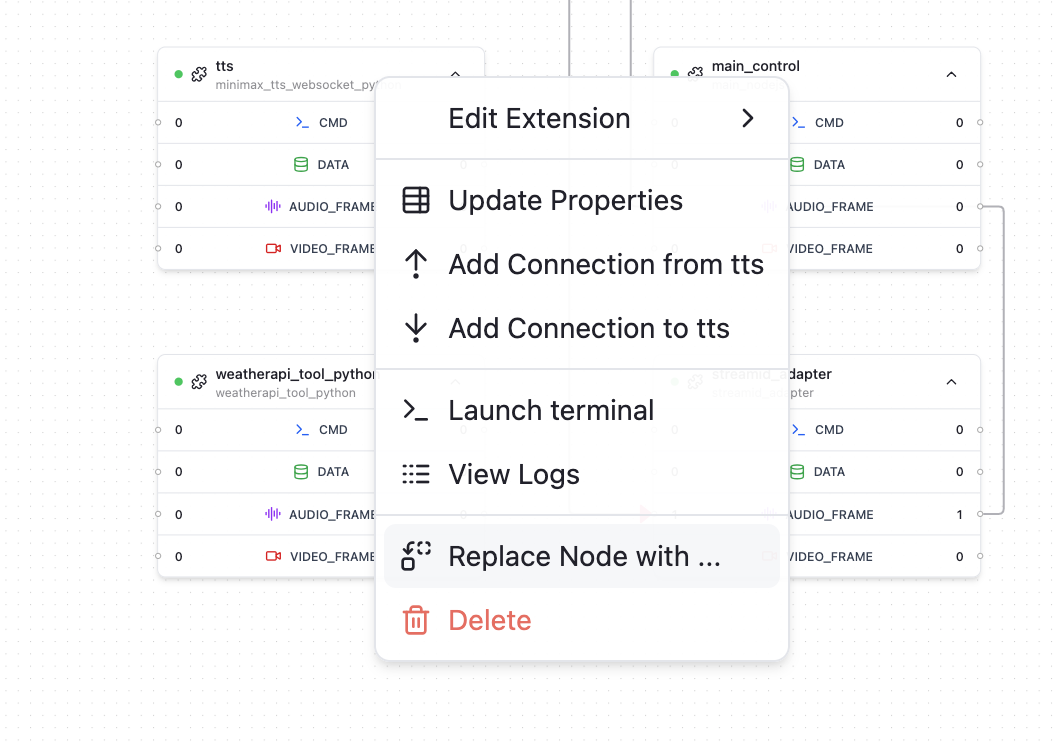
## Add Extension Node
You can add an extension node to a graph with following steps:
1. Right click on an empty area in the canvas, in the context menu, select "Add Node"
2. In the popup window, select the extension implementation you would like to use with "Addon Name" text input field, and give the node a name with "Node Name" text input field. The node name needs to be unique in a graph.
3. Click "Add Node" to confirm the addition.
The added extension will be using the properties defined in `property.json` by default.
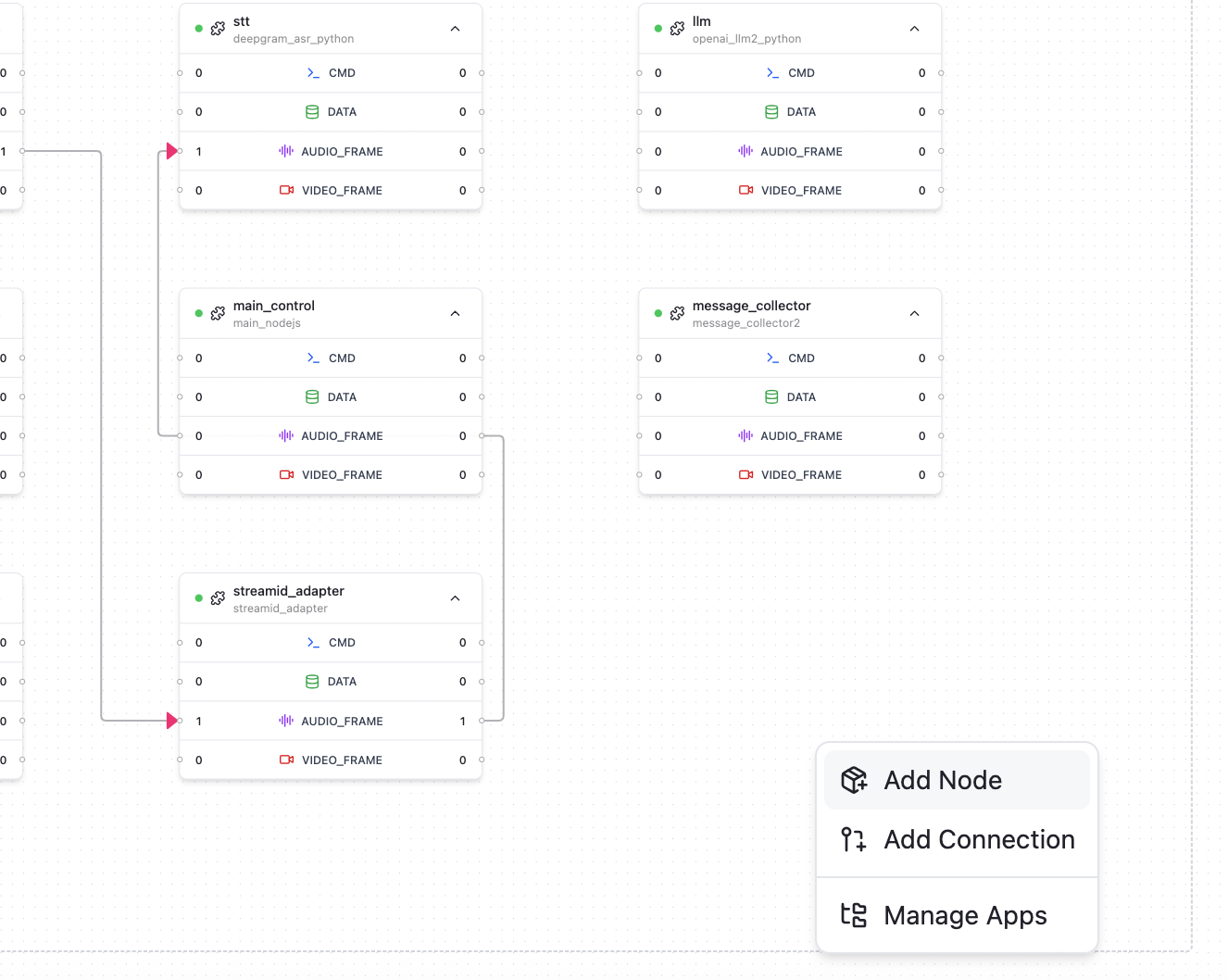
## Remove Extension Node
You can remove an extension you no longer need from graph by following these steps:
1. Right click on the node you want to remove, in the context menu, select "Delete"
2. Confirm the removal in the popup window.
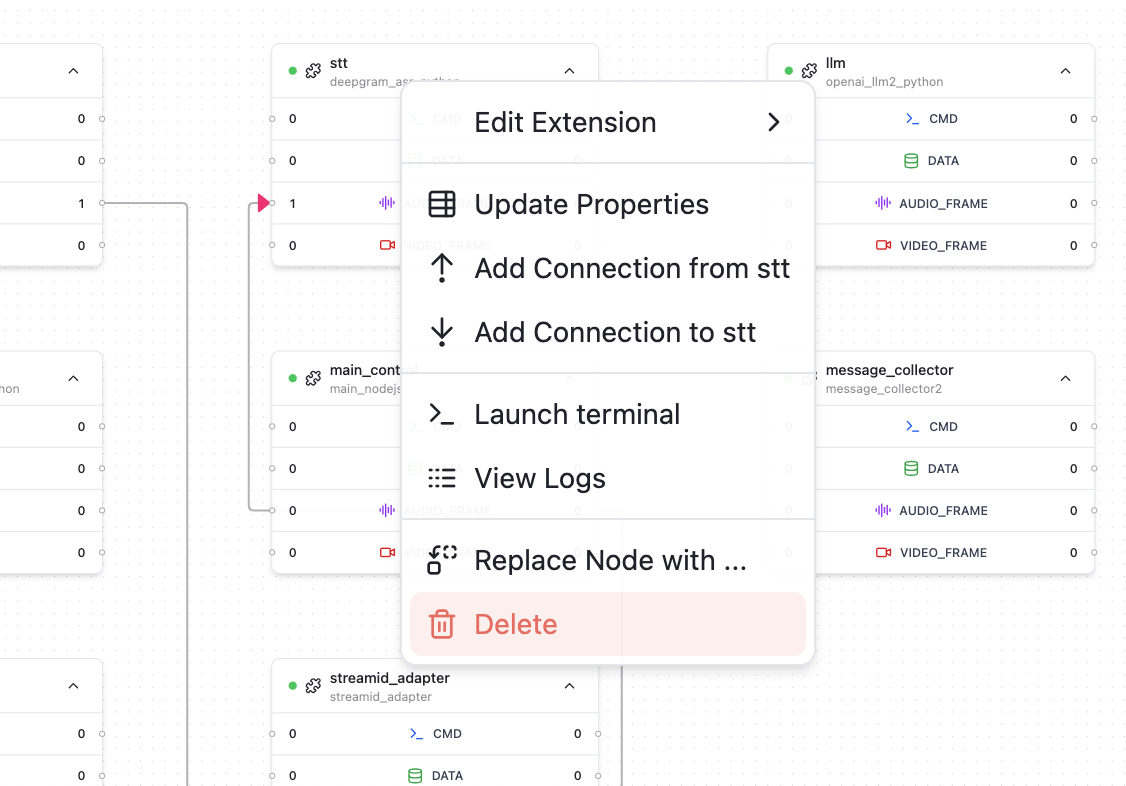
## Supported Extension Categories
Some key categories of extensions are widely adopted in voice ai agent. In TEN-Agent these extensions are built using certain shared protocols so that it's easy to switch.
Following is a list of supported extension categories:
### Audio Speech Recognition (ASR)
* aliyun\_asr
* aliyun\_asr\_bigmodel\_python
* aws\_asr\_python
* azure\_asr\_python
* bytedance\_asr
* deepgram\_asr\_python
* gladia\_asr\_python
* google\_asr\_python
* openai\_asr\_python
* soniox\_asr\_python
* speechmatics\_asr\_python
* tencent\_asr\_python
* xfyun\_asr\_bigmodel\_python
* xfyun\_asr\_dialect\_python
* xfyun\_asr\_python
The list above is subject to change as new extensions are added or existing ones are updated.
### Large Language Model (LLM)
* openai\_llm2\_python
* dify\_llm2\_python
* coze\_llm2\_python
Most LLM models are compatible with openai api schema. You can switch vendors by changing base\_uri / model to vendor you want.
The list above is subject to change as new extensions are added or existing ones are updated.
### Text to Speech (TTS)
* azure\_tts\_python
* bytedance\_tts\_duplex
* cartesia\_tts2
* elevenlabs\_tts2\_python
* fish\_audio\_tts\_python
* google\_tts\_python
* humeai\_tts\_python
* minimax\_tts\_websocket\_python
* openai\_tts2\_python
* polly\_tts
* tencent\_tts\_python
The list above is subject to change as new extensions are added or existing ones are updated.
### Multimodal Realtime V2V Model (MLLM)
* azure\_mllm\_python
* glm\_mllm\_python
* gemini\_mllm\_python
* openai\_mllm\_python
* stepfun\_mllm\_python
The list above is subject to change as new extensions are added or existing ones are updated.
### Tools (TOOLS)
* weatherapi\_tool\_python
* vision\_analyze\_tool\_python
* mcp\_client\_python
The list above is subject to change as new extensions are added or existing ones are updated.
# Configure Extension Properties (/docs/ten_agent_examples/customize_agent/tman-designer/configure_properties)
Every extension has a set of configurable properties. The configurable properties can be checked via the extension's `manifest.json` file.
The properties can be used to customize the behavior of the extension during runtime.
You can follow [this guide](/docs/ten-agent/customize_agent/tman-designer/) to learn to launch TMAN Designer if you haven't done so already.
## Configure Node Properties
1. Right click on a node you want to configure, in the context menu, select "Update Properties"
2. In the popup window, you may see a set of properties displayed as a form for you to edit.
3. Make the necessary changes and click "Save Change" to apply the updates.
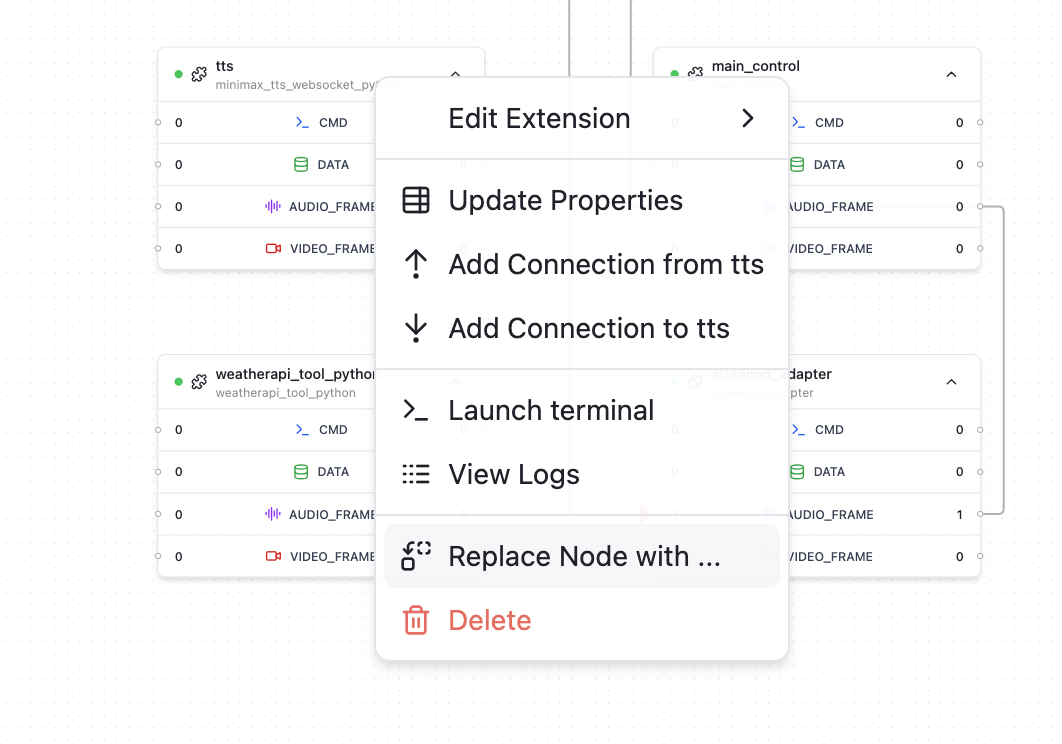
## Dynamic Fields
"Dynamic fields" are essentially a way to define an object without strictly specifying all of its possible keys upfront. Instead of enforcing a fixed schema, the object can accept and carry through any extra properties provided at runtime.
The main purpose is **flexibility and extensibility**:
* You can design an object with only the core or required fields defined.
* Any additional fields can be passed in dynamically, without changing the original object definition.
* When the object is handed off to an external SDK or API, those dynamic fields are transparently forwarded along with the known fields.
This means you don’t have to constantly update your object definition whenever new attributes are needed by the external system—you can just attach them on the fly.
To set a dynamic field, you can follow these steps:
1. Right click on a node you want to configure, in the context menu, select "Update Properties"
2. In the popup window, click on top tab to switch to "Dynamic Fields"
3. Choose the object key route where you want to add the dynamic field, set the name of the field, choose the data type and default value.
4. Confirm "Add Field" to finish adding the dynamic field.
5. Back to "Node Properties", you should see the newly added dynamic field in the "View Form Values" preview.
# Use TMAN Designer (/docs/ten_agent_examples/customize_agent/tman-designer)
TEN Manager includes a web UI-based visual development interface called TMAN Designer, which eases the process of creating and customizing voice agents. You can refer to [TEN Framework docs](/docs/ten_framework/tman_designer/overview) for more details about TMAN Designer.
This section provides various examples of how to use TMAN Designer to create and customize voice agents for different use cases.
In earlier versions of TEN Agent, we supported to use playground to customize voice agents. This has been deprecated. For latest version of TEN Agent, please use TMAN Designer to customize your voice agents.
## Launching TMAN Designer
1. Make sure `task run` is running and TEN Manager server is started. If you haven't started it yet, you can follow the instructions in [Get Started](/docs/ten_agent/getting_started) to set it up.
2. Open the designer UI at [http://localhost:49483](http://localhost:49483) to configure your agent.
3. You should see the TMAN Designer interface now, the graphs of your current loaded TEN App should be displayed in the canvas.
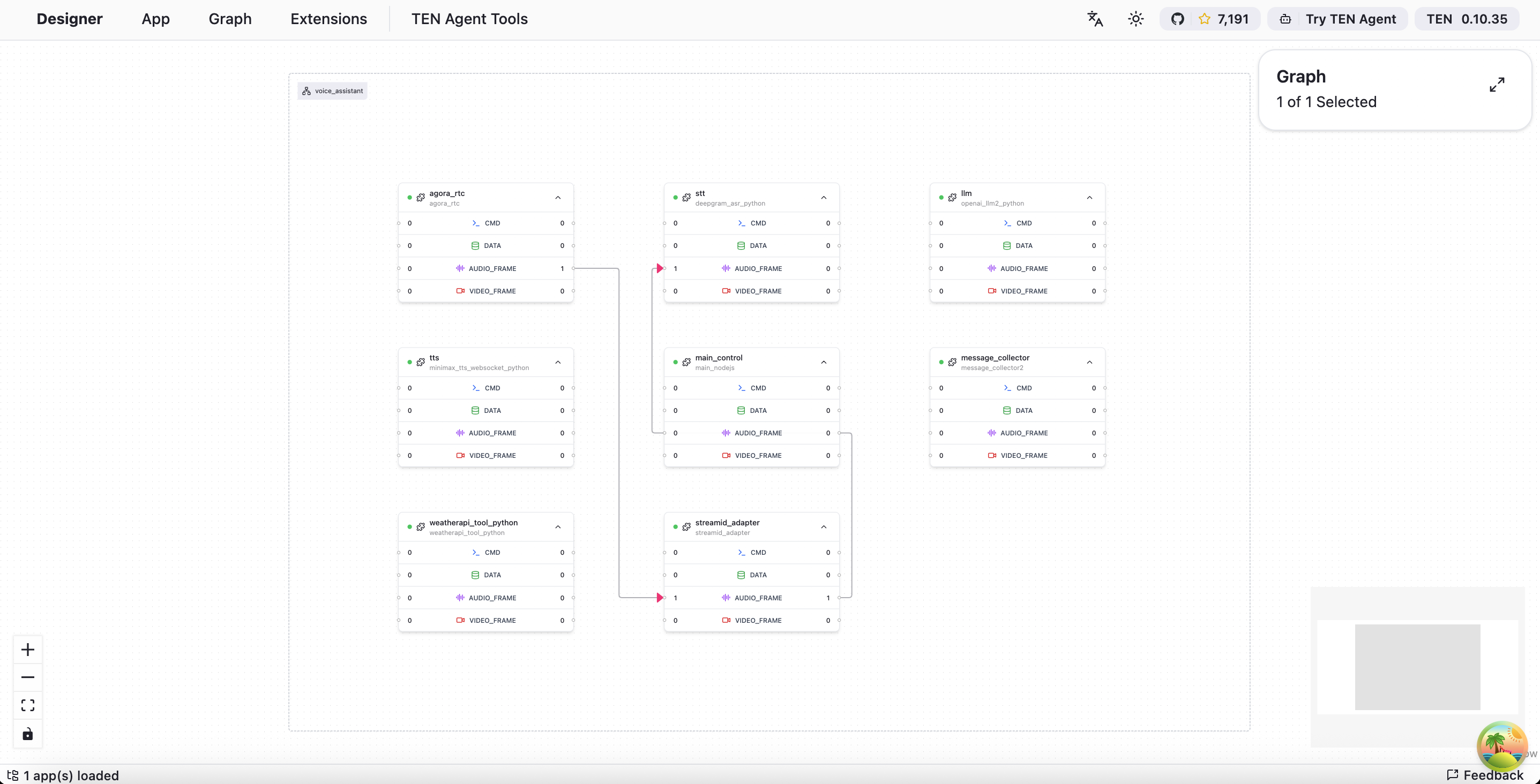
# Story Teller (/docs/ten_agent_examples/playground/use-cases/run_story_telling)
This guide will help you to run the Story Teller usecase with Large Language Model in the TEN-Agent Playground.
## STT + TTS + LLM
### Prerequisites
* Make sure you have the TEN-Agent playground running. If not, follow the [Run Playground](../../demo) guide to start the playground.
* You will need following information prepared:
* STT info, any supported STT can be used. [Deepgram](https://deepgram.com/) is relatively easy to register and get started with.
* TTS info, any supported TTS can be used. [Fish.Audio](https://fish.audio/) is relatively easy to register and get started with.
* LLM info, For this use case only [OpenAI](https://openai.com) or OpenAI API compatible models are supported.
* RTC info, currently only Agora RTC is supported. You can register your account at [Agora](https://www.agora.io/). We assume you have your App ID and App Certificate ready when you configure your `.env` file.
### Steps
1. Open the playground at [localhost:3000](http://localhost:3000) to configure your agent.
2. Select the graph type `story_teller`.
3. Click on `Module Picker` to open the module selection.
4. If you preferred STT/TTS module is not by default selected, you can select the module from the dropdown list. Note you will need to configure the module with the correct information like API key, etc.
5. The `LLM` module is preconfigured to have `OpenAI ChatGPT` selected, don't change it.
6. Click on `Save Change` to apply the module to the graph.
7. Click on the Button to the right of the graph selection to open the property configuration. You will see a list of properties that can be configured for the selected Large Language Model.
8. Configure the properties with the information you prepared.
9. Click on `Save Change` to apply the properties to the Large Language Model.
10. If you see the success toast, the properties are successfully applied to the Large Language Model.
11. You are all set! Now you can start speaking to the Voice Assistant by clicking on the `Connect` button. Note you will need to wait a few seconds for agent to initialzie itself.
### Using Azure STT
Azure STT is integrated within RTC extension module. That's why if you want to use Azure STT, you will need to select `story_teller_integrated_stt` graph type.
### Bind Tools
The story\_teller use case is preconfigured to use `openai_image_generate_tool`, so usually you don't need to change anything.
## Realtime V2V
### Prerequisites
* Make sure you have the TEN-Agent playground running. If not, follow the [Run Playground](../../demo) guide to start the playground.
* You will need following information prepared:
* Realtime API Key
* RTC info, currently only Agora RTC is supported. You can register your account at [Agora](https://www.agora.io/). We assume you have your App ID and App Certificate ready when you configure your `.env` file.
### Steps
1. Open the playground at [localhost:3000](http://localhost:3000) to configure your agent.
2. Select the graph type `story_teller_realtime`.
3. Click on `Module Picker` to open the module selection.
4. The `V2V` module is preconfigured to have `OpenAI Realtime` selected. You can select other V2V modules from the dropdown list if needed. Note you will need to copy the `prompt` property from the `OpenAI Realtime` module to the new module, as module properties will be reset to default when switching.
5. Click on `Save Change` to apply the module to the graph if you have changed the V2V module, or if you have not changed the V2V module, you can skip this step.
6. Click on the Button to the right of the graph selection to open the property configuration. You will see a list of properties that can be configured for the selected V2V module.
7. Configure the `Realtime API Key` property with the information you prepared. If you have changed the V2V module in previous steps, do remember to copy the `prompt` property from the `OpenAI Realtime` module to the new module.
8. Click on `Save Change` to apply the property to the V2V module.
9. If you see the success toast, the property is successfully applied to the V2V module.
10. You are all set! Now you can start speaking to the Voice Assistant by clicking on the `Connect` button. Note you will need to wait a few seconds for agent to initialzie itself.
### Bind Tools
The story\_teller\_realtime use case is preconfigured to use `openai_image_generate_tool`, so usually you don't need to change anything.
# Voice Assistant (/docs/ten_agent_examples/playground/use-cases/voice-assistant)
This guide will help you to run the Voice Assistant with Large Language Model in the TEN-Agent Playground.
## STT + TTS + LLM
### Prerequisites
* Make sure you have the TEN-Agent playground running. If not, follow the [Run Playground](../../demo) guide to start the playground.
* You will need following information prepared:
* STT info, any supported STT can be used. [Deepgram](https://deepgram.com/) is relatively easy to register and get started with.
* TTS info, any supported TTS can be used. [Fish.Audio](https://fish.audio/) is relatively easy to register and get started with.
* LLM info, any supported LLM can be used. It's recommended to use [OpenAI](https://openai.com).
* RTC info, currently only Agora RTC is supported. You can register your account at [Agora](https://www.agora.io/). We assume you have your App ID and App Certificate ready when you configure your `.env` file.
### Steps
1. Open the playground at [localhost:3000](http://localhost:3000) to configure your agent.
2. Select the graph type `voice_assistant`.
3. Click on `Module Picker` to open the module selection.
4. If you preferred STT/TTS module is not by default selected, you can select the module from the dropdown list. Note you will need to configure the module with the correct information like API key, etc.
5. From `LLM` module, click on the dropdown and select your preferred Large Language Model.
6. Click on `Save Change` to apply the module to the graph.
7. Click on the Button to the right of the graph selection to open the property configuration. You will see a list of properties that can be configured for the selected Large Language Model.
8. Configure the properties with the information you prepared.
9. Click on `Save Change` to apply the properties to the Large Language Model.
10. If you see the success toast, the properties are successfully applied to the Large Language Model.
11. You are all set! Now you can start speaking to the Voice Assistant by clicking on the `Connect` button. Note you will need to wait a few seconds for agent to initialzie itself.
### Using Azure STT
Azure STT is integrated within RTC extension module. That's why if you want to use Azure STT, you will need to select `voice_assistant_integrated_stt` graph type.
### Bind Weather Tool to your LLM
You can bind weather tool to your LLM module in the TEN-Agent Playground.
It's recommended to use OpenAI LLM below.
1. When you have your agent running. Open Module Picker.
2. Click on the button to the right of the LLM module to open the tool selection.
3. Select `Weather Tool` from the popover list.
4. Click on `Save Change` to apply the tool to the LLM module.
5. If you see the success toast, the tool is successfully applied to the LLM module.
6. You are all set! Now you can ask the agent about the weather by speaking to it.
## Realtime V2V
### Prerequisites
* Make sure you have the TEN-Agent playground running. If not, follow the [Run Playground](../../demo) guide to start the playground.
* You will need following information prepared:
* Realtime API Key
* RTC info, currently only Agora RTC is supported. You can register your account at [Agora](https://www.agora.io/). We assume you have your App ID and App Certificate ready when you configure your `.env` file.
### Steps
1. Open the playground at [localhost:3000](http://localhost:3000) to configure your agent.
2. Select the graph type `voice_assistant_realtime`.
3. Click on `Module Picker` to open the module selection.
4. Select your preferred V2V module from the dropdown list.
5. Click on `Save Change` to apply the module to the graph.
6. Click on the Button to the right of the graph selection to open the property configuration. You will see a list of properties that can be configured for the selected V2V module.
7. Configure the `Realtime API Key` property with the information you prepared.
8. Click on `Save Change` to apply the property to the V2V module.
9. If you see the success toast, the property is successfully applied to the V2V module.
10. You are all set! Now you can start speaking to the Voice Assistant by clicking on the `Connect` button. Note you will need to wait a few seconds for agent to initialzie itself.
### Bind Weather Tool to your V2V
You can bind weather tool to your V2V module in the TEN-Agent Playground.
1. When you have your agent running. Open Module Picker.
2. Click on the button to the right of the V2V module to open the tool selection.
3. Select `Weather Tool` from the popover list.
4. Click on `Save Change` to apply the tool to the V2V module.
5. If you see the success toast, the tool is successfully applied to the V2V module.
6. You are all set! Now you can ask the agent about the weather by speaking to it.
# Coze Chat Bot (/docs/ten_agent_examples/playground/use-cases/voice-assistant/run_coze)
In this tutorial, we will show you how to make Coze Bot speak in TEN-Agent playground.
## Prerequisites
* Make sure you have the TEN-Agent playground running. If not, follow the [Run Playground](../../demo) guide to start the playground.
* You will need following information prepared:
* Coze info:
* Coze Bot ID
* Coze Token
* Coze Base URL (only needed if you need to access non-global environment)
* STT info, any supported STT can be used. [Deepgram](https://deepgram.com/) is relatively easy to register and get started with.
* TTS info, any supported TTS can be used. [Fish.Audio](https://fish.audio/) is relatively easy to register and get started with.
* RTC info, currently only Agora RTC is supported. You can register your account at [Agora](https://www.agora.io/). We assume you have your App ID and App Certificate ready when you configure your `.env` file.
## Steps
1. Open the playground at [localhost:3000](http://localhost:3000) to configure your agent.
2. Select the graph type `voice_assistant`.
3. Click on `Module Picker` to open the module selection.
4. If you preferred STT/TTS module is not by default selected, you can select the module from the dropdown list. Note you will need to configure the module with the correct information like API key, etc.
5. From `LLM` module, click on the dropdown and select `Coze Chat Bot`.
6. Click on `Save Change` to apply the module to the graph.
7. Click on the Button to the right of the graph selection to open the property configuration. You will see a list of properties that can be configured for the `Coze Chat Bot` module.
8. Configure the `Coze Bot ID`, `Coze Token`, and `Coze Base URL` properties with the information you prepared.
9. Click on `Save Change` to apply the property to the `Coze Chat Bot` module.
10. If you see the success toast, the property is successfully applied to the `Coze Chat Bot` module.
11. You are all set! Now you can start speaking to Coze Bot by clicking on the `Connect` button. Note you will need to wait a few seconds for agent to initialzie itself.
## Using Azure STT
Azure STT is integrated within RTC extension module. That's why if you want to use Azure STT, you will need to select `voice_assistant_integrated_stt` graph type.
# Dify Chat Bot (/docs/ten_agent_examples/playground/use-cases/voice-assistant/run_dify)
In this tutorial, we will show you how to make Dify Bot speak in TEN-Agent playground.
## Prerequisites
* Make sure you have the TEN-Agent playground running. If not, follow the [Run Playground](./getting_started) guide to start the playground.
* You will need following information prepared:
* Dify info:
* Dify API Key
* STT info, any supported STT can be used. [Deepgram](https://deepgram.com/) is relatively easy to register and get started with.
* TTS info, any supported TTS can be used. [Fish.Audio](https://fish.audio/) is relatively easy to register and get started with.
* RTC info, currently only Agora RTC is supported. You can register your account at [Agora](https://www.agora.io/). We assume you have your App ID and App Certificate ready when you configure your `.env` file.
> You can use any Agent / Chat Assistant defined in Dify platform. Each Agent / Chat Assistant has its own API Key.
## Steps
1. Open the playground at [localhost:3000](http://localhost:3000) to configure your agent.
2. Select the graph type `voice_assistant`.
3. Click on `Module Picker` to open the module selection.
4. If you preferred STT/TTS module is not by default selected, you can select the module from the dropdown list. Note you will need to configure the module with the correct information like API key, etc.
5. From `LLM` module, click on the dropdown and select `Dify Chat Bot`.
6. Click on `Save Change` to apply the module to the graph.
7. Click on the Button to the right of the graph selection to open the property configuration. You will see a list of properties that can be configured for the `Dify Chat Bot` module.
8. Configure the `Dify API Key` property with the information you prepared.
9. Click on `Save Change` to apply the property to the `Dify Chat Bot` module.
10. If you see the success toast, the property is successfully applied to the `Dify Chat Bot` module.
11. You are all set! Now you can start speaking to Dify Bot by clicking on the `Connect` button. Note you will need to wait a few seconds for agent to initialzie itself.
## Using Azure STT
Azure STT is integrated within RTC extension module. That's why if you want to use Azure STT, you will need to select `voice_assistant_integrated_stt` graph type.
## Troubleshooting
If you encounter any issues, please check the following:
* Make sure you have the correct API Key for Dify Chat Bot.
* Make sure in Dify your Chat Assistant has a valid model key configured.
* Make sure you have the correct STT and TTS modules selected and configured.
* Make sure you have the correct graph type selected.
# 应用场景 (/cn/docs/application_scenarios)
TEN framework 旨在使 AI 功能集成和应用开发变得更加高效和灵活。开发者可以快速创建和部署 AI 功能扩展,并将它们组合成定制化的应用程序或服务。典型的 AI 场景包括:
* **智能语音处理**:可以将语音识别(STT)、语音合成(TTS)和情感分析等扩展组合,构建对话系统。
* **视觉识别系统**:可以利用图像识别和视频分析扩展,构建具有人脸识别、物体检测和运动追踪功能的安防或零售解决方案。
* **推荐系统和数据分析**:可以组合机器学习和数据处理扩展,创建个性化推荐系统和分析工具。
* **交互式教育和培训平台**:可以将交互式教学、智能辅导和评估等扩展组装成完整的教育科技解决方案。
* **健康监测和诊断系统**:可以利用医学图像分析和 AI 驱动的诊断扩展,开发疾病监测和早期诊断系统。
通过 TEN framework,开发者可以创建、共享和扩展 AI 扩展,实现快速开发和创新。灵活的架构确保了可扩展性和可维护性,为现代 AI 解决方案提供了坚实的基础。
# 目标 (/cn/docs/goal)
TEN framework 的愿景是建立一个模块化、灵活且可扩展的平台,以提升开发速度、可维护性和扩展性。该框架旨在支持模块化开发的最佳工程实践,通过平台提供的全面机制,使开发者能够创建健壮、高效且适应性强的应用程序。
# 欢迎使用 TEN (/cn/docs)
欢迎使用 TEN!TEN(Transformative Extensions Network)是一个用于创建对话式 AI 的语音代理框架。
TEN framework 具有以下优势:
1. **原生支持高性能实时多模态交互**
如果您的 AI 应用涉及复杂的视听场景,TEN 是您的最佳选择。它提供高性能和低延迟,并对各种扩展之间的交互进行了广泛优化,以确保 AI 应用的高效开发。
2. **支持多种编程语言和平台**
开发者可以使用多种编程语言(如 C++、Go 和 Python,未来还将支持 JavaScript/TypeScript)创建模块化和可重用的扩展。此外,TEN framework 可以在 Windows、Mac、Linux 和移动设备等各种平台上无缝运行。
3. **边缘云集成**
通过 TEN framework,部署在边缘和云环境中的扩展可以轻松组合,创建多样化的应用场景。对于注重隐私的边缘部署,小型模型可以利用本地计算能力来降低成本和延迟,同时可以集成云端大型模型以实现成本和性能的最佳平衡。
4. **突破模型局限的灵活性**
TEN framework 允许创建超越单一大型模型局限性的复杂 AI 应用。通过简单的拖放式响应式编程方法,可以轻松构建满足各种需求的代理。TEN 还便于将 AI 与视听工具、数据库、监控系统、RAG 等进行集成。
5. **实时代理状态管理**
TEN 具备管理实时代理状态的能力,能够实现动态响应并实时调整代理行为。
***
想要看看 TEN 的实际应用?请访问 **[agent.theten.ai](https://agent.theten.ai)** 体验由 TEN framework 驱动的真实 AI 代理。
要开始您的 AI 代理开发之旅,请探索我们专门的 [**TEN Agent**](https://github.com/ten-framework/TEN-Agent) 代码仓库。它包含了帮助您快速高效入门的丰富资源。
如果您能给 TEN Agent 仓库点个星标,我们将不胜感激。您的支持将帮助我们不断成长和进步!🌟
# 核心概念 (/cn/docs/key_concepts)
## 模块化
1. **明确的模块边界**:框架支持清晰定义控制平面和数据平面的边界,这些边界可以静态声明。这便于使用离线工具进行检查和后处理。
2. **动态服务组合**:进程内的模块可以在运行时动态组合,无需静态编译,实现灵活的服务配置。
3. **简化的模块集成**:在多模块组合场景中,只需要声明即可,无需修改任何模块代码或编写胶水代码。
4. **去中心化的模块耦合**:架构允许不同团队独立开发模块,模块间无耦合,支持动态替换。
5. **灵活的模块接口通信**:支持两种类型的接口通信——一种要求双方参数一致,另一种允许参数差异并由平台提供桥接机制。这种灵活性对于独立的模块开发和部署至关重要。
## 编排
1. **有向循环图(DCG)拓扑**:支持复杂的图结构进行模块组合,在控制平面和数据平面都能实现 1 对 n、n 对 1 和 n 对 m 的交互关系。
2. **跨进程和线程编排**:支持跨不同进程和线程的模块实例协调,形成完整的服务场景。

3. **动态编排配置**:编排可以在运行时动态配置,也可以在服务执行前预配置。
## 灵活的配置设置
1. **层级配置支持**:不同模块实例可以有不同的配置可能性,能够适应不同的层级上下文。
2. **多样化配置能力**:配置可以预设、在运行时动态更改或作为更新分发。
## 多样的发布能力
1. **支持二进制和源码发布**:模块可以以源码或二进制形式分发,同一模块可以同时支持这两种模式。
2. **云市场集成**:无论是源码还是二进制形式的模块,都可以发布到云市场,便于下载和集成到项目中。
## 多实例能力
1. **平台多实例**:平台避免使用全局变量,支持在单个业务进程中运行多个实例。
2. **模块多实例**:模块开发时不依赖全局变量,允许同一模块的多个实例无冲突运行。
3. **编排流水线多实例**:支持在单个进程中并发或顺序执行多个编排流水线。
## 多样的分发能力
1. **分发配置动态切换**:模块可以跨进程和线程分发,以实现高可用、高并发和便捷的热更新。
2. **分发配置解耦**:分发配置与模块代码和编译/构建过程解耦,简化部署。
## 灵活的输入/输出支持
1. **支持控制平面和数据平面**:框架支持模块间的命令调用和原始数据(音频/视频/数据)传输。
2. **支持跨进程和线程通信**:模块可以同时处理跨进程和线程的外部输入/输出操作。
3. **RPC 特性**:外部输入/输出操作具有 RPC 特性,实现跨进程模块的无缝集成。
4. **触发多个下游组件**:单个动作可以触发多个下游模块,并将聚合响应返回给原始模块。
5. **声明式外部输入/输出**:接口可以静态声明,支持离线工具进行静态检查。
6. **简化的外部输入/输出代码**:函数调用接口(理想情况下自动生成)简化了模块开发者的编码工作。
7. **支持非序列化数据**:架构支持传输非序列化数据,工具可自动识别和标记此类用法。
8. **透明的跨进程通信**:平台抽象了底层传输逻辑,简化跨进程交互。
9. **支持同步和异步控制平面操作**:控制平面支持同步和异步交互,允许双向命令和响应流。
10. **支持受限执行上下文**:支持同一线程内模块间的同步交互。
## 模块开发自由度
1. **使用第三方库的自由**:模块可以自由使用第三方库来实现所需功能。
2. **使用操作系统特性的自由**:开发者可以在模块内自由创建和终止原生线程,提供最大的开发灵活性。
## 编程语言支持
1. **支持多种编程语言**:框架支持使用多种语言(如 C/C++、Go、Java、Python)编写模块,实现多样化的开发环境。

2. **跨语言模块集成**:使用不同语言编写的模块可以在同一进程中运行。
3. **跨语言统一交互**:模块在不同语言中具有一致的接口和行为。
4. **跨语言统一数据类型**:平台提供统一的数据类型,确保不同编程语言间的数据交换一致性。
## 丰富的外部交互能力
1. **UI 提供者**:架构支持后端服务为前端提供 UI 组件。
2. **RESTful 接口**:后端服务可以暴露 RESTful 接口用于客户端交互。
3. **无侵入式集成现有服务**:框架可以集成到现有服务中,无需完全重写。
4. **单线程运行**:框架可以作为独立进程运行,或作为现有服务中的一个线程运行,避免与现有业务逻辑冲突。
## 测试友好
1. **多样化测试机制**:框架支持多种测试策略,包括单元测试、集成测试、模块测试和黑盒测试。
2. **独立模块测试**:模块可以独立测试,便于进行全面有效的测试。
## 离线处理能力
1. **包管理器**:框架包含 CLI 和包管理器,用于管理模块及其组合。
2. **编排工具**:提供 GUI 工具用于离线开发和编排,提升开发者体验。
3. **可视化调试工具**:架构支持可视化调试工具,帮助可视化模块交互。
## 健壮性
1. **编排流水线高并发**:平台支持单进程内至少 100 个编排流水线的并发实例。
2. **RESTful 接口高并发**:平台可在单进程中支持超过 20,000 个 RESTful 客户端。
3. **非 RESTful 接口高并发**:平台可在单进程中支持超过 1,000 个非 RESTful 客户端。
# TEN Turn Detection (/cn/docs/ten_turn_detection)
# TEN Turn Detection
Intelligent model for detecting conversation turns in human-AI dialogue systems, identifying three key utterance states for natural conversation flow.
## Core Functionality
Classifies user text into three states:
* **Finished**: Complete thought expressed; user expects a response
* **Unfinished**: Clearly unfinished utterance where user pauses but intends to continue
* **Wait**: User requests AI to pause or stop speaking
## Technology
* **Model**: Transformer-based (Qwen2.5-7B)
* **Languages**: English and Chinese
* **Inference**: Production-ready deployment scripts included
## Performance Metrics
Strong accuracy across all detection categories:
| Metric | Accuracy |
| -------------------- | -------- |
| Finished (English) | 90.64% |
| Unfinished (English) | 98.44% |
| Wait State | 91% |
Performance exceeds comparable open-source alternatives.
## Use Cases
* **Full-Duplex Conversation** — Enable interruption detection and natural turn-taking
* **Conversation Flow Management** — Determine when to wait for user continuation vs. respond
* **Pause/Stop Handling** — Recognize when users request the AI to pause or stop
* **Multi-Language Support** — Deploy in English and Chinese speaking applications
## Getting Started
```python
# Basic usage
from ten_turn_detection import TurnDetection
detector = TurnDetection()
state = detector.detect("user input text")
# Returns: "finished", "unfinished", or "wait"
```
## Integration with TEN Agent
TEN Turn Detection works seamlessly with TEN VAD for complete conversation management:
1. **TEN VAD** detects speech activity (when user is speaking)
2. **TEN Turn Detection** analyzes utterance to determine conversation state
3. **Agent** responds appropriately based on detected turn state
This enables natural, responsive voice conversations with proper turn-taking.
## Datasets
Bilingual test datasets (TEN-Turn-TestSet) are available for:
* Validation and testing
* Fine-tuning on domain-specific language
* Benchmarking model performance
## Resources
* **GitHub Repository**: [TEN-framework/ten-turn-detection](https://github.com/TEN-framework/ten-turn-detection)
* **Model Weights**: Available via Hugging Face
* **Datasets**: Bilingual test datasets included
## License
Apache 2.0 (see repository for details)
# TEN VAD (/cn/docs/ten_vad)
# TEN VAD - Voice Activity Detector
TEN VAD is a lightweight, high-performance Voice Activity Detector (VAD) designed for real-time speech detection with superior accuracy and minimal computational overhead.
## Overview
TEN VAD delivers exceptional precision compared to industry alternatives like WebRTC VAD and Silero VAD, while consuming significantly fewer computational resources and memory.
**Key Performance Metrics:**
* Real-Time Factor: 0.015 on AMD Ryzen (exceptionally fast)
* Library Size: Only 306KB (minimal footprint)
* Superior precision compared to WebRTC and Silero VAD
* Frame-level speech activity detection for fine-grained control
## Features
### Multi-Platform Support
* **Desktop**: Linux, Windows, macOS
* **Mobile**: Android, iOS
* **Web**: Browser integration via WebAssembly
### Multi-Language Bindings
Build VAD detection in your preferred language:
* Python (with numpy)
* C/C++
* Java (with JNI support for Android)
* Go
* JavaScript/WebAssembly
### Technology Stack
* **ONNX Model Format** for cross-platform deployment and optimization
* **WebAssembly Support** for seamless browser integration
* **JNI Bindings** for native Android support
## Use Cases
* **Real-time Voice Assistants** — Detect speech onset and offset for responsive interaction
* **Voice Conferencing** — Identify active speakers in multi-party conversations
* **Speech Recognition Preprocessing** — Optimize ASR pipeline by filtering silence
* **Mobile Applications** — Lightweight detection on resource-constrained devices
* **Browser-Based Applications** — Client-side speech detection without server round-trips
## Performance Highlights
TEN VAD outperforms comparable alternatives across diverse hardware platforms:
* Minimal computational complexity
* Reduced memory usage
* Fast inference time (Real-Time Factor \< 1)
* Accurate frame-level detection
This makes it ideal for:
* Edge deployment scenarios
* Real-time conversational AI
* Mobile and web applications
* Multi-stream processing
## Getting Started
### Installation
```bash
# Python
pip install ten-vad
# JavaScript/Node.js
npm install ten-vad
```
### Basic Usage
```python
from ten_vad import VAD
# Initialize VAD
vad = VAD()
# Process audio frames
for frame in audio_stream:
is_speech = vad.detect(frame)
if is_speech:
print("Speech detected!")
```
## Integration with TEN Agent
TEN VAD is a core component of TEN Agent's speech processing pipeline:
* Enables natural interruption handling in voice interactions
* Improves responsiveness by detecting speech boundaries
* Reduces unnecessary processing of silence
Use TEN VAD with the TEN framework for:
* **Voice Activity Detection** — Identify when users are speaking
* **Turn Detection** — Combined with TEN Turn Detection for intelligent conversation flow
* **Barge-in Support** — Enable users to interrupt AI responses naturally
## Resources
* **GitHub Repository**: [TEN-framework/ten-vad](https://github.com/TEN-framework/ten-vad)
* **Documentation**: Full API reference and examples
* **Community**: 1.6k stars, 131 forks, active Discord and WeChat communities
## Latest Updates (2025)
Recent releases include:
* Python inference with ONNX models on Linux and macOS
* Full Golang support across major operating systems
* Java support on multiple platforms including Android
* Enhanced model accuracy and performance optimizations
## License
TEN VAD is open-source and community-driven. Check the repository for licensing details.
# 架构 (/cn/docs/ten_agent_examples/architecture_flow)
整个系统包含多个协同工作的组件,以提供无缝的体验。主要组件包括:
* **TEN Agent App**: 主要应用程序,负责协调扩展并管理它们之间的数据流。它作为后台进程运行。根据图的配置,agent 启动所需的扩展并处理它们之间的数据流。
* **前端 UI**: 一个基于 Web 的界面,用于与 agent 交互。它允许用户配置 agent、启动/停止 agent 以及与 agent 对话。
* **Web 服务器**: 一个简单的 Golang Web 服务器,用于处理 HTTP 请求。它负责处理传入的请求和启动/停止 agent 进程。它还传递诸如 `graph_name` 之类的参数来确定要使用的图。
系统的流程如下:
# 常见问题 (/cn/docs/ten_agent_examples/faqs)
## 为什么我看到 `/app/agnets/bin/start: not found`?
Windows 用户偶尔会遇到行尾问题,这可能会导致诸如 `/app/agnets/bin/start: not found` 之类的错误。
为了获得最佳体验,我们建议将 Git 配置为在 Windows 上自动将行尾转换为 LF。
要解决此问题:
1. 配置 Git 以在 Windows 上自动将行尾转换为 LF:
```bash title="终端"
git config --global core.autocrlf false
```
2. 重新克隆存储库
或者,您可以直接从 GitHub 下载并解压缩 ZIP 文件。
## 如何验证我的互联网连接?
请确保您的 **HTTPS** 和 **SSH** 都已连接到互联网。
测试 **HTTPS** 连接:
```bash title="终端"
ping www.google.com
# 您应该看到以下输出:
PING google.com (198.18.1.94): 56 data bytes
64 bytes from 198.18.1.94: icmp_seq=0 ttl=64 time=0.099 ms
64 bytes from 198.18.1.94: icmp_seq=1 ttl=64 time=0.121 ms
```
测试 **SSH** 连接:
```bash title="终端"
curl www.google.com
# 您应该看到以下输出:
301 Moved Permanently
301 Moved Permanently
```
## 如何刷新 env 文件?
要在开发过程中查看更新的更改,请按照以下步骤操作:
1. 停止服务器
2. 保存对 `.env` 文件的更改
3. 运行 `source .env` 以刷新环境变量
## Windows 上的行尾问题
Windows 用户偶尔会遇到行尾问题,这可能会导致诸如“agent/bin/start is not a valid directory”之类的错误。
要解决此问题:
1. 配置 Git 以在 Windows 上自动将行尾转换为 LF:
```bash title="终端"
git config --global core.autocrlf false
```
2. 重新克隆存储库
或者,您可以直接从 GitHub 下载并解压缩 ZIP 文件。
# 快速开始 (/cn/docs/ten_agent_examples/getting_started)
在本章节中,让我们一起构建 TEN Agent 的 Playground。
## 前提条件
import { Tab, Tabs } from 'fumadocs-ui/components/tabs'
Agora [ App ID
](https://docs.agora.io/en/video-calling/get-started/manage-agora-account?platform=web#create-an-agora-project)
和 [ App Certificate
](https://docs.agora.io/en/video-calling/get-started/manage-agora-account?platform=web#create-an-agora-project)
(每月有免费额度)
#### 资源管理和清理
**连接取消和清理:**
```python
def cancel(self) -> None:
"""Cancel current connection, used for flush scenarios"""
def _clear_queues(self) -> None:
"""Clear all queues to prevent processing old data, used after receiving flush"""
```
### 运行应用
```bash
tman run start
```
如果一切正常,你应该看到类似以下的输出:
```text
[web_audio_control_go] Web server started on port 8001
[audio_file_player_python] AudioFilePlayerExtension on_start
```
### 安装 C++ 扩展
以 WebRTC VAD(语音活动检测)扩展为例,从云商店安装 C++ 扩展:
```bash
cd transcriber_demo
tman install extension webrtc_vad_cpp
```
> 💡 **提示**:`webrtc_vad_cpp` 是一个用 C++ 实现的语音活动检测扩展,可以在实时语音识别场景中筛选出语音部分。
### 编译 C++ 扩展
安装 C++ 扩展后,需要重新构建应用以编译 C++ 代码为动态库:
```bash
tman run build
```
> ⏱️ **预计时间**:首次编译 C++ 扩展可能需要 1-3 分钟,具体取决于你的机器性能。
### 运行带有 VAD 功能的应用
```bash
tman run start_with_vad
```
如果一切正常,你应该看到:
```text
[web_audio_control_go] Web server started on port 8001
[vad] WebRTC VAD initialized with mode 2
[audio_file_player_python] AudioFilePlayerExtension on_start
```
现在打开浏览器访问 `http://localhost:8001`,进入麦克风实时转写页面,你会看到经过vad后的silence状态变化,当silence状态为true时,表示当前音频中没有语音。
### 运行应用
```bash
tman run start
```
如果一切正常,你应该看到类似以下的输出:
```text
[web_audio_control_go] Web server started on port 8001
[audio_file_player_python] AudioFilePlayerExtension on_start
```
### 安装 C++ 扩展
以 WebRTC VAD(语音活动检测)扩展为例,从云商店安装 C++ 扩展:
```bash
cd transcriber_demo
tman install extension webrtc_vad_cpp
```
> 💡 **提示**:`webrtc_vad_cpp` 是一个用 C++ 实现的语音活动检测扩展,可以在实时语音识别场景中筛选出语音部分。
### 编译 C++ 扩展
安装 C++ 扩展后,需要重新构建应用以编译 C++ 代码为动态库:
```bash
tman run build
```
> ⏱️ **预计时间**:首次编译 C++ 扩展可能需要 1-3 分钟,具体取决于你的机器性能。
### 运行带有 VAD 功能的应用
```bash
tman run start_with_vad
```
如果一切正常,你应该看到:
```text
[web_audio_control_go] Web server started on port 8001
[vad] WebRTC VAD initialized with mode 2
[audio_file_player_python] AudioFilePlayerExtension on_start
```
现在打开浏览器访问 `http://localhost:8001`,进入麦克风实时转写页面,你会看到经过vad后的silence状态变化,当silence状态为true时,表示当前音频中没有语音。


 ## Core Architecture
### MainControlExtension Class
Extends `Extension` from `ten-runtime-nodejs`. Normalizes runtime messages into **typed events** (`ASRResultEvent`, `LLMResponseEvent`, etc.). Routes events into the `Agent` class. Manages **interruption** when users talk over the assistant.
### Key Properties
```ts
class MainControlExtension extends Extension {
tenEnv!: TenEnv;
agent!: Agent;
config!: MainControlConfig;
joinedUserCount: number = 0;
session_id: string = "0";
turn_id: number = 0;
sentenceFragment: string = "";
}
```
**`session_id` + `turn_id`** track conversation state. **`sentenceFragment`** accumulates partial output for sentence splitting.
## Core Architecture
### MainControlExtension Class
Extends `Extension` from `ten-runtime-nodejs`. Normalizes runtime messages into **typed events** (`ASRResultEvent`, `LLMResponseEvent`, etc.). Routes events into the `Agent` class. Manages **interruption** when users talk over the assistant.
### Key Properties
```ts
class MainControlExtension extends Extension {
tenEnv!: TenEnv;
agent!: Agent;
config!: MainControlConfig;
joinedUserCount: number = 0;
session_id: string = "0";
turn_id: number = 0;
sentenceFragment: string = "";
}
```
**`session_id` + `turn_id`** track conversation state. **`sentenceFragment`** accumulates partial output for sentence splitting.

 # 常见问题 (/cn/docs/ten_agent_examples/faqs)
## 为什么我看到 `/app/agnets/bin/start: not found`?
Windows 用户偶尔会遇到行尾问题,这可能会导致诸如 `/app/agnets/bin/start: not found` 之类的错误。
为了获得最佳体验,我们建议将 Git 配置为在 Windows 上自动将行尾转换为 LF。
要解决此问题:
1. 配置 Git 以在 Windows 上自动将行尾转换为 LF:
```bash title="终端"
git config --global core.autocrlf false
```
2. 重新克隆存储库
或者,您可以直接从 GitHub 下载并解压缩 ZIP 文件。
## 如何验证我的互联网连接?
请确保您的 **HTTPS** 和 **SSH** 都已连接到互联网。
测试 **HTTPS** 连接:
```bash title="终端"
ping www.google.com
# 您应该看到以下输出:
PING google.com (198.18.1.94): 56 data bytes
64 bytes from 198.18.1.94: icmp_seq=0 ttl=64 time=0.099 ms
64 bytes from 198.18.1.94: icmp_seq=1 ttl=64 time=0.121 ms
```
测试 **SSH** 连接:
```bash title="终端"
curl www.google.com
# 您应该看到以下输出:
# 常见问题 (/cn/docs/ten_agent_examples/faqs)
## 为什么我看到 `/app/agnets/bin/start: not found`?
Windows 用户偶尔会遇到行尾问题,这可能会导致诸如 `/app/agnets/bin/start: not found` 之类的错误。
为了获得最佳体验,我们建议将 Git 配置为在 Windows 上自动将行尾转换为 LF。
要解决此问题:
1. 配置 Git 以在 Windows 上自动将行尾转换为 LF:
```bash title="终端"
git config --global core.autocrlf false
```
2. 重新克隆存储库
或者,您可以直接从 GitHub 下载并解压缩 ZIP 文件。
## 如何验证我的互联网连接?
请确保您的 **HTTPS** 和 **SSH** 都已连接到互联网。
测试 **HTTPS** 连接:
```bash title="终端"
ping www.google.com
# 您应该看到以下输出:
PING google.com (198.18.1.94): 56 data bytes
64 bytes from 198.18.1.94: icmp_seq=0 ttl=64 time=0.099 ms
64 bytes from 198.18.1.94: icmp_seq=1 ttl=64 time=0.121 ms
```
测试 **SSH** 连接:
```bash title="终端"
curl www.google.com
# 您应该看到以下输出: